Sound system CADILLAC SRX 2012 2.G User Guide
[x] Cancel search | Manufacturer: CADILLAC, Model Year: 2012, Model line: SRX, Model: CADILLAC SRX 2012 2.GPages: 502, PDF Size: 6.23 MB
Page 151 of 502
Black plate (21,1)Cadillac SRX Owner Manual (Include Mex) - 2012
Instruments and Controls 5-21
If this has been done and the
vehicle still does not pass the
inspection for lack of OBD II
system readiness, your dealer
can prepare the vehicle for
inspection.
Brake System Warning
Light
The vehicle brake system consists
of two hydraulic circuits. If one
circuit is not working, the remaining
circuit can still work to stop the
vehicle. For normal braking
performance, both circuits need to
be working.
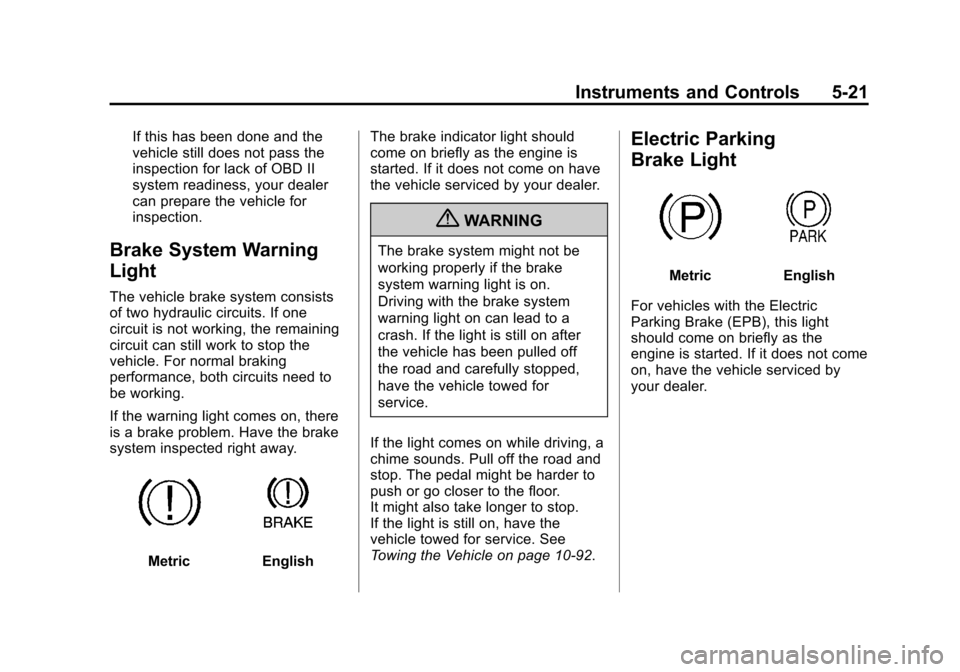
If the warning light comes on, there
is a brake problem. Have the brake
system inspected right away.
MetricEnglishThe brake indicator light should
come on briefly as the engine is
started. If it does not come on have
the vehicle serviced by your dealer.
{WARNING
The brake system might not be
working properly if the brake
system warning light is on.
Driving with the brake system
warning light on can lead to a
crash. If the light is still on after
the vehicle has been pulled off
the road and carefully stopped,
have the vehicle towed for
service.
If the light comes on while driving, a
chime sounds. Pull off the road and
stop. The pedal might be harder to
push or go closer to the floor.
It might also take longer to stop.
If the light is still on, have the
vehicle towed for service. See
Towing the Vehicle on page 10‑92.
Electric Parking
Brake Light
MetricEnglish
For vehicles with the Electric
Parking Brake (EPB), this light
should come on briefly as the
engine is started. If it does not come
on, have the vehicle serviced by
your dealer.
Page 152 of 502
Black plate (22,1)Cadillac SRX Owner Manual (Include Mex) - 2012
5-22 Instruments and Controls
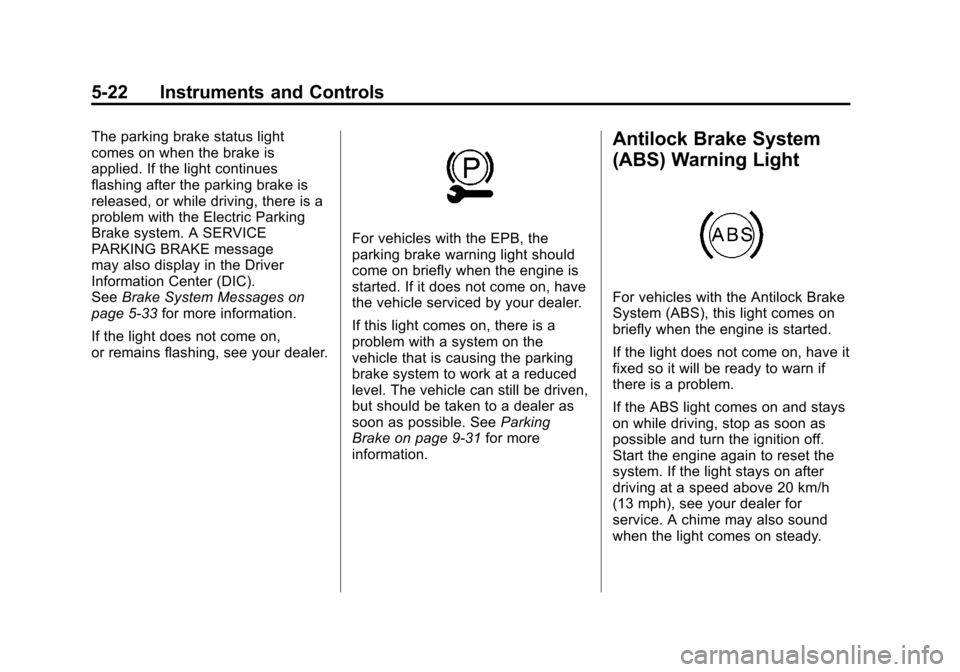
The parking brake status light
comes on when the brake is
applied. If the light continues
flashing after the parking brake is
released, or while driving, there is a
problem with the Electric Parking
Brake system. A SERVICE
PARKING BRAKE message
may also display in the Driver
Information Center (DIC).
SeeBrake System Messages on
page 5‑33 for more information.
If the light does not come on,
or remains flashing, see your dealer.
For vehicles with the EPB, the
parking brake warning light should
come on briefly when the engine is
started. If it does not come on, have
the vehicle serviced by your dealer.
If this light comes on, there is a
problem with a system on the
vehicle that is causing the parking
brake system to work at a reduced
level. The vehicle can still be driven,
but should be taken to a dealer as
soon as possible. See Parking
Brake on page 9‑31 for more
information.
Antilock Brake System
(ABS) Warning Light
For vehicles with the Antilock Brake
System (ABS), this light comes on
briefly when the engine is started.
If the light does not come on, have it
fixed so it will be ready to warn if
there is a problem.
If the ABS light comes on and stays
on while driving, stop as soon as
possible and turn the ignition off.
Start the engine again to reset the
system. If the light stays on after
driving at a speed above 20 km/h
(13 mph), see your dealer for
service. A chime may also sound
when the light comes on steady.
Page 165 of 502
Black plate (35,1)Cadillac SRX Owner Manual (Include Mex) - 2012
Instruments and Controls 5-35
ENGINE OVERHEATED—
IDLE ENGINE
This message displays when the
engine coolant temperature is too
hot. Stop and allow the vehicle to
idle until it cools down.
ENGINE OVERHEATED —
STOP ENGINE
This message displays and a
continuous chime sounds if the
engine cooling system reaches
unsafe temperatures for operation.
Stop and turn off the vehicle as
soon as it is safe to do so to avoid
severe damage. This message
clears when the engine has cooled
to a safe operating temperature.
HIGH COOLANT
TEMPERATURE
This message displays if the coolant
temperature is hot. See Engine
Overheating on page 10‑18.
Engine Oil Messages
CHANGE ENGINE OIL SOON
This message displays when the
engine oil needs to be changed.
When you change the engine oil, be
sure to reset the Oil Life System.
See Engine Oil Life System on
page 10‑10 andDriver Information
Center (DIC) on page 5‑28 for
information on how to reset the
system. See Engine Oil on
page 10‑8 andMaintenance
Schedule on page 11‑4 for more
information.
ENGINE OIL HOT, IDLE
ENGINE
This message displays when the
engine oil temperature is too hot.
Stop and allow the vehicle to idle
until it cools down.
ENGINE OIL LOW —ADD OIL
This message displays when the
engine oil level is too low. Check the
oil level. See Engine Oil on
page 10‑8.
OIL PRESSURE LOW —STOP
ENGINE
This message displays if low oil
pressure levels occur. Stop the
vehicle as soon as safely possible
and do not operate it until the cause
of the low oil pressure has been
corrected. Check the oil as soon as
possible and have the vehicle
serviced by your dealer.
Engine Power Messages
ENGINE POWER IS REDUCED
This message displays when the
vehicle's engine power is reduced.
Reduced engine power can affect
the vehicle's ability to accelerate.
If this message is on, but there is
no reduction in performance,
proceed to your destination. The
performance may be reduced the
next time the vehicle is driven. The
vehicle may be driven at a reduced
speed while this message is on, but
maximum acceleration and speed
may be reduced.
Page 169 of 502
Black plate (39,1)Cadillac SRX Owner Manual (Include Mex) - 2012
Instruments and Controls 5-39
TIRE LEARNING ACTIVE
This message displays when the
system is learning new tires. See
Tire Pressure Monitor Operation on
page 10‑59for more information.
TIRE LOW ADD AIR TO TIRE
This message displays when the
pressure in one or more of the tires
is low.
This message also displays LEFT
FRONT, RIGHT FRONT, LEFT
REAR, or RIGHT REAR to indicate
the location of the low tire.
The low tire pressure warning light
will also come on. See Tire
Pressure Light on page 5‑24.
If a tire pressure message appears
on the DIC, stop as soon as you
can. Inflate the tires by adding air
until the tire pressure is equal to the
values shown on the Tire and
Loading Information label. See Tires
on page 10‑49, Vehicle Load Limits
on page 9‑12, and Tire Pressure on
page 10‑56. You can receive more than one tire
pressure message at a time. The
DIC also shows the tire pressure
values. See
Driver Information
Center (DIC) on page 5‑28.
Transmission Messages
SERVICE TRANSMISSION
This message displays if there
is a problem with the transmission.
See your dealer.
SHIFT DENIED
This message displays when using
the Driver Shift Control (DSC) and
attempting to shift to a gear not
appropriate for the vehicle speed
and engine revolutions per
minute (rpm). See Manual Mode on
page 9‑28 for more information.
SHIFT TO PARK
This message displays when the
transmission needs to be shifted to
P (Park). This may appear when
attempting to remove the key from
the vehicle if the vehicle is not in
P (Park).
TRANSMISSION HOT —IDLE
ENGINE
This message displays and a chime
sounds if the transmission fluid in
the vehicle gets hot. Driving with the
transmission fluid temperature high
can cause damage to the vehicle.
Stop the vehicle and let it idle to
allow the transmission to cool.
This message clears when the fluid
temperature reaches a safe level.
Page 182 of 502
Black plate (2,1)Cadillac SRX Owner Manual (Include Mex) - 2012
6-2 Lighting
It controls the following systems:
.Headlamps
.Taillamps
.Parking Lamps
.License Plate Lamps
.Instrument Panel Lights
.Fog Lamps
The exterior lamps control has
four positions:
O(Off): Briefly turn to this position
to turn the automatic light control off
or on again.
AUTO (Automatic): Turns the
headlamps on automatically at
normal brightness, together with
the following:
.Parking Lamps
.Taillamps
.License Plate Lamps
.Instrument Panel Lights
;(Parking Lamps): Turns the
parking lamps on together with
the following:
.Taillamps
.License Plate Lamps
.Instrument Panel Lights
2(Headlamps): Turns the
headlamps on together with the
lamps listed below. A warning chime
sounds if the driver door is opened
when the ignition switch is off and
the headlamps are on.
.Parking Lamps
.Taillamps
.License Plate Lamps
.Instrument Panel Lights
#(Front Fog Lamps): For
vehicles with fog lamps, press to
turn the lamps on or off.
See Front Fog Lamps on page 6‑6.
Headlamp High/
Low-Beam Changer
Push the turn signal/lane change
lever away from you and release, to
turn the high beams on. To return to
low beams, push the lever again or
pull it toward you and release.
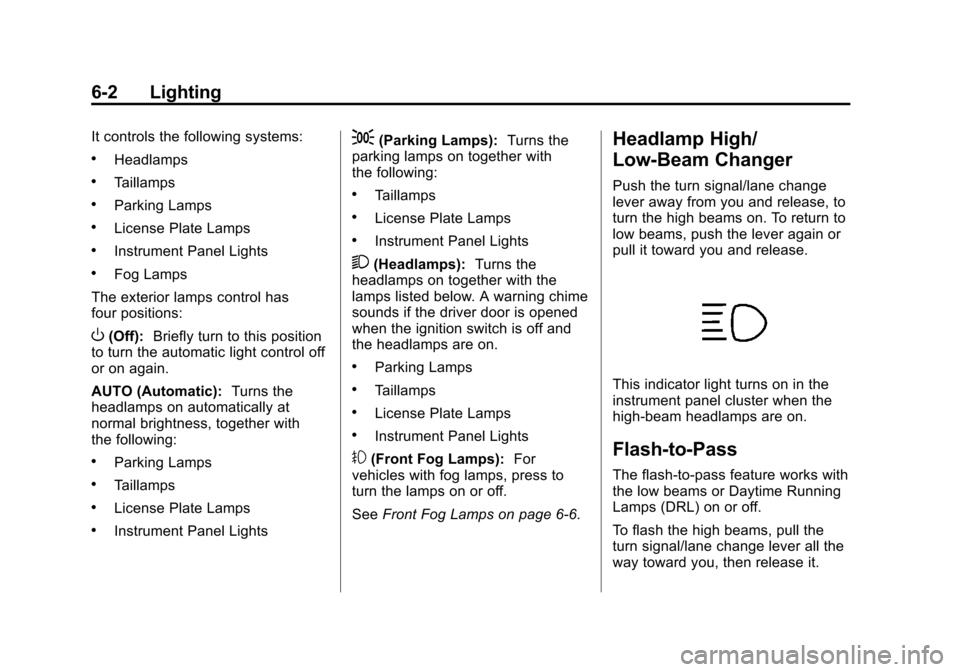
This indicator light turns on in the
instrument panel cluster when the
high‐beam headlamps are on.
Flash-to-Pass
The flash‐to‐pass feature works with
the low beams or Daytime Running
Lamps (DRL) on or off.
To flash the high beams, pull the
turn signal/lane change lever all the
way toward you, then release it.
Page 200 of 502
Black plate (10,1)Cadillac SRX Owner Manual (Include Mex) - 2012
7-10 Infotainment System
DSP (Digital Signal Processing)
Settings
For vehicles with DSP, it is used to
provide a choice of different
listening experiences.
.2.0 Normal‐Select this setting
to adjust the audio for normal
mode. This provides the best
sound quality for all seating
positions.
.Centerpoint ‐Centerpoint®
signal processing circuitry. This
setting creates a surround sound
listening experience from stereo
CDs and satellite radio.
For more information on Bose
®
Centerpoint®signal processing
circuitry, please visit www.
bose.com/centerpoint.
.5.1 Surround ‐The infotainment
system used in conjunction with
the Bose
®5.1 Cabin Surround®
sound system for the vehicle
includes digital 5.1 decoding.
This technology unlocks the full
benefit of digital 5.1 recordings,
so digitally encoded music and
movie soundtracks can be
presented faithfully and
accurately. If the video screens
or Rear Seat Audio (RSA) are
on, 5.1 Surround is not
available.
To adjust the DSP settings:
1. Press the TONE button.
2. Select DSP.
3. Select the setting.
Press the BACK
/button to go
back to the Tone Settings menu.
System Settings
Configuring the Number of
Favorite Pages
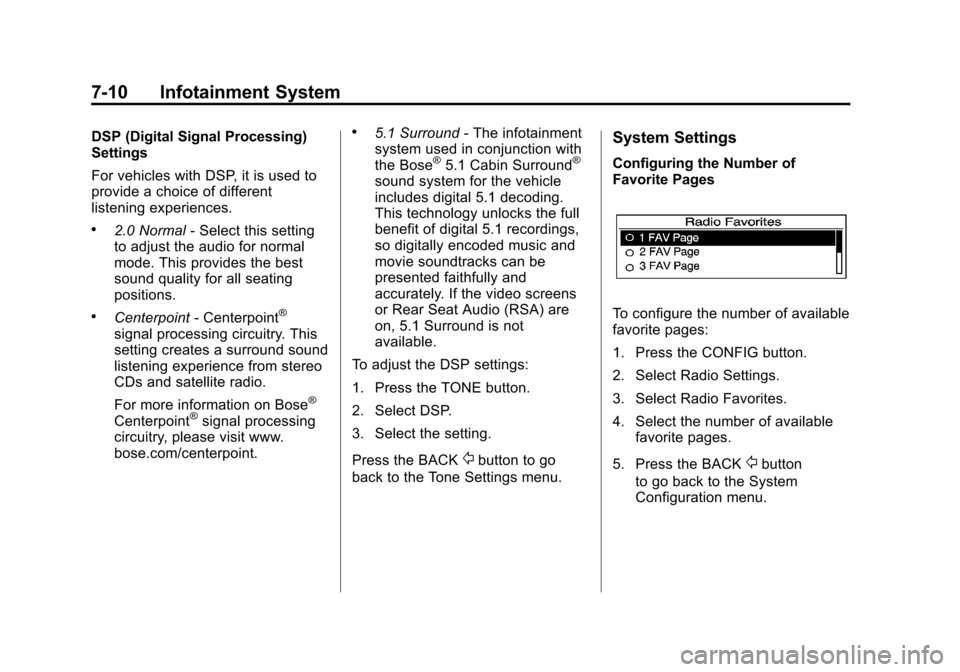
To configure the number of available
favorite pages:
1. Press the CONFIG button.
2. Select Radio Settings.
3. Select Radio Favorites.
4. Select the number of available favorite pages.
5. Press the BACK
/button
to go back to the System
Configuration menu.
Page 204 of 502
Black plate (14,1)Cadillac SRX Owner Manual (Include Mex) - 2012
7-14 Infotainment System
Time Shifting (Radio with CD/
DVD and MEM)
The radio with MEM time shift
feature can rewind 20 minutes of
FM/AM content. While listening to
the radio, the content from the
current station is always being
buffered.
Press
kto pause the radio. The
radio displays the time shift status
bar. The status bar shows the
amount of content stored in the
buffer and the current pause point.
To resume playback from the
current pause point, press
kagain.
The radio is no longer live, but
played from the time shift buffer.
A status bar displays below the
station number.
Press and hold
gSEEK or
lSEEK to fast forward or
rewind through the time shift buffer.
Hold
lSEEK until the end of the
recorded buffer resumes live
playback. Press and release
gSEEK or
lSEEK to jump forward or back
30 seconds in the time shift buffer.
When the radio station is changed,
the buffer is cleared and
automatically restarted for the
current station. Content from a
previously tuned station is no
longer available.
The time shift feature is not
available while recording or with
other sources of playback.
Pausing AM/FM with the Vehicle
Turned Off
If AM/FM is paused when the
vehicle is turned off, the radio
continues to buffer the current radio
station for up to 20 minutes. If the
vehicle is turned back on within
20 minutes, the radio resumes
playback from the paused point.
Satellite Radio
Vehicles with an XM™ Satellite
Radio tuner and a valid XM Satellite
Radio subscription can receive
XM programming.
XM Satellite Radio Service
XM is a satellite radio service based
in the 48 contiguous United States
and 10 Canadian provinces. XM
Satellite Radio has a wide variety of
programming and commercial-free
music, coast to coast, and in
digital-quality sound. If XM service
needs to be reactivated, the radio
will display “No Subscription Please
Renew on channel XM1.” A service
fee is required to receive the
XM service. For more information,
contact XM at www.xmradio.com or
1-800-929-2100 in the U.S. and
www.xmradio.ca or
1-877-438-9677 in Canada.
Page 208 of 502
Black plate (18,1)Cadillac SRX Owner Manual (Include Mex) - 2012
7-18 Infotainment System
Unknown:If this message is
received when tuned to channel 0,
there could be a receiver fault.
Consult with your dealer.
Check Antenna: If this message
does not clear within a short period
of time, the receiver could have a
fault. Consult with your dealer.
XM Not Available: If this message
does not clear within a short period
of time, the receiver could have a
fault. Consult with your dealer.
Radio Reception
Frequency interference and static
can occur during normal radio
reception if items such as cell phone
chargers, vehicle convenience
accessories, and external electronic
devices are plugged into the
accessory power outlet. If there is
interference or static, unplug the
item from the accessory power
outlet.
FM
FM signals only reach about 16 to
65 km (10 to 40 mi). Although the
radio has a built-in electronic circuit
that automatically works to reduce
interference, some static can occur,
especially around tall buildings or
hills, causing the sound to fade in
and out.
AM
The range for most AM stations is
greater than for FM, especially at
night. The longer range can cause
station frequencies to interfere with
each other. Static can occur when
things like storms and power lines
interfere with radio reception. When
this happens, try reducing the treble
on the radio.
XM™ Satellite Radio Service
XM Satellite Radio Service gives
digital radio reception from coast to
coast in the 48 contiguous United
States, and in Canada. Just as
with FM, tall buildings or hills can interfere with satellite radio signals,
causing the sound to fade in and
out. In addition, traveling or standing
under heavy foliage, bridges,
garages, or tunnels may cause loss
of the XM signal for a period of time.
Cellular Phone Usage
Cellular phone usage can cause
interference with the vehicle's radio.
Multi-Band Antenna
The multi-band antenna is on the
roof of the vehicle. The antenna is
used for the AM‐FM radio, OnStar,
the XM Satellite Radio Service
System, and GPS (Global
Positioning System), if the vehicle
has these features. Keep the
antenna clear of obstructions for
clear reception.
Page 209 of 502
Black plate (19,1)Cadillac SRX Owner Manual (Include Mex) - 2012
Infotainment System 7-19
Audio Players
CD Player
(Radio with CD)
The CD player can play audio CDs
and MP3 CDs.
The CD player will not play
8 cm (3 in) CDs.
Care of CDs
Sound quality can be reduced due
to disc quality, recording method,
quality of the music recorded, and
how the disc has been handled.
Handle discs carefully and store
them in their original cases or other
protective cases away from direct
sunlight and dust. If the bottom
surface of a disc is damaged, the
disc may not play properly or at all.
Do not touch the bottom surface of
a disc while handling it; this could
damage the surface. Pick up discs
by grasping the outer edges or the
edge of the hole and the outer edge.If the bottom surface of a disc is
dirty, take a soft lint‐free cloth,
or dampen a clean soft cloth in a
mild neutral detergent solution
mixed with water, and clean it.
Wipe the disc from the center to
the outer edge.
Care of the CD Player
Do not add a label to a disc, as it
could get caught in the CD player.
If a label is needed, label the top of
the recorded disc with a
marking pen.
Do not use disc lens cleaners
because they could contaminate the
lens of the disc optics and damage
the CD player.
Notice:
If a label is added to a
CD, more than one CD is inserted
into the slot at a time, or an
attempt is made to play scratched
or damaged CDs, the CD player
could be damaged. While using
the CD player, use only CDs in
good condition without any label, load one CD at a time, and keep
the CD player and the loading slot
free of foreign materials, liquids,
and debris.Control Buttons
The buttons used to control the
CD player are:
CD:
Press to use the CD player.
lSEEK/gSEEK: Press to
select tracks or to fast forward or
rewind within a track.
INFO: Press to display additional
information about the current track
that may be available.
TUNE: Turn to select tracks.
MENU/SELECT: Turn to enter the
menu; press to select an item.
Y(Eject): Press to eject the disc.
k(Play/Pause): Press to pause a
CD or MP3 track, press again to
resume playback.
Page 211 of 502
Black plate (21,1)Cadillac SRX Owner Manual (Include Mex) - 2012
Infotainment System 7-21
CD/DVD Player
The CD/DVD player can play CDs,
DVD‐As, MP3/WMA CDs, MP3/
WMA DVDs, and DVD‐Vs.
The CD/DVD player will not play
8 cm (3 in) discs.
Care of CDs and DVDs
Sound quality can be reduced due
to disc quality, recording method,
quality of the music recorded, and
how the disc has been handled.
Handle discs carefully and store
them in their original cases or other
protective cases away from direct
sunlight and dust. If the bottom
surface of a disc is damaged, the
disc may not play properly or at all.
Do not touch the bottom surface of
a disc while handling it; this could
damage the surface. Pick up discs
by grasping the outer edges or the
edge of the hole and the outer edge.
If the bottom surface of a disc is
dirty, take a soft lint‐free cloth,
or dampen a clean soft cloth in amild neutral detergent solution
mixed with water, and clean it.
Wipe the disc from the center to the
outer edge.
Care of the CD/DVD Player
Do not add a label to a disc, as it
could get caught in the CD/DVD
player. If a label is needed, label the
top of the recorded disc with a
marking pen.
Do not use disc lens cleaners
because they could contaminate the
lens of the disc optics and damage
the CD/DVD player.
Notice:
If a label is added to a
CD, more than one CD is inserted
into the slot at a time, or an
attempt is made to play scratched
or damaged CDs, the CD player
could be damaged. While using
the CD player, use only CDs in
good condition without any label,
load one CD at a time, and keep
the CD player and the loading slot
free of foreign materials, liquids,
and debris.
Control Buttons
The buttons used to control the
CD/DVD player are:
MEM/CD/AUX: Press to choose
between the MEM, CD/DVD,
and AUX.
lSEEK/gSEEK: Press to
select tracks or to fast forward or
rewind within a track.
INFO: Press to display additional
information about the disc that may
be available.
TUNE: Turn to select tracks.
MENU/SELECT: Turn to enter the
menu and press to select an item.
Y(Eject): Press to eject the disc.
k(Play/Pause): Press to pause a
CD, DVD‐A, or DVD‐V. Press again
to resume playback. Press and hold
to stop a DVD‐V disc.