Sound system CADILLAC SRX 2012 2.G Owner's Manual
[x] Cancel search | Manufacturer: CADILLAC, Model Year: 2012, Model line: SRX, Model: CADILLAC SRX 2012 2.GPages: 502, PDF Size: 6.23 MB
Page 227 of 502
Black plate (37,1)Cadillac SRX Owner Manual (Include Mex) - 2012
Infotainment System 7-37
If the vehicle is not equipped with
RSA, then Channel 2 is dedicated to
any external auxiliary device
connected to the rear A/V jacks.
The wireless headphones have a
power button, Channel 1 or 2
switch, and a volume control. Turn
the headphones off when not in use.
Push the power button to turn on
the headphones. A light on the
headphones comes on. If the light
does not come on, check the
batteries. Intermittent sound or static
can also indicate weak batteries.
See“Battery Replacement” later in
this section for more information.
Infrared transmitters are on the top
of the left seatback video screen.
The headphones shut off
automatically to save the battery
power if the RSE system and RSA
are shut off or if the headphones are
out of range of the transmitters for
more than three minutes. Moving too
far forward or stepping out of the
vehicle can cause the headphones
to lose the signal or have static. To adjust the volume on the
headphones, use the volume
control.
For best audio performance, the
headphones must be worn correctly,
with the headband over the top of
the head. L (Left) and R (Right) are
above the ear pads and are
indicators as to how the
headphones should be placed on
the head.
Notice:
Do not store the
headphones in heat or direct
sunlight. This could damage the
headphones and repairs will not
be covered by the warranty.
Storage in extreme cold can
weaken the batteries. Keep the
headphones stored in a cool, dry
place.
If the foam ear pads attached to the
headphones become worn or
damaged, the pads can be replaced
separately from the headphone set.
To purchase replacement ear pads,
call 1‐888‐293‐3332, then prompt
zero (0), or contact your dealer. Battery Replacement
To change the batteries:
1. Loosen the screw to the battery
door located on the left side of
the headphones.
2. Slide the battery door open.
3. Replace the two AAA batteries.
4. Replace the battery door and tighten the screw.
Remove the batteries if the
headphones are not going to be
used for a long period of time.
Audio/Video (A/V) Jacks
The A/V jacks may be located on
the rear of the floor console. They
allow audio or video cables to be
connected from an auxiliary device
such as a camcorder or a video
game system.
The A/V jacks are color coded:
.Yellow for video input.
.White for left audio input.
.Red for right audio input.
Page 233 of 502
Black plate (43,1)Cadillac SRX Owner Manual (Include Mex) - 2012
Infotainment System 7-43
Tips and Troubleshooting Chart
ProblemRecommended Action
No power. The ignition might not be turned to ON/RUN or
ACC/ACCESSORY.
The picture does not fill the screen. There are black
borders on the top and bottom or on both sides or it
looks stretched out. Check the display mode settings in the setup menu by
pressing the display menu button on the remote control.
In auxiliary mode, the picture moves or scrolls. Check the auxiliary input connections at both devices.
The remote control does not work. Check to make sure there is no obstruction between the
remote control and the transmitter window.
Check the batteries to make sure they are not dead or
installed incorrectly.
After stopping the player, I push Play but sometimes the
DVD starts where I left off and sometimes at the
beginning. If the stop button was pressed one time, the DVD player
resumes playing where the DVD was stopped. If the
stop button was pressed two times, the DVD player
begins to play from the beginning of the DVD.
The auxiliary source is running but there is no picture or
sound. Check that the RSE video screen is in the auxiliary
source mode by pressing the AUX button on
the remote control.
Check the auxiliary input connections at both devices.
Page 234 of 502
Black plate (44,1)Cadillac SRX Owner Manual (Include Mex) - 2012
7-44 Infotainment System
Tips and Troubleshooting Chart (cont.)
ProblemRecommended Action
Sometimes the wireless headphone audio cuts out or
buzzes. Check for obstructions, low batteries, reception range,
and interference from cellular telephone towers or
by using a cellular telephone in the vehicle.
Check that the headphones are on correctly using
the L (left) and R (right) on the headphones.
Check that the headphones are positioned properly
with the headband across the top of the head.
I lost the remote and/or the headphones. See your dealer for assistance.
The DVD is playing, but there is no picture or sound. Check that the RSE video screen is sourced to the DVD player by pressing the AUX button on the
remote control.
DVD Display Error Messages
The DVD display error message
depends on which radio the vehicle
has. The video screen may display
one of the following:Disc Load/Eject Error or
Mechanical Error:
There are disc
load or eject problems.
Disc Format Error or Unknown
Format: The disc is inserted with
the disc label wrong side up, or the
disc is damaged. Disc Region Error or Disc Error:
The disc is not from a correct
region.
No Disc Inserted:
No disc is
present when the
Yor MEM/CD/
AUX button is pressed on the radio.
Page 238 of 502
Black plate (48,1)Cadillac SRX Owner Manual (Include Mex) - 2012
7-48 Infotainment System
Bluetooth Controls
Use the buttons located on the
infotainment system and the
steering wheel to operate the
Bluetooth system.
Steering Wheel Controls
b/g(Push To Talk) :Press to
answer incoming calls, confirm
system information, and start voice
recognition.
0/c(End Call/Mute): Press to
end a call, reject a call, or cancel an
operation.
Infotainment System Controls
If equipped, the infotainment system
allows certain controls to be
selected on the infotainment display.
For information about how to
navigate the menu system using the
infotainment controls, see Operation
on page 7‑7.
PHONE: Press to enter the Phone
main menu.
Voice Recognition
The voice recognition system uses
commands to control the system
and dial phone numbers.
Noise: The system may not
recognize voice commands if there
is too much background noise.
When to Speak: A tone sounds to
indicate that the system is ready for
a voice command. Wait for the tone
and then speak.
How to Speak: Speak clearly in a
calm and natural voice.
Audio System
When using the Bluetooth system,
sound comes through the vehicle's
front audio system speakers and
overrides the audio system. Use the
VOL/
Oknob during a call to
change the volume level. The
adjusted volume level remains in
memory for later calls. The system
maintains a minimum volume level.
Other Information
The Bluetooth®word mark and
logos are owned by the Bluetooth®
SIG, Inc. and any use of such marks
by General Motors is under license.
Other trademarks and trade names
are those of their respective owners.
See Radio Frequency Statement on
page 13‑21 for information
regarding Part 15 of the Federal
Communications Commission (FCC)
rules and Industry Canada
Standards RSS-GEN/210/220/310.
Page 247 of 502
Black plate (57,1)Cadillac SRX Owner Manual (Include Mex) - 2012
Infotainment System 7-57
Once connected, the person called
will be heard through the audio
speakers.
Using the“Re‐dial”Command
1. Press
b/g. The system
responds “Ready,”followed by
a tone.
2. After the tone, say “Re‐dial.”The
system dials the last number
called from the connected cell
phone.
Once connected, the person called
will be heard through the audio
speakers.
Receiving a Call
When an incoming call is received,
the audio system mutes and a ring
tone is heard in the vehicle.
.Pressb/gto answer the call.
.Press0/cto ignore a call.
Call Waiting
Call waiting must be supported on
the cell phone and enabled by the
wireless service carrier.
.Pressb/gto answer an
incoming call when another call
is active. The original call is
placed on hold.
.Pressb/gagain to return to
the original call.
.To ignore the incoming call, no
action is required.
.Press0/cto disconnect the
current call and switch to the call
on hold.
Three‐Way Calling
Three‐way calling must be
supported on the cell phone and
enabled by the wireless service
carrier.
1. While on a call, press
b/g.
2. Say “Three‐way call.” 3. Use the dial or call command to
dial the number of the third party
to be called.
4. Once the call is connected, press
b/gto link all callers
together.
Ending a Call
Press0/cto end a call.
Muting a Call
During a call, all sounds from inside
the vehicle can be muted so that the
person on the other end of the call
cannot hear them.
To mute a call, press
b/g, and
then say “Mute Call.”
To cancel mute, press
b/g, and
then say “Un‐mute Call.”
Page 250 of 502
Black plate (60,1)Cadillac SRX Owner Manual (Include Mex) - 2012
7-60 Infotainment System
Infotainment System Controls
For information about how to
navigate the menu system using the
navigation system controls, see the
separate Navigation System
Manual.
PHONE:Press to enter the Phone
main menu.
Voice Control
The voice control system uses
commands to control the system
and dial phone numbers.
Noise: The system may not
recognize voice commands if there
is too much background noise.
When to Speak: A tone sounds to
indicate that the system is ready for
a voice command. Wait for the tone
and then speak.
How to Speak: Speak clearly in a
calm and natural voice. Audio System
When using the UHP system, sound
comes through the vehicle's front
audio system speakers and
overrides the audio system. Use the
VOL/
Oknob during a call to
change the volume level. The
adjusted volume level remains in
memory for later calls. The system
maintains a minimum volume level.
Turning Bluetooth On or Off
1. Press the CONFIG button.
2. Select Phone Settings, or touch Phone on a navigation radio.
3. Select Bluetooth.
4. Select Activation.
Changing Bluetooth Code
The default Bluetooth code should
work with most mobile phones.
If you are having difficulty pairing
your mobile phone, you can change
the code at any time. 1. Press the CONFIG button.
2. Select Phone Settings, or touch
Phone on a navigation radio.
3. Select Bluetooth.
4. Select Change Bluetooth Code.
5. Enter a new four-digit code, then select OK.
Ring Tone
There are three different ring tones
available for the UHP system.
To change the ring tone:
1. Press the CONFIG button.
2. Select Phone Settings, or touch Phone on a navigation radio.
3. Select Ring Tones.
4. Select Ring Tone 1, 2, or 3.
Default Settings
Selecting this option will reset the
ring tones and the Bluetooth code.
Page 296 of 502
Black plate (24,1)Cadillac SRX Owner Manual (Include Mex) - 2012
9-24 Driving and Operating
Shifting out of Park
This vehicle is equipped with an
automatic transmission shift lock
control system. The shift lock
control is designed to prevent
movement of the shift lever out of
P (Park), unless the ignition is in
ON/RUN and the brake pedal is
applied.
The shift lock control is always
functional except in the case of an
uncharged or low voltage (less than
9‐volt) battery.
If the vehicle has an uncharged
battery or a battery with low voltage,
try charging or jump starting the
battery. SeeJump Starting on
page 10‑88.
To shift out of P (Park):
1. Apply the brake pedal.
2. Turn the ignition to ON/RUN.
3. Press the shift lever button.
4. Move the shift lever to the desired position. If you still are unable to shift out
of P (Park):
1. Fully release the shift lever
button.
2. Hold the brake pedal down and press the shift lever button
again.
3. Move the shift lever to the desired position.
If you still cannot move the shift
lever from P (Park), consult your
dealer or a professional towing
service.
Parking over Things
That Burn
{WARNING
Things that can burn could touch
hot exhaust parts under the
vehicle and ignite. Do not park
over papers, leaves, dry grass,
or other things that can burn.
Engine Exhaust
{WARNING
Engine exhaust contains carbon
monoxide (CO) which cannot be
seen or smelled. Exposure to CO
can cause unconsciousness and
even death.
Exhaust may enter the vehicle if:
.The vehicle idles in areas
with poor ventilation (parking
garages, tunnels, deep snow
that may block underbody
airflow or tail pipes).
.The exhaust smells or
sounds strange or different.
.The exhaust system leaks
due to corrosion or damage.
.The vehicle exhaust system
has been modified, damaged
or improperly repaired. (Continued)
Page 304 of 502
Black plate (32,1)Cadillac SRX Owner Manual (Include Mex) - 2012
9-32 Driving and Operating
EPB Apply
The EPB can be applied any time
the vehicle is stopped. The EPB is
applied by momentarily lifting up on
the EPB switch. Once fully applied,
the parking brake status light will be
on. While the brake is being applied,
the status light will flash until full
apply is reached. If the light does
not come on, or remains flashing,
you need to have the vehicle
serviced. Do not drive the vehicle if
the parking brake status light is
flashing. See your dealer. See
Brake System Warning Light on
page 5‑21for more information.
If the EPB is applied while the
vehicle is in motion, a chime will
sound, and the DIC message
RELEASE PARKING BRAKE
will be displayed. The vehicle will
decelerate as long as the switch is
held in the up position. Releasing
the EPB switch during the
deceleration will release the parking
brake. If the switch is held in the up
position until the vehicle comes to a
stop, the EPB will remain applied. If the parking brake status light
flashes continuously, the EPB is
only partially applied or released,
or there is a problem with the EPB.
The DIC message SERVICE
PARKING BRAKE will be displayed.
If this light flashes continuously,
release the EPB, and attempt to
apply it again. If this light continues
to flash, do not drive the vehicle.
See your dealer.
If the parking brake warning light is
on, the EPB has detected an error
in another system and is operating
with reduced functionality. To apply
the EPB when this light is on, lift up
on the EPB switch and hold it in the
up position. Full application of the
parking brake by the EPB system
may take a longer period of time
than normal when this light is on.
Continue to hold the switch until the
parking brake status light remains
on. If the parking brake warning light
is on, see your dealer.
If the EPB fails to apply, the rear
wheels should be blocked to
prevent vehicle movement.
EPB Release
To release the EPB, place the
ignition in the ON/RUN position,
apply and hold the brake pedal,
and push down momentarily on the
EPB switch. If you attempt to
release the EPB without the brake
pedal applied, a chime will sound,
and the DIC message STEP ON
BRAKE TO RELEASE PARK
BRAKE will be displayed. The EPB
is released when the parking brake
status light is off.
If the parking brake warning light
is on, the EPB has detected an
error in another system and is
operating with reduced functionality.
To release the EPB when this light
is on, push down on the EPB switch
and hold it in the down position.
EPB release may take a longer
period of time than normal when this
light is on. Continue to hold the
switch until the parking brake
status light is off. If the light is on,
see your dealer.
Page 306 of 502
Black plate (34,1)Cadillac SRX Owner Manual (Include Mex) - 2012
9-34 Driving and Operating
Ride Control Systems
Traction Control
System (TCS)
The vehicle has a Traction Control
System (TCS) that limits wheel spin.
On a front-wheel-drive vehicle, the
system operates if it senses that
one or both of the front wheels are
spinning or beginning to lose
traction. On an All-Wheel-Drive
(AWD) vehicle, the system will
operate if it senses that any of the
wheels are spinning or beginning to
lose traction. When this happens,
the system brakes the spinning
wheel(s) and/or reduces engine
power to limit wheel spin.
The system may be heard or felt
while it is working, but this is
normal.TCS is on whenever the vehicle
is started. To limit wheel spin,
especially in slippery road
conditions, the system should
always be left on. But, TCS can be
turned off if needed.
dflashes to indicate that the
traction control system is active.
If there is a problem detected with
TCS, SERVICE TRACTION
CONTROL and SERVICE
STABILITRAK may be displayed on
the Driver Information Center (DIC)
and
dwill be on. See Ride Control
System Messages on page 5‑37.
When this message is displayed
and
dcomes on and stays on, the vehicle is safe to drive but the
system is not operational. Driving
should be adjusted accordingly.
Notice:
Do not repeatedly brake
or accelerate heavily when TCS is
off. The vehicle's driveline could
be damaged.
If
dcomes on and stays on, reset
the system by:
1. Stopping the vehicle.
2. Turning the engine off and waiting 15 seconds.
3. Starting the engine.
If
dstill comes on and stays on at a
speed above 20 km/h (13 mph), see
your dealer for service.
A chime may also sound when the
light comes on steady.
The
gis located on the console.
Page 313 of 502
Black plate (41,1)Cadillac SRX Owner Manual (Include Mex) - 2012
Driving and Operating 9-41
beeps from the rear speakers are
for objects detected near the rear
bumper. The interval between the
beeps becomes shorter as the
vehicle gets closer to the obstacle.
When the distance is less than
30 cm (12 in) the beeping is a
continuous tone for five seconds.
To be detected, objects must be at
least 25 cm (10 in) off the ground
and below liftgate level. Objects
must also be within 1.2 m (4 ft) in
front of the vehicle and 2.5 m (8 ft)
from the rear bumper. This distance
may be less during warmer or humid
weather.
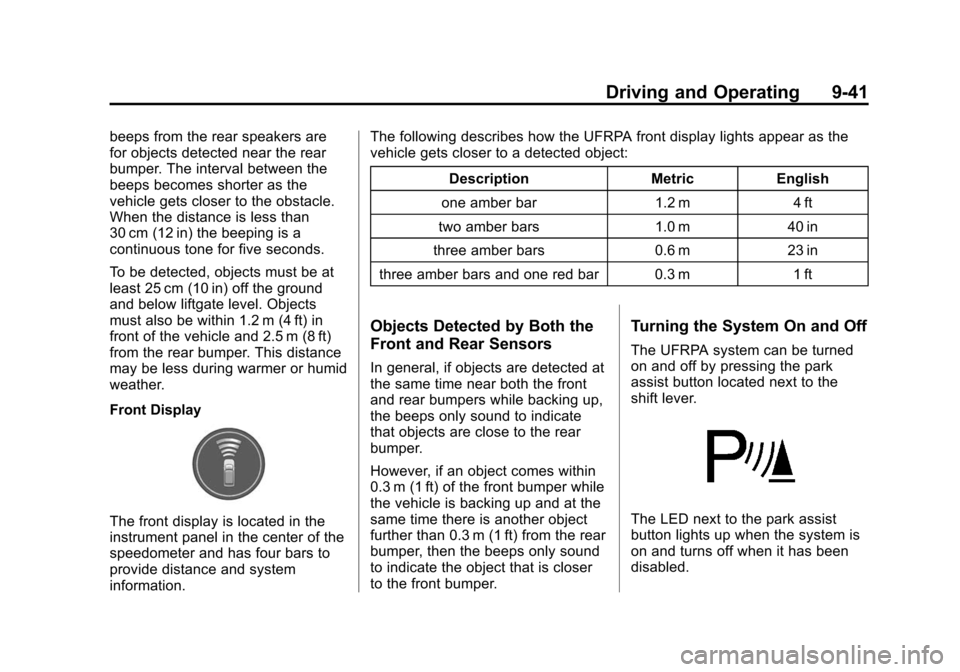
Front Display
The front display is located in the
instrument panel in the center of the
speedometer and has four bars to
provide distance and system
information.The following describes how the UFRPA front display lights appear as the
vehicle gets closer to a detected object:
Description Metric English
one amber bar 1.2 m 4 ft
two amber bars 1.0 m 40 in
three amber bars 0.6 m 23 in
three amber bars and one red bar 0.3 m 1 ft
Objects Detected by Both the
Front and Rear Sensors
In general, if objects are detected at
the same time near both the front
and rear bumpers while backing up,
the beeps only sound to indicate
that objects are close to the rear
bumper.
However, if an object comes within
0.3 m (1 ft) of the front bumper while
the vehicle is backing up and at the
same time there is another object
further than 0.3 m (1 ft) from the rear
bumper, then the beeps only sound
to indicate the object that is closer
to the front bumper.
Turning the System On and Off
The UFRPA system can be turned
on and off by pressing the park
assist button located next to the
shift lever.
The LED next to the park assist
button lights up when the system is
on and turns off when it has been
disabled.