service CADILLAC SRX 2012 2.G Workshop Manual
[x] Cancel search | Manufacturer: CADILLAC, Model Year: 2012, Model line: SRX, Model: CADILLAC SRX 2012 2.GPages: 502, PDF Size: 6.23 MB
Page 291 of 502
Black plate (19,1)Cadillac SRX Owner Manual (Include Mex) - 2012
Driving and Operating 9-19
3. Come to a complete stop, shiftto P (Park), and turn the ignition
to OFF. On vehicles with an
automatic transmission, the shift
lever must be in P (Park) to
turn the ignition switch to the
OFF position.
4. Set the parking brake. See Parking Brake on page 9‑31.
{WARNING
Turning off the vehicle while
moving may cause loss of power
assist in the brake and steering
systems and disable the airbags.
While driving, only shut the
vehicle off in an emergency.
If the vehicle cannot be pulled
over, and must be shut off while
driving, switch the ignition to
ACC/ACCESSORY. ACC/ACCESSORY (Amber LED
Light):
This mode allows you to
use some electrical accessories
when the engine is off.
With the ignition off, pressing the
button one time without the brake
pedal applied, will place the ignition
system in ACC/ACCESSORY.
The ignition will switch from
ACC/ACCESSORY to OFF after
ten minutes to prevent battery
run down.
ON/RUN/START (Green LED
Light): This mode is for driving and
starting. With the ignition off, and
the brake pedal applied, pressing
the button once will place the
ignition system in ON/RUN/START.
Once engine cranking begins,
release the button. Engine cranking
will continue until the engine starts.
See Starting the Gasoline Engine
on page 9‑20 for more information.
The ignition will then remain in
ON/RUN. Service Only Mode
This power mode is available for
service and diagnostics, and to
verify the proper operation of the
malfunction indicator lamp as may
be required for emission inspection
purposes. With the vehicle off,
and the brake pedal not applied,
pressing and holding the button for
more than five seconds will place
the vehicle in Service Only Mode.
The instruments and audio systems
will operate as they do in ON/RUN,
but the vehicle will not be able to be
driven. The engine will not start in
Service Only Mode. Push the button
again to turn the vehicle off.
Page 296 of 502
Black plate (24,1)Cadillac SRX Owner Manual (Include Mex) - 2012
9-24 Driving and Operating
Shifting out of Park
This vehicle is equipped with an
automatic transmission shift lock
control system. The shift lock
control is designed to prevent
movement of the shift lever out of
P (Park), unless the ignition is in
ON/RUN and the brake pedal is
applied.
The shift lock control is always
functional except in the case of an
uncharged or low voltage (less than
9‐volt) battery.
If the vehicle has an uncharged
battery or a battery with low voltage,
try charging or jump starting the
battery. SeeJump Starting on
page 10‑88.
To shift out of P (Park):
1. Apply the brake pedal.
2. Turn the ignition to ON/RUN.
3. Press the shift lever button.
4. Move the shift lever to the desired position. If you still are unable to shift out
of P (Park):
1. Fully release the shift lever
button.
2. Hold the brake pedal down and press the shift lever button
again.
3. Move the shift lever to the desired position.
If you still cannot move the shift
lever from P (Park), consult your
dealer or a professional towing
service.
Parking over Things
That Burn
{WARNING
Things that can burn could touch
hot exhaust parts under the
vehicle and ignite. Do not park
over papers, leaves, dry grass,
or other things that can burn.
Engine Exhaust
{WARNING
Engine exhaust contains carbon
monoxide (CO) which cannot be
seen or smelled. Exposure to CO
can cause unconsciousness and
even death.
Exhaust may enter the vehicle if:
.The vehicle idles in areas
with poor ventilation (parking
garages, tunnels, deep snow
that may block underbody
airflow or tail pipes).
.The exhaust smells or
sounds strange or different.
.The exhaust system leaks
due to corrosion or damage.
.The vehicle exhaust system
has been modified, damaged
or improperly repaired. (Continued)
Page 304 of 502
Black plate (32,1)Cadillac SRX Owner Manual (Include Mex) - 2012
9-32 Driving and Operating
EPB Apply
The EPB can be applied any time
the vehicle is stopped. The EPB is
applied by momentarily lifting up on
the EPB switch. Once fully applied,
the parking brake status light will be
on. While the brake is being applied,
the status light will flash until full
apply is reached. If the light does
not come on, or remains flashing,
you need to have the vehicle
serviced. Do not drive the vehicle if
the parking brake status light is
flashing. See your dealer. See
Brake System Warning Light on
page 5‑21for more information.
If the EPB is applied while the
vehicle is in motion, a chime will
sound, and the DIC message
RELEASE PARKING BRAKE
will be displayed. The vehicle will
decelerate as long as the switch is
held in the up position. Releasing
the EPB switch during the
deceleration will release the parking
brake. If the switch is held in the up
position until the vehicle comes to a
stop, the EPB will remain applied. If the parking brake status light
flashes continuously, the EPB is
only partially applied or released,
or there is a problem with the EPB.
The DIC message SERVICE
PARKING BRAKE will be displayed.
If this light flashes continuously,
release the EPB, and attempt to
apply it again. If this light continues
to flash, do not drive the vehicle.
See your dealer.
If the parking brake warning light is
on, the EPB has detected an error
in another system and is operating
with reduced functionality. To apply
the EPB when this light is on, lift up
on the EPB switch and hold it in the
up position. Full application of the
parking brake by the EPB system
may take a longer period of time
than normal when this light is on.
Continue to hold the switch until the
parking brake status light remains
on. If the parking brake warning light
is on, see your dealer.
If the EPB fails to apply, the rear
wheels should be blocked to
prevent vehicle movement.
EPB Release
To release the EPB, place the
ignition in the ON/RUN position,
apply and hold the brake pedal,
and push down momentarily on the
EPB switch. If you attempt to
release the EPB without the brake
pedal applied, a chime will sound,
and the DIC message STEP ON
BRAKE TO RELEASE PARK
BRAKE will be displayed. The EPB
is released when the parking brake
status light is off.
If the parking brake warning light
is on, the EPB has detected an
error in another system and is
operating with reduced functionality.
To release the EPB when this light
is on, push down on the EPB switch
and hold it in the down position.
EPB release may take a longer
period of time than normal when this
light is on. Continue to hold the
switch until the parking brake
status light is off. If the light is on,
see your dealer.
Page 306 of 502
Black plate (34,1)Cadillac SRX Owner Manual (Include Mex) - 2012
9-34 Driving and Operating
Ride Control Systems
Traction Control
System (TCS)
The vehicle has a Traction Control
System (TCS) that limits wheel spin.
On a front-wheel-drive vehicle, the
system operates if it senses that
one or both of the front wheels are
spinning or beginning to lose
traction. On an All-Wheel-Drive
(AWD) vehicle, the system will
operate if it senses that any of the
wheels are spinning or beginning to
lose traction. When this happens,
the system brakes the spinning
wheel(s) and/or reduces engine
power to limit wheel spin.
The system may be heard or felt
while it is working, but this is
normal.TCS is on whenever the vehicle
is started. To limit wheel spin,
especially in slippery road
conditions, the system should
always be left on. But, TCS can be
turned off if needed.
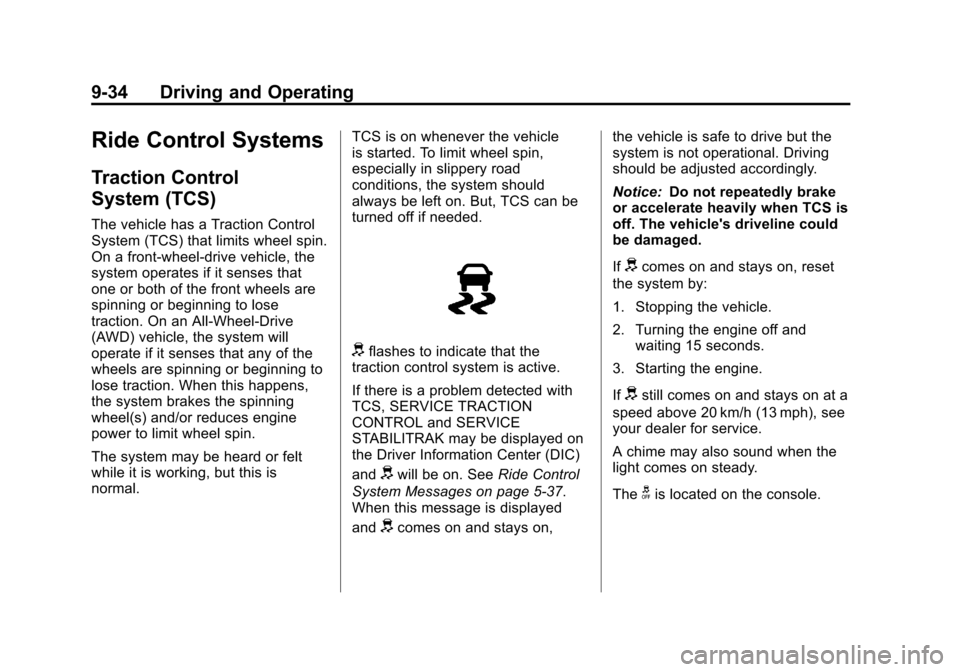
dflashes to indicate that the
traction control system is active.
If there is a problem detected with
TCS, SERVICE TRACTION
CONTROL and SERVICE
STABILITRAK may be displayed on
the Driver Information Center (DIC)
and
dwill be on. See Ride Control
System Messages on page 5‑37.
When this message is displayed
and
dcomes on and stays on, the vehicle is safe to drive but the
system is not operational. Driving
should be adjusted accordingly.
Notice:
Do not repeatedly brake
or accelerate heavily when TCS is
off. The vehicle's driveline could
be damaged.
If
dcomes on and stays on, reset
the system by:
1. Stopping the vehicle.
2. Turning the engine off and waiting 15 seconds.
3. Starting the engine.
If
dstill comes on and stays on at a
speed above 20 km/h (13 mph), see
your dealer for service.
A chime may also sound when the
light comes on steady.
The
gis located on the console.
Page 308 of 502
Black plate (36,1)Cadillac SRX Owner Manual (Include Mex) - 2012
9-36 Driving and Operating
When the stability control system
activates, the Traction Control
System (TCS)/StabiliTrak light will
flash on the instrument panel.
This also occurs when traction
control or TSC is activated. A noise
may be heard or vibration may be
felt in the brake pedal. This is
normal. Continue to steer the
vehicle in the intended direction.
If there is a problem detected
with StabiliTrak, SERVICE
STABILITRAK is displayed on the
Driver Information Center (DIC)
and
dwill stay on. SeeVehicle
Messages on page 5‑32. When this
message is displayed and/or
d
comes on and stays on, the vehicle is safe to drive but the system is not
operational. Driving should be
adjusted accordingly. See
Ride
Control System Messages on
page 5‑37.
If
dcomes on and stays on, reset
the system by:
1. Stopping the vehicle.
2. Turning the engine off and waiting 15 seconds.
3. Starting the engine.
If
dstill comes on and stays on at
a speed above 20 km/h (13 mph),
see your dealer for service.
gis located on the console. Both StabiliTrak and Traction
Control can be turned off if needed
by pressing and holding
guntilg
andicome on the instrument
panel. This will also disable the TSC
feature. When StabiliTrak is turned
off, the system will not assist with
directional control of the vehicle or
limit wheel spin. Driving should be
adjusted accordingly. Press and
release
gagain to turn the system
back on.
If cruise control is being used when
StabiliTrak activates, the cruise
control will automatically disengage.
Press the cruise control button to
re‐engage when road conditions
allow. See Cruise Control on
page 9‑37 for more information.
Page 309 of 502
Black plate (37,1)Cadillac SRX Owner Manual (Include Mex) - 2012
Driving and Operating 9-37
Limited-Slip Rear Axle
Vehicles with a limited-slip rear axle
can give more traction on snow,
mud, ice, sand, or gravel. When
traction is low, this feature allows
the drive wheel with the most
traction to move the vehicle.
The limited-slip rear axle also gives
the driver enhanced control when
cornering hard or completing a
maneuver, such as a lane change.
Selective Ride Control
The vehicle may have a ride control
system called Selective Ride
Control. The setting can be changed
at any time. Based on road
conditions, steering wheel angle,
and the vehicle speed, the system
automatically adjusts to provide the
best handling while providing a
smooth ride. The Tour and Sport
modes will feel similar on a
smooth road.To switch from TOUR to SPORT
mode, move the shift lever to the
left while the transmission is in
D (Drive).
TOUR:
Use for normal city and
highway driving. This setting
provides a smooth, soft ride.
SPORT: Use where road conditions
or personal preference demand
more control. This setting provides
more “feel,” or response to road
conditions through increased
steering effort and suspension
control. Transmission shift points
and shift firmness are also
enhanced. See Manual Mode on
page 9‑28 under Automatic
Transmission.
If there is a problem detected with
Selective Ride Control, SERVICE
SUSPENSION SYSTEM displays
on the Driver Information Center
(DIC). See Ride Control System
Messages on page 5‑37. Driving
should be adjusted accordingly.
Cruise Control
{WARNING
Cruise control can be dangerous
where you cannot drive safely at
a steady speed. So, do not use
the cruise control on winding
roads or in heavy traffic.
Cruise control can be dangerous
on slippery roads. On such roads,
fast changes in tire traction can
cause excessive wheel slip, and
you could lose control. Do not use
cruise control on slippery roads.
With cruise control, a speed of
about 40 km/h (25 mph) or more can
be maintained without keeping your
foot on the accelerator. Cruise
control does not work at speeds
below about 40 km/h (25 mph).
Page 314 of 502
Black plate (42,1)Cadillac SRX Owner Manual (Include Mex) - 2012
9-42 Driving and Operating
When the system is off, PARK
ASSIST OFF displays on the
Driver Information Center (DIC).
The message disappears after a
short period of time.
UFRPA defaults to the on setting
each time the vehicle is started.
When the System Does Not
Seem to Work Properly
The following messages may be
displayed on the DIC:
SERVICE PARKING ASSIST:
If this message occurs, take the
vehicle to your dealer to repair
the system.PARK ASSIST OFF:
If the UFRPA
system does not activate due to a
temporary condition, the message
displays on the DIC. This can occur
under the following conditions:
.The driver has disabled the
system.
.The ultrasonic sensors are
not clean. Keep the vehicle's
bumpers free of mud, dirt, snow,
ice and slush. For cleaning
instructions, see Exterior Care
on page 10‑96.
.The park assist sensors are
covered by frost or ice. Frost or
ice can form around and behind
the sensors and may not always
be seen; this can occur after
washing the vehicle in cold
weather. The message may not
clear until the frost or ice has
melted.
.A trailer was attached to the
vehicle, or an object was
hanging out of the liftgate during
the last drive cycle. Once the
attached object is removed,
UFRPA will return to normal
operation.
.An object or cover is attached to
the front of the vehicle.
.A tow bar is attached to the
vehicle.
.The bumper is damaged.
Take the vehicle to your dealer
to repair the system.
.Other conditions, such as
vibrations from a jackhammer or
the compression of air brakes on
a very large truck, are affecting
system performance.
Page 317 of 502
Black plate (45,1)Cadillac SRX Owner Manual (Include Mex) - 2012
Driving and Operating 9-45
To turn the symbols on or off:
1. Shift into P (Park).
2. Press the CONFIG button.
3. Select Display.
4. Select Symbols. When acheckmark appears next to the
Symbols option, symbols will
appear.
Guidelines
The RVC system has a guideline
overlay that can help the driver align
the vehicle when backing into a
parking spot.
To turn the guidelines on or off:
1. Shift into P (Park).
2. Press the CONFIG button.
3. Select Display.
4. Select Guidelines. When a checkmark appears next to the
Guidelines option, guidelines
will appear. Rear Vision Camera Error
Messages
SERVICE REAR VISION CAMERA
SYSTEM:
This message can
display when the system is not
receiving information it requires from
other vehicle systems.
If any other problem occurs or if a
problem persists, see your dealer.
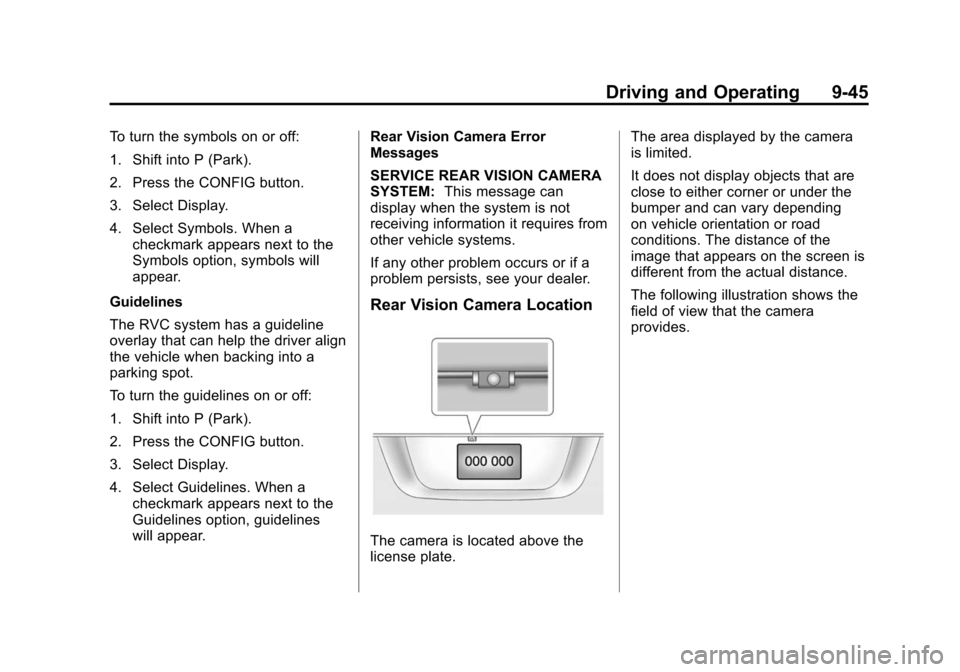
Rear Vision Camera Location
The camera is located above the
license plate. The area displayed by the camera
is limited.
It does not display objects that are
close to either corner or under the
bumper and can vary depending
on vehicle orientation or road
conditions. The distance of the
image that appears on the screen is
different from the actual distance.
The following illustration shows the
field of view that the camera
provides.
Page 319 of 502
Black plate (47,1)Cadillac SRX Owner Manual (Include Mex) - 2012
Driving and Operating 9-47
The eighth digit of the Vehicle
Identification Number (VIN) shows
the code letter or number that
identifies the vehicle's engine.
The VIN is at the top left of the
instrument panel. SeeVehicle
Identification Number (VIN) on
page 12‑1. Vehicles that have a FlexFuel badge
and a yellow fuel cap can use either
unleaded gasoline or ethanol fuel
containing up to 85% ethanol (E85).
See
Fuel E85 (85% Ethanol) on
page 9‑49. For all other vehicles,
use only the unleaded gasoline
described under Recommended
Fuel on page 9‑47.
Recommended Fuel
Use regular unleaded gasoline with
a posted octane rating of 87 or
higher. If the octane rating is less
than 87, an audible knocking noise,
commonly referred to as spark
knock, might be heard when driving.
If this occurs, use a gasoline rated
at 87 octane or higher as soon as
possible. If heavy knocking is heard
when using gasoline rated at
87 octane or higher, the engine
needs service.
Gasoline Specifications
(U.S. and Canada Only)
At a minimum, gasoline should
meet ASTM specification
D 4814 in the United States or
CAN/CGSB‐3.5 or 3.511 in
Canada. Some gasolines contain
an octane-enhancing additive called
methylcyclopentadienyl manganese
tricarbonyl (MMT). We recommend
against the use of gasolines
containing MMT. See Fuel Additives
on page 9‑48 for additional
information.
Page 321 of 502
Black plate (49,1)Cadillac SRX Owner Manual (Include Mex) - 2012
Driving and Operating 9-49
injectors and intake valves. GM Fuel
System Treatment PLUS is the only
gasoline additive recommended by
General Motors. It is available at
your dealer.
Gasolines containing oxygenates,
such as ethers and ethanol,
and reformulated gasolines
might be available in your area.
We recommend that you use these
gasolines, if they comply with the
specifications described earlier.
However, E85 (85% ethanol) and
other fuels containing more than
15% ethanol must not be used in
vehicles that were not designed for
those fuels.
Notice:This vehicle was not
designed for fuel that contains
methanol. Do not use fuel
containing methanol. It can
corrode metal parts in the fuel
system and also damage plastic
and rubber parts. That damage
would not be covered under the
vehicle warranty. Some gasolines that are not
reformulated for low
emissions can contain an
octane-enhancing additive called
methylcyclopentadienyl manganese
tricarbonyl (MMT); ask the attendant
where you buy gasoline whether the
fuel contains MMT. We recommend
against the use of such gasolines.
Fuels containing MMT can reduce
spark plug life and affect emission
control system performance.
The malfunction indicator lamp
might turn on. If this occurs, return
to your dealer for service.
Fuel E85 (85% Ethanol)
Vehicles that have a FlexFuel badge
and a yellow fuel cap can use either
unleaded gasoline or ethanol fuel
containing up to 85% ethanol (E85).
For all other vehicles, use only the
unleaded gasoline described under
Recommended Fuel on page 9‑47.
We encourage the use of E85 in
vehicles that are designed to use it.
The ethanol in E85 is a
“renewable”
fuel, meaning it is made from
renewable sources such as corn
and other crops.
Many service stations will not have
an 85% ethanol fuel (E85) pump
available. The U.S. Department of
Energy has an alternative fuels
website (www.afdc.energy.gov/afdc/
locator/stations/) that can help you
find E85 fuel. Those stations that
do have E85 should have a label
indicating ethanol content. Do not
use the fuel if the ethanol content is
greater than 85%.
At a minimum, E85 should meet
ASTM Specification D 5798 or
CGSB Specification 3.512.
Filling the tank with fuel mixtures
that do not meet ASTM or CGSB
specifications can affect driveability
and could cause the malfunction
indicator lamp to come on.