ECO mode CADILLAC SRX 2013 2.G User Guide
[x] Cancel search | Manufacturer: CADILLAC, Model Year: 2013, Model line: SRX, Model: CADILLAC SRX 2013 2.GPages: 432, PDF Size: 7.13 MB
Page 143 of 432
Black plate (19,1)Cadillac SRX Owner Manual - 2013 - CRC - 11/9/12
Instruments and Controls 5-19
or stumbling on acceleration.
These conditions might go away
once the engine is warmed up.
If one or more of these conditions
occurs, change the fuel brand used.
It may require at least one full tank
of the proper fuel to turn the light off.
See Recommended Fuel on
page 9‑59.
If none of the above have made
the light turn off, your dealer can
check the vehicle. The dealer has
the proper test equipment and
diagnostic tools to fix any
mechanical or electrical problems
that might have developed.
Emissions Inspection and
Maintenance Programs
Depending on where you live,
your vehicle may be required to
participate in an emission control
system inspection and maintenance
program. For the inspection, the
emission system test equipment will
likely connect to the vehicle's Data
Link Connector (DLC).
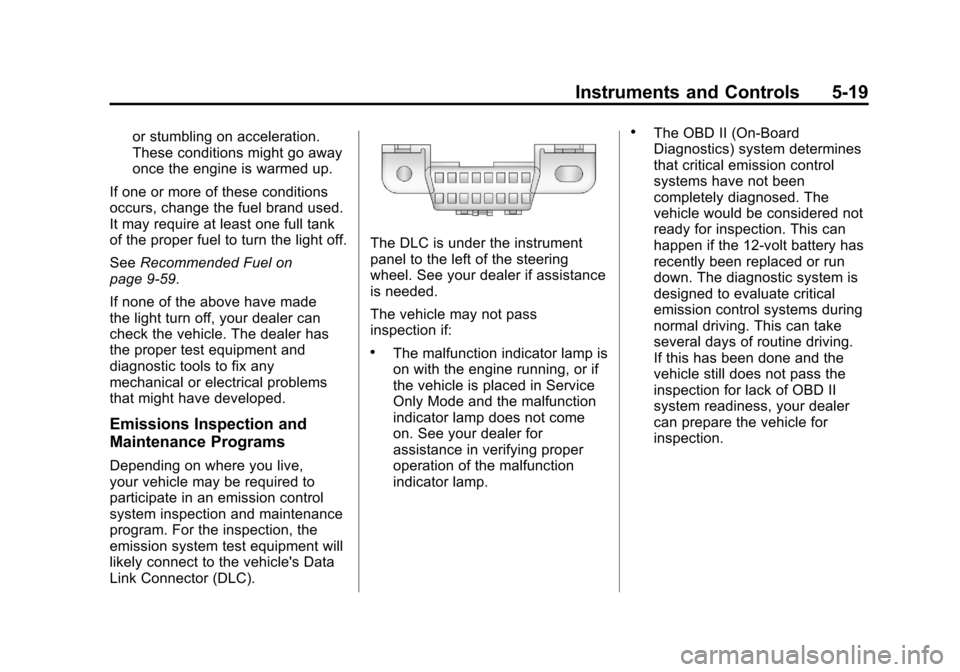
The DLC is under the instrument
panel to the left of the steering
wheel. See your dealer if assistance
is needed.
The vehicle may not pass
inspection if:
.The malfunction indicator lamp is
on with the engine running, or if
the vehicle is placed in Service
Only Mode and the malfunction
indicator lamp does not come
on. See your dealer for
assistance in verifying proper
operation of the malfunction
indicator lamp.
.The OBD II (On-Board
Diagnostics) system determines
that critical emission control
systems have not been
completely diagnosed. The
vehicle would be considered not
ready for inspection. This can
happen if the 12-volt battery has
recently been replaced or run
down. The diagnostic system is
designed to evaluate critical
emission control systems during
normal driving. This can take
several days of routine driving.
If this has been done and the
vehicle still does not pass the
inspection for lack of OBD II
system readiness, your dealer
can prepare the vehicle for
inspection.
Page 149 of 432
Black plate (25,1)Cadillac SRX Owner Manual - 2013 - CRC - 11/9/12
Instruments and Controls 5-25
For vehicles with the fuel economy
mode light, it comes on when the
eco (economy) button, located next
to the shift lever, is pressed. Press
the button again to turn off the light
and exit the fuel economy mode.
SeeDriving for Better Fuel
Economy on page 1‑23 andFuel
Economy Mode on page 9‑26 for
more information.
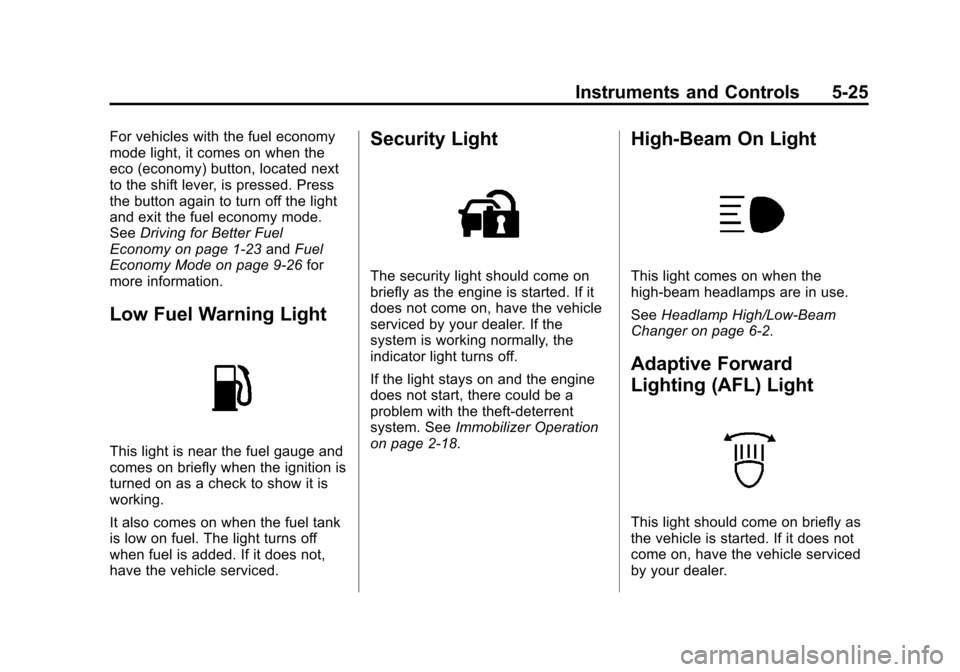
Low Fuel Warning Light
This light is near the fuel gauge and
comes on briefly when the ignition is
turned on as a check to show it is
working.
It also comes on when the fuel tank
is low on fuel. The light turns off
when fuel is added. If it does not,
have the vehicle serviced.
Security Light
The security light should come on
briefly as the engine is started. If it
does not come on, have the vehicle
serviced by your dealer. If the
system is working normally, the
indicator light turns off.
If the light stays on and the engine
does not start, there could be a
problem with the theft-deterrent
system. See Immobilizer Operation
on page 2‑18.
High-Beam On Light
This light comes on when the
high-beam headlamps are in use.
See Headlamp High/Low-Beam
Changer on page 6‑2.
Adaptive Forward
Lighting (AFL) Light
This light should come on briefly as
the vehicle is started. If it does not
come on, have the vehicle serviced
by your dealer.
Page 170 of 432
Black plate (46,1)Cadillac SRX Owner Manual - 2013 - CRC - 11/9/12
5-46 Instruments and Controls
This system provides a way to
replace up to three remote control
transmitters used to activate
devices such as garage door
openers, security systems, and
home automation devices.
Do not use the Universal Remote
system with any garage door opener
that does not have the stop and
reverse feature. This includes any
garage door opener model
manufactured before April 1,1982.
Read the instructions completely
before attempting to program the
Universal Remote system. Because
of the steps involved, it may be
helpful to have another person
available to assist with programming
the Universal Remote system.
Keep the original hand-held
transmitter for use in other vehicles
as well as for future Universal
Remote system programming.It is also recommended that upon
the sale of the vehicle, the
programmed Universal Remote
system buttons be erased for
security purposes. See
“Erasing
Universal Remote System Buttons”
later in this section.
When programming a garage door,
park outside of the garage. Park
directly in line with and facing the
garage door opener motor-head or
gate motor-head. Be sure that
people and objects are clear of
the garage door or gate being
programmed.
It is recommended that a new
battery be installed in the hand-held
transmitter for quicker and more
accurate transmission of the
radio-frequency signal.Programming the Universal
Remote System
For questions or help programming
the Universal Remote system,
call 1-800-355-3515 or go to
www.homelink.com.
Programming a garage door opener
involves time-sensitive actions, so
read the entire procedure before
starting. Otherwise, the device will
time out and the procedure will have
to be repeated.
To program up to three devices:
1. Hold the end of the hand-held
transmitter about 3 to 8 cm
(1 to 3 in) away from the
Universal Remote system
buttons while keeping the
indicator light in view. The
hand-held transmitter was
supplied by the manufacturer of
the garage door opener receiver
(motor-head unit).
Page 197 of 432
Black plate (1,1)Cadillac SRX Owner Manual - 2013 - CRC - 11/9/12
Driving and Operating 9-1
Driving and
Operating
Driving Information
Distracted Driving . . . . . . . . . . . . . 9-2
Defensive Driving . . . . . . . . . . . . . 9-3
Drunk Driving . . . . . . . . . . . . . . . . . 9-3
Control of a Vehicle . . . . . . . . . . . 9-3
Braking . . . . . . . . . . . . . . . . . . . . . . . 9-3
Steering . . . . . . . . . . . . . . . . . . . . . . . 9-4
Off-Road Recovery . . . . . . . . . . . . 9-4
Loss of Control . . . . . . . . . . . . . . . . 9-5
Driving on Wet Roads . . . . . . . . . 9-6
Highway Hypnosis . . . . . . . . . . . . 9-7
Hill and Mountain Roads . . . . . . 9-7
Winter Driving . . . . . . . . . . . . . . . . . 9-8
If the Vehicle Is Stuck . . . . . . . . . 9-9
Vehicle Load Limits . . . . . . . . . . 9-10
Starting and Operating
New Vehicle Break-In . . . . . . . . 9-14
Adjustable Throttle and BrakePedal . . . . . . . . . . . . . . . . . . . . . . . 9-15
Ignition Positions . . . . . . . . . . . . 9-16 Starting the Gasoline
Engine . . . . . . . . . . . . . . . . . . . . . 9-17
Engine Heater . . . . . . . . . . . . . . . 9-19
Retained Accessory Power (RAP) . . . . . . . . . . . . . . . 9-19
Shifting Into Park . . . . . . . . . . . . 9-20
Shifting out of Park . . . . . . . . . . 9-21
Parking over Things That Burn . . . . . . . . . . . . . . . . . . 9-21
Engine Exhaust
Engine Exhaust . . . . . . . . . . . . . . 9-22
Running the Vehicle WhileParked . . . . . . . . . . . . . . . . . . . . . 9-22
Automatic Transmission
Automatic Transmission . . . . . 9-23
Manual Mode . . . . . . . . . . . . . . . . 9-24
Fuel Economy Mode . . . . . . . . . 9-26
Drive Systems
All-Wheel Drive . . . . . . . . . . . . . . 9-27
Brakes
Antilock BrakeSystem (ABS) . . . . . . . . . . . . . . 9-27
Parking Brake . . . . . . . . . . . . . . . 9-28
Brake Assist . . . . . . . . . . . . . . . . . 9-30
Hill Start Assist (HSA) . . . . . . . 9-31
Ride Control Systems
Traction Control System (TCS) . . . . . . . . . . . . . . 9-31
StabiliTrak
®System . . . . . . . . . 9-33
Limited-Slip Rear Axle . . . . . . . 9-34
Selective Ride Control . . . . . . . 9-34
Cruise Control
Cruise Control . . . . . . . . . . . . . . . 9-35
Adaptive Cruise Control . . . . . 9-37
Driver Assistance Systems
Driver Assistance Systems . . . . . . . . . . . . . . . . . . . . 9-46
Assistance Systems for Parking or Backing . . . . . . . . . 9-46
Assistance Systems for Driving . . . . . . . . . . . . . . . . . . . . . 9-50
Forward Collision Alert (FCA) System . . . . . . . . . . . . . . . . . . . . . 9-50
Active Emergency Braking System . . . . . . . . . . . . . . . . . . . . . 9-53
Side Blind Zone Alert (SBZA) . . . . . . . . . . . . . . . 9-55
Lane Departure Warning (LDW) . . . . . . . . . . . . . 9-57
Page 213 of 432
Black plate (17,1)Cadillac SRX Owner Manual - 2013 - CRC - 11/9/12
Driving and Operating 9-17
{WARNING
Turning off the vehicle while
moving may cause loss of power
assist in the brake and steering
systems and disable the airbags.
While driving, only shut the
vehicle off in an emergency.
If the vehicle cannot be pulled over,
and must be shut off while driving,
press and hold the engine START/
STOP button for longer than
two seconds, or press twice in
five seconds.
ACC/ACCESSORY (Amber
Indicator Light): This mode
allows you to use some electrical
accessories when the engine is off.
With the ignition off, pressing the
button one time without the brake
pedal applied, will place the ignition
system in ACC/ACCESSORY. The ignition will switch from ACC/
ACCESSORY to OFF after
ten minutes to prevent battery
run down.
ON/RUN/START (Green Indicator
Light):
This mode is for driving and
starting. With the ignition off, and
the brake pedal applied, pressing
the button once will place the
ignition system in ON/RUN/START.
Once engine cranking begins,
release the button. Engine cranking
will continue until the engine starts.
See Starting the Gasoline Engine
on page 9‑17. The ignition will then
remain in ON/RUN.
Service Only Mode
This power mode is available for
service and diagnostics, and to
verify the proper operation of the
malfunction indicator lamp as may
be required for emission inspection
purposes. With the vehicle off,
and the brake pedal not applied,
pressing and holding the button for
more than five seconds will place
the vehicle in Service Only Mode. The instruments and audio systems
will operate as they do in ON/RUN,
but the vehicle will not be able to be
driven. The engine will not start in
Service Only Mode. Push the button
again to turn the vehicle off.
Starting the Gasoline
Engine
Place the transmission in the proper
gear by moving the shift lever to
P (Park) or N (Neutral). To restart
the engine when the vehicle is
already moving, use N (Neutral).
Notice:
Do not try to shift to
P (Park) if the vehicle is moving.
If you do, you could damage the
transmission. Shift to P (Park)
only when the vehicle is stopped.
The keyless access transmitter must
be inside the vehicle for the ignition
to work.
Page 220 of 432
Black plate (24,1)Cadillac SRX Owner Manual - 2013 - CRC - 11/9/12
9-24 Driving and Operating
At low vehicle speeds, R (Reverse)
can be used to rock the vehicle
back and forth to get out of snow,
ice, or sand without damaging your
transmission. SeeIf the Vehicle Is
Stuck on page 9‑9 for additional
information.
N (Neutral): In this position, the
engine does not connect with the
wheels. To restart when the vehicle
is already moving, use N (Neutral)
only. You can also use N (Neutral)
when the vehicle is being towed.
{WARNING
Shifting into a drive gear while the
engine is running at high speed is
dangerous. Unless your foot is
firmly on the brake pedal, the
vehicle could move very rapidly.
You could lose control and hit
people or objects. Do not shift
into a drive gear while the engine
is running at high speed. Notice:
Shifting out of P (Park) or
N (Neutral) with the engine
running at high speed may
damage the transmission. The
repairs would not be covered by
the vehicle warranty. Be sure the
engine is not running at high
speed when shifting the vehicle.
D (Drive): This position is for
normal driving. It provides the best
fuel economy. If you need more
power for passing, and you are:
.Going less than 35 mph
(55 km/h), push the accelerator
pedal about halfway down.
.Going about 35 mph (55 km/h)
or more, push the accelerator all
the way down.
The transmission will shift down
to a lower gear and have more
power. Downshifting the transmission in
slippery road conditions could result
in skidding, see
“Skidding”under
Loss of Control on page 9‑5
Notice: Spinning the tires or
holding the vehicle in one place
on a hill using only the
accelerator pedal may damage
the transmission. If you are stuck,
do not spin the tires. When
stopping on a hill, use the brakes
to hold the vehicle in place.
Manual Mode
Driver Shift Control (DSC)
Notice: Driving with the engine at
a high rpm without upshifting
while using Driver Shift Control
(DSC), could damage the vehicle.
Always upshift when necessary
while using DSC.
Page 222 of 432
Black plate (26,1)Cadillac SRX Owner Manual - 2013 - CRC - 11/9/12
9-26 Driving and Operating
When accelerating the vehicle from
a stop in snowy and icy conditions,
you may want to shift into second
gear. A higher gear ratio allows you
to gain more traction on slippery
surfaces.
Fuel Economy Mode
Driving habits can affect fuel
mileage. For driving tips to get the
best fuel economy possible, see
Driving for Better Fuel Economy on
page 1‑23.
The vehicle may have a fuel
economy mode. When engaged,
fuel economy mode can improve the
vehicle's fuel economy.
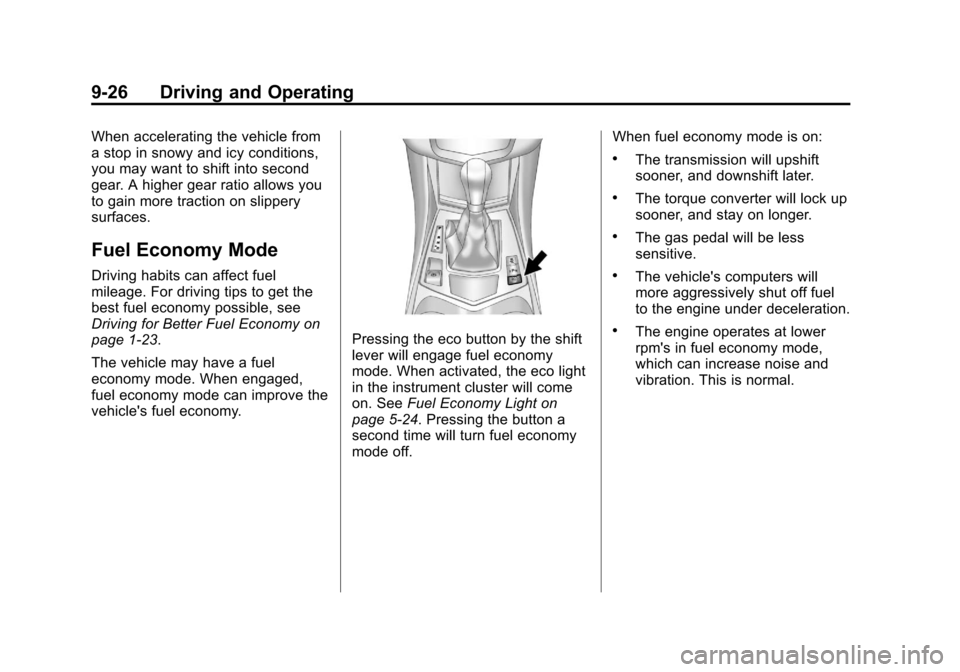
Pressing the eco button by the shift
lever will engage fuel economy
mode. When activated, the eco light
in the instrument cluster will come
on. SeeFuel Economy Light on
page 5‑24. Pressing the button a
second time will turn fuel economy
mode off. When fuel economy mode is on:
.The transmission will upshift
sooner, and downshift later.
.The torque converter will lock up
sooner, and stay on longer.
.The gas pedal will be less
sensitive.
.The vehicle's computers will
more aggressively shut off fuel
to the engine under deceleration.
.The engine operates at lower
rpm's in fuel economy mode,
which can increase noise and
vibration. This is normal.
Page 261 of 432
Black plate (65,1)Cadillac SRX Owner Manual - 2013 - CRC - 11/9/12
Driving and Operating 9-65
Towing
General Towing
Information
Only use towing equipment that
has been designed for the vehicle.
Contact your dealer or trailering
dealer for assistance with preparing
the vehicle for towing a trailer. Read
the entire section before towing a
trailer.
For towing a disabled vehicle, see
Towing the Vehicle on page 10‑85.
For towing the vehicle behind
another vehicle such as a motor
home, seeRecreational Vehicle
Towing on page 10‑85.
Driving Characteristics
and Towing Tips
Driving with a Trailer
When towing a trailer:
.Become familiar with the state
and local laws that apply
specifically to trailer towing.
.Do not tow a trailer during the
first 800 km (500 miles), to
prevent damage to the engine,
axle or other parts.
.Then, during the first 800 km
(500 miles) trailer towing, do not
drive over 80 km/h (50 mph) and
do not make starts at full throttle.
.The vehicle can tow in D (Drive).
Use a lower gear if the
transmission shifts too often.
.Do not use the Fuel Economy
Mode when towing.
.Do not use Adaptive Cruise
Control when towing.
.The Automatic Collision
Preparation System should be
set to “Off”when towing. See
Active Emergency Braking
System on page 9‑53.
{WARNING
When towing a trailer, exhaust
gases may collect at the rear of
the vehicle and enter if the
liftgate, trunk/hatch, or rear-most
window is open.
When towing a trailer:
.Do not drive with the liftgate,
trunk/hatch, or rear-most
window open.
.Fully open the air outlets on
or under the instrument
panel.
.Also adjust the Climate
Control system to a setting
that brings in only outside air.
See “Climate Control
Systems” in the Index.
For more information about
Carbon Monoxide, see Engine
Exhaust on page 9‑22.
Page 390 of 432
Black plate (4,1)Cadillac SRX Owner Manual - 2013 - CRC - 11/9/12
13-4 Customer Information
Customer Assistance
Procedure
Owner satisfaction and goodwill are
very important to your dealer and
General Motors.
Normally, any problem with the
transaction, sale, or usage of the
vehicle must be handled by your
dealer sales or service departments.
However, we recognize that
despite the good intentions of all
parties involved, sometimes a
misunderstanding may occur.
If you have a problem that has not
been satisfactorily handled through
the normal means, we suggest the
following steps:
STEP ONE
Explain your case to your dealer
service agent, service manager,
dealer sales agent, or sales
manager, depending on your case.Make sure that they have all
necessary information. They are
interested in your continual
satisfaction.
STEP TWO
If you are not satisfied, please
contact the general manager or your
dealership owner to ask for their
help. If they are not able to resolve
your case, ask them to contact the
right people at General Motors for
support, if needed.
STEP THREE
If your case is not resolved in a
reasonable amount of time by your
dealer, please call the General
Motors Customer Assistance
Center (CAC) and provide the
following information:
.Name
.Address
.Phone number
.Model year
.Brand
.Vehicle Identification
Number (VIN)
.Mileage
.Delivery date
.Description of the problem
.Dealership name
.Dealership address
See Customer Assistance Offices
(U.S. and Canada) on page 13‑5 or
Customer Assistance Offices
(Mexico) on page 13‑5.
Page 402 of 432
Black plate (16,1)Cadillac SRX Owner Manual - 2013 - CRC - 11/9/12
13-16 Customer Information
Insuring the Vehicle
Protect your investment in the GM
vehicle with comprehensive and
collision insurance coverage. There
are significant differences in the
quality of coverage afforded by
various insurance policy terms.
Many insurance policies provide
reduced protection to the GM
vehicle by limiting compensation
for damage repairs by using
aftermarket collision parts. Some
insurance companies will not
specify aftermarket collision parts.
When purchasing insurance, we
recommend that you ensure that the
vehicle will be repaired with GM
original equipment collision parts.
If such insurance coverage is
not available from your current
insurance carrier, consider switching
to another insurance carrier.
If the vehicle is leased, the leasing
company may require you to have
insurance that ensures repairs with
Genuine GM Original Equipment
Manufacturer (OEM) parts or
Genuine Manufacturer replacementparts. Read the lease carefully, as
you may be charged at the end of
the lease for poor quality repairs.
If a Crash Occurs
If there has been an injury, call
emergency services for help. Do not
leave the scene of a crash until all
matters have been taken care of.
Move the vehicle only if its position
puts you in danger, or you are
instructed to move it by a police
officer.
Give only the necessary information
to police and other parties involved
in the crash.
For emergency towing see
Roadside Service (Mexico) on
page 13‑7
orRoadside Service
(U.S. and Canada) on page 13‑11.
Gather the following information:
.Driver name, address, and
telephone number.
.Driver license number.
.Owner name, address, and
telephone number.
.Vehicle license plate number.
.Vehicle make, model, and
model year.
.Vehicle Identification
Number (VIN).
.Insurance company and policy
number.
.General description of the
damage to the other vehicle.
Choose a reputable repair facility
that uses quality replacement parts.
See “Collision Parts” earlier in this
section.
If the airbag has inflated, see What
Will You See after an Airbag
Inflates? on page 3‑26.
Managing the Vehicle Damage
Repair Process
In the event that the vehicle requires
damage repairs, GM recommends
that you take an active role in its
repair. If you have a pre-determined
repair facility of choice, take the
vehicle there, or have it towed there.