lock CADILLAC SRX 2013 2.G Workshop Manual
[x] Cancel search | Manufacturer: CADILLAC, Model Year: 2013, Model line: SRX, Model: CADILLAC SRX 2013 2.GPages: 432, PDF Size: 7.13 MB
Page 113 of 432
Black plate (1,1)Cadillac SRX Owner Manual - 2013 - CRC - 11/9/12
Storage 4-1
Storage
Storage Compartments
Glove Box . . . . . . . . . . . . . . . . . . . . 4-1
Cupholders . . . . . . . . . . . . . . . . . . . 4-1
Front Storage . . . . . . . . . . . . . . . . . 4-2
Armrest Storage . . . . . . . . . . . . . . 4-2
Center Console Storage . . . . . . 4-2
Additional Storage Features
Cargo Cover . . . . . . . . . . . . . . . . . . 4-3
Cargo Tie-Downs . . . . . . . . . . . . . 4-4
Cargo ManagementSystem . . . . . . . . . . . . . . . . . . . . . . 4-4
Cargo Net . . . . . . . . . . . . . . . . . . . . . 4-9
Convenience Net . . . . . . . . . . . . 4-10
Roof Rack System
Roof Rack System . . . . . . . . . . . 4-11
Storage
Compartments
Glove Box
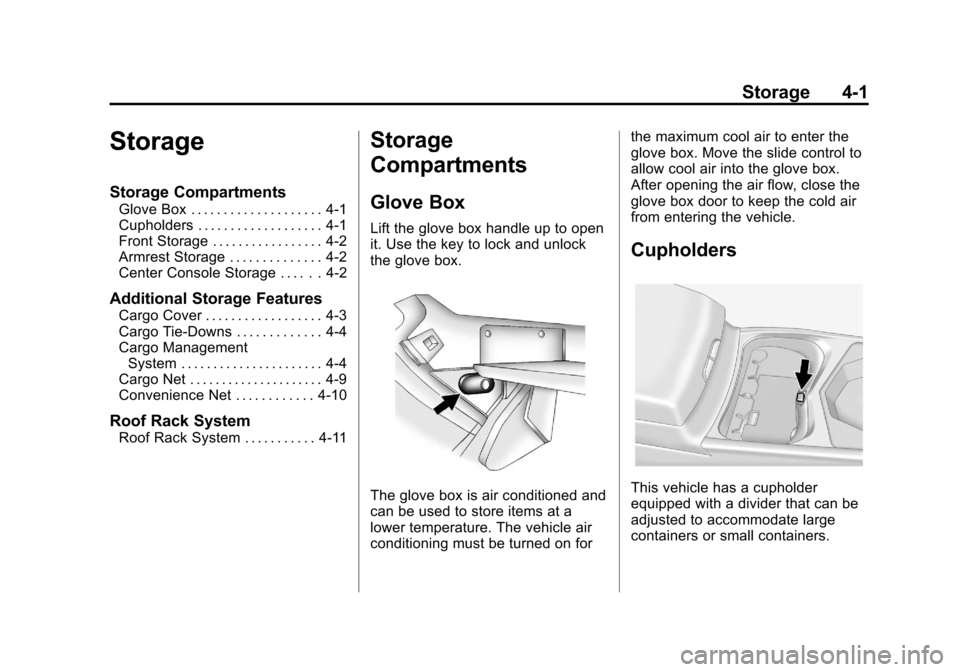
Lift the glove box handle up to open
it. Use the key to lock and unlock
the glove box.
The glove box is air conditioned and
can be used to store items at a
lower temperature. The vehicle air
conditioning must be turned on for the maximum cool air to enter the
glove box. Move the slide control to
allow cool air into the glove box.
After opening the air flow, close the
glove box door to keep the cold air
from entering the vehicle.
Cupholders
This vehicle has a cupholder
equipped with a divider that can be
adjusted to accommodate large
containers or small containers.
Page 114 of 432
Black plate (2,1)Cadillac SRX Owner Manual - 2013 - CRC - 11/9/12
4-2 Storage
For large containers, push the
button to move aside the divider and
make the cupholder deeper. For
small containers, push down on the
top edge of the divider to lock it
back in place and make the
cupholder shorter.
Front Storage
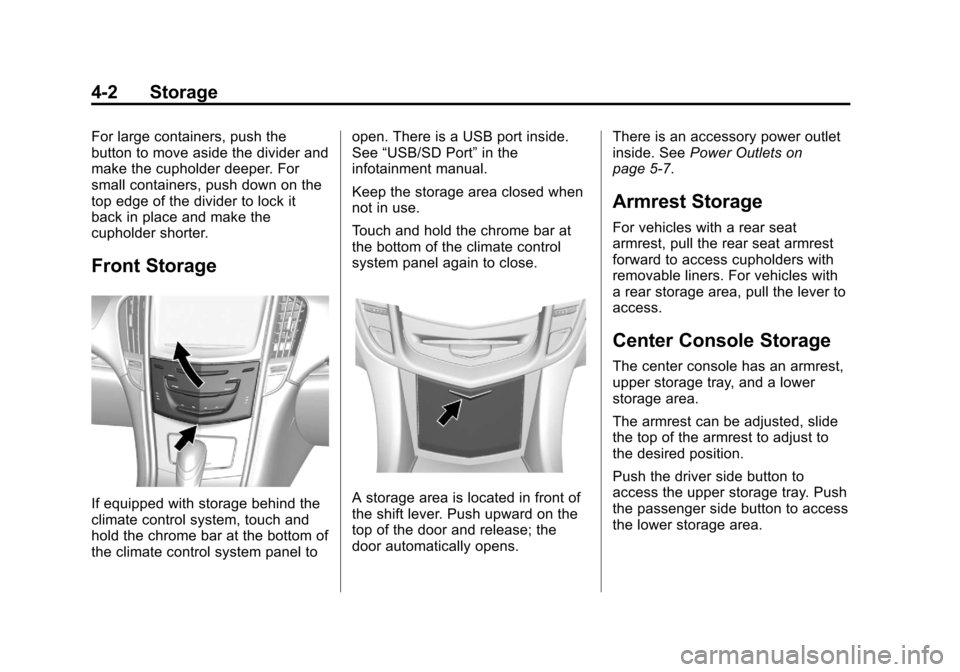
If equipped with storage behind the
climate control system, touch and
hold the chrome bar at the bottom of
the climate control system panel toopen. There is a USB port inside.
See
“USB/SD Port” in the
infotainment manual.
Keep the storage area closed when
not in use.
Touch and hold the chrome bar at
the bottom of the climate control
system panel again to close.A storage area is located in front of
the shift lever. Push upward on the
top of the door and release; the
door automatically opens. There is an accessory power outlet
inside. See
Power Outlets on
page 5‑7.
Armrest Storage
For vehicles with a rear seat
armrest, pull the rear seat armrest
forward to access cupholders with
removable liners. For vehicles with
a rear storage area, pull the lever to
access.
Center Console Storage
The center console has an armrest,
upper storage tray, and a lower
storage area.
The armrest can be adjusted, slide
the top of the armrest to adjust to
the desired position.
Push the driver side button to
access the upper storage tray. Push
the passenger side button to access
the lower storage area.
Page 117 of 432
Black plate (5,1)Cadillac SRX Owner Manual - 2013 - CRC - 11/9/12
Storage 4-5
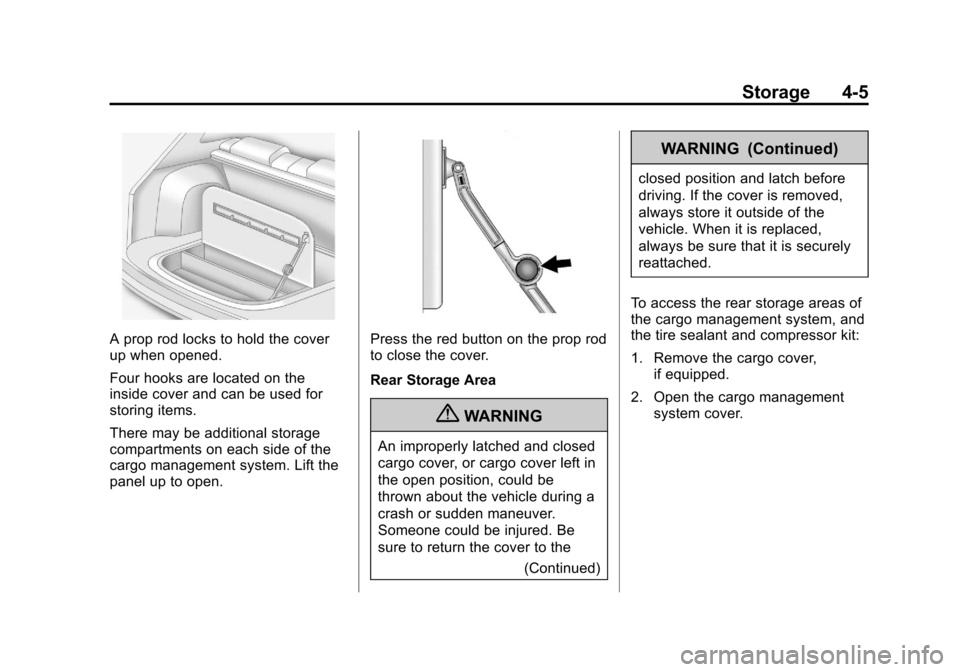
A prop rod locks to hold the cover
up when opened.
Four hooks are located on the
inside cover and can be used for
storing items.
There may be additional storage
compartments on each side of the
cargo management system. Lift the
panel up to open.Press the red button on the prop rod
to close the cover.
Rear Storage Area
{WARNING
An improperly latched and closed
cargo cover, or cargo cover left in
the open position, could be
thrown about the vehicle during a
crash or sudden maneuver.
Someone could be injured. Be
sure to return the cover to the(Continued)
WARNING (Continued)
closed position and latch before
driving. If the cover is removed,
always store it outside of the
vehicle. When it is replaced,
always be sure that it is securely
reattached.
To access the rear storage areas of
the cargo management system, and
the tire sealant and compressor kit:
1. Remove the cargo cover, if equipped.
2. Open the cargo management system cover.
Page 119 of 432
Black plate (7,1)Cadillac SRX Owner Manual - 2013 - CRC - 11/9/12
Storage 4-7
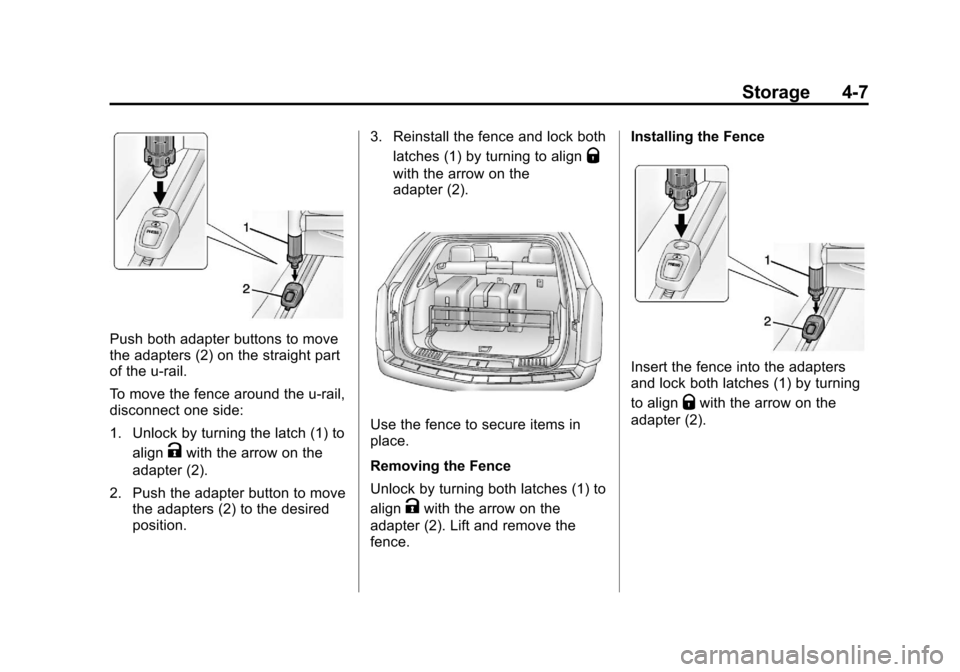
Push both adapter buttons to move
the adapters (2) on the straight part
of the u-rail.
To move the fence around the u-rail,
disconnect one side:
1. Unlock by turning the latch (1) toalign
Kwith the arrow on the
adapter (2).
2. Push the adapter button to move the adapters (2) to the desired
position. 3. Reinstall the fence and lock both
latches (1) by turning to align
Q
with the arrow on the
adapter (2).
Use the fence to secure items in
place.
Removing the Fence
Unlock by turning both latches (1) to
align
Kwith the arrow on the
adapter (2). Lift and remove the
fence. Installing the Fence
Insert the fence into the adapters
and lock both latches (1) by turning
to align
Qwith the arrow on the
adapter (2).
Page 125 of 432
Black plate (1,1)Cadillac SRX Owner Manual - 2013 - CRC - 11/9/12
Instruments and Controls 5-1
Instruments and
Controls
Controls
Steering Wheel Adjustment . . . 5-2
Steering Wheel Controls . . . . . . 5-2
Heated Steering Wheel . . . . . . . 5-3
Horn . . . . . . . . . . . . . . . . . . . . . . . . . . 5-3
Windshield Wiper/Washer . . . . . 5-3
Rear Window Wiper/Washer . . . . . . . . . . . . . . . . . . . . . . 5-5
Headlamp Washer . . . . . . . . . . . . 5-6
Compass . . . . . . . . . . . . . . . . . . . . . 5-7
Clock . . . . . . . . . . . . . . . . . . . . . . . . . 5-7
Power Outlets . . . . . . . . . . . . . . . . . 5-7
Cigarette Lighter . . . . . . . . . . . . . . 5-8
Ashtrays . . . . . . . . . . . . . . . . . . . . . . 5-8
Warning Lights, Gauges, and
Indicators
Warning Lights, Gauges, and Indicators . . . . . . . . . . . . . . . . . . . . 5-9
Instrument Cluster . . . . . . . . . . . 5-10
Speedometer . . . . . . . . . . . . . . . . 5-11
Odometer . . . . . . . . . . . . . . . . . . . . 5-12
Trip Odometer . . . . . . . . . . . . . . . 5-12
Tachometer . . . . . . . . . . . . . . . . . . 5-12 Fuel Gauge . . . . . . . . . . . . . . . . . . 5-12
Engine Coolant Temperature
Gauge . . . . . . . . . . . . . . . . . . . . . . 5-13
Safety Belt Reminders . . . . . . . 5-14
Airbag Readiness Light . . . . . . 5-15
Passenger Airbag Status Indicator . . . . . . . . . . . . . . . . . . . . 5-16
Charging System Light . . . . . . 5-17
Malfunction Indicator Lamp . . . . . . . . . . . . . 5-17
Brake System Warning Light . . . . . . . . . . . . . . . . . . . . . . . 5-20
Electric Parking Brake Light . . . . . . . . . . . . . . . . . . . . . . . 5-20
Service Electric Parking Brake Light . . . . . . . . . . . . . . . . . . . . . . . 5-20
Antilock Brake System (ABS) Warning Light . . . . . . . . . . . . . . 5-21
Lane Departure Warning (LDW) Light . . . . . . . . . . . . . . . . 5-21
Vehicle Ahead Indicator . . . . . . 5-22
Traction Off Light . . . . . . . . . . . . 5-22
StabiliTrak®OFF Light . . . . . . . 5-22
Traction Control System (TCS)/StabiliTrak
®Light . . . . 5-23
Engine Coolant Temperature Warning Light . . . . . . . . . . . . . . 5-23
Tire Pressure Light . . . . . . . . . . 5-24
Engine Oil Pressure Light . . . . 5-24 Fuel Economy Light . . . . . . . . . 5-24
Low Fuel Warning Light . . . . . . 5-25
Security Light . . . . . . . . . . . . . . . . 5-25
High-Beam On Light . . . . . . . . . 5-25
Adaptive Forward Lighting
(AFL) Light . . . . . . . . . . . . . . . . . 5-25
Front Fog Lamp Light . . . . . . . . 5-26
Lamps On Reminder . . . . . . . . . 5-26
Cruise Control Light . . . . . . . . . 5-26
Information Displays
Driver Information Center (DIC) . . . . . . . . . . . . . . . 5-27
Vehicle Messages
Vehicle Messages . . . . . . . . . . . 5-30
Battery Voltage and ChargingMessages . . . . . . . . . . . . . . . . . . 5-30
Brake System Messages . . . . 5-30
Compass Messages . . . . . . . . . 5-31
Cruise Control Messages . . . . 5-31
Door Ajar Messages . . . . . . . . . 5-32
Engine Cooling System Messages . . . . . . . . . . . . . . . . . . 5-32
Engine Oil Messages . . . . . . . . 5-33
Engine Power Messages . . . . 5-33
Fuel System Messages . . . . . . 5-33
Key and Lock Messages . . . . . 5-34
Lamp Messages . . . . . . . . . . . . . 5-34
Page 126 of 432
Black plate (2,1)Cadillac SRX Owner Manual - 2013 - CRC - 11/9/12
5-2 Instruments and Controls
Object Detection SystemMessages . . . . . . . . . . . . . . . . . . 5-35
Ride Control System Messages . . . . . . . . . . . . . . . . . . 5-37
Airbag System Messages . . . . 5-38
Security Messages . . . . . . . . . . 5-38
Service Vehicle Messages . . . 5-38
Starting the Vehicle
Messages . . . . . . . . . . . . . . . . . . 5-38
Tire Messages . . . . . . . . . . . . . . . 5-38
Transmission Messages . . . . . 5-39
Vehicle Reminder Messages . . . . . . . . . . . . . . . . . . 5-40
Vehicle Speed Messages . . . . 5-40
Washer Fluid Messages . . . . . 5-40
Vehicle Personalization
Vehicle Personalization . . . . . . 5-40
Universal Remote System
Universal Remote System . . . 5-45
Universal Remote System Programming . . . . . . . . . . . . . . . 5-45
Universal Remote System Operation . . . . . . . . . . . . . . . . . . 5-48
Controls
Steering Wheel
Adjustment
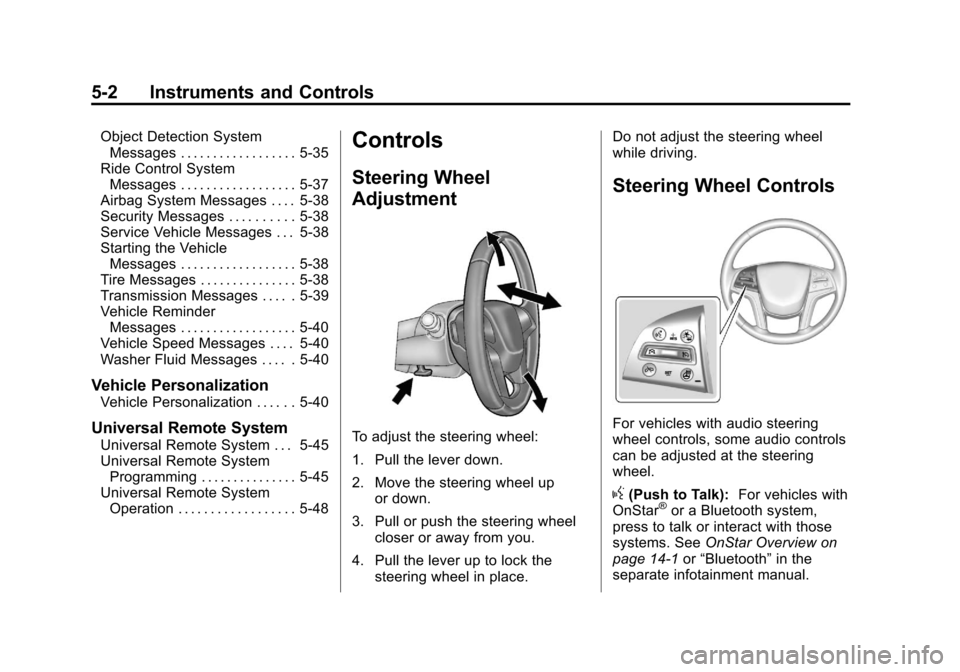
To adjust the steering wheel:
1. Pull the lever down.
2. Move the steering wheel up
or down.
3. Pull or push the steering wheel closer or away from you.
4. Pull the lever up to lock the steering wheel in place. Do not adjust the steering wheel
while driving.
Steering Wheel Controls
For vehicles with audio steering
wheel controls, some audio controls
can be adjusted at the steering
wheel.
g(Push to Talk):
For vehicles with
OnStar®or a Bluetooth system,
press to talk or interact with those
systems. See OnStar Overview on
page 14‑1 or“Bluetooth” in the
separate infotainment manual.
Page 129 of 432
Black plate (5,1)Cadillac SRX Owner Manual - 2013 - CRC - 11/9/12
Instruments and Controls 5-5
Wiper Arm Assembly Protection
When using an automatic car wash,
move the windshield wiper lever to
OFF. This disables the automatic
Rainsense windshield wipers and/or
manual windshield wipers.
With Rainsense, if the transmission
is in N (Neutral) and the vehicle
speed is very slow, the wipers will
automatically stop at the base of the
windshield.
The wiper operations return to
normal when the transmission is no
longer in N (Neutral) or the vehicle
speed has increased.
Windshield Washer
Pull the windshield wiper lever
toward you to spray windshield
washer fluid and activate the wipers.The wipers will continue until the
lever is released or the maximum
wash time is reached. When the
windshield wiper lever is released,
additional wipes may occur
depending on how long the
windshield washer had been
activated. See
Washer Fluid on
page 10‑20 for information on filling
the windshield washer fluid
reservoir.
{WARNING
In freezing weather, do not use
the washer until the windshield is
warmed. Otherwise the washer
fluid can form ice on the
windshield, blocking your vision.
Rear Window Wiper/
Washer
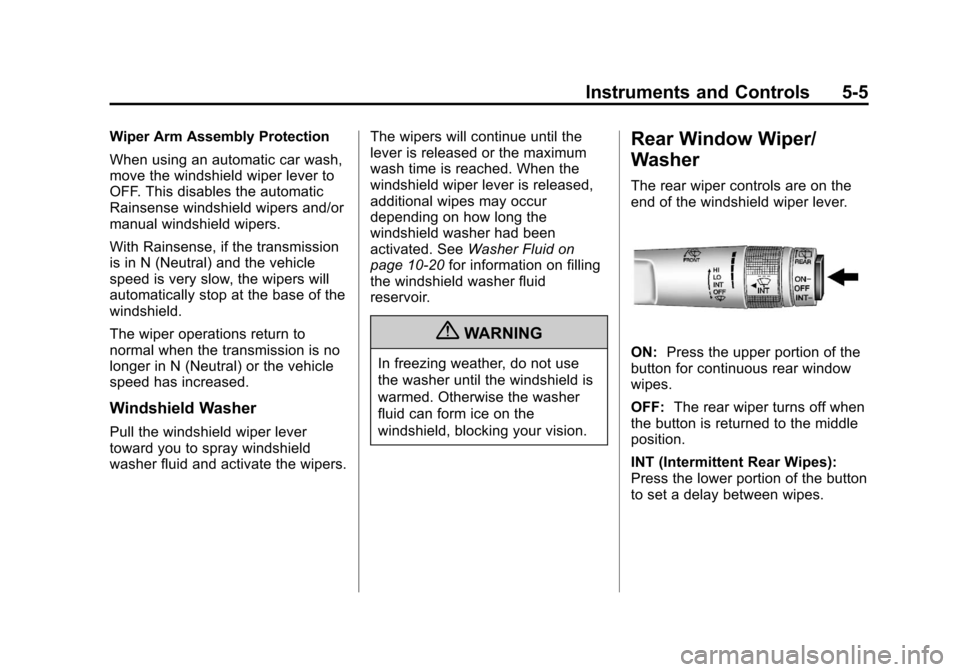
The rear wiper controls are on the
end of the windshield wiper lever.
ON: Press the upper portion of the
button for continuous rear window
wipes.
OFF: The rear wiper turns off when
the button is returned to the middle
position.
INT (Intermittent Rear Wipes):
Press the lower portion of the button
to set a delay between wipes.
Page 131 of 432
Black plate (7,1)Cadillac SRX Owner Manual - 2013 - CRC - 11/9/12
Instruments and Controls 5-7
Compass
The vehicle may have a compass
display on the Driver Information
Center (DIC). The compass
receives its heading and other
information from the Global
Positioning System (GPS) antenna,
StabiliTrak
®, and vehicle speed
information.
The compass system is designed to
operate for a certain number of
miles or degrees of turn before
needing a signal from the GPS
satellites. When the compass
display shows CAL, drive the
vehicle for a short distance in an
open area where it can receive a
GPS signal. The compass system
will automatically determine when a
GPS signal is restored and provide
a heading again. See Compass
Messages on page 5‑31 for the
messages that may be displayed for
the compass.
Clock
The infotainment system controls
are used to access the time and
date settings through the menu
system. See “Home Page” in the
infotainment manual for information
about how to use the menu system.
Setting the Time
To set the time:
1. From the Home Page, press the SETTINGS screen button and
press Time and Date.
2. Press Set Time and press + or−to increase or decrease
hours, minutes, and AM or PM.
Press 12Hr or 24Hr for 12 or
24 hour clock.
3. Press
}to go back to the
previous menu. To set the date:
1. Press the SETTINGS screen
button and press Time and Date.
2. Press Set Date and press + or−to increase or decrease
month, day, or year.
3. Press
}to go back to the
previous menu.
Power Outlets
The accessory power outlets can be
used to plug in electrical equipment,
such as a cell phone or MP3 player.
The vehicle may have five
accessory power outlets.
The accessory power outlets are:
.Below the climate control system
inside the front storage bin.
.Inside the center floor console.
Page 145 of 432
Black plate (21,1)Cadillac SRX Owner Manual - 2013 - CRC - 11/9/12
Instruments and Controls 5-21
If this light stays on, there is a
problem with the Electric Parking
Brake system or another system on
the vehicle that is causing the
parking brake system to work at a
reduced level. The vehicle can still
be driven, but should be taken to a
dealer as soon as possible. See the
information for the Electric Parking
Brake underParking Brake on
page 9‑28. If a message displays in
the Driver Information Center (DIC),
see Brake System Messages on
page 5‑30.
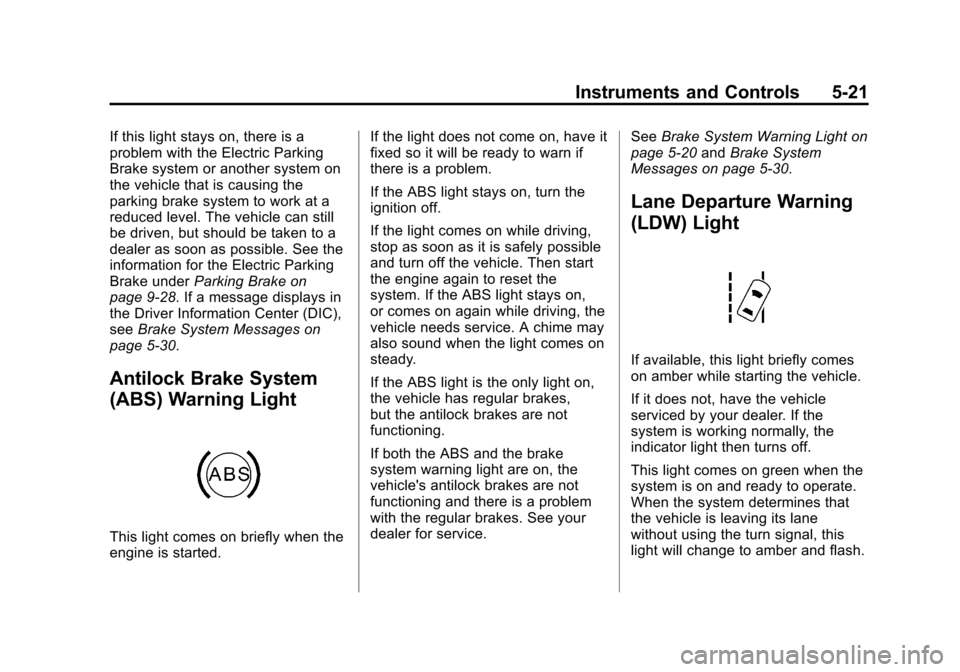
Antilock Brake System
(ABS) Warning Light
This light comes on briefly when the
engine is started. If the light does not come on, have it
fixed so it will be ready to warn if
there is a problem.
If the ABS light stays on, turn the
ignition off.
If the light comes on while driving,
stop as soon as it is safely possible
and turn off the vehicle. Then start
the engine again to reset the
system. If the ABS light stays on,
or comes on again while driving, the
vehicle needs service. A chime may
also sound when the light comes on
steady.
If the ABS light is the only light on,
the vehicle has regular brakes,
but the antilock brakes are not
functioning.
If both the ABS and the brake
system warning light are on, the
vehicle's antilock brakes are not
functioning and there is a problem
with the regular brakes. See your
dealer for service.
See
Brake System Warning Light on
page 5‑20 andBrake System
Messages on page 5‑30.
Lane Departure Warning
(LDW) Light
If available, this light briefly comes
on amber while starting the vehicle.
If it does not, have the vehicle
serviced by your dealer. If the
system is working normally, the
indicator light then turns off.
This light comes on green when the
system is on and ready to operate.
When the system determines that
the vehicle is leaving its lane
without using the turn signal, this
light will change to amber and flash.
Page 158 of 432
Black plate (34,1)Cadillac SRX Owner Manual - 2013 - CRC - 11/9/12
5-34 Instruments and Controls
Key and Lock Messages
NO REMOTE DETECTED
This message displays when trying
to start the vehicle if an RKE
transmitter is not detected. The
transmitter battery may be weak.
See“Starting the Vehicle with a Low
Transmitter Battery” underRemote
Keyless Entry (RKE) System
Operation on page 2‑3.
NO REMOTE PRESS BRAKE
TO RESTART
This message is displayed if the
remote is no longer detected in the
vehicle. Press the brake pedal to
restart the vehicle.
NUMBER OF KEYS
PROGRAMMED
This message displays when
programming new keys to the
vehicle.
REMOTE LEFT IN VEHICLE
This message displays when
leaving the vehicle with the RKE
transmitter still inside.
REPLACE BATTERY IN
REMOTE KEY
This message displays when the
battery in the RKE transmitter needs
to be replaced.
Lamp Messages
AFL (ADAPTIVE FORWARD
LIGHTING) LAMPS NEED
SERVICE
This message displays when the
AFL system is disabled and needs
service. See your dealer. See
Adaptive Forward Lighting (AFL) on
page 6‑3.
AUTOMATIC LIGHT
CONTROL ON
This message is displayed when the
exterior lamp control is in AUTO and
the lights have turned on. See
Twilight Sentinel on page 6‑4.
AUTOMATIC LIGHT
CONTROL OFF
This message is displayed when the
exterior lamp control is in AUTO and
the lights have turned off. See
Twilight Sentinel on page 6‑4.
XXX TURN INDICATOR
FAILURE
When one of the turn signals is out,
this message displays to show
which bulb needs to be replaced.
See Bulb Replacement on
page 10‑27 andReplacement Bulbs
on page 10‑33.
TURN SIGNAL ON
This message is displayed if the
turn signal has been left on. Turn off
the turn signal.