lock CADILLAC SRX 2013 2.G Manual Online
[x] Cancel search | Manufacturer: CADILLAC, Model Year: 2013, Model line: SRX, Model: CADILLAC SRX 2013 2.GPages: 432, PDF Size: 7.13 MB
Page 222 of 432
Black plate (26,1)Cadillac SRX Owner Manual - 2013 - CRC - 11/9/12
9-26 Driving and Operating
When accelerating the vehicle from
a stop in snowy and icy conditions,
you may want to shift into second
gear. A higher gear ratio allows you
to gain more traction on slippery
surfaces.
Fuel Economy Mode
Driving habits can affect fuel
mileage. For driving tips to get the
best fuel economy possible, see
Driving for Better Fuel Economy on
page 1‑23.
The vehicle may have a fuel
economy mode. When engaged,
fuel economy mode can improve the
vehicle's fuel economy.
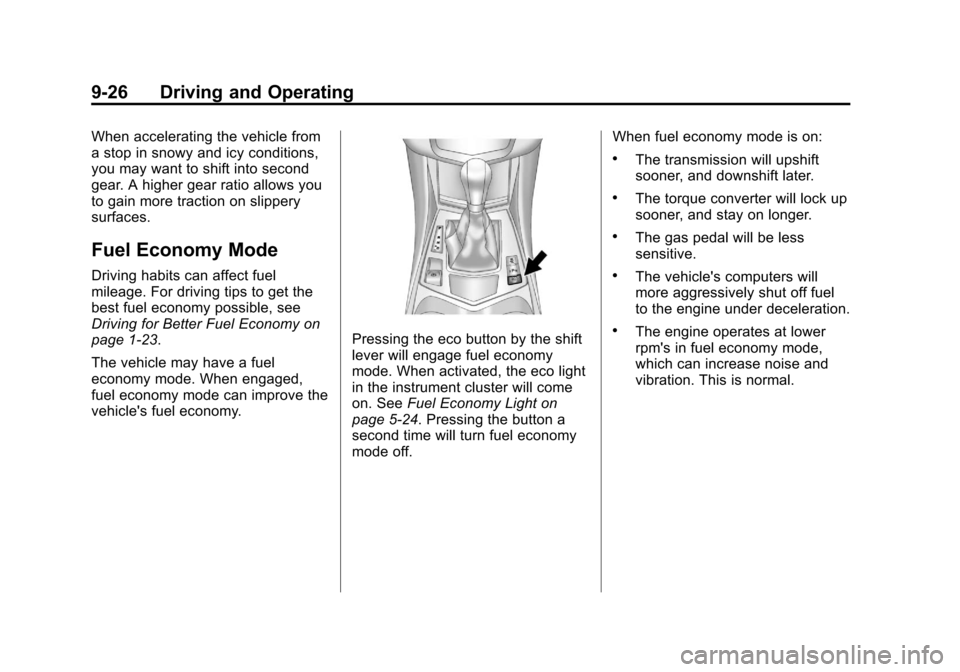
Pressing the eco button by the shift
lever will engage fuel economy
mode. When activated, the eco light
in the instrument cluster will come
on. SeeFuel Economy Light on
page 5‑24. Pressing the button a
second time will turn fuel economy
mode off. When fuel economy mode is on:
.The transmission will upshift
sooner, and downshift later.
.The torque converter will lock up
sooner, and stay on longer.
.The gas pedal will be less
sensitive.
.The vehicle's computers will
more aggressively shut off fuel
to the engine under deceleration.
.The engine operates at lower
rpm's in fuel economy mode,
which can increase noise and
vibration. This is normal.
Page 223 of 432
Black plate (27,1)Cadillac SRX Owner Manual - 2013 - CRC - 11/9/12
Driving and Operating 9-27
Drive Systems
All-Wheel Drive
Vehicles with this feature always
send engine power to all four
wheels. It is fully automatic, and
adjusts itself as needed for road
conditions.
When using a compact spare tire
on an AWD vehicle, the system
automatically detects the compact
spare and disables AWD. To restore
AWD operation and prevent
excessive wear on the system,
replace the compact spare with a
full-size tire as soon as possible.
SeeCompact Spare Tire on
page 10‑81.
Brakes
Antilock Brake
System (ABS)
This vehicle has the Antilock Brake
System (ABS), an advanced
electronic braking system that helps
prevent a braking skid.
When the vehicle begins to
drive away, ABS checks itself.
A momentary motor or clicking noise
might be heard while this test is
going on, and it might even be
noticed that the brake pedal moves
a little. This is normal.
If there is a problem with ABS, this
warning light stays on. See Antilock
Brake System (ABS) Warning Light
on page 5‑21. If driving safely on a wet road and it
becomes necessary to slam on the
brakes and continue braking to
avoid a sudden obstacle, a
computer senses that the wheels
are slowing down. If one of the
wheels is about to stop rolling, the
computer will separately work the
brakes at each wheel.
ABS can change the brake pressure
to each wheel, as required, faster
than any driver could. This can help
you steer around the obstacle while
braking hard.
As the brakes are applied, the
computer keeps receiving updates
on wheel speed and controls
braking pressure accordingly.
Page 225 of 432
Black plate (29,1)Cadillac SRX Owner Manual - 2013 - CRC - 11/9/12
Driving and Operating 9-29
EPB Apply
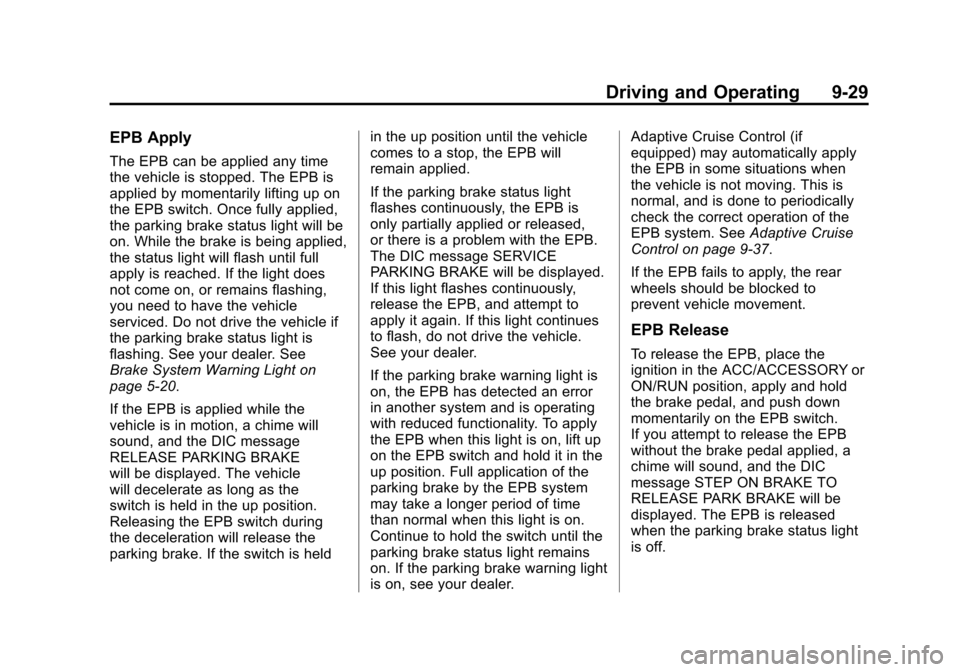
The EPB can be applied any time
the vehicle is stopped. The EPB is
applied by momentarily lifting up on
the EPB switch. Once fully applied,
the parking brake status light will be
on. While the brake is being applied,
the status light will flash until full
apply is reached. If the light does
not come on, or remains flashing,
you need to have the vehicle
serviced. Do not drive the vehicle if
the parking brake status light is
flashing. See your dealer. See
Brake System Warning Light on
page 5‑20.
If the EPB is applied while the
vehicle is in motion, a chime will
sound, and the DIC message
RELEASE PARKING BRAKE
will be displayed. The vehicle
will decelerate as long as the
switch is held in the up position.
Releasing the EPB switch during
the deceleration will release the
parking brake. If the switch is heldin the up position until the vehicle
comes to a stop, the EPB will
remain applied.
If the parking brake status light
flashes continuously, the EPB is
only partially applied or released,
or there is a problem with the EPB.
The DIC message SERVICE
PARKING BRAKE will be displayed.
If this light flashes continuously,
release the EPB, and attempt to
apply it again. If this light continues
to flash, do not drive the vehicle.
See your dealer.
If the parking brake warning light is
on, the EPB has detected an error
in another system and is operating
with reduced functionality. To apply
the EPB when this light is on, lift up
on the EPB switch and hold it in the
up position. Full application of the
parking brake by the EPB system
may take a longer period of time
than normal when this light is on.
Continue to hold the switch until the
parking brake status light remains
on. If the parking brake warning light
is on, see your dealer.Adaptive Cruise Control (if
equipped) may automatically apply
the EPB in some situations when
the vehicle is not moving. This is
normal, and is done to periodically
check the correct operation of the
EPB system. See
Adaptive Cruise
Control on page 9‑37.
If the EPB fails to apply, the rear
wheels should be blocked to
prevent vehicle movement.
EPB Release
To release the EPB, place the
ignition in the ACC/ACCESSORY or
ON/RUN position, apply and hold
the brake pedal, and push down
momentarily on the EPB switch.
If you attempt to release the EPB
without the brake pedal applied, a
chime will sound, and the DIC
message STEP ON BRAKE TO
RELEASE PARK BRAKE will be
displayed. The EPB is released
when the parking brake status light
is off.
Page 234 of 432
Black plate (38,1)Cadillac SRX Owner Manual - 2013 - CRC - 11/9/12
9-38 Driving and Operating
If a vehicle is detected in your path,
ACC can apply acceleration or
limited, moderate braking to
maintain the selected following gap.
To disengage ACC, apply the brake.
If ACC is controlling your vehicle
speed when the traction control
system (TCS) activates, the ACC
will automatically disengage. See
Traction Control System (TCS) on
page 9‑31. When road conditions
allow ACC to be safely used, the
ACC can be turned back on.{WARNING
ACC has limited braking ability
and may not have time to slow
the vehicle down enough to avoid
a collision with another vehicle
you are following. This can occur
when vehicles suddenly slow or
stop ahead, or enter your lane.
Also see“Alerting the Driver” in
this section. Complete attention is
always required while driving and
you should be ready to take
action and apply the brakes. See
Defensive Driving on page 9‑3.
{WARNING
Adaptive Cruise Control will not
detect or brake for children,
pedestrians, animals, or other
objects.
Do not use Adaptive Cruise
Control when:
.On winding and hilly roads or
when the sensors are
blocked by snow, ice, or dirt.
The system may not detect a
vehicle ahead. Keep the
entire front of the vehicle
clean.
.Visibility is low, such as in
fog, rain, or snow conditions.
Adaptive Cruise Control
performance is limited under
these conditions.
.On slippery roads where fast
changes in tire traction can
cause excessive wheel slip.
Page 238 of 432
Black plate (42,1)Cadillac SRX Owner Manual - 2013 - CRC - 11/9/12
9-42 Driving and Operating
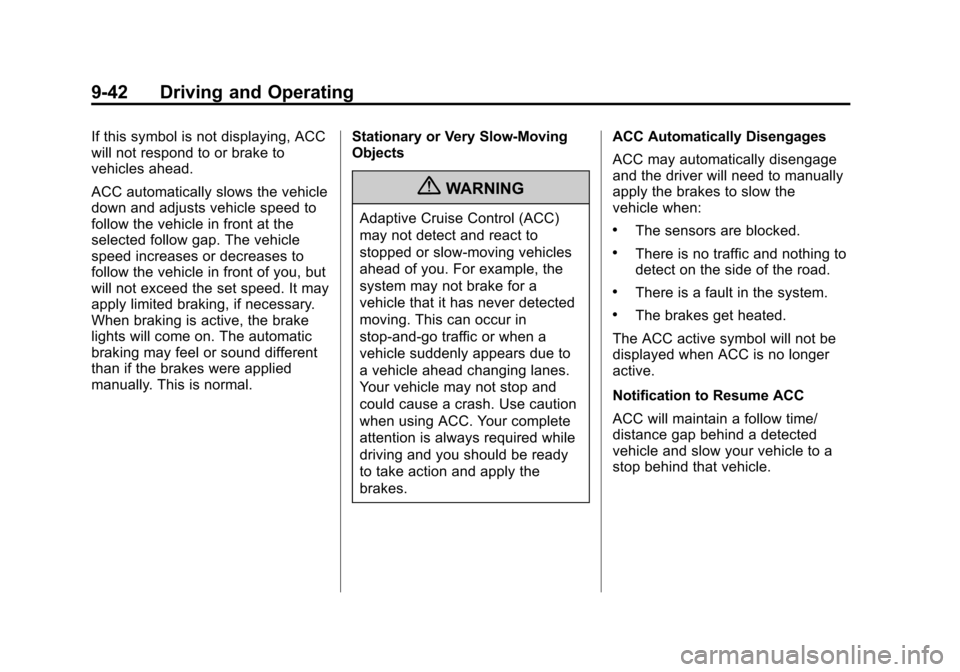
If this symbol is not displaying, ACC
will not respond to or brake to
vehicles ahead.
ACC automatically slows the vehicle
down and adjusts vehicle speed to
follow the vehicle in front at the
selected follow gap. The vehicle
speed increases or decreases to
follow the vehicle in front of you, but
will not exceed the set speed. It may
apply limited braking, if necessary.
When braking is active, the brake
lights will come on. The automatic
braking may feel or sound different
than if the brakes were applied
manually. This is normal.Stationary or Very Slow-Moving
Objects
{WARNING
Adaptive Cruise Control (ACC)
may not detect and react to
stopped or slow-moving vehicles
ahead of you. For example, the
system may not brake for a
vehicle that it has never detected
moving. This can occur in
stop-and-go traffic or when a
vehicle suddenly appears due to
a vehicle ahead changing lanes.
Your vehicle may not stop and
could cause a crash. Use caution
when using ACC. Your complete
attention is always required while
driving and you should be ready
to take action and apply the
brakes.ACC Automatically Disengages
ACC may automatically disengage
and the driver will need to manually
apply the brakes to slow the
vehicle when:.The sensors are blocked.
.There is no traffic and nothing to
detect on the side of the road.
.There is a fault in the system.
.The brakes get heated.
The ACC active symbol will not be
displayed when ACC is no longer
active.
Notification to Resume ACC
ACC will maintain a follow time/
distance gap behind a detected
vehicle and slow your vehicle to a
stop behind that vehicle.
Page 241 of 432
Black plate (45,1)Cadillac SRX Owner Manual - 2013 - CRC - 11/9/12
Driving and Operating 9-45
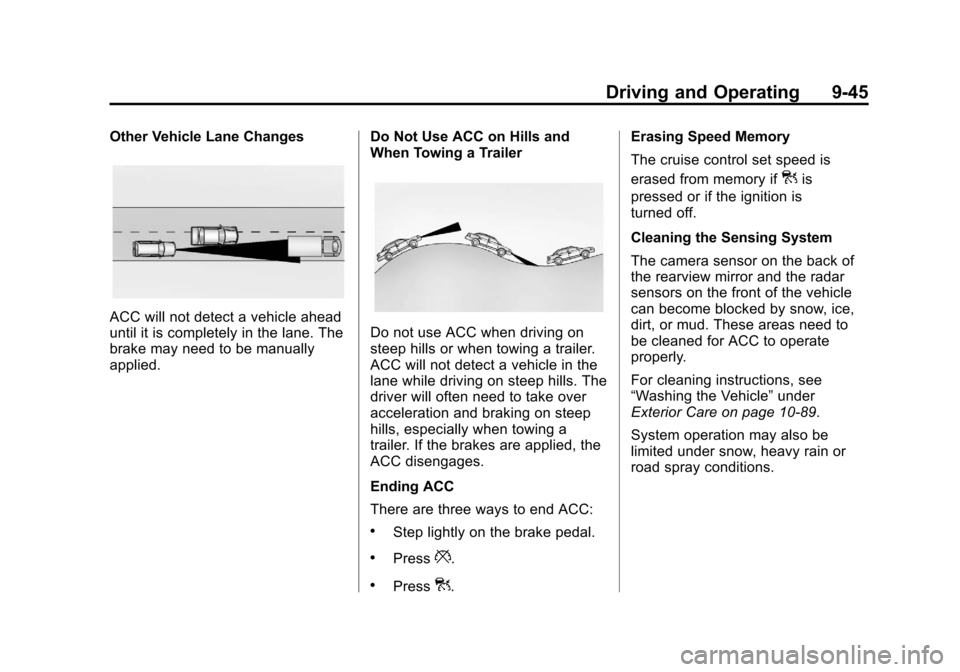
Other Vehicle Lane Changes
ACC will not detect a vehicle ahead
until it is completely in the lane. The
brake may need to be manually
applied.Do Not Use ACC on Hills and
When Towing a TrailerDo not use ACC when driving on
steep hills or when towing a trailer.
ACC will not detect a vehicle in the
lane while driving on steep hills. The
driver will often need to take over
acceleration and braking on steep
hills, especially when towing a
trailer. If the brakes are applied, the
ACC disengages.
Ending ACC
There are three ways to end ACC:
.Step lightly on the brake pedal.
.Press*.
.Press].Erasing Speed Memory
The cruise control set speed is
erased from memory if
]is
pressed or if the ignition is
turned off.
Cleaning the Sensing System
The camera sensor on the back of
the rearview mirror and the radar
sensors on the front of the vehicle
can become blocked by snow, ice,
dirt, or mud. These areas need to
be cleaned for ACC to operate
properly.
For cleaning instructions, see
“Washing the Vehicle” under
Exterior Care on page 10‑89.
System operation may also be
limited under snow, heavy rain or
road spray conditions.
Page 247 of 432
Black plate (51,1)Cadillac SRX Owner Manual - 2013 - CRC - 11/9/12
Driving and Operating 9-51
FCA detects vehicles within a
distance of approximately 60 m
(197 ft) and operates at speeds
above 40 km/h (25 mph). If the
vehicle has Adaptive Cruise Control
(ACC), it can detect vehicles to
distances of approximately 110 m
(360 ft) and operates at all speeds.
SeeAdaptive Cruise Control on
page 9‑37.
{WARNING
FCA is a warning system and
does not apply the brakes. When
approaching a slower-moving or
stopped vehicle ahead too rapidly,
or when following a vehicle too
closely, FCA may not provide a
warning with enough time to help
avoid a crash. FCA does not warn
of pedestrians, animals, signs,
guardrails, bridges, construction
barrels, or other objects. Be ready
to take action and apply the
brakes. For more information, see
Defensive Driving on page 9‑3. FCA can be disabled through
vehicle personalization. See the
“Auto Collision Preparation”
portion
of “Collision/Detection Systems”
under Vehicle Personalization on
page 5‑40.
Detecting the Vehicle Ahead
FCA warnings will not occur unless
the FCA system detects a vehicle
ahead. The vehicle-ahead indicator
will display green when a vehicle is
detected in front. Vehicles may not
be detected on curves, highway exit
ramps, or hills; or due to poor
visibility. FCA will not detect another
vehicle ahead until it is completely
in the driving lane.
{WARNING
FCA does not provide a warning
to help avoid a crash, unless it
detects a vehicle. FCA may not
detect a vehicle ahead if the FCA
sensor is blocked by dirt, snow,
or ice, or if the windshield is
damaged. It may also not detect a
vehicle on winding or hilly roads,
or in conditions that can limit
visibility such as fog, rain,
or snow, or if the headlamps or
windshield are not cleaned or in
proper condition. Keep the
windshield, headlamps, and FCA
sensors clean and in good repair.
Page 249 of 432
Black plate (53,1)Cadillac SRX Owner Manual - 2013 - CRC - 11/9/12
Driving and Operating 9-53
The timing of both alerts will vary
based on vehicle speed. The faster
the vehicle speed, the farther away
the alert will occur. Consider traffic
and weather conditions when
selecting the alert timing. The range
of selectable alert timing may not
be appropriate for all drivers and
driving conditions.
Changing the FCA timing setting
automatically changes the following
gap setting (Far, Medium, or Near)
for the Adaptive Cruise Control
(ACC) feature.
Unnecessary Alerts
FCA may provide unnecessary
alerts for turning vehicles, vehicles
in other lanes, objects that are not
vehicles, or shadows. These alerts
are normal operation and the
vehicle does not need service.
Cleaning the System
If the FCA system does not seem to
operate properly, cleaning the
outside of the windshield in front of
the camera sensor and the front of
the vehicle may correct the issue.
Active Emergency
Braking System
If the vehicle has Adaptive Cruise
Control (ACC) it also has the
Active Emergency Braking System,
which includes Intelligent Brake
Assist (IBA) and the Automatic
Collision Preparation (ACP) System.
Intelligent Brake Assist (IBA)
IBA may activate when the brake
pedal is applied quickly by providing
a boost to braking based on the
speed of approach and distance to
a vehicle ahead.Minor brake pedal pulsations or
pedal movement during this time is
normal and the brake pedal should
continue to be applied as needed.
IBA will automatically disengage
when the brake pedal is released or
brake pedal pressure is quickly
decreased.
{WARNING
IBA may increase vehicle braking
in situations when it may not be
necessary. You could block the
flow of traffic. If this occurs, take
your foot off the brake pedal and
then apply the brakes as needed.
Page 254 of 432
Black plate (58,1)Cadillac SRX Owner Manual - 2013 - CRC - 11/9/12
9-58 Driving and Operating
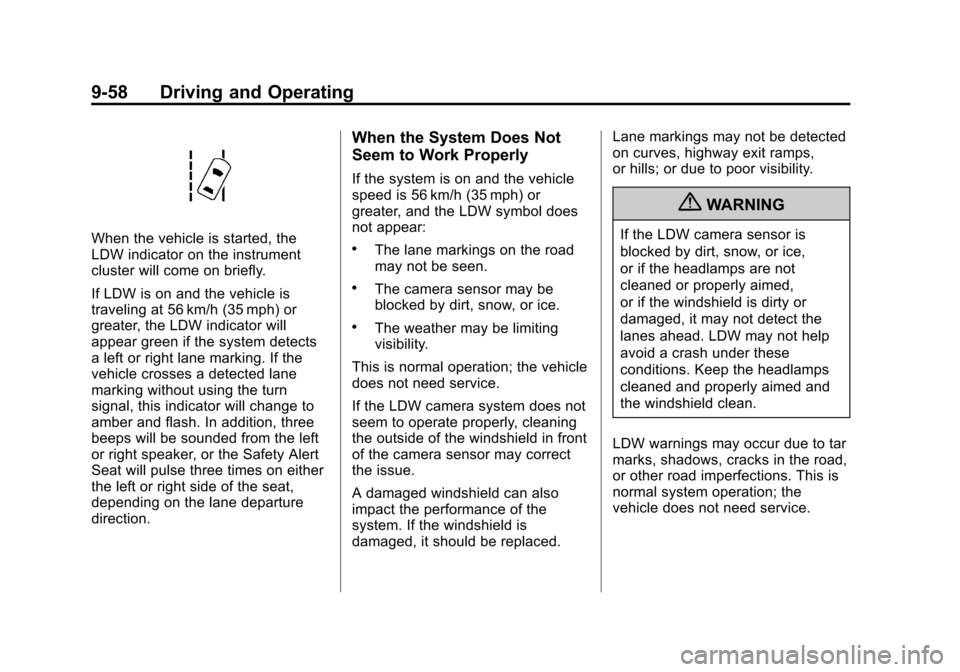
When the vehicle is started, the
LDW indicator on the instrument
cluster will come on briefly.
If LDW is on and the vehicle is
traveling at 56 km/h (35 mph) or
greater, the LDW indicator will
appear green if the system detects
a left or right lane marking. If the
vehicle crosses a detected lane
marking without using the turn
signal, this indicator will change to
amber and flash. In addition, three
beeps will be sounded from the left
or right speaker, or the Safety Alert
Seat will pulse three times on either
the left or right side of the seat,
depending on the lane departure
direction.
When the System Does Not
Seem to Work Properly
If the system is on and the vehicle
speed is 56 km/h (35 mph) or
greater, and the LDW symbol does
not appear:
.The lane markings on the road
may not be seen.
.The camera sensor may be
blocked by dirt, snow, or ice.
.The weather may be limiting
visibility.
This is normal operation; the vehicle
does not need service.
If the LDW camera system does not
seem to operate properly, cleaning
the outside of the windshield in front
of the camera sensor may correct
the issue.
A damaged windshield can also
impact the performance of the
system. If the windshield is
damaged, it should be replaced. Lane markings may not be detected
on curves, highway exit ramps,
or hills; or due to poor visibility.
{WARNING
If the LDW camera sensor is
blocked by dirt, snow, or ice,
or if the headlamps are not
cleaned or properly aimed,
or if the windshield is dirty or
damaged, it may not detect the
lanes ahead. LDW may not help
avoid a crash under these
conditions. Keep the headlamps
cleaned and properly aimed and
the windshield clean.
LDW warnings may occur due to tar
marks, shadows, cracks in the road,
or other road imperfections. This is
normal system operation; the
vehicle does not need service.
Page 259 of 432
Black plate (63,1)Cadillac SRX Owner Manual - 2013 - CRC - 11/9/12
Driving and Operating 9-63
WARNING (Continued)
.Keep children away from the
fuel pump and never let
children pump fuel.
.Fuel can spray out if the fuel
cap is opened too quickly.
This spray can happen if the
tank is nearly full, and is
more likely in hot weather.
Open the fuel cap slowly and
wait for any hiss noise to stop
then unscrew the cap all
the way
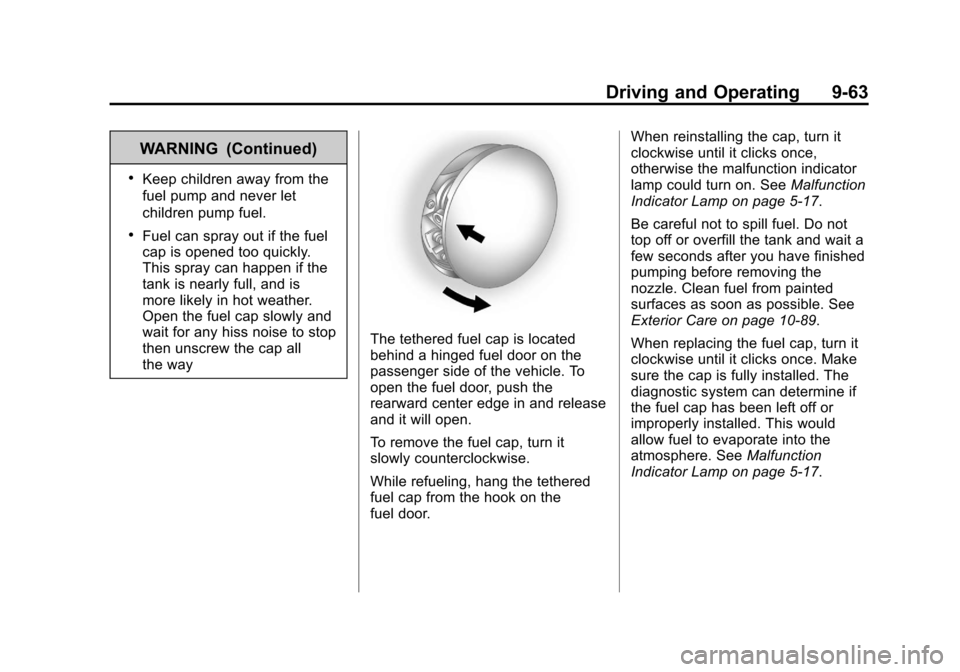
The tethered fuel cap is located
behind a hinged fuel door on the
passenger side of the vehicle. To
open the fuel door, push the
rearward center edge in and release
and it will open.
To remove the fuel cap, turn it
slowly counterclockwise.
While refueling, hang the tethered
fuel cap from the hook on the
fuel door.When reinstalling the cap, turn it
clockwise until it clicks once,
otherwise the malfunction indicator
lamp could turn on. See
Malfunction
Indicator Lamp on page 5‑17.
Be careful not to spill fuel. Do not
top off or overfill the tank and wait a
few seconds after you have finished
pumping before removing the
nozzle. Clean fuel from painted
surfaces as soon as possible. See
Exterior Care on page 10‑89.
When replacing the fuel cap, turn it
clockwise until it clicks once. Make
sure the cap is fully installed. The
diagnostic system can determine if
the fuel cap has been left off or
improperly installed. This would
allow fuel to evaporate into the
atmosphere. See Malfunction
Indicator Lamp on page 5‑17.