service CADILLAC STS 2005 1.G Owner's Guide
[x] Cancel search | Manufacturer: CADILLAC, Model Year: 2005, Model line: STS, Model: CADILLAC STS 2005 1.GPages: 446, PDF Size: 2.58 MB
Page 224 of 446
The StabiliTrak®performance is affected until the
STABILITY SYS READY message is displayed in the
DIC. SeeStabiliTrak
®System on page 4-10for
more information.
STABILITY SYS (System) OFF
The STABILITY SYS OFF message will display any
time you turn off StabiliTrak®using the TC (traction
control) on/off button. SeeTraction Control System
(TCS) on page 4-8for more information. When
this message has been displayed, StabiliTrak
®is no
longer available to assist you with directional control of
the vehicle. Adjust your driving accordingly. See
StabiliTrak
®System on page 4-10for more information.
STABILITY SYS (System) READY
The STABILITY SYS READY message will display any
time you turn back on StabiliTrak®using the TC
(traction control) on/off button. SeeTraction Control
System (TCS) on page 4-8for more information. When
this message has been displayed, StabiliTrak
®is
ready to assist you with directional control of the vehicle
if needed. SeeStabiliTrak
®System on page 4-10for
more information.
STARTING DISABLED THEFT
PROBLEM
This message will display when incorrect conditions
exist within the theft-deterrent system. See your
GM dealer for service.
STARTING DISABLED THROTTLE
PROBLEM
This message will display when your vehicle’s throttle
system is not functioning properly. Have your vehicle
serviced by your GM dealer.
THEFT ATTEMPTED
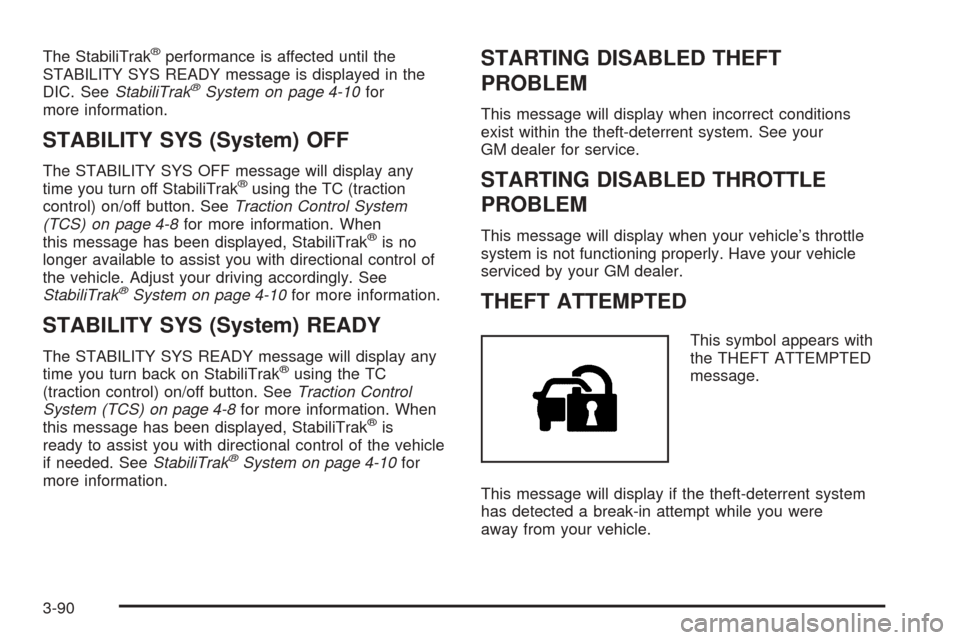
This symbol appears with
the THEFT ATTEMPTED
message.
This message will display if the theft-deterrent system
has detected a break-in attempt while you were
away from your vehicle.
3-90
Page 228 of 446
Radio with CD
Radio Data System (RDS)
The audio system has a Radio Data System (RDS).
RDS features are available for use only on FM stations
that broadcast RDS information.
With RDS, the radio can do the following:
Seek to stations broadcasting the selected type of
programming
Receive announcements concerning local and
national emergencies
Display messages from radio stations
Seek to stations with traffic announcementsThis system relies upon receiving specic information
from these stations and will only work when the
information is available. In rare cases, a radio station
may broadcast incorrect information that will cause
the radio features to work improperly. If this happens,
contact the radio station.
While the radio is tuned to an RDS station, the station
name or call letters will appear on the display instead
of the frequency. RDS stations may also provide
the time of day, a program type (PTY) for current
programming, and the name of the program being
broadcast.
XM™ Satellite Radio Service
XM™ is a satellite radio service that is based in the
48 contiguous United States. XM™ offers 100 coast to
coast channels including music, news, sports, talk,
and children’s programming. XM™ provides digital
quality audio and text information, including song title
and artist name. A service fee is required in order
to receive the XM™ service. For more information,
contact XM™ at www.xmradio.com or call
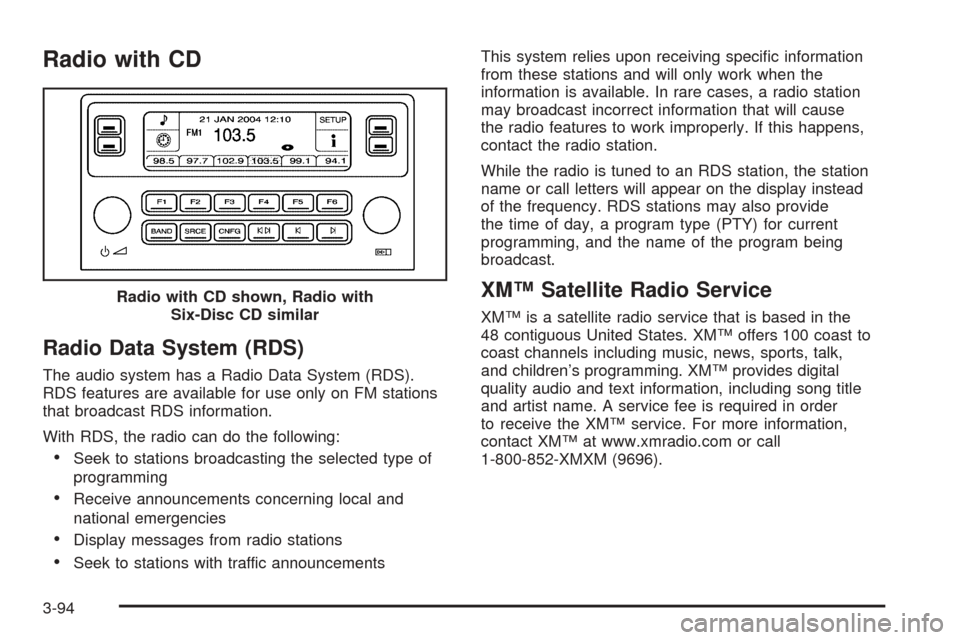
1-800-852-XMXM (9696). Radio with CD shown, Radio with
Six-Disc CD similar
3-94
Page 234 of 446
To turn TA on or off, perform the following steps:
1. Press the tune/select knob to enter the main menu.
2. Turn the tune/select knob until TRAFFIC
ANNOUNCE appears on the display.
3. Press the tune/select knob to select ON or
OFF. An X will appear in the box when TA is
selected on.
4. Press the BACK (F6) button to exit the display. To
return to the original display, repeatedly press the
BACK (F6) button or wait for the display to time out.
Activating Program Type (PTY)
Stations (RDS and XM™)
PTY allows you to search for stations with specic
types of music. The selectable PTYs are POP, EASY,
TALK, CNTRY (Country), CLASS (Classical), and JAZZ.
To activate program types, perform the following
steps:
1. Press the tune/select knob to enter the main menu.
2. Turn the tune/select knob until PROGRAM TYPE
MODE appears on the display.
3. Press the tune/select knob to select ON or
OFF. An X will appear in the box when PTY
is selected on.
4. Press the BACK (F6) button to exit the display. To
return to the original display, repeatedly press the
BACK (F6) button or wait for the display to time out.Once program type is activated the PTYs will appear on
the display above the pushbuttons, in place of the
preset stations (if programmed). Press the pushbutton
for the PTY that you would like to listen to. Not all
stations support PTYs. The radio may not go to all of
the stations with that music type when pressing the
pushbutton.
AF (Alternate Frequency):Alternate frequency allows
the radio to switch to a stronger station with the
same program type.
To turn AF on or off, perform the following steps:
1. Press the tune/select knob to enter the main menu.
2. Turn the tune/select knob until ALTERNATE
FREQ. appears on the display.
3. Press the tune/select knob to select AF OFF,
AF ON, or AF REG. An X will appear in the box
when AF is selected on.
4. Press the BACK (F6) button to exit the display. To
return to the original display, repeatedly press the
BACK (F6) button or wait for the display to time out.
Radio Message
THEFTLOCK:This message is displayed when the
THEFTLOCK®system has been activated. Take
the vehicle to the dealer for service.
3-100
Page 235 of 446

XM™ Radio Messages
Radio Display
MessageCondition Action Required
XL (Explicit Language
Channels)XL on the radio display,
after the channel name,
indicates content with
explicit language.These channels, or any others, can be blocked at a
customer’s request, by calling 1-800-852-XMXM (9696).
XM Updating Updating
encryption codeThe encryption code in the receiver is being updated, and
no action is required. This process should take no longer
than 30 seconds.
No XM Signal Loss of signal The system is functioning correctly, but the vehicle is in a
location that is blocking the XM signal. When the vehicle is
moved into an open area, the signal should return.
Loading XM Acquiring channel audio
(after 4 second delay)The audio system is acquiring and processing audio and
text data. No action is needed. This message should
disappear shortly.
Channel Off Air Channel not in service This channel is not currently in service. Tune in to another
channel.
Channel Unavail Channel no longer
availableThis previously assigned channel is no longer assigned.
Tune to another station. If this station was one of the
presets, choose another station for that preset button.
No Artist Info Artist Name/Feature
not availableNo artist information is available at this time on this channel.
The system is working properly.
No Title Info Song/Program Title
not availableNo song title information is available at this time on this
channel. The system is working properly.
3-101
Page 236 of 446
XM™ Radio Messages (cont’d)
Radio Display
MessageCondition Action Required
No CAT Info Category Name
not availableNo category information is available at this time on this
channel. The system is working properly.
Not Found No channel available
for the chosen categoryThere are no channels available for the selected category.
The system is working properly.
No Information No Text/Informational
message availableNo text or informational messages are available at this time
on this channel. The system is working properly.
XM Lock Theft lock active The XM receiver in your vehicle may have previously been
in another vehicle. For security purposes, XM receivers
cannot be swapped between vehicles. If this message is
received after having your vehicle serviced, check with your
GM dealer.
XM Radio ID Radio ID label
(channel 0)If tuned to channel 0, this message will alternate with the
XM Radio 8 digit radio ID label. This label is needed to
activate the service.
Unknown Radio ID not known
(should only be if
hardware failure)If this message is received when tuned to channel 0, there
may be a receiver fault. Consult with your GM dealer.
Check XM Receiver Hardware failure If this message does not clear within a short period of time,
the receiver may have a fault. Consult with your GM dealer.
3-102
Page 245 of 446
If any error occurs repeatedly or if an error cannot be
corrected, contact your GM dealer. If the radio displays
an error message, write it down and provide it to
your GM dealer when reporting the problem.
Congurable Radio Display Keys
This feature allows you to customize the four keys that
are located on each side of the radio display to
make it easier to adjust the radio features and other
non-radio related features are also available for
customization.
To program the congurable radio display keys, perform
the following steps:
1. Press the tune/select knob to enter the main menu.
2. Turn the tune/select knob until SETUP appears
on the display.
3. Press the tune/select knob to enter into SETUP.
4. Turn the tune/select knob until CONFIGURE
DISPLAY KEYS appears on the display.
5. Press the tune/select knob to enter into
CONFIGURE DISPLAY KEYS.
6. Turn the tune/select knob to select which of the four
congurable keys you would like to change. The
currently assigned feature will be shown.7. Press the tune/select knob to select the congurable
key to change.
8. Turn the tune/select knob to nd the feature that
you would like to store to the key.
9. Press the tune/select knob when you have found
the feature to be stored. The display will update,
by showing the symbol of the feature that you
selected next to the congurable key.
10. Repeat the previous steps for each congurable key.
Once a feature is programmed to a key, the feature will
not appear on the display when programming the
remaining congurable keys. The congurable keys can
be changed at any time.
Navigation/Radio System
Your vehicle may have a navigation radio system that
includes Radio Data System (RDS) with Program
Type (PTY) selections that will seek out the kind of
music you want to listen to and XM™ Satellite Radio
Service capabilities (if equipped). The radio can
also communicate with the navigation system to
broadcast announcements on traffic, weather, and
emergency alert communications. For information on
how to use this system, see the “Navigation System”
manual.
3-111
Page 248 of 446
ASEEK LOCAL/DISTANT:This feature instructs the
audio system to seek only local radio stations with
the strongest signal or to seek all radio stations with a
strong signal in a large area. Use LOCAL when you are
in urban areas where there are several strong radio
station signals and you want to limit the number
of stations to those with the strongest signals only. Use
DISTANT when you are in rural areas where there
are fewer radio station signals available.
See “Local/Distant Selection” underRadio with CD on
page 3-94for more information.
8SET CLOCK:Use this menu item to set the time.
SeeSetting the Time on page 3-93for more information.
BSET DATE:Use this menu item to set the date.
SeeSetting the Time on page 3-93for more information.
4(Information):This menu item is used to display
XM™ satellite radio service and CD MP3 playback
information. See “
4(Information)” underRadio with CD
on page 3-94for more information.LANG (Language):To change the language displayed
on the radio, select LANGUAGE by pressing the
tune/select knob. Turn the tune/select knob to scroll
through the following available languages:
ENGLISH
GERMAN
FRENCH
SPANISH
JAPANESE
To make your selection, press the tune/select knob. If
you accidentally select a language that you did not want,
ENGLISH is always at the top of the language list.
SETUP:When you select this menu item, the following
submenu is available:
PERSONAL SETTINGS MENU
DRIVER SELECTION
DRIVER EXIT SETTINGS
CONFIGURE DISPLAY KEYS
SETUP Submenu Items
The following choices are available for programming
using the Base audio system.
3-114
Page 251 of 446
When a CD is playing, press the minus sign to go to the
start of the current track, if more than 10 seconds
have played. Press the plus sign to go to the next track.
If either the minus or the plus button are pressed
more than once, the player will continue moving
backward or forward through the CD.
Press and hold the SEEK plus or minus button, until
you hear a beep. The CD will fast forward or fast reverse
through the CD. Press either button again to play the
passage.
If you have the navigation system, some of the audio
steering wheel controls work when a DVD is playing in
the navigation radio. See the Navigation System
manual for more information.
Radio Reception
AM
The range for most AM stations is greater than for FM,
especially at night. The longer range can cause
station frequencies to interfere with each other. Static
can occur on AM stations caused by things like
storms and power lines. Try reducing the treble to
reduce this noise.
FM Stereo
FM stereo will give the best sound, but FM signals will
reach only about 10 to 40 miles (16 to 65 km). Tall
buildings or hills can interfere with FM signals, causing
the sound to fade in and out.
XM™ Satellite Radio Service
XM™ Satellite Radio Service gives digital radio
reception from coast to coast. Just as with FM, tall
buildings or hills can interfere with satellite radio signals,
causing the sound to fade in and out. The radio may
display NO XM SIGNAL to indicate interference.
Cellular Phone Usage
Cellular phone usage may cause interference with your
vehicle’s radio. This interference may occur when
making or receiving phone calls, charging the phone’s
battery, or simply having the phone on. This interference
is an increased level of static while listening to the
radio. If static is received while listening to the radio,
unplug the cellular phone and turn it off.
3-117
Page 261 of 446
The traction control system automatically comes on
whenever you start your vehicle. To limit wheel
spin, especially in slippery road conditions, you should
always leave the system on. But you can turn the
traction control system off if you ever need to.
Notice:Do not repeatedly brake or accelerate
heavily when the TCS is off. You could damage your
vehicle’s driveline.
When the TCS is switched off on AWD vehicles, you
may still feel the system working. This is normal
and necessary with the AWD hardware on your vehicle.
You should turn the system off if your vehicle ever
gets stuck in sand, mud or snow and rocking the vehicle
is required. SeeRocking Your Vehicle to Get It Out
on page 4-30andIf Your Vehicle is Stuck in Sand, Mud,
Ice or Snow on page 4-29for more information. See
alsoWinter Driving on page 4-25for information
on using TCS when driving in snowy or icy conditions.
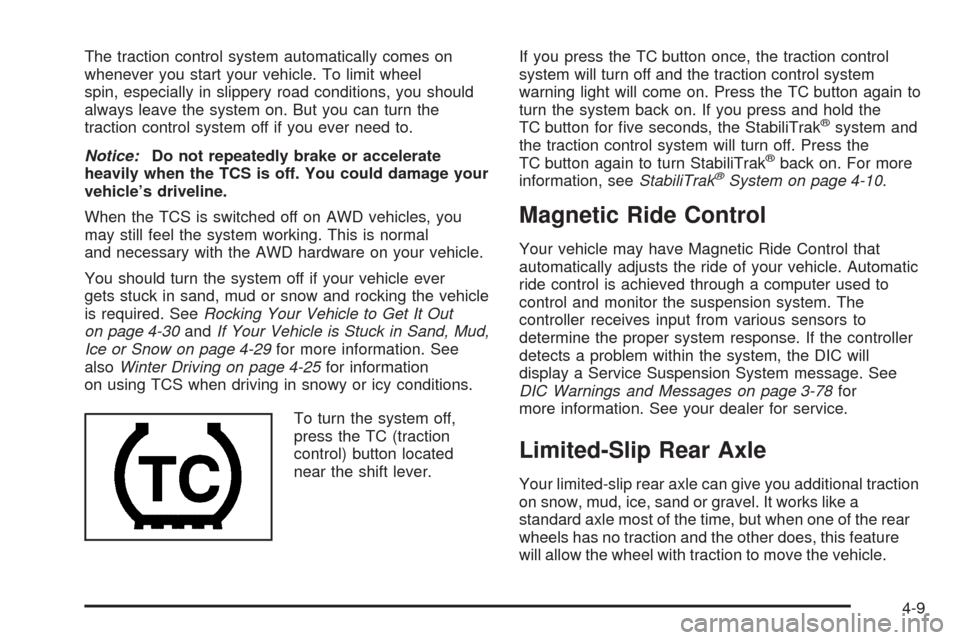
To turn the system off,
press the TC (traction
control) button located
near the shift lever.If you press the TC button once, the traction control
system will turn off and the traction control system
warning light will come on. Press the TC button again to
turn the system back on. If you press and hold the
TC button for ve seconds, the StabiliTrak
®system and
the traction control system will turn off. Press the
TC button again to turn StabiliTrak
®back on. For more
information, seeStabiliTrak®System on page 4-10.
Magnetic Ride Control
Your vehicle may have Magnetic Ride Control that
automatically adjusts the ride of your vehicle. Automatic
ride control is achieved through a computer used to
control and monitor the suspension system. The
controller receives input from various sensors to
determine the proper system response. If the controller
detects a problem within the system, the DIC will
display a Service Suspension System message. See
DIC Warnings and Messages on page 3-78for
more information. See your dealer for service.
Limited-Slip Rear Axle
Your limited-slip rear axle can give you additional traction
on snow, mud, ice, sand or gravel. It works like a
standard axle most of the time, but when one of the rear
wheels has no traction and the other does, this feature
will allow the wheel with traction to move the vehicle.
4-9
Page 262 of 446

StabiliTrak®System
Your vehicle may be equipped with a vehicle stability
enhancement system called StabiliTrak®.Itisan
advanced computer controlled system that assists you
with directional control of the vehicle in difficult
driving conditions.
StabiliTrak
®activates when the computer senses a
discrepancy between your intended path and the
direction the vehicle is actually traveling. StabiliTrak
®
selectively applies braking pressure at any one of
the vehicle’s brakes to help steer the vehicle in the
direction which you are steering.
When the system activates, a STABILITY SYS ACTIVE
message will be displayed on the Driver Information
Center. SeeDIC Warnings and Messages on page 3-78.
You may also hear a noise or feel vibration in the
brake pedal. This is normal. Continue to steer the
vehicle in the direction you want it to go.
If there is a problem detected with StabiliTrak
®,a
SERVICE STABILITY SYS message will be displayed
on the Driver Information Center. SeeDIC Warnings and
Messages on page 3-78. When this message is
displayed, the system is not operational. Driving should
be adjusted accordingly.StabiliTrak
®comes on automatically whenever you start
your vehicle. To help assist you with directional
control of the vehicle, you should always leave the
system on. You can turn StabiliTrak
®off if you ever need
to through the TC (traction control) on/off button. See
Traction Control System (TCS) on page 4-8.
If your vehicle is in cruise control when the StabiliTrak
®
activates, the cruise control will automatically
disengage. When road conditions allow you to safely
use it again, you may reengage the cruise control. See
Cruise Control on page 3-16for more information.
Panic Brake Assist
Your vehicle has a panic brake assist system that
monitors the intention of the driver while braking. If the
system senses that the driver has applied hard/fast
pressure to the brake pedal, the system will generate
additional pressure, making it easier for the driver
to maintain brake application. When this happens the
brake pedal will feel easier to push. Just hold the brake
pedal down rmly and let the system work for you.
You may feel the brakes vibrate, or you may notice
some noise but this is normal. The brakes will return to
normal operation after the brake pedal has been
released.
4-10