ignition CADILLAC STS 2006 1.G User Guide
[x] Cancel search | Manufacturer: CADILLAC, Model Year: 2006, Model line: STS, Model: CADILLAC STS 2006 1.GPages: 480, PDF Size: 2.74 MB
Page 93 of 480
Theft-Deterrent System
Your vehicle has a theft-deterrent alarm system.
The security light is
located on the instrument
panel cluster.
If the ignition is off and a door is open, the security
light will ash, reminding you to arm the theft-deterrent
system.
To arm the system, do one of the following:
Press the lock button on the keyless access
transmitter. If the door is closed when the lock button
is pressed, the security light will stay illuminated for
30 seconds. After the security light goes off, the
theft-deterrent system is armed. Pressing the lock
button twice will arm the system immediately.If the vehicle is locked using the keyless access
transmitter and the trunk lid, hood or a door is open
or not closed completely, the security light will ash
for 60 seconds and then turn off. At this time, the
theft-deterrent system is armed but the alarm will
not sound if the trunk lid, hood or door that was not
closed completely is tampered with or opened. The
alarm will sound for the trunk lid, hood or a door that
was completely closed at the time the vehicle was
locked using the keyless access transmitter.
Open the door. Lock the door with the power door
lock switch or lock button on the keyless access
transmitter. The security light should ash. Close the
door. The security light will stop ashing and stay on.
After 30 seconds the light should turn off, the
theft-deterrent system is armed.
Passive Arming, if activated through the vehicle
personalization feature, will arm the system
automatically after you close the door and take at
least one keyless access transmitter with you. The
security light will turn on. After 60 seconds the light
should turn off. The theft-deterrent system is armed.
SeeVehicle Personalization on page 2-53.
2-21
Page 96 of 480
Starting and Operating Your
Vehicle
New Vehicle Break-In
Notice:Your vehicle does not need an elaborate
break-in. But it will perform better in the long run if
you follow these guidelines:
Do not drive at any one constant speed, fast or
slow, for the rst 500 miles (805 km). Do not
make full-throttle starts. Avoid downshifting to
brake, or slow, the vehicle.
Avoid making hard stops for the rst 200 miles
(322 km) or so. During this time your new brake
linings are not yet broken in. Hard stops with new
linings can mean premature wear and earlier
replacement. Follow this breaking-in guideline
every time you get new brake linings.
Do not tow a trailer during break-in. SeeTowing
a Trailer (STS Only) on page 4-40for the trailer
towing capabilities of your vehicle and more
information.
Following break-in, engine speed and load can be
gradually increased.
Ignition Positions
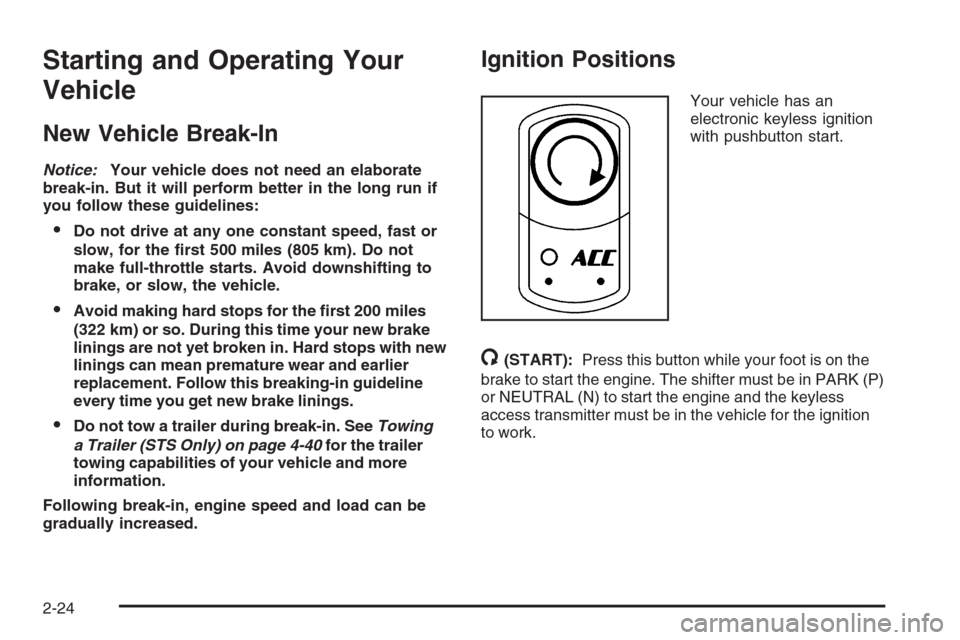
Your vehicle has an
electronic keyless ignition
with pushbutton start.
/(START):Press this button while your foot is on the
brake to start the engine. The shifter must be in PARK (P)
or NEUTRAL (N) to start the engine and the keyless
access transmitter must be in the vehicle for the ignition
to work.
2-24
Page 97 of 480
9ACC (OFF/ACCESSORY):When this button is
pressed, the engine will turn off even if the shifter is not in
PARK (P). If the shifter is in PARK (P), the ignition mode
will change to RAP, if all doors are closed. The ignition
mode will change to OFF, if a front door is opened. See
Retained Accessory Power (RAP) on page 2-25for more
information. If the shifter is not in PARK (P), the ignition
mode will change to ACC. SeeShifting Into Park (P) on
page 2-36.
When the engine is off, press this button to place the
vehicle in accessory mode. ACCESSORY ACTIVE will
display on the Driver Information Center (DIC). This mode
allows you to use things like the radio and the windshield
wipers while the engine is off. Use accessory mode if you
must have your vehicle in motion while the engine is off,
for example, if your vehicle is being towed. If the door is
open while in accessory mode, the key in reminder chime
will sound continuously.
If the push-button start is not working, your vehicle
may be near a strong radio antenna signal causing
interference to the keyless access system. SeeDIC
Warnings and Messages on page 3-79for more
information.
After being in ACC for about 20 minutes, the vehicle will
automatically enter RAP or will turn off, depending on if
the doors are opened or closed.Retained Accessory Power (RAP)
The following accessories on your vehicle may be used
for up to 20 minutes after the engine is turned off:
Radio
Power Windows
Audio Steering Wheel Controls
Power to these accessories stops after 20 minutes or
if one of the front doors is opened. If you want power
for another 20 minutes, close all the doors and press
the OFF/ACCESSORY button to place the vehicle
in accessory mode. Press the button again and
the vehicle will return to RAP.
Starting the Engine
Move your shift lever to PARK (P) or NEUTRAL (N).
Your engine will not start in any other position — that
is a safety feature. To restart when you are already
moving, use NEUTRAL (N) only.
The keyless access transmitter must be in the vehicle
for the ignition to work.
2-25
Page 98 of 480
Notice:Do not try to shift to PARK (P) if your
vehicle is moving. If you do, you could damage the
transmission. Shift to PARK (P) only when your
vehicle is stopped.
1. With your foot on the brake pedal, press the START
button located on the instrument panel. If there is not
a keyless access transmitter present or if there is
something causing interference with it, the DIC will
display NO FOB DETECTED. SeeDIC Warnings
and Messages on page 3-79for more information.
When the engine begins cranking, let go of the
button. The idle speed will go down as your
engine gets warm.
If the battery in the keyless access transmitter is
weak, the DIC will display FOB BATTERY LOW.
You can still drive the vehicle. See “Battery
Replacement” underKeyless Access System
Operation on page 2-5for more information.
Notice:Holding the button in for longer than
15 seconds at a time will cause the vehicle’s battery
to be drained much sooner. This can also cause
damage to the starter motor. Wait 15 seconds
between each try to avoid draining your vehicle’s
battery or damaging the starter.
2. If the engine does not start and no DIC message is
displayed, wait 15 seconds before trying again.Notice:Your engine is designed to work with the
electronics in your vehicle. If you add electrical
parts or accessories, you could change the way the
engine operates. Before adding electrical equipment,
check with your dealer. If you do not, your engine
might not perform properly. Any resulting damage
would not be covered by your vehicle’s warranty.
Stopping Your Engine
Move the shift lever to PARK (P) and press the ACC
button located on the instrument panel. If the shifter is
not in PARK (P), the vehicle will go into the accessory
mode, the engine will turn off and the DIC will display
SHIFT TO PARK. When the shifter is moved to
PARK (P), the vehicle will go into the RAP mode, if
all doors are closed. The ignition mode will change to
OFF, if a front door is opened. SeeRetained Accessory
Power (RAP) on page 2-25for more information.
If the keyless access transmitter is not detected while
going to off, the DIC will display NO FOB – OFF
OR RUN?
SeeDIC Warnings and Messages on page 3-79for
more information.
2-26
Page 101 of 480
Ensure the shift lever is fully in PARK (P) before starting
the engine. Your vehicle has an automatic transmission
shift lock control system. You must fully apply your
regular brakes before you can shift from PARK (P) when
the ignition is on. If you cannot shift out of PARK (P),
ease pressure on the shift lever. Push the shift lever all
the way into PARK (P) while pressing the button on the
shift lever as you maintain brake application. Then move
the shift lever into the gear you wish. SeeShifting Out of
Park (P) on page 2-38.
Notice:Shifting to REVERSE (R) while your vehicle
is moving forward could damage the transmission.
The repairs would not be covered by your warranty.
Shift to REVERSE (R) only after your vehicle is
stopped.
REVERSE (R):Use this gear to back up.
At low vehicle speeds, you can also use REVERSE (R)
to rock your vehicle back and forth to get out of snow,
ice or sand without damaging your transmission. SeeIf
Your Vehicle is Stuck in Sand, Mud, Ice, or Snow on
page 4-31for additional information.NEUTRAL (N):In this position, the engine does not
connect with the wheels. To restart when you are
already moving, use NEUTRAL (N) only. You can also
use NEUTRAL (N) when your vehicle is being towed.
{CAUTION:
Shifting into a drive gear while your engine
is running at high speed is dangerous. Unless
your foot is rmly on the brake pedal, your
vehicle could move very rapidly. You could
lose control and hit people or objects. Do not
shift into a drive gear while your engine is
running at high speed.
Notice:Shifting out of PARK (P) or NEUTRAL (N)
with the engine running at high speed may damage
the transmission. The repairs would not be covered
by your warranty. Be sure the engine is not running
at high speed when shifting your vehicle.
2-29
Page 107 of 480
The transmission will only allow you to shift into
gears appropriate for the vehicle speed and engine
Revolutions Per Minute (RPM). The transmission will
not automatically shift to the next higher gear if the
engine rpm is too high.
If shifting is prevented for any reason, the currently
selected gear will ash multiple times, indicating that
the transmission has not shifted gears.
The transmission will allow you to shift to the gear
selected and will automatically downshift when the
vehicle comes to a stop. This will allow for more power
during take-off and passing.
When accelerating your vehicle from a stop in snowy
and icy conditions, you may want to shift into second
gear. A higher gear ratio allows you to gain more traction
on slippery surfaces.Parking Brake
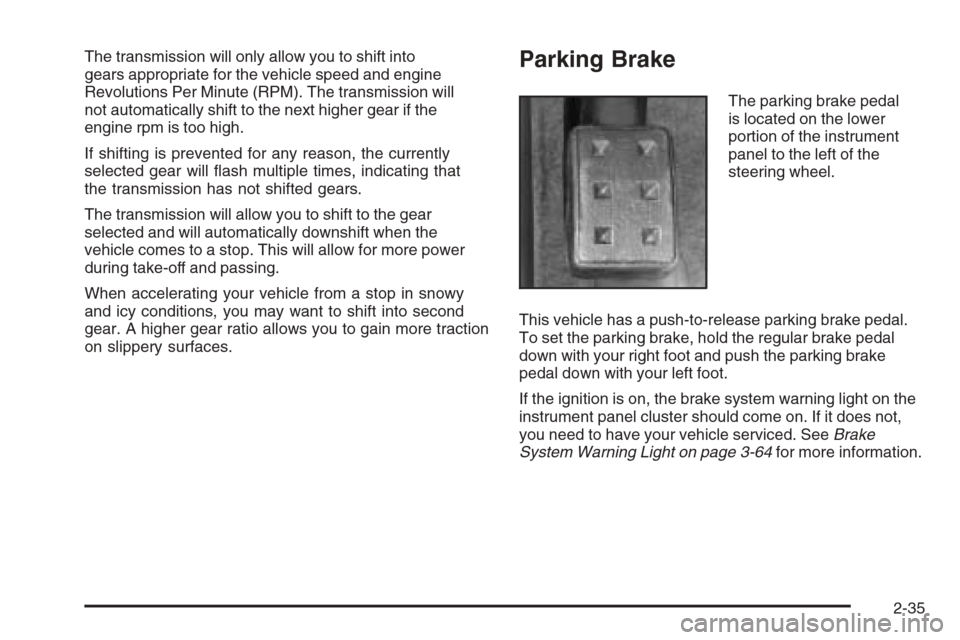
The parking brake pedal
is located on the lower
portion of the instrument
panel to the left of the
steering wheel.
This vehicle has a push-to-release parking brake pedal.
To set the parking brake, hold the regular brake pedal
down with your right foot and push the parking brake
pedal down with your left foot.
If the ignition is on, the brake system warning light on the
instrument panel cluster should come on. If it does not,
you need to have your vehicle serviced. SeeBrake
System Warning Light on page 3-64for more information.
2-35
Page 108 of 480
To release the parking brake, hold the brake pedal
down with your right foot and push the parking brake
pedal with your left foot. When you lift your left foot,
the parking brake pedal will follow it to the released
position.
Notice:Driving with the parking brake on can
overheat the brake system and cause premature
wear or damage to brake system parts. Verify that
the parking brake is fully released and the brake
warning light is off before driving.
A warning chime will sound if the parking brake is set,
the ignition is on and the vehicle begins to move.
To stop the chime, fully release the parking brake.
If you are towing a trailer and parking on a hill,
seeTowing a Trailer (STS Only) on page 4-40for more
information.Shifting Into Park (P)
{CAUTION:
It can be dangerous to get out of your vehicle if
the shift lever is not fully in PARK (P) with the
parking brake rmly set. Your vehicle can roll.
If you have left the engine running, the vehicle
can move suddenly. You or others could be
injured. To be sure your vehicle will not move,
even when you are on fairly level ground, use
the steps that follow. If you are pulling a trailer,
seeTowing a Trailer (STS Only) on page 4-40.
To shift into PARK (P), use the following steps:
1. Hold the brake pedal down with your right foot.
2. Move the shift lever into PARK (P) by pressing the
button on the front of the shift lever while pushing
the lever all the way toward the front of the vehicle.
Release the button.
3. With your right foot still holding the brake pedal
down, set the parking brake with your left foot.
SeeParking Brake on page 2-35for more
information.
4. Turn the ignition off.
2-36
Page 110 of 480
Shifting Out of Park (P)
Your vehicle has an automatic transmission shift lock
control system. You have to fully apply your regular
brake before you can shift from PARK (P) when
the vehicle is running. SeeAutomatic Transmission
Operation (5-Speed Automatic) on page 2-28or
Automatic Transmission Operation (6-Speed Automatic)
on page 2-32.
If you cannot shift out of PARK (P), ease pressure on the
shift lever — push the shift lever all the way into
PARK (P) and release the shift lever button as you
maintain brake application. Then press the shift lever
button and move the shift lever into the gear you wish.
If you ever hold the brake pedal down but still cannot
shift out of PARK (P), try this:
1. Press the ACC button twice to place the ignition in
accessory mode.
2. Apply and hold the brake until the end of Step 4.
3. Shift to NEUTRAL (N).
4. Start the engine and then shift to the drive gear
you want.
5. Have your vehicle inspected by your dealer as soon
as possible.
Parking Over Things That Burn
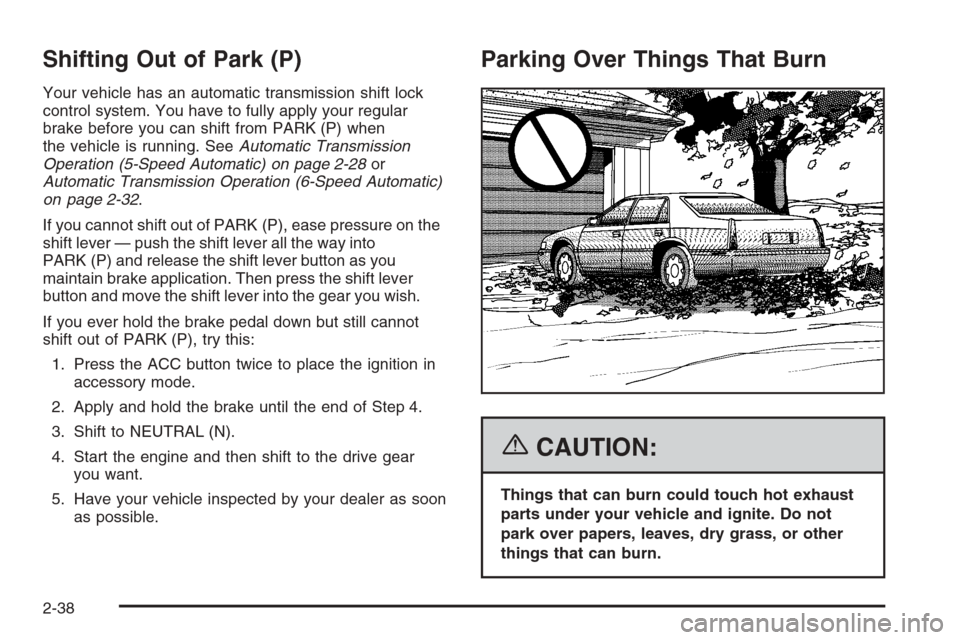
{CAUTION:
Things that can burn could touch hot exhaust
parts under your vehicle and ignite. Do not
park over papers, leaves, dry grass, or other
things that can burn.
2-38
Page 114 of 480
Automatic Dimming Rearview Mirror
with OnStar
®and Compass
Your vehicle may have an automatic dimming rearview
mirror with a compass display. The mirror also contains
OnStar
®controls. For more information seeOnStar®
System on page 2-45.
The mirror includes an eight-point compass display in
the upper right corner of the mirror face. When on, the
compass automatically calibrates as the vehicle is driven.
Mirror Operation
O
(On/Off):Press and hold the button, located on the
lower left side of the mirror face, for about three seconds
to turn the automatic dimming feature on or off. The
indicator light will illuminate when this feature is active.
The automatic dimming feature is active each time the
vehicle is started.
Compass Operation
Press the on/off button once to turn the compass
on or off.
When the ignition and the compass feature are on,
the compass will show two character boxes for about
two seconds. After two seconds, the mirror will display
the compass heading.
Compass Calibration
If after two seconds, the display does not show a
compass heading (for example, N for North), there may
be a strong magnetic eld interfering with the compass.
Such interference may be caused by a magnetic antenna
mount, magnetic note pad holder or a similar magnetic
item. If the letter C should ever appear in the compass
window, the compass may need calibration.
The mirror can be calibrated by driving the vehicle in
circles at 5 mph (8 km/h) or less until the display reads
a direction.
The compass can be placed in calibration mode
manually by pressing and holding the on/off button
until a C is shown in the compass display.
Compass Variance
The zone is set to zone eight upon leaving the factory.
It will be necessary to adjust the compass to compensate
for compass variance if you live outside zone eight.
Under certain circumstances, as during a long distance
cross-country trip, it will be necessary to adjust for
compass variance. Compass variance is the difference
between earth’s magnetic north and true geographic
north. If not adjusted to account for compass variance,
your compass could give false readings.
2-42
Page 124 of 480

Sunroof
The vehicle may have a power sunroof.
The switches that operate
the sunroof are located on
the overhead console.
To open or close the sunroof, the ignition must be ON
or Retained Accessory Power (RAP) must be active.
SeeRetained Accessory Power (RAP) on page 2-25.
Express Open:The express open feature will operate
from the closed or partially open position. To express
open the power sunroof, fully press the driver’s side
switch rearward once. To stop the sunroof glass in a
desired position other than to the express-open position,
press the switch again, in either direction, to stop the
movement. If the sunshade is in the closed position, it will
open with the sunroof, or it can be opened manually.Vent Open:To open the power sunroof to the vent
position from the closed position, press and hold the
passenger’s side sunroof switch forward. The rear of the
sunroof panel will tilt upward to the full vent position. The
sunshade must be opened manually.
Express Close:The express close feature will operate
from the open or partially open position. To express close
the power sunroof, fully press the driver’s side switch
forward once. To stop the sunroof glass in a desired
position other than closed, press the switch again in
either direction. The sunshade must be closed manually.
Close:To close the power sunroof, operate the controls
according to one of the following:
From the open position, press and hold the driver’s
side sunroof switch forward. The sunshade must be
closed manually.
From the vent position, press and hold the
passenger’s side sunroof switch rearward.
Anti-Pinch:If an object is in the path of the sunroof
while it is closing, the anti-pinch feature will detect the
object and stop the sunroof from closing at the point
of the obstruction. The sunroof will then return to the
full-open or vent position. To close the sunroof once it has
re-opened, refer to the two options previously described
under the “Close” feature instructions.
2-52