ignition CADILLAC STS 2006 1.G Owner's Guide
[x] Cancel search | Manufacturer: CADILLAC, Model Year: 2006, Model line: STS, Model: CADILLAC STS 2006 1.GPages: 480, PDF Size: 2.74 MB
Page 165 of 480
Ending Cruise Control
To end a cruise control session, step lightly on the
brake pedal.
Stepping on the brake pedal will end the current cruise
control session only. Move the cruise control switch
to off to turn off the system completely.
Erasing Speed Memory
When you turn off the cruise control or the ignition, your
cruise control set speed memory is erased.
Adaptive Cruise Control
If your vehicle has this feature, be sure to read this
entire section before using it.
The system operates on a radio frequency subject to
Federal Communications Commission (FCC) Rules and
with Industry Canada.
This device complies with Part 15 of the FCC Rules.
Operation is subject to the following two conditions:
1. This device may not cause interference, and
2. This device must accept any interference received,
including interference that may cause undesired
operation of the device.This device complies with RSS-210 of Industry Canada.
Operation is subject to the following two conditions:
1. This device may not cause interference, and
2. This device must accept any interference received,
including interference that may cause undesired
operation of the device.
Changes or modications to this system by other than
an authorized service facility could void authorization to
use this equipment.
Adaptive Cruise Control is an enhancement to traditional
cruise control and is not a safety system. It allows you to
keep cruise control engaged in moderate traffic
conditions without having to constantly reset your cruise
control. Adaptive Cruise Control uses radar to detect a
vehicle directly ahead in your path, within a distance of
328 ft (100 m), and operates at speeds above
25 mph (40 km/h). When it is engaged by the driver, the
system can apply limited braking or acceleration of the
vehicle, automatically, to maintain a selected follow
distance to the vehicle ahead. The vehicle’s braking
during Adaptive Cruise Control is comparable to a person
applying moderate pressure to the vehicle’s brake pedal.
3-19
Page 176 of 480
Using Adaptive Cruise Controls on Hills
and When Towing a Trailer
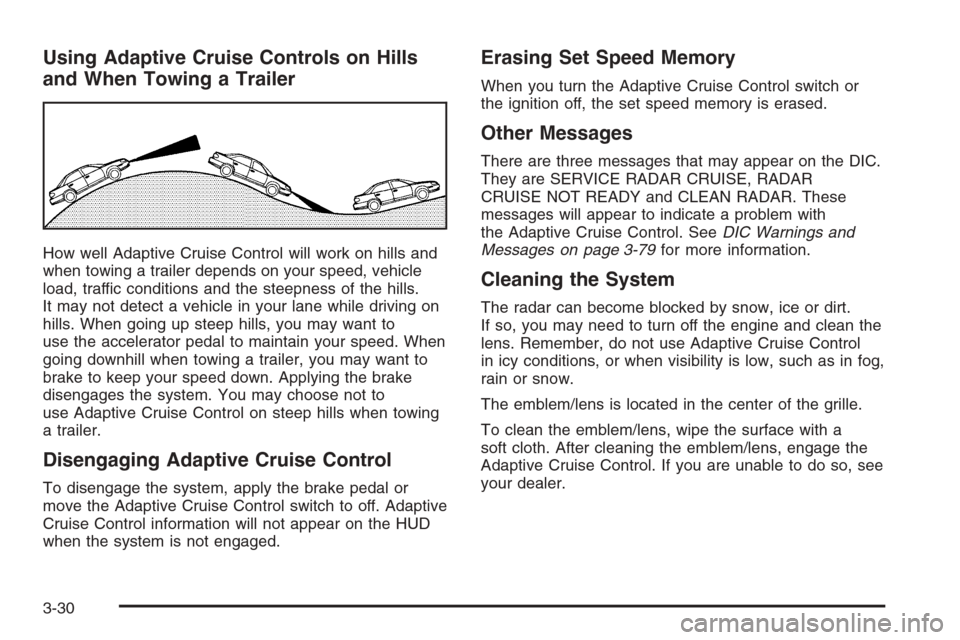
How well Adaptive Cruise Control will work on hills and
when towing a trailer depends on your speed, vehicle
load, traffic conditions and the steepness of the hills.
It may not detect a vehicle in your lane while driving on
hills. When going up steep hills, you may want to
use the accelerator pedal to maintain your speed. When
going downhill when towing a trailer, you may want to
brake to keep your speed down. Applying the brake
disengages the system. You may choose not to
use Adaptive Cruise Control on steep hills when towing
a trailer.
Disengaging Adaptive Cruise Control
To disengage the system, apply the brake pedal or
move the Adaptive Cruise Control switch to off. Adaptive
Cruise Control information will not appear on the HUD
when the system is not engaged.
Erasing Set Speed Memory
When you turn the Adaptive Cruise Control switch or
the ignition off, the set speed memory is erased.
Other Messages
There are three messages that may appear on the DIC.
They are SERVICE RADAR CRUISE, RADAR
CRUISE NOT READY and CLEAN RADAR. These
messages will appear to indicate a problem with
the Adaptive Cruise Control. SeeDIC Warnings and
Messages on page 3-79for more information.
Cleaning the System
The radar can become blocked by snow, ice or dirt.
If so, you may need to turn off the engine and clean the
lens. Remember, do not use Adaptive Cruise Control
in icy conditions, or when visibility is low, such as in fog,
rain or snow.
The emblem/lens is located in the center of the grille.
To clean the emblem/lens, wipe the surface with a
soft cloth. After cleaning the emblem/lens, engage the
Adaptive Cruise Control. If you are unable to do so, see
your dealer.
3-30
Page 180 of 480
Your vehicle is loaded such that the front end of the
vehicle points upward, causing the IntelliBeam™
sensor to aim high and not detect headlamps
and taillamps.
You are driving on winding or hilly roads.
You may need to manually disable or cancel the
high-beam headlamps by turning the low-beam
headlamps on, if any of the above conditions exist.
Disabling and Resetting IntelliBeam™ at
the Rearview Mirror
IntelliBeam™ can be disabled and reset to the original
factory setting by using the controls on the inside
rearview mirror.
AUTO
3(IntelliBeam™ On/Off):To disable the
system, press this button on the inside rearview mirror.
The IntelliBeam™ indicator will turn off and the will
not come back on until the IntelliBeam™ button
is pressed again.
When IntelliBeam™ has turned on the high-beams, pull
or push the high-beam stalk. This will disable
IntelliBeam™. The IntelliBeam™ indicator on the mirror
will turn off. To re-enable IntelliBeam™, press the
IntelliBeam™ button on the mirror.A different sensitivity setting is available for dealer
diagnostics. This is done by pushing and holding this
button for 20 seconds until the light ashes three times.
If you accidentally activate this, the vehicle’s setting
will automatically be reset each time the ignition
is turned off and then on again; otherwise, refer to
the text above for resetting the system.
Cleaning the IntelliBeam™ Light Sensor
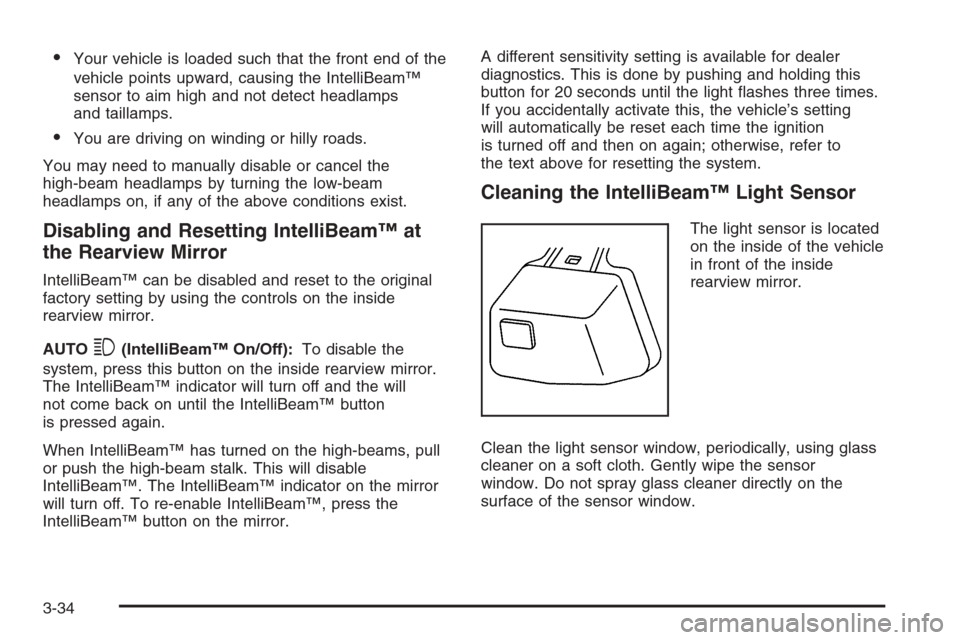
The light sensor is located
on the inside of the vehicle
in front of the inside
rearview mirror.
Clean the light sensor window, periodically, using glass
cleaner on a soft cloth. Gently wipe the sensor
window. Do not spray glass cleaner directly on the
surface of the sensor window.
3-34
Page 181 of 480

Wiper Activated Headlamps
This feature activates the headlamps and parking lamps
after the windshield wipers have been in use for
about six seconds. For this feature to work, automatic
lighting must be enabled. SeeHeadlamps on page 3-31
for additional information.
When the ignition is turned off, the wiper-activated
headlamps will immediately turn off. They will also turn
off if the windshield wiper control is turned off.
Headlamps on Reminder
A warning chime will sound if the exterior lamp control
is left on in either the headlamp or parking lamp position
and the driver’s door is opened with the ignition off.
SeeLights On Reminder on page 3-71for additional
information.
Daytime Running Lamps (DRL)
Daytime Running Lamps (DRL) can make it easier for
others to see the front of your vehicle during the
day. DRL can be helpful in many different driving
conditions, but they can be especially helpful in the short
periods after dawn and before sunset. Fully functional
daytime running lamps are required on all vehicles
rst sold in Canada.
The DRL system will make the turn signal lamps come
on when the following conditions are met:
It is still daylight and the ignition is on,
the automatic lights are enabled, and
the transmission is not in PARK (P).
When DRL are on, only your front turn signal lamps will
be on. No other exterior lamps will be on when the DRL
are being used. Your instrument panel will not be lit.
3-35
Page 184 of 480

With Twilight Sentinel®you will see the following
happen:
When it is dark enough outside, the front turn signal
lamps (DRL) will go off, and the headlamps and
parking lamps will come on. The other lamps
that come on with headlamps will also come on.
When it is bright enough outside, the headlamps
will go off, and the front turn signal lamps (DRL)
will come on, as long as the exterior lamp switch
is in the off position.
If you start your vehicle in a dark garage, the automatic
headlamp system will come on immediately. Once you
leave the garage, it will take approximately one minute for
the automatic headlamp system to change to DRL if it is
light outside. During that delay, your instrument panel
cluster may not be as bright as usual. Make sure your
instrument panel brightness control is in full bright
position. SeeInstrument Panel Brightness on page 3-39
for more information.
You can idle the vehicle with the lamps off, even when it
is dark outside. First set the parking brake while the
ignition is in OFF/ACC. Then start the vehicle. The lamps
will stay off until you release the parking brake.Twilight Sentinel
®also provides exterior illumination as
you leave the vehicle. If Twilight Sentinel®has turned
on the lamps when you turn off the ignition, your lamps
will remain on until:
The exterior lamp switch is moved from off to the
parking lamp position, or
a delay time that you select has elapsed.
SeeVehicle Personalization on page 2-53to select the
delay time that you want. You can also select no
delay time.
If you turn off the ignition with the exterior lamp switch
in the parking lamp or headlamp position, the Twilight
Sentinel
®delay will not occur. The lamps will turn off
as soon as the switch is turned off.
As with any vehicle, you should turn on the regular
headlamp system when you need it.
Exterior Lighting Battery Saver
If the parking lamps or headlamps have been left on,
the exterior lamps will turn off about 10 minutes after the
ignition is turned off. This protects against draining
the battery in case you have accidentally left the
headlamps or parking lamps on. The battery saver does
not work if the headlamps are turned on after the
ignition is turned off.
If you need to leave the lamps on for more than
10 minutes, use the exterior lamp control to turn the
lamps back on.
3-38
Page 185 of 480
Instrument Panel Brightness
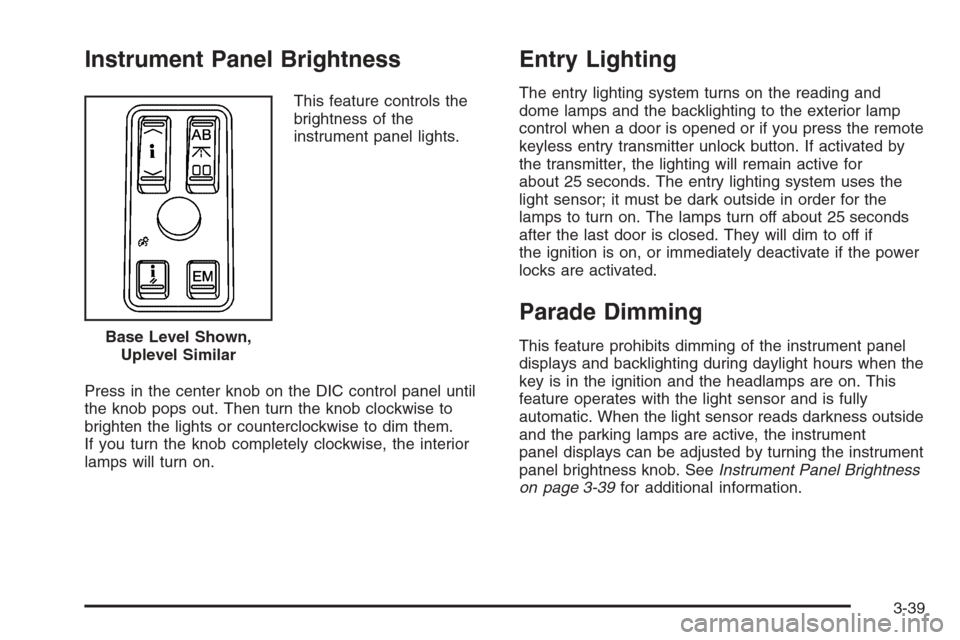
This feature controls the
brightness of the
instrument panel lights.
Press in the center knob on the DIC control panel until
the knob pops out. Then turn the knob clockwise to
brighten the lights or counterclockwise to dim them.
If you turn the knob completely clockwise, the interior
lamps will turn on.
Entry Lighting
The entry lighting system turns on the reading and
dome lamps and the backlighting to the exterior lamp
control when a door is opened or if you press the remote
keyless entry transmitter unlock button. If activated by
the transmitter, the lighting will remain active for
about 25 seconds. The entry lighting system uses the
light sensor; it must be dark outside in order for the
lamps to turn on. The lamps turn off about 25 seconds
after the last door is closed. They will dim to off if
the ignition is on, or immediately deactivate if the power
locks are activated.
Parade Dimming
This feature prohibits dimming of the instrument panel
displays and backlighting during daylight hours when the
key is in the ignition and the headlamps are on. This
feature operates with the light sensor and is fully
automatic. When the light sensor reads darkness outside
and the parking lamps are active, the instrument
panel displays can be adjusted by turning the instrument
panel brightness knob. SeeInstrument Panel Brightness
on page 3-39for additional information. Base Level Shown,
Uplevel Similar
3-39
Page 186 of 480
Reading Lamps
The reading lamps are located on the overhead
console. These lamps come on automatically when any
door is opened.
For manual operation, press the button next to each
lamp to turn it on. Press it again to turn the lamp off.
If the reading lamps are left on, they automatically shut
off 10 minutes after the ignition has been turned off.
Battery Load Management
The battery load management feature is designed to
monitor the vehicle’s electrical load and determine when
the battery is in a heavy discharge condition. During
times of high electrical loading, the engine may idle at a
higher revolutions per minute (rpm) setting than normal to
make sure the battery charges. High electrical loads may
occur when several of the following are on: headlamps,
high beams, fog lamps, rear window defogger, the
climate control fan at high speeds, heated seats and
engine cooling fans.
If the battery continues to discharge, even with the
engine idling at a higher rpm setting, some electrical
loads will automatically be reduced. When this occurs,
the rear window defogger may take slightly longer
to clear the glass and the fan may cut back to a lower
speed. For more battery saving information, see “Battery
Saver Active Message” underDIC Warnings and
Messages on page 3-79.
Inadvertent Power Battery Saver
This feature is designed to protect your vehicle’s battery
against drainage from the interior lamps, trunk lamp,
glove box lamp, or the garage door opener. When the
ignition is turned off, the power to these features will
automatically turn off after 10 minutes (three minutes if
a new car has 15 miles (24 km) or less). Power will
be restored for an additional 10 minutes if any door is
opened, the trunk is opened or the courtesy lamp switch
is turned on.
Head-Up Display (HUD)
{CAUTION:
If the HUD image is too bright, or too high in
your eld of view, it may take you more time to
see things you need to see when it is dark
outside. Be sure to keep the HUD image dim
and placed low in your eld of view.
If equipped, the Head-Up Display (HUD) allows you to
see some of the driver information that appears on your
instrument panel cluster on the windshield.
3-40
Page 189 of 480
As light shines out from the HUD, it is possible for light
to shine back in. In rare occurrences, when the sun
is at a specic angle and position, the sun’s rays can
shine back into the HUD. When this occurs, the display
device within the HUD will be temporarily illuminated.
The event will end when the vehicle’s angle to the
sun changes.
Clean the inside of the windshield as needed to remove
any dirt or lm that reduces the sharpness or clarity
of the HUD image.
To clean the HUD, spray household glass cleaner on a
soft, clean cloth. Wipe the HUD lens gently, then dry it.
Notice:When cleaning, be careful not to scratch
the HUD or camera lenses. Do not spray glass
cleaner directly on the HUD lens because the
cleaner could leak inside the unit and cause
damage.
If the ignition is on and you cannot see the HUD image,
check to see if:
Something is covering the HUD unit.
The brightness is adjusted properly.
The HUD image is adjusted to the proper height.
Ambient light in the direction your vehicle is facing
is low.
A fuse is blown. SeeFuses and Circuit Breakers on
page 5-105.
Keep in mind that your windshield is part of the HUD
system. SeeWindshield Replacement on page 5-55.
The following Adaptive Cruise Control message
may appear in the HUD:
PEDAL APPLIED ACC OVERRIDE:This message
indicates that you are pressing your foot on the
accelerator pedal and overriding Adaptive Cruise
Control. While you are doing this, the system will not
automatically apply the brakes. Once you remove your
foot from the accelerator pedal, Adaptive Cruise Control
will return to normal operation and be able to apply the
brakes, if needed.
You may also see an Adaptive Cruise Control active
symbol, alert symbol or vehicle ahead symbol. See
Adaptive Cruise Control on page 3-19for more
information.
3-43
Page 199 of 480

0(Defrost):Pressing the defrost button directs most
of the air to the windshield, with some air directed to the
side windows and outboard panel outlets. In this mode,
the system will automatically turn off recirculation and run
the air-conditioning compressor, unless the outside
temperature is at or below freezing. Recirculation cannot
be selected while in the defrost mode.
This mode may also cause the fan speed and air
temperature to increase.
Rear Window Defogger
The rear window defogger uses a warming grid to
remove fog or frost from the rear window.
The rear window defogger will only work when the
ignition is in ON or during remote start, if programmed.
See “Personal Settings Menu” underVehicle
Personalization on page 2-53for additional information.
=(Rear Window Defogger):Press this button to
turn the rear window defogger on or off. Be sure to clear
as much snow from the rear window as possible.
The rear window defogger will turn off about 10 minutes
after the button is pressed, or if the vehicle’s speed
is above 30 mph (48 km/h), the rear defogger will stay
on continuously. If turned on again, the defogger
will only run for about ve minutes before turning off.
The defogger can also be turned off by pressing
the button again or by turning off the engine.
The heated outside rearview mirrors will heat to help
clear fog or frost from the surface of the mirror when the
rear window defogger button is on.
Notice:Do not use a razor blade or sharp object to
clear the inside rear window. Do not adhere
anything to the defogger grid lines in the rear glass.
These actions may damage the rear defogger.
Repairs would not be covered by your warranty.
3-53
Page 205 of 480

Speedometer and Odometer
Your speedometer lets you see your speed in both
miles per hour (mph) and kilometers per hour (km/h).
See “MPH (km)” underDIC Controls and Displays
on page 3-74for more information.
The odometer mileage can be checked without the
vehicle running. Your vehicle’s odometer works together
with the driver information center. You can set a Trip A
and a Trip B odometer. See “Trip Information” underDIC
Controls and Displays on page 3-74for more information.
If your vehicle ever needs a new odometer installed, the
new one will be set to the correct mileage total of the
old odometer.
Tachometer
This gage indicates the
engine speed in
revolutions per
minute (rpm).
Safety Belt Reminder Light
When the ignition button is pressed to START, a chime
will be provided for several seconds to remind people
to buckle their safety belts. The driver safety belt
light will also be provided and stay on for several
seconds, then it will ash for several more. You should
buckle your seat belt.
This chime and light will be
repeated if the driver
remains unbuckled and the
vehicle is in motion.
If the driver’s belt is buckled, neither the chime nor the
light will be provided.
3-59