radio CADILLAC STS 2006 1.G Owner's Manual
[x] Cancel search | Manufacturer: CADILLAC, Model Year: 2006, Model line: STS, Model: CADILLAC STS 2006 1.GPages: 480, PDF Size: 2.74 MB
Page 226 of 480
BATTERY SAVER ACTIVE
This message will display when the system detects that
the battery voltage is dropping beyond a reasonable
level. The battery saver system will start reducing certain
features of the vehicle that you may not be able to
notice. At the point that the features are disabled, this
message is displayed. It means that the vehicle is trying
to save the charge in the battery.
Turn off all unnecessary accessories to allow the battery
to recharge.
The normal battery voltage range is 11.5 to 15.5 volts.
You can monitor battery voltage on the DIC by pressing
the information button until you nd BATTERY VOLTS.
BATTERY VOLTAGE HIGH
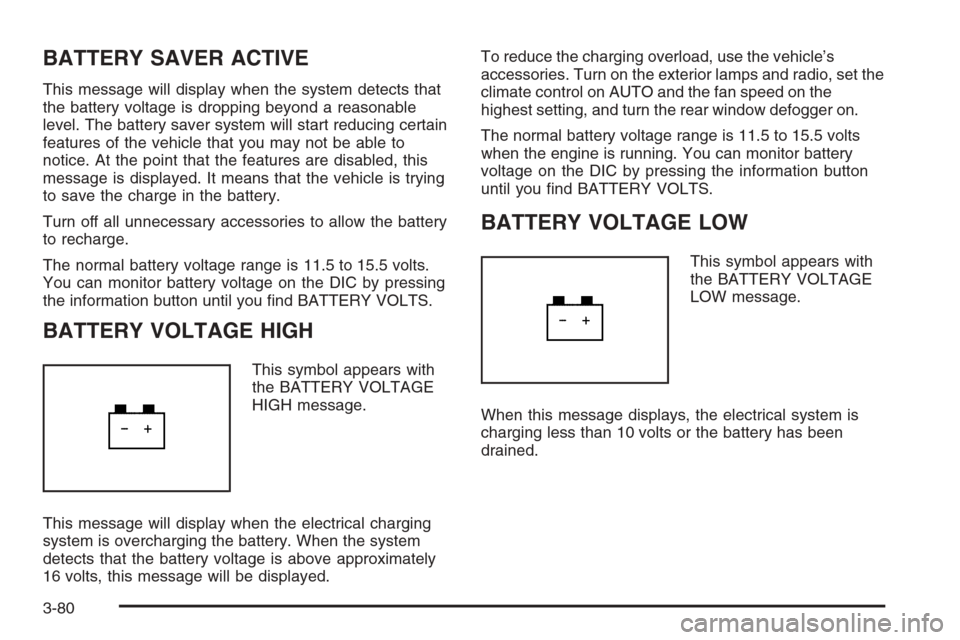
This symbol appears with
the BATTERY VOLTAGE
HIGH message.
This message will display when the electrical charging
system is overcharging the battery. When the system
detects that the battery voltage is above approximately
16 volts, this message will be displayed.To reduce the charging overload, use the vehicle’s
accessories. Turn on the exterior lamps and radio, set the
climate control on AUTO and the fan speed on the
highest setting, and turn the rear window defogger on.
The normal battery voltage range is 11.5 to 15.5 volts
when the engine is running. You can monitor battery
voltage on the DIC by pressing the information button
until you nd BATTERY VOLTS.
BATTERY VOLTAGE LOW
This symbol appears with
the BATTERY VOLTAGE
LOW message.
When this message displays, the electrical system is
charging less than 10 volts or the battery has been
drained.
3-80
Page 232 of 480
NO FOBS DETECTED
This message is displayed if the vehicle does not detect
the presence of a keyless access transmitter when
you have attempted to start the vehicle or a vehicle door
has just closed. The following conditions may cause
this message to appear:
Driver-added equipment plugged into the accessory
power outlet on the center console is causing
interference. Examples of these devices are cell
phones and cell phone chargers, two-way radios,
power inverters, or similar items. Try moving
the keyless access transmitter away from these
devices when starting the vehicle. In addition, PDA
devices and remote garage and gate openers
may also generate Electromagnetic Interference
(EMI) that may interfere with the keyless access
transmitter. Do not carry the keyless access
transmitter in the same pocket or bag as
these devices.
The vehicle is experiencing Electromagnetic
Interference (EMI). Some locations, such as
airports, automatic toll booths, and some gas
stations, have EMI elds which may interfere with
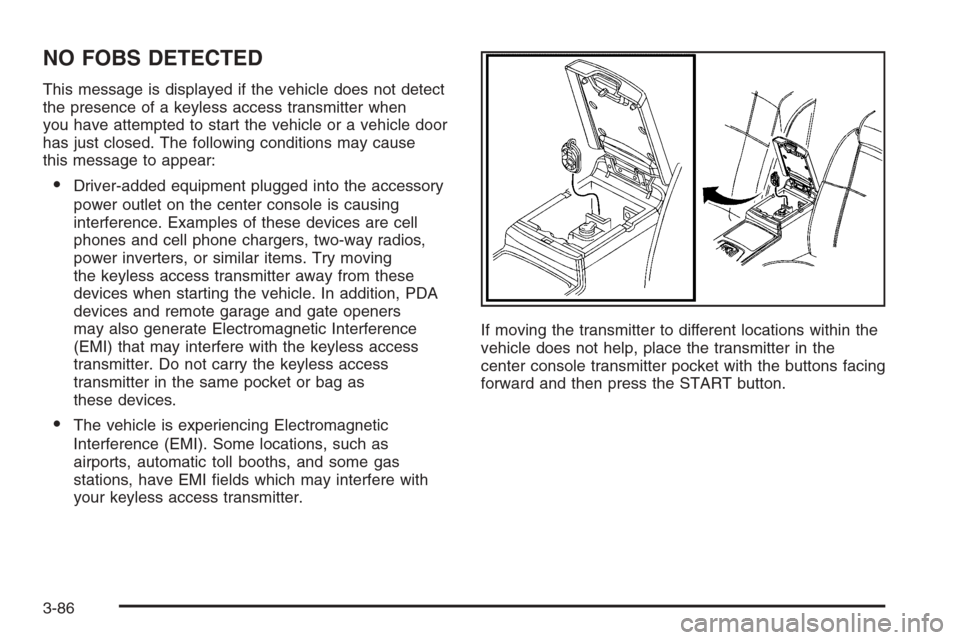
your keyless access transmitter.If moving the transmitter to different locations within the
vehicle does not help, place the transmitter in the
center console transmitter pocket with the buttons facing
forward and then press the START button.
3-86
Page 233 of 480
NO FOB OFF OR RUN?
When this message displays, it means that the keyless
access transmitter is not detected inside the vehicle
while you are trying to turn the ignition off. Your vehicle
may be near a strong radio antenna signal causing
the keyless access system to be jammed. The vehicle
will remain in ACC until OFF or START has been
pressed or 10 minutes has expired. If you turn the
ignition off and you cannot nd the keyless access
transmitter, you will not be able to restart the vehicle.
The keyless access transmitter needs to be inside of the
vehicle in order for the vehicle to start. SeeStarting
the Engine on page 2-25for more information.
OIL PRESSURE LOW STOP ENGINE
Notice:If you drive your vehicle while the engine
oil pressure is low, severe engine damage may
occur. If a low oil pressure warning appears on the
instrument panel cluster and/or DIC, stop the
vehicle as soon as possible. Do not drive the vehicle
until the cause of the low oil pressure is corrected.
SeeEngine Oil on page 5-18for more information.
A multiple chime will sound when this message is
displayed. SeeEngine Oil on page 5-18for more
information.
PASSENGER DOOR AJAR
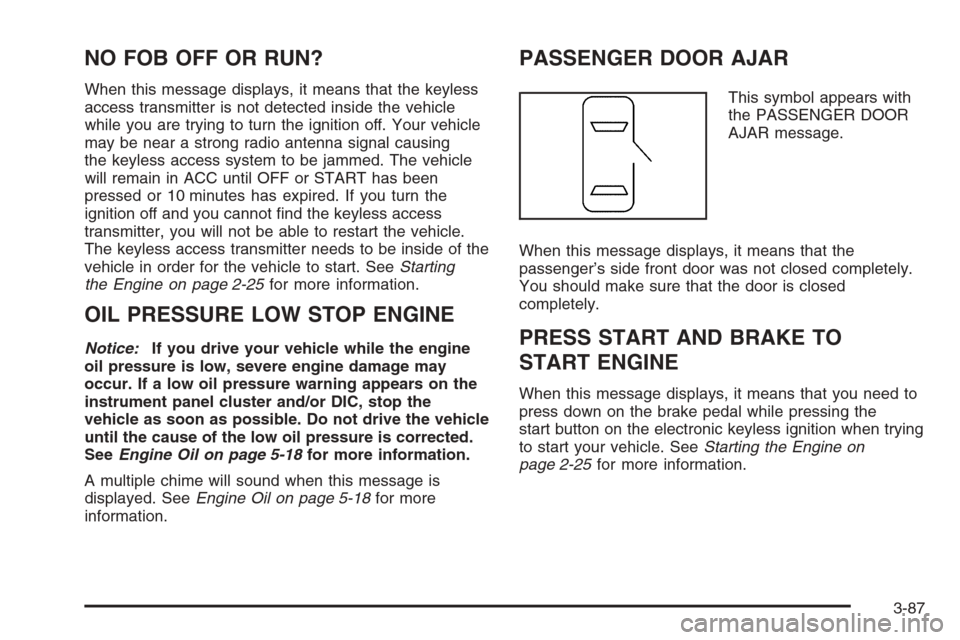
This symbol appears with
the PASSENGER DOOR
AJAR message.
When this message displays, it means that the
passenger’s side front door was not closed completely.
You should make sure that the door is closed
completely.
PRESS START AND BRAKE TO
START ENGINE
When this message displays, it means that you need to
press down on the brake pedal while pressing the
start button on the electronic keyless ignition when trying
to start your vehicle. SeeStarting the Engine on
page 2-25for more information.
3-87
Page 240 of 480
Audio System(s)
Determine which radio your vehicle has and then read the
pages following to familiarize yourself with its features.
Driving without distraction is a necessity for a safer
driving experience. SeeDefensive Driving on page 4-2.
By taking a few moments to read this manual and get
familiar with your vehicle’s audio system, you can use it
with less effort, as well as take advantage of its features.
While your vehicle is parked, set up your audio system by
presetting your favorite radio stations, setting the tone,
and adjusting the speakers. Then, when driving
conditions permit, you can tune to your favorite stations
using the presets and steering wheel controls if the
vehicle has them.
{CAUTION:
This system provides you with a far greater
access to audio stations and song listings.
Giving extended attention to entertainment
tasks while driving can cause a crash and you
or others can be injured or killed. Always keep
your eyes on the road and your mind on the
drive — avoid engaging in extended searching
while driving.Keeping your mind on the drive is important for safe
driving. For more information, seeDefensive Driving on
page 4-2.
Here are some ways in which you can help avoid
distraction while driving.
While your vehicle is parked:
Familiarize yourself with all of its controls.
Familiarize yourself with its operation.
Set up your audio system by presetting your
favorite radio stations, setting the tone, and
adjusting the speakers. Then, when driving
conditions permit, you can tune to your favorite
radio stations using the presets and steering wheel
controls if the vehicle has them.
Notice:Before adding any sound equipment to your
vehicle, such as an audio system, CD player, CB
radio, mobile telephone, or two-way radio, make sure
that it can be added by checking with your dealer.
Also, check federal rules covering mobile radio and
telephone units. If sound equipment can be added, it
is very important to do it properly. Added sound
equipment may interfere with the operation of your
vehicle’s engine, radio, or other systems, and even
damage them. Your vehicle’s systems may interfere
with the operation of sound equipment that has
been added.
3-94
Page 241 of 480
Notice:The chime signals related to safety belts,
parking brake, and other functions of your vehicle
operate through the radio/entertainment system. If
that equipment is replaced or additional equipment is
added to your vehicle, the chimes may not work.
Make sure that replacement or additional equipment
is compatible with your vehicle before installing it.
SeeAccessories and Modifications on page 5-3.
Your vehicle has a feature called Retained Accessory
Power (RAP). With RAP, the audio system can be
played even after the ignition is turned off. SeeRetained
Accessory Power (RAP) on page 2-25for more
information.
Setting the Time
1. Press the tune/select knob (the right knob) to enter
the main menu.
2. Turn the tune/select knob until SET CLOCK
appears on the display.
3. Press the tune/select knob to select SET CLOCK.
4. Turn the tune/select knob to adjust the time.
5. Press the tune/select knob to update the time.
VEHICLE TIME UPDATED will appear on the
display.If the CLOCK/RADIO DISP is congured into one of the
congurable keys, pressing the key will switch the display
back to the clock set function. The time and date will
always appear on the radio display. See “Congurable
Radio Display Keys” underRadio with CD on page 3-96
for more information on conguring the keys.
Setting the Date
1. Press the tune/select knob (the right knob) to enter
the main menu.
2. Turn the tune/select knob until SET DATE appears
on the display.
3. Press the tune/select knob to select SET DATE.
4. Turn the tune/select knob to adjust the date.
5. Press the tune/select knob to update the time.
VEHICLE DATE UPDATED will appear on the
display.
If the DATE is congured into one of the congurable
keys, pressing the key will switch the display back to the
date set function. The time and date will always
appear on the radio display. See “Congurable Radio
Display Keys” underRadio with CD on page 3-96
for more information on conguring the keys.
3-95
Page 242 of 480
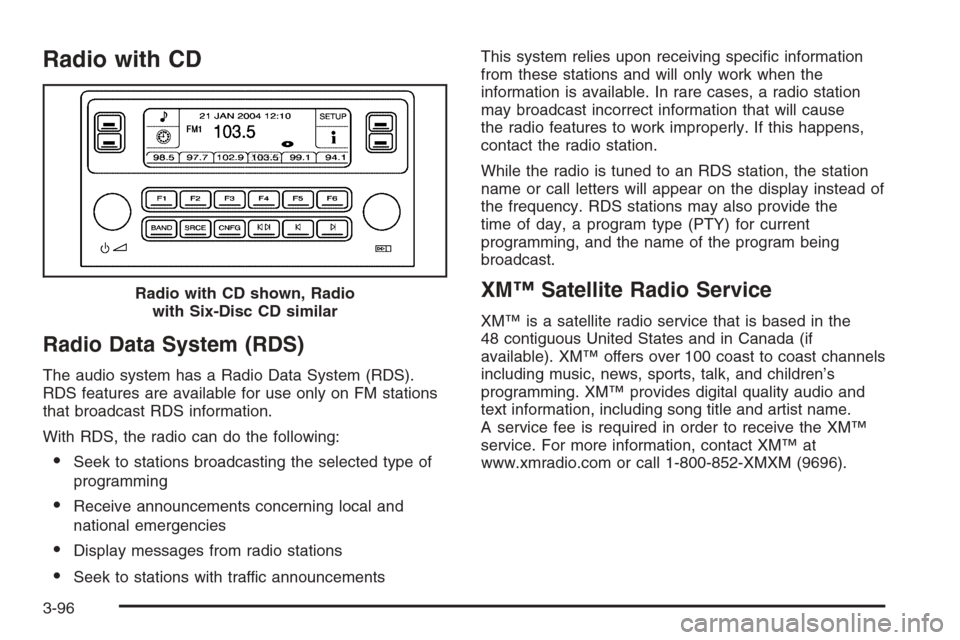
Radio with CD
Radio Data System (RDS)
The audio system has a Radio Data System (RDS).
RDS features are available for use only on FM stations
that broadcast RDS information.
With RDS, the radio can do the following:
Seek to stations broadcasting the selected type of
programming
Receive announcements concerning local and
national emergencies
Display messages from radio stations
Seek to stations with traffic announcementsThis system relies upon receiving specic information
from these stations and will only work when the
information is available. In rare cases, a radio station
may broadcast incorrect information that will cause
the radio features to work improperly. If this happens,
contact the radio station.
While the radio is tuned to an RDS station, the station
name or call letters will appear on the display instead of
the frequency. RDS stations may also provide the
time of day, a program type (PTY) for current
programming, and the name of the program being
broadcast.
XM™ Satellite Radio Service
XM™ is a satellite radio service that is based in the
48 contiguous United States and in Canada (if
available). XM™ offers over 100 coast to coast channels
including music, news, sports, talk, and children’s
programming. XM™ provides digital quality audio and
text information, including song title and artist name.
A service fee is required in order to receive the XM™
service. For more information, contact XM™ at
www.xmradio.com or call 1-800-852-XMXM (9696). Radio with CD shown, Radio
with Six-Disc CD similar
3-96
Page 243 of 480
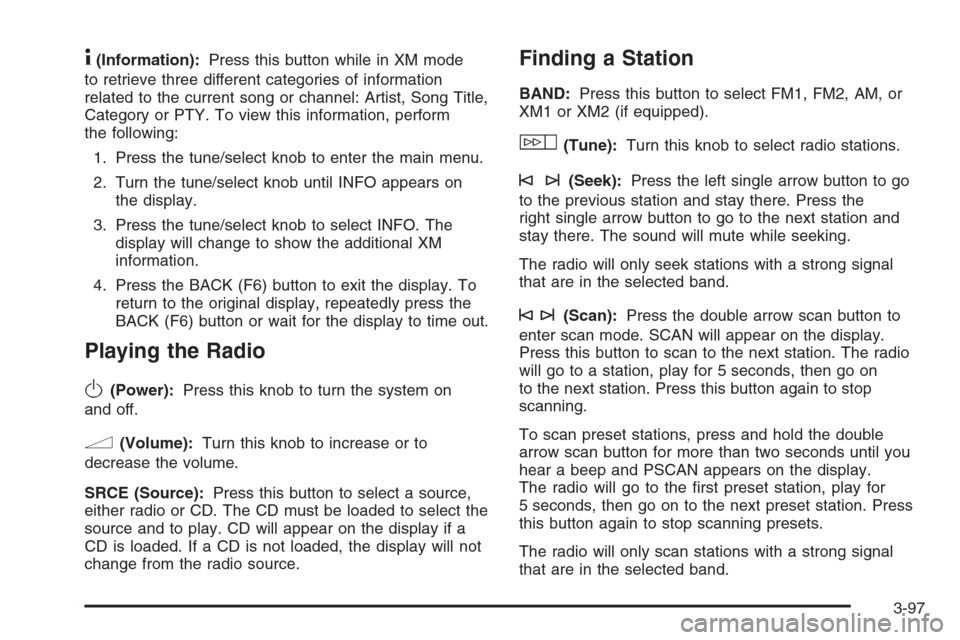
4(Information):Press this button while in XM mode
to retrieve three different categories of information
related to the current song or channel: Artist, Song Title,
Category or PTY. To view this information, perform
the following:
1. Press the tune/select knob to enter the main menu.
2. Turn the tune/select knob until INFO appears on
the display.
3. Press the tune/select knob to select INFO. The
display will change to show the additional XM
information.
4. Press the BACK (F6) button to exit the display. To
return to the original display, repeatedly press the
BACK (F6) button or wait for the display to time out.
Playing the Radio
O
(Power):Press this knob to turn the system on
and off.
n(Volume):Turn this knob to increase or to
decrease the volume.
SRCE (Source):Press this button to select a source,
either radio or CD. The CD must be loaded to select the
source and to play. CD will appear on the display if a
CD is loaded. If a CD is not loaded, the display will not
change from the radio source.
Finding a Station
BAND:Press this button to select FM1, FM2, AM, or
XM1 or XM2 (if equipped).
w(Tune):Turn this knob to select radio stations.
©¨(Seek):Press the left single arrow button to go
to the previous station and stay there. Press the
right single arrow button to go to the next station and
stay there. The sound will mute while seeking.
The radio will only seek stations with a strong signal
that are in the selected band.
©¨(Scan):Press the double arrow scan button to
enter scan mode. SCAN will appear on the display.
Press this button to scan to the next station. The radio
will go to a station, play for 5 seconds, then go on
to the next station. Press this button again to stop
scanning.
To scan preset stations, press and hold the double
arrow scan button for more than two seconds until you
hear a beep and PSCAN appears on the display.
The radio will go to the rst preset station, play for
5 seconds, then go on to the next preset station. Press
this button again to stop scanning presets.
The radio will only scan stations with a strong signal
that are in the selected band.
3-97
Page 244 of 480
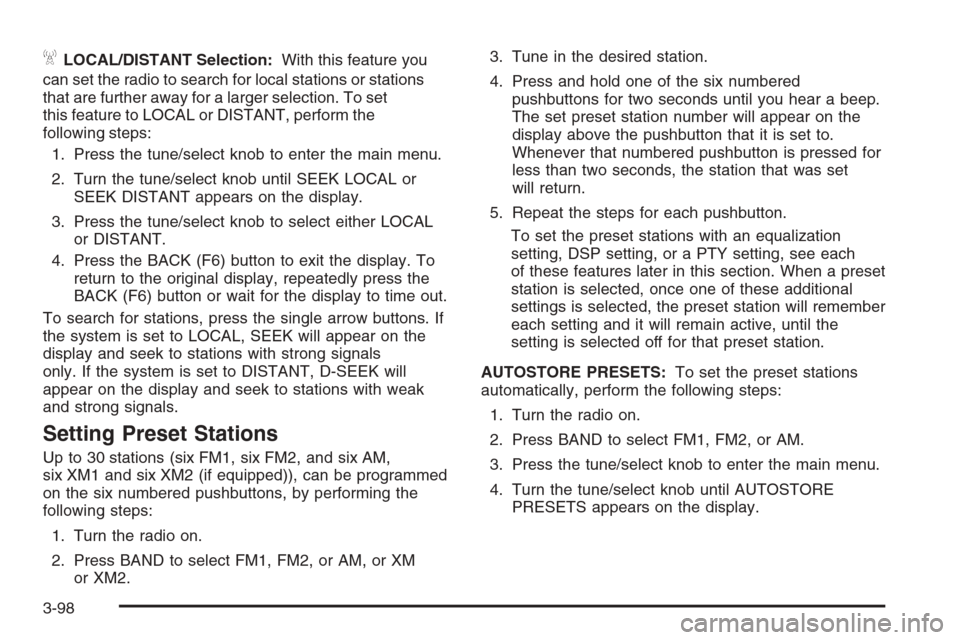
ALOCAL/DISTANT Selection:With this feature you
can set the radio to search for local stations or stations
that are further away for a larger selection. To set
this feature to LOCAL or DISTANT, perform the
following steps:
1. Press the tune/select knob to enter the main menu.
2. Turn the tune/select knob until SEEK LOCAL or
SEEK DISTANT appears on the display.
3. Press the tune/select knob to select either LOCAL
or DISTANT.
4. Press the BACK (F6) button to exit the display. To
return to the original display, repeatedly press the
BACK (F6) button or wait for the display to time out.
To search for stations, press the single arrow buttons. If
the system is set to LOCAL, SEEK will appear on the
display and seek to stations with strong signals
only. If the system is set to DISTANT, D-SEEK will
appear on the display and seek to stations with weak
and strong signals.
Setting Preset Stations
Up to 30 stations (six FM1, six FM2, and six AM,
six XM1 and six XM2 (if equipped)), can be programmed
on the six numbered pushbuttons, by performing the
following steps:
1. Turn the radio on.
2. Press BAND to select FM1, FM2, or AM, or XM
or XM2.3. Tune in the desired station.
4. Press and hold one of the six numbered
pushbuttons for two seconds until you hear a beep.
The set preset station number will appear on the
display above the pushbutton that it is set to.
Whenever that numbered pushbutton is pressed for
less than two seconds, the station that was set
will return.
5. Repeat the steps for each pushbutton.
To set the preset stations with an equalization
setting, DSP setting, or a PTY setting, see each
of these features later in this section. When a preset
station is selected, once one of these additional
settings is selected, the preset station will remember
each setting and it will remain active, until the
setting is selected off for that preset station.
AUTOSTORE PRESETS:To set the preset stations
automatically, perform the following steps:
1. Turn the radio on.
2. Press BAND to select FM1, FM2, or AM.
3. Press the tune/select knob to enter the main menu.
4. Turn the tune/select knob until AUTOSTORE
PRESETS appears on the display.
3-98
Page 245 of 480
5. Press the tune/select knob to select. AUTOSTORE
will appear on the display. The radio will
automatically search the band and select and store
the six radio stations with the strongest signal.
The stations will be stored by signal strength, not
sequential order. The set preset station number will
appear on the display above the pushbutton that
it is set to. Whenever that numbered pushbutton is
pressed for less than two seconds, the station
that was set will return.
6. Press the BACK (F6) button to exit the display. To
return to the original display, repeatedly press the
BACK (F6) button or wait for the display to time out.
When battery power is removed and later applied, you
will not have to reset your radio presets.
PRESETS HOME/AWAY:This feature gives you the
ability to store two different kinds of station presets.
HOME can be used for stations available where you live
and AWAY can be for stations available outside of
your local broadcasting area. To set preset stations for
home and away perform the following steps:
1. Press the tune/select knob to enter the main menu.
2. Turn the tune/select knob until PRESETS
HOME/AWAY appears on the display.3. Press the tune/select knob to select. HOME or
AWAY will appear on the display.
4. Press the BACK (F6) button to exit the display. To
return to the original display, repeatedly press the
BACK (F6) button or wait for the display to time out.
Follow the manual or automatic steps previously listed
for setting the preset pushbuttons for both home
and away.
Setting the Tone (Bass/Treble)
To adjust the bass, midrange, and treble, perform the
following steps:
1. Press the tune/select knob to enter the main menu.
2. Press the tune/select knob to scroll through
the settings.
3. Turn the tune/select knob to increase or to decrease
the bass, midrange, or treble. If a station is weak or
noisy, decrease the treble.
4. Press the tune/select knob to set the adjustment.
5. Press the BACK (F6) button to exit the display. To
return to the original display repeatedly press the
BACK (F6) button or wait for the display to time out.
3-99
Page 246 of 480
AUDIO EQUALIZER:This feature allows you to select
customized equalization settings. To choose an
equalization setting (EQ0 through EQ5), perform the
following steps:
1. Press the tune/select knob to enter the main menu.
2. Turn the tune/select knob until EQUALIZER
appears on the display.
3. Press the tune/select knob to set the equalization
setting. The equalization setting will appear on
the display.
4. Press the BACK (F6) button to exit the display. To
return to the original display, repeatedly press the
BACK (F6) button or wait for the display to time out.
The equalization settings are preset to EQ0 (Normal),
EQ1 (Pop), EQ2 (Rock), EQ3 (Jazz), EQ4 (Talk),
and EQ5 (Country).
Adjusting the Speakers (Balance/Fade)
To adjust the balance or fade, perform the following
steps:
1. Press the tune/select knob to enter the main menu.
2. Turn the tune/select knob until BASS-MID-TREBLE
appears on the display.
3. Press the tune/select knob to enter the
tone settings.4. Press the tune/select knob to scroll to BALANCE
or FADER.
5. Turn the tune/select knob to adjust the BALANCE
to the right or the left speakers and the FADER to
the front or the rear speakers.
6. Press the tune/select knob to set the adjustment.
7. Press the BACK (F6) button to exit the display.
To return to the original display, repeatedly press
the BACK (F6) button or wait for the display to
time out.
EQ0 will not appear on the display when in this mode.
RDS Messages
ALERT:Alert warns of local and national emergencies.
When, an alert announcement comes on the current
radio station or a related network station, ALERT
will appear on the display. You will hear the
announcement, even if the volume is low or a CD is
playing. If a CD is playing, play will stop during
the announcement. Alert announcements cannot be
turned off. If the radio tunes to a related network station
for the announcement, it will return to the original
station when the announcement is nished.
ALERT will not be affected by tests of the emergency
broadcast system. This feature is not supported by
all RDS stations.
3-100