engine CADILLAC STS 2006 1.G Owner's Guide
[x] Cancel search | Manufacturer: CADILLAC, Model Year: 2006, Model line: STS, Model: CADILLAC STS 2006 1.GPages: 480, PDF Size: 2.74 MB
Page 186 of 480
Reading Lamps
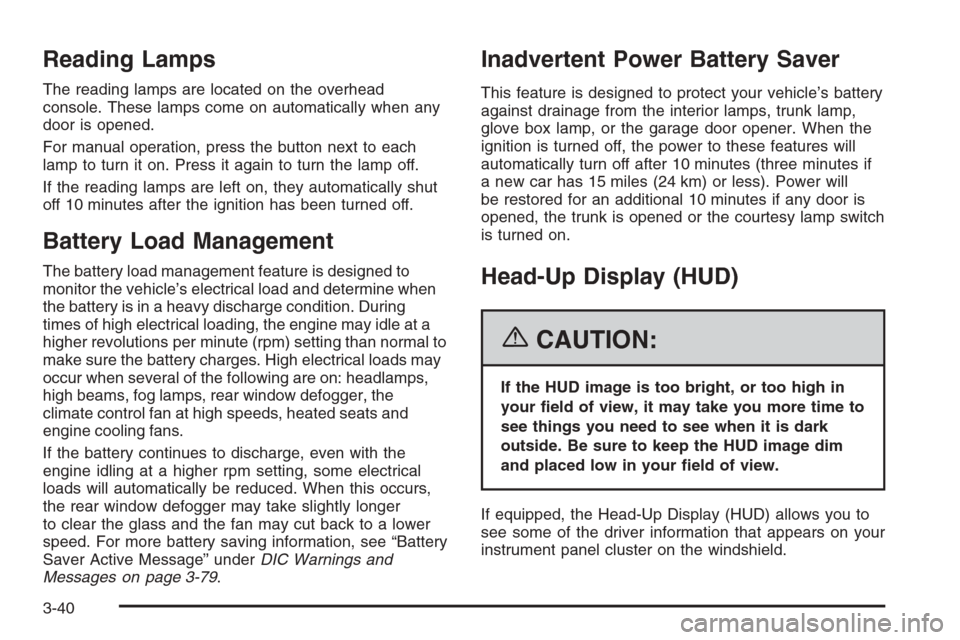
The reading lamps are located on the overhead
console. These lamps come on automatically when any
door is opened.
For manual operation, press the button next to each
lamp to turn it on. Press it again to turn the lamp off.
If the reading lamps are left on, they automatically shut
off 10 minutes after the ignition has been turned off.
Battery Load Management
The battery load management feature is designed to
monitor the vehicle’s electrical load and determine when
the battery is in a heavy discharge condition. During
times of high electrical loading, the engine may idle at a
higher revolutions per minute (rpm) setting than normal to
make sure the battery charges. High electrical loads may
occur when several of the following are on: headlamps,
high beams, fog lamps, rear window defogger, the
climate control fan at high speeds, heated seats and
engine cooling fans.
If the battery continues to discharge, even with the
engine idling at a higher rpm setting, some electrical
loads will automatically be reduced. When this occurs,
the rear window defogger may take slightly longer
to clear the glass and the fan may cut back to a lower
speed. For more battery saving information, see “Battery
Saver Active Message” underDIC Warnings and
Messages on page 3-79.
Inadvertent Power Battery Saver
This feature is designed to protect your vehicle’s battery
against drainage from the interior lamps, trunk lamp,
glove box lamp, or the garage door opener. When the
ignition is turned off, the power to these features will
automatically turn off after 10 minutes (three minutes if
a new car has 15 miles (24 km) or less). Power will
be restored for an additional 10 minutes if any door is
opened, the trunk is opened or the courtesy lamp switch
is turned on.
Head-Up Display (HUD)
{CAUTION:
If the HUD image is too bright, or too high in
your eld of view, it may take you more time to
see things you need to see when it is dark
outside. Be sure to keep the HUD image dim
and placed low in your eld of view.
If equipped, the Head-Up Display (HUD) allows you to
see some of the driver information that appears on your
instrument panel cluster on the windshield.
3-40
Page 188 of 480
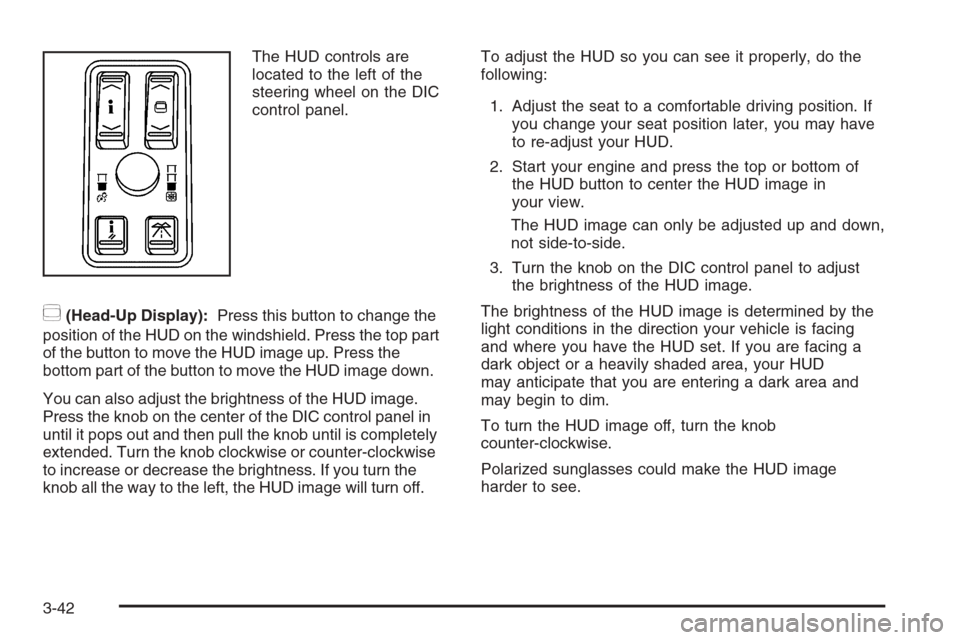
The HUD controls are
located to the left of the
steering wheel on the DIC
control panel.
~(Head-Up Display):Press this button to change the
position of the HUD on the windshield. Press the top part
of the button to move the HUD image up. Press the
bottom part of the button to move the HUD image down.
You can also adjust the brightness of the HUD image.
Press the knob on the center of the DIC control panel in
until it pops out and then pull the knob until is completely
extended. Turn the knob clockwise or counter-clockwise
to increase or decrease the brightness. If you turn the
knob all the way to the left, the HUD image will turn off.To adjust the HUD so you can see it properly, do the
following:
1. Adjust the seat to a comfortable driving position. If
you change your seat position later, you may have
to re-adjust your HUD.
2. Start your engine and press the top or bottom of
the HUD button to center the HUD image in
your view.
The HUD image can only be adjusted up and down,
not side-to-side.
3. Turn the knob on the DIC control panel to adjust
the brightness of the HUD image.
The brightness of the HUD image is determined by the
light conditions in the direction your vehicle is facing
and where you have the HUD set. If you are facing a
dark object or a heavily shaded area, your HUD
may anticipate that you are entering a dark area and
may begin to dim.
To turn the HUD image off, turn the knob
counter-clockwise.
Polarized sunglasses could make the HUD image
harder to see.
3-42
Page 195 of 480
You can switch from English to metric units through the
Driver Information Center (DIC). SeeDIC Controls
and Displays on page 3-74.
The air-conditioning system removes moisture from the
air, so you may notice water dripping underneath
your vehicle while idling or after turning off the engine.
This is normal.
Manual Operation
yNz(Mode):Pressing the mode switch and
changing the mode cancels automatic operation and
allows the operator to manually select the air delivery
location. Press AUTO to return to automatic operation.
The outboard air outlets will always receive airow
regardless of the mode selected. SeeOutlet
Adjustment on page 3-54to change this airow
from the outboard outlets.
To change the current mode, select one of the following:
Y(Vent):This mode directs air to the instrument
panel outlets.
\(Bi-Level):This mode directs approximately half
of the air to the instrument panel outlets, and then
directs most of the remaining air to the oor outlets.
In automatic operation, cooler air is directed to the
upper outlets and warmer air to the oor outlets.
[(Floor):This mode directs most of the air to the
oor outlets with some air directed to the outboard
outlets, and a little air directed to the windshield and
side windows.
The mode switch can also be used to select the defog
mode. Information on defogging and defrosting can
be found later in this section.
yAz(Fan):Press this switch to increase or
decrease the fan speed. Pressing this switch cancels
automatic operation and allows the operator to manually
select the amount of airow. Press AUTO to return to
automatic operation.
If the airow seems low when the fan speed is at the
highest setting, the passenger compartment air lter may
need to be replaced. For more information, see
Passenger Compartment Air Filter on page 3-55and
Scheduled Maintenance on page 6-4.
h(Recirculation):This button controls the air source
for the climate control system. If you are in AUTO mode,
pressing this button once will choose recirculation. This
mode keeps outside air from coming in the vehicle and
recirculates the air in the vehicle. It can be used to
prevent outside air and odors from entering your vehicle
or to help cool the air inside your vehicle more quickly.
3-49
Page 197 of 480
The air quality sensor will not activate due to organic
odors, like skunk, and may not activate on many
chemical-related odors. If you wish to limit these types of
odors, you may choose to manually select recirculation.
Your vehicle may also be equipped with a charcoal lter
that can limit many odors from being pulled into your
vehicle. This lter, like your engines air cleaner lter, will
need to be changed periodically. SeeScheduled
Maintenance on page 6-4. The air quality sensor system
does not protect against carbon monoxide (CO), which
you cannot see or smell. SeeEngine Exhaust on
page 2-39.
O(Power Driver’s Temperature):Press the power
button located on the driver’s side of the climate control
panel to turn the entire climate control system on or
off. Turn the knob to increase or decrease the
temperature inside your vehicle.
O(Power Passenger’s Temperature):Press the
power button located on the passenger’s side of
the climate control panel to turn the passenger’s climate
control system on if they wish to have a different
setting than the driver. Turn the knob to increase or
decrease the temperature for the front passenger.Turning the passenger’s side power button off will not
shut off the climate control system for the passenger.
The system will be set to the same setting as the driver.
{(Ventilated Seat):Press this button (if equipped)
to turn on the ventilated seat for the driver’s or
passenger’s side. SeeHeated and Ventilated Seats on
page 1-4.
J(Heated Seat):Press this button (if equipped) to
turn on the heated seat and seatback for the driver’s or
passenger’s side. SeeHeated and Ventilated Seats
on page 1-4.
^(Air Conditioning):Press this button to manually
turn off the air conditioning compressor. Press AUTO to
return to automatic operation or press the A/C OFF
button again. To limit fogging on the windshield, the air
conditioning compressor cannot be in off in defrost mode.
3-51
Page 199 of 480
0(Defrost):Pressing the defrost button directs most
of the air to the windshield, with some air directed to the
side windows and outboard panel outlets. In this mode,
the system will automatically turn off recirculation and run
the air-conditioning compressor, unless the outside
temperature is at or below freezing. Recirculation cannot
be selected while in the defrost mode.
This mode may also cause the fan speed and air
temperature to increase.
Rear Window Defogger
The rear window defogger uses a warming grid to
remove fog or frost from the rear window.
The rear window defogger will only work when the
ignition is in ON or during remote start, if programmed.
See “Personal Settings Menu” underVehicle
Personalization on page 2-53for additional information.
=(Rear Window Defogger):Press this button to
turn the rear window defogger on or off. Be sure to clear
as much snow from the rear window as possible.
The rear window defogger will turn off about 10 minutes
after the button is pressed, or if the vehicle’s speed
is above 30 mph (48 km/h), the rear defogger will stay
on continuously. If turned on again, the defogger
will only run for about ve minutes before turning off.
The defogger can also be turned off by pressing
the button again or by turning off the engine.
The heated outside rearview mirrors will heat to help
clear fog or frost from the surface of the mirror when the
rear window defogger button is on.
Notice:Do not use a razor blade or sharp object to
clear the inside rear window. Do not adhere
anything to the defogger grid lines in the rear glass.
These actions may damage the rear defogger.
Repairs would not be covered by your warranty.
3-53
Page 201 of 480
9(Off):This is the off position.
Y(Vent):This mode directs all the rear passenger
airow to the outlets in the console. This is the normal
position for cool down conditions.
\(Bi-Level):This mode directs airow to the console
outlets and the oor.
[(Floor):This mode directs all of the airow to the
oor. This is the normal position for warm up conditions.
The amount of airow to the rear passengers is
controlled automatically by the front climate control
system, regardless of optional equipment. Airow to the
rear system will be turned off when defrost is selected
on the front climate control panel to direct air to clear
the windshield.
Vehicles equipped with a rear climate control panel,
also, have heated rear seats. There are two buttons,
each with three indicator lights, located between the
two climate control knobs on the rear climate control
panel, to control the rear heated seats. SeeHeated
Seats on page 1-7for additional information.
Be sure to keep the area under the front seats clear of
any objects so the air in your vehicle can circulate
effectively.
Passenger Compartment Air Filter
Your vehicle may be equipped with a passenger
compartment air lter. There are two types of lters
available. There is a standard dust lter that traps small
particles including pollen. There is, also, a dust/odor
lter available that traps dust and pollen and also uses
a charcoal element to help reduce many offensive
odors from entering your vehicle. Like your vehicle’s
engine air cleaner/lter, it will need to be changed
periodically. For information on how often to change the
passenger compartment air lter, seeScheduled
Maintenance on page 6-4.
Notice:Driving without a passenger compartment
air lter in place can cause water and small
particles, like paper and leaves, to be pulled into
your climate control system which may cause
damage to it. Make sure you always replace the old
lter with a new one.
3-55
Page 202 of 480
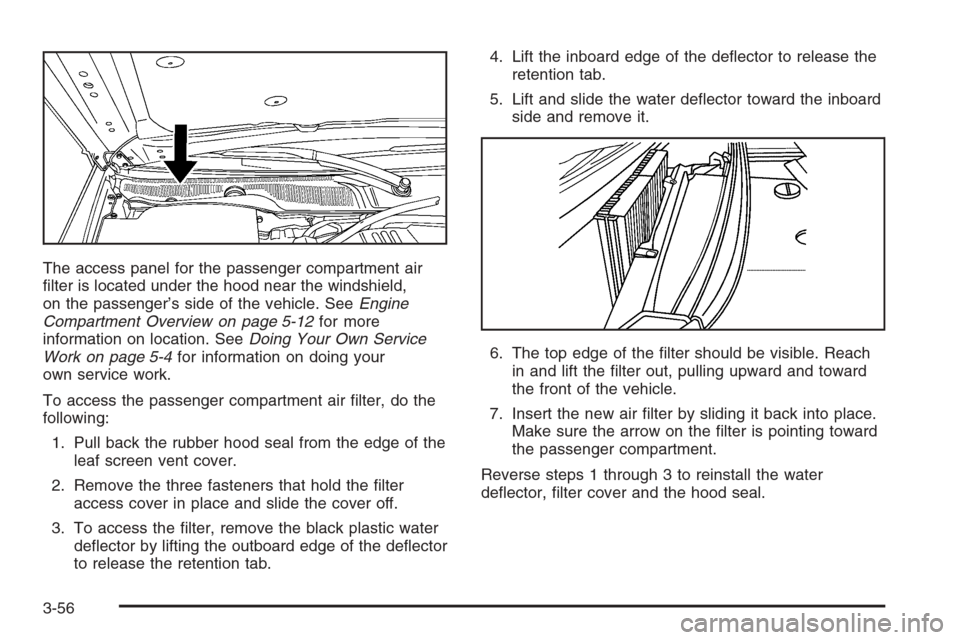
The access panel for the passenger compartment air
lter is located under the hood near the windshield,
on the passenger’s side of the vehicle. SeeEngine
Compartment Overview on page 5-12for more
information on location. SeeDoing Your Own Service
Work on page 5-4for information on doing your
own service work.
To access the passenger compartment air lter, do the
following:
1. Pull back the rubber hood seal from the edge of the
leaf screen vent cover.
2. Remove the three fasteners that hold the lter
access cover in place and slide the cover off.
3. To access the lter, remove the black plastic water
deector by lifting the outboard edge of the deector
to release the retention tab.4. Lift the inboard edge of the deector to release the
retention tab.
5. Lift and slide the water deector toward the inboard
side and remove it.
6. The top edge of the lter should be visible. Reach
in and lift the lter out, pulling upward and toward
the front of the vehicle.
7. Insert the new air lter by sliding it back into place.
Make sure the arrow on the lter is pointing toward
the passenger compartment.
Reverse steps 1 through 3 to reinstall the water
deector, lter cover and the hood seal.
3-56
Page 203 of 480
Warning Lights, Gages, and
Indicators
This part describes the warning lights and gages that
may be on your vehicle. The pictures will help you
locate them.
Warning lights and gages can signal that something is
wrong before it becomes serious enough to cause
an expensive repair or replacement. Paying attention to
your warning lights and gages could also save you
or others from injury.
Warning lights come on when there may be or is a
problem with one of your vehicle’s functions. As you
will see in the details on the next few pages, some
warning lights come on briey when you start the engine
just to let you know they’re working. If you are familiar
with this section, you should not be alarmed when
this happens.Gages can indicate when there may be or is a problem
with one of your vehicle’s functions. Often gages
and warning lights work together to let you know when
there’s a problem with your vehicle.
When one of the warning lights comes on and stays on
when you are driving, or when one of the gages
shows there may be a problem, check the section that
tells you what to do about it. Follow this manual’s
advice. Waiting to do repairs can be costly — and even
dangerous. So please get to know your warning
lights and gages. They’re a big help.
Your vehicle also has a Driver Information Center (DIC)
that works along with the warning lights and gages.
SeeDriver Information Center (DIC) on page 3-73for
more information.
3-57
Page 205 of 480

Speedometer and Odometer
Your speedometer lets you see your speed in both
miles per hour (mph) and kilometers per hour (km/h).
See “MPH (km)” underDIC Controls and Displays
on page 3-74for more information.
The odometer mileage can be checked without the
vehicle running. Your vehicle’s odometer works together
with the driver information center. You can set a Trip A
and a Trip B odometer. See “Trip Information” underDIC
Controls and Displays on page 3-74for more information.
If your vehicle ever needs a new odometer installed, the
new one will be set to the correct mileage total of the
old odometer.
Tachometer
This gage indicates the
engine speed in
revolutions per
minute (rpm).
Safety Belt Reminder Light
When the ignition button is pressed to START, a chime
will be provided for several seconds to remind people
to buckle their safety belts. The driver safety belt
light will also be provided and stay on for several
seconds, then it will ash for several more. You should
buckle your seat belt.
This chime and light will be
repeated if the driver
remains unbuckled and the
vehicle is in motion.
If the driver’s belt is buckled, neither the chime nor the
light will be provided.
3-59
Page 209 of 480
If, after several seconds, all status indicator lights
remain on, or if there are no lights at all, there may be
a problem with the lights or the passenger sensing
system. See your dealer for service.
{CAUTION:
If the off indicator and the airbag readiness
light ever come on together, it means that
something may be wrong with the airbag
system. If this ever happens, have the vehicle
serviced promptly, because an adult-size
person sitting in the right front passenger seat
may not have the protection of the frontal
airbag. SeeAirbag Readiness Light on
page 3-60.
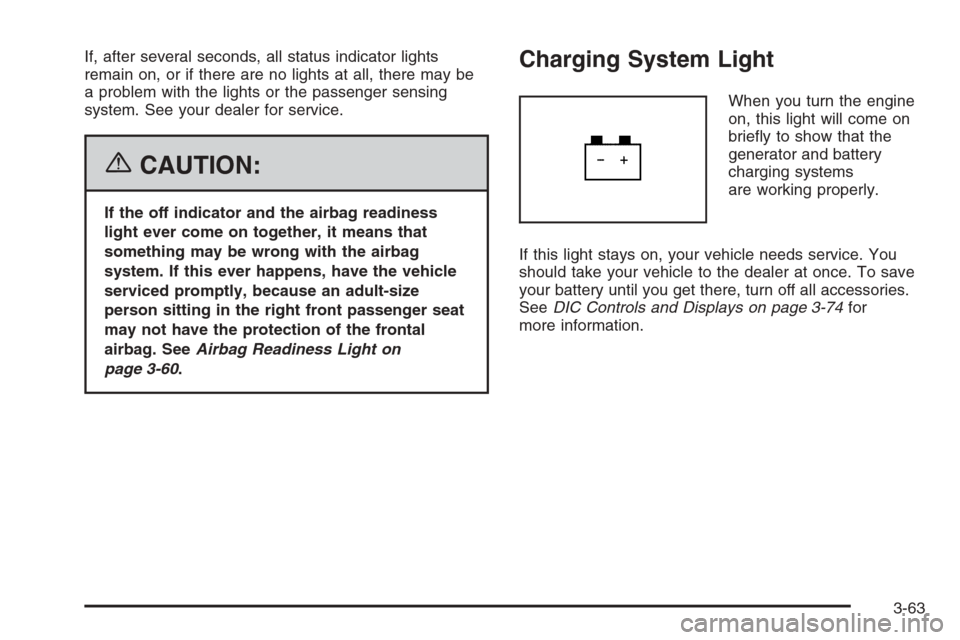
Charging System Light
When you turn the engine
on, this light will come on
briey to show that the
generator and battery
charging systems
are working properly.
If this light stays on, your vehicle needs service. You
should take your vehicle to the dealer at once. To save
your battery until you get there, turn off all accessories.
SeeDIC Controls and Displays on page 3-74for
more information.
3-63