seats CADILLAC STS 2008 1.G User Guide
[x] Cancel search | Manufacturer: CADILLAC, Model Year: 2008, Model line: STS, Model: CADILLAC STS 2008 1.GPages: 500, PDF Size: 5.81 MB
Page 31 of 500
Safety Belt Use During Pregnancy
Safety belts work for everyone, including pregnant
women. Like all occupants, they are more likely to be
seriously injured if they do not wear safety belts.
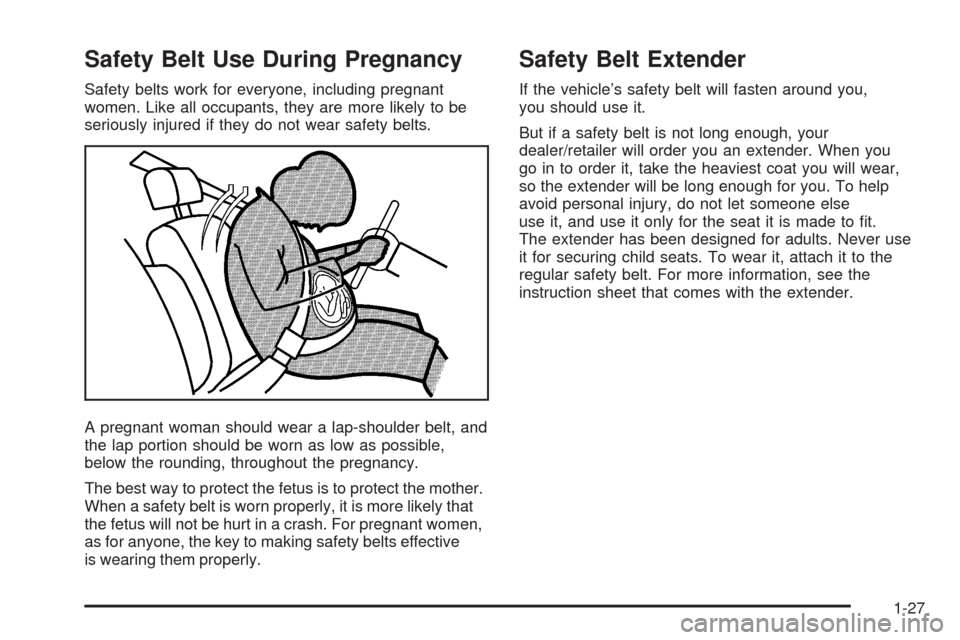
A pregnant woman should wear a lap-shoulder belt, and
the lap portion should be worn as low as possible,
below the rounding, throughout the pregnancy.
The best way to protect the fetus is to protect the mother.
When a safety belt is worn properly, it is more likely that
the fetus will not be hurt in a crash. For pregnant women,
as for anyone, the key to making safety belts effective
is wearing them properly.
Safety Belt Extender
If the vehicle’s safety belt will fasten around you,
you should use it.
But if a safety belt is not long enough, your
dealer/retailer will order you an extender. When you
go in to order it, take the heaviest coat you will wear,
so the extender will be long enough for you. To help
avoid personal injury, do not let someone else
use it, and use it only for the seat it is made to t.
The extender has been designed for adults. Never use
it for securing child seats. To wear it, attach it to the
regular safety belt. For more information, see the
instruction sheet that comes with the extender.
1-27
Page 32 of 500
Child Restraints
Older Children
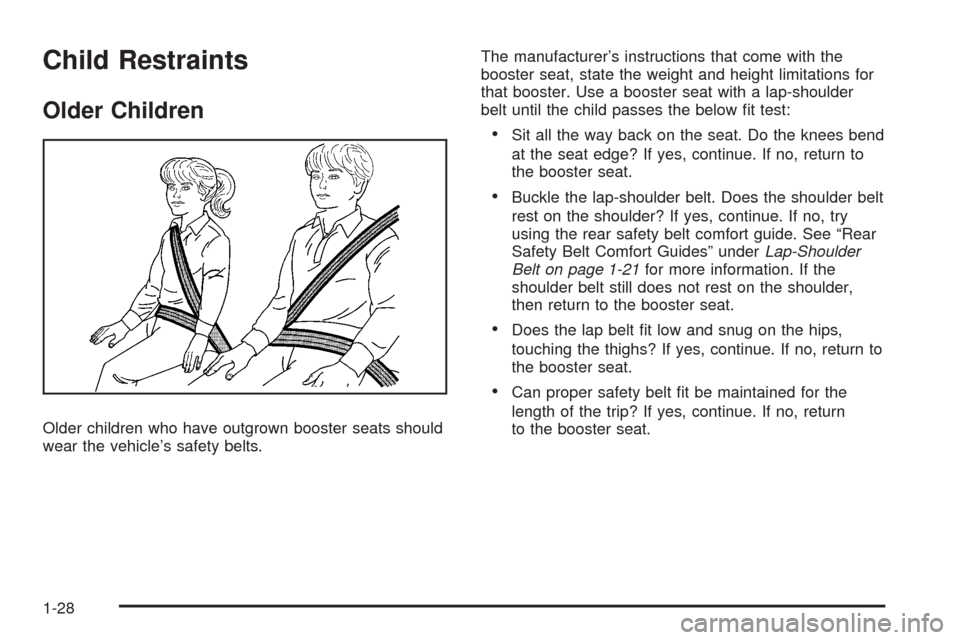
Older children who have outgrown booster seats should
wear the vehicle’s safety belts.The manufacturer’s instructions that come with the
booster seat, state the weight and height limitations for
that booster. Use a booster seat with a lap-shoulder
belt until the child passes the below t test:
Sit all the way back on the seat. Do the knees bend
at the seat edge? If yes, continue. If no, return to
the booster seat.
Buckle the lap-shoulder belt. Does the shoulder belt
rest on the shoulder? If yes, continue. If no, try
using the rear safety belt comfort guide. See “Rear
Safety Belt Comfort Guides” underLap-Shoulder
Belt on page 1-21for more information. If the
shoulder belt still does not rest on the shoulder,
then return to the booster seat.
Does the lap belt t low and snug on the hips,
touching the thighs? If yes, continue. If no, return to
the booster seat.
Can proper safety belt t be maintained for the
length of the trip? If yes, continue. If no, return
to the booster seat.
1-28
Page 39 of 500
Securing an Add-On Child Restraint in
the Vehicle
{CAUTION:
A child can be seriously injured or killed in a
crash if the child restraint is not properly
secured in the vehicle. Make sure the child
restraint is properly installed in the vehicle
using the vehicle’s safety belt or LATCH
system, following the instructions that came
with that restraint, and also the instructions in
this manual.
To help reduce the chance of injury, the child restraint
must be secured in the vehicle. Child restraint systems
must be secured in vehicle seats by lap belts or the
lap belt portion of a lap-shoulder belt, or by the LATCH
system. SeeLower Anchors and Tethers for Children
(LATCH) on page 1-37for more information. A child can
be endangered in a crash if the child restraint is not
properly secured in the vehicle.When securing an add-on child restraint, refer to the
instructions that come with the restraint which may be on
the restraint itself or in a booklet, or both, and to this
manual. The child restraint instructions are important, so
if they are not available, obtain a replacement copy
from the manufacturer.
Keep in mind that an unsecured child restraint can
move around in a collision or sudden stop and injure
people in the vehicle. Be sure to properly secure
any child restraint in your vehicle — even when no child
is in it.
Securing the Child Within the Child
Restraint
{CAUTION:
A child can be seriously injured or killed in a
crash if the child is not properly secured in the
child restraint. Because there are different
systems, it is important to refer to the
instructions that come with the restraint. Make
sure the child is properly secured, following
the instructions that came with that restraint.
1-35
Page 69 of 500
Adding Equipment to Your
Airbag-Equipped Vehicle
Q:Is there anything I might add to or change
about the vehicle that could keep the airbags
from working properly?
A:Yes. If you add things that change your vehicle’s
frame, bumper system, height, front end or side
sheet metal, they may keep the airbag system from
working properly. Changing or moving any parts
of the front seats, safety belts, the airbag sensing
and diagnostic module, steering wheel, instrument
panel, roof-rail airbag modules, ceiling headliner
or pillar garnish trim, overhead console, front
sensors, side impact sensors, or airbag wiring can
affect the operation of the airbag system.
In addition, your vehicle has a passenger sensing
system for the right front passenger’s position, which
includes sensors that are part of the passenger’s
seat. The passenger sensing system may not
operate properly if the original seat trim is replaced
with non-GM covers, upholstery or trim, or with GM
covers, upholstery or trim designed for a different
vehicle. Any object, such as an aftermarket seat
heater or a comfort enhancing pad or device,installed under or on top of the seat fabric, could also
interfere with the operation of the passenger sensing
system. This could either prevent proper deployment
of the passenger airbag(s) or prevent the passenger
sensing system from properly turning off the
passenger airbag(s). SeePassenger Sensing
System on page 1-60.
If you have any questions about this, you should
contact Customer Assistance before you modify
your vehicle. The phone numbers and addresses for
Customer Assistance are in Step Two of the
Customer Satisfaction Procedure in this manual.
SeeCustomer Satisfaction Procedure on page 7-2.
Q:Because I have a disability, I have to get
my vehicle modied. How can I nd out whether
this will affect my airbag system?
A:If you have questions, call Customer Assistance.
The phone numbers and addresses for Customer
Assistance are in Step Two of the Customer
Satisfaction Procedure in this manual. See
Customer Satisfaction Procedure on page 7-2.
In addition, your dealer/retailer and the service manual
have information about the location of the airbag sensors,
sensing and diagnostic module and airbag wiring.
1-65
Page 80 of 500
Matching Transmitter(s) to Your Vehicle
Each Keyless Access System is coded to allow only
transmitters programmed to your vehicle to work.
If a transmitter is lost or stolen, a replacement can be
purchased and programmed through your dealer/retailer.
Your dealer/retailer can reprogram your vehicle so lost
or stolen transmitters no longer work with your vehicle.
Each vehicle can have a maximum of four transmitters.
Two recognized transmitters are required for Canadian
owners.
To match a new transmitter to your vehicle when you
have a recognized transmitter:
1. The vehicle must be off.
2. Have the recognized transmitter and the new,
unrecognized transmitter(s) with you.
3. Insert the vehicle key into the key lock cylinder
located on the outside of the driver’s door.
4. Turn the key to the unlock position ve times within
ve seconds.
5. The Driver Information Center (DIC) will display
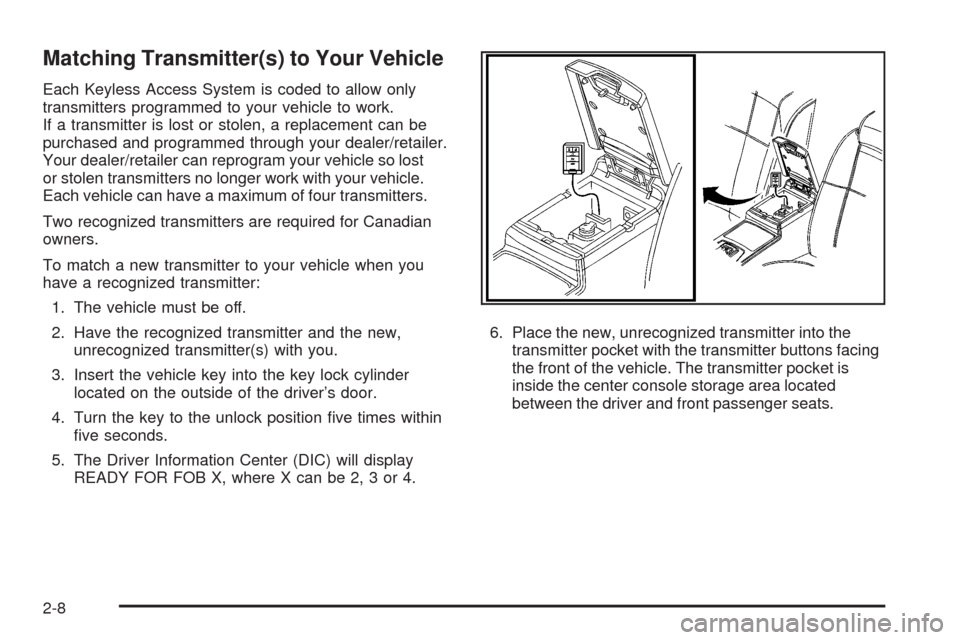
READY FOR FOB X, where X can be 2, 3 or 4.6. Place the new, unrecognized transmitter into the
transmitter pocket with the transmitter buttons facing
the front of the vehicle. The transmitter pocket is
inside the center console storage area located
between the driver and front passenger seats.
2-8
Page 81 of 500
7. Once the transmitter is programmed, a beep will
sound. The DIC will display READY FOR X,
where X can be 3 or 4, or MAX # FOBS LEARNED.
8. Remove the transmitter from the transmitter pocket
and press the unlock button on the keyless access
transmitter two times.
The Canadian immobilizer standard requires Canadian
owners to see their dealer/retailer for matching new
transmitters when two recognized transmitters are not
available. United States owners are permitted to match a
new transmitter to their vehicle when a recognized
transmitter is not available.The procedure will require three, ten minute cycles to
complete the matching process. Do the following:
1. The vehicle must be off.
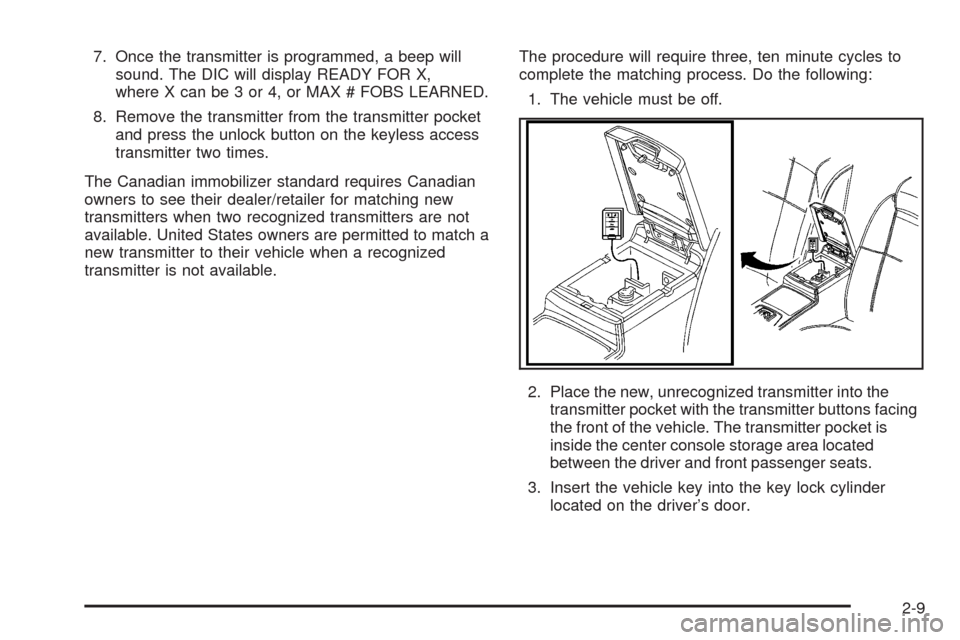
2. Place the new, unrecognized transmitter into the
transmitter pocket with the transmitter buttons facing
the front of the vehicle. The transmitter pocket is
inside the center console storage area located
between the driver and front passenger seats.
3. Insert the vehicle key into the key lock cylinder
located on the driver’s door.
2-9
Page 84 of 500
Remote Vehicle Start
This feature allows you to start the engine from outside
the vehicle.
Before the remote vehicle start system can be operated,
it must be turned on through the vehicle personalization
system.
You can also program the remote vehicle start system to
start up the vehicle’s automatic climate control system. If
this feature is turned on, the system monitors the outside
temperature and turns on the rear window defogger, front
window defogger, and heated or ventilated seats, if your
vehicle has them. See “Personal Settings Menu” under
Vehicle Personalization on page 2-60.
/(Remote Start):This button will be on the RKE
transmitter if you have remote start.
To start the vehicle using the remote start feature:
1. Aim the remote keyless access transmitter at the
vehicle.
2. Press the transmitter’s lock button, release it, and
then immediately press and hold the transmitter’s
remote start button for at least three seconds or until
the vehicle’s turn signal lamps ash. The vehicle’s
doors will be locked.
When the vehicle starts, the parking lamps will turn
on and remain on while the vehicle is running.3. If it is the rst remote start since the vehicle has been
driven, repeat these steps, while the engine is still
running, to extend the engine running time by
10 minutes. Remote start can be extended one time.
If the vehicle is left running it will automatically shut off
after 10 minutes unless a time extension has been
done. To manually shut off a remote start, do one of the
following:
Aim the keyless access transmitter at the vehicle
and press the remote start button until the parking
lamps turn off.
Turn on the hazard warning ashers.
Press the Acc. button (ignition switch). SeeIgnition
Positions on page 2-28.
Turn on the valet lockout switch. SeeValet Lockout
Switch on page 2-25.
When you enter the vehicle during a remote start, press
the brake pedal and press the start button on the
keyless ignition switch to transition from remote start
operation to normal vehicle operation.
2-12
Page 90 of 500
Rear Seat Pass-Through Door
To open the door:
1. Pull the rear seat armrest down.
2. If the door is locked, insert the key into the lock and
turn it counterclockwise.
3. Press the button above the lock and lower the door.
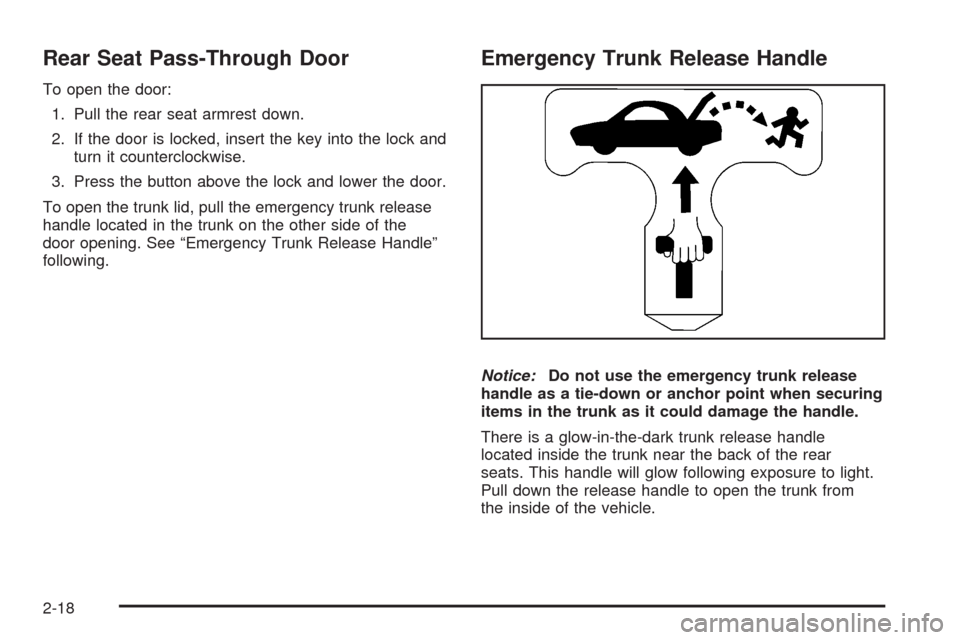
To open the trunk lid, pull the emergency trunk release
handle located in the trunk on the other side of the
door opening. See “Emergency Trunk Release Handle”
following.
Emergency Trunk Release Handle
Notice:Do not use the emergency trunk release
handle as a tie-down or anchor point when securing
items in the trunk as it could damage the handle.
There is a glow-in-the-dark trunk release handle
located inside the trunk near the back of the rear
seats. This handle will glow following exposure to light.
Pull down the release handle to open the trunk from
the inside of the vehicle.
2-18
Page 130 of 500
Storage Areas
Glove Box
To open the glove box, lift up on the lever.
Cupholder(s)
Your vehicle has two cupholders in the center
console area.
Center Console Storage
Your vehicle has a center console storage area located
between the front seats. It includes storage areas, and
accessory power outlet(s) on the rear of the console.
Convenience Net
Your vehicle may have a convenience net in the rear of
the vehicle. Put small loads behind the net. The net
is not for heavier loads. Store them as far forward
as you can.
Sunroof
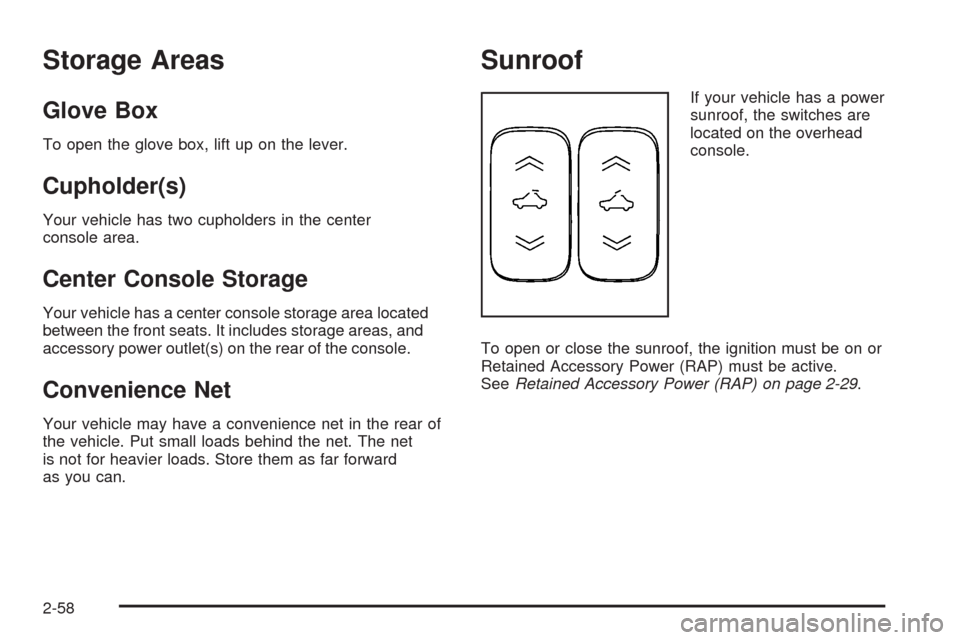
If your vehicle has a power
sunroof, the switches are
located on the overhead
console.
To open or close the sunroof, the ignition must be on or
Retained Accessory Power (RAP) must be active.
SeeRetained Accessory Power (RAP) on page 2-29.
2-58
Page 136 of 500
REMOTE START
If your vehicle has this feature, it allows you to choose
the features you would like to have activated when
you engage the remote start on your vehicle.
These features include the climate control system,
the rear defogger, and the seat temperature, if your
vehicle has this feature. Activating these features helps
provide a more comfortable vehicle upon entry. See
Remote Vehicle Start on page 2-12for more information.
Programmable Modes
Mode 1:ON (default)
Mode 2:OFF
To program the vehicle to a different mode:
1. Enter the PERSONAL SETTINGS MENU by
following the instructions listed previously under
“Entering the Personal Settings Menu.”
2. Turn the tune/select knob until REMOTE START is
highlighted.
3. Press the tune/select knob to switch back and forth
between on and off.
When REMOTE START is on, a check mark will appear
next to the feature name. You can then choose to
activate any or all of the following features by turning
the tune/select knob to highlight the feature, then
pressing the knob to turn it on.CLIMATE CONTROL:The climate control system will
engage when the vehicle is started using the remote
start feature. It will be at the same climate control setting
that was last used by the driver using that keyless
entry transmitter.
REAR WINDOW DEFOG:If this feature is active, the
rear defogger will engage when the vehicle is started
using the remote start feature.
SEAT TEMP (Temperature) CONTROL:If your vehicle
has this feature and this feature is active, the seats
will be heated or cooled when the vehicle is started
using the remote start feature.
The mode you selected is now set. You can either exit
the programming mode by following the instructions
later in this section or program the next feature available
on your vehicle by pressing the F6 (BACK) button,
located on the radio, to return to the PERSONAL
SETTINGS MENU.
2-64