light CADILLAC STS 2008 1.G Owner's Manual
[x] Cancel search | Manufacturer: CADILLAC, Model Year: 2008, Model line: STS, Model: CADILLAC STS 2008 1.GPages: 500, PDF Size: 5.81 MB
Page 98 of 500
Immobilizer
This device complies with Part 15 of the FCC Rules.
Operation is subject to the following two conditions:
1. This device may not cause interference.
2. This device must accept any interference received,
including interference that may cause undesired
operation.
This device complies with RSS-210 of Industry Canada.
Operation is subject to the following two conditions:
1. This device may not cause interference.
2. This device must accept any interference received,
including interference that may cause undesired
operation of the device.
Changes or modications to this system by other than
an authorized service facility could void authorization to
use this equipment.
Immobilizer Operation
Your vehicle has a passive theft-deterrent system.
The system is automatically armed when the ignition
mode transitions to off.
The immobilization system is disarmed when the ignition
mode transitions to OFF/ACCESSORY or START and
a valid transmitter is found in the vehicle.
You do not have to manually arm or disarm the system.
The security light will come on if there is a problem
with arming or disarming the theft-deterrent system.
The system has one or more keyless access
transmitters that are matched to an immobilizer control
unit in your vehicle. Only a correctly matched keyless
access transmitter will start the vehicle. If the keyless
access transmitter is ever damaged, you may not
be able to start your vehicle.
When trying to start the vehicle, if the engine does not
start and the security light comes on, there may be
a problem with your immobilizer system. Press
the START button again.
2-26
Page 107 of 500
The transmission will only allow you to shift into gears
appropriate for the vehicle speed and engine
Revolutions Per Minute (RPM). The transmission will
not automatically shift to the next higher gear if the
engine RPM is too high.
If shifting is prevented for any reason, the selected gear
will ash multiple times, indicating that the transmission
has not shifted gears.
The transmission will allow you to shift to the gear
selected and will automatically downshift when
the vehicle comes to a stop. This will allow for more
power during take-off and passing.
Parking Brake
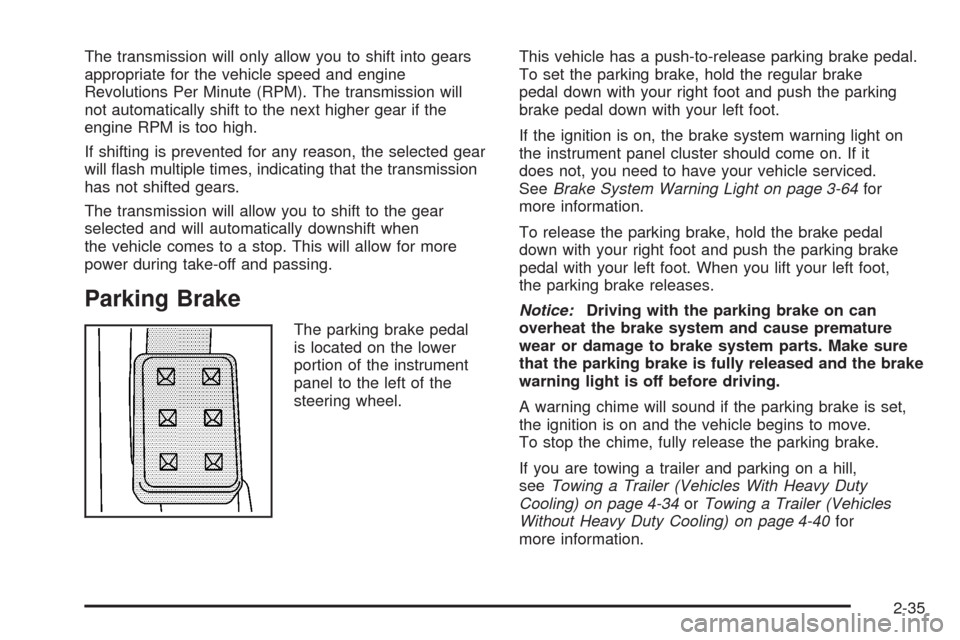
The parking brake pedal
is located on the lower
portion of the instrument
panel to the left of the
steering wheel.This vehicle has a push-to-release parking brake pedal.
To set the parking brake, hold the regular brake
pedal down with your right foot and push the parking
brake pedal down with your left foot.
If the ignition is on, the brake system warning light on
the instrument panel cluster should come on. If it
does not, you need to have your vehicle serviced.
SeeBrake System Warning Light on page 3-64for
more information.
To release the parking brake, hold the brake pedal
down with your right foot and push the parking brake
pedal with your left foot. When you lift your left foot,
the parking brake releases.
Notice:Driving with the parking brake on can
overheat the brake system and cause premature
wear or damage to brake system parts. Make sure
that the parking brake is fully released and the brake
warning light is off before driving.
A warning chime will sound if the parking brake is set,
the ignition is on and the vehicle begins to move.
To stop the chime, fully release the parking brake.
If you are towing a trailer and parking on a hill,
seeTowing a Trailer (Vehicles With Heavy Duty
Cooling) on page 4-34orTowing a Trailer (Vehicles
Without Heavy Duty Cooling) on page 4-40for
more information.
2-35
Page 112 of 500
Mirrors
Automatic Dimming Rearview Mirror
with Intellibeam™ and OnStar
®
Your vehicle may have an Intellibeam™ inside rearview
mirror with OnStar®controls. For more information
about OnStar®, seeOnStar®System on page 2-48.
To turn on and enable Intellibeam™, press and release
the Intellibeam™ button on the inside rear view
mirror. If the vehicle has the IntelliBeam™ Intelligent
High-Beam Headlamp Control System, the on/off button
can also be used to turn off or reset this system.
See “IntelliBeam™ Intelligent High-Beam Headlamp
Control System” underHeadlamps on page 3-33.
Automatic Dimming Rearview Mirror
Your vehicle may have an automatic dimming rearview
mirror.
AUTO/
((On/Off):Press and hold the AUTO button
located on the lower center of the mirror for about
three seconds to turn automatic dimming on.
The indicator light will illuminate when this feature is
active. The automatic dimming feature is active each
time the vehicle is started. Press and hold the
((off)
button located next to the AUTO button for about three
seconds to turn the automatic dimming feature off.
Automatic Dimming Rearview Mirror
with OnStar
®
Your vehicle may have an automatic dimming rearview
mirror that also contains OnStar®controls. For more
information on OnStar®, seeOnStar®System on
page 2-48.
Mirror Operation
O
(On/Off):Press and hold the button, located on the
lower left side of the mirror face, for about three seconds
to turn the automatic dimming feature on or off.
The indicator light will illuminate when this feature is
active. The automatic dimming feature is active each time
the vehicle is started.
Cleaning the Mirror
When cleaning the mirror, use a paper towel or similar
material dampened with glass cleaner. Do not spray
glass cleaner directly on the mirror as that may cause
the liquid cleaner to enter the mirror housing.
2-40
Page 113 of 500
Automatic Dimming Rearview Mirror
with OnStar
®and Compass
Your vehicle may have an automatic dimming rearview
mirror with a compass display. The mirror also
contains OnStar
®controls. For more information see
OnStar®System on page 2-48.
The mirror includes an eight-point compass display in
the upper right corner of the mirror face. When on,
the compass automatically calibrates as the vehicle
is driven.
Mirror Operation
O
(On/Off):Press and hold the button, located on
the lower left side of the mirror face, for about
three seconds to turn the automatic dimming feature on
or off. The indicator light will illuminate when this
feature is active. The automatic dimming feature is
active each time the vehicle is started.
Compass Operation
Press the on/off button once to turn the compass
on or off.
When the ignition and the compass feature are on,
the compass will show two character boxes for about
two seconds. After two seconds, the mirror will display
the compass heading.
Compass Calibration
If after two seconds, the display does not show a
compass heading (for example, N for North), there may
be a strong magnetic eld interfering with the compass.
Such interference may be caused by a magnetic
antenna mount, magnetic note pad holder or a similar
magnetic item. If the letter C should ever appear in the
compass window, the compass may need calibration.
The mirror can be calibrated by driving the vehicle in
circles at 5 mph (8 km/h) or less until the display reads
a direction.
The compass can be placed in calibration mode
manually by pressing and holding the on/off button
untilaCisshown in the compass display.
2-41
Page 117 of 500
Object Detection Systems
Ultrasonic Rear Parking Assist
(URPA)
If your vehicle has the Ultrasonic Rear Parking Assist
(URPA) system, it helps you park easier and avoid other
vehicles while in REVERSE (R). It operates at speeds
less than 3 mph (5 km/h). It can determine how close
objects are to the rear bumper, up to 5 feet (1.5 m)
behind your vehicle. The distance sensors are located
on the rear bumper.
{CAUTION:
The Ultrasonic Rear Parking Assist (URPA)
system does not replace driver vision.
It cannot detect:
objects that are below the bumper,
underneath the vehicle, or if they are
too close or far from the vehicle
children, pedestrians, bicyclists, or pets.
CAUTION: (Continued)
CAUTION: (Continued)
If you do not use proper care before and while
backing; vehicle damage, injury, or death
could occur. Even with URPA, always check
behind your vehicle before backing up. While
backing, be sure to look for objects and check
your vehicle’s mirrors.
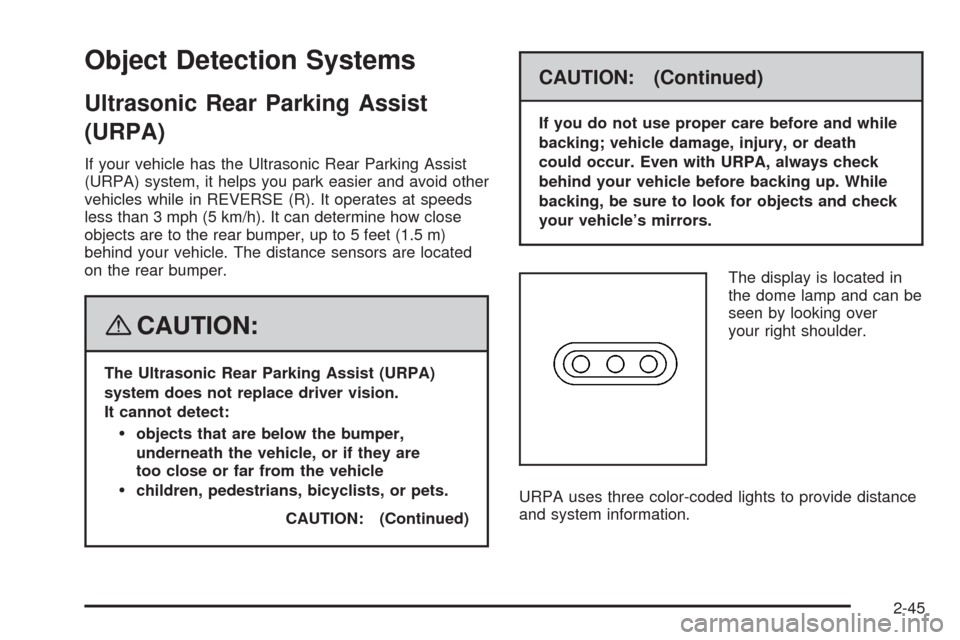
The display is located in
the dome lamp and can be
seen by looking over
your right shoulder.
URPA uses three color-coded lights to provide distance
and system information.
2-45
Page 118 of 500
How the System Works
URPA comes on automatically when the shift lever
is moved into REVERSE (R). The rear display will
then briey illuminate to let you know the system
is working.
URPA operates only at speeds less than 3 mph (5 km/h).
If you are above this speed, the red light on the rear
display will ash.
To be detected, objects must be at least 10 inches
(25.4 cm) off the ground and below trunk level.
Objects must also be within 5 feet (1.5 m) from your
rear bumper. This distance may be less during warmer
or humid weather.
A single beep will sound the rst time an object is
detected between 20 inches (0.5 m) and 5 feet (1.5 m)
away. Repeated beeping will occur when you are
closer than 20 inches (0.5 m) from the object.The following describes what will occur with the URPA
display as you get closer to a detected object:
Description English Metric
amber light 5 ft 1.5 m
amber/amber lights 40 in 1.0 m
amber/amber/red
lights/continuous beep20 in 0.5 m
amber/amber/red lights
ashing and
continuous beep1 ft 0.3 m
2-46
Page 119 of 500
When the System Does Not Seem to
Work Properly
The ultrasonic sensors are not clean, a red URPA
display light may illuminate when the vehicle is in
REVERSE (R). Keep your rear bumper free of mud,
dirt, snow, ice and slush. For cleaning instructions,
seeWashing Your Vehicle on page 5-110.
A trailer was attached to your vehicle, or a bicycle
or an object was hanging out of your trunk during
your last drive cycle, the red light may illuminate.
Once the attached object is removed, URPA
will return to normal operation.
The vehicle’s bumper is damaged. Take the vehicle
to your dealer/retailer to repair the system.
Other conditions may affect system performance,
such as vibrations from a jackhammer or the
compression of air brakes on a very large truck.
If the system is still disabled, after driving forward at
least 15 mph (25 km/h), take your vehicle to your
dealer/retailer.
Side Blind Zone Alert
Your vehicle may have a Side Blind Zone Alert (SBZA)
system. The SBZA system is an aid that may help
you avoid lane change crashes with vehicles in your side
blind spots (zones). Read the entire section before
using the system. See “Side Blind Zone Alert” in
the Index of the navigation manual.
Lane Departure Warning
Your vehicle may have a Lane Departure Warning
(LDW) system. The LDW system does not steer the
vehicle and is only an aid to help you stay in your driving
lane. Read the entire section before using the system.
See “Lane Departure Warning” in the Index of the
navigation manual.
2-47
Page 123 of 500
Location information about your vehicle is only available
if the GPS satellite signals are unobstructed and
available.
Your vehicle must have a working electrical system
(including adequate battery power) for the OnStar
equipment to operate. There are other problems OnStar
cannot control that may prevent OnStar from providing
OnStar service to you at any particular time or place.
Some examples are damage to important parts of your
vehicle in an accident, hills, tall buildings, tunnels,
weather or wireless phone network congestion.
Your Responsibility
Increase the radio volume if you cannot hear the OnStar
advisor. If the light next to the OnStar buttons is red,
this means that your system is not functioning properly
and should be checked by your dealer/retailer. If the
light appears clear (no light is appearing), your OnStar
subscription has expired. You can always press the
OnStar button to conrm that your OnStar equipment
is active.
Universal Home Remote
System
Universal Home Remote System
The Universal Home Remote System provides a way to
replace up to three hand-held Radio-Frequency (RF)
transmitters used to activate devices such as garage
door openers, security systems, and home lighting.
This device complies with Part 15 of the FCC Rules.
Operation is subject to the following two conditions:
1. This device may not cause harmful interference.
2. This device must accept any interference received,
including interference that may cause undesired
operation.
This device complies with RSS-210 of Industry Canada.
Operation is subject to the following two conditions:
1. This device may not cause interference.
2. This device must accept any interference received,
including interference that may cause undesired
operation of the device.
Changes or modications to this system by other than
an authorized service facility could void authorization to
use this equipment.
2-51
Page 124 of 500
Universal Home Remote System
Operation (With Three Round LED)
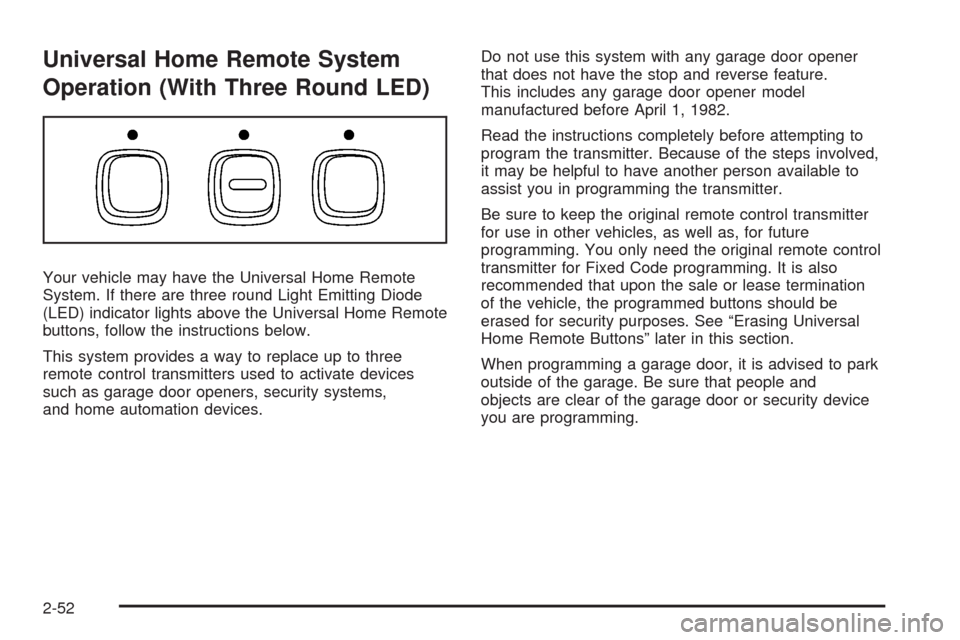
Your vehicle may have the Universal Home Remote
System. If there are three round Light Emitting Diode
(LED) indicator lights above the Universal Home Remote
buttons, follow the instructions below.
This system provides a way to replace up to three
remote control transmitters used to activate devices
such as garage door openers, security systems,
and home automation devices.Do not use this system with any garage door opener
that does not have the stop and reverse feature.
This includes any garage door opener model
manufactured before April 1, 1982.
Read the instructions completely before attempting to
program the transmitter. Because of the steps involved,
it may be helpful to have another person available to
assist you in programming the transmitter.
Be sure to keep the original remote control transmitter
for use in other vehicles, as well as, for future
programming. You only need the original remote control
transmitter for Fixed Code programming. It is also
recommended that upon the sale or lease termination
of the vehicle, the programmed buttons should be
erased for security purposes. See “Erasing Universal
Home Remote Buttons” later in this section.
When programming a garage door, it is advised to park
outside of the garage. Be sure that people and
objects are clear of the garage door or security device
you are programming.
2-52
Page 125 of 500
Programming Universal Home
Remote — Rolling Code
If you have questions or need help programming the
Universal Home Remote System, call 1-866-572-2728 or
go to www.learcar2u.com.
Most garage door openers sold after 1996 are Rolling
Code units.
Programming a garage door opener involves
time-sensitive actions, so read the entire procedure
before you begin. If you do not follow these actions,
the device will time out and you will have to repeat the
procedure.
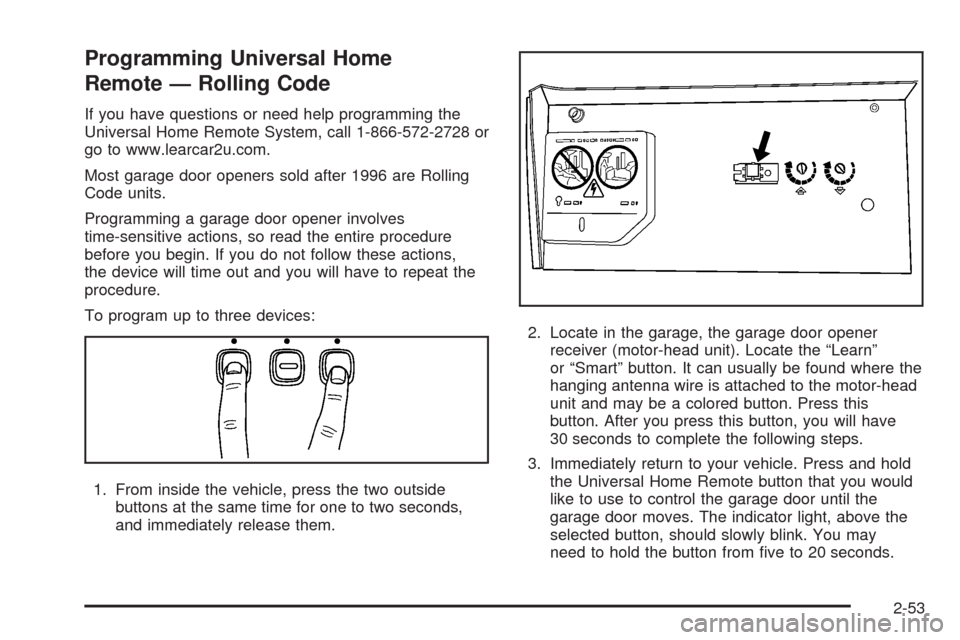
To program up to three devices:
1. From inside the vehicle, press the two outside
buttons at the same time for one to two seconds,
and immediately release them.2. Locate in the garage, the garage door opener
receiver (motor-head unit). Locate the “Learn”
or “Smart” button. It can usually be found where the
hanging antenna wire is attached to the motor-head
unit and may be a colored button. Press this
button. After you press this button, you will have
30 seconds to complete the following steps.
3. Immediately return to your vehicle. Press and hold
the Universal Home Remote button that you would
like to use to control the garage door until the
garage door moves. The indicator light, above the
selected button, should slowly blink. You may
need to hold the button from ve to 20 seconds.
2-53