light CADILLAC STS 2008 1.G Workshop Manual
[x] Cancel search | Manufacturer: CADILLAC, Model Year: 2008, Model line: STS, Model: CADILLAC STS 2008 1.GPages: 500, PDF Size: 5.81 MB
Page 151 of 500
Driver Selection Submenu Items
DRIVER 1/DRIVER 2
The numbers on the back of each keyless access
transmitter correspond to DRIVER 1 and DRIVER 2.
If you would like to recall or store driver settings for
the driver that does not correspond to the number on
the back of the keyless access transmitter that you
are using:
1. Enter the memory programming mode for your
driver settings by following the instructions listed
previously under “Entering the Driver Selection
Submenu.”
2. From the DRIVER SELECTION submenu, turn the
tune/select knob to highlight the driver number that
you want, either DRIVER 1 or DRIVER 2.
3. Set your choice by pressing in the tune/select knob.
If you would like to recall or store driver settings for
the selected driver, see “RECALL DRIVER SETTINGS”
or “STORE DRIVER SETTINGS” later in this section.
If you would like to recall or store exit settings for
the selected driver, see “RECALL EXIT SETTINGS” or
“STORE EXIT SETTINGS” later in this section.
RECALL DRIVER SETTINGS
To recall driver settings:
1. Enter the memory programming mode for your
driver settings by following the instructions listed
previously under “Entering the Driver Selection
Submenu.”
2. From the DRIVER SELECTION submenu, turn the
tune/select knob to scroll to RECALL DRIVER
SETTINGS and press in the knob.
If the vehicle is in PARK (P), one beep will sound
and your previously saved driving position will
then be recalled.
If the vehicle is not in PARK (P), three beeps will
sound and your previously saved driving position will
not be recalled.
A memory recall can be stopped by pressing any
memory seat or mirror position button.
If you would like the stored driving positions to be
recalled when unlocking your vehicle with the keyless
access transmitter or when starting your vehicle,
see “REMOTE RECALL MEMORY” or “START
BUTTON RECALL” underVehicle Personalization
on page 2-60.
2-79
Page 155 of 500
Instrument Panel Overview...............................3-4
Hazard Warning Flashers................................3-6
Other Warning Devices...................................3-6
Horn.............................................................3-6
Power Tilt Wheel and Telescopic
Steering Column.........................................3-7
Heated Steering Wheel...................................3-7
Turn Signal/Multifunction Lever.........................3-8
Turn and Lane-Change Signals........................3-8
Headlamp High/Low-Beam Changer..................3-9
Forward Collision Alert (FCA) System..............3-10
Flash-to-Pass...............................................3-13
Windshield Wipers........................................3-14
Rainsense™ II Wipers...................................3-15
Windshield Washer.......................................3-16
Headlamp Washer........................................3-16
Cruise Control..............................................3-17
Adaptive Cruise Control.................................3-20
Headlamps..................................................3-33
Wiper Activated Headlamps............................3-37Headlamps on Reminder................................3-37
Daytime Running Lamps (DRL).......................3-37
Fog Lamps..................................................3-39
Twilight Sentinel
®..........................................3-39
Exterior Lighting Battery Saver........................3-40
Instrument Panel Brightness...........................3-41
Entry Lighting...............................................3-41
Parade Dimming...........................................3-41
Reading Lamps............................................3-42
Battery Load Management.............................3-42
Electric Power Management...........................3-42
Inadvertent Power Battery Saver.....................3-43
Head-Up Display (HUD).................................3-43
Accessory Power Outlet(s).............................3-46
Ashtray(s) and Cigarette Lighter......................3-47
Climate Controls............................................3-48
Dual Climate Control System..........................3-48
Outlet Adjustment.........................................3-54
Rear Climate Control System.........................3-54
Passenger Compartment Air Filter...................3-55
Section 3 Instrument Panel
3-1
Page 156 of 500
Warning Lights, Gages, and Indicators............3-57
Instrument Panel Cluster................................3-58
Speedometer and Odometer...........................3-59
Tachometer.................................................3-59
Safety Belt Reminders...................................3-59
Airbag Readiness Light..................................3-60
Passenger Airbag Status Indicator...................3-61
Charging System Light..................................3-63
Brake System Warning Light..........................3-64
Antilock Brake System Warning Light...............3-65
Traction Control System (TCS)
Warning Light...........................................3-65
Lane Departure Warning Light........................3-66
Engine Coolant Temperature Warning Light......3-66
Engine Coolant Temperature Gage..................3-67
Tire Pressure Light.......................................3-67
Malfunction Indicator Lamp.............................3-68
Oil Pressure Light.........................................3-70
Security Light...............................................3-71
Fog Lamp Light............................................3-72
Lights On Reminder......................................3-72Cruise Control Light......................................3-72
Highbeam On Light.......................................3-72
Fuel Gage...................................................3-73
Driver Information Center (DIC).......................3-74
DIC Operation and Displays...........................3-74
DIC Warnings and Messages.........................3-80
Other Messages...........................................3-97
Audio System(s).............................................3-98
Setting the Time...........................................3-99
Radio(s) (MP3)...........................................3-100
Using an MP3............................................3-112
XM Radio Messages...................................3-116
Navigation/Radio System..............................3-117
Radio Personalization
..................................3-117
Theft-Deterrent Feature................................3-121
Audio Steering Wheel Controls......................3-121
Radio Reception.........................................3-123
Backglass Antenna......................................3-124
XM™ Satellite Radio Antenna System............3-124
Section 3 Instrument Panel
3-2
Page 161 of 500
Power Tilt Wheel and Telescopic
Steering Column
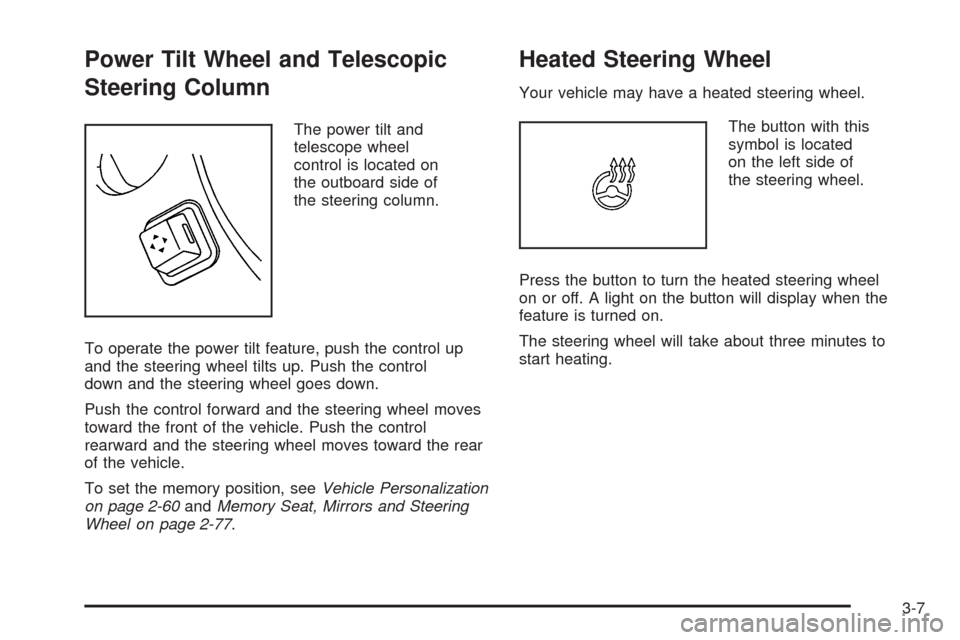
The power tilt and
telescope wheel
control is located on
the outboard side of
the steering column.
To operate the power tilt feature, push the control up
and the steering wheel tilts up. Push the control
down and the steering wheel goes down.
Push the control forward and the steering wheel moves
toward the front of the vehicle. Push the control
rearward and the steering wheel moves toward the rear
of the vehicle.
To set the memory position, seeVehicle Personalization
on page 2-60andMemory Seat, Mirrors and Steering
Wheel on page 2-77.
Heated Steering Wheel
Your vehicle may have a heated steering wheel.
The button with this
symbol is located
on the left side of
the steering wheel.
Press the button to turn the heated steering wheel
on or off. A light on the button will display when the
feature is turned on.
The steering wheel will take about three minutes to
start heating.
3-7
Page 163 of 500
Raise or lower the lever until the arrow starts to ash
to signal a lane change. Hold it briey until the lane
change is complete. The arrow will automatically ash
three times The lever returns to its original position
when it is released.
Rapid ashing of arrows when signaling for a turn
or lane change can be caused by a burned-out signal
bulb. Other drivers will not see the signal.
Replace burned-out bulbs to help avoid possible
accidents. Check the fuse for burned-out bulbs
if the arrow fails to work when signaling a turn.
SeeFuses and Circuit Breakers on page 5-117
for more information.
Turn Signal On Chime
If the turn signal is left on for about 1 mile (1.6 km),
a warning chime will sound and the TURN SIGNAL
ON message will appear on the Driver Information
Center (DIC) display. See “Turn Signal On” under
DIC Warnings and Messages on page 3-80for
more information.
Headlamp High/Low-Beam Changer
Push forward on the turn signal/multifunction lever
to change the headlamps from low to high beam.
Pull the lever back and then release it to change
from high to low beam.
If you turn the vehicle off with the high beams on,
the next time you start your vehicle the low beams
will be on.
To re-activate high beams, pull lever toward you and
then push it forward again.
This light on the
instrument panel cluster
will be on, indicating
high-beam usage.
3-9
Page 169 of 500
Rainsense™ II Wipers
If your vehicle has this feature, the moisture sensor is
mounted on the interior side of the windshield behind
the rearview mirror. It is used to automatically operate
the wipers by monitoring the amount of moisture
build-up on the windshield. Wipes occur as needed to
clear the windshield depending on driving conditions
and the sensitivity setting. In light rain or snow,
fewer wipes will occur. In heavy rain or snow, wipes
will occur more frequently. The Rainsense™ wipers
operate in a delay mode as well as a continuous low
or high speed as needed. If the system is left on for long
periods of time, occasional wipes may occur without
any moisture on the windshield. This is normal and
indicates that the Rainsense™ system is activated.
To activate the Rainsense™ system, turn the wiper band
to delay mode and select one of the four sensitivity
levels indicated on the wiper stalk. The position closest
to off is the lowest sensitivity setting, level one. This
allows more rain or snow to collect on the windshield
between wipes. Turning the wiper band away from
you to higher sensitivity levels increases the sensitivity
of the system and frequency of wipes. The highest
sensitivity setting, level four, is closest to low.A single wipe will occur each time you turn the wiper
stalk to a higher sensitivity level to indicate that the
sensitivity level has been increased.
Notice:Going through an automatic car wash with
the wipers on can damage them. Turn the wipers
off when going through an automatic car wash.
The mist and wash cycles operate as normal and
are not affected by the Rainsense™ function. The
Rainsense™ system can be overridden at any time by
manually turning the wiper band to low or high speed.
When Rainsense™ is active, the headlamps will turn
on automatically. The headlamps will turn off again
once the wipers turn off if it is light enough outside.
If it is dark, they will remain on. SeeWiper Activated
Headlamps on page 3-37.
Notice:Do not place stickers or other items on
the exterior glass surface directly in front of
the moisture sensor. Doing this could cause the
moisture sensor to malfunction.
3-15
Page 172 of 500
Setting Cruise Control
{CAUTION:
If you leave your cruise control on when you
are not using cruise, you might hit a button
and go into cruise when you do not want to.
You could be startled and even lose control.
Keep the cruise control switch off until you
want to use cruise control.
1. Move the cruise control switch to on.
2. Get up to the speed desired.
3. Press in the set button at the end of the lever
and release it.
4. Take your foot off the accelerator pedal.
This light on the instrument
panel cluster comes on
while cruise control is on.
Resuming a Set Speed
If the cruise control is at the set speed desired and then
the brake is applied, the cruise control is disengaged.
But it does not need to be reset.
Once the vehicle speed reaches about 25 mph (40 km/h)
or more, you can move the cruise control switch
briey from on to resume/accelerate.
The vehicle will go right back up to your chosen speed
and stay there.
If you hold the switch at resume/accelerate the vehicle
will keep going faster until you release the switch or apply
the brake. Do not hold the switch at resume/accelerate,
unless you want the vehicle to go faster.
Increasing Speed While Using
Cruise Control
There are two ways to go to a higher speed:
Use the accelerator pedal to get to the higher
speed. Press the set button at the end of the lever,
then release the button and the accelerator
pedal. You will now cruise at the higher speed.
Move the cruise switch from on to resume/
accelerate. Hold it there until the desired speed is
reached, and then release the switch. To increase
your speed in very small amounts, move the switch
briey to resume/accelerate. Each time this is done,
your vehicle goes about 1 mph (1.6 km/h) faster.
3-18
Page 173 of 500
If using the accelerator pedal and the set button at
end of the lever to increase cruise set speed, your new
set speed must be at least 5 mph higher than current
speed for this method to work. If it is not 5 mph higher,
switch cruise switch off, then on, and then reset your
speed using the set button.
Reducing Speed While Using
Cruise Control
There are two ways to reduce your speed while using
cruise control:
Press in the button at the end of the lever until you
reach the lower speed desired, then release it.
To slow down in very small amounts, briey press
the set button. Each time this is done, the vehicle
goes about 1 mph (1.6 km/h) slower.
Passing Another Vehicle While Using
Cruise Control
Use the accelerator pedal to increase your vehicle
speed. When you take your foot off the pedal,
the vehicle slows down to the cruise control speed
you set earlier.
Using Cruise Control on Hills
How well the cruise control works on hills depends
upon the vehicle speed, load, and the steepness of
the hills. When going up steep hills, you might have to
step on the accelerator pedal to maintain the vehicle’s
speed. When going downhill, you might have to
brake to keep the vehicle’s speed down. Applying
the brake will turn off the cruise control. If you need
to apply the brake due to the grade of the downhill
slope, you might not want to attempt to use your
cruise control feature.
Ending Cruise Control
To end a cruise control session, step lightly on the
brake pedal.
Stepping on the brake pedal will end the current cruise
control session only. Move the cruise control switch
to off to turn off the system completely.
Erasing Speed Memory
When the cruise control or the ignition is turned off,
the cruise control set speed memory is erased.
3-19
Page 181 of 500
Approaching and Following a Vehicle
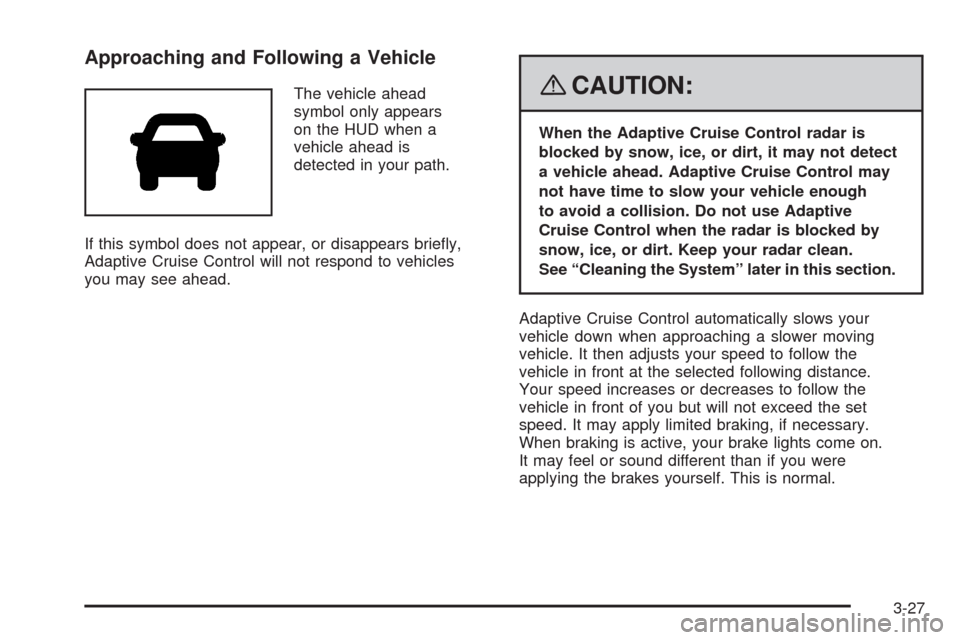
The vehicle ahead
symbol only appears
on the HUD when a
vehicle ahead is
detected in your path.
If this symbol does not appear, or disappears briey,
Adaptive Cruise Control will not respond to vehicles
you may see ahead.{CAUTION:
When the Adaptive Cruise Control radar is
blocked by snow, ice, or dirt, it may not detect
a vehicle ahead. Adaptive Cruise Control may
not have time to slow your vehicle enough
to avoid a collision. Do not use Adaptive
Cruise Control when the radar is blocked by
snow, ice, or dirt. Keep your radar clean.
See “Cleaning the System” later in this section.
Adaptive Cruise Control automatically slows your
vehicle down when approaching a slower moving
vehicle. It then adjusts your speed to follow the
vehicle in front at the selected following distance.
Your speed increases or decreases to follow the
vehicle in front of you but will not exceed the set
speed. It may apply limited braking, if necessary.
When braking is active, your brake lights come on.
It may feel or sound different than if you were
applying the brakes yourself. This is normal.
3-27
Page 187 of 500
Headlamps
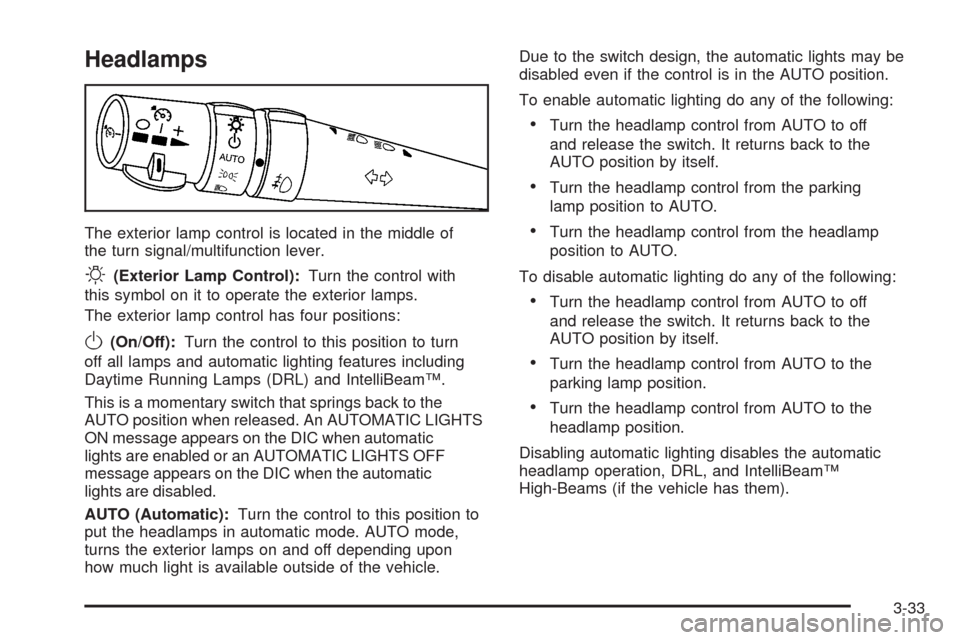
The exterior lamp control is located in the middle of
the turn signal/multifunction lever.
O(Exterior Lamp Control):Turn the control with
this symbol on it to operate the exterior lamps.
The exterior lamp control has four positions:
O(On/Off):Turn the control to this position to turn
off all lamps and automatic lighting features including
Daytime Running Lamps (DRL) and IntelliBeam™.
This is a momentary switch that springs back to the
AUTO position when released. An AUTOMATIC LIGHTS
ON message appears on the DIC when automatic
lights are enabled or an AUTOMATIC LIGHTS OFF
message appears on the DIC when the automatic
lights are disabled.
AUTO (Automatic):Turn the control to this position to
put the headlamps in automatic mode. AUTO mode,
turns the exterior lamps on and off depending upon
how much light is available outside of the vehicle.Due to the switch design, the automatic lights may be
disabled even if the control is in the AUTO position.
To enable automatic lighting do any of the following:
Turn the headlamp control from AUTO to off
and release the switch. It returns back to the
AUTO position by itself.
Turn the headlamp control from the parking
lamp position to AUTO.
Turn the headlamp control from the headlamp
position to AUTO.
To disable automatic lighting do any of the following:
Turn the headlamp control from AUTO to off
and release the switch. It returns back to the
AUTO position by itself.
Turn the headlamp control from AUTO to the
parking lamp position.
Turn the headlamp control from AUTO to the
headlamp position.
Disabling automatic lighting disables the automatic
headlamp operation, DRL, and IntelliBeam™
High-Beams (if the vehicle has them).
3-33