brake light CADILLAC STS 2011 1.G User Guide
[x] Cancel search | Manufacturer: CADILLAC, Model Year: 2011, Model line: STS, Model: CADILLAC STS 2011 1.GPages: 528, PDF Size: 4.96 MB
Page 220 of 528

Black plate (34,1)Cadillac STS Owner Manual - 2011
Twilight Sentinel®
Twilight Sentinel®can turn the lamps on and off for you.
A light sensor on top of the instrument panel makes the
Twilight Sentinel work, so be sure it is not covered.With Twilight Sentinel the following will happen:
.When it is dark enough outside, the front turn
signal lamps (DRL) will go off, and the headlamps
and parking lamps will come on. The other lamps
that come on with headlamps will also come on.
.When it is bright enough outside, the headlamps
will go off, and the front turn signal lamps (DRL)
will come on, as long as the exterior lamp switch is
in the off position.
If the vehicle is started in a dark garage, the automatic
headlamp system comes on immediately. Once the
vehicle leaves the garage, it will take about one minute
for the automatic headlamp system to change to DRL if
it is light outside. During that delay, the instrument panel
cluster might not be as bright as usual. Make sure the
instrument panel brightness control is in full bright
position. See Instrument Panel Brightness
on
page 4‑35for more information.
You can idle the vehicle with the lamps off, even when it
is dark outside. First set the parking brake while the
ignition is in OFF/ACCESSORY. Then start the vehicle.
The lamps will stay off until the parking brake is
released.
4-34
Page 244 of 528
Black plate (58,1)Cadillac STS Owner Manual - 2011
Brake System Warning Light
The vehicle brake system consists of two hydraulic
circuits. If one circuit is not working, the remaining
circuit can still work to stop the vehicle. For normal
braking performance, both circuits need to be working
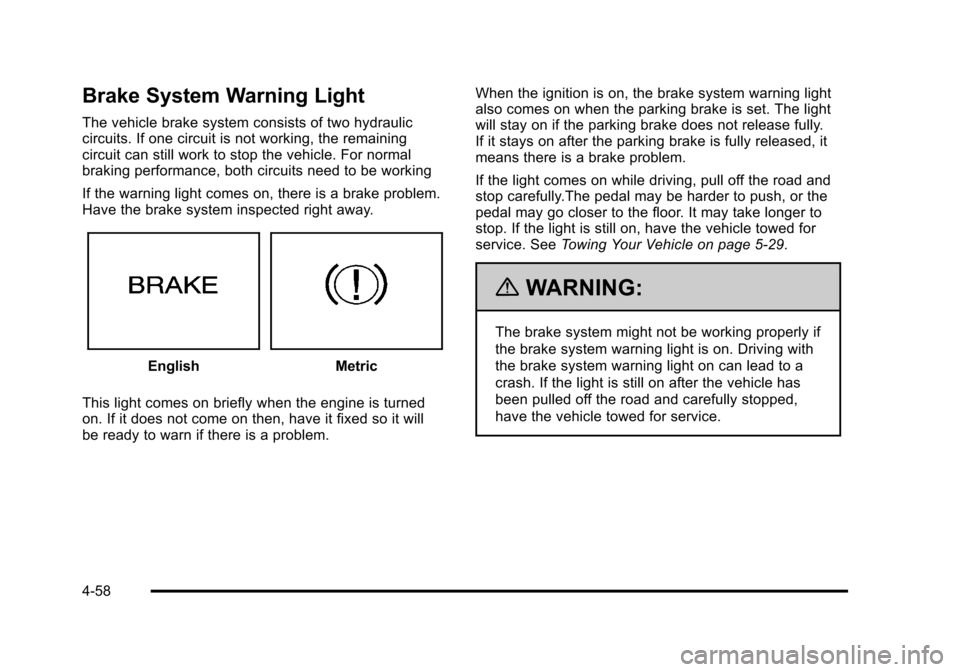
If the warning light comes on, there is a brake problem.
Have the brake system inspected right away.
EnglishMetric
This light comes on briefly when the engine is turned
on. If it does not come on then, have it fixed so it will
be ready to warn if there is a problem. When the ignition is on, the brake system warning light
also comes on when the parking brake is set. The light
will stay on if the parking brake does not release fully.
If it stays on after the parking brake is fully released, it
means there is a brake problem.
If the light comes on while driving, pull off the road and
stop carefully.The pedal may be harder to push, or the
pedal may go closer to the floor. It may take longer to
stop. If the light is still on, have the vehicle towed for
service. See
Towing Your Vehicle on page 5‑29.
{WARNING:
The brake system might not be working properly if
the brake system warning light is on. Driving with
the brake system warning light on can lead to a
crash. If the light is still on after the vehicle has
been pulled off the road and carefully stopped,
have the vehicle towed for service.
4-58
Page 245 of 528
Black plate (59,1)Cadillac STS Owner Manual - 2011
Antilock Brake System (ABS)
Warning Light
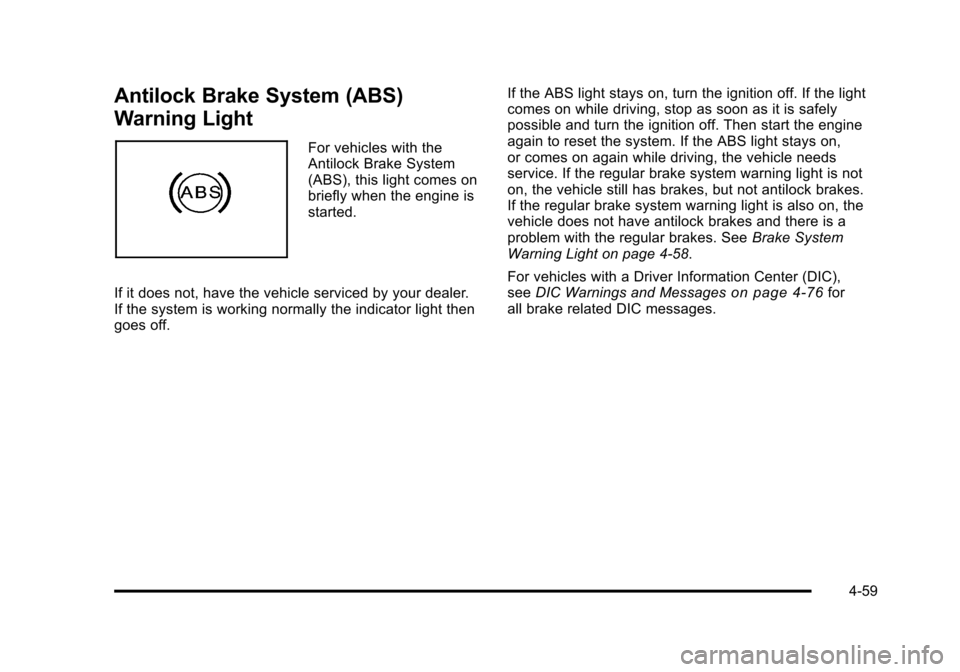
For vehicles with the
Antilock Brake System
(ABS), this light comes on
briefly when the engine is
started.
If it does not, have the vehicle serviced by your dealer.
If the system is working normally the indicator light then
goes off. If the ABS light stays on, turn the ignition off. If the light
comes on while driving, stop as soon as it is safely
possible and turn the ignition off. Then start the engine
again to reset the system. If the ABS light stays on,
or comes on again while driving, the vehicle needs
service. If the regular brake system warning light is not
on, the vehicle still has brakes, but not antilock brakes.
If the regular brake system warning light is also on, the
vehicle does not have antilock brakes and there is a
problem with the regular brakes. See
Brake System
Warning Light on page 4‑58.
For vehicles with a Driver Information Center (DIC),
see DIC Warnings and Messages
on page 4‑76for
all brake related DIC messages.
4-59
Page 264 of 528
Black plate (78,1)Cadillac STS Owner Manual - 2011
BATTERY VOLTAGE LOW
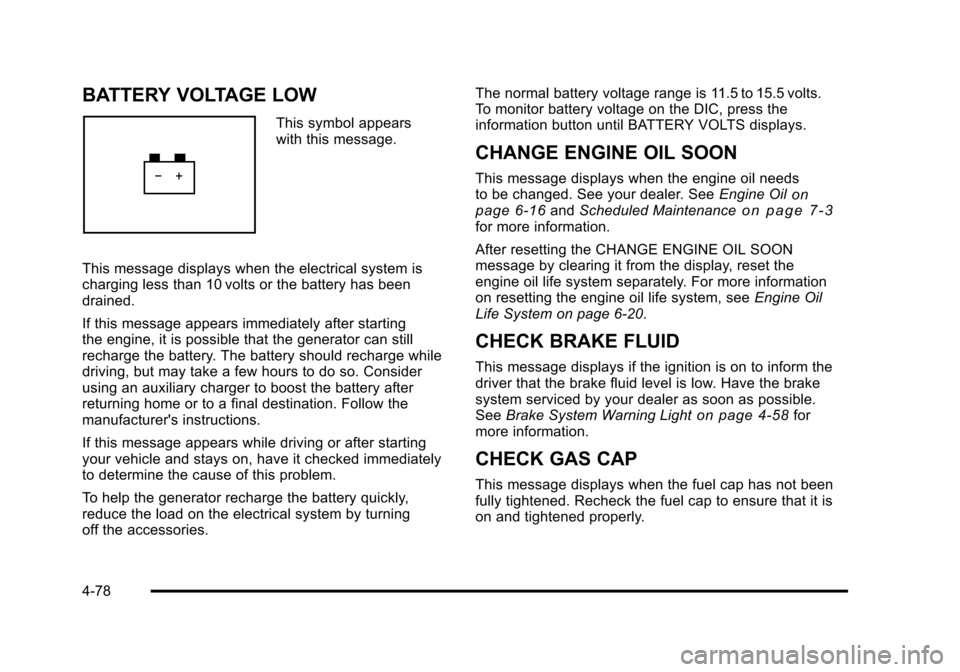
This symbol appears
with this message.
This message displays when the electrical system is
charging less than 10 volts or the battery has been
drained.
If this message appears immediately after starting
the engine, it is possible that the generator can still
recharge the battery. The battery should recharge while
driving, but may take a few hours to do so. Consider
using an auxiliary charger to boost the battery after
returning home or to a final destination. Follow the
manufacturer's instructions.
If this message appears while driving or after starting
your vehicle and stays on, have it checked immediately
to determine the cause of this problem.
To help the generator recharge the battery quickly,
reduce the load on the electrical system by turning
off the accessories. The normal battery voltage range is 11.5 to 15.5 volts.
To monitor battery voltage on the DIC, press the
information button until BATTERY VOLTS displays.
CHANGE ENGINE OIL SOON
This message displays when the engine oil needs
to be changed. See your dealer. See
Engine Oilon
page 6‑16and Scheduled Maintenanceon page 7‑3for more information.
After resetting the CHANGE ENGINE OIL SOON
message by clearing it from the display, reset the
engine oil life system separately. For more information
on resetting the engine oil life system, see Engine Oil
Life System on page 6‑20.
CHECK BRAKE FLUID
This message displays if the ignition is on to inform the
driver that the brake fluid level is low. Have the brake
system serviced by your dealer as soon as possible.
See Brake System Warning Light
on page 4‑58for
more information.
CHECK GAS CAP
This message displays when the fuel cap has not been
fully tightened. Recheck the fuel cap to ensure that it is
on and tightened properly.
4-78
Page 272 of 528
Black plate (86,1)Cadillac STS Owner Manual - 2011
SERVICE AIR BAG
This message displays if there is a problem with the
airbag system. Have your vehicle serviced by your
dealer immediately. SeeAirbag Readiness Light
on
page 4‑54for more information.
SERVICE BRAKE ASSIST
This message displays when a problem with the panic
brake assist system has been detected. Have your
vehicle serviced by your dealer.
SERVICE LANE DEPARTURE SYSTEM
If your vehicle has the Lane Departure Warning (LDW)
system, this message may display to indicate that the
LDW system is not working properly. If this message
remains on after continued driving, the system needs
service. See your dealer. See the Index in the
Navigation manual for more information.
SERVICE RADAR CRUISE
This message displays when the Adaptive Cruise
Control system is disabled and needs service. See
your dealer.
SERVICE SIDE BLIND ZONE ALERT
SYSTEM
If your vehicle has the Side Blind Zone Alert (SBZA)
system and this message displays, both SBZA
displays will remain on indicating there is a problem
with the SBZA system. If these displays remain on after
continued driving, the system needs service. See your
dealer. See the Index in the Navigation manual for more
information.
SERVICE STABILITY SYS (System)
Your vehicle has a vehicle stability enhancement
system called StabiliTrak®. All-Wheel Drive (AWD)
vehicle with the Active Steering with Enhanced
StabiliTrak option have a stability enhancement
system called Enhanced StabiliTrak.
This message displays if there has been a problem
detected with the stability system.
If this message comes on while driving, pull off the road
as soon as possible and stop carefully. Try resetting the
system by turning the ignition off then back on. If this
message still stays on or comes back on again while
driving, your vehicle needs service. Have the stability
system inspected by your dealer as soon as possible.
See StabiliTrak
®Systemon page 5‑6orEnhanced
StabiliTrak®on page 5‑7for more information.
4-86
Page 316 of 528
Black plate (4,1)Cadillac STS Owner Manual - 2011
Braking
SeeBrake System Warning Light on page 4‑58.
Braking action involves perception time and reaction
time. Deciding to push the brake pedal is perception
time. Actually doing it is reaction time.
Average reaction time is about three‐fourths of a
second. But that is only an average. It might be less
with one driver and as long as two or three seconds or
more with another. Age, physical condition, alertness,
coordination, and eyesight all play a part. So do alcohol,
drugs, and frustration. But even in three‐fourths of a
second, a vehicle moving at 100 km/h (60 mph) travels
20 m (66 feet). That could be a lot of distance in an
emergency, so keeping enough space between the
vehicle and others is important.
And, of course, actual stopping distances vary greatly
with the surface of the road, whether it is pavement or
gravel; the condition of the road, whether it is wet, dry,
or icy; tire tread; the condition of the brakes; the weight
of the vehicle; and the amount of brake force applied. Avoid needless heavy braking. Some people drive in
spurts, heavy acceleration followed by heavy braking,
rather than keeping pace with traffic. This is a mistake.
The brakes might not have time to cool between hard
stops. The brakes will wear out much faster with a lot
of heavy braking. Keeping pace with the traffic and
allowing realistic following distances eliminates a lot of
unnecessary braking. That means better braking and
longer brake life.
If the engine ever stops while the vehicle is being
driven, brake normally but do not pump the brakes.
If the brakes are pumped, the pedal could get harder to
push down. If the engine stops, there will still be some
power brake assist but it will be used when the brake is
applied. Once the power assist is used up, it can take
longer to stop and the brake pedal will be harder
to push.
Adding non‐dealer/non‐retailer accessories can affect
vehicle performance. See
Accessories and
Modifications on page 6‑4.
5-4
Page 317 of 528
Black plate (5,1)Cadillac STS Owner Manual - 2011
Antilock Brake System (ABS)
This vehicle has the Antilock Brake System (ABS), an
advanced electronic braking system that helps prevent
a braking skid.
When the engine is started and the vehicle begins to
drive away, ABS checks itself. A momentary motor or
clicking noise might be heard while this test is going on,
and it might even be noticed that the brake pedal
moves a little. This is normal.
If there is a problem with
ABS, this warning light
stays on. SeeAntilock
Brake System (ABS)
Warning Light
on
page 4‑59.
Let us say the road is wet and you are driving safely.
Suddenly, an animal jumps out in front of you. You slam
on the brakes and continue braking. Here is what
happens with ABS:
A computer senses that the wheels are slowing down.
If one of the wheels is about to stop rolling, the
computer will separately work the brakes at each wheel. ABS can change the brake pressure to each wheel, as
required, faster than any driver could. This can help the
driver steer around the obstacle while braking hard.
As the brakes are applied, the computer keeps
receiving updates on wheel speed and controls braking
pressure accordingly.
Remember: ABS does not change the time needed to
get a foot up to the brake pedal or always decrease
stopping distance. If you get too close to the vehicle in
front of you, there will not be enough time to apply the
brakes if that vehicle suddenly slows or stops. Always
leave enough room up ahead to stop, even with ABS.
Using ABS
Do not pump the brakes. Just hold the brake pedal
down firmly and let antilock work. The antilock pump or
motor might be heard operating and the brake pedal
might be felt to pulsate , but this is normal.
5-5
Page 321 of 528
Black plate (9,1)Cadillac STS Owner Manual - 2011
When the vehicle is started, Stability control comes on
automatically in the Stability Touring Mode.
.To change from Stability Touring Mode to Stability
Off Mode, press and hold the TC button until the
STABILITY SYS OFF message is displayed on
the DIC.
.To change from Stability Off Mode to Stability
Touring Mode, press and release the TC button
and the STABILITY TOURING MODE message will
be displayed on the DIC.
.To turn traction control off while in the Stability
Touring Mode, press and release the TC button
and the traction control system warning light will
come on. SeeTraction Control System (TCS)
on
page 5‑9.
.To turn traction control on while in the Stability
Touring Mode, press and release the TC button
and the traction control system warning light will
turn off.
Traction Control System (TCS)
The vehicle has a traction control system that limits
wheel spin. This is especially useful in slippery road
conditions. On a rear-wheel-drive vehicle, the system
operates if it senses that one or both of the rear wheels
are spinning or beginning to lose traction. On an
All-Wheel-Drive (AWD) vehicle, the system will operate
if it senses that any of the wheels are spinning or
beginning to lose traction. When this happens, the
system brakes the spinning wheel(s) and/or reduces
engine power to limit wheel spin.
The system may be heard or felt while it is working, but
this is normal.
This warning light comes
on if there is a problem
with TCS.
See Traction Control System (TCS) Warning Light
on
page 4‑60. When this warning light is on, the system
will not limit wheel spin. Adjust your driving accordingly.
5-9
Page 322 of 528
Black plate (10,1)Cadillac STS Owner Manual - 2011
TCS automatically comes on whenever the vehicle is
started. To limit wheel spin, especially in slippery road
conditions, the system should always be left on, but
TCS can be turned off if needed.
Notice:Do not repeatedly brake or accelerate
heavily when TCS is off. The vehicle's driveline
could be damaged.
When TCS is turned off on a vehicle with AWD, the
system may still be working. This is normal and
necessary with the hardware on the vehicle.
It may be necessary to turn the system off if the vehicle
gets stuck in sand, mud or snow and rocking the vehicle
is required. See Rocking Your Vehicle to Get It Out
on
page 5‑23and If Your Vehicle is Stuck in Sand, Mud,
Ice, or Snowon page 5‑22for more information. See
Winter Drivingon page 5‑20for information on using
TCS when driving in snowy or icy conditions.
To turn the system off,
press the TCS/StabiliTrak
button located near the
shift lever.
For AWD vehicles with the Active Steering with
Enhanced StabiliTrak option, the TCS/StabiliTrak button
is used to turn traction control on and off and to turn
StabiliTrak on and off. See Enhanced StabiliTrak
®on
page 5‑7for instructions on selecting the proper
stability control mode.
Press and release the TCS/StabiliTrak button and TCS
will turn off and the Traction Control System Warning
Light will come on. Press the button again to turn the
system back on.
Adding non‐GM accessories can affect the vehicle's
performance. See Accessories and Modifications
on
page 6‑4for more information.
5-10
Page 326 of 528
Black plate (14,1)Cadillac STS Owner Manual - 2011
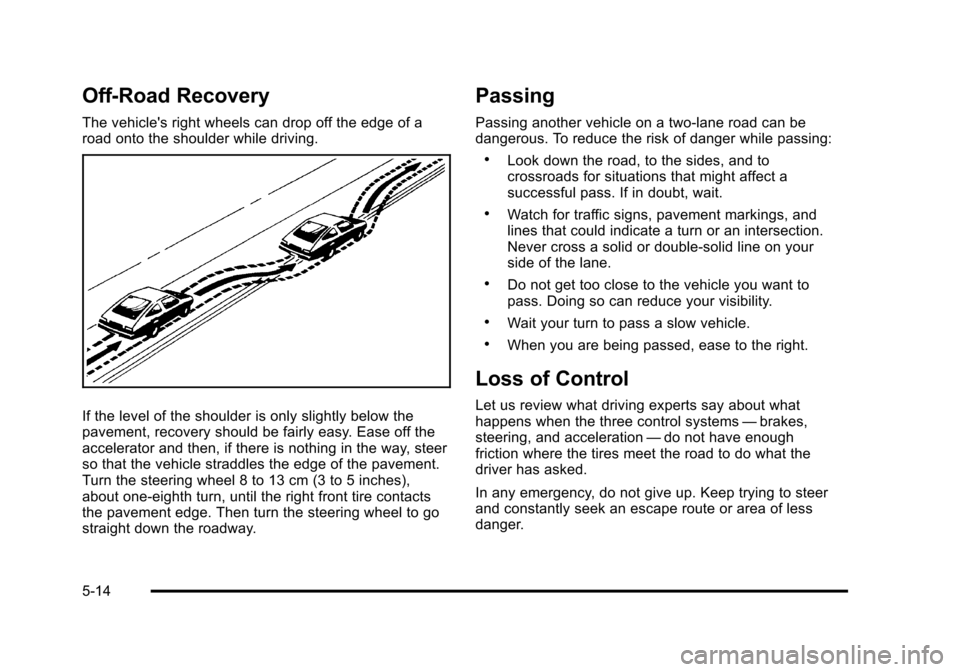
Off-Road Recovery
The vehicle's right wheels can drop off the edge of a
road onto the shoulder while driving.
If the level of the shoulder is only slightly below the
pavement, recovery should be fairly easy. Ease off the
accelerator and then, if there is nothing in the way, steer
so that the vehicle straddles the edge of the pavement.
Turn the steering wheel 8 to 13 cm (3 to 5 inches),
about one-eighth turn, until the right front tire contacts
the pavement edge. Then turn the steering wheel to go
straight down the roadway.
Passing
Passing another vehicle on a two-lane road can be
dangerous. To reduce the risk of danger while passing:
.Look down the road, to the sides, and to
crossroads for situations that might affect a
successful pass. If in doubt, wait.
.Watch for traffic signs, pavement markings, and
lines that could indicate a turn or an intersection.
Never cross a solid or double‐solid line on your
side of the lane.
.Do not get too close to the vehicle you want to
pass. Doing so can reduce your visibility.
.Wait your turn to pass a slow vehicle.
.When you are being passed, ease to the right.
Loss of Control
Let us review what driving experts say about what
happens when the three control systems—brakes,
steering, and acceleration —do not have enough
friction where the tires meet the road to do what the
driver has asked.
In any emergency, do not give up. Keep trying to steer
and constantly seek an escape route or area of less
danger.
5-14