transmission CADILLAC STS 2011 1.G User Guide
[x] Cancel search | Manufacturer: CADILLAC, Model Year: 2011, Model line: STS, Model: CADILLAC STS 2011 1.GPages: 528, PDF Size: 4.96 MB
Page 134 of 528
Black plate (28,1)Cadillac STS Owner Manual - 2011
2. When the engine begins cranking, let go of thebutton and the engine cranks automatically until
it starts. If the battery in the keyless access
transmitter is weak, the DIC displays KEY FOB
BATTERY LOW. You can still drive the vehicle.
See “Battery Replacement” underKeyless Access
System Operation
on page 3‑5for more
information. If the fob battery is dead, you need to
insert the fob into the fob slot to enable engine
starting. See “No Fobs Detected” underDIC
Warnings and Messages on page 4‑76.
3. Do not race the engine immediately after starting it. Operate the engine and transmission gently until
the oil warms up and lubricates all moving parts.
4. If the engine does not start and no DIC message is displayed, wait 15 seconds before trying again to
let the cranking motor cool down.
If the engine does not start after 5-10 seconds,
especially in very cold weather (below
0°F or −18°C), it could be flooded with too
much gasoline. Try pushing the accelerator
pedal all the way to the floor while cranking
for up to 15 seconds maximum. Notice:
Cranking the engine for long periods of
time, by pressing the START button immediately
after cranking has ended, can overheat and damage
the cranking motor, and drain the battery. Wait at
least 15 seconds between each try, to allow the
cranking motor to cool down.
When the engine starts, let go of the accelerator. If the
vehicle starts briefly but then stops again, do the same
thing. This clears the extra gasoline from the engine.
The vehicle has a Computer-Controlled Cranking
System. This feature assists in starting the engine and
protects components. Once cranking has been initiated,
the engine continues cranking for a few seconds or until
the vehicle starts. If the engine does not start, cranking
automatically stops after 15 seconds to prevent
cranking motor damage. To prevent gear damage, this
system also prevents cranking if the engine is already
running.
Notice: The engine is designed to work with the
electronics in the vehicle. If you add electrical
parts or accessories, you could change the way
the engine operates. Before adding electrical
equipment, check with your dealer. If you do not,
the engine might not perform properly. Any
resulting damage would not be covered by the
vehicle warranty.
3-28
Page 136 of 528
Black plate (30,1)Cadillac STS Owner Manual - 2011
The length of time the heater should remain plugged in
depends on several factors. Ask a dealer in the area
where you will be parking the vehicle for the best advice
on this.
Automatic Transmission Operation
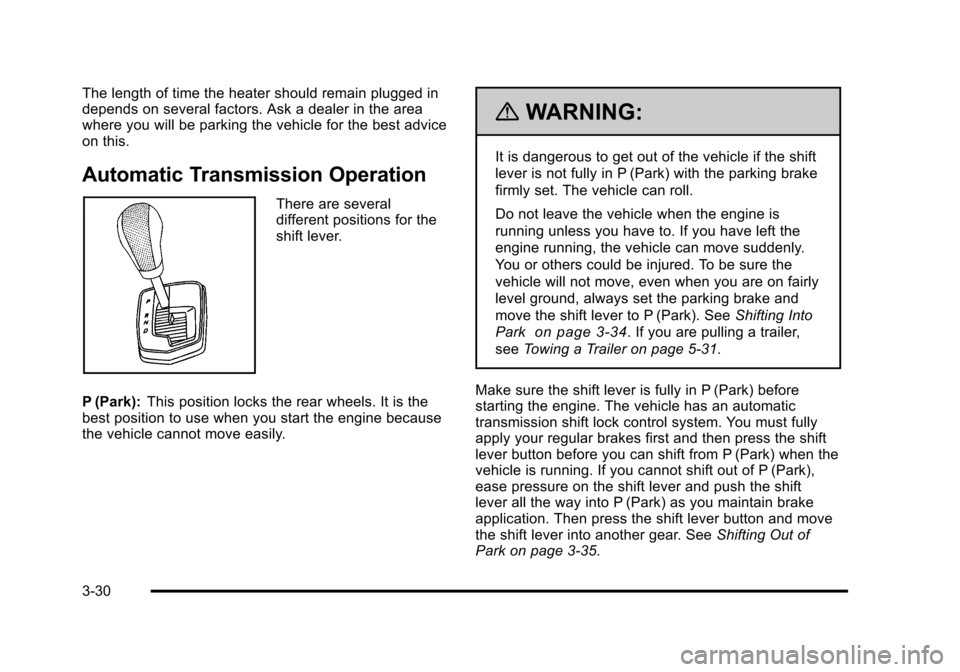
There are several
different positions for the
shift lever.
P (Park): This position locks the rear wheels. It is the
best position to use when you start the engine because
the vehicle cannot move easily.
{WARNING:
It is dangerous to get out of the vehicle if the shift
lever is not fully in P (Park) with the parking brake
firmly set. The vehicle can roll.
Do not leave the vehicle when the engine is
running unless you have to. If you have left the
engine running, the vehicle can move suddenly.
You or others could be injured. To be sure the
vehicle will not move, even when you are on fairly
level ground, always set the parking brake and
move the shift lever to P (Park). See Shifting Into
Park
on page 3‑34. If you are pulling a trailer,
see Towing a Trailer on page 5‑31.
Make sure the shift lever is fully in P (Park) before
starting the engine. The vehicle has an automatic
transmission shift lock control system. You must fully
apply your regular brakes first and then press the shift
lever button before you can shift from P (Park) when the
vehicle is running. If you cannot shift out of P (Park),
ease pressure on the shift lever and push the shift
lever all the way into P (Park) as you maintain brake
application. Then press the shift lever button and move
the shift lever into another gear. See Shifting Out of
Park on page 3‑35.
3-30
Page 137 of 528
Black plate (31,1)Cadillac STS Owner Manual - 2011
Notice:Shifting to R (Reverse) while the vehicle is
moving forward could damage the transmission.
The repairs would not be covered by the vehicle
warranty. Shift to R (Reverse) only after the vehicle
is stopped.
R (Reverse): Use this gear to back up.
At low vehicle speeds, you can also use R (Reverse)
to rock your vehicle back and forth to get out of snow,
ice, or sand without damaging the transmission. See If
Your Vehicle is Stuck in Sand, Mud, Ice, or Snow
on
page 5‑22for additional information.
N (Neutral): In this position, the engine does not
connect with the wheels. To restart the engine when the
vehicle is already moving, use N (Neutral) only. You can
also use N (Neutral) when the vehicle is being towed.
{WARNING:
Shifting into a drive gear while the engine is
running at high speed is dangerous. Unless your
foot is firmly on the brake pedal, the vehicle could
move very rapidly. You could lose control and hit
people or objects. Do not shift into a drive gear
while the engine is running at high speed. Notice:
Shifting out of P (Park) or N (Neutral) with
the engine running at high speed may damage the
transmission. The repairs would not be covered by
the vehicle warranty. Be sure the engine is not
running at high speed when shifting the vehicle.
D (Drive): This position is for normal driving. It provides
the best fuel economy. If you need more power for
passing, and you are:
.Going less than 35 mph (55 km/h), push the
accelerator pedal about halfway down.
.Going about 35 mph (55 km/h) or more, push the
accelerator all the way down.
The transmission will shift down to a lower gear
and have more power.
Downshifting the transmission in slippery road
conditions could result in skidding, see “Skidding”under
Loss of Control on page 5‑14.
3-31
Page 138 of 528

Black plate (32,1)Cadillac STS Owner Manual - 2011
Driver Shift Control (DSC)
Notice:If you drive the vehicle at a high rpm
without upshifting while using Driver Shift Control
(DSC), you could damage the vehicle. Always
upshift when necessary while using DSC.
Driver Shift Control (DSC) allows you shift an automatic
transmission similar to a manual transmission. To use
the DSC feature:
1. Move the shift lever to the right from D (Drive) into the DSC area.
When in DSC mode, the
sport symbol will appear
in the Driver Information
Center (DIC).
The vehicle will remain in sport mode if the
shift lever is not moved. Sport mode will shift
automatically but remain in a gear longer then it
would in normal driving mode based on braking
and acceleration. 2. Press the shift lever forward to upshift or rearward
to downshift.
When using the DSC
mode, the number
displayed on the Driver
Information Center (DIC)
indicates the gear that the
transmission is in. See
Driver Information Center
(DIC)
on page 4‑69for
more information on
the DIC.
When starting the vehicle from a stopped condition, only
1 (First) and 2 (Second) gear may be used.
While using the DSC feature the vehicle will have firmer
shifting and increased performance. You can use this
for sport driving or when climbing/descending hills to
stay in gear longer or to down shift for more power or
engine braking.
The transmission will only allow you to shift into
gears appropriate for the vehicle speed and engine
Revolutions Per Minute (RPM). The transmission will
not automatically shift to the next higher gear if the
engine RPM is too high.
3-32
Page 139 of 528
Black plate (33,1)Cadillac STS Owner Manual - 2011
If shifting is prevented for any reason, the selected gear
will flash multiple times, indicating that the transmission
has not shifted gears.
The transmission will allow you to shift to the gear
selected and will automatically downshift when the
vehicle comes to a stop. This will allow for more power
during take-off and passing.
Parking Brake
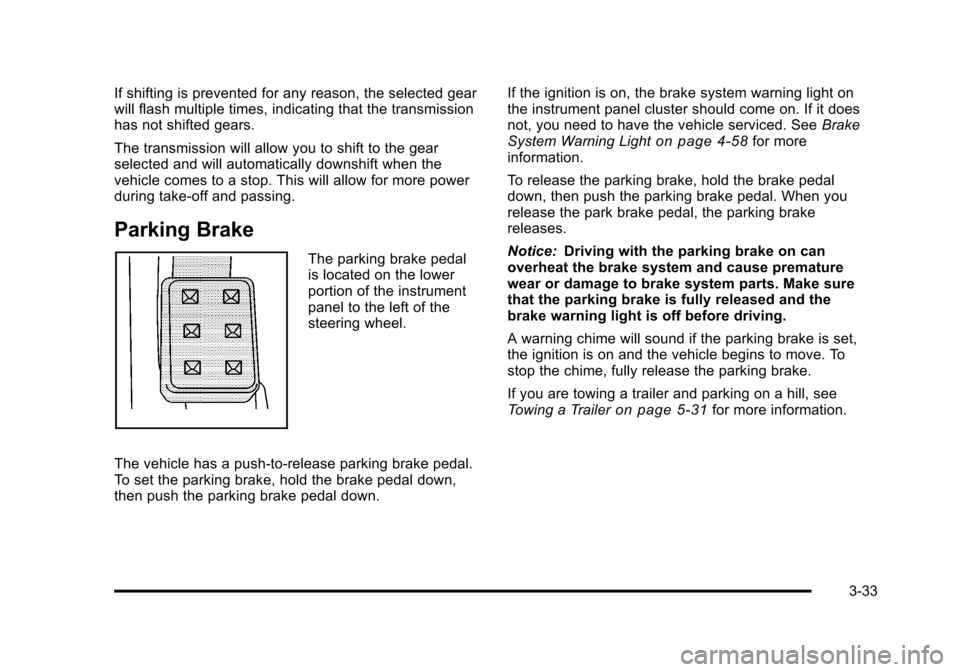
The parking brake pedal
is located on the lower
portion of the instrument
panel to the left of the
steering wheel.
The vehicle has a push-to-release parking brake pedal.
To set the parking brake, hold the brake pedal down,
then push the parking brake pedal down. If the ignition is on, the brake system warning light on
the instrument panel cluster should come on. If it does
not, you need to have the vehicle serviced. See
Brake
System Warning Light
on page 4‑58for more
information.
To release the parking brake, hold the brake pedal
down, then push the parking brake pedal. When you
release the park brake pedal, the parking brake
releases.
Notice: Driving with the parking brake on can
overheat the brake system and cause premature
wear or damage to brake system parts. Make sure
that the parking brake is fully released and the
brake warning light is off before driving.
A warning chime will sound if the parking brake is set,
the ignition is on and the vehicle begins to move. To
stop the chime, fully release the parking brake.
If you are towing a trailer and parking on a hill, see
Towing a Trailer
on page 5‑31for more information.
3-33
Page 141 of 528
Black plate (35,1)Cadillac STS Owner Manual - 2011
Torque Lock
Torque lock is when the weight of the vehicle puts too
much force on the parking pawl in the transmission.
This happens when parking on a hill and shifting the
transmission into P (Park) is not done properly and then
it is difficult to shift out of P (Park). To prevent torque
lock, set the parking brake and then shift into P (Park).
To find out how, see“Shifting Into P (Park)” listed
previously.
If torque lock does occur, your vehicle may need to be
pushed uphill by another vehicle to relieve the parking
pawl pressure, so you can shift out of P (Park).
Shifting Out of Park
Shift lock release prevents shifting out of P (Park)
unless the vehicle is running or in Accessory mode and
the brake pedal is applied.
The shift lock release is always functional except in the
case of an uncharged or low voltage (less than 9‐volt)
battery. See Jump Starting
on page 6‑38for more
information. To shift out of P (Park) use the following:
1. Apply the brake pedal.
2. Press the shift lever button.
3. Move the shift lever to the desired position.
If you still are unable to shift out of P (Park): 1. Fully release the shift lever button.
2. While holding down the brake pedal, press the shift lever button again.
3. Move the shift lever to the desired position.
If you still cannot move the shift lever from P (Park),
consult your dealer or a professional towing service.
Parking Over Things That Burn
{WARNING:
Things that can burn could touch hot exhaust
parts under the vehicle and ignite. Do not park
over papers, leaves, dry grass, or other things that
can burn.
3-35
Page 143 of 528
Black plate (37,1)Cadillac STS Owner Manual - 2011
WARNING: (Continued)
death. Never run the engine in an enclosed area
that has no fresh air ventilation. For more
information, seeEngine Exhaust on page 3‑36.
{WARNING:
It can be dangerous to get out of the vehicle if the
automatic transmission shift lever is not fully in
P (Park) with the parking brake firmly set. The
vehicle can roll. Do not leave the vehicle when the
engine is running unless you have to. If you have
left the engine running, the vehicle can move
suddenly. You or others could be injured. To be
sure the vehicle will not move, even when you are
on fairly level ground, always set the parking
brake after you move the shift lever to P (Park).
Follow the proper steps to be sure the vehicle will not
move. See Shifting Into Park on page 3‑34.
If parking on a hill and pulling a trailer, see Towing a
Trailer on page 5‑31.
Mirrors
Automatic Dimming Rearview Mirror
The vehicle may have an inside rearview mirror with
automatic dimming and OnStar®controls; or it may
have OnStar®and a compass display. See the OnStar®
owner guide and/or Compasson page 3‑38for more
information.
O(On/Off): Press to turn the dimming feature on or off.
Automatic Dimming Mirror Operation
Automatic dimming reduces the glare of lights from
behind the vehicle. The dimming feature comes on and
the indicator light illuminates each time the vehicle is
started.
Cleaning the Mirror
Do not spray glass cleaner directly on the mirror. Use a
soft towel dampened with water.
3-37
Page 165 of 528
Black plate (59,1)Cadillac STS Owner Manual - 2011
Vehicle Personalization
The vehicle has personalization that allows you to
program certain features to a preferred setting for
up to two drivers. The back of the keyless access
transmitters are labelled 1 or 2. Additional keyless
access transmitters programmed to the vehicle,
as 3 and/or 4, do not have a number on the back and
are not capable of being personalized. The number of
programmable features varies depending upon which
vehicle options are purchased.
On all vehicles, features such as climate control
settings, radio and XM™preset settings, exterior
lighting at unlock and remote lock unlock confirmation,
and language have already been programmed. Your
vehicle also has an automatic door locking feature
that is always on. You cannot turn the automatic door
locking feature off. See Programmable Automatic Door
Locks on page 3‑14.
Some vehicles have additional features that can be
programmed including the seat, steering column, and
outside rearview mirror position.
If your vehicle has the base audio system, the following
information explains the vehicle personalization on your
vehicle.
If your vehicle has the Navigation system, see
“Personalization” in the Index of the Navigation System
manual for information on vehicle personalization. If your vehicle has the ability to program additional
personalization features, the driver's preferences are
recalled by pressing any button on the keyless access
transmitter, 1 or 2, by selecting Driver 1 or 2 on the radio
display, or when a valid keyless access transmitter is
detected upon opening the driver's door.
If more than one valid keyless access transmitter is
detected upon opening the driver's door, the driver
preferences for the lowest driver number will be
recalled.
Certain features can be programmed not to recall until
the ignition is turned off.
The default settings were preset but may have been
changed.
To change feature preferences, use the following
procedure.
Entering the Personal Settings Menu
To enter the feature programming mode:
1. The ignition must be either on, in ACCESSORY, or in RAP and the transmission in P (Park) or the
vehicle speed less than 6 mph (9 km/h).
To avoid excessive drain on the battery, it is
recommended that the headlamps are turned off.
2. Press any button on the appropriate keyless access transmitter to identify yourself as Driver 1 or
Driver 2.
3-59
Page 176 of 528
Black plate (70,1)Cadillac STS Owner Manual - 2011
DRIVER UNLOCK IN PARK
The feature allows the driver's door to automatically
unlock when the transmission is shifted into P (Park).
Programmable Modes
Mode 1:ON
Mode 2: OFF (default)
To program the vehicle to a different mode: 1. Enter the PERSONAL SETTINGS MENU by following the instructions listed previously under
“Entering the Personal Settings Menu.”
2. Turn the tune/select knob until DRIVER UNLOCK IN PARK is highlighted.
3. Press the tune/select knob to switch back and forth between on and off.
When the mode is turned on, a check mark will
appear next to the feature name.
The mode you selected is now set. You can either exit
the programming mode by following the instructions
later in this section or program the next feature
available on your vehicle.
DOORS UNLOCK IN PARK
The feature allows all of the doors to automatically
unlock when the transmission is shifted into P (Park).
Programmable Modes
Mode 1: ON (default)
Mode 2: OFF
To program the vehicle to a different mode: 1. Enter the PERSONAL SETTINGS MENU by following the instructions listed previously under
“Entering the Personal Settings Menu.”
2. Turn the tune/select knob until DOORS UNLOCK IN PARK is highlighted.
3. Press the tune/select knob to switch back and forth between on and off.
When the mode is turned on, a check mark will
appear next to the feature name.
The mode you selected is now set. You can either exit
the programming mode by following the instructions
later in this section or program the next feature
available on your vehicle.
3-70
Page 182 of 528
Black plate (76,1)Cadillac STS Owner Manual - 2011
For vehicles with the base audio system, memory
features are programmed and recalled through the radio
from the DRIVER SELECTION and the DRIVER EXIT
SETTINGS submenus. See“Entering the Driver
Selection Submenu” and“Entering the Driver Exit
Settings Submenu” later in this section for more
information on recalling and programming the memory
settings using the base audio system.
For vehicles with the Navigation system, memory
features are programmed and recalled through the
navigation display. See “Personalization”in the Index of
the Navigation System manual for more information on
programming and recalling the memory settings using
the Navigation system.
For vehicles with the Navigation system, you can also
recall the memory features by using voice recognition,
if your vehicle has this feature. See “Voice Recognition”
in the Index of the Navigation System manual for more
information.Entering the Driver Selection Submenu
To enter the memory programming mode for your driver
settings:
1. The ignition must be either on, in ACCESSORY, or in RAP and the transmission in P (Park) or the
vehicle speed less than 6 mph (9 km/h).
2. Press any button on the appropriate keyless access transmitter to identify yourself as Driver 1 or
Driver 2.
3. Turn on the radio by pressing the power/ volume knob.
4. Press the CNFG radio button to enter the main menu of the radio.
5. Turn the tune/select knob and scroll to SETUP.
6. Press the tune/select knob to enter the SETUP menu.
7. Turn the tune/select knob and scroll to DRIVER SELECTION.
8. Press the tune/select knob to enter the DRIVER SELECTION submenu. The following items will
appear:
.DRIVER 1
.DRIVER 2
.RECALL DRIVER SETTINGS
.STORE DRIVER SETTINGS
3-76