transmission CADILLAC STS 2011 1.G Owner's Manual
[x] Cancel search | Manufacturer: CADILLAC, Model Year: 2011, Model line: STS, Model: CADILLAC STS 2011 1.GPages: 528, PDF Size: 4.96 MB
Page 184 of 528
Black plate (78,1)Cadillac STS Owner Manual - 2011
STORE DRIVER SETTINGS
To store driver settings:1. Adjust your settings for the driver seat, the outside rearview mirrors, and the steering column to a
comfortable driving position.
2. Enter the memory programming mode for your driver settings by following the instructions listed
previously under “Entering the Driver Selection
Submenu.”
3. From the DRIVER SELECTION submenu, turn the tune/select knob to scroll to STORE DRIVER
SETTINGS and press in the knob. Two beeps will
sound to confirm that your driver settings are
saved.
4. Set the HUD position, if your vehicle has this feature, the climate control temperature, fan speed
and mode settings, the radio presets, tone,
volume, playback mode (AM/FM, XM™, or CD),
and compact disc position.
Your memory settings are now programmed.
Any changes that are made to the HUD, audio
system, and climate controls while driving will be
automatically stored when the ignition is turned off.
5. Repeat the procedure for a second driver by programming the other driver number.
Entering the Driver Exit Settings
Submenu
To enter the memory programming mode for your exit
settings:
1. The ignition must be either on, in ACCESSORY, or in RAP and the transmission in P (Park) or the
vehicle speed less than 6 mph (9 km/h).
2. Press any button on the appropriate keyless access transmitter to identify yourself as Driver 1 or
Driver 2.
3. Turn on the radio by pressing the power/ volume knob.
4. Press the CNFG radio button to enter the main menu of the radio.
5. Turn the tune/select knob and scroll to SETUP.
6. Press the tune/select knob to enter the SETUP menu.
7. Turn the tune/select knob and scroll to DRIVER EXIT SETTINGS.
8. Press the tune/select knob to enter the DRIVER EXIT SETTINGS submenu. The following items will
appear:
.RECALL EXIT SETTINGS
.STORE EXIT SETTINGS
3-78
Page 218 of 528
Black plate (32,1)Cadillac STS Owner Manual - 2011
Daytime Running Lamps (DRL)
Daytime Running Lamps (DRL) can make it easier for
others to see the front of your vehicle during the day.
Fully functional daytime running lamps are required on
all vehicles first sold in Canada.
The DRL system comes on when the following
conditions are met:
.It is still daylight and the ignition is on.
.The automatic lights are enabled.
.The transmission is not in P (Park).
When DRL are on, only the front turn signal lamps will
be on. No other exterior lamps will be on when the DRL
are being used. The instrument panel will not be lit.
When the automatic lights are enabled and it is dark
enough outside, the DRL will turn off and the low-beam
headlamps will turn on. When it is bright enough
outside, the low-beam headlamps will go off, and the
DRL will turn back on. If the vehicle is started in a dark
garage, the automatic headlamp system comes on
immediately. Once the vehicle leaves the garage,
it will take about one minute for the automatic
headlamp system to change to DRL if it is light outside. During that delay, the instrument panel cluster may not
be as bright as usual. Make sure the instrument panel
brightness lever is in the full bright position. See
Instrument Panel Brightness on page 4‑35.
To operate the vehicle with the DRL off, turn the exterior
lamp control off and then do one of the following:
.Turn the exterior lamp control to the parking lamp
position.
.Turn the exterior lamp control to the headlamp
position.
.Turn the exterior lamp control from AUTO to off
and back to AUTO.
An AUTOMATIC LIGHTS OFF message will appear on
the DIC, showing that automatic lighting has been
disabled. See DIC Warnings and Messages
on
page 4‑76.
The regular headlamp system should be turned on
when needed.
4-32
Page 224 of 528
Black plate (38,1)Cadillac STS Owner Manual - 2011
Head-Up Display (HUD)
{WARNING:
If the HUD image is too bright, or too high in your
field of view, it may take you more time to see
things you need to see when it is dark outside. Be
sure to keep the HUD image dim and placed low
in your field of view.
For vehicles with the Head-Up Display (HUD), some of
the driver information that appears on the instrument
panel cluster is projected onto an image on the
windshield.
The information can be displayed in English or metric
units. To change from English to metric units, see DIC
Operation and Displays on page 4‑70.
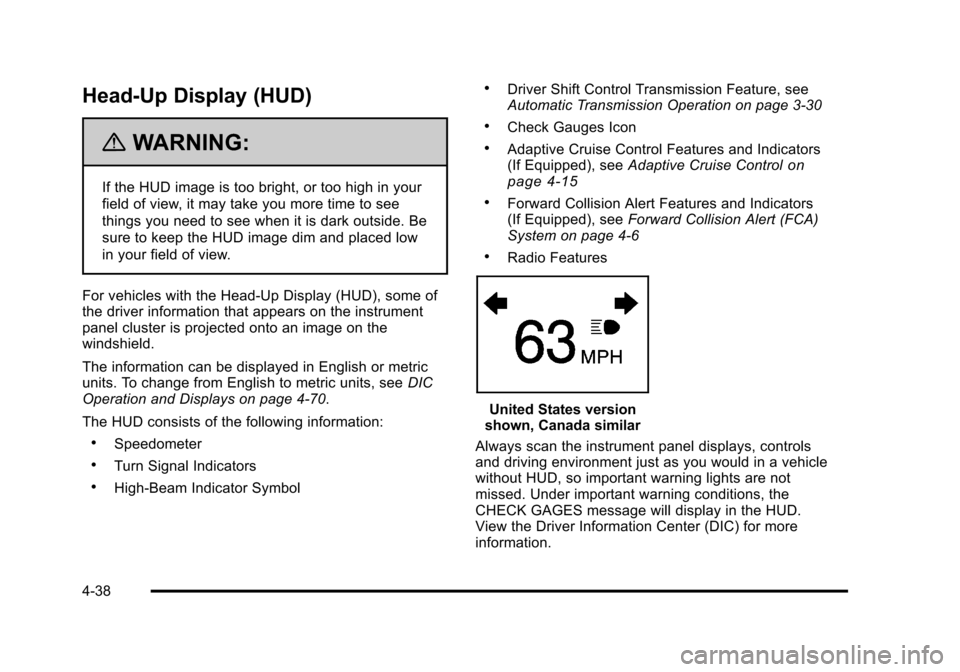
The HUD consists of the following information:
.Speedometer
.Turn Signal Indicators
.High-Beam Indicator Symbol
.Driver Shift Control Transmission Feature, see
Automatic Transmission Operation on page 3‑30
.Check Gauges Icon
.Adaptive Cruise Control Features and Indicators
(If Equipped), see Adaptive Cruise Controlon
page 4‑15
.Forward Collision Alert Features and Indicators
(If Equipped), see Forward Collision Alert (FCA)
System on page 4‑6
.Radio Features
United States version
shown, Canada similar
Always scan the instrument panel displays, controls
and driving environment just as you would in a vehicle
without HUD, so important warning lights are not
missed. Under important warning conditions, the
CHECK GAGES message will display in the HUD.
View the Driver Information Center (DIC) for more
information.
4-38
Page 249 of 528
Black plate (63,1)Cadillac STS Owner Manual - 2011
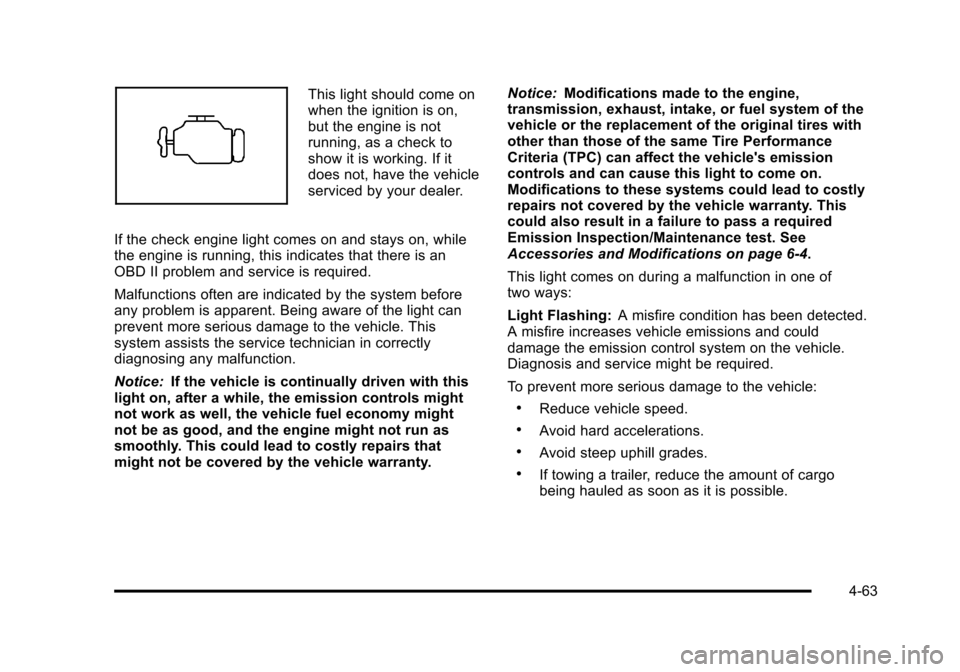
This light should come on
when the ignition is on,
but the engine is not
running, as a check to
show it is working. If it
does not, have the vehicle
serviced by your dealer.
If the check engine light comes on and stays on, while
the engine is running, this indicates that there is an
OBD II problem and service is required.
Malfunctions often are indicated by the system before
any problem is apparent. Being aware of the light can
prevent more serious damage to the vehicle. This
system assists the service technician in correctly
diagnosing any malfunction.
Notice: If the vehicle is continually driven with this
light on, after a while, the emission controls might
not work as well, the vehicle fuel economy might
not be as good, and the engine might not run as
smoothly. This could lead to costly repairs that
might not be covered by the vehicle warranty. Notice:
Modifications made to the engine,
transmission, exhaust, intake, or fuel system of the
vehicle or the replacement of the original tires with
other than those of the same Tire Performance
Criteria (TPC) can affect the vehicle's emission
controls and can cause this light to come on.
Modifications to these systems could lead to costly
repairs not covered by the vehicle warranty. This
could also result in a failure to pass a required
Emission Inspection/Maintenance test. See
Accessories and Modifications on page 6‑4.
This light comes on during a malfunction in one of
two ways:
Light Flashing: A misfire condition has been detected.
A misfire increases vehicle emissions and could
damage the emission control system on the vehicle.
Diagnosis and service might be required.
To prevent more serious damage to the vehicle:
.Reduce vehicle speed.
.Avoid hard accelerations.
.Avoid steep uphill grades.
.If towing a trailer, reduce the amount of cargo
being hauled as soon as it is possible.
4-63
Page 255 of 528
Black plate (69,1)Cadillac STS Owner Manual - 2011
Driver Information Center (DIC)
The Driver Information Center (DIC) gives you the
status of many of your vehicle's systems. The DIC is
also used to display warning/status messages. All
messages will appear in the DIC display located at
the bottom of the instrument panel cluster, below the
tachometer and speedometer. The DIC buttons are
located on the instrument panel, to the left of the
steering wheel.
The DIC comes on when the ignition is on. After a short
delay, the DIC will display the current driver and the
information that was last displayed before the engine
was turned off.
The top line of the DIC display shows the vehicle
system information and the warning/status messages.
The bottom line of the DIC display shows either the
odometer, the trip odometer A or the trip odometer B
information on the left side. Only one odometer can
appear at a time. See“Trip Information”underDIC
Operation and Displays
on page 4‑70for information on changing the display to show the odometer or trip
odometer information. The bottom line of the DIC
display also shows the outside temperature on the
right side and the shift lever position indicator in the
center. See
Automatic Transmission Operation
on
page 3‑30for more information on the shift lever
positions.
When the sport mode is active, an S will appear next
to the shift position indicator on the center of the DIC
display. When the manual mode is active, an M will
appear on the DIC display. When the normal mode is
active, only the shift position indicator will appear. While
the Driver Shift Control (DSC) feature is active, the DIC
will change to show the selected gear. See “Driver Shift
Control (DSC)” underAutomatic Transmission
Operation
on page 3‑30for more information.
If a problem is detected, a warning message will appear
on the display. Be sure to take any message that
appears on the display seriously and remember that
clearing the message will only make the message
disappear, not correct the problem.
4-69
Page 256 of 528
Black plate (70,1)Cadillac STS Owner Manual - 2011
DIC Operation and Displays
The Driver Information Center (DIC) has different
modes which can be accessed by pressing the four
DIC buttons located on the instrument panel, to the
left of the steering wheel.
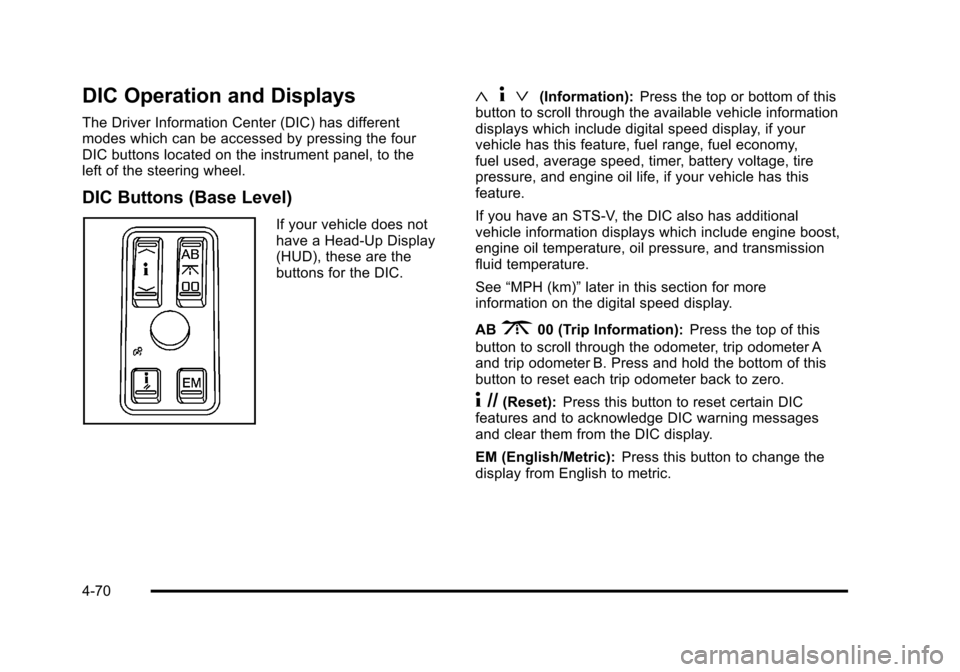
DIC Buttons (Base Level)
If your vehicle does not
have a Head-Up Display
(HUD), these are the
buttons for the DIC.
«4ª(Information): Press the top or bottom of this
button to scroll through the available vehicle information
displays which include digital speed display, if your
vehicle has this feature, fuel range, fuel economy,
fuel used, average speed, timer, battery voltage, tire
pressure, and engine oil life, if your vehicle has this
feature.
If you have an STS-V, the DIC also has additional
vehicle information displays which include engine boost,
engine oil temperature, oil pressure, and transmission
fluid temperature.
See “MPH (km)” later in this section for more
information on the digital speed display.
AB
300 (Trip Information): Press the top of this
button to scroll through the odometer, trip odometer A
and trip odometer B. Press and hold the bottom of this
button to reset each trip odometer back to zero.
4 //(Reset): Press this button to reset certain DIC
features and to acknowledge DIC warning messages
and clear them from the DIC display.
EM (English/Metric): Press this button to change the
display from English to metric.
4-70
Page 261 of 528
Black plate (75,1)Cadillac STS Owner Manual - 2011
ENGLISH DISPLAY UNITS
(METRIC DISPLAY UNITS)
This display allows you to select between English and
metric units of measurement if your vehicle has the
uplevel DIC. Press the reset button to switch between
English and metric units.
Blank Line
This display shows no information.
ENGINE BOOST (STS-V Only)
This display shows a graphic that indicates the amount
of boost the engine is receiving in either pounds per
square inch (psi) or kilopascals (kPa).
ENGINE OIL TEMPERATURE (STS-V Only)
This display shows the engine oil temperature in either
degrees Fahrenheit (°F) or degrees Celsius (°C).
OIL PRESSURE (STS-V Only)
This display shows the oil pressure in either pounds per
square inch (psi) or kilopascals (kPa).
TRANS (Transmission) FLUID TEMP
(Temperature) (STS-V Only)
This display shows the transmission fluid temperature in
either degrees Fahrenheit (°F) or degrees Celsius (°C).
Trip Information Display Menu Items
The following display menu items can be displayed by
pressing the trip Information button.
Odometer
Press the trip information button until the odometer
appears on the DIC display. The odometer shows the
total distance the vehicle has been driven in either
miles (mi) or kilometers (km).
Trip Odometer
Press the trip information button until trip
odometer A or B appears on the DIC display. The trip
odometer shows the current distance traveled since the
last reset for each trip odometer in either miles (mi) or
kilometers (km). Both odometers can be used at the
same time.
For base level vehicles, each trip odometer can be
reset to zero separately by pressing and holding the
bottom of the trip information button while the desired
trip odometer is displayed. For uplevel vehicles, reset
each trip odometer by pressing the reset button or by
pressing and holding the trip information button while
the desired trip odometer is displayed.
4-75
Page 274 of 528
Black plate (88,1)Cadillac STS Owner Manual - 2011
SERVICE SUSPENSION SYS (System)
This message displays when the suspension system is
not operating properly. Have your vehicle serviced by
your dealer.
If your All-Wheel Drive (AWD) vehicle has the Active
Steering with Enhanced StabiliTrak option and the
suspension system needs service, the Enhanced
StabiliTrak system may be operating in the Stability
Secure Mode and the STABILITY SECURE MODE
message will display. SeeEnhanced StabiliTrak
®on
page 5‑7.
SERVICE TIRE MONITOR
This message displays if a part on the Tire Pressure
Monitor System (TPMS) is not working properly. The tire
pressure light also flashes and then remains on during
the same ignition cycle. See Tire Pressure Light
on
page 4‑62. Several conditions may cause this message
to appear. See Tire Pressure Monitor Operationon
page 6‑62for more information. If the warning comes
on and stays on, there may be a problem with the
TPMS. See your dealer.
SERVICE THEFT SYSTEM
This message displays when there is a problem with the
hood open and closed switches. The switches may
need to be replaced. When this message is displayed,
the theft-deterrent system will still be protecting the
interior of the vehicle, however, the hood area will not
be protected at this time. Also, the remote start function
will not work when this message appears. See your
dealer for service.
SERVICE TRANSMISSION
This message displays when there is a problem with
the transmission. Have your vehicle serviced by your
dealer.
SERVICE VEHICLE SOON
This message displays when a non-emissions related
malfunction occurs. Have your vehicle serviced by your
dealer as soon as possible.
4-88
Page 278 of 528
Black plate (92,1)Cadillac STS Owner Manual - 2011
TRANS (Transmission)
HOT IDLE ENGINE
Notice:If you drive the vehicle while the
transmission fluid is overheating and the
transmission temperature warning is displayed on
the instrument panel cluster and/or DIC, you can
damage the transmission. This could lead to costly
repairs that would not be covered by the warranty.
Do not drive your vehicle with overheated
transmission fluid or while the transmission
temperature warning is displayed.
This message displays when the transmission fluid in
your vehicle is too hot. Stop the vehicle and allow it to
idle until the transmission cools down or until this
message is removed.
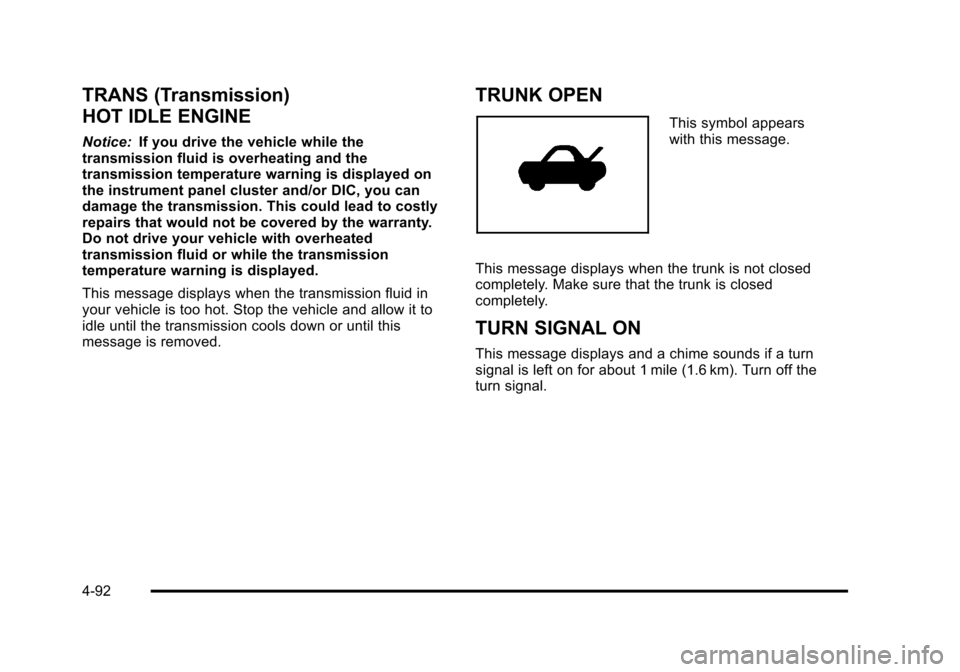
TRUNK OPEN
This symbol appears
with this message.
This message displays when the trunk is not closed
completely. Make sure that the trunk is closed
completely.
TURN SIGNAL ON
This message displays and a chime sounds if a turn
signal is left on for about 1 mile (1.6 km). Turn off the
turn signal.
4-92
Page 324 of 528
Black plate (12,1)Cadillac STS Owner Manual - 2011
SeeDIC Warnings and Messageson page 4‑76. The
normal power steering system is still operational. You
might notice that the center position of the steering
wheel is changed and that more steering effort at low
speeds and less steering effort at high speeds is
required. You can continue to drive the vehicle with
normal power steering but you should have your dealer
inspect the steering system as soon as possible in
order to have the problem corrected and the steering
wheel position centered.
When stability control activates, the system
automatically adjusts the front road wheel steering
angle, modifies the suspension stiffness, and selectively
applies braking pressure at any one of the vehicle's
brakes to help maintain directional control of the
vehicle. Adjustments to the steering will not be felt in
the steering wheel. See Enhanced StabiliTrak
®on
page 5‑7.
It is recommended that the battery not be disconnected
when the steering wheel is turned from the center
position. If this occurs, the center position of the
steering wheel could be temporarily changed a small
amount. You can continue to operate the vehicle and,
after a short time, the center position of the steering
wheel will return to normal.
Steering Tips
It is important to take curves at a reasonable speed.
Traction in a curve depends on the condition of the tires
and the road surface, the angle at which the curve is
banked, and vehicle speed. While in a curve, speed is
the one factor that can be controlled.
If there is a need to reduce speed, do it before entering
the curve, while the front wheels are straight.
Try to adjust the speed so you can drive through the
curve. Maintain a reasonable, steady speed. Wait to
accelerate until out of the curve, and then accelerate
gently into the straightaway.
To help you steer in the direction you want to go, during
certain sharp or sudden cornering maneuvers, gear
selection is controlled. This will maximize the available
drive wheel torque and minimize the transmission
response time and shift activity. During this kind of
maneuver, the transmission shifts automatically as
vehicle speed changes.
5-12