mirror CADILLAC STS 2011 1.G Owners Manual
[x] Cancel search | Manufacturer: CADILLAC, Model Year: 2011, Model line: STS, Model: CADILLAC STS 2011 1.GPages: 528, PDF Size: 4.96 MB
Page 1 of 528

Black plate (1,1)Cadillac STS Owner Manual - 2011
2011 Cadillac STS Owner ManualM
In Brief. . . . . . . . . . . . . . . . . . . . . . . . . . . . . . . . . . . . . . . . . . . . 1-1
Instrument Panel . . . . . . . . . . . . . . . . . . . . . . . . . . . . . . . . . 1-2
Initial Drive Information . . . . . . . . . . . . . . . . . . . . . . . . . . . 1-4
Vehicle Features . . . . . . . . . . . . . . . . . . . . . . . . . . . . . . . . 1-16
Performance and Maintenance . . . . . . . . . . . . . . . . . . 1-21
Seats and Restraint System . . . . . . . . . . . . . . . . . . . . . . 2-1
Front Seats . . . . . . . . . . . . . . . . . . . . . . . . . . . . . . . . . . . . . . . 2-2
Rear Seats . . . . . . . . . . . . . . . . . . . . . . . . . . . . . . . . . . . . . . 2-14
Safety Belts . . . . . . . . . . . . . . . . . . . . . . . . . . . . . . . . . . . . . 2-14
Child Restraints . . . . . . . . . . . . . . . . . . . . . . . . . . . . . . . . . 2-34
Airbag System . . . . . . . . . . . . . . . . . . . . . . . . . . . . . . . . . . 2-57
Restraint System Check . . . . . . . . . . . . . . . . . . . . . . . . . 2-72
Features and Controls . . . . . . . . . . . . . . . . . . . . . . . . . . . . 3-1
Keys . . . . . . . . . . . . . . . . . . . . . . . . . . . . . . . . . . . . . . . . . . . . . 3-3
Doors and Locks . . . . . . . . . . . . . . . . . . . . . . . . . . . . . . . . 3-12
Windows . . . . . . . . . . . . . . . . . . . . . . . . . . . . . . . . . . . . . . . . 3-18
Theft-Deterrent Systems . . . . . . . . . . . . . . . . . . . . . . . . 3-22
Starting and Operating Your Vehicle . . . . . . . . . . . . . 3-25
Mirrors . . . . . . . . . . . . . . . . . . . . . . . . . . . . . . . . . . . . . . . . . . 3-37
Object Detection Systems . . . . . . . . . . . . . . . . . . . . . . . 3-41
Universal Home Remote System . . . . . . . . . . . . . . . . 3-49 Storage Areas . . . . . . . . . . . . . . . . . . . . . . . . . . . . . . . . . . . 3-56
Sunroof . . . . . . . . . . . . . . . . . . . . . . . . . . . . . . . . . . . . . . . . . 3-57
Vehicle Personalization . . . . . . . . . . . . . . . . . . . . . . . . . 3-59
Instrument Panel . . . . . . . . . . . . . . . . . . . . . . . . . . . . . . . . . 4-1
Instrument Panel Overview . . . . . . . . . . . . . . . . . . . . . . . 4-3
Climate Controls . . . . . . . . . . . . . . . . . . . . . . . . . . . . . . . . 4-43
Warning Lights, Gauges, and Indicators . . . . . . . . . 4-51
Driver Information Center (DIC) . . . . . . . . . . . . . . . . . 4-69
Audio System(s) . . . . . . . . . . . . . . . . . . . . . . . . . . . . . . . . 4-94
Driving Your Vehicle . . . . . . . . . . . . . . . . . . . . . . . . . . . . . . 5-1
Your Driving, the Road, and the Vehicle . . . . . . . . . . 5-2
Towing . . . . . . . . . . . . . . . . . . . . . . . . . . . . . . . . . . . . . . . . . . 5-29
Service and Appearance Care . . . . . . . . . . . . . . . . . . . 6-1
Service . . . . . . . . . . . . . . . . . . . . . . . . . . . . . . . . . . . . . . . . . . . 6-4
Fuel . . . . . . . . . . . . . . . . . . . . . . . . . . . . . . . . . . . . . . . . . . . . . . 6-6
Checking Things Under the Hood . . . . . . . . . . . . . . . 6-12
All-Wheel Drive . . . . . . . . . . . . . . . . . . . . . . . . . . . . . . . . . 6-43
Rear Axle . . . . . . . . . . . . . . . . . . . . . . . . . . . . . . . . . . . . . . . 6-44
Front Axle . . . . . . . . . . . . . . . . . . . . . . . . . . . . . . . . . . . . . . . 6-45
Headlamp Aiming . . . . . . . . . . . . . . . . . . . . . . . . . . . . . . . 6-46
Page 7 of 528
Black plate (1,1)Cadillac STS Owner Manual - 2011
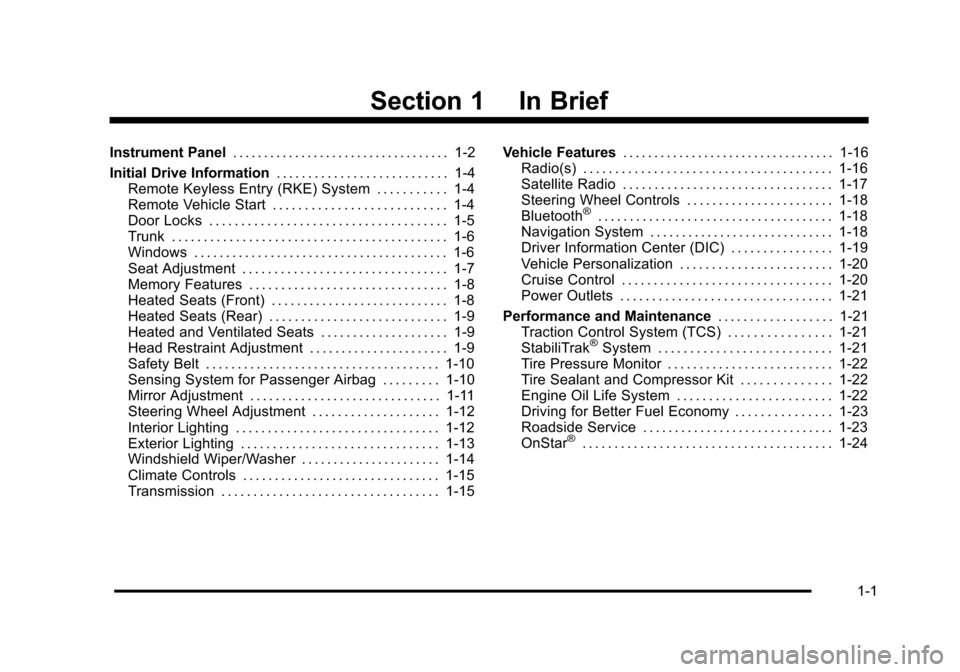
Section 1 In Brief
Instrument Panel. . . . . . . . . . . . . . . . . . . . . . . . . . . . . . . . . . . 1-2
Initial Drive Information . . . . . . . . . . . . . . . . . . . . . . . . . . . 1-4
Remote Keyless Entry (RKE) System . . . . . . . . . . . 1-4
Remote Vehicle Start . . . . . . . . . . . . . . . . . . . . . . . . . . . 1-4
Door Locks . . . . . . . . . . . . . . . . . . . . . . . . . . . . . . . . . . . . . 1-5
Trunk . . . . . . . . . . . . . . . . . . . . . . . . . . . . . . . . . . . . . . . . . . . 1-6
Windows . . . . . . . . . . . . . . . . . . . . . . . . . . . . . . . . . . . . . . . . 1-6
Seat Adjustment . . . . . . . . . . . . . . . . . . . . . . . . . . . . . . . . 1-7
Memory Features . . . . . . . . . . . . . . . . . . . . . . . . . . . . . . . 1-8
Heated Seats (Front) . . . . . . . . . . . . . . . . . . . . . . . . . . . . 1-8
Heated Seats (Rear) . . . . . . . . . . . . . . . . . . . . . . . . . . . . 1-9
Heated and Ventilated Seats . . . . . . . . . . . . . . . . . . . . 1-9
Head Restraint Adjustment . . . . . . . . . . . . . . . . . . . . . . 1-9
Safety Belt . . . . . . . . . . . . . . . . . . . . . . . . . . . . . . . . . . . . . 1-10
Sensing System for Passenger Airbag . . . . . . . . . 1-10
Mirror Adjustment . . . . . . . . . . . . . . . . . . . . . . . . . . . . . . 1-11
Steering Wheel Adjustment . . . . . . . . . . . . . . . . . . . . 1-12
Interior Lighting . . . . . . . . . . . . . . . . . . . . . . . . . . . . . . . . 1-12
Exterior Lighting . . . . . . . . . . . . . . . . . . . . . . . . . . . . . . . 1-13
Windshield Wiper/Washer . . . . . . . . . . . . . . . . . . . . . . 1-14
Climate Controls . . . . . . . . . . . . . . . . . . . . . . . . . . . . . . . 1-15
Transmission . . . . . . . . . . . . . . . . . . . . . . . . . . . . . . . . . . 1-15 Vehicle Features
. . . . . . . . . . . . . . . . . . . . . . . . . . . . . . . . . . 1-16
Radio(s) . . . . . . . . . . . . . . . . . . . . . . . . . . . . . . . . . . . . . . . 1-16
Satellite Radio . . . . . . . . . . . . . . . . . . . . . . . . . . . . . . . . . 1-17
Steering Wheel Controls . . . . . . . . . . . . . . . . . . . . . . . 1-18
Bluetooth
®. . . . . . . . . . . . . . . . . . . . . . . . . . . . . . . . . . . . . 1-18
Navigation System . . . . . . . . . . . . . . . . . . . . . . . . . . . . . 1-18
Driver Information Center (DIC) . . . . . . . . . . . . . . . . 1-19
Vehicle Personalization . . . . . . . . . . . . . . . . . . . . . . . . 1-20
Cruise Control . . . . . . . . . . . . . . . . . . . . . . . . . . . . . . . . . 1-20
Power Outlets . . . . . . . . . . . . . . . . . . . . . . . . . . . . . . . . . 1-21
Performance and Maintenance . . . . . . . . . . . . . . . . . .1-21
Traction Control System (TCS) . . . . . . . . . . . . . . . . 1-21
StabiliTrak
®System . . . . . . . . . . . . . . . . . . . . . . . . . . . 1-21
Tire Pressure Monitor . . . . . . . . . . . . . . . . . . . . . . . . . . 1-22
Tire Sealant and Compressor Kit . . . . . . . . . . . . . . 1-22
Engine Oil Life System . . . . . . . . . . . . . . . . . . . . . . . . 1-22
Driving for Better Fuel Economy . . . . . . . . . . . . . . . 1-23
Roadside Service . . . . . . . . . . . . . . . . . . . . . . . . . . . . . . 1-23
OnStar
®. . . . . . . . . . . . . . . . . . . . . . . . . . . . . . . . . . . . . . . 1-24
1-1
Page 14 of 528
Black plate (8,1)Cadillac STS Owner Manual - 2011
Memory Features
If the vehicle has the memory feature, you can program
and recall memory settings for the following features for
up to two drivers:
.The driver seat
.The outside rearview mirrors
.The power tilt wheel and telescopic steering
column
The following settings and presets are set automatically:
.The language, radio and XM™ presets, tone,
volume, playback mode (AM/FM or CD), last
displayed stations, and compact disc position
.The last climate control setting
.The Head-Up Display (HUD) position, if your
vehicle has this feature
.Other personalization settings, for example, remote
start settings
See Memory Seat, Mirrors and Steering Wheel
on
page 2‑5and Vehicle Personalizationon
page 3‑59for more information.
For vehicles with the base audio system, memory
features are programmed and recalled using the
radio menu. For vehicles with the Navigation system, memory
features are programmed and recalled using the
navigation display or voice commands. See
“Personalization”
and“Voice Recognition” in the Index
of the Navigation System manual for more information.
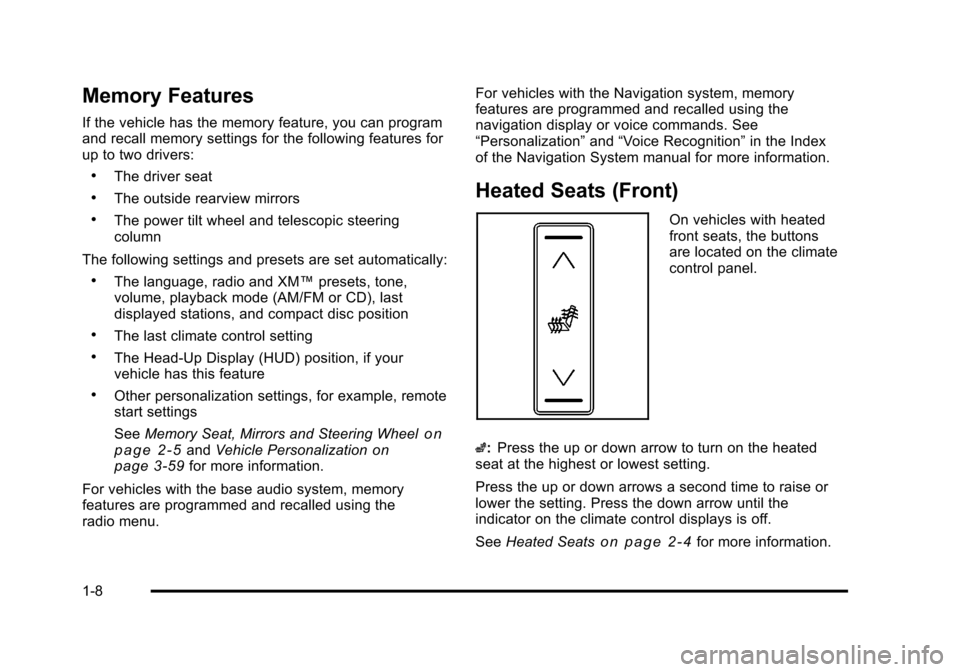
Heated Seats (Front)
On vehicles with heated
front seats, the buttons
are located on the climate
control panel.
z: Press the up or down arrow to turn on the heated
seat at the highest or lowest setting.
Press the up or down arrows a second time to raise or
lower the setting. Press the down arrow until the
indicator on the climate control displays is off.
See Heated Seats
on page 2‑4for more information.
1-8
Page 17 of 528
Black plate (11,1)Cadillac STS Owner Manual - 2011
Mirror Adjustment
Exterior Mirrors
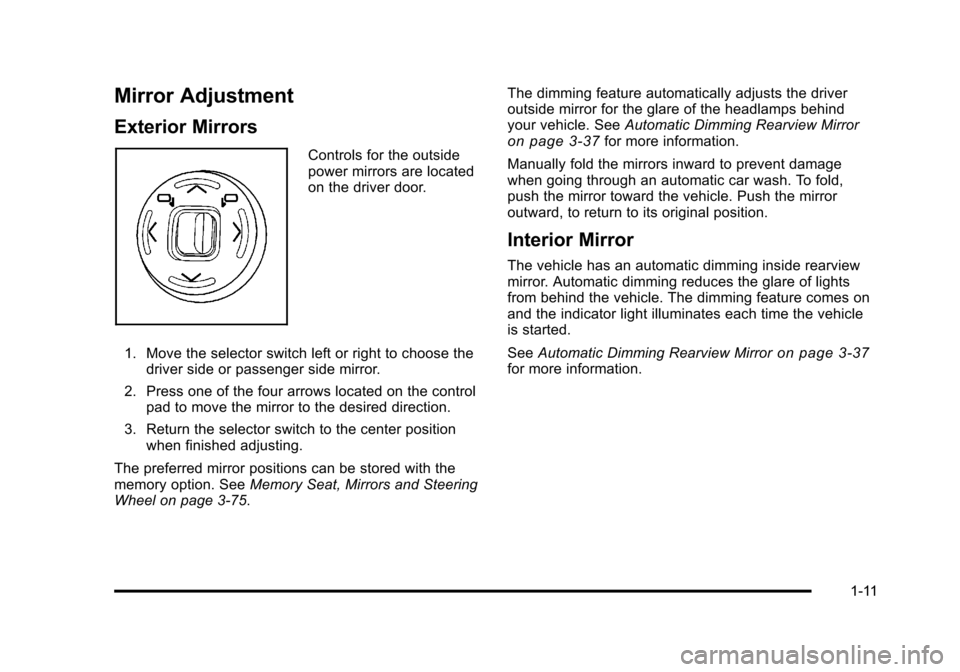
Controls for the outside
power mirrors are located
on the driver door.
1. Move the selector switch left or right to choose the driver side or passenger side mirror.
2. Press one of the four arrows located on the control pad to move the mirror to the desired direction.
3. Return the selector switch to the center position when finished adjusting.
The preferred mirror positions can be stored with the
memory option. See Memory Seat, Mirrors and Steering
Wheel on page 3‑75. The dimming feature automatically adjusts the driver
outside mirror for the glare of the headlamps behind
your vehicle. See
Automatic Dimming Rearview Mirroron page 3‑37for more information.
Manually fold the mirrors inward to prevent damage
when going through an automatic car wash. To fold,
push the mirror toward the vehicle. Push the mirror
outward, to return to its original position.
Interior Mirror
The vehicle has an automatic dimming inside rearview
mirror. Automatic dimming reduces the glare of lights
from behind the vehicle. The dimming feature comes on
and the indicator light illuminates each time the vehicle
is started.
See Automatic Dimming Rearview Mirror
on page 3‑37for more information.
1-11
Page 33 of 528
Black plate (1,1)Cadillac STS Owner Manual - 2011
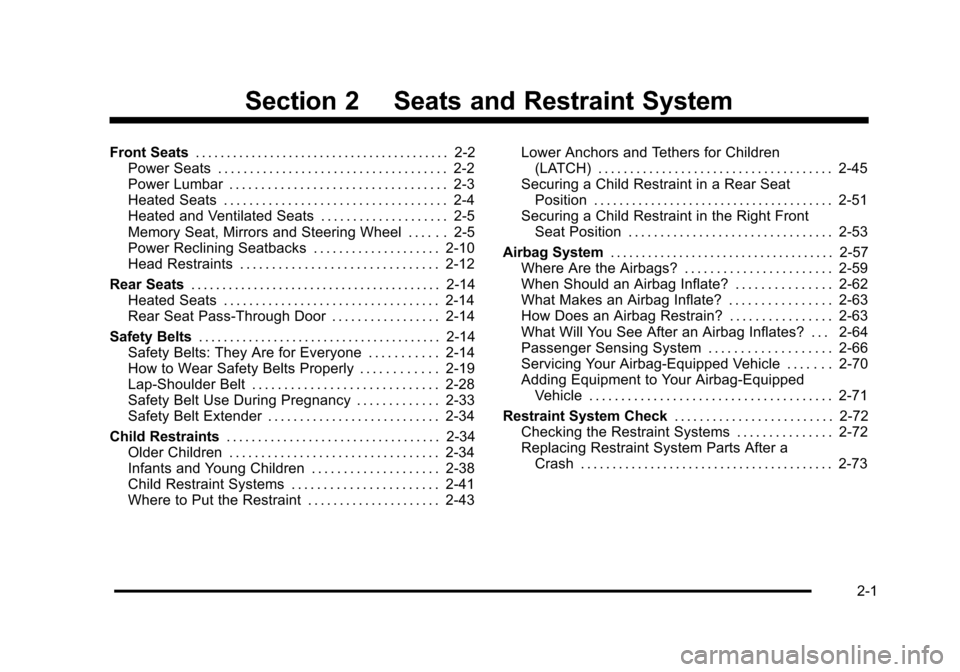
Section 2 Seats and Restraint System
Front Seats. . . . . . . . . . . . . . . . . . . . . . . . . . . . . . . . . . . . . . . . . 2-2
Power Seats . . . . . . . . . . . . . . . . . . . . . . . . . . . . . . . . . . . . 2-2
Power Lumbar . . . . . . . . . . . . . . . . . . . . . . . . . . . . . . . . . . 2-3
Heated Seats . . . . . . . . . . . . . . . . . . . . . . . . . . . . . . . . . . . 2-4
Heated and Ventilated Seats . . . . . . . . . . . . . . . . . . . . 2-5
Memory Seat, Mirrors and Steering Wheel . . . . . . 2-5
Power Reclining Seatbacks . . . . . . . . . . . . . . . . . . . . 2-10
Head Restraints . . . . . . . . . . . . . . . . . . . . . . . . . . . . . . . 2-12
Rear Seats . . . . . . . . . . . . . . . . . . . . . . . . . . . . . . . . . . . . . . . . 2-14
Heated Seats . . . . . . . . . . . . . . . . . . . . . . . . . . . . . . . . . . 2-14
Rear Seat Pass-Through Door . . . . . . . . . . . . . . . . . 2-14
Safety Belts . . . . . . . . . . . . . . . . . . . . . . . . . . . . . . . . . . . . . . . 2-14
Safety Belts: They Are for Everyone . . . . . . . . . . . 2-14
How to Wear Safety Belts Properly . . . . . . . . . . . . 2-19
Lap-Shoulder Belt . . . . . . . . . . . . . . . . . . . . . . . . . . . . . 2-28
Safety Belt Use During Pregnancy . . . . . . . . . . . . . 2-33
Safety Belt Extender . . . . . . . . . . . . . . . . . . . . . . . . . . . 2-34
Child Restraints . . . . . . . . . . . . . . . . . . . . . . . . . . . . . . . . . . 2-34
Older Children . . . . . . . . . . . . . . . . . . . . . . . . . . . . . . . . . 2-34
Infants and Young Children . . . . . . . . . . . . . . . . . . . . 2-38
Child Restraint Systems . . . . . . . . . . . . . . . . . . . . . . . 2-41
Where to Put the Restraint . . . . . . . . . . . . . . . . . . . . . 2-43 Lower Anchors and Tethers for Children
(LATCH) . . . . . . . . . . . . . . . . . . . . . . . . . . . . . . . . . . . . . 2-45
Securing a Child Restraint in a Rear Seat Position . . . . . . . . . . . . . . . . . . . . . . . . . . . . . . . . . . . . . . 2-51
Securing a Child Restraint in the Right Front
Seat Position . . . . . . . . . . . . . . . . . . . . . . . . . . . . . . . . 2-53
Airbag System . . . . . . . . . . . . . . . . . . . . . . . . . . . . . . . . . . . . 2-57
Where Are the Airbags? . . . . . . . . . . . . . . . . . . . . . . . 2-59
When Should an Airbag Inflate? . . . . . . . . . . . . . . . 2-62
What Makes an Airbag Inflate? . . . . . . . . . . . . . . . . 2-63
How Does an Airbag Restrain? . . . . . . . . . . . . . . . . 2-63
What Will You See After an Airbag Inflates? . . . 2-64
Passenger Sensing System . . . . . . . . . . . . . . . . . . . 2-66
Servicing Your Airbag-Equipped Vehicle . . . . . . . 2-70
Adding Equipment to Your Airbag-Equipped Vehicle . . . . . . . . . . . . . . . . . . . . . . . . . . . . . . . . . . . . . . 2-71
Restraint System Check . . . . . . . . . . . . . . . . . . . . . . . . .2-72
Checking the Restraint Systems . . . . . . . . . . . . . . . 2-72
Replacing Restraint System Parts After a Crash . . . . . . . . . . . . . . . . . . . . . . . . . . . . . . . . . . . . . . . . 2-73
2-1
Page 34 of 528

Black plate (2,1)Cadillac STS Owner Manual - 2011
Front Seats
Power Seats
The power seat controls
are located on the
outboard side of the
seats.To adjust the seat:
.Move the seat forward or rearward by sliding the
horizontal control forward or rearward.
.Raise or lower the front part of the seat cushion
by moving the front of the horizontal control up
or down.
.Raise or lower the rear part of the seat cushion
by moving the rear of the horizontal control up
or down.
.Use the vertical control to recline the seatback.
See
Power Reclining Seatbacks on page 2‑10.
If the vehicle has the memory feature, you can program
and recall memory settings for seat positions. See
Memory Seat, Mirrors and Steering Wheel
on
page 3‑75.
2-2
Page 35 of 528
Black plate (3,1)Cadillac STS Owner Manual - 2011
Power Lumbar
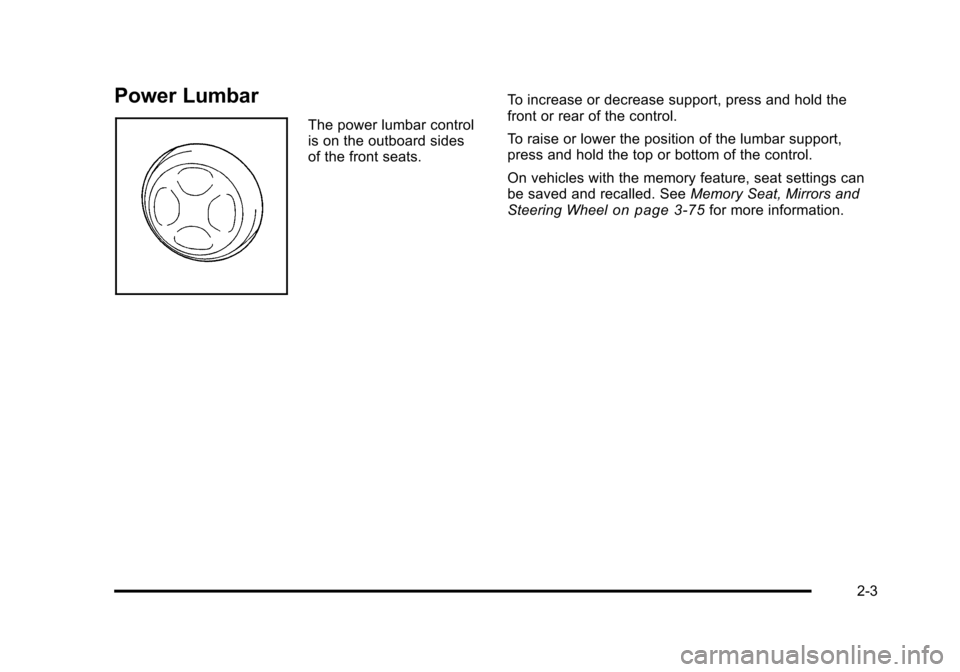
The power lumbar control
is on the outboard sides
of the front seats.To increase or decrease support, press and hold the
front or rear of the control.
To raise or lower the position of the lumbar support,
press and hold the top or bottom of the control.
On vehicles with the memory feature, seat settings can
be saved and recalled. See
Memory Seat, Mirrors and
Steering Wheel
on page 3‑75for more information.
2-3
Page 37 of 528
Black plate (5,1)Cadillac STS Owner Manual - 2011
Heated and Ventilated Seats
{WARNING:
If you cannot feel temperature change or pain to
the skin, the seat heater may cause burns even at
low temperatures. See the Warning underHeated
Seats on page 2‑4.
On vehicles with this feature, the buttons are on the
climate control panel.
z(Heated Seat and Seatback): Press to heat the seat
and seatback.
{(Ventilated Seat): Press to ventilate the seat.
Press the button once for the highest setting. With each
press of the button, the setting will change to the next
lower setting, and then to the off setting.
A light bar in the climate control display shows the
setting: high, medium, or low.
The heated or ventilated seats shut off when the vehicle
is turned off.
Memory Seat, Mirrors and Steering
Wheel
If the vehicle has the memory feature, you can program
and recall memory settings for the following features for
up to two drivers:
.The driver seat position
.The outside rearview mirrors position
.The power tilt wheel and telescopic steering
column position
The following settings and presets are set automatically:
.The language, radio and XM™ presets, tone,
volume, playback mode (AM/FM or CD), last
displayed stations, and compact disc position
.The last climate control setting
.The Head-Up Display (HUD) position, if your
vehicle has this feature
.Other personalization settings, for example, remote
start settings
See Vehicle Personalization on page 3‑59.
2-5
Page 39 of 528
Black plate (7,1)Cadillac STS Owner Manual - 2011
Driver Selection Submenu Items
DRIVER 1/DRIVER 2
The numbers on the back of each keyless access
transmitter correspond to DRIVER 1 and DRIVER 2.
If you would like to recall or store driver settings for the
driver that does not correspond to the number on the
back of the keyless access transmitter that you are
using:1. Enter the memory programming mode for your driver settings by following the instructions listed
previously under “Entering the Driver Selection
Submenu.”
2. From the DRIVER SELECTION submenu, turn the tune/select knob to highlight the driver number that
you want, either DRIVER 1 or DRIVER 2.
3. Set your choice by pressing in the tune/ select knob.
If you would like to recall or store driver settings for the
selected driver, see “RECALL DRIVER SETTINGS” or
“STORE DRIVER SETTINGS” later in this section.
If you would like to recall or store exit settings for the
selected driver, see “RECALL EXIT SETTINGS” or
“STORE EXIT SETTINGS” later in this section.
RECALL DRIVER SETTINGS
To recall driver settings:
1. Enter the memory programming mode for your driver settings by following the instructions listed
previously under “Entering the Driver Selection
Submenu.”
2. From the DRIVER SELECTION submenu, turn the tune/select knob to scroll to RECALL DRIVER
SETTINGS and press in the knob.
If the vehicle is in P (Park), one beep will sound
and your previously saved driving position will then
be recalled.
If the vehicle is not in P (Park), three beeps will
sound and your previously saved driving position
will not be recalled.
A memory recall can be stopped by pressing any
memory seat or mirror position button.
If you would like the stored driving positions to be
recalled when unlocking your vehicle with the keyless
access transmitter or when starting your vehicle, see
“REMOTE RECALL MEMORY” or“START BUTTON
RECALL” underVehicle Personalization on page 3‑59.
2-7
Page 40 of 528
Black plate (8,1)Cadillac STS Owner Manual - 2011
STORE DRIVER SETTINGS
To store driver settings:1. Adjust your settings for the driver seat, the outside rearview mirrors, and the steering column to a
comfortable driving position.
2. Enter the memory programming mode for your driver settings by following the instructions listed
previously under “Entering the Driver Selection
Submenu.”
3. From the DRIVER SELECTION submenu, turn the tune/select knob to scroll to STORE DRIVER
SETTINGS and press in the knob. Two beeps will
sound to confirm that your driver settings are
saved.
4. Set the HUD position, if your vehicle has this feature, the climate control temperature, fan speed
and mode settings, the radio presets, tone,
volume, playback mode (AM/FM, XM™, or CD),
and compact disc position.
Your memory settings are now programmed.
Any changes that are made to the HUD, audio
system, and climate controls while driving will be
automatically stored when the ignition is turned off.
5. Repeat the procedure for a second driver by programming the other driver number.
Entering the Driver Exit Settings
Submenu
To enter the memory programming mode for your exit
settings:
1. The ignition must be either on, in ACCESSORY, or in RAP and the transmission in P (Park) or
the vehicle speed less than 6 mph (9 km/h).
2. Press any button on the appropriate keyless access transmitter to identify yourself as
Driver 1 or Driver 2.
3. Turn on the radio by pressing the power/ volume knob.
4. Press the CNFG radio button to enter the main menu of the radio.
5. Turn the tune/select knob and scroll to SETUP.
6. Press the tune/select knob to enter the SETUP menu.
7. Turn the tune/select knob and scroll to DRIVER EXIT SETTINGS.
8. Press the tune/select knob to enter the DRIVER EXIT SETTINGS submenu. The following items
will appear:
.RECALL EXIT SETTINGS
.STORE EXIT SETTINGS
2-8