warning light CADILLAC STS 2011 1.G Owner's Manual
[x] Cancel search | Manufacturer: CADILLAC, Model Year: 2011, Model line: STS, Model: CADILLAC STS 2011 1.GPages: 528, PDF Size: 4.96 MB
Page 180 of 528
Black plate (74,1)Cadillac STS Owner Manual - 2011
CHIME VOLUME HIGH
This feature allows you to adjust the volume level of the
vehicle's warning chimes. The chime volume cannot be
turned off, only adjusted.
Programmable Modes
Mode 1:NORMAL (default)
Mode 2: HIGH
To program the vehicle to a different mode: 1. Enter the PERSONAL SETTINGS MENU by following the instructions listed previously under
“Entering the Personal Settings Menu.”
2. Turn the tune/select knob until CHIME VOLUME HIGH is highlighted.
3. Press the tune/select knob to switch back and forth between the normal and high settings. A check
mark indicates that the chime volume is set
to HIGH.
The mode you selected is now set. You can either exit
the programming mode by following the instructions
later in this section or program the next feature
available on your vehicle.
SUSPENSION MODE
If your vehicle has this feature, you can select between
performance or touring modes. Performance mode is
used where road conditions or personal preference
demand more control. Touring mode is used for normal
city and highway driving.
Programmable Modes
Mode 1: PERFORMANCE
Mode 2: TOURING (default)
To program the vehicle to a different mode: 1. Enter the PERSONAL SETTINGS MENU by following the instructions listed previously under
“Entering the Personal Settings Menu.”
2. Turn the tune/select knob until SUSPENSION MODE is highlighted.
3. Press the tune/select knob to enter the SUSPENSION MODE submenu.
4. Turn the tune/select knob to highlight TOURING or PERFORMANCE.
5. Press the tune/select knob to select the setting.
3-74
Page 187 of 528

Black plate (1,1)Cadillac STS Owner Manual - 2011
Section 4 Instrument Panel
Instrument Panel Overview. . . . . . . . . . . . . . . . . . . . . . . .4-3
Hazard Warning Flashers . . . . . . . . . . . . . . . . . . . . . . . 4-3
Horn . . . . . . . . . . . . . . . . . . . . . . . . . . . . . . . . . . . . . . . . . . . . 4-3
Power Tilt Wheel and Telescopic Steering Column . . . . . . . . . . . . . . . . . . . . . . . . . . . . . . . . . . . . . . . 4-3
Heated Steering Wheel . . . . . . . . . . . . . . . . . . . . . . . . . 4-4
Turn Signal/Multifunction Lever . . . . . . . . . . . . . . . . . . 4-4
Turn and Lane-Change Signals . . . . . . . . . . . . . . . . . 4-4
Headlamp High/Low-Beam Changer . . . . . . . . . . . . 4-5
Forward Collision Alert (FCA) System . . . . . . . . . . . 4-6
Flash-to-Pass . . . . . . . . . . . . . . . . . . . . . . . . . . . . . . . . . . . 4-9
Windshield Wipers . . . . . . . . . . . . . . . . . . . . . . . . . . . . . 4-10
Windshield Washer . . . . . . . . . . . . . . . . . . . . . . . . . . . . 4-11
Headlamp Washer . . . . . . . . . . . . . . . . . . . . . . . . . . . . . 4-11
Cruise Control . . . . . . . . . . . . . . . . . . . . . . . . . . . . . . . . . 4-12
Adaptive Cruise Control . . . . . . . . . . . . . . . . . . . . . . . 4-15
Headlamps . . . . . . . . . . . . . . . . . . . . . . . . . . . . . . . . . . . . 4-27
Wiper Activated Headlamps . . . . . . . . . . . . . . . . . . . 4-31
Headlamps on Reminder . . . . . . . . . . . . . . . . . . . . . . 4-31
Daytime Running Lamps (DRL) . . . . . . . . . . . . . . . . 4-32
Fog Lamps . . . . . . . . . . . . . . . . . . . . . . . . . . . . . . . . . . . . 4-33
Twilight Sentinel
®. . . . . . . . . . . . . . . . . . . . . . . . . . . . . . 4-34
Exterior Lighting Battery Saver . . . . . . . . . . . . . . . . . 4-35
Instrument Panel Brightness . . . . . . . . . . . . . . . . . . . 4-35
Entry Lighting . . . . . . . . . . . . . . . . . . . . . . . . . . . . . . . . . . 4-36
Parade Dimming . . . . . . . . . . . . . . . . . . . . . . . . . . . . . . . 4-36 Reading Lamps . . . . . . . . . . . . . . . . . . . . . . . . . . . . . . . . 4-36
Battery Load Management . . . . . . . . . . . . . . . . . . . . . 4-36
Electric Power Management . . . . . . . . . . . . . . . . . . . 4-37
Inadvertent Power Battery Saver . . . . . . . . . . . . . . . 4-37
Head-Up Display (HUD) . . . . . . . . . . . . . . . . . . . . . . . 4-38
Accessory Power Outlet(s) . . . . . . . . . . . . . . . . . . . . . 4-42
Climate Controls . . . . . . . . . . . . . . . . . . . . . . . . . . . . . . . . . . 4-43
Dual Climate Control System . . . . . . . . . . . . . . . . . . 4-43
Outlet Adjustment . . . . . . . . . . . . . . . . . . . . . . . . . . . . . . 4-48
Rear Climate Control System . . . . . . . . . . . . . . . . . . 4-49
Passenger Compartment Air Filter . . . . . . . . . . . . . 4-50
Warning Lights, Gauges, and Indicators . . . . . . . .4-51
Instrument Panel Cluster . . . . . . . . . . . . . . . . . . . . . . . 4-52
Speedometer and Odometer . . . . . . . . . . . . . . . . . . . 4-53
Tachometer . . . . . . . . . . . . . . . . . . . . . . . . . . . . . . . . . . . . 4-53
Safety Belt Reminders . . . . . . . . . . . . . . . . . . . . . . . . . 4-53
Airbag Readiness Light . . . . . . . . . . . . . . . . . . . . . . . . 4-54
Passenger Airbag Status Indicator . . . . . . . . . . . . . 4-55
Charging System Light . . . . . . . . . . . . . . . . . . . . . . . . 4-57
Brake System Warning Light . . . . . . . . . . . . . . . . . . . 4-58
Antilock Brake System (ABS) Warning Light . . . 4-59
Traction Control System (TCS) Warning Light . . . . . . . . . . . . . . . . . . . . . . . . . . . . . . . . . . . . . . . . . 4-60
Lane Departure Warning (LDW) Light . . . . . . . . . . 4-60
Engine Coolant Temperature Warning Light . . . . 4-61
4-1
Page 188 of 528
Black plate (2,1)Cadillac STS Owner Manual - 2011
Section 4 Instrument Panel
Engine Coolant Temperature Gauge . . . . . . . . . . . 4-61
Tire Pressure Light . . . . . . . . . . . . . . . . . . . . . . . . . . . . 4-62
Malfunction Indicator Lamp . . . . . . . . . . . . . . . . . . . . 4-62
Oil Pressure Light . . . . . . . . . . . . . . . . . . . . . . . . . . . . . 4-66
Security Light . . . . . . . . . . . . . . . . . . . . . . . . . . . . . . . . . . 4-67
Front Fog Lamp Light . . . . . . . . . . . . . . . . . . . . . . . . . . 4-67
Lights On Reminder . . . . . . . . . . . . . . . . . . . . . . . . . . . 4-67
Cruise Control Light . . . . . . . . . . . . . . . . . . . . . . . . . . . 4-67
Highbeam On Light . . . . . . . . . . . . . . . . . . . . . . . . . . . . 4-68
Fuel Gauge . . . . . . . . . . . . . . . . . . . . . . . . . . . . . . . . . . . . 4-68
Driver Information Center (DIC) . . . . . . . . . . . . . . . . . .4-69
DIC Operation and Displays . . . . . . . . . . . . . . . . . . . 4-70
DIC Warnings and Messages . . . . . . . . . . . . . . . . . . 4-76
Other Messages . . . . . . . . . . . . . . . . . . . . . . . . . . . . . . . 4-93 Audio System(s)
. . . . . . . . . . . . . . . . . . . . . . . . . . . . . . . . . . 4-94
Setting the Clock . . . . . . . . . . . . . . . . . . . . . . . . . . . . . . 4-95
Radio(s) . . . . . . . . . . . . . . . . . . . . . . . . . . . . . . . . . . . . . . . 4-95
Using an MP3 . . . . . . . . . . . . . . . . . . . . . . . . . . . . . . . . 4-108
XM Radio Messages . . . . . . . . . . . . . . . . . . . . . . . . . 4-112
Navigation/Radio System . . . . . . . . . . . . . . . . . . . . . 4-113
Bluetooth
®. . . . . . . . . . . . . . . . . . . . . . . . . . . . . . . . . . . . 4-113
Radio Personalization . . . . . . . . . . . . . . . . . . . . . . . . 4-120
Theft-Deterrent Feature . . . . . . . . . . . . . . . . . . . . . . 4-123
Audio Steering Wheel Controls . . . . . . . . . . . . . . . 4-124
Radio Reception . . . . . . . . . . . . . . . . . . . . . . . . . . . . . . 4-125
Backglass Antenna . . . . . . . . . . . . . . . . . . . . . . . . . . . 4-126
XM™ Satellite Radio Antenna System . . . . . . . . 4-126
4-2
Page 191 of 528
Black plate (5,1)Cadillac STS Owner Manual - 2011
The lever returns to its starting position when it is
released.
If after signaling a turn or lane change the arrow flashes
rapidly or does not come on, a signal bulb may be
burned out.
Have the bulbs replaced. If the bulb is not burned out,
check the fuse. SeeFuses and Circuit Breakers
on
page 6‑115.
Turn Signal On Chime
If the turn signal is left on for about 1.6 km (1 mile), a
warning chime will sound and the TURN SIGNAL ON
message will appear on the Driver Information Center
(DIC) display. See “Turn Signal On”underDIC
Warnings and Messages
on page 4‑76for more
information.
Headlamp High/Low-Beam Changer
Push forward on the turn signal/multifunction lever to
change the headlamps from low to high beam. Pull the
lever back and then release it to change from high to
low beam.
If you turn the vehicle off with the high beams on, the
next time you start your vehicle the low beams will
be on.
To re-activate high beams, pull lever toward you and
then push it forward again.
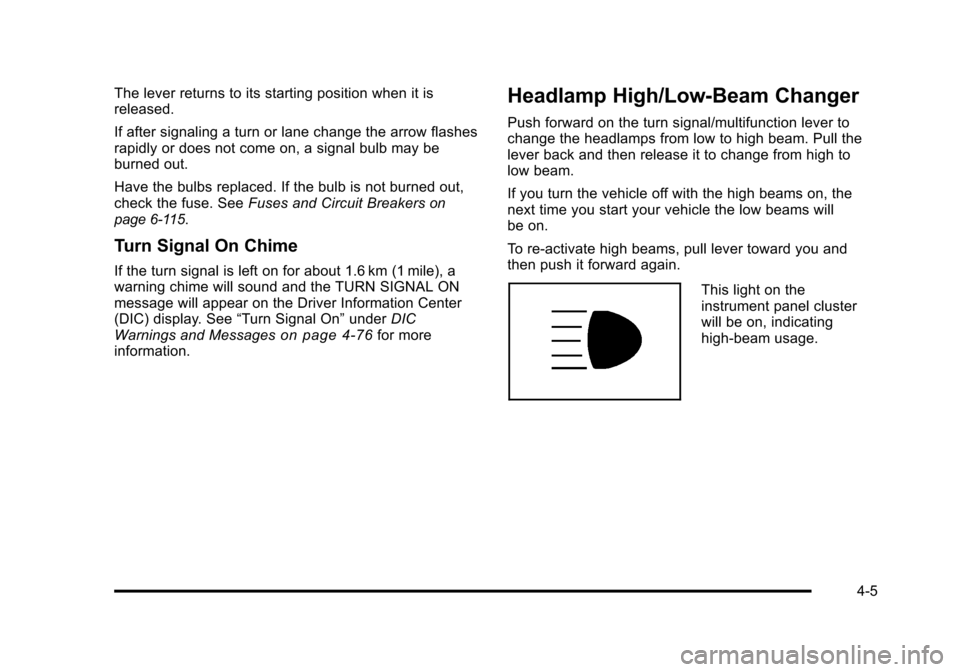
This light on the
instrument panel cluster
will be on, indicating
high-beam usage.
4-5
Page 208 of 528
Black plate (22,1)Cadillac STS Owner Manual - 2011
Approaching and Following a Vehicle
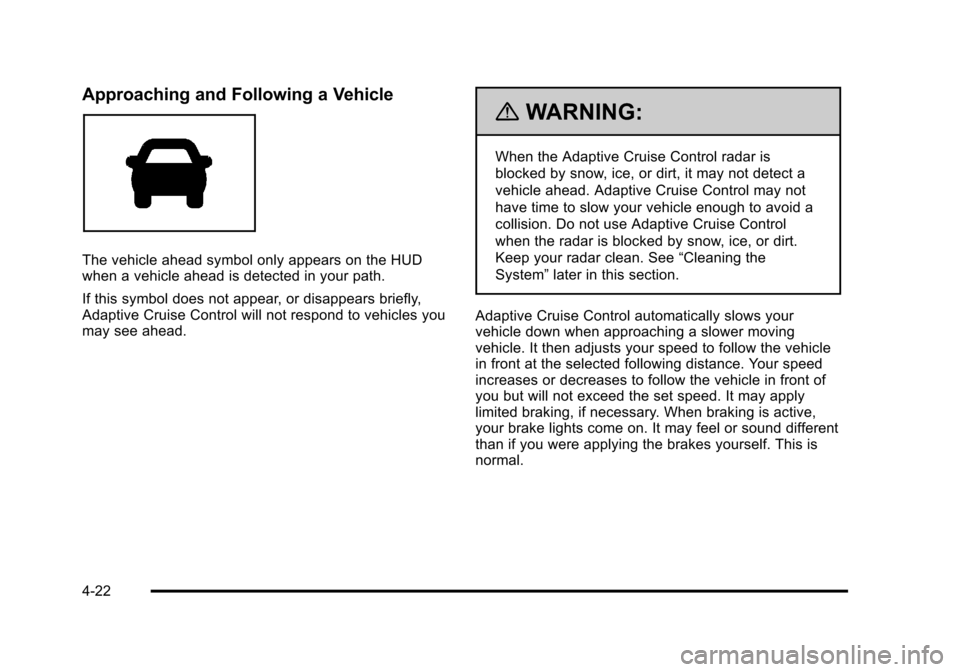
The vehicle ahead symbol only appears on the HUD
when a vehicle ahead is detected in your path.
If this symbol does not appear, or disappears briefly,
Adaptive Cruise Control will not respond to vehicles you
may see ahead.
{WARNING:
When the Adaptive Cruise Control radar is
blocked by snow, ice, or dirt, it may not detect a
vehicle ahead. Adaptive Cruise Control may not
have time to slow your vehicle enough to avoid a
collision. Do not use Adaptive Cruise Control
when the radar is blocked by snow, ice, or dirt.
Keep your radar clean. See“Cleaning the
System” later in this section.
Adaptive Cruise Control automatically slows your
vehicle down when approaching a slower moving
vehicle. It then adjusts your speed to follow the vehicle
in front at the selected following distance. Your speed
increases or decreases to follow the vehicle in front of
you but will not exceed the set speed. It may apply
limited braking, if necessary. When braking is active,
your brake lights come on. It may feel or sound different
than if you were applying the brakes yourself. This is
normal.
4-22
Page 213 of 528
Black plate (27,1)Cadillac STS Owner Manual - 2011
Erasing Set Speed Memory
The set speed memory is erased from memory by
moving the Adaptive Cruise Control switch to
9or if
the ignition is turned off.
Other Messages
There are three messages that may appear on the DIC.
They are SERVICE RADAR CRUISE, RADAR CRUISE
NOT READY and CLEAN RADAR. These messages
will appear to indicate a problem with the Adaptive
Cruise Control. See DIC Warnings and Messages
on
page 4‑76for more information.
Cleaning the System
The radar can become blocked by snow, ice, or dirt.
If this happens, turn off the engine and clean the
emblem/lens, located in the center of the front outside
grille. Do not use Adaptive Cruise Control in icy
conditions, or when visibility is low, such as in fog,
rain or snow.
To clean the emblem/lens, wipe the surface with a
soft cloth. After cleaning the emblem/lens, engage the
Adaptive Cruise Control. If there are problems, see your
dealer.
Headlamps
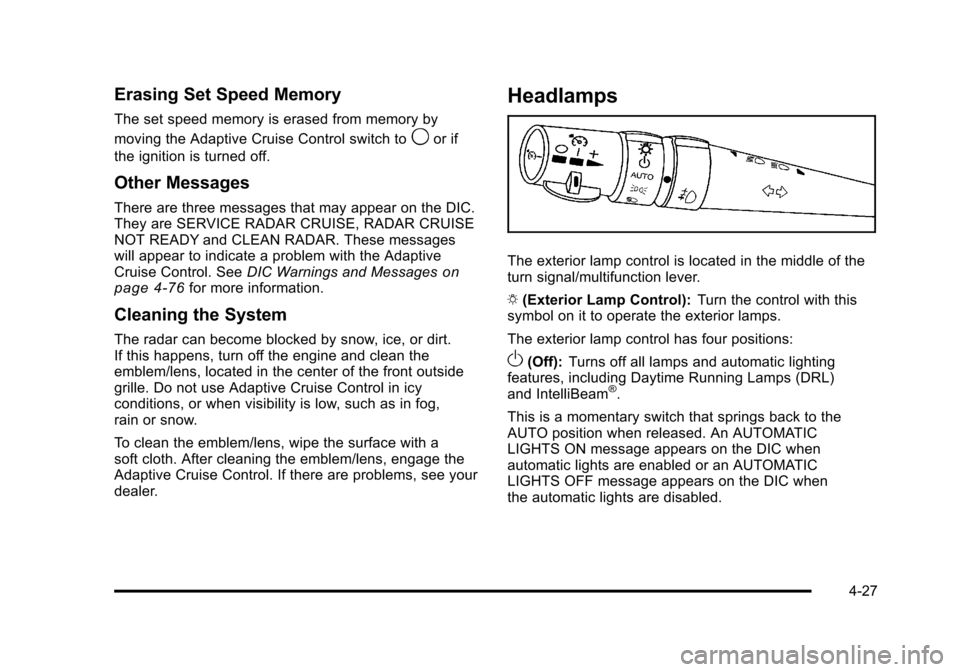
The exterior lamp control is located in the middle of the
turn signal/multifunction lever.
O (Exterior Lamp Control): Turn the control with this
symbol on it to operate the exterior lamps.
The exterior lamp control has four positions:
O(Off): Turns off all lamps and automatic lighting
features, including Daytime Running Lamps (DRL)
and IntelliBeam
®.
This is a momentary switch that springs back to the
AUTO position when released. An AUTOMATIC
LIGHTS ON message appears on the DIC when
automatic lights are enabled or an AUTOMATIC
LIGHTS OFF message appears on the DIC when
the automatic lights are disabled.
4-27
Page 217 of 528
Black plate (31,1)Cadillac STS Owner Manual - 2011
Cleaning the IntelliBeam Light Sensor
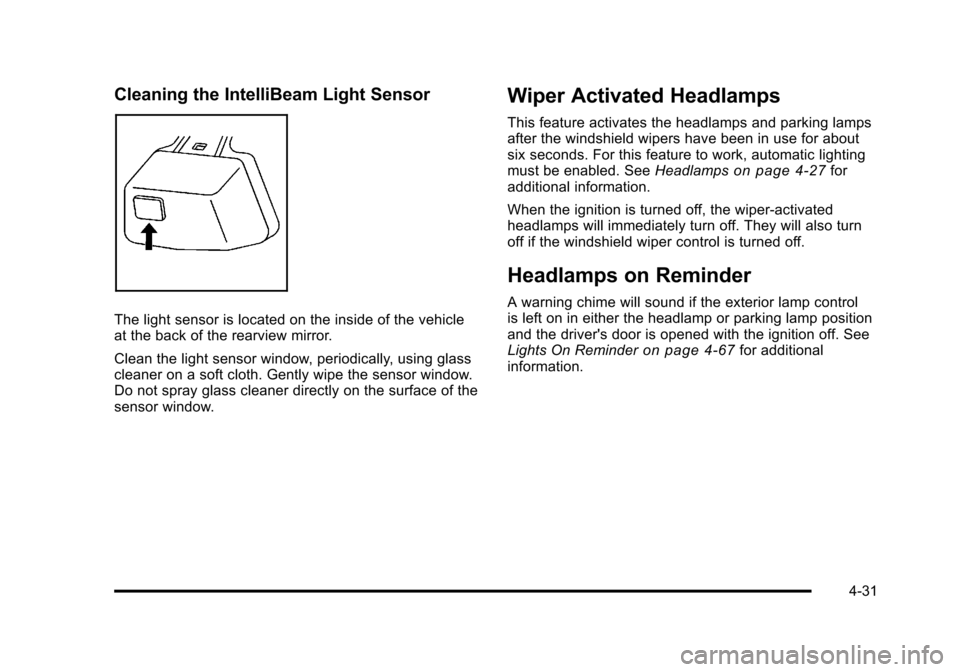
The light sensor is located on the inside of the vehicle
at the back of the rearview mirror.
Clean the light sensor window, periodically, using glass
cleaner on a soft cloth. Gently wipe the sensor window.
Do not spray glass cleaner directly on the surface of the
sensor window.
Wiper Activated Headlamps
This feature activates the headlamps and parking lamps
after the windshield wipers have been in use for about
six seconds. For this feature to work, automatic lighting
must be enabled. SeeHeadlamps
on page 4‑27for
additional information.
When the ignition is turned off, the wiper-activated
headlamps will immediately turn off. They will also turn
off if the windshield wiper control is turned off.
Headlamps on Reminder
A warning chime will sound if the exterior lamp control
is left on in either the headlamp or parking lamp position
and the driver's door is opened with the ignition off. See
Lights On Reminder
on page 4‑67for additional
information.
4-31
Page 218 of 528
Black plate (32,1)Cadillac STS Owner Manual - 2011
Daytime Running Lamps (DRL)
Daytime Running Lamps (DRL) can make it easier for
others to see the front of your vehicle during the day.
Fully functional daytime running lamps are required on
all vehicles first sold in Canada.
The DRL system comes on when the following
conditions are met:
.It is still daylight and the ignition is on.
.The automatic lights are enabled.
.The transmission is not in P (Park).
When DRL are on, only the front turn signal lamps will
be on. No other exterior lamps will be on when the DRL
are being used. The instrument panel will not be lit.
When the automatic lights are enabled and it is dark
enough outside, the DRL will turn off and the low-beam
headlamps will turn on. When it is bright enough
outside, the low-beam headlamps will go off, and the
DRL will turn back on. If the vehicle is started in a dark
garage, the automatic headlamp system comes on
immediately. Once the vehicle leaves the garage,
it will take about one minute for the automatic
headlamp system to change to DRL if it is light outside. During that delay, the instrument panel cluster may not
be as bright as usual. Make sure the instrument panel
brightness lever is in the full bright position. See
Instrument Panel Brightness on page 4‑35.
To operate the vehicle with the DRL off, turn the exterior
lamp control off and then do one of the following:
.Turn the exterior lamp control to the parking lamp
position.
.Turn the exterior lamp control to the headlamp
position.
.Turn the exterior lamp control from AUTO to off
and back to AUTO.
An AUTOMATIC LIGHTS OFF message will appear on
the DIC, showing that automatic lighting has been
disabled. See DIC Warnings and Messages
on
page 4‑76.
The regular headlamp system should be turned on
when needed.
4-32
Page 223 of 528
Black plate (37,1)Cadillac STS Owner Manual - 2011
speed. For more battery saving information, see
“Battery Saver Active Message”underDIC Warnings
and Messages on page 4‑76.
Electric Power Management
The vehicle has Electric Power Management (EPM) that
estimates the battery's temperature and state of charge.
It then adjusts the voltage for best performance and
extended life of the battery.
When the battery's state of charge is low, the voltage is
raised slightly to quickly bring the charge back up.
When the state of charge is high, the voltage is lowered
slightly to prevent overcharging. If the vehicle has a
voltmeter gauge or a voltage display on the Driver
Information Center (DIC), you may see the voltage
move up or down. This is normal. If there is a problem,
an alert will be displayed.
The battery can be discharged at idle if the electrical
loads are very high. This is true for all vehicles. This is
because the generator (alternator) may not be spinning
fast enough at idle to produce all the power that is
needed for very high electrical loads.
A high electrical load occurs when several of the
following are on, such as: headlamps, high beams, fog
lamps, rear window defogger, climate control fan at high
speed, heated seats, engine cooling fans, trailer loads,
and loads plugged into accessory power outlets. EPM works to prevent excessive discharge of the
battery. It does this by balancing the generator's output
and the vehicle's electrical needs. It can increase
engine idle speed to generate more power, whenever
needed. It can temporarily reduce the power demands
of some accessories.
Normally, these actions occur in steps or levels, without
being noticeable. In rare cases at the highest levels of
corrective action, this action may be noticeable to the
driver. If so, a Driver Information Center (DIC) message
might be displayed, such as BATTERY SAVER ACTIVE
or BATTERY VOLTAGE LOW. If this message is
displayed, it is recommended that the driver reduce the
electrical loads as much as possible. See
DIC Warnings
and Messages on page 4‑76.
Inadvertent Power Battery Saver
This feature is designed to protect the vehicle's battery
against drainage from the interior lamps, trunk lamp,
glove box lamp, or the garage door opener. When the
ignition is turned off, the power to these features will
automatically turn off after 10 minutes (three minutes if a
new car has 24 km (15 miles) or less). Power will be
restored for an additional 10 minutes if any door is
opened, the trunk is opened or the courtesy lamp switch
is turned on.
4-37
Page 224 of 528
Black plate (38,1)Cadillac STS Owner Manual - 2011
Head-Up Display (HUD)
{WARNING:
If the HUD image is too bright, or too high in your
field of view, it may take you more time to see
things you need to see when it is dark outside. Be
sure to keep the HUD image dim and placed low
in your field of view.
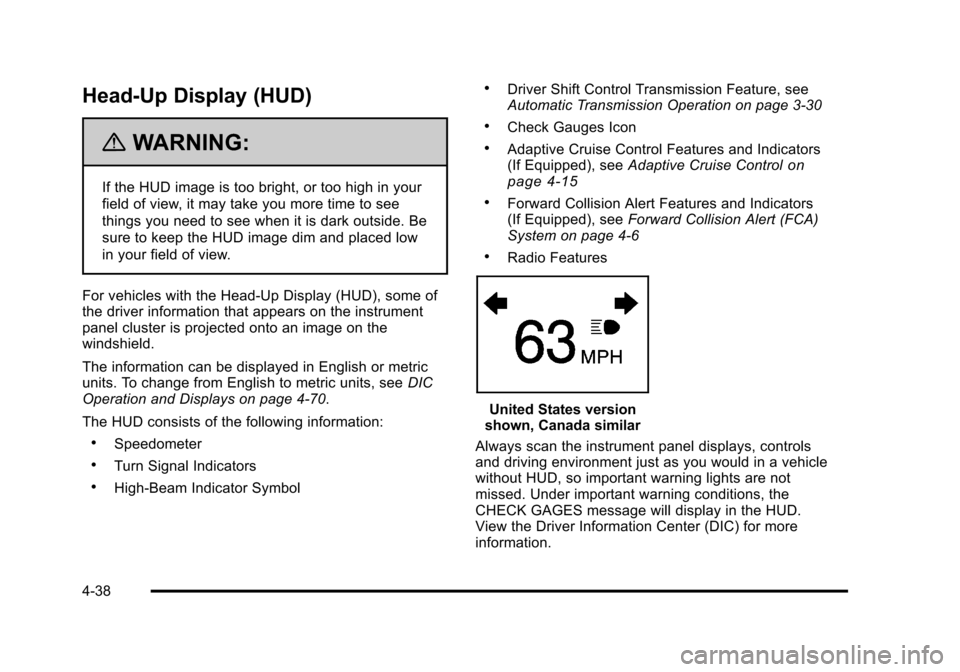
For vehicles with the Head-Up Display (HUD), some of
the driver information that appears on the instrument
panel cluster is projected onto an image on the
windshield.
The information can be displayed in English or metric
units. To change from English to metric units, see DIC
Operation and Displays on page 4‑70.
The HUD consists of the following information:
.Speedometer
.Turn Signal Indicators
.High-Beam Indicator Symbol
.Driver Shift Control Transmission Feature, see
Automatic Transmission Operation on page 3‑30
.Check Gauges Icon
.Adaptive Cruise Control Features and Indicators
(If Equipped), see Adaptive Cruise Controlon
page 4‑15
.Forward Collision Alert Features and Indicators
(If Equipped), see Forward Collision Alert (FCA)
System on page 4‑6
.Radio Features
United States version
shown, Canada similar
Always scan the instrument panel displays, controls
and driving environment just as you would in a vehicle
without HUD, so important warning lights are not
missed. Under important warning conditions, the
CHECK GAGES message will display in the HUD.
View the Driver Information Center (DIC) for more
information.
4-38