lock CADILLAC STS 2011 1.G Manual PDF
[x] Cancel search | Manufacturer: CADILLAC, Model Year: 2011, Model line: STS, Model: CADILLAC STS 2011 1.GPages: 528, PDF Size: 4.96 MB
Page 275 of 528
Black plate (89,1)Cadillac STS Owner Manual - 2011
SIDE BLIND ZONE ALERT
SYSTEM OFF
If your vehicle has the Side Blind Zone Alert (SBZA)
system, this message displays when the SBZA system
has been turned off. SeeSide Blind Zone Alert (SBZA)
on page 3‑44andDIC Operation and Displayson
page 4‑70for more information.
SIDE BLIND ZONE SYSTEM
UNAVAILABLE
If your vehicle has the Side Blind Zone Alert (SBZA)
system, this message displays when the SBZA system
is disabled because the sensor is blocked and cannot
detect vehicles in your blind zone. The sensor may be
blocked by mud, dirt, snow, ice, or slush. This message
may also display during heavy rain or due to road spray.
Your vehicle does not need service. For cleaning
instructions, see Washing Your Vehicle
on page 6‑109.
See Side Blind Zone Alert (SBZA)on page 3‑44for
more information.
SPEED LIMIT: XXX MPH (KM/H)
This message displays when the Speed Alert has
been turned on through the DIC Information Menu
and the vehicle is at or above the speed limit. See
DIC Operation and Displays
on page 4‑70for more
information.
SPEED LIMITED TO XXX
This message displays when the vehicle speed is
limited to XXX, mph in English mode and km/h in Metric
mode, because the vehicle detects a problem in the
steering, stability control, or suspension system. Have
your vehicle serviced by your dealer.
STABILITY SECURE MODE
If your All-Wheel Drive (AWD) vehicle has the Active
Steering with Enhanced StabiliTrak option, this
message displays when the stability control system
is in the secure mode. Stability Secure Mode is set
automatically when certain system faults or vehicle
conditions are detected. When the Stability Secure
Mode is activated, the stability control system will not
respond to driver requests to change the stability mode
until the next ignition cycle or until the vehicle condition
or fault is returned to normal. See Enhanced
StabiliTrak
®on page 5‑7for more information.
4-89
Page 281 of 528
Black plate (95,1)Cadillac STS Owner Manual - 2011
Setting the Clock
To adjust the time:1. Press
w,located on the radio, to enter the
main menu.
2. Turn
wuntil SET CLOCK displays.
3. Press
wto select SET CLOCK.
4. Turn
wto adjust the time.
5. Press
wto update the time and VEHICLE TIME
UPDATED displays.
To adjust the date:
1. Press
wto enter the main menu.
2. Turn
wuntil SET DATE displays.
3. Press
wto select SET DATE.
4. Turn
wto adjust the date.
5. Press
wto update the date and VEHICLE DATE
UPDATED displays.
Radio(s)
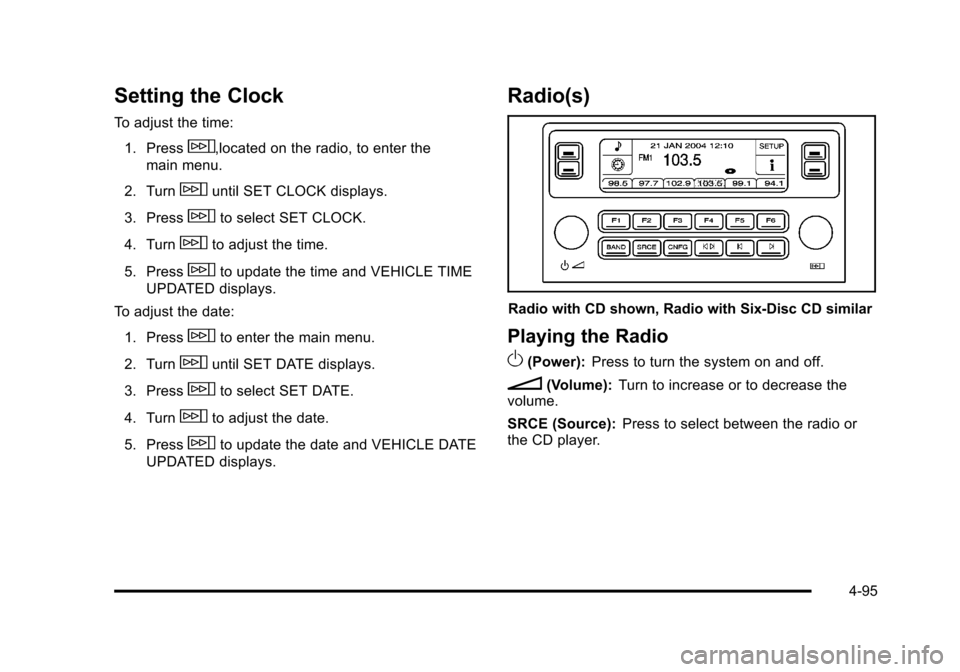
Radio with CD shown, Radio with Six-Disc CD similar
Playing the Radio
O
(Power): Press to turn the system on and off.
n(Volume): Turn to increase or to decrease the
volume.
SRCE (Source): Press to select between the radio or
the CD player.
4-95
Page 289 of 528
Black plate (103,1)Cadillac STS Owner Manual - 2011
Radio Message
THEFTLOCK:Displays when the THEFTLOCK®
system has been activated. Take the vehicle to your
dealer for service.
XM Satellite Radio Service
XM is a satellite radio service that is based in the
48 contiguous United States and 10 Canadian
provinces. XM Satellite Radio has a wide variety
of programming and commercial-free music,
coast-to-coast, and in digital-quality sound. A service
fee is required to receive the XM service. If XM
Service needs to be reactivated, the radio will display
“No Subscription Please Renew” on channel XM1. For
more information, contact XM at www.xmradio.com or
call 1-800-929-2100 in the U.S. and www.xmradio.ca
or call 1-877-438-9677 in Canada.
Radio Messages for XM Only
See XM Radio Messageson page 4‑112later in this
section for further detail.
Using the Single CD Player
Load a CD partway into the slot, label side up. The
player pulls it in. The CD player can play the smaller
3 inch (8 cm) single CDs with an adapter ring. Full-size
CDs and the smaller CDs are loaded in the same
manner.
.The CD begins playing after it is loaded if the
ignition and the radio are on.
.The CD starts to play where it was last stopped if it
was the last selected audio source when the radio
is turned on.
.The CD stays in the player when the ignition or
radio is turned off.
.A CD can be loaded with the radio off, but it does
not start playing until the radio is turned on.
When a CD is loaded, CD displays and the CD
functions display above the pushbuttons in place of the
programmed preset stations. The track number displays
as each new track starts to play.
F1
{(Reverse): Press and hold to reverse quickly
within a track. Release to resume playback. The
elapsed time of the track displays.
F2
|(Forward): Press and hold to advance quickly
within a track. Release to resume playback. The
elapsed time of the track displays.
4-103
Page 298 of 528

Black plate (112,1)Cadillac STS Owner Manual - 2011
XM Radio Messages
XL (Explicit Language Channels):These channels,
or any others, can be blocked at a customer's request,
by calling 1-800-929-2100 in the U.S. and
1-877-438-9677 in Canada.
XM Updating: The encryption code in the receiver is
being updated, and no action is required. This process
should take no longer than 30 seconds.
No XM Signal: The system is functioning correctly, but
the vehicle is in a location that is blocking the XM™
signal. When the vehicle is moved into an open area,
the signal should return.
Loading XM: The audio system is acquiring and
processing audio and text data. No action is needed.
This message should disappear shortly.
Channel Off Air: This channel is not currently in
service. Tune in to another channel.
Channel Unauth : This channel is blocked or cannot
be received with your XM Subscription package.
Channel Unavail: This previously assigned channel is
no longer assigned. Tune to another station. If this
station was one of the presets, choose another station
for that preset button.
No Artist Info: No artist information is available at this
time on this channel. The system is working properly. No Title Info:
No song title information is available at
this time on this channel. The system is working
properly.
No CAT Info: No category information is available at
this time on this channel. The system is working
properly.
No Information: No text or informational messages are
available at this time on this channel. The system is
working properly.
No Subscription Please Renew: XM subscription
needs to be reactivated. Contact XM at
www.xmradio.com or call 1-800-929-2100 in the U.S.
and www.xmradio.ca or call 1-877-438-9677 in Canada.
CAT Not Found: There are no channels available for
the selected category. The system is working properly.
XM Theftlocked: The XM receiver in the vehicle could
have previously been in another vehicle. For security
purposes, XM receivers cannot be swapped between
vehicles. If this message is received after having the
vehicle serviced, check with your dealer.
XM Radio ID: If tuned to channel 0, this message
alternates with the XM™ Radio 8 digit radio ID label.
This label is needed to activate the service.
Unknown: If this message is received when tuned to
channel 0, there could be a receiver fault. Consult with
your dealer.
4-112
Page 307 of 528
Black plate (121,1)Cadillac STS Owner Manual - 2011
.ASEEK LOCAL/DISTANT
.8SET CLOCK
.BSET DATE
.4INFO (Information)
.LANG LANGUAGE
.SETUP
Radio Main Menu Item Descriptions
e
BASS - MID (Midrange) - TREBLE:This item allows
the the bass, midrange and treble features of the audio
system to be adjusted. See “Setting the Tone (Bass/
Treble)” underRadio(s)
on page 4‑95for more
information.
xBALANCE - FADER: This item allows the the
balance and fader features of the audio system to be
adjusted. See “Adjusting the Speakers (Balance/Fade)”
under Radio(s)
on page 4‑95for more information.
eEQ (Equalizer): This item allows one of the five
preset equalizations for the audio system to be
selected. See “Audio Equalizer” underRadio(s)
on
page 4‑95for more information.
H/A (Home/Away) PRESETS: This item allows either
the home or away preset radio stations to be selected.
See “Presets Home/Away” underRadio(s)
on
page 4‑95for more information.
AUTOSTORE PRESETS: This item allows the radio to
automatically store stations with the strongest signals
as presets. See “Autostore Presets” underRadio(s)
on
page 4‑95for more information.
CAT (Category): This item allows radio stations based
on preset categories to be selected. See “Activating
Program Type (PTY) Stations” underRadio(s)
on
page 4‑95for more information.
TA (Traffic Announcement): This item allows the
TA feature to be turned on and off. See “TA (Traffic
Announcement)” underRadio(s)
on page 4‑95for
more information.
4-121
Page 308 of 528

Black plate (122,1)Cadillac STS Owner Manual - 2011
RECALL RDS MESSAGE:This item allows the RDS
radio station messages broadcast by a radio station to
be viewed. See “MSG (Message)” underRadio(s)
on
page 4‑95for more information.
ASEEK LOCAL/DISTANT: This item allows the audio
system to seek only local radio stations with the
strongest signal or to seek all radio stations with a
strong signal in a large area. Use LOCAL while in urban
areas where there are several strong radio station
signals and you want to limit the number of stations to
those with the strongest signals only. Use DISTANT
while in rural areas where there are fewer radio station
signals available.
See “Local/Distant Selection” underRadio(s)
on
page 4‑95for more information.
8SET CLOCK: This item allows the clock to be
adjusted.
See Setting the Clock
on page 4‑95for more
information.
BSET DATE: This item allows the date to be adjusted.
See Setting the Clock
on page 4‑95for more
information.
4(Information): This item allows XM satellite radio
service and CD MP3 playback information to be
displayed. See “
4(Information)”underRadio(s)on
page 4‑95
for more information.
LANG (Language): This item allows the language on
the radio display to be changed.
To change the langauge:
1. Press
wto enter the main menu.
2. Turn
wuntil LANGUAGE displays.
3. Press
wto enter the language settings and then
turn
wto scroll through the following available
langauges:
.ENGLISH
.GERMAN
.FRENCH
.SPANISH
.JAPANESE
4. Press
wto set the langauge.
5. Press F6 to exit the display. To return to the original display, repeatedly press F6 or wait for the
display to time out.
4-122
Page 309 of 528
Black plate (123,1)Cadillac STS Owner Manual - 2011
SETUP:The following submenus are available when
this item is selected:
.PERSONAL SETTINGS MENU
.DRIVER SELECTION
.DRIVER EXIT SETTINGS
.CONFIGURE DISPLAY KEYS
SETUP Submenu Items
The following choices are available for programming.
PERSONAL SETTINGS MENU
This item turns the entire list of personalization features
on or off, and allows a preferred setting for up to two
people to be programmed. The number of available
features varies depending on which options the vehicle
has. A check mark appears after it when this item is on.
For more information on the PERSONAL SETTINGS
MENU item, see Vehicle Personalization on page 3‑59.
DRIVER SELECTION
The following submenu displays when this item is
selected:
.DRIVER 1
.DRIVER 2
.RECALL DRIVER SETTINGS
.STORE DRIVER SETTINGS For more information on the DRIVER SELECTION
submenu item, see
“Recalling Driver Settings” and
“Storing Driver Settings” underMemory Seat, Mirrors
and Steering Wheel on page 3‑75.
DRIVER EXIT SETTINGS
The following submenu displays when this item is
selected:
.RECALL EXIT SETTINGS
.STORE EXIT SETTINGS
For more information on the DRIVER EXIT SETTINGS
submenu item, see “Recalling Exit Settings” and
“Storing Exit Settings” underMemory Seat, Mirrors and
Steering Wheel on page 3‑75.
CONFIGURE DISPLAY KEYS
(Base Audio System)
This item allows the four configurable keys located to
the left and right of the audio display to be customized.
See “Configurable Radio Display Keys” underRadio(s)
on page 4‑95for programming information.
Theft-Deterrent Feature
THEFTLOCK®is designed to discourage theft of the
vehicle's radio by learning a portion of the Vehicle
Identification Number (VIN). The radio does not operate
if it is stolen or moved to a different vehicle.
4-123
Page 313 of 528

Black plate (1,1)Cadillac STS Owner Manual - 2011
Section 5 Driving Your Vehicle
Your Driving, the Road, and the Vehicle. . . . . . . . . .5-2
Defensive Driving . . . . . . . . . . . . . . . . . . . . . . . . . . . . . . . 5-2
Drunk Driving . . . . . . . . . . . . . . . . . . . . . . . . . . . . . . . . . . . 5-2
Control of a Vehicle . . . . . . . . . . . . . . . . . . . . . . . . . . . . . 5-3
Braking . . . . . . . . . . . . . . . . . . . . . . . . . . . . . . . . . . . . . . . . . 5-4
Antilock Brake System (ABS) . . . . . . . . . . . . . . . . . . . 5-5
Braking in Emergencies . . . . . . . . . . . . . . . . . . . . . . . . . 5-6
StabiliTrak
®System . . . . . . . . . . . . . . . . . . . . . . . . . . . . . 5-6
Enhanced StabiliTrak®. . . . . . . . . . . . . . . . . . . . . . . . . . 5-7
Traction Control System (TCS) . . . . . . . . . . . . . . . . . . 5-9
Limited-Slip Rear Axle . . . . . . . . . . . . . . . . . . . . . . . . . 5-11
All-Wheel Drive (AWD) System . . . . . . . . . . . . . . . . 5-11
Steering . . . . . . . . . . . . . . . . . . . . . . . . . . . . . . . . . . . . . . . 5-11
Off-Road Recovery . . . . . . . . . . . . . . . . . . . . . . . . . . . . 5-14
Passing . . . . . . . . . . . . . . . . . . . . . . . . . . . . . . . . . . . . . . . . 5-14 Loss of Control . . . . . . . . . . . . . . . . . . . . . . . . . . . . . . . . 5-14
Driving at Night . . . . . . . . . . . . . . . . . . . . . . . . . . . . . . . . 5-16
Driving in Rain and on Wet Roads . . . . . . . . . . . . . 5-16
Before Leaving on a Long Trip . . . . . . . . . . . . . . . . . 5-18
Highway Hypnosis . . . . . . . . . . . . . . . . . . . . . . . . . . . . . 5-18
Hill and Mountain Roads . . . . . . . . . . . . . . . . . . . . . . . 5-19
Winter Driving . . . . . . . . . . . . . . . . . . . . . . . . . . . . . . . . . 5-20
If Your Vehicle is Stuck in Sand, Mud, Ice,
or Snow . . . . . . . . . . . . . . . . . . . . . . . . . . . . . . . . . . . . . 5-22
Rocking Your Vehicle to Get It Out . . . . . . . . . . . . . 5-23
Loading the Vehicle . . . . . . . . . . . . . . . . . . . . . . . . . . . . 5-23
Towing . . . . . . . . . . . . . . . . . . . . . . . . . . . . . . . . . . . . . . . . . . . . 5-29
Towing Your Vehicle . . . . . . . . . . . . . . . . . . . . . . . . . . . 5-29
Recreational Vehicle Towing . . . . . . . . . . . . . . . . . . . 5-29
Towing a Trailer . . . . . . . . . . . . . . . . . . . . . . . . . . . . . . . . 5-31
5-1
Page 317 of 528
Black plate (5,1)Cadillac STS Owner Manual - 2011
Antilock Brake System (ABS)
This vehicle has the Antilock Brake System (ABS), an
advanced electronic braking system that helps prevent
a braking skid.
When the engine is started and the vehicle begins to
drive away, ABS checks itself. A momentary motor or
clicking noise might be heard while this test is going on,
and it might even be noticed that the brake pedal
moves a little. This is normal.
If there is a problem with
ABS, this warning light
stays on. SeeAntilock
Brake System (ABS)
Warning Light
on
page 4‑59.
Let us say the road is wet and you are driving safely.
Suddenly, an animal jumps out in front of you. You slam
on the brakes and continue braking. Here is what
happens with ABS:
A computer senses that the wheels are slowing down.
If one of the wheels is about to stop rolling, the
computer will separately work the brakes at each wheel. ABS can change the brake pressure to each wheel, as
required, faster than any driver could. This can help the
driver steer around the obstacle while braking hard.
As the brakes are applied, the computer keeps
receiving updates on wheel speed and controls braking
pressure accordingly.
Remember: ABS does not change the time needed to
get a foot up to the brake pedal or always decrease
stopping distance. If you get too close to the vehicle in
front of you, there will not be enough time to apply the
brakes if that vehicle suddenly slows or stops. Always
leave enough room up ahead to stop, even with ABS.
Using ABS
Do not pump the brakes. Just hold the brake pedal
down firmly and let antilock work. The antilock pump or
motor might be heard operating and the brake pedal
might be felt to pulsate , but this is normal.
5-5
Page 325 of 528
Black plate (13,1)Cadillac STS Owner Manual - 2011
Steering in Emergencies
There are times when steering can be more effective
than braking. For example, you come over a hill and
find a truck stopped in your lane, or a car suddenly pulls
out from nowhere, or a child darts out from between
parked cars and stops right in front of you. These
problems can be avoided by braking—if you can stop
in time. But sometimes you cannot stop in time because
there is no room. That is the time for evasive
action —steering around the problem.
The vehicle can perform very well in emergencies like
these. First apply the brakes. See Braking
on
page 5‑4. It is better to remove as much speed as
possible from a collision. Then steer around the
problem, to the left or right depending on the space
available.
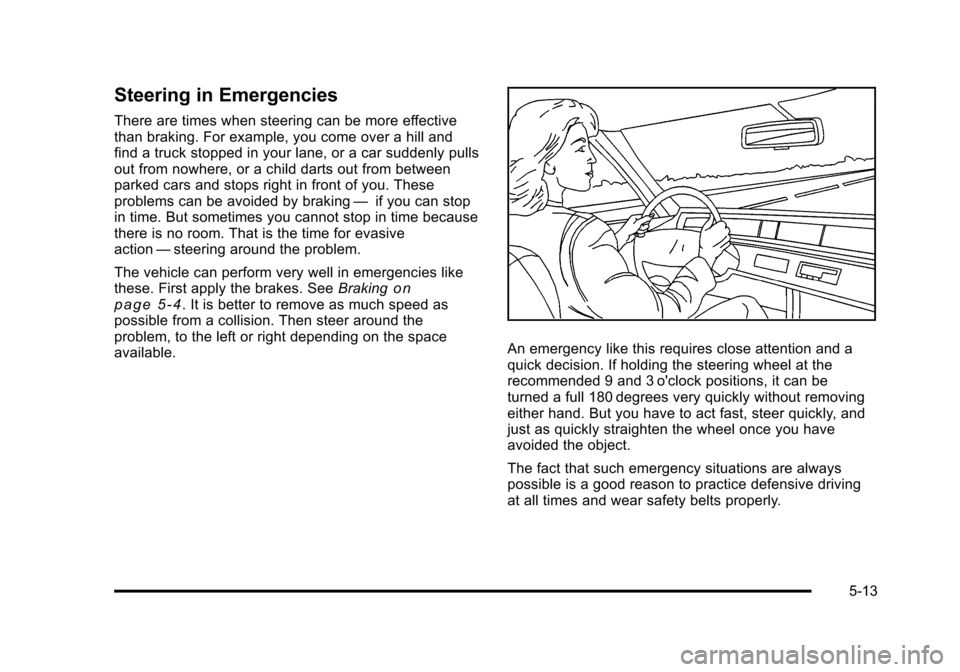
An emergency like this requires close attention and a
quick decision. If holding the steering wheel at the
recommended 9 and 3 o'clock positions, it can be
turned a full 180 degrees very quickly without removing
either hand. But you have to act fast, steer quickly, and
just as quickly straighten the wheel once you have
avoided the object.
The fact that such emergency situations are always
possible is a good reason to practice defensive driving
at all times and wear safety belts properly.
5-13