ECO mode CADILLAC STS V 2007 1.G User Guide
[x] Cancel search | Manufacturer: CADILLAC, Model Year: 2007, Model line: STS V, Model: CADILLAC STS V 2007 1.GPages: 560, PDF Size: 2.92 MB
Page 160 of 560
To program the vehicle to a different mode, use
the following procedure:
1. Enter the PERSONAL SETTINGS MENU by
following the instructions listed previously
under “Entering the Personal Settings Menu.”
2. Turn the tune/select knob until HORN CHIRPS
AT LOCK is highlighted.
3. Press the tune/select knob to switch back and
forth between on and off.
When the mode is turned on, a check mark
will appear next to the feature name.
The mode you selected is now set. You can either
exit the programming mode by following the
instructions later in this section or program the
next feature available on your vehicle.TWILIGHT DELAY
This feature allows you to set the amount of time
you want the exterior lamps to remain on after
you exit the vehicle.
Programmable Modes
Mode 1:0:00 seconds (off)
Mode 2:0:05 seconds
Mode 3:0:15 seconds
Mode 4:0:30 seconds
Mode 5:1:30 minutes
Mode 6:2:00 minutes
Mode 7:3:00 minutes
Mode 8:4:00 minutes
Before your vehicle was shipped from the factory,
it was programmed to Mode 2. The mode to
which the vehicle was programmed may have
been changed since the vehicle left the factory.
160
Page 165 of 560
To program the vehicle to a different mode, use
the following procedure:
1. Enter the PERSONAL SETTINGS MENU by
following the instructions listed previously
under “Entering the Personal Settings Menu.”
2. Turn the tune/select knob until KEYLESS
DOORS UNLOCK is highlighted.
3. Press the tune/select knob to switch back and
forth between on and off.
When the mode is turned on, a check mark
will appear next to the feature name.
The mode you selected is now set. You can either
exit the programming mode by following the
instructions later in this section or program the
next feature available on your vehicle.
LOCK DELAY
This feature delays the locking of the vehicle’s
doors for eight seconds after a power door
lock switch or the lock button on the keyless
access transmitter is pressed. The eight second
delay occurs after the last door is closed. If
the keyless access transmitter is left inside of the
vehicle, the doors will not lock.Programmable Modes
Mode 1:ON
Mode 2:OFF
Before your vehicle was shipped from the factory,
it was programmed to Mode 1. The mode to
which the vehicle was programmed may have
been changed since it left the factory.
To program the vehicle to a different mode, use
the following procedure:
1. Enter the PERSONAL SETTINGS MENU by
following the instructions listed previously
under “Entering the Personal Settings Menu.”
2. Turn the tune/select knob until LOCK DELAY
is highlighted.
3. Press the tune/select knob to switch back and
forth between on and off.
When the mode is turned on, a check mark
will appear next to the feature name.
The mode you selected is now set. You can either
exit the programming mode by following the
instructions later in this section or program the
next feature available on your vehicle.
165
Page 166 of 560
KEYLESS LOCK DELAY
This feature allows you to select whether the
doors automatically lock during normal vehicle exit.
When the ignition is turned off and all doors
become closed, the vehicle will determine how
many keyless access transmitters remain in
the vehicle interior. If at least one keyless access
transmitter has been removed from the interior
of the vehicle, the doors will lock after 10 seconds.
For example, if there are two keyless access
transmitters in the vehicle and one is removed, the
other will be locked in. The keyless access
transmitter locked in the vehicle can still be used
to start the vehicle or unlock the doors, if
needed. A person approaching the outside of the
locked vehicle without an authorized keyless
access transmitter, however, will not be able to
open the door, even with a transmitter in the
vehicle.
You may temporarily disable the passive door
locking feature by pressing the door unlock switch
for three seconds on an open door. Passive
door locking will then remain disabled until a door
lock switch is pressed or until the power mode
transitions from the off power mode.Programmable Modes
Mode 1:ON
Mode 2:OFF
Before your vehicle was shipped from the factory,
it was programmed to Mode 2. The mode to
which the vehicle was programmed may have
been changed since it left the factory.
To program the vehicle to a different mode, use
the following procedure:
1. Enter the PERSONAL SETTINGS MENU by
following the instructions listed previously
under “Entering the Personal Settings Menu.”
2. Turn the tune/select knob until KEYLESS
LOCK DELAY is highlighted.
3. Press the tune/select knob to switch back and
forth between on and off.
When the mode is turned on, a check mark
will appear next to the feature name.
The mode you selected is now set. You can either
exit the programming mode by following the
instructions later in this section or program the
next feature available on your vehicle.
166
Page 169 of 560
The mode you selected is now set. You can either
exit the programming mode by following the
instructions later in this section or program the
next feature available on your vehicle by pressing
the F6 (BACK) button, located on the radio, to
return to the PERSONAL SETTINGS MENU.
Exiting the Personal Settings Menu
Once you have nished making your selections on
the base audio system, you will automatically
return to the main audio screen after 15 seconds.
You can also press the F6 (BACK) button,
located on the radio, to return to the main audio
screen.
Memory Seat, Mirrors and Steering
Wheel
If your vehicle has the memory feature, you can
program and recall memory settings for the
following features for up to two drivers:
The driver’s seat position
The outside rearview mirrors position
The power tilt wheel and telescopic steering
column positionThe following settings and presets are set
automatically:
The language, radio and XM™ presets, tone,
volume, playback mode (AM/FM or CD), last
displayed stations, and compact disc
position
The last climate control setting
The Head-Up Display (HUD) position, if your
vehicle has this feature
Other personalization settings, for example,
remote start settings
SeeVehicle Personalization on page 148.
For vehicles with the base audio system, memory
features are programmed and recalled through
the radio from the DRIVER SELECTION and the
DRIVER EXIT SETTINGS submenus. See
“Entering the Driver Selection Submenu” and
“Entering the Driver Exit Settings Submenu” later
in this section for more information on recalling
and programming the memory settings using the
base audio system.
169
Page 170 of 560
For vehicles with the Navigation system, memory
features are programmed and recalled through
the navigation display. See “Personalization” in the
Index of the Navigation System manual for more
information on programming and recalling the
memory settings using the Navigation system.
For vehicles with the Navigation system, you can
also recall the memory features by using voice
recognition, if your vehicle has this feature.
See “Voice Recognition” in the Index of the
Navigation System manual for more information.
Entering the Driver Selection
Submenu
To enter the memory programming mode for your
driver settings, use the following procedure:
1. Be sure the ignition is either on, in Acc., or in
RAP and place the transmission in PARK (P)
or make sure that the vehicle speed is
less than 6 mph (9 km/h).
2. Press any button on the appropriate keyless
access transmitter to identify yourself as
Driver 1 or Driver 2.3. Turn on the radio by pressing the
power/volume knob.
4. Press the CNFG radio button to enter the
main menu of the radio.
5. Turn the tune/select knob and scroll to
SETUP.
6. Press the tune/select knob to enter the
SETUP menu.
7. Turn the tune/select knob and scroll to
DRIVER SELECTION.
8. Press the tune/select knob to enter the
DRIVER SELECTION submenu. The following
items will appear:DRIVER 1
DRIVER 2
RECALL DRIVER SETTINGS
STORE DRIVER SETTINGS
170
Page 172 of 560
STORE DRIVER SETTINGS
To store driver settings, use the following
procedure:
1. Adjust your settings for the driver’s seat, the
outside rearview mirrors, and the steering
column to a comfortable driving position.
2. Enter the memory programming mode for
your driver settings by following the
instructions listed previously under “Entering
the Driver Selection Submenu.”
3. From the DRIVER SELECTION submenu,
turn the tune/select knob to scroll to STORE
DRIVER SETTINGS and press in the
knob. Two beeps will sound to conrm that
your driver settings are saved.
4. Set the HUD position, if your vehicle has this
feature, the climate control temperature, fan
speed and mode settings, the radio presets,
tone, volume, playback mode (AM/FM,
XM™, or CD), and compact disc position.
Your memory settings are now programmed.
Any changes that are made to the HUD,
audio system, and climate controls while
driving will be automatically stored when the
ignition is turned off.
5. Repeat the procedure for a second driver by
programming the other driver number.
Entering the Driver Exit Settings
Submenu
To enter the memory programming mode for your
exit settings, use the following procedure:
1. Be sure the ignition is either on, in Acc., or in
RAP and place the transmission in PARK (P)
or make sure that the vehicle speed is
less than 6 mph (9 km/h).
2. Press any button on the appropriate keyless
access transmitter to identify yourself as
Driver 1 or Driver 2.
3. Turn on the radio by pressing the
power/volume knob.
4. Press the CNFG radio button to enter the
main menu of the radio.
5. Turn the tune/select knob and scroll to SETUP.
6. Press the tune/select knob to enter the
SETUP menu.
7. Turn the tune/select knob and scroll to
DRIVER EXIT SETTINGS.
8. Press the tune/select knob to enter the
DRIVER EXIT SETTINGS submenu.
The following items will appear:
RECALL EXIT SETTINGS
STORE EXIT SETTINGS
172
Page 173 of 560
Driver Exit Settings Submenu Items
RECALL EXIT SETTINGS
To recall exit settings, use the following procedure:
1. Enter the memory programming mode for
your exit settings by following the instructions
listed previously under “Entering the Driver
Exit Settings Submenu.”
2. From the DRIVER EXIT SETTINGS submenu,
turn the tune/select knob to scroll to RECALL
EXIT SETTINGS and press in the knob.
If the vehicle is in PARK (P), one beep will
sound and your previously saved exit position
will then be recalled.
If the vehicle is not in PARK (P), three beeps
will sound and your previously saved exit
position will not be recalled.
A memory recall can be stopped by pressing
any memory seat or mirror position button.
If you would like the stored exit positions to be
recalled when your vehicle is in PARK (P),
the vehicle is off, and the driver’s door is opened,
see “AUTO EXIT SEAT” and “AUTO EXIT
COLUMN” underVehicle Personalization on
page 148.
STORE EXIT SETTINGS
To store exit settings, use the following procedure:
1. Adjust your settings for the driver’s seat,
the outside rearview mirrors, and the
steering column to a comfortable exit position.
2. Enter the memory programming mode for your
exit settings by following the instructions listed
previously under “Entering the Driver Exit
Settings Submenu.”
3. From the DRIVER EXIT SETTINGS submenu,
turn the tune/select knob to scroll to STORE
EXIT SETTINGS and press in the knob.
Two beeps will sound to conrm that your new
exit settings are saved.
4. Repeat the procedure for a second driver by
programming the other driver number.
173
Page 188 of 560
Unnecessary Warnings
FCA may occasionally provide an unnecessary
warning to guard rails, signs, and other stationary
objects. This is normal operation, your vehicle
does not need service.
Other Messages
There are three messages that may appear on the
Driver Information Center (DIC). They are
CLEAN RADAR, RADAR CRUISE NOT READY
and SERVICE RADAR CRUISE. SeeDIC
Warnings and Messages on page 264.
Cleaning the System
The radar can become blocked by snow, ice, or
dirt. If so, you may need to turn off the engine and
clean the lens. See “Cleaning the System”
underAdaptive Cruise Control on page 197.
Flash-to-Pass
This feature allows you to use the high-beam
headlamps to signal the driver in front of you that
you want to pass.
Pull and hold the turn signal/multifunction lever
toward you to use this feature. When you do this,
the following will occur:
If the headlamps are off, in low-beam or in
Daytime Running Lamps (DRL) mode, the
high-beam headlamps will turn on. They will
stay on as long as you hold the lever
there. Release the lever to turn them off.
If the headlamps are in high-beam mode, they
will switch to low beam. To return to
high-beam, push the lever away from you.
188
Page 233 of 560
Recirculation is not available in the defrost mode
and shuts off when defog mode is selected.
Both of these features are designed to limit fogging
in the vehicle. If recirculation is selected during
defog mode, it automatically turns off after
10 minutes to limit problems with fogging.
In some conditions, using recirculation for long
periods of time can cause the air inside the vehicle
to become too dry or stuffy. To prevent this from
happening, after the air in the vehicle has
cooled, select AUTO to return to automatic climate
control operation or push the recirculation button
again to select outside air.
Press this button a second time to select
outside air.
:(Outside Air):This mode forces the system
to pull air from outside the vehicle. It can be
used to bring fresh air into the vehicle.
Air Quality Sensor:Your vehicle could have an
air quality sensor to help limit the climate
control system from pulling in some harmfulexhaust fumes from older, poorly running, or
diesel-equipped vehicles that are driving near you.
This sensor, when active, monitors the air
quality in front of your vehicle and switches to air
recirculation when poor quality air is detected
outside your vehicle. Press the AUTO button on
the climate control to activate the air quality
sensor. The word AUTO comes on the center of
the climate control display. While the air quality
sensor senses poor quality air, the recirculation
graphic displays.
Under some conditions, the air quality sensor
system does not operate. In cold weather, the
system might not be active (even if AUTO is
displayed) because of concerns of fogging your
windows, which may occur by activating
recirculation mode. Also, the air quality sensor
system does not remain in recirculation mode for
extended periods of time that could cause stuffy or
very dry conditions in the vehicle. Following a
poorly running vehicle for an extended period of
time may not keep recirculation active indenitely.
233
Page 250 of 560
A CHECK TIRE PRESSURE DIC message will
accompany the light. Stop and check your tires as
soon as it is safe to do so. If underinated,
inate to the proper pressure. See Tires for more
information. This light will ash for approximately
60 seconds and then turn on solid if a problem
is detected with the Tire Pressure Monitor system.
SeeTire Pressure Monitor System on page 433,
Tires on page 421andDIC Warnings and
Messages on page 264for more information.
Traction Control System (TCS)
Warning Light
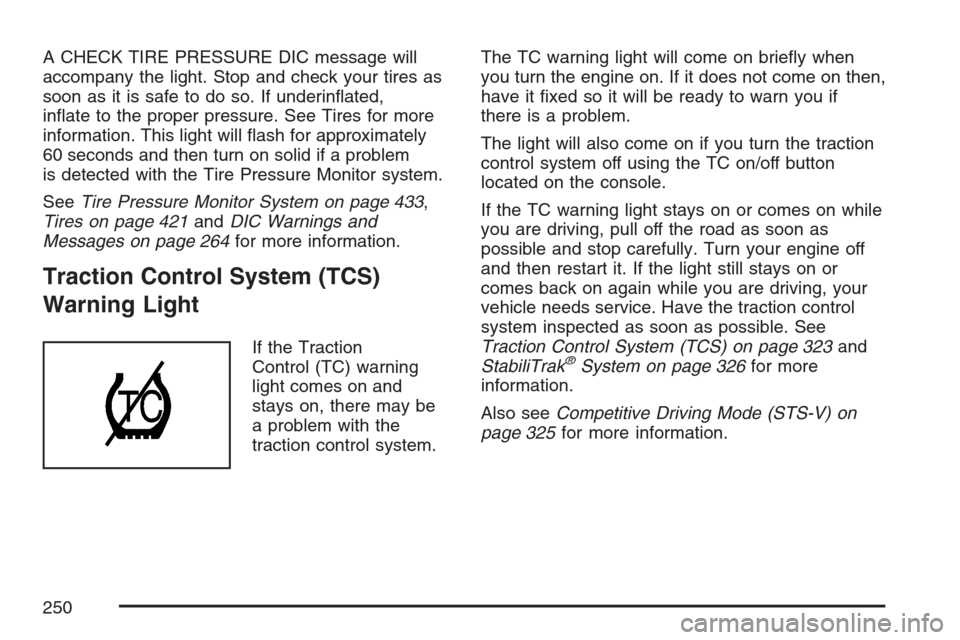
If the Traction
Control (TC) warning
light comes on and
stays on, there may be
a problem with the
traction control system.The TC warning light will come on briey when
you turn the engine on. If it does not come on then,
have it xed so it will be ready to warn you if
there is a problem.
The light will also come on if you turn the traction
control system off using the TC on/off button
located on the console.
If the TC warning light stays on or comes on while
you are driving, pull off the road as soon as
possible and stop carefully. Turn your engine off
and then restart it. If the light still stays on or
comes back on again while you are driving, your
vehicle needs service. Have the traction control
system inspected as soon as possible. See
Traction Control System (TCS) on page 323and
StabiliTrak®System on page 326for more
information.
Also seeCompetitive Driving Mode (STS-V) on
page 325for more information.
250