automatic transmission CADILLAC XLR 2005 1.G Owners Manual
[x] Cancel search | Manufacturer: CADILLAC, Model Year: 2005, Model line: XLR, Model: CADILLAC XLR 2005 1.GPages: 438, PDF Size: 3.69 MB
Page 57 of 438
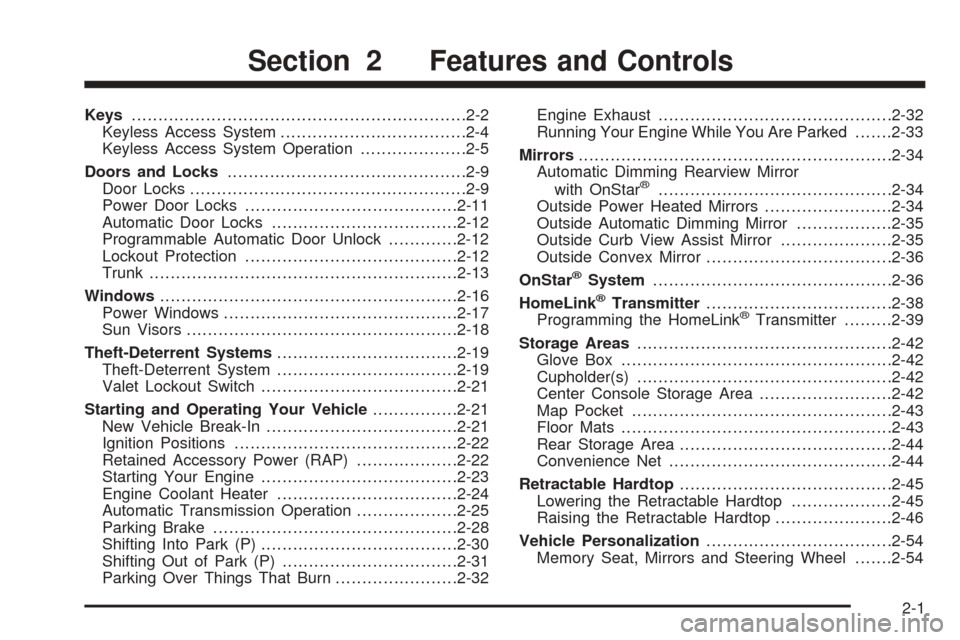
Keys...............................................................2-2
Keyless Access System...................................2-4
Keyless Access System Operation....................2-5
Doors and Locks.............................................2-9
Door Locks....................................................2-9
Power Door Locks........................................2-11
Automatic Door Locks...................................2-12
Programmable Automatic Door Unlock.............2-12
Lockout Protection........................................2-12
Trunk..........................................................2-13
Windows........................................................2-16
Power Windows............................................2-17
Sun Visors...................................................2-18
Theft-Deterrent Systems..................................2-19
Theft-Deterrent System..................................2-19
Valet Lockout Switch.....................................2-21
Starting and Operating Your Vehicle................2-21
New Vehicle Break-In....................................2-21
Ignition Positions..........................................2-22
Retained Accessory Power (RAP)...................2-22
Starting Your Engine.....................................2-23
Engine Coolant Heater..................................2-24
Automatic Transmission Operation...................2-25
Parking Brake..............................................2-28
Shifting Into Park (P).....................................2-30
Shifting Out of Park (P).................................2-31
Parking Over Things That Burn.......................2-32Engine Exhaust............................................2-32
Running Your Engine While You Are Parked.......2-33
Mirrors...........................................................2-34
Automatic Dimming Rearview Mirror
with OnStar
®............................................2-34
Outside Power Heated Mirrors........................2-34
Outside Automatic Dimming Mirror..................2-35
Outside Curb View Assist Mirror.....................2-35
Outside Convex Mirror...................................2-36
OnStar
®System.............................................2-36
HomeLink®Transmitter...................................2-38
Programming the HomeLink®Transmitter.........2-39
Storage Areas................................................2-42
Glove Box...................................................2-42
Cupholder(s)................................................2-42
Center Console Storage Area.........................2-42
Map Pocket.................................................2-43
Floor Mats...................................................2-43
Rear Storage Area........................................2-44
Convenience Net..........................................2-44
Retractable Hardtop........................................2-45
Lowering the Retractable Hardtop...................2-45
Raising the Retractable Hardtop......................2-46
Vehicle Personalization...................................2-54
Memory Seat, Mirrors and Steering Wheel.......2-54
Section 2 Features and Controls
2-1
Page 81 of 438
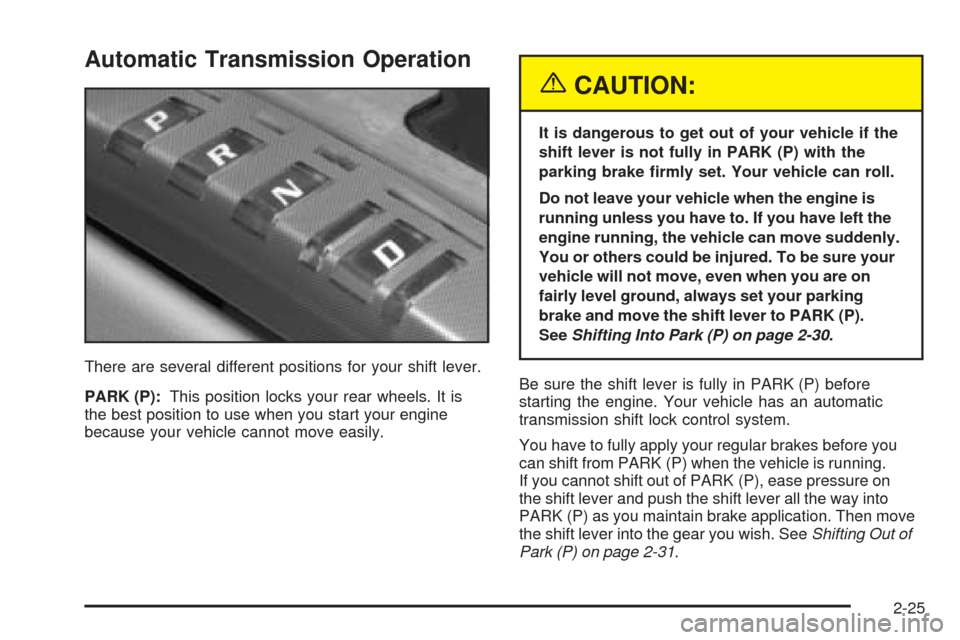
Automatic Transmission Operation
There are several different positions for your shift lever.
PARK (P):This position locks your rear wheels. It is
the best position to use when you start your engine
because your vehicle cannot move easily.
{CAUTION:
It is dangerous to get out of your vehicle if the
shift lever is not fully in PARK (P) with the
parking brake rmly set. Your vehicle can roll.
Do not leave your vehicle when the engine is
running unless you have to. If you have left the
engine running, the vehicle can move suddenly.
You or others could be injured. To be sure your
vehicle will not move, even when you are on
fairly level ground, always set your parking
brake and move the shift lever to PARK (P).
SeeShifting Into Park (P) on page 2-30.
Be sure the shift lever is fully in PARK (P) before
starting the engine. Your vehicle has an automatic
transmission shift lock control system.
You have to fully apply your regular brakes before you
can shift from PARK (P) when the vehicle is running.
If you cannot shift out of PARK (P), ease pressure on
the shift lever and push the shift lever all the way into
PARK (P) as you maintain brake application. Then move
the shift lever into the gear you wish. SeeShifting Out of
Park (P) on page 2-31.
2-25
Page 82 of 438
REVERSE (R):Use this gear to back up.
Notice:Shifting to REVERSE (R) while your vehicle
is moving forward could damage the transmission.
The repairs would not be covered by your warranty.
Shift to REVERSE (R) only after your vehicle is
stopped.
To rock your vehicle back and forth to get out of snow,
ice or sand without damaging your transmission,
seeIf You Are Stuck: In Sand, Mud, Ice or Snow on
page 5-29.
NEUTRAL (N):In this position, your engine does not
connect with the wheels. To restart when you are
already moving, use NEUTRAL (N) only. Also, use
NEUTRAL (N) when your vehicle is being towed.
{CAUTION:
Shifting into a drive gear while your engine is
running at high speed is dangerous. Unless
your foot is rmly on the brake pedal, your
vehicle could move very rapidly. You could
lose control and hit people or objects. Do not
shift into a drive gear while your engine is
running at high speed.Notice:Shifting out of PARK (P) or NEUTRAL (N)
with the engine running at high speed may damage
the transmission. The repairs would not be covered
by your warranty. Be sure the engine is not running
at high speed when shifting your vehicle.
AUTOMATIC OVERDRIVE (D):This position is for
normal driving.
Notice:Spinning the tires or holding the vehicle in
one place on a hill using only the accelerator pedal
may damage the transmission. If you are stuck, do
not spin the tires. When stopping on a hill, use the
brakes to hold the vehicle in place.
Maximum engine speed is limited to protect driveline
components from improper operation.
2-26
Page 83 of 438
Driver Shift Control
The driver shift control feature gives you more manual
control over the operation of the transmission.
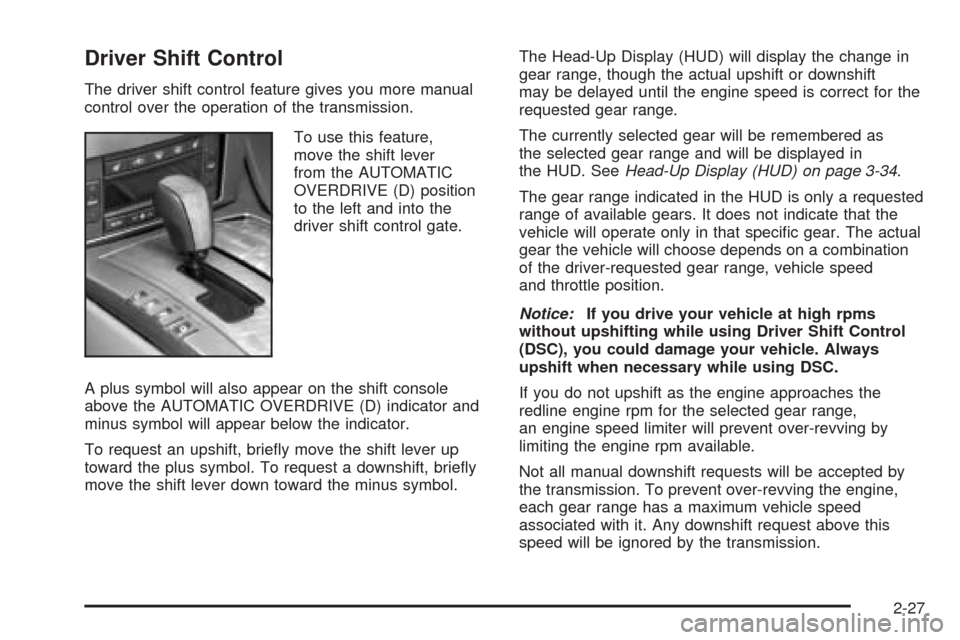
To use this feature,
move the shift lever
from the AUTOMATIC
OVERDRIVE (D) position
to the left and into the
driver shift control gate.
A plus symbol will also appear on the shift console
above the AUTOMATIC OVERDRIVE (D) indicator and
minus symbol will appear below the indicator.
To request an upshift, briey move the shift lever up
toward the plus symbol. To request a downshift, briey
move the shift lever down toward the minus symbol.The Head-Up Display (HUD) will display the change in
gear range, though the actual upshift or downshift
may be delayed until the engine speed is correct for the
requested gear range.
The currently selected gear will be remembered as
the selected gear range and will be displayed in
the HUD. SeeHead-Up Display (HUD) on page 3-34.
The gear range indicated in the HUD is only a requested
range of available gears. It does not indicate that the
vehicle will operate only in that specic gear. The actual
gear the vehicle will choose depends on a combination
of the driver-requested gear range, vehicle speed
and throttle position.
Notice:If you drive your vehicle at high rpms
without upshifting while using Driver Shift Control
(DSC), you could damage your vehicle. Always
upshift when necessary while using DSC.
If you do not upshift as the engine approaches the
redline engine rpm for the selected gear range,
an engine speed limiter will prevent over-revving by
limiting the engine rpm available.
Not all manual downshift requests will be accepted by
the transmission. To prevent over-revving the engine,
each gear range has a maximum vehicle speed
associated with it. Any downshift request above this
speed will be ignored by the transmission.
2-27
Page 84 of 438
Some automatic downshifts may occur to maintain
minimum engine speed. This will only occur if you leave
the vehicle in too high of a gear range for the speed
the vehicle is traveling. For example, if you have been
driving in fth gear range and come to a stop without
manually downshifting, fth gear range will continue to
display in the HUD. The transmission will automatically
downshift to second gear. As you begin to drive
and accelerate, the transmission will automatically
upshift as quickly as possible to the selected fth
gear range.
In higher gear ranges, an automatic downshift will
occur if you press the accelerator pedal to the oor.
This feature provides you with adequate acceleration
capabilities if you forget to downshift manually.
Automatic upshifts and downshifts will not display in
the HUD.
Driver shift control is available while the cruise control is
engaged. The shift behavior of the transmission will
react differently than when cruise control is not engaged.
This is not a malfunction and is necessary to allow
proper operation of the cruise control.
To return to fully automatic operation, move the shift
lever to the right and back into the AUTOMATIC
OVERDRIVE (D).Parking Brake
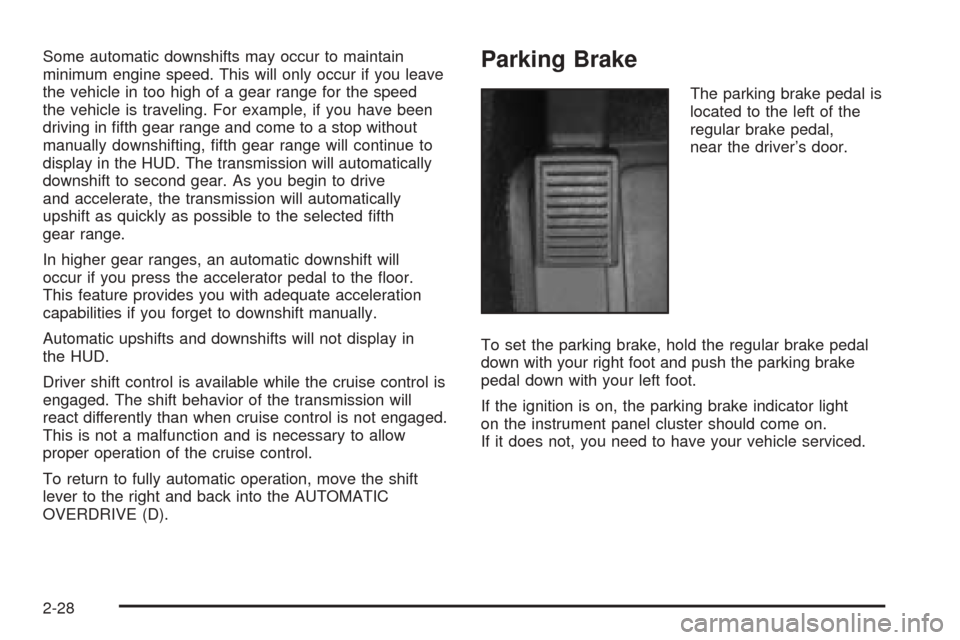
The parking brake pedal is
located to the left of the
regular brake pedal,
near the driver’s door.
To set the parking brake, hold the regular brake pedal
down with your right foot and push the parking brake
pedal down with your left foot.
If the ignition is on, the parking brake indicator light
on the instrument panel cluster should come on.
If it does not, you need to have your vehicle serviced.
2-28
Page 87 of 438
Torque Lock
If you are parking on a hill and you do not shift your
transmission into PARK (P) properly, the weight of the
vehicle may put too much force on the parking pawl
in the transmission. You may nd it difficult to pull the
shift lever out of PARK (P). This is called “torque lock.”
To prevent torque lock, set the parking brake and
then shift into PARK (P) properly before you leave the
driver’s seat. To nd out how, see “Shifting Into
PARK (P)” listed previously in this section.
When you are ready to drive, move the shift lever out of
PARK (P) before you release the parking brake.
If torque lock does occur, you may need to have another
vehicle push yours a little uphill to take some of the
pressure from the parking pawl in the transmission,
so you can pull the shift lever out of PARK (P).
Shifting Out of Park (P)
Your vehicle has an automatic transmission shift lock
control system. You have to fully apply your regular
brake before you can shift from PARK (P) when
the vehicle is running. SeeAutomatic Transmission
Operation on page 2-25.
If you cannot shift out of PARK (P), ease pressure on
the shift lever – push the shift lever all the way into
PARK (P) and release the shift lever button as you
maintain brake application. Then press the shift lever
button and move the shift lever into the gear you wish.
If you ever hold the brake pedal down but still cannot
shift out of PARK (P), try this:
1. Press the ACC button twice to place the ignition in
accessory mode.
2. Apply and hold the brake until the end of Step 4.
3. Shift to NEUTRAL (N).
4. Start the engine and then shift to the drive gear
you want.
5. Have your vehicle inspected by your dealer as soon
as possible.
2-31
Page 102 of 438
4. Make sure that nothing or no one is on or around
the top. Make sure the trunk cargo cover is in
place with nothing on top or in front of the cargo
cover. SeeRear Storage Area on page 2-44
for more information. Also, make sure the valet
lockout switch is off.
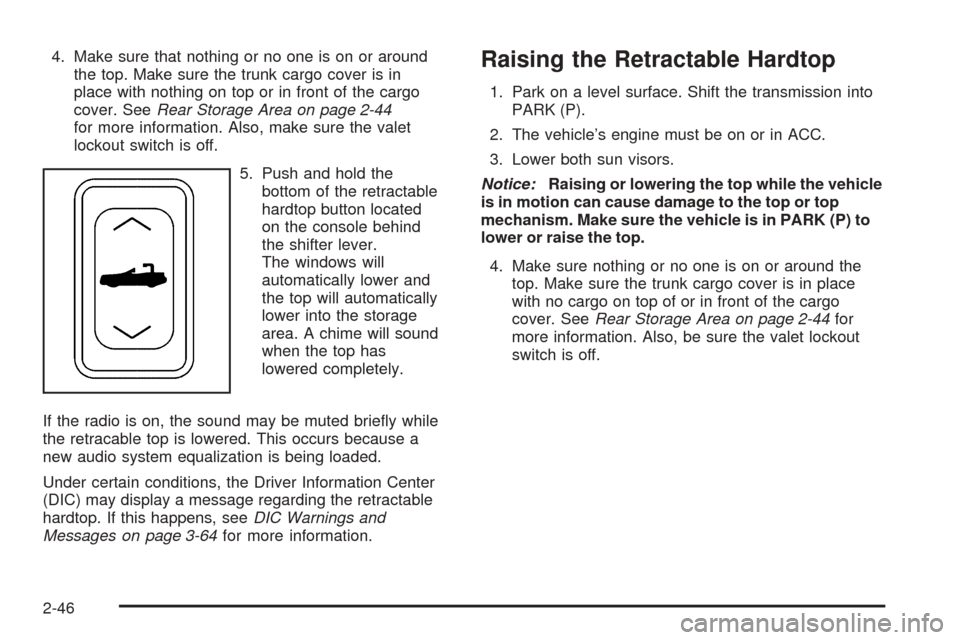
5. Push and hold the
bottom of the retractable
hardtop button located
on the console behind
the shifter lever.
The windows will
automatically lower and
the top will automatically
lower into the storage
area. A chime will sound
when the top has
lowered completely.
If the radio is on, the sound may be muted briey while
the retracable top is lowered. This occurs because a
new audio system equalization is being loaded.
Under certain conditions, the Driver Information Center
(DIC) may display a message regarding the retractable
hardtop. If this happens, seeDIC Warnings and
Messages on page 3-64for more information.Raising the Retractable Hardtop
1. Park on a level surface. Shift the transmission into
PARK (P).
2. The vehicle’s engine must be on or in ACC.
3. Lower both sun visors.
Notice:Raising or lowering the top while the vehicle
is in motion can cause damage to the top or top
mechanism. Make sure the vehicle is in PARK (P) to
lower or raise the top.
4. Make sure nothing or no one is on or around the
top. Make sure the trunk cargo cover is in place
with no cargo on top of or in front of the cargo
cover. SeeRear Storage Area on page 2-44for
more information. Also, be sure the valet lockout
switch is off.
2-46
Page 117 of 438
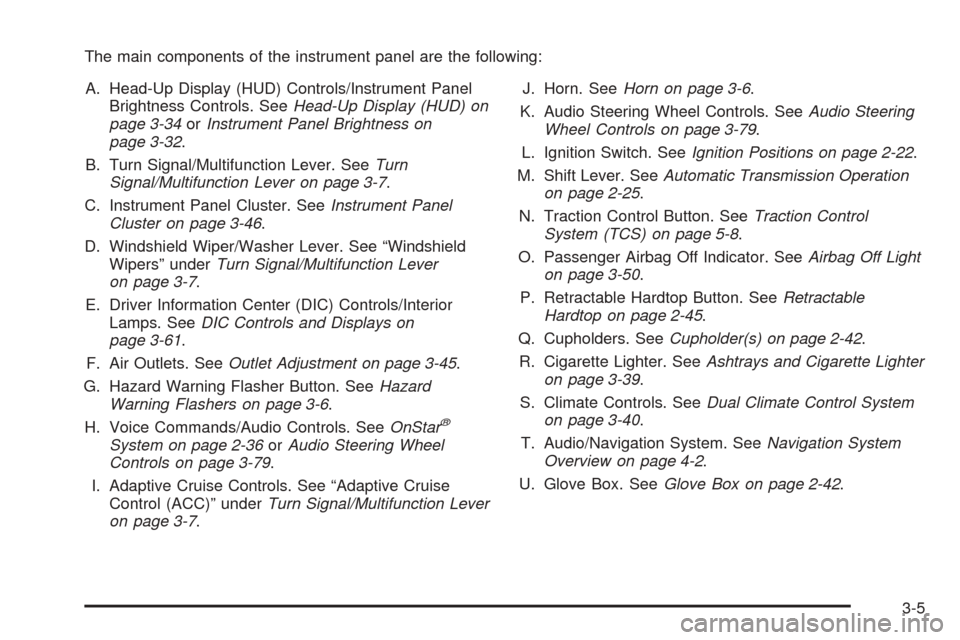
The main components of the instrument panel are the following:
A. Head-Up Display (HUD) Controls/Instrument Panel
Brightness Controls. SeeHead-Up Display (HUD) on
page 3-34orInstrument Panel Brightness on
page 3-32.
B. Turn Signal/Multifunction Lever. SeeTurn
Signal/Multifunction Lever on page 3-7.
C. Instrument Panel Cluster. SeeInstrument Panel
Cluster on page 3-46.
D. Windshield Wiper/Washer Lever. See “Windshield
Wipers” underTurn Signal/Multifunction Lever
on page 3-7.
E. Driver Information Center (DIC) Controls/Interior
Lamps. SeeDIC Controls and Displays on
page 3-61.
F. Air Outlets. SeeOutlet Adjustment on page 3-45.
G. Hazard Warning Flasher Button. SeeHazard
Warning Flashers on page 3-6.
H. Voice Commands/Audio Controls. SeeOnStar
®
System on page 2-36orAudio Steering Wheel
Controls on page 3-79.
I. Adaptive Cruise Controls. See “Adaptive Cruise
Control (ACC)” underTurn Signal/Multifunction Lever
on page 3-7.J. Horn. SeeHorn on page 3-6.
K. Audio Steering Wheel Controls. SeeAudio Steering
Wheel Controls on page 3-79.
L. Ignition Switch. SeeIgnition Positions on page 2-22.
M. Shift Lever. SeeAutomatic Transmission Operation
on page 2-25.
N. Traction Control Button. SeeTraction Control
System (TCS) on page 5-8.
O. Passenger Airbag Off Indicator. SeeAirbag Off Light
on page 3-50.
P. Retractable Hardtop Button. SeeRetractable
Hardtop on page 2-45.
Q. Cupholders. SeeCupholder(s) on page 2-42.
R. Cigarette Lighter. SeeAshtrays and Cigarette Lighter
on page 3-39.
S. Climate Controls. SeeDual Climate Control System
on page 3-40.
T. Audio/Navigation System. SeeNavigation System
Overview on page 4-2.
U. Glove Box. SeeGlove Box on page 2-42.
3-5
Page 142 of 438
Daytime Running Lamps (DRL)
Daytime Running Lamps (DRL) can make it easier for
others to see the front of your vehicle during the
day. DRL can be helpful in many different driving
conditions, but they can be especially helpful in the short
periods after dawn and before sunset. Fully functional
daytime running lamps are required on all vehicles
rst sold in Canada.
The DRL system will make the front turn signal lamps
come on when the following conditions are met:
It is still daylight and the ignition is on,
the exterior lamp control is in the off position and
the transmission is not in PARK (P).
When DRL are on, only the front turn signal lamps will
be on. No other exterior lamps such as the parking
lamps, taillamps, etc. will be on when the DRL are being
used. Your instrument panel will not be lit up either.
When it is dark enough outside, the front turn signal
lamps will turn off and normal low-beam headlamps will
turn on.When it is bright enough outside, the regular lamps will
go off, and the front turn signal lamps will take over.
If you start your vehicle in a dark garage, the automatic
headlamp system will come on immediately. Once
you leave the garage, it will take approximately
one minute for the automatic headlamp system to
change to DRL if it is light outside. During that delay,
your instrument panel cluster may not be as bright
as usual. Make sure your instrument panel brightness
knob is in the full bright position. SeeInstrument
Panel Brightness on page 3-32for more information.
If it is dark enough outside and the exterior lamp control
is off, a HEADLAMPS SUGGESTED message will
display on the Driver’s Information Center (DIC). This
message informs the driver that turning on the exterior
lamps is recommended.
Turning the exterior lamp control to off a second time,
or turning on the headlamps will remove the
HEADLAMPS SUGGESTED message. If the parking
lamps or the fog lamps were turned on instead,
the HEADLAMPS SUGGESTED message will continue
to be displayed.
As with any vehicle, you should turn on the regular
headlamp system when you need it.
3-30
Page 178 of 438
HIGH VOLTAGE:This message shows that the
electrical charging system is overcharging. To avoid
being stranded, have the electrical system checked by
your GM dealer. You can reduce the charging
overload by using the accessories. Turn on the lamps
and radio, set the climate control on AUTO and the
fan speed on HI, and turn the rear window defogger on.
You can monitor battery voltage on the DIC by
pressing the information button. The normal range is
11.5 to 15.5 volts when the engine is running.
HOT ENGINE–A/C OFF:This message displays when
the engine coolant becomes hotter than the normal
operating temperature. To avoid added strain on a hot
engine, the air conditioning compressor is automatically
turned off. When the coolant temperature returns to
normal, the A/C operation will automatically resume. You
can continue to drive your vehicle. If this message
continues to appear, have the system repaired by
your GM dealer as soon as possible to avoid
compressor damage.
ICE POSSIBLE:This message appears when the
outside air temperature is cold enough to create icy road
conditions.
LEFT DOOR AJAR:This message will display anytime
the vehicle engine is running, the transmission is not
in PARK (P) and the driver’s door is open or ajar.
A chime will sound when the vehicle’s speed is greater
than 3 mph (4.8 km/h).LOW BRAKE FLUID:This message will display if the
vehicle is running to inform the driver that the brake
uid level is low. Have the brake system serviced
by your GM dealer as soon as possible. See “Brake
Fluid” underBrakes on page 6-33.
LOW COOLANT:This message will appear when there
is a low level of engine coolant. Have the cooling
system serviced by your GM dealer as soon as possible.
SeeEngine Coolant on page 6-20.
LOW FUEL:This message will appear when the fuel
supply is less than 5 gallons (18.9 L) and the display is
turned off. A single chime will also sound when this
message is displayed.
LOW OIL LEVEL:For correct operation of the low oil
sensing system, your vehicle should be on a level
surface. A false LOW OIL LEVEL message may appear if
the vehicle is parked on a grade. The oil level sensing
system does not check for actual oil level if the engine
has been off for a short period of time, and the oil level is
never checked while the engine is running. If the LOW
OIL LEVEL message appears, and your vehicle has been
parked on level ground with the engine off for at least
30 minutes, the oil level should be checked by observing
the oil dipstick. Prior to checking the oil level, be sure the
engine has been off for a few minutes and your vehicle is
on a level surface. Then check the dipstick and add oil if
necessary. SeeEngine Oil on page 6-13.
3-66