buttons CADILLAC XLR 2008 1.G Owner's Manual
[x] Cancel search | Manufacturer: CADILLAC, Model Year: 2008, Model line: XLR, Model: CADILLAC XLR 2008 1.GPages: 470, PDF Size: 8.39 MB
Page 221 of 470
If you are unsuccessful when inputting a name, it may
need to be selected differently. It is also possible that the
map DVD database may not contain that information
or the correct search area has not been selected.
SeeDatabase Coverage Explanations on page 4-53
for more information.
Touch Sensitive Buttons
Touch-sensitive buttons are located on the screen.
When you have successfully selected a screen button,
a beep will be heard. These buttons will be highlighted
when a feature is available and dim when they are
unavailable. There are some toggle screen buttons that
will be light blue when active and dark blue when
inactive.
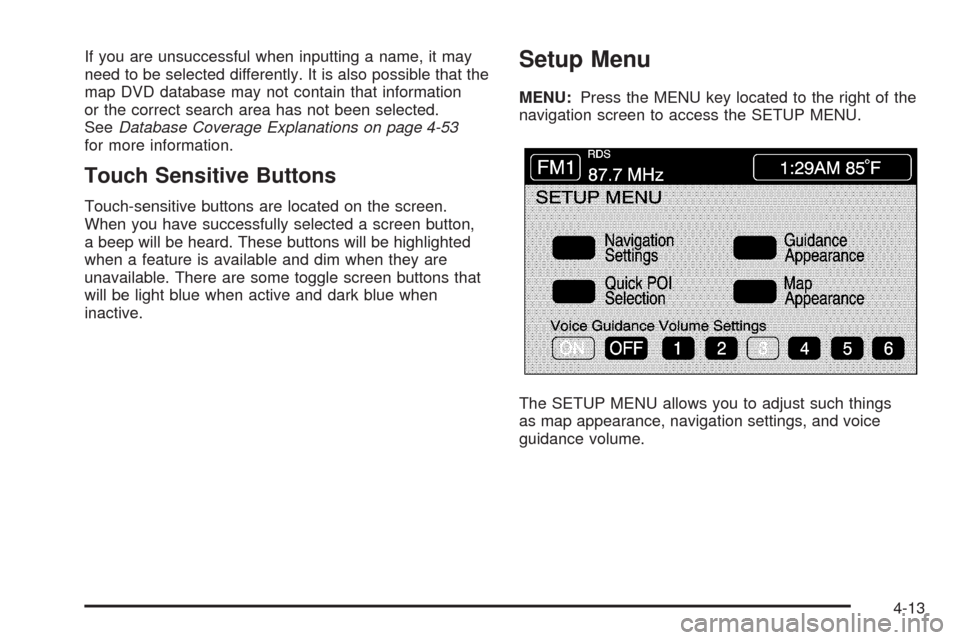
Setup Menu
MENU:Press the MENU key located to the right of the
navigation screen to access the SETUP MENU.
The SETUP MENU allows you to adjust such things
as map appearance, navigation settings, and voice
guidance volume.
4-13
Page 227 of 470
Voice Guidance Volume Settings
This feature allows you to set the voice prompt volume
level or to turn voice prompts on or off.
Set the voice prompt volume level by touching the
numbered buttons to increase or decrease the volume
level. You may also choose to turn the voice prompts off.
Then touch Return to save your setting and to return
to the SETUP MENU.
If a voice prompt is active while the audio system is on,
the audio system volume will decrease and the voice
prompt will be heard through the driver’s side front
speaker.
Voice prompts will not be heard while using voice
recognition.
Plan Route
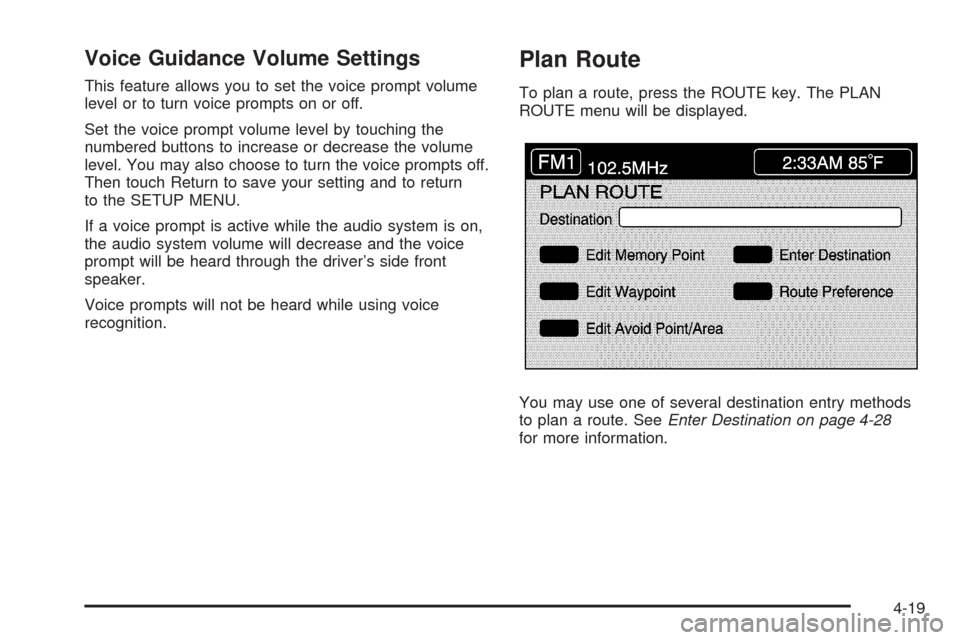
To plan a route, press the ROUTE key. The PLAN
ROUTE menu will be displayed.
You may use one of several destination entry methods
to plan a route. SeeEnter Destination on page 4-28
for more information.
4-19
Page 235 of 470

Registering an Avoid Point/Area
To store an avoid point/area, do the following:
1. Touch Register Avoid Point/Area.
2. Enter a location. SeeEnter Destination on
page 4-28.
3. If desired, reduce or enlarge the area around the
point you want to avoid by using the REDUCE or
ENLARGE screen buttons.
If an avoid point cannot be avoided, the system will
display “Avoid Point and Area Stored. Route
May Not Avoid the Avoid Point and Areas.”
4. Touch Enter to set the area as an avoid point area.
When using the REDUCE or ENLARGE buttons, a
box will appear to represent the area or an X will
appear to represent the area avoided. When an
avoid point is set, the square will appear as green.
5. Touch Return to go back to the previous screen.
Editing an Avoid Point/Area
To edit an avoid point/area, do the following:
1. Touch Edit Avoid Point/Area. A list of avoided
points will appear.
2. Select the avoided point/area you want to change.
A map of the avoided area will appear.
3. Use REDUCE or ENLARGE to edit the avoided
point.
4. Touch Enter to set your new avoided area.
The system will display “Area Adjusted.”
5. Touch Return to go back to the previous screen.
Deleting an Avoid Point/Area
To delete an avoid point/area, do the following:
1. Touch Delete Avoid Point/Area. A list of avoided
points will appear.
2. Select the avoided point/area you want to delete.
3. The system will ask you to conrm your selection.
Touch Yes to delete the avoid point/area or No to
cancel.
If Yes is selected, the area will no longer be
avoided when traveling on a planned route.
4. Touch Return to go back to the previous screen.
4-27
Page 267 of 470
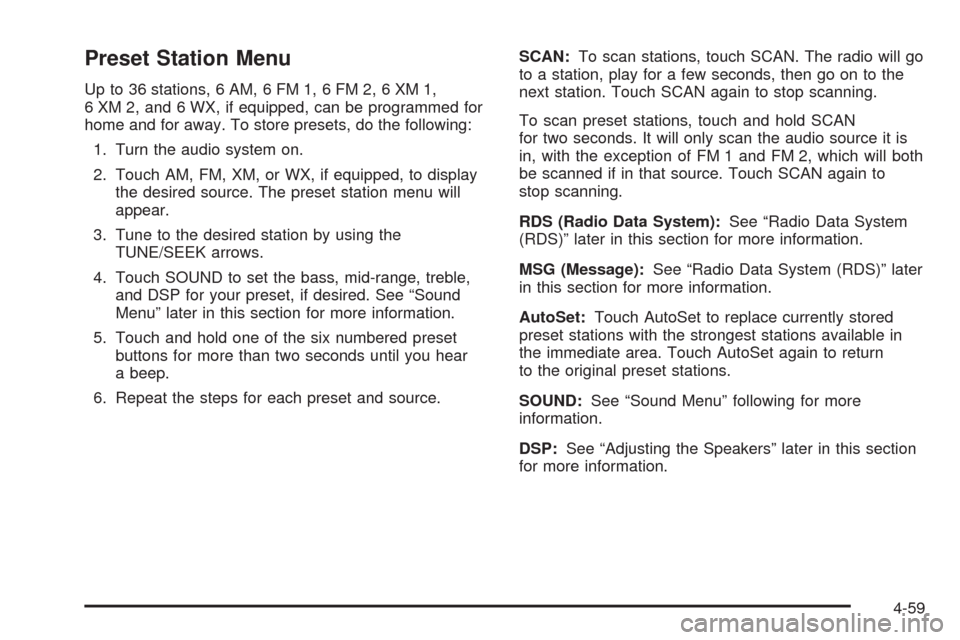
Preset Station Menu
Up to 36 stations, 6 AM, 6 FM 1, 6 FM 2, 6 XM 1,
6 XM 2, and 6 WX, if equipped, can be programmed for
home and for away. To store presets, do the following:
1. Turn the audio system on.
2. Touch AM, FM, XM, or WX, if equipped, to display
the desired source. The preset station menu will
appear.
3. Tune to the desired station by using the
TUNE/SEEK arrows.
4. Touch SOUND to set the bass, mid-range, treble,
and DSP for your preset, if desired. See “Sound
Menu” later in this section for more information.
5. Touch and hold one of the six numbered preset
buttons for more than two seconds until you hear
a beep.
6. Repeat the steps for each preset and source.SCAN:To scan stations, touch SCAN. The radio will go
to a station, play for a few seconds, then go on to the
next station. Touch SCAN again to stop scanning.
To scan preset stations, touch and hold SCAN
for two seconds. It will only scan the audio source it is
in, with the exception of FM 1 and FM 2, which will both
be scanned if in that source. Touch SCAN again to
stop scanning.
RDS (Radio Data System):See “Radio Data System
(RDS)” later in this section for more information.
MSG (Message):See “Radio Data System (RDS)” later
in this section for more information.
AutoSet:Touch AutoSet to replace currently stored
preset stations with the strongest stations available in
the immediate area. Touch AutoSet again to return
to the original preset stations.
SOUND:See “Sound Menu” following for more
information.
DSP:See “Adjusting the Speakers” later in this section
for more information.
4-59
Page 268 of 470
Sound Menu
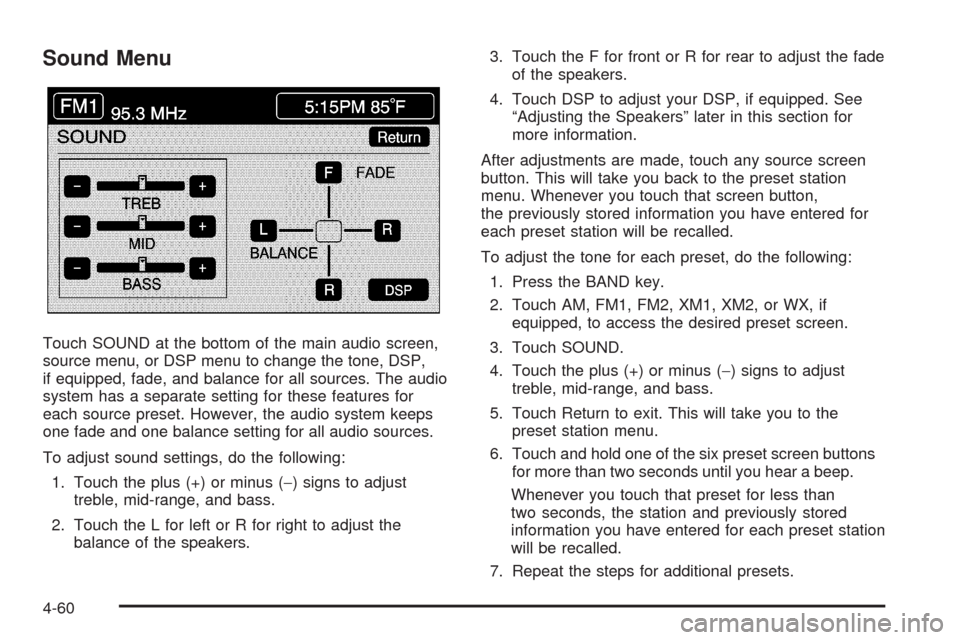
Touch SOUND at the bottom of the main audio screen,
source menu, or DSP menu to change the tone, DSP,
if equipped, fade, and balance for all sources. The audio
system has a separate setting for these features for
each source preset. However, the audio system keeps
one fade and one balance setting for all audio sources.
To adjust sound settings, do the following:
1. Touch the plus (+) or minus (−) signs to adjust
treble, mid-range, and bass.
2. Touch the L for left or R for right to adjust the
balance of the speakers.3. Touch the F for front or R for rear to adjust the fade
of the speakers.
4. Touch DSP to adjust your DSP, if equipped. See
“Adjusting the Speakers” later in this section for
more information.
After adjustments are made, touch any source screen
button. This will take you back to the preset station
menu. Whenever you touch that screen button,
the previously stored information you have entered for
each preset station will be recalled.
To adjust the tone for each preset, do the following:
1. Press the BAND key.
2. Touch AM, FM1, FM2, XM1, XM2, or WX, if
equipped, to access the desired preset screen.
3. Touch SOUND.
4. Touch the plus (+) or minus (−) signs to adjust
treble, mid-range, and bass.
5. Touch Return to exit. This will take you to the
preset station menu.
6. Touch and hold one of the six preset screen buttons
for more than two seconds until you hear a beep.
Whenever you touch that preset for less than
two seconds, the station and previously stored
information you have entered for each preset station
will be recalled.
7. Repeat the steps for additional presets.
4-60
Page 271 of 470
the current station. If the current station does not
broadcast traffic announcements, the audio system will
seek to a station which will. When the audio system nds
a station which broadcasts traffic announcements, it will
stop. If no station is found, TA will turn off.
While a traffic announcement plays, the audio system
uses TA volume. To increase TA volume, touch the VOL
button on your steering wheel or use the VOL up or down
buttons during the announcement. See “Voice Guidance
Volume Settings” underSetup Menu on page 4-13for
more information.
When a traffic announcement comes on the current radio
station or a related network station, you will hear it even if
the volume is muted or a CD is playing. If the audio
system tunes to a related network station for a traffic
announcement, it will return to the original station when
the announcement is nished. If the CD player was being
used, the CD will stay in the player and resume play at
the point where it stopped.
Touch RDS followed by TA again to turn TA off.
MSG (Message):When RDS is on, if the current station
has a message, MSG will appear on the display. Touch
MSG from the preset menu to view the message. If the
whole message does not appear on the display, parts of
the message will appear every three seconds until the
message is completed. Once the complete message hasbeen displayed, MSG will disappear from the display until
another new message is received. MSG will remain
available to allow you to display the entire message
again.
PTY:PTY allows you to seek only stations with types
of programs you want to listen to. This button is used to
turn on and off Program Type (PTY) features.
With RDS on, touch RDS, followed by PTY. The PTY
display will turn on. Touch RDS followed by this button
again to turn the PTY display off.
Select PTY (Select Program Type):With RDS and
PTY on, touch RDS, then SEL PTY. The PTY menu will
appear. Use the up and down arrows to select a PTY.
Touch your PTY selection and the system will return
you to the screen with the preset stations shown.
See Steps 1 through 7 under “Preset Station Menu” to
store the selected PTYs. The selected PTY is then
stored on the preset. You can now touch the PTY preset
to recall your settings.
When the PTY display is on, press TUNE/SEEK and
SCAN to nd radio stations of the PTY selected. The last
PTY selected will be used for seek and scan modes.
If a station with the selected PTY is not found, NONE
FOUND will appear on the display. If both PTY and TA
are on, the audio system will search for stations with
traffic announcements and the selected PTY.
4-63
Page 272 of 470

PTY (Program Type) Presets:The six presets let you
return to your favorite PTYs. These presets have
factory PTY preset stations. See “RDS Program Type
(PTY) Selections” later in this section. You can set up to
12 PTYs, 6 FM 1 and 6 FM2. To save a PTY preset,
do the following:
1. Touch FM1 or FM2.
2. Touch RDS to enter the RDS menu.
3. Touch RDS ON/OFF to turn RDS on.
4. Touch PTY.
5. Touch SEL PTY and select the desired PTY from
the list.
6. Touch and hold one of the six presets for more
than two seconds until you hear a beep. Whenever
you touch that numbered preset for less than
two seconds, the PTY you set will return.
7. Repeat the steps for each preset.
Once you have stored a PTY for each of your preset
stations, you can recall a PTY preset by touching
the preset station for less than two seconds. Then use
TUNE/SEEK or SCAN to locate a station for that
PTY selection.ALERT:This type of announcement warns of national or
local emergencies. You will not be able to turn off alert
announcements. Alert announcements will come on
even if RDS mode is turned off. ALERT appears on the
display when an alert announcement plays. The audio
system uses TA volume during these announcements.
To increase volume, touch the VOL button on your
steering wheel or use the VOL up and down buttons
during the announcement. See “Voice Guidance Volume
Settings” underSetup Menu on page 4-13for more
information. When an alert announcement comes on the
tuned radio station or a related network station, you will
hear it even if the volume is muted or a CD is playing.
If the audio system tunes to a related network station for
an alert announcement, it will return to the original station
when the announcement is nished. If the CD player is
playing, the player will stop for the announcement and
resume when the announcement is nished.
4-64
Page 276 of 470

Once you access the CD changer screen, you can
select one of the numbered buttons to go from
one compact disc to another among those loaded in
the CD changer and use the arrows to rewind or
fast forward through the disc selected.
The following features are also available from this
screen:
LOAD
EJECT
SCAN THE DISCS or SCAN THE TRACKS
and RANDOM ALL or RANDOM DISC.The numbered buttons (1 through 6) represent the order
of the discs loaded in the changer. If there are only
two CDs loaded, buttons 1 and 2 will only be available
to choose from.
LOAD:Touch this button once each time you wish to
load a CD into the changer. It may take up to
10 seconds for the changer to accept the CD into the
slot depending on the changer initializing. Repeat
this procedure for loading up to six discs. Press and
hold the LOAD button until a beep is heard to put
the changer in LOAD ALL mode. Once the Insert CD
message is displayed, you can load all six discs,
one after the other.
r(Play):Touch this button to begin playing a CD.
RANDOM DISC:Touch this button to hear the tracks in
random, rather than sequential, order on the disc
selected. Press the TUNE/SEEK hard key to randomly
seek through the tracks on this disc. Touch RANDOM
DISC again to turn off random play mode.
SCAN TRACKS:Touch this button to hear the rst
10 seconds of each track on the selected disc. Touch
this button again to stop scanning. The CD will mute
while scanning.
r(Rewind):Touch this button to rewind quickly
through a track selection. CD Changer Screen
4-68
Page 277 of 470
EJECT:Touch this button once to eject the chosen CD.
The chosen CD may be selected by rst touching one
of the numbered buttons from 1 to 6. Repeat this
procedure for ejecting up to six discs from the changer.
If you press and hold the EJECT button until a beep
is heard, The system will begin to eject all of the discs
from the player. Once the CD is removed the next
will come out until they are all ejected.
j(Pause):Touch this button to pause CD play.
Touch it again to resume play or touch the play button.
RANDOM ALL:Touch this button to hear the tracks on
all of the discs in the CD changer in random, rather than
sequential, order. Press the TUNE/SEEK hard key while
RANDOM ALL is on to randomly seek within that disc.
Touch RANDOM ALL again to turn off random mode.
SCAN DISCS:Touch this button to hear the rst
10 seconds of rst track on each disc. Touch this button
again to stop scanning. The CD will mute while scanning.
[(Forward):Touch this button to fast forward quickly
through a track selection.
«TUNE SEEKª:Press the up arrow on the
TUNE/SEEK switch to seek to the next selection on the
compact disc. If playing last track of disc, pressing
the up arrow will seek to the rst track of the next disc.Press the down arrow to seek to the previous selection
on the compact disc. If playing the rst track of disc,
pressing the down arrow will seek to the last track on the
selected disc. The sound will mute while seeking.
RDS (Radio Data Systems):See “Radio Data Systems
(RDS)” listed previously for information on this button.
SOUND:See “Sound Menu (Tone, DSP, Fade and
Balance)” for information on this button.
DSP (Digital Signal Processing):See “Adjusting the
Speakers” listed previously for information on this button.
CD Changer Errors
CDX ERROR could be displayed for the following:
The road is too rough. The disc should play when
the road is smoother.
The disc is dirty, scratched, wet or not loaded label
side up.
The air is very humid. If so, wait about an hour and
try again.
If any error occurs repeatedly or if an error cannot be
corrected, please contact your dealer/retailer. If your
audio system displays an error number, write it down
and provide this information to your dealer/retailer when
reporting the error.
4-69
Page 400 of 470

Appearance Care
Interior Cleaning
Your vehicle’s interior will continue to look its best if it is
cleaned often. Although not always visible, dust and
dirt can accumulate on your upholstery. Dirt can damage
carpet, fabric, leather, and plastic surfaces. Regular
vacuuming is recommended to remove particles from
your upholstery. It is important to keep your upholstery
from becoming and remaining heavily soiled.
Soils should be removed as quickly as possible.
Your vehicle’s interior may experience extremes of
heat that could cause stains to set rapidly.
Lighter colored interiors may require more frequent
cleaning. Use care because newspapers and garments
that transfer color to your home furnishings may also
transfer color to your vehicle’s interior.
When cleaning your vehicle’s interior, only use cleaners
specically designed for the surfaces being cleaned.
Permanent damage may result from using cleaners on
surfaces for which they were not intended. Use glass
cleaner only on glass. Remove any accidental over-spray
from other surfaces immediately. To prevent over-spray,
apply cleaner directly to the cleaning cloth.Notice:If you use abrasive cleaners when cleaning
glass surfaces on your vehicle, you could scratch
the glass and/or cause damage to the rear window
defogger. When cleaning the glass on your
vehicle, use only a soft cloth and glass cleaner.
Many cleaners contain solvents that may become
concentrated in your vehicle’s breathing space.
Before using cleaners, read and adhere to all safety
instructions on the label. While cleaning your vehicle’s
interior, maintain adequate ventilation by opening
your vehicle’s doors and windows.
Dust may be removed from small buttons and knobs
using a small brush with soft bristles.
Your dealer/retailer has a product for cleaning your
vehicle’s glass. Should it become necessary, you can
also obtain a product from your dealer/retailer to remove
odors from your vehicle’s upholstery.
Do not clean your vehicle using the following cleaners
or techniques:
Never use a knife or any other sharp object to
remove a soil from any interior surface.
Never use a stiff brush. It can cause damage to
your vehicle’s interior surfaces.
Never apply heavy pressure or rub aggressively
with a cleaning cloth. Use of heavy pressure
can damage your interior and does not improve the
effectiveness of soil removal.
6-80