ignition CADILLAC XLR 2008 1.G Owner's Manual
[x] Cancel search | Manufacturer: CADILLAC, Model Year: 2008, Model line: XLR, Model: CADILLAC XLR 2008 1.GPages: 470, PDF Size: 8.39 MB
Page 155 of 470

Battery Run-Down Protection
Your vehicle has a feature to help prevent the battery
from being drained, in case the underhood lamp, vanity
mirror lamps, cargo lamps, reading lamps, console, or
glove box lamps are accidentally left on, or something is
left plugged into the accessory power outlet or cigarette
lighter. If any of the accessory lamps are left on, they will
automatically time-out after about 10 minutes. To reset
the battery protection, all of the above lamps must be
turned off or the ignition must be in the Acc. position.
Head-Up Display (HUD)
{CAUTION:
If the HUD image is too bright, or too high in
your eld of view, it may take you more time to
see things you need to see when it is dark
outside. Be sure to keep the HUD image dim
and placed low in your eld of view.
The Head-Up Display (HUD) allows you to see some of
the driver information that appears on your instrument
panel cluster.The information may be displayed in English or metric
units and appears as an image focused out toward
the front of your vehicle. To change from English
to metric units, seeDriver Information Center (DIC)
on page 3-60.
The HUD consists of the following information:
Speedometer
Turn Signal Indicators
High-Beam Indicator Symbol
Tap-Up/Tap-Down Transmission Feature
Check Gages Icon
Adaptive Cruise Control Features and Indicators
Radio Features
3-33
Page 157 of 470

To adjust the HUD so you can see it properly, do the
following:
1. Adjust the seat to a comfortable driving position.
If you change your seat position later, you may
have to re-adjust your HUD.
2. Start your engine and press the top or bottom of the
HUD button to center the HUD image in your view.
The HUD image can only be adjusted up and down,
not side-to-side.
3. Press the DIMMER button until the DIC reads HUD
DIMMING. Then use the brightness button to adjust
the desired intensity.
The brightness of the HUD image is determined by the
light conditions in the direction your vehicle is facing
and where you have the HUD set. If you are facing a
dark object or a heavily shaded area, your HUD
may anticipate that you are entering a dark area and
may begin to dim.
To turn off the HUD, press the brightness button down
until the image disappears.
Polarized sunglasses could make the HUD image
harder to see.As light shines out from the HUD, it is possible for light to
shine back in. In rare occurrences, when the sun is at a
specic angle and position, the sun’s rays can shine back
into the HUD. When this occurs, the display device within
the HUD will be temporarily illuminated. The event will
end when the vehicle’s angle to the sun changes.
Clean the inside of the windshield as needed to remove
any dirt or lm that reduces the sharpness or clarity
of the HUD image.
To clean the HUD, spray household glass cleaner on a
soft, clean cloth. Wipe the HUD lens gently, then dry
it. Do not spray cleaner directly on the lens because the
cleaner could leak into the unit.
If the ignition is on and you cannot see the HUD image,
check to see if:
Something is covering the HUD unit.
The brightness is adjusted properly.
The HUD image is adjusted to the proper height.
Ambient light in the direction your vehicle is facing
is low.
A fuse is blown. SeeFuses and Circuit Breakers on
page 6-90.
Keep in mind that your windshield is part of the HUD
system. SeeWindshield Replacement on page 6-50.
3-35
Page 163 of 470

These delays prevent false readings. If the temperature
goes down, the outside temperature will be shown
when you start the vehicle. If it has been turned off for
less than three hours, the temperature will be recalled
from the previous vehicle operation.
There is also an inside temperature sensor located to
the left of the ignition button. The automatic climate
control system uses this sensor to receive information,
so if you block or cover it, the system will not function
properly.
Defogging and Defrosting
Fog on the inside of windows is a result of high humidity
(moisture) condensing on the cool window glass.
This can be minimized if the climate control system is
used properly. There are two modes to clear fog or
frost from your windshield. Use the oor/defog mode
to clear the windows of fog or moisture and warm
the passengers. Use defrost to remove fog or frost
from the windshield more quickly.
-(Floor/Defog):Press the mode button until the
defog mode appears on the display. This mode directs
the air between the windshield, oor outlets and
side windows. When you select this mode, the system
turns off recirculation and runs the air conditioning
compressor unless the outside temperature is near
or below freezing.
1(Defrost):Press this button to direct most of the
air to the windshield, with some air directed to the side
windows. In this mode, the system will automatically
turn off the recirculation and run the air conditioning
compressor, unless the outside temperature is near or
below freezing. Do not drive the vehicle until all the
windows are clear.
Rear Window Defogger
The rear window defogger uses a warming grid to
remove fog or frost from the rear window.
The rear window defogger will only work when the
engine is running.
=(Rear Window Defogger):Press this button to
turn the rear window defogger on or off. Be sure to
clear as much snow from the rear window as possible.
The rear window defogger will turn off about 10 minutes
after the button is pressed when traveling less than
30 mph (48 km/h). If turned on again, the defogger
will only run for about ve minutes before turning off.
The defogger can also be turned off by pressing
the button again or by turning off the engine.
The heated outside rearview mirrors will heat to
help clear fog or frost from the surface of the
mirrors when the rear window defogger is on.
3-41
Page 171 of 470

If, after several seconds, both status indicator lights
remain on, or if there are no lights at all, there may be a
problem with the lights or the passenger sensing system.
See your dealer/retailer for service.
{CAUTION:
If the airbag readiness light in the instrument
panel cluster ever comes on and stays on,
it means that something may be wrong with
the airbag system. If this ever happens, have
the vehicle serviced promptly, because an
adult-size person sitting in the right front
passenger’s seat may not have the protection
of the airbag(s). SeeAirbag Readiness Light
on page 3-46for more on this, including
important safety information.
Charging System Light
This light will come on
briey when you turn
on the ignition, but
the engine is not running,
as a check to show
you it is working.
It should go out once the engine is running. If it stays
on, or comes on while you are driving, you may have a
problem with the charging system. A charging system
Driver Information Center (DIC) message may also
appear. SeeDIC Warnings and Messages on page 3-63
for more information. This light could indicate that you
have problems with a generator drive belt, or another
electrical problem. Have it checked right away.
If you must drive a short distance with the light on,
be certain to turn off all your accessories, such as
the radio and air conditioner.
3-49
Page 173 of 470
If the light comes on while you are driving and you have
a LOW BRAKE FLUID message showing on the DIC,
pull off the road and stop carefully. You may notice
that the pedal is harder to push. Or, the pedal may
go closer to the oor. It may take longer to stop.
If the light is still on, have the vehicle towed for service.
SeeTowing Your Vehicle on page 5-27.
{CAUTION:
Your brake system may not be working
properly if the brake system warning light is
on. Driving with the brake system warning
light on can lead to an accident. If the light
is still on after you have pulled off the road
and stopped carefully, have the vehicle towed
for service.
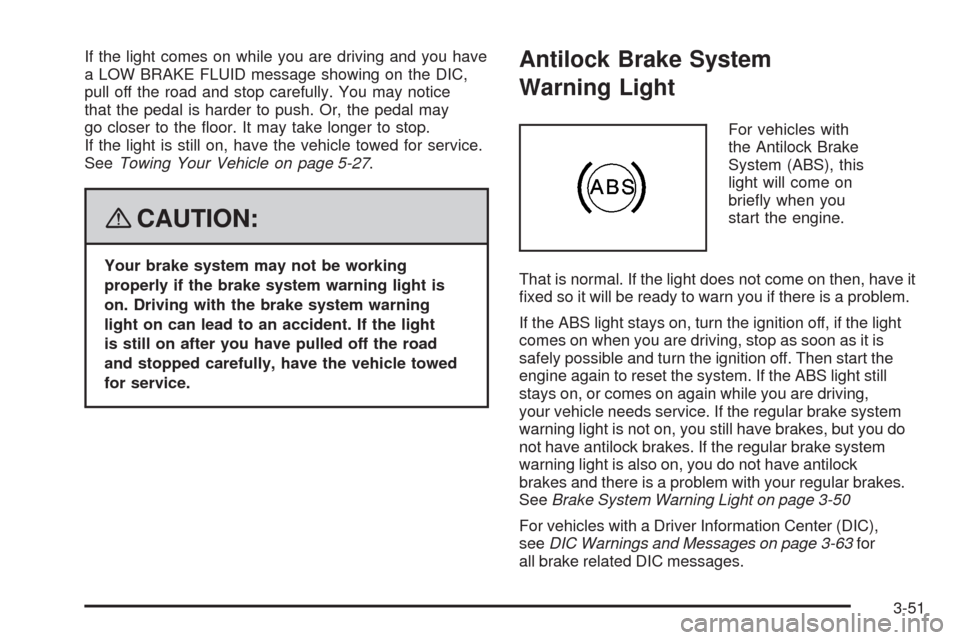
Antilock Brake System
Warning Light
For vehicles with
the Antilock Brake
System (ABS), this
light will come on
briey when you
start the engine.
That is normal. If the light does not come on then, have it
xed so it will be ready to warn you if there is a problem.
If the ABS light stays on, turn the ignition off, if the light
comes on when you are driving, stop as soon as it is
safely possible and turn the ignition off. Then start the
engine again to reset the system. If the ABS light still
stays on, or comes on again while you are driving,
your vehicle needs service. If the regular brake system
warning light is not on, you still have brakes, but you do
not have antilock brakes. If the regular brake system
warning light is also on, you do not have antilock
brakes and there is a problem with your regular brakes.
SeeBrake System Warning Light on page 3-50
For vehicles with a Driver Information Center (DIC),
seeDIC Warnings and Messages on page 3-63for
all brake related DIC messages.
3-51
Page 175 of 470
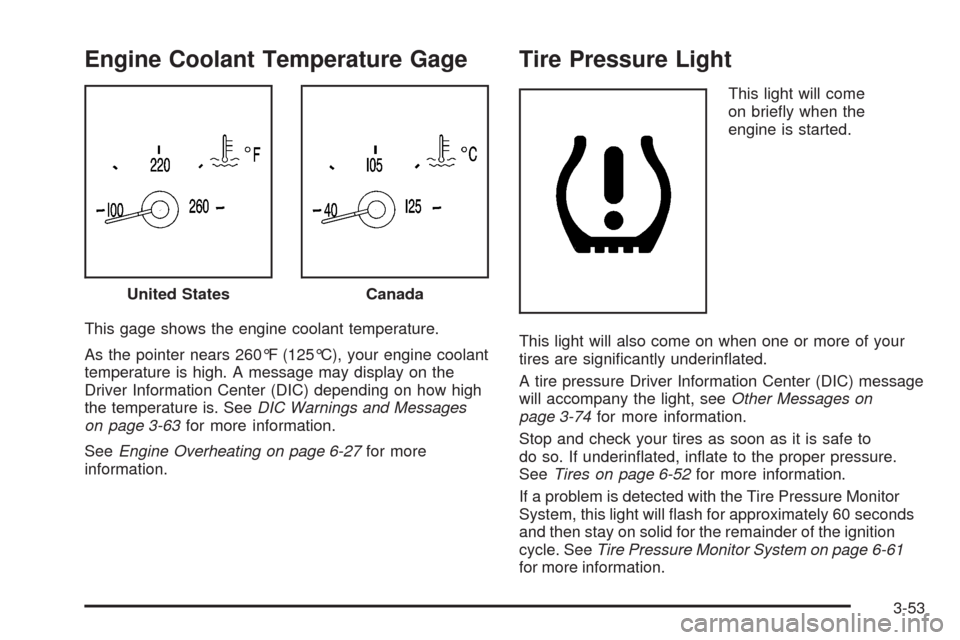
Engine Coolant Temperature Gage
This gage shows the engine coolant temperature.
As the pointer nears 260°F (125°C), your engine coolant
temperature is high. A message may display on the
Driver Information Center (DIC) depending on how high
the temperature is. SeeDIC Warnings and Messages
on page 3-63for more information.
SeeEngine Overheating on page 6-27for more
information.
Tire Pressure Light
This light will come
on briey when the
engine is started.
This light will also come on when one or more of your
tires are signicantly underinated.
A tire pressure Driver Information Center (DIC) message
will accompany the light, seeOther Messages on
page 3-74for more information.
Stop and check your tires as soon as it is safe to
do so. If underinated, inate to the proper pressure.
SeeTires on page 6-52for more information.
If a problem is detected with the Tire Pressure Monitor
System, this light will ash for approximately 60 seconds
and then stay on solid for the remainder of the ignition
cycle. SeeTire Pressure Monitor System on page 6-61
for more information. United States
Canada
3-53
Page 176 of 470

Malfunction Indicator Lamp
Check Engine Light
A computer system called OBD II (On-Board
Diagnostics-Second Generation) monitors operation
of the fuel, ignition, and emission control systems.
It makes sure that emissions are at acceptable levels
for the life of the vehicle, helping to produce a cleaner
environment.
The check engine light
comes on to indicate
that there is an OBD II
problem and service
is required.
Malfunctions often are indicated by the system before
any problem is apparent. This can prevent more serious
damage to your vehicle. This system is also designed
to assist your service technician in correctly diagnosing
any malfunction.
Notice:If you keep driving your vehicle with
this light on, after a while, the emission controls
might not work as well, your vehicle’s fuel economymight not be as good, and the engine might not
run as smoothly. This could lead to costly repairs
that might not be covered by your warranty.
Notice:Modications made to the engine,
transmission, exhaust, intake, or fuel system of
your vehicle or the replacement of the original tires
with other than those of the same Tire Performance
Criteria (TPC) can affect your vehicle’s emission
controls and can cause this light to come on.
Modications to these systems could lead to costly
repairs not covered by your warranty. This could
also result in a failure to pass a required Emission
Inspection/Maintenance test. SeeAccessories
and Modifications on page 6-3.
This light comes on briey, as a check to show it is
working, as you start the engine. If the light does not
come on, have it repaired. This light also comes
on during a malfunction in one of two ways:
Light Flashing— A misre condition has been
detected. A misre increases vehicle emissions
and could damage the emission control system
on your vehicle. Diagnosis and service might
be required.
Light On Steady— An emission control system
malfunction has been detected on your vehicle.
Diagnosis and service might be required.
3-54
Page 178 of 470

Emissions Inspection and
Maintenance Programs
Some state/provincial and local governments have
or might begin programs to inspect the emission
control equipment on your vehicle. Failure to pass
this inspection could prevent you from getting a
vehicle registration.
Here are some things you need to know to help
your vehicle pass an inspection:
Your vehicle will not pass this inspection if the check
engine light is on or not working properly.
To perform a check engine light bulb check with the
keyless ignition, make sure the transmitter fob is
in the passenger compartment. SeeIgnition Positions
on page 2-23. Press the bottom of the Acc. button
on the instrument panel and hold the button down for
ve seconds. The instrument panel, including the check
engine light, will light up and the ignition will be on,but the engine will not start — if you press the bottom
of the Acc. button only briey, less than ve seconds,
the accessory power mode will be turned on, but not
the ignition. After the bulb check, be sure to press and
release the Acc. button again to turn the ignition off
and avoid draining the vehicle’s battery.
Your vehicle will not pass this inspection if the
OBD (on-board diagnostic) system determines that
critical emission control systems have not been
completely diagnosed by the system. The vehicle would
be considered not ready for inspection. This can
happen if you have recently replaced the battery or
if the battery has run down. The diagnostic system is
designed to evaluate critical emission control systems
during normal driving. This may take several days
of routine driving. If you have done this and your
vehicle still does not pass the inspection for lack of
OBD system readiness, your dealer/retailer can prepare
the vehicle for inspection.
3-56
Page 181 of 470

Fuel Gage
Your fuel gage tells
you about how much
fuel you have left when
the ignition is on.
When the needle approaches the low fuel symbol,
LOW FUEL will appear on the Driver Information
Center (DIC) display. At this time, you still have a
little fuel left, but you should get more soon.Press RESET to acknowledge a DIC message(s).
Pressing RESET will also turn off a DIC message
but the LOW FUEL message will come on again in
10 minutes if you have not added fuel to the vehicle.
Here are ve things that some owners ask about.
All these things are normal and do not indicate that
anything is wrong with the fuel gage.
At the gas station, the gas pump shuts off before
the gage reads the full symbol.
It takes more (or less) fuel to ll up than the
gage reads. For example, the gage reads half full,
but it took more (or less) than half of the tank’s
capacity to t it.
The gage pointer may move while cornering,
braking or speeding up.
The gage may not indicate the tank is empty when
the ignition is turned off.
The gage reading may change slightly within the
rst several minutes after starting the vehicle.
3-59
Page 185 of 470
DIC Warnings and Messages
These messages appear if there is a problem detected
in one of your vehicle’s systems. You must then
press RESET to clear the display screen for further use.
However, be sure to take any message that appears
on the display screen seriously and remember that
pressing the RESET button will only make the message
disappear, not the problem.
DIC messages can also be displayed in English,
French, German, Italian, Japanese, and Spanish.
ABS (Antilock Brake System) ACTIVE
This message displays when the Antilock Brake
System (ABS) is adjusting brake pressure to help
avoid a braking skid.
Slippery road conditions may exist if this message
displays, so adjust your driving accordingly.
The message may stay on for a few seconds after
the system stops adjusting brake pressure.
BUCKLE PASSENGER
This message reminds you to buckle the passenger’s
safety belt.
This message displays and a chime sounds when the
ignition is on, the driver’s safety belt is buckled, the
passenger’s safety belt is unbuckled with the passenger
airbag enabled, and the vehicle is in motion. You
should have the passenger buckle their safety belt.
The reminder will be repeated if the ignition is on, the
vehicle is in motion, the driver is buckled and the
passenger is still unbuckled, and the passenger airbag
is enabled. If the passenger’s safety belt is already
buckled, this message and chime will not come on.
BUCKLE SEAT BELT
This message reminds you to buckle the driver’s
safety belt.
This message displays and a chime sounds when the
ignition is on, the driver’s safety belt is unbuckled,
and the vehicle is in motion. You should buckle your
safety belt.
3-63