ignition CADILLAC XLR 2008 1.G Service Manual
[x] Cancel search | Manufacturer: CADILLAC, Model Year: 2008, Model line: XLR, Model: CADILLAC XLR 2008 1.GPages: 470, PDF Size: 8.39 MB
Page 262 of 470
Navigation Audio System
Notice:Before adding any sound equipment to
your vehicle, such as an audio system, CD player,
CB radio, mobile telephone, or two-way radio, make
sure that it can be added by checking with your
dealer/retailer. Also, check federal rules covering
mobile radio and telephone units. If sound
equipment can be added, it is very important to do
it properly. Added sound equipment can interfere
with the operation of your vehicle’s engine, radio,
or other systems, and even damage them.
Your vehicle’s systems can interfere with the
operation of sound equipment that has been added.
Your vehicle has a feature called Retained Accessory
Power (RAP). With RAP, the audio system can be
played even after the ignition is turned off. SeeRetained
Accessory Power (RAP) on page 2-24for more
information.
The audio system is operated using navigation system
menus. The audio menus are explained in this section.
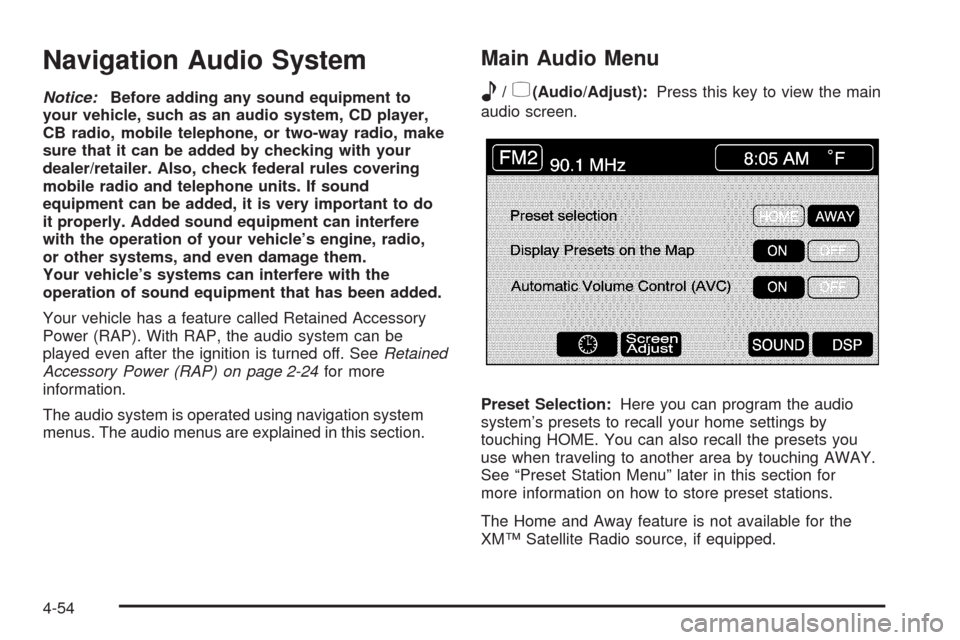
Main Audio Menu
e
/z(Audio/Adjust):Press this key to view the main
audio screen.
Preset Selection:Here you can program the audio
system’s presets to recall your home settings by
touching HOME. You can also recall the presets you
use when traveling to another area by touching AWAY.
See “Preset Station Menu” later in this section for
more information on how to store preset stations.
The Home and Away feature is not available for the
XM™ Satellite Radio source, if equipped.
4-54
Page 284 of 470
Voice Recognition
The navigation system’s voice recognition allows for
hands-free operation of navigation and audio system
features. Voice recognition can be used when the
ignition is on or when Retained Accessory Power (RAP)
is active.
This feature only works if the map DVD is inserted and
I AGREE has been selected. If you try to use voice
recognition without the map DVD inserted, the system
will display “Please insert the navigation map DVD
to use the voice recognition feature.” See “Installing the
DVD Map Disc” underMaps on page 4-39.To use navigation voice recognition, do the following:
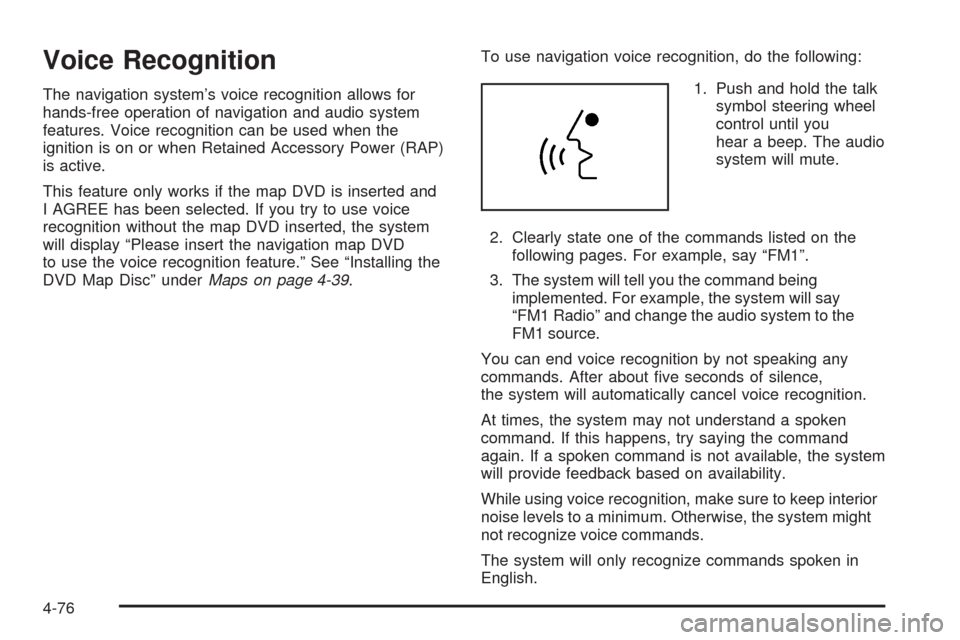
1. Push and hold the talk
symbol steering wheel
control until you
hear a beep. The audio
system will mute.
2. Clearly state one of the commands listed on the
following pages. For example, say “FM1”.
3. The system will tell you the command being
implemented. For example, the system will say
“FM1 Radio” and change the audio system to the
FM1 source.
You can end voice recognition by not speaking any
commands. After about ve seconds of silence,
the system will automatically cancel voice recognition.
At times, the system may not understand a spoken
command. If this happens, try saying the command
again. If a spoken command is not available, the system
will provide feedback based on availability.
While using voice recognition, make sure to keep interior
noise levels to a minimum. Otherwise, the system might
not recognize voice commands.
The system will only recognize commands spoken in
English.
4-76
Page 309 of 470
{CAUTION:
Coasting downhill in NEUTRAL (N) or with the
ignition off is dangerous. The brakes will have
to do all the work of slowing down and they
could get so hot that they would not work well.
You would then have poor braking or even
none going down a hill. You could crash.
Always have the engine running and your
vehicle in gear when you go downhill.
Stay in your own lane. Do not swing wide or cut
across the center of the road. Drive at speeds
that let you stay in your own lane.
Top of hills: Be alert — something could be in your
lane (stalled car, accident).
Pay attention to special road signs (falling rocks
area, winding roads, long grades, passing or
no-passing zones) and take appropriate action.
Winter Driving
Here are some tips for winter driving:
Have your vehicle in good shape for winter.
You might want to put winter emergency supplies
in your vehicle.
Include an ice scraper, a small brush or broom, a
supply of windshield washer uid, a rag, some winter
outer clothing, a small shovel, a ashlight, a red
cloth, and a couple of reective warning triangles.
And, if you will be driving under severe conditions,
include a small bag of sand, a piece of old carpet,
or a couple of burlap bags to help provide traction.
Be sure you properly secure these items in your
vehicle.
Also seeTires on page 6-52.
5-17
Page 355 of 470
If the LOW COOLANT message does not appear on the
Driver Information Center (DIC) after two minutes, the
coolant is at the proper ll level. If a LOW COOLANT
message does appear, repeat Steps 1 through 3
then reinstall the pressure cap, or see your dealer.
Power Steering Fluid
SeeEngine Compartment
Overview on page 6-12for
reservoir location.
When to Check Power Steering Fluid
It is not necessary to regularly check power steering uid
unless you suspect there is a leak in the system or
you hear an unusual noise. A uid loss in this system
could indicate a problem. Have the system inspected
and repaired.
How to Check Power Steering Fluid
To check the power steering uid, do the following:
1. Turn the ignition off and let the engine compartment
cool down.
2. Wipe the cap and the top of the reservoir clean.
3. Unscrew the cap and wipe the dipstick with a
clean rag.
4. Replace the cap and completely tighten it.
5. Remove the cap again and look at the uid level
on the dipstick.
The level should be at the FULL COLD mark.
If necessary, add only enough uid to bring the
level up to the mark.
What to Use
To determine what kind of uid to use, see
Recommended Fluids and Lubricants on page 7-11.
Always use the proper uid.
Notice:Use of the incorrect uid may damage your
vehicle and the damages may not be covered by
your warranty. Always use the correct uid listed in
Recommended Fluids and Lubricants on page 7-11.
6-35
Page 362 of 470
Notice:If you leave your radio or other accessories
on during the jump starting procedure, they could
be damaged. The repairs would not be covered
by your warranty. Always turn off your radio and
other accessories when jump starting your vehicle.
3. Turn off the ignition on both vehicles. Unplug
unnecessary accessories plugged into the cigarette
lighter or the accessory power outlet. Turn off
the radio and all lamps that are not needed.
This will avoid sparks and help save both batteries.
And it could save the radio!
4. Open the hoods and locate the batteries. Find the
positive (+) and negative (−) terminal locations on
each vehicle. SeeEngine Compartment Overview
on page 6-12for more information on location.
{CAUTION:
An electric fan can start up even when the
engine is not running and can injure you.
Keep hands, clothing and tools away from any
underhood electric fan.
{CAUTION:
Using a match near a battery can cause battery
gas to explode. People have been hurt doing
this, and some have been blinded. Use a
ashlight if you need more light.
Be sure the battery has enough water. You do
not need to add water to the battery installed
in your new vehicle. But if a battery has ller
caps, be sure the right amount of uid is there.
If it is low, add water to take care of that rst.
If you do not, explosive gas could be present.
Battery uid contains acid that can burn you.
Do not get it on you. If you accidentally get it
in your eyes or on your skin, ush the place
with water and get medical help immediately.
6-42
Page 383 of 470
Tire Pressure Monitor Operation
The Tire Pressure Monitor System (TPMS) is designed
to warn the driver when a low tire pressure condition
exists. TPMS sensors are mounted onto each tire
and wheel assembly on your vehicle. The TPMS
sensors monitor the air pressure in the vehicle’s tires
and transmits the tire pressure readings to a receiver
located in the vehicle.
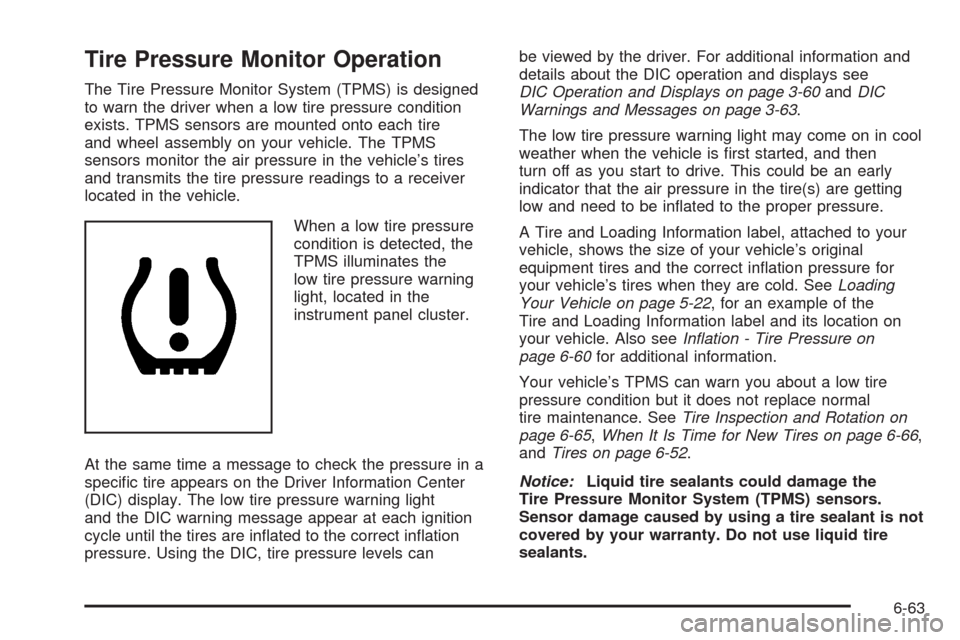
When a low tire pressure
condition is detected, the
TPMS illuminates the
low tire pressure warning
light, located in the
instrument panel cluster.
At the same time a message to check the pressure in a
specic tire appears on the Driver Information Center
(DIC) display. The low tire pressure warning light
and the DIC warning message appear at each ignition
cycle until the tires are inated to the correct ination
pressure. Using the DIC, tire pressure levels canbe viewed by the driver. For additional information and
details about the DIC operation and displays see
DIC Operation and Displays on page 3-60andDIC
Warnings and Messages on page 3-63.
The low tire pressure warning light may come on in cool
weather when the vehicle is rst started, and then
turn off as you start to drive. This could be an early
indicator that the air pressure in the tire(s) are getting
low and need to be inated to the proper pressure.
A Tire and Loading Information label, attached to your
vehicle, shows the size of your vehicle’s original
equipment tires and the correct ination pressure for
your vehicle’s tires when they are cold. SeeLoading
Your Vehicle on page 5-22, for an example of the
Tire and Loading Information label and its location on
your vehicle. Also seeInflation - Tire Pressure on
page 6-60for additional information.
Your vehicle’s TPMS can warn you about a low tire
pressure condition but it does not replace normal
tire maintenance. SeeTire Inspection and Rotation on
page 6-65,When It Is Time for New Tires on page 6-66,
andTires on page 6-52.
Notice:Liquid tire sealants could damage the
Tire Pressure Monitor System (TPMS) sensors.
Sensor damage caused by using a tire sealant is not
covered by your warranty. Do not use liquid tire
sealants.
6-63
Page 384 of 470
TPMS Malfunction Light and Message
The TPMS will not function properly if one or more of the
TPMS sensors are missing or inoperable. When the
system detects a malfunction, the low tire warning light
ashes for about one minute and then stays on for
the remainder of the ignition cycle. A DIC warning
message is also displayed. The low tire warning light
and DIC warning message come on at each ignition
cycle until the problem is corrected. Some of the
conditions that can cause the malfunction light and
DIC message to come on are:
The TPMS sensor matching process was not done
or not completed successfully. The DIC message
should go off after successfully completing the
sensor matching process.
One or more TPMS sensors are missing or
damaged. Under these conditions the TPMS
malfunction light (low tire warning light) comes on,
and at the same time the DIC message is
displayed. The DIC message and TPMS malfunction
light should go off once the TPMS sensors are
installed and the sensor matching process is
performed successfully.
Replacement tires or wheels do not match your
vehicle’s original equipment tires or wheels.
Tires and wheels other than those recommended
for your vehicle could prevent the TPMS from
functioning properly. SeeBuying New Tires on
page 6-67.
Operating electronic devices or being near facilities
using radio wave frequencies similar to the TPMS
could cause the TPMS sensors to malfunction.
If the TPMS is not functioning it cannot detect or
signal a low tire condition. See your dealer/retailer for
service if the TPMS malfunction light and DIC message
comes on and stays on.
TPMS Sensor Matching Process
Each TPMS sensor has a unique identication code.
Any time you replace one or more of the TPMS sensors
or rotate your vehicle’s tires, the identication codes
will need to be matched to the new tire/wheel position.
The sensors are matched to the tire/wheel positions
in the following order: driver side front tire, passenger
side front tire, passenger side rear tire, and driver
side rear tire using a TPMS diagnostic tool. See your
dealer/retailer for service.
6-64
Page 412 of 470

Fuses Usage
FUSE PULLER Fuse Puller
REVERSE
LAMPReverse Lamp
RUN/CRANK Starter/Crank
PRK/BRK
SOL AParking Brake Solenoid A
REVERSE
LAMPSReverse Lamps
BTSI SOL/
COL LOCKBTSI Solenoid, Column Lock
EMPTY Not Used
EMPTY Not Used
GMLAN
DEVICESGMLAN Devices
RPA/H/C
SEAT/WPR
RELAYSRear Park Aid, Heated/Cooled
Seats, Windshield Wiper Relays
DR LOCKS Door Locks
ECM Engine Control Module
INTERIOR
LIGHTSInterior LightsFuses Usage
SDM/PSIR SW Airbags
EMPTY Not Used
ONSTAR OnStar
®
ACCA/DRIV
DR SWAdaptive Cruise Control (ACC),
Driver Door Switch
TILT/TELE
SW/MEM SEAT
MOD/TOP SWPower Tilt Wheel, Telescopic
Steering Column, Memory Seat,
Driver Seat Switch, Retractable
Hardtop Switch
IGN SW/INTR
SNSRIgnition Switch, Intrusion Sensor
STOP LAMP Stop Lamp
ISRVM/HVACInside Rearview Mirror, Climate
Control System, Column Lock,
Power Sounder
CLSTR/HUDInstrument Panel Cluster, Head-Up
Display (HUD)
RADIO/
S-BAND/VICSRadio, S-Band, CD Changer
TUTD SW/
STRG COL SWTap-Up/Tap-Down Switch
HVAC/PWR
SNDClimate Control System, Power
Sounder
6-92
Page 416 of 470

Relays Usage
34 Horn
35 Air Conditioning Compressor
36 Windshield Washer
37 Parking Lamps
38 Fog Lamps
39 High Beam Headlamps
40 Rear Window Defogger
41 Windshield Wiper High/Low
42 Wiper RUN/ACCESSORY Power
43 Starter/Crank
44 Ignition 1Relays Usage
45 Windshield Wiper On/Off
46 Headlamp Washer
47 Low Beam Headlamps
55 Fuel Pump
Diodes Usage
§Diode 1
§Wiper Diode
§Diode 2
6-96
Page 455 of 470
OnStar®
If your vehicle has OnStar®and you subscribe to
the OnStar®services, please refer to the OnStar®Terms
and Conditions for information on data collection and
use. See alsoOnStar
®System on page 2-41in
this manual for more information.
Navigation System
If your vehicle has a navigation system, use of the
system may result in the storage of destinations,
addresses, telephone numbers, and other trip
information. Refer to the navigation system operating
manual for information on stored data and for deletion
instructions.
Radio Frequency
Identication (RFID)
RFID technology is used in some vehicles for functions
such as tire pressure monitoring and ignition system
security, as well as in connection with conveniences
such as key fobs for remote door locking/unlocking and
starting, and in-vehicle transmitters for garage door
openers. RFID technology in GM vehicles does not use
or record personal information or link with any other
GM system containing personal information.
8-19