seats CADILLAC XLR 2008 1.G Owners Manual
[x] Cancel search | Manufacturer: CADILLAC, Model Year: 2008, Model line: XLR, Model: CADILLAC XLR 2008 1.GPages: 470, PDF Size: 8.39 MB
Page 1 of 470
Seats and Restraint Systems........................... 1-1
Front Seats
............................................... 1-2
Safety Belts
.............................................. 1-6
Child Restraints
.......................................1-23
Airbag System
.........................................1-36
Restraint System Check
............................1-52
Features and Controls..................................... 2-1
Keys
........................................................ 2-3
Doors and Locks
......................................2-10
Windows
.................................................2-16
Theft-Deterrent Systems
............................2-19
Starting and Operating Your Vehicle
...........2-23
Mirrors
....................................................2-36
Object Detection Systems
..........................2-38
OnStar
®System
......................................2-41
Universal Home Remote System
................2-44
Storage Areas
.........................................2-52
Retractable Hardtop
..................................2-54Instrument Panel............................................. 3-1
Instrument Panel Overview
.......................... 3-4
Climate Controls
......................................3-38
Warning Lights, Gages, and
Indicators
.............................................3-43
Driver Information Center (DIC)
..................3-60
Trip Computer
.........................................3-80
Audio System(s)
.......................................3-81
Navigation System.......................................... 4-1
Overview
.................................................. 4-2
Features and Controls
..............................4-11
Navigation Audio System
...........................4-54
Voice Recognition
....................................4-76
Driving Your Vehicle....................................... 5-1
Your Driving, the Road, and
Your Vehicle
.......................................... 5-2
Towing
...................................................5-27
2008 Cadillac XLR/XLR-V Owner ManualM
Page 3 of 470

GENERAL MOTORS, GM, the GM Emblem, CADILLAC,
the CADILLAC Crest & Wreath, and the name XLR are
registered trademarks of General Motors Corporation.
This manual includes the latest information at the time it
was printed. We reserve the right to make changes
after that time to the product without notice. For vehicles
rst sold in Canada, substitute the name “General
Motors of Canada Limited” for Cadillac Motor Car
Division whenever it appears in this manual.
This manual describes features that may be available in
this model, but your vehicle may not have all of them.
For example, more than one entertainment system may
be offered or your vehicle may have been ordered
without a front passenger or rear seats.
Keep this manual in the vehicle for quick reference.
Canadian Owners
A French language copy of this manual can be obtained
from your dealer/retailer or from:
Helm, Incorporated
P.O. Box 07130
Detroit, MI 48207
1-800-551-4123
www.helminc.com
Propriétaires Canadiens
On peut obtenir un exemplaire de ce guide en français
auprès de concessionnaire ou à l’adresse suivante:
Helm Incorporated
P.O. Box 07130
Detroit, MI 48207
1-800-551-4123
www.helminc.com
Litho in U.S.A.
Part No. 15865987 A First Printing
©2007 General Motors Corporation. All Rights Reserved.
iii
Page 7 of 470
Front Seats......................................................1-2
Power Seats..................................................1-2
Power Lumbar...............................................1-2
Heated and Cooled Seats................................1-3
Memory Seat, Mirrors and Steering Wheel.........1-3
Power Reclining Seatbacks..............................1-4
Safety Belts.....................................................1-6
Safety Belts: They Are for Everyone.................1-6
How to Wear Safety Belts Properly.................1-11
Lap-Shoulder Belt.........................................1-20
Safety Belt Use During Pregnancy..................1-22
Safety Belt Extender.....................................1-23
Child Restraints.............................................1-23
Older Children..............................................1-23
Infants and Young Children............................1-26
Child Restraint Systems.................................1-30
Lower Anchors and Tethers for Children
(LATCH)..................................................1-32
Securing a Child Restraint in the Right Front
Seat Position............................................1-32Airbag System...............................................1-36
Where Are the Airbags?................................1-39
When Should an Airbag Inate?.....................1-41
What Makes an Airbag Inate?.......................1-43
How Does an Airbag Restrain?.......................1-43
What Will You See After an
Airbag Inates?.........................................1-44
Passenger Sensing System............................1-45
Servicing Your Airbag-Equipped Vehicle...........1-50
Adding Equipment to Your Airbag-Equipped
Vehicle....................................................1-51
Restraint System Check..................................1-52
Checking the Restraint Systems......................1-52
Replacing Restraint System Parts
After a Crash............................................1-53
Section 1 Seats and Restraint Systems
1-1
Page 8 of 470
Front Seats
Power Seats
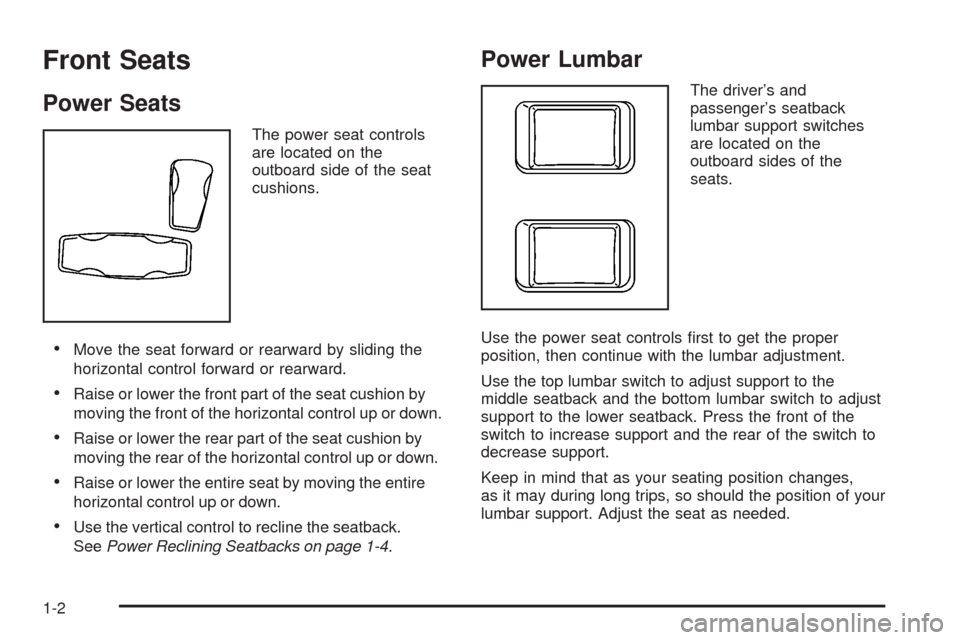
The power seat controls
are located on the
outboard side of the seat
cushions.
Move the seat forward or rearward by sliding the
horizontal control forward or rearward.
Raise or lower the front part of the seat cushion by
moving the front of the horizontal control up or down.
Raise or lower the rear part of the seat cushion by
moving the rear of the horizontal control up or down.
Raise or lower the entire seat by moving the entire
horizontal control up or down.
Use the vertical control to recline the seatback.
SeePower Reclining Seatbacks on page 1-4.
Power Lumbar
The driver’s and
passenger’s seatback
lumbar support switches
are located on the
outboard sides of the
seats.
Use the power seat controls rst to get the proper
position, then continue with the lumbar adjustment.
Use the top lumbar switch to adjust support to the
middle seatback and the bottom lumbar switch to adjust
support to the lower seatback. Press the front of the
switch to increase support and the rear of the switch to
decrease support.
Keep in mind that as your seating position changes,
as it may during long trips, so should the position of your
lumbar support. Adjust the seat as needed.
1-2
Page 9 of 470
Heated and Cooled Seats
The buttons for the heated and cooled seats are located
on the climate control system.
((Heated/Cooled Seat):Press this button to turn the
feature on. The button on the left controls the driver’s
seat and the button on the right controls the passenger’s
seat. Each press of the button will take you to a
different setting. The settings available in order are
HI HEAT, LO HEAT, OFF, HI COOL, LO COOL
and OFF. You will be able to feel the temperature
change in a few minutes.
The feature will automatically turn off when the vehicle
is turned off. SeeDual Climate Control System on
page 3-38for more information.
Memory Seat, Mirrors and Steering
Wheel
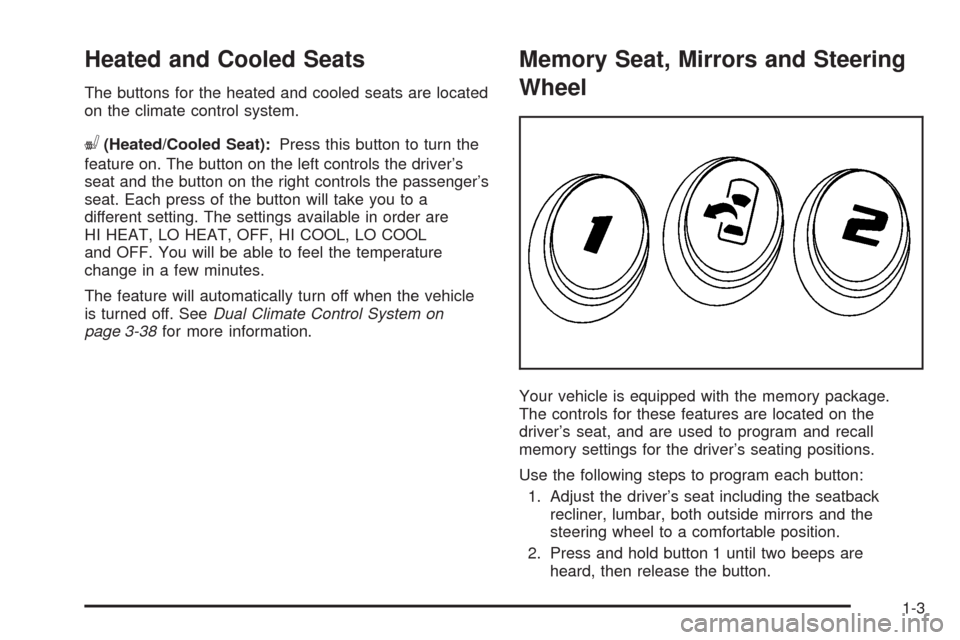
Your vehicle is equipped with the memory package.
The controls for these features are located on the
driver’s seat, and are used to program and recall
memory settings for the driver’s seating positions.
Use the following steps to program each button:
1. Adjust the driver’s seat including the seatback
recliner, lumbar, both outside mirrors and the
steering wheel to a comfortable position.
2. Press and hold button 1 until two beeps are
heard, then release the button.
1-3
Page 10 of 470
A second mirror, seating and steering wheel position
can be programmed by repeating the above steps and
pressing button 2 (for driver 2). Each time a memory
button is pressed and released, a single beep will sound.
Each time button 1 or 2 is pressed and released while
the vehicle is in PARK (P), the memory positions will be
recalled after a brief delay. If the vehicle is not in
PARK (P), three beeps will be heard and the memory
position will not be recalled.
When the engine is started, the seat, mirrors, and
steering wheel may automatically adjust to their
programmed positions.
To stop recall movement of the memory feature at any
time, press one of the power seat controls, power
mirror control buttons, memory buttons, or power
steering column control.
Two personalized exit positions can be set by rst
recalling the driving position (by pressing 1 or 2), then
positioning the steering wheel and seat in the desired
exit positions and then pressing and holding the
exit button until two beeps are heard. The exit button is
located between buttons 1 and 2. With the vehicle in
PARK (P), the exit position for the previously set driver
can be recalled by pressing the exit button.
When you use the keyless access transmitter to unlock
your vehicle, automatic seat and steering wheel
movement to the exit position may occur. The numbers
on the back of the transmitter, 1 and 2, corresponds
to the numbers on the memory buttons.Further programming for automatic seat and mirror
movement can be done using the Driver Information
Center (DIC).
For programming information, seeDIC Vehicle
Personalization on page 3-76.
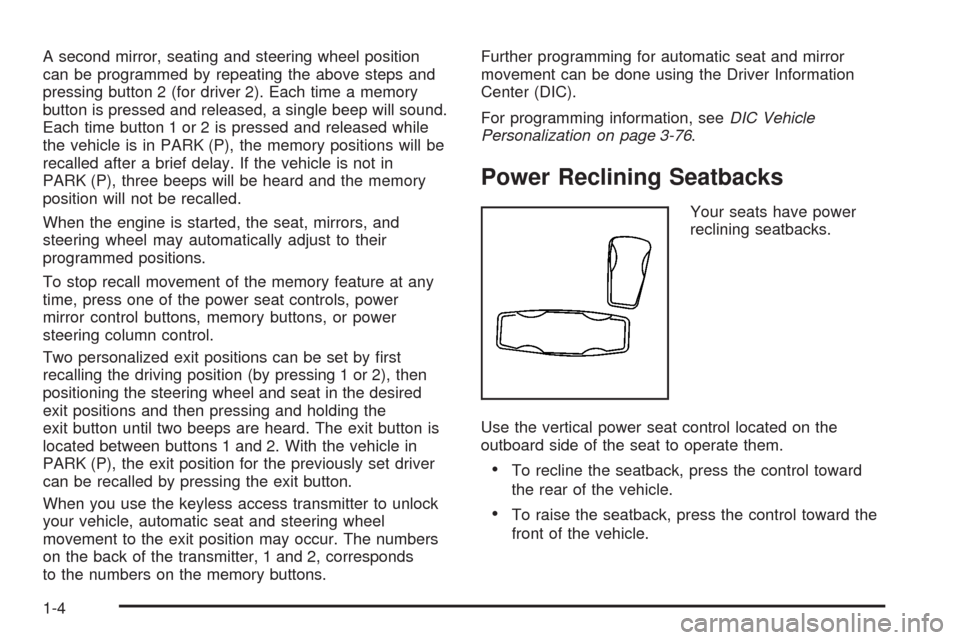
Power Reclining Seatbacks
Your seats have power
reclining seatbacks.
Use the vertical power seat control located on the
outboard side of the seat to operate them.
To recline the seatback, press the control toward
the rear of the vehicle.
To raise the seatback, press the control toward the
front of the vehicle.
1-4
Page 12 of 470

Safety Belts
Safety Belts: They Are for Everyone
This part of the manual tells you how to use safety
belts properly. It also tells you some things you should
not do with safety belts.
{CAUTION:
Do not let anyone ride where he or she cannot
wear a safety belt properly. If you are in a
crash and you are not wearing a safety belt,
your injuries can be much worse. You can hit
things inside the vehicle harder or be ejected
from it and be seriously injured or killed.
In the same crash, you might not be, if you are
buckled up. Always fasten your safety belt,
and check that your passenger(s) are
restrained properly too.
{CAUTION:
It is extremely dangerous to ride in a cargo
area, inside or outside of a vehicle. In a
collision, people riding in these areas are more
likely to be seriously injured or killed. Do not
allow people to ride in any area of your vehicle
that is not equipped with seats and safety
belts. Be sure everyone in your vehicle is in a
seat and using a safety belt properly.
Your vehicle has indicators as a reminder to buckle your
safety belts. SeeSafety Belt Reminders on page 3-46.
1-6
Page 26 of 470

Lap-Shoulder Belt
All seating positions in your vehicle have a
lap-shoulder belt.
Here is how to wear a lap-shoulder belt properly.
1. Adjust the seat, if the seat is adjustable, so you can
sit up straight. To see how, see “Seats” in the Index.
2. Pick up the latch plate and pull the belt across you.
Do not let it get twisted.
The lap-shoulder belt may lock if you pull the belt
across you very quickly. If this happens, let the belt
go back slightly to unlock it. Then pull the belt
across you more slowly.
If you ever pull the shoulder portion of a passenger
belt out all the way, you may engage the child
restraint locking feature. If this happens, just let the
belt go back all the way and start again.
Engaging the child restraint locking feature may
affect the passenger sensing system. SeePassenger
Sensing System on page 1-45.3. Push the latch plate into the buckle until it clicks.
Pull up on the latch plate to make sure it is secure.
If the belt is not long enough, seeSafety Belt
Extender on page 1-23.
Make sure the release button on the buckle is
positioned so you would be able to unbuckle the
safety belt quickly if necessary.
1-20
Page 29 of 470

Safety Belt Extender
If the vehicle’s safety belt will fasten around you,
you should use it.
But if a safety belt is not long enough, your
dealer/retailer will order you an extender. When you
go in to order it, take the heaviest coat you will wear,
so the extender will be long enough for you. To help
avoid personal injury, do not let someone else
use it, and use it only for the seat it is made to t.
The extender has been designed for adults. Never use
it for securing child seats. To wear it, attach it to the
regular safety belt. For more information, see the
instruction sheet that comes with the extender.
Child Restraints
Older Children
Older children who have outgrown booster seats should
wear the vehicle’s safety belts.
1-23
Page 37 of 470
Securing an Add-on Child Restraint in
the Vehicle
{CAUTION:
A child can be seriously injured or killed in a
crash if the child restraint is not properly
secured in the vehicle. Make sure the child
restraint is properly installed in the vehicle
using the vehicle’s safety belt, following the
instructions that came with that restraint, and
also the instructions in this manual.
To help reduce the chance of injury, the child restraint
must be secured in the vehicle. Child restraint systems
must be secured in vehicle seats by lap belts or the
lap belt portion of a lap-shoulder belt. A child can
be endangered in a crash if the child restraint is not
properly secured in the vehicle.
When securing an add-on child restraint, refer to the
instructions that come with the restraint which may be on
the restraint itself or in a booklet, or both, and to thismanual. The child restraint instructions are important,
so if they are not available, obtain a replacement
copy from the manufacturer.
Keep in mind that an unsecured child restraint can
move around in a collision or sudden stop and injure
people in the vehicle. Be sure to properly secure
any child restraint in your vehicle — even when no
child is in it.
Securing the Child Within the Child
Restraint
{CAUTION:
A child can be seriously injured or killed in a
crash if the child is not properly secured in the
child restraint. Because there are different
systems, it is important to refer to the
instructions that come with the restraint. Make
sure the child is properly secured, following
the instructions that came with that restraint.
1-31