towing CADILLAC XLR 2008 1.G Owners Manual
[x] Cancel search | Manufacturer: CADILLAC, Model Year: 2008, Model line: XLR, Model: CADILLAC XLR 2008 1.GPages: 470, PDF Size: 8.39 MB
Page 1 of 470
Seats and Restraint Systems........................... 1-1
Front Seats
............................................... 1-2
Safety Belts
.............................................. 1-6
Child Restraints
.......................................1-23
Airbag System
.........................................1-36
Restraint System Check
............................1-52
Features and Controls..................................... 2-1
Keys
........................................................ 2-3
Doors and Locks
......................................2-10
Windows
.................................................2-16
Theft-Deterrent Systems
............................2-19
Starting and Operating Your Vehicle
...........2-23
Mirrors
....................................................2-36
Object Detection Systems
..........................2-38
OnStar
®System
......................................2-41
Universal Home Remote System
................2-44
Storage Areas
.........................................2-52
Retractable Hardtop
..................................2-54Instrument Panel............................................. 3-1
Instrument Panel Overview
.......................... 3-4
Climate Controls
......................................3-38
Warning Lights, Gages, and
Indicators
.............................................3-43
Driver Information Center (DIC)
..................3-60
Trip Computer
.........................................3-80
Audio System(s)
.......................................3-81
Navigation System.......................................... 4-1
Overview
.................................................. 4-2
Features and Controls
..............................4-11
Navigation Audio System
...........................4-54
Voice Recognition
....................................4-76
Driving Your Vehicle....................................... 5-1
Your Driving, the Road, and
Your Vehicle
.......................................... 5-2
Towing
...................................................5-27
2008 Cadillac XLR/XLR-V Owner ManualM
Page 56 of 470
A thick layer of additional material, such as a blanket or
cushion, or aftermarket equipment such as seat
covers, seat heaters, and seat massagers can affect
how well the passenger sensing system operates.
We recommend that you not use seat covers or other
aftermarket equipment other than any that GM has
approved for your specic vehicle. SeeAdding
Equipment to Your Airbag-Equipped Vehicle on
page 1-51for more information about modications that
can affect how the system operates.
{CAUTION:
Stowing of articles under the passenger’s seat
or between the passenger’s seat cushion and
seatback may interfere with the proper
operation of the passenger sensing system.
Servicing Your Airbag-Equipped
Vehicle
Airbags affect how your vehicle should be serviced.
There are parts of the airbag system in several places
around your vehicle. Your dealer/retailer and the service
manual have information about servicing your vehicle
and the airbag system. To purchase a service manual,
seeService Publications Ordering Information on
page 8-16.
{CAUTION:
For up to 10 seconds after the ignition is
turned off and the battery is disconnected, an
airbag can still inate during improper service.
You can be injured if you are close to an
airbag when it inates. Avoid yellow
connectors. They are probably part of the
airbag system. Be sure to follow proper
service procedures, and make sure the person
performing work for you is qualied to do so.
1-50
Page 88 of 470
NEUTRAL (N):In this position, your engine does not
connect with the wheels. To restart when you are
already moving, use NEUTRAL (N) only. Also, use
NEUTRAL (N) when your vehicle is being towed.
Use Neutral (N) if the vehicle must be moved with the
engine off for short distances. Please seeTowing
Your Vehicle on page 5-27.
{CAUTION:
Shifting into a drive gear while the engine is
running at high speed is dangerous. Unless
your foot is rmly on the brake pedal, your
vehicle could move very rapidly. You could
lose control and hit people or objects. Do not
shift into a drive gear while your engine is
running at high speed.
Notice:Shifting out of PARK (P) or NEUTRAL (N)
with the engine running at high speed may damage
the transmission. The repairs would not be
covered by your warranty. Be sure the engine is not
running at high speed when shifting your vehicle.DRIVE (D):This position is for normal driving.
It provides the best fuel economy for your vehicle.
If you need more power for passing and you are:
Going less than about 35 mph (56 km/h),
push the accelerator pedal about halfway down.
Going about 35 mph (56km/h) or more, push the
accelerator all the way down.
Downshifting the transmission in slippery road conditions
could result in skidding, see “Skidding” underLoss of
Control on page 5-12.
Notice:Spinning the tires or holding the vehicle
in one place on a hill using only the accelerator
pedal may damage the transmission. The repair will
not be covered by your warranty. If you are stuck,
do not spin the tires. When stopping on a hill,
use the brakes to hold the vehicle in place.
Maximum engine speed is limited to protect driveline
components from improper operation.
2-28
Page 93 of 470
Torque Lock
If you are parking on a hill and you do not shift your
transmission into PARK (P) properly, the weight of the
vehicle may put too much force on the parking pawl
in the transmission. You may nd it difficult to pull the
shift lever out of PARK (P). This is called “torque lock.”
To prevent torque lock, set the parking brake and
then shift into PARK (P) properly before you leave the
driver’s seat. To nd out how, see “Shifting Into
PARK (P)” listed previously in this section.
When you are ready to drive, move the shift lever out
of PARK (P) before you release the parking brake.
If torque lock does occur, you may need to have another
vehicle push yours a little uphill to take some of the
pressure from the parking pawl in the transmission,
so you can pull the shift lever out of PARK (P).
Shifting Out of PARK (P)
This vehicle is equipped with an electronic shift lock
release system. The shift lock release is designed to:
Prevent shifting out of PARK (P) unless the
vehicle is running or in Accessory mode and
the regular brake pedal is applied.
The shift lock release is always functional except in the
case of an uncharged or low voltage (less than 9 volt)
battery.
If your vehicle has an uncharged battery or a battery
with low voltage, try charging or jump starting the
battery. SeeJump Starting on page 6-41
To shift out of PARK (P) use the following:
1. Apply the brake pedal.
2. Then press the shift lever button.
3. Move the shift lever to the desired position.
If you still are unable to shift out of PARK (P):
1. Fully release the shift lever button.
2. While holding down the brake pedal, press the
shift lever button again.
3. Move the shift lever to the desired position.
If you still cannot move the shift lever from PARK (P),
consult your dealer/retailer or a professional towing
service.
2-33
Page 173 of 470
If the light comes on while you are driving and you have
a LOW BRAKE FLUID message showing on the DIC,
pull off the road and stop carefully. You may notice
that the pedal is harder to push. Or, the pedal may
go closer to the oor. It may take longer to stop.
If the light is still on, have the vehicle towed for service.
SeeTowing Your Vehicle on page 5-27.
{CAUTION:
Your brake system may not be working
properly if the brake system warning light is
on. Driving with the brake system warning
light on can lead to an accident. If the light
is still on after you have pulled off the road
and stopped carefully, have the vehicle towed
for service.
Antilock Brake System
Warning Light
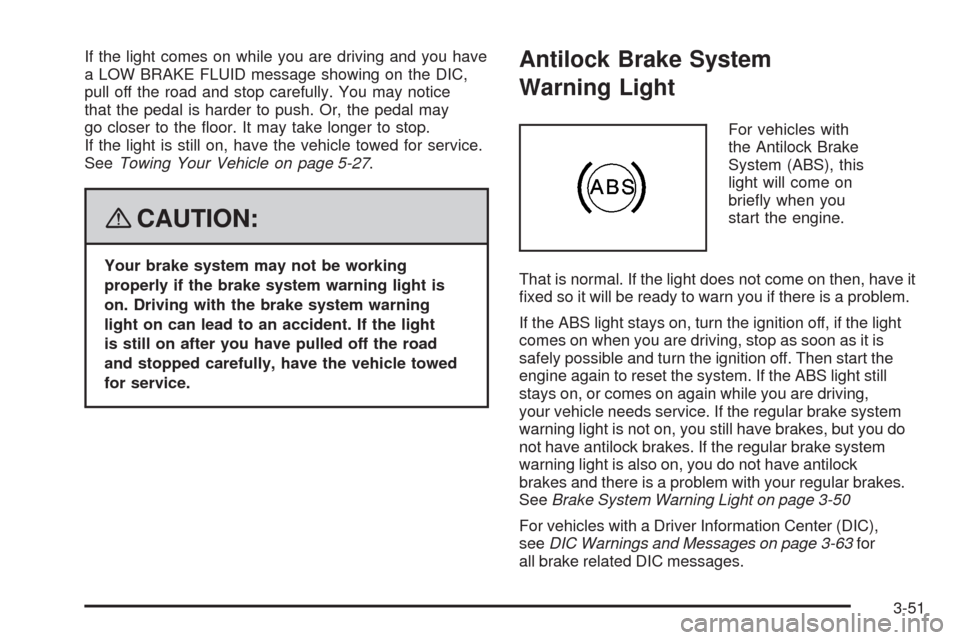
For vehicles with
the Antilock Brake
System (ABS), this
light will come on
briey when you
start the engine.
That is normal. If the light does not come on then, have it
xed so it will be ready to warn you if there is a problem.
If the ABS light stays on, turn the ignition off, if the light
comes on when you are driving, stop as soon as it is
safely possible and turn the ignition off. Then start the
engine again to reset the system. If the ABS light still
stays on, or comes on again while you are driving,
your vehicle needs service. If the regular brake system
warning light is not on, you still have brakes, but you do
not have antilock brakes. If the regular brake system
warning light is also on, you do not have antilock
brakes and there is a problem with your regular brakes.
SeeBrake System Warning Light on page 3-50
For vehicles with a Driver Information Center (DIC),
seeDIC Warnings and Messages on page 3-63for
all brake related DIC messages.
3-51
Page 293 of 470
Your Driving, the Road, and Your Vehicle..........5-2
Defensive Driving...........................................5-2
Drunk Driving.................................................5-2
Control of a Vehicle........................................5-3
Braking.........................................................5-4
Antilock Brake System (ABS)...........................5-5
Braking in Emergencies...................................5-5
Traction Control System (TCS).........................5-6
Magnetic Ride Control.....................................5-7
Limited-Slip Rear Axle.....................................5-7
StabiliTrak
®System........................................5-8
Steering........................................................5-9
Off-Road Recovery.......................................5-11
Passing.......................................................5-12
Loss of Control.............................................5-12Racing or Other Competitive Driving (XLR-V)......5-13
Driving at Night............................................5-14
Driving in Rain and on Wet Roads..................5-14
Before Leaving on a Long Trip.......................5-15
Highway Hypnosis........................................5-16
Hill and Mountain Roads................................5-16
Winter Driving..............................................5-17
If Your Vehicle is Stuck in Sand, Mud,
Ice, or Snow.............................................5-21
Rocking Your Vehicle to Get It Out.................5-22
Loading Your Vehicle....................................5-22
Towing..........................................................5-27
Towing Your Vehicle.....................................5-27
Recreational Vehicle Towing...........................5-27
Towing a Trailer...........................................5-27
Section 5 Driving Your Vehicle
5-1
Page 314 of 470
Rocking Your Vehicle to Get It Out
First, turn the steering wheel left and right to clear
the area around the front wheels. Turn off any traction
or stability system. SeeTraction Control System
(TCS) on page 5-6andStabiliTrak
®System on
page 5-8. Then shift back and forth between
REVERSE (R) and a forward gear, spinning the wheels
as little as possible. To prevent transmission wear,
wait until the wheels stop spinning before shifting gears.
Release the accelerator pedal while you shift, and
press lightly on the accelerator pedal when the
transmission is in gear. By slowly spinning the wheels in
the forward and reverse directions, you will cause a
rocking motion that could free your vehicle. If that does
not get your vehicle out after a few tries, it might
need to be towed out. If your vehicle does need to be
towed out, seeTowing Your Vehicle on page 5-27.
Loading Your Vehicle
It is very important to know how much weight your
vehicle can carry. This weight is called the
vehicle capacity weight and includes the weight of
all occupants, cargo, and all nonfactory-installed
options. Two labels on your vehicle show how
much weight it may properly carry, the Tire and
Loading Information label and the Certication
label.
{CAUTION:
Do not load your vehicle any heavier than
the Gross Vehicle Weight Rating (GVWR),
or either the maximum front or rear Gross
Axle Weight Rating (GAWR). If you do,
parts on your vehicle can break, and it
can change the way your vehicle handles.
These could cause you to lose control
and crash. Also, overloading can shorten
the life of your vehicle.
5-22
Page 316 of 470
Steps for Determining Correct Load Limit
1.Locate the statement “The combined weight of
occupants and cargo should never exceed
XXX kg or XXX lbs” on your vehicle’s placard.
2.Determine the combined weight of the driver
and passengers that will be riding in your
vehicle.
3.Subtract the combined weight of the driver
and passengers from XXX kg or XXX lbs.
4.The resulting gure equals the available
amount of cargo and luggage load capacity.
For example, if the “XXX” amount equals
1400 lbs and there will be ve 150 lb
passengers in your vehicle, the amount of
available cargo and luggage load capacity is
650 lbs (1400−750 (5 x 150) = 650 lbs).
5.Determine the combined weight of luggage
and cargo being loaded on the vehicle.
That weight may not safely exceed the
available cargo and luggage load capacity
calculated in Step 4.
6.If your vehicle will be towing a trailer, the load
from your trailer will be transferred to your
vehicle. Consult this manual to determine how
this reduces the available cargo and luggage
load capacity of your vehicle.
Your vehicle is neither designed nor intended
to tow a trailer.
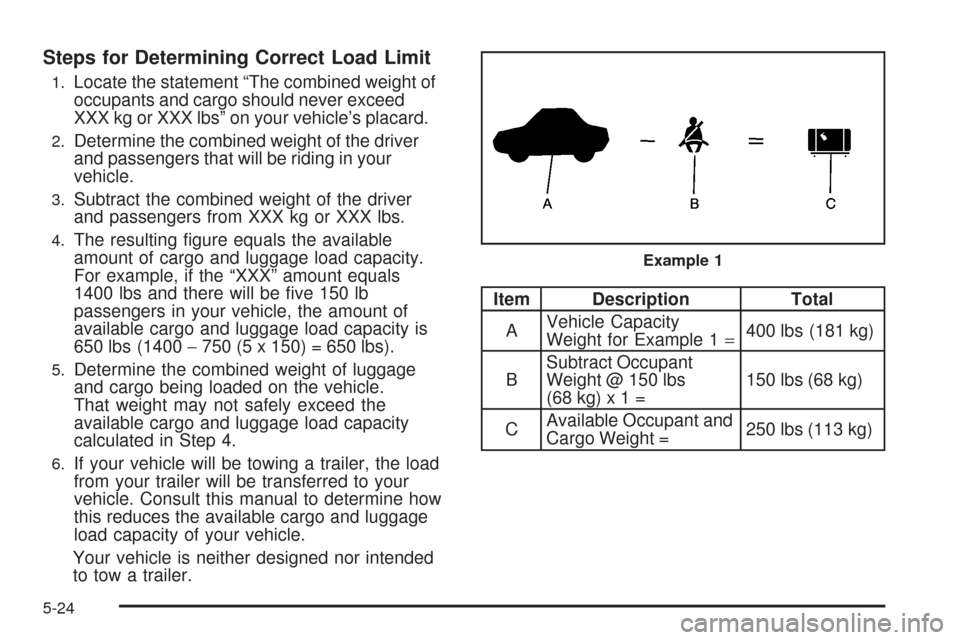
Item Description Total
AVehicle Capacity
Weight for Example 1=400 lbs (181 kg)
BSubtract Occupant
Weight @ 150 lbs
(68kg)x1=150 lbs (68 kg)
CAvailable Occupant and
Cargo Weight =250 lbs (113 kg)
Example 1
5-24
Page 319 of 470
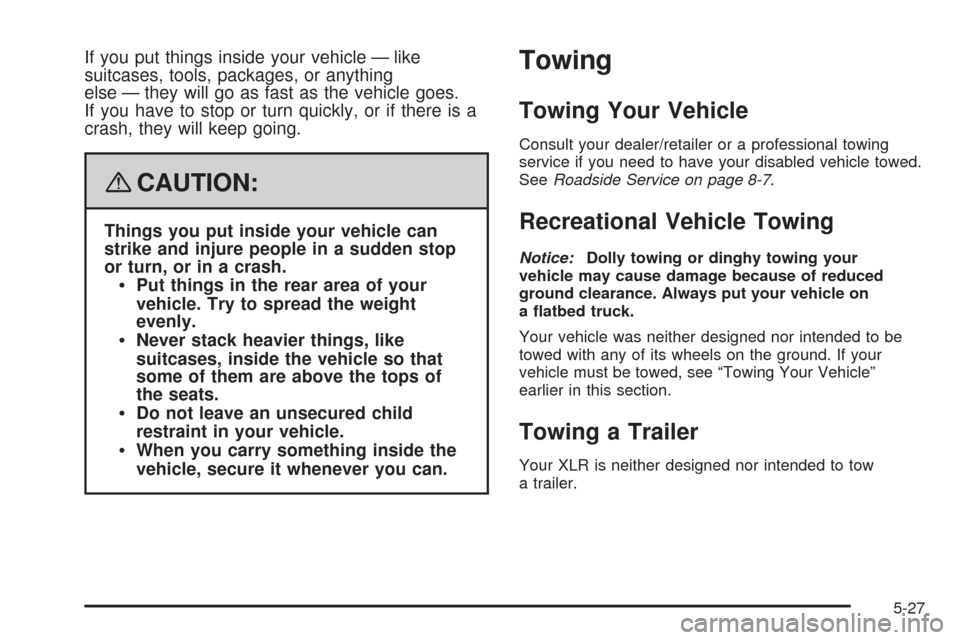
If you put things inside your vehicle — like
suitcases, tools, packages, or anything
else — they will go as fast as the vehicle goes.
If you have to stop or turn quickly, or if there is a
crash, they will keep going.
{CAUTION:
Things you put inside your vehicle can
strike and injure people in a sudden stop
or turn, or in a crash.
Put things in the rear area of your
vehicle. Try to spread the weight
evenly.
Never stack heavier things, like
suitcases, inside the vehicle so that
some of them are above the tops of
the seats.
Do not leave an unsecured child
restraint in your vehicle.
When you carry something inside the
vehicle, secure it whenever you can.
Towing
Towing Your Vehicle
Consult your dealer/retailer or a professional towing
service if you need to have your disabled vehicle towed.
SeeRoadside Service on page 8-7.
Recreational Vehicle Towing
Notice:Dolly towing or dinghy towing your
vehicle may cause damage because of reduced
ground clearance. Always put your vehicle on
a atbed truck.
Your vehicle was neither designed nor intended to be
towed with any of its wheels on the ground. If your
vehicle must be towed, see “Towing Your Vehicle”
earlier in this section.
Towing a Trailer
Your XLR is neither designed nor intended to tow
a trailer.
5-27
Page 445 of 470

Cadillac Technician Roadside Service
(U.S. only)
Cadillac’s exceptional Roadside Service is more than an
auto club or towing service. It provides every Cadillac
owner in the United States with the advantage of
contacting a Cadillac advisor and, where available,
a Cadillac trained dealer technician who can provide
on-site service.
A dealer technician will travel to your location within a
30 mile radius of a participating Cadillac dealership.
If beyond this radius, we will arrange to have your
car towed to the nearest Cadillac dealership. Each
technician travels with a specially equipped service
vehicle complete with the necessary Cadillac parts
and tools required to handle most roadside repairs.
Calling for Assistance
For prompt and efficient assistance when calling,
please provide the following to the Roadside Service
Representative:
Your name, home address, and home telephone
number
Telephone number of your location
Location of the vehicle
Model, year, color, and license plate number of the
vehicle
Odometer reading, Vehicle Identication
Number (VIN), and delivery date of the vehicle
Description of the problem
Towing and Road Service Exclusions
Specically excluded from Roadside Service coverage
are towing or services for vehicles operated on a
non-public roadway or highway, nes, impound towing
caused by a violation of local, Municipal, State, Provincial
or Federal law, and mounting, dismounting or changing of
snow tires, chains, or other traction devices.
Roadside Service is not part of or included in the
coverage provided by the New Vehicle Limited Warranty.
Cadillac and General Motors of Canada Limited
reserve the right to make any changes or discontinue
the Roadside Service program at any time without
notication.
8-9