battery CADILLAC XLR 2009 1.G User Guide
[x] Cancel search | Manufacturer: CADILLAC, Model Year: 2009, Model line: XLR, Model: CADILLAC XLR 2009 1.GPages: 462, PDF Size: 3.72 MB
Page 103 of 462
Location information about the vehicle is only available
if the GPS satellite signals are unobstructed and
available.
The vehicle must have a working electrical system,
including adequate battery power, for the OnStar
equipment to operate. There are other problems OnStar
cannot control that may prevent OnStar from providing
OnStar service at any particular time or place. Some
examples are damage to important parts of the vehicle
in a crash, hills, tall buildings, tunnels, weather or
wireless phone network congestion.
Your Responsibility
Increase the volume of the radio if the OnStar advisor
cannot be heard. If the light next to the OnStar buttons
is red, the system may not be functioning properly.
Press the OnStar button and request a vehicle
diagnostic. If the light appears clear (no light is
appearing), your OnStar subscription has expired and
all services have been deactivated. Press the OnStar
button to conrm that the OnStar equipment is active.
Universal Home Remote
System
The Universal Home Remote System provides a way to
replace up to three hand-held radio-frequency (RF)
transmitters used to activate devices such as garage
door openers, security systems, and home lighting.
This device complies with Part 15 of the FCC Rules.
Operation is subject to the following two conditions:
1. This device may not cause harmful interference.
2. This device must accept any interference received,
including interference that may cause undesired
operation.
The FCC Grant of Equipment Authorization Certicate
number is KOBGTV06A.
This device complies with RSS-210 of Industry Canada.
Operation is subject to the following two conditions:
1. This device may not cause interference.
2. This device must accept any interference received,
including interference that may cause undesired
operation of the device.
The Canadian Registration ID number is 3521A-GTV06A.
Changes or modications to this system by other than
an authorized service facility could void authorization to
use this equipment.
2-45
Page 107 of 462

2. To verify that the garage door opener is a Fixed
Code unit, remove the battery cover on the hand
held transmitter supplied by the manufacturer of the
garage door opener motor. If there are a row of
dip switches similar to the graphic above, the
garage door opener is a Fixed Code unit. If you
do not see a row of dip switches, return to the
previous section for Programming Universal Home
Remote – Rolling Code.
The hand held transmitter can have between
eight to 12 dip switches depending on the brand
of transmitter.The garage door opener receiver (motor head unit)
could also have a row of dip switches that can be
used when programming the Universal Home
Remote. If the total number of switches on the motor
head and hand held transmitter are different, or if the
dip switch settings are different, use the dip switch
settings on the motor head unit to program the
Universal Home Remote. The motor head dip switch
settings can also be used when the original hand
held transmitter is not available.
Example of Eight Dip Switches with Two Positions
2-49
Page 112 of 462

Rear Storage Area
There is a cargo divider located in the trunk to keep
cargo from getting in the way of the retractable hardtop.
The cargo divider must be in place for the top to move.
To install the cargo divider, snap the bottom of the
divider onto the snaps (B) located on the oor of the
trunk. Then, pull the divider up and place the pins
on each side of the divider into the notches (A) on either
side of the trunk.
There is also a storage compartment located in the
trunk on the passenger side.To access the storage compartment, unsnap the lid.
To reinstall the lid, line up the opening in the lid over the
snap and push down into place.
Convenience Net
Use the convenience net, located in the rear, to store
small loads as far forward as possible. The net
should not be used to store heavy loads.
Retractable Hardtop
The following procedures explain the proper operation
of the retractable hardtop. The retractable hardtop
will not operate if the valet lockout switch is on.
If the retractable hardtop is lowered or raised multiple
times, the engine should be running while doing so
to prevent drain on the vehicle’s battery.
{CAUTION:
When the retractable hardtop is opened or closed,
people can be injured by the parts that move: the
hardtop and its mechanism, the trunk lid, and the
side windows. Keep people away from these parts
when you are lowering or raising the top.
2-54
Page 115 of 462
If the retractable hardtop does not operate, and there
are no messages displayed on the Driver Information
Center (DIC), then perform the “Power Window Initialize”
steps underPower Windows on page 2-18.
Manually Raising the Retractable Hardtop
If the vehicle has a power loss, such as a dead
battery, you can still raise the top manually by doing the
following:
1. Lower both sun visors and open both doors.
2. Use the key to open the trunk. SeeKeys on
page 2-3andTrunk on page 2-14for more
information.
3. Raise the trunk by hand.
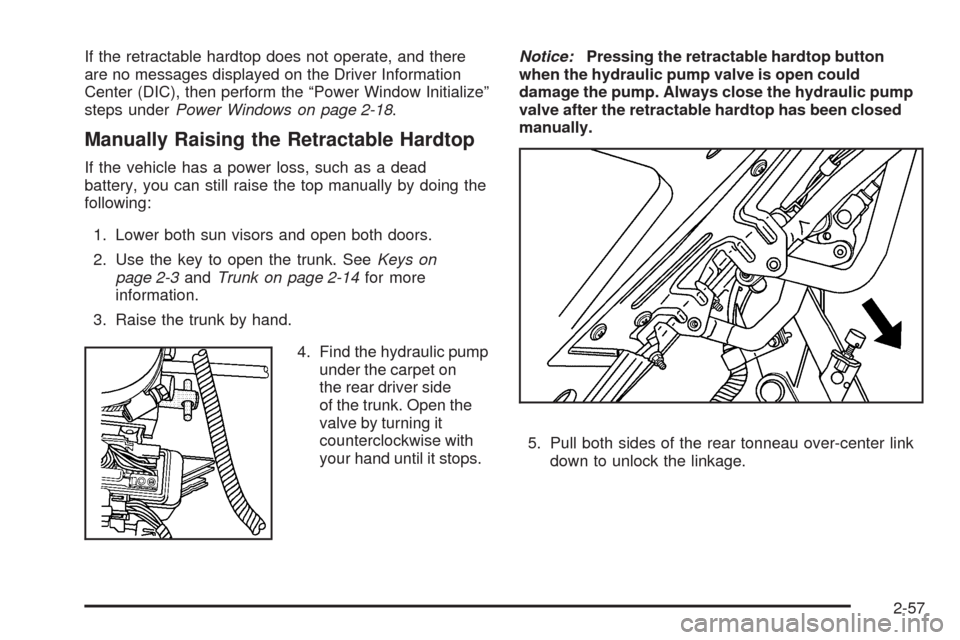
4. Find the hydraulic pump
under the carpet on
the rear driver side
of the trunk. Open the
valve by turning it
counterclockwise with
your hand until it stops.Notice:Pressing the retractable hardtop button
when the hydraulic pump valve is open could
damage the pump. Always close the hydraulic pump
valve after the retractable hardtop has been closed
manually.
5. Pull both sides of the rear tonneau over-center link
down to unlock the linkage.
2-57
Page 123 of 462

Instrument Panel Overview...............................3-4
Hazard Warning Flashers................................3-6
Horn .............................................................3-6
Power Tilt Wheel and Telescopic Steering
Column......................................................3-6
Heated Steering Wheel...................................3-7
Turn Signal/Multifunction Lever.........................3-7
Turn and Lane-Change Signals........................3-7
Headlamp High/Low-Beam Changer..................3-8
Flash-to-Pass.................................................3-8
Windshield Wipers..........................................3-8
Rainsense™ Wipers.......................................3-9
Windshield Washer.......................................3-10
Headlamp Washer........................................3-11
Cruise Control..............................................3-11
Adaptive Cruise Control.................................3-14
Exterior Lamps.............................................3-26
Wiper Activated Headlamps............................3-27Headlamps on Reminder................................3-27
Daytime Running Lamps (DRL).......................3-27
Adaptive Forward Lighting System...................3-28
Fog Lamps ..................................................3-28
Twilight Sentinel
®..........................................3-29
Exterior Lighting Battery Saver........................3-30
Instrument Panel Brightness...........................3-30
Courtesy Lamps...........................................3-30
Entry/Exit Lighting.........................................3-30
Reading Lamps............................................3-30
Battery Run-Down Protection..........................3-31
Head-Up Display (HUD).................................3-31
Accessory Power Outlet(s).............................3-34
Ashtray(s) and Cigarette Lighter......................3-35
Climate Controls............................................3-36
Dual Climate Control System..........................3-36
Outlet Adjustment.........................................3-40
Passenger Compartment Air Filter...................3-41
Section 3 Instrument Panel
3-1
Page 152 of 462

Exterior Lighting Battery Saver
If the manual parking lamps or headlamps have been
left on, the exterior lamps will turn off as soon as
the ignition is turned off or Retained Accessory Power
(RAP) is active. This protects against draining the
battery in case you have accidentally left the headlamps
or parking lamps on. The battery saver does not work
if the headlamps are turned on after the ignition switch is
turned to off.
If you need to leave the lamps on, use the exterior lamp
control to turn the lamps back on.
Instrument Panel Brightness
The button for this feature is located on the instrument
panel to the left of the steering column.
+
!- (Brightness):Press to change the brightness of
the instrument panel lights.
Press the DIMMER button until PANEL DIMMING
appears on the Driver Information Center (DIC). Then
use the brightness button to adjust the instrument panel
brightness. Press the top or bottom of the button to
brighten or dim the lights. SeeHead-Up Display (HUD)
on page 3-31for more information.Be sure not to have the brightness turned all the way
down with the lamps on during the day. The DIC
may not be visible.
Courtesy Lamps
When any door or the trunk lid is opened, the interior
lamps will go on unless it is bright outside.
Press the interior lamp button on the right side of the
instrument panel, to turn the courtesy lamps on or off.
Entry/Exit Lighting
With entry lighting, the interior lamps will come on when
entering the vehicle. The interior lamps will come on
for about 20 seconds when the engine is turned off.
You can turn exit and entry lighting off by quickly turning
the courtesy lamps on and off.
Reading Lamps
The inside rearview mirror includes two reading lamps.
The lamps will go on when a door is opened. When
the doors are closed, each lamp can be turned on
individually by pressing the button for that lamp.
3-30
Page 153 of 462
Battery Run-Down Protection
The vehicle has a feature to help prevent the battery
from being drained, in case the underhood lamp, vanity
mirror lamps, cargo lamps, reading lamps, console,
or glove box lamps are accidentally left on, or something
is left plugged into the accessory power outlet or
cigarette lighter. If any of the accessory lamps are
left on, they will automatically time-out after about
10 minutes. To reset the battery protection, all of the
above lamps must be turned off or the ignition must be
in the ACC/ACCESSORY position.
Head-Up Display (HUD)
{CAUTION:
If the HUD image is too bright, or too high in your
eld of view, it may take you more time to see
things you need to see when it is dark outside.
Be sure to keep the HUD image dim and placed
low in your eld of view.The Head-Up Display (HUD) allows you to see some of
the driver information that appears on the instrument
panel cluster.
The information may be displayed in English or metric
units and appears as an image focused out toward
the front of the vehicle. To change from English to metric
units, seeDriver Information Center (DIC) on page 3-57.
The HUD consists of the following information:
Speedometer
Turn Signal Indicators
High-Beam Indicator Symbol
Tap-Up/Tap-Down Transmission Feature
Check Gages Message
Adaptive Cruise Control Features and Indicators
Radio Features
3-31
Page 156 of 462
The following Adaptive Cruise Control (ACC) messages
may appear in the HUD:
CRUISE SPEED LIMITED:This message indicates that
the vehicle speed has been reduced below the set
speed due to ACC limitations. The set speed is too high
and ACC cannot detect other vehicles at far enough
distances for the system to operate properly.
TIGHT CURVE:This message indicates that ACC
has reduced the vehicle speed due to a tight curve in
the road. Once the road straightens, ACC will return to
the selected set speed or follow distance setting.
See “Adaptive Cruise Control (ACC)” underTurn
Signal/Multifunction Lever on page 3-7for more
information.
You may also see an ACC active symbol, alert symbol
or vehicle ahead symbol. See “Adaptive Cruise
Control (ACC)” underTurn Signal/Multifunction Lever
on page 3-7for more information.Accessory Power Outlet(s)
The accessory power outlet can be used to connect
electrical equipment, such as a cellular phone.
The accessory power outlet is located inside the center
console storage compartment, on the forward left side.
To use the outlet, remove the tethered cap. When not
using it, always cover the outlet with the protective cap.
Notice:When using an accessory power outlet,
maximum electrical load must not exceed 20 amps.
Always turn off any electrical equipment when
not in use. Leaving electrical equipment on for
extended periods will drain your vehicle’s battery.
Certain electrical accessories may not be compatible
with the accessory power outlet and could result
in blown vehicle or adapter fuses. If you experience
a problem, see your dealer/retailer for additional
information on accessory power outlets.
3-34
Page 163 of 462
Passenger Compartment Air Filter
The passenger compartment air lter removes certain
particles from the air, including pollen and dust particles.
Reductions in airow, which may occur more often in
dusty areas, indicate that the lter may need to be
replaced early.
The lter should be replaced as part of the routine
scheduled maintenance. SeeScheduled Maintenance
on page 7-4for more information.
To check or replace the air lter, do the following:
1. With the hood open, unlatch and remove the
access panel.
The passenger compartment air lter and access
panel are located on the passenger side of the
engine compartment near the battery. SeeEngine
Compartment Overview on page 6-12for more
information on location.
2. Pull the old lter out of the housing.
3. Insert the new lter into the housing.
4. Reinstall the air lter access panel.
Warning Lights, Gages, and
Indicators
Warning lights and gages can signal that something is
wrong before it becomes serious enough to cause
an expensive repair or replacement. Paying attention
to the warning lights and gages could prevent injury.
Warning lights come on when there may be or is
a problem with one of the vehicle’s functions. Some
warning lights come on briey when the engine is started
to indicate they are working.
Gages can indicate when there may be or is a problem
with one of the vehicle’s functions. Often gages and
warning lights work together to indicate a problem with
the vehicle.
When one of the warning lights comes on and stays on
while driving, or when one of the gages shows there
may be a problem, check the section that explains
what to do. Follow this manual’s advice. Waiting to
do repairs can be costly and even dangerous.
3-41
Page 168 of 462
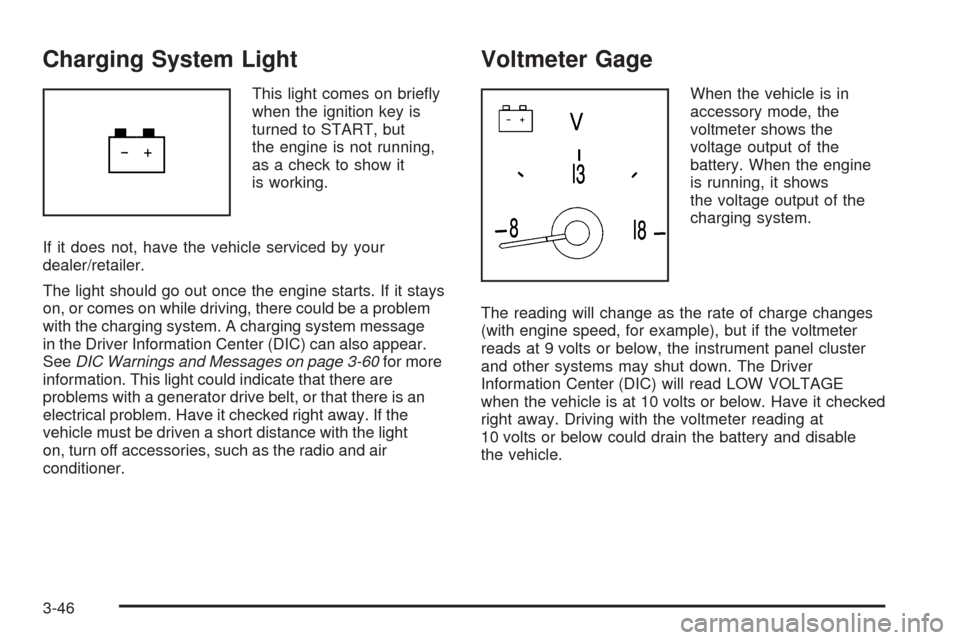
Charging System Light
This light comes on briey
when the ignition key is
turned to START, but
the engine is not running,
as a check to show it
is working.
If it does not, have the vehicle serviced by your
dealer/retailer.
The light should go out once the engine starts. If it stays
on, or comes on while driving, there could be a problem
with the charging system. A charging system message
in the Driver Information Center (DIC) can also appear.
SeeDIC Warnings and Messages on page 3-60for more
information. This light could indicate that there are
problems with a generator drive belt, or that there is an
electrical problem. Have it checked right away. If the
vehicle must be driven a short distance with the light
on, turn off accessories, such as the radio and air
conditioner.
Voltmeter Gage
When the vehicle is in
accessory mode, the
voltmeter shows the
voltage output of the
battery. When the engine
is running, it shows
the voltage output of the
charging system.
The reading will change as the rate of charge changes
(with engine speed, for example), but if the voltmeter
reads at 9 volts or below, the instrument panel cluster
and other systems may shut down. The Driver
Information Center (DIC) will read LOW VOLTAGE
when the vehicle is at 10 volts or below. Have it checked
right away. Driving with the voltmeter reading at
10 volts or below could drain the battery and disable
the vehicle.
3-46