ignition CADILLAC XLR 2009 1.G User Guide
[x] Cancel search | Manufacturer: CADILLAC, Model Year: 2009, Model line: XLR, Model: CADILLAC XLR 2009 1.GPages: 462, PDF Size: 3.72 MB
Page 84 of 462
Starting the Engine
To place the transmission in the proper gear:
Move the shift lever to P (Park) or N (Neutral). To restart
the engine when the vehicle is already moving, use
N (Neutral).
Notice:Do not try to shift to P (Park) if the
vehicle is moving. If you do, you could damage
the transmission. Shift to P (Park) only when
the vehicle is stopped.
The keyless access transmitter must be inside the
vehicle for the ignition to work.
Cell phone chargers can interfere with the operation of
the Keyless Access System. Battery chargers should
not be plugged in when starting or turning off the engine.
To start the vehicle, do the following:
Starting Procedure
1. With your foot on the brake pedal, press the
START button located on the instrument panel.
If there is not a keyless access transmitter in
the vehicle or if there is something causing
interference with it, the DIC will display NO FOBS
DETECTED. SeeDIC Warnings and Messages
on page 3-60for more information.2. When the engine begins cranking, let go of the
button and the engine cranks automatically until
it starts. If the battery in the keyless access
transmitter is weak, the DIC displays KEY FOB
BATTERY LOW. You can still drive the vehicle.
See “Battery Replacement” underKeyless Access
System Operation on page 2-5for more information.
If the fob battery is dead, you need to insert the
fob into the fob slot to enable engine starting.
See “No Fobs Detected” underDIC Warnings and
Messages on page 3-60.
3. Do not race the engine immediately after starting it.
Operate the engine and transmission gently until
the oil warms up and lubricates all moving parts.
4. If the engine does not start and no DIC message is
displayed, wait 15 seconds before trying again to let
the cranking motor cool down.
If the engine does not start after 5-10 seconds,
especially in very cold weather (below
0°F or−18°C), it could be ooded with too much
gasoline. Try pushing the accelerator pedal all the
way to the oor while cranking for up to 15 seconds
maximum.
2-26
Page 90 of 462
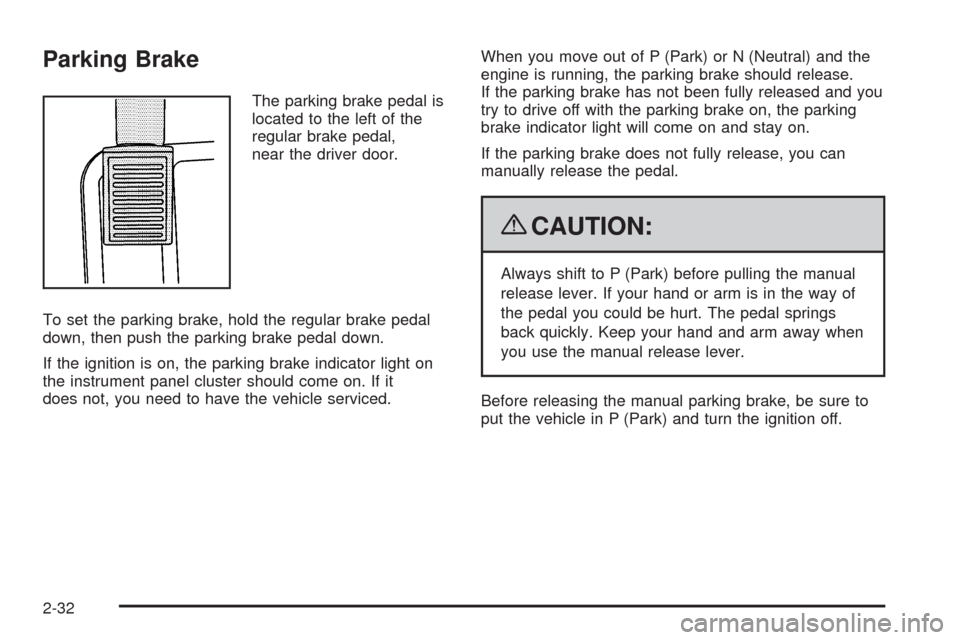
Parking Brake
The parking brake pedal is
located to the left of the
regular brake pedal,
near the driver door.
To set the parking brake, hold the regular brake pedal
down, then push the parking brake pedal down.
If the ignition is on, the parking brake indicator light on
the instrument panel cluster should come on. If it
does not, you need to have the vehicle serviced.When you move out of P (Park) or N (Neutral) and the
engine is running, the parking brake should release.
If the parking brake has not been fully released and you
try to drive off with the parking brake on, the parking
brake indicator light will come on and stay on.
If the parking brake does not fully release, you can
manually release the pedal.
{CAUTION:
Always shift to P (Park) before pulling the manual
release lever. If your hand or arm is in the way of
the pedal you could be hurt. The pedal springs
back quickly. Keep your hand and arm away when
you use the manual release lever.
Before releasing the manual parking brake, be sure to
put the vehicle in P (Park) and turn the ignition off.
2-32
Page 91 of 462
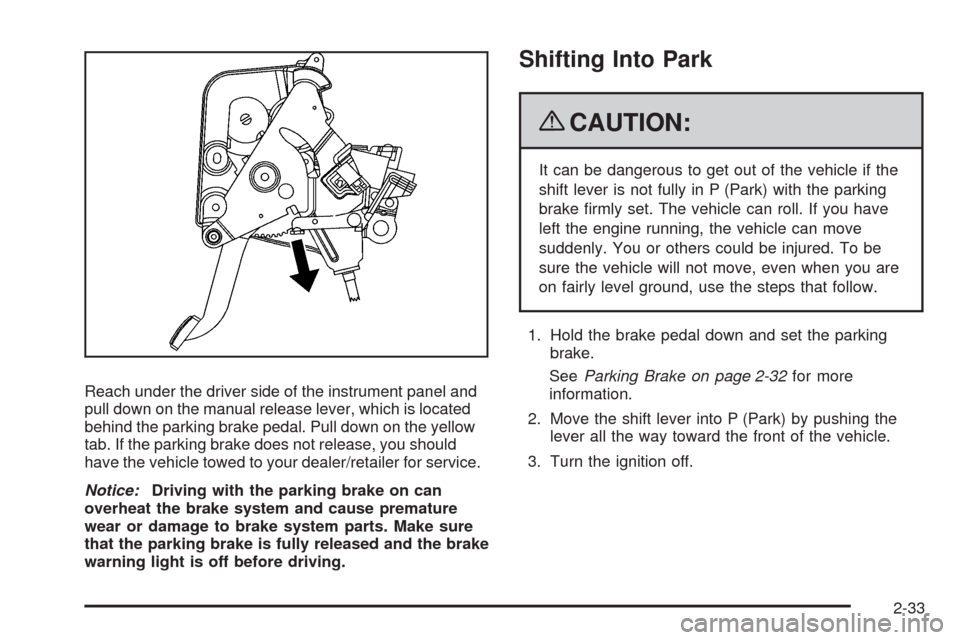
Reach under the driver side of the instrument panel and
pull down on the manual release lever, which is located
behind the parking brake pedal. Pull down on the yellow
tab. If the parking brake does not release, you should
have the vehicle towed to your dealer/retailer for service.
Notice:Driving with the parking brake on can
overheat the brake system and cause premature
wear or damage to brake system parts. Make sure
that the parking brake is fully released and the brake
warning light is off before driving.
Shifting Into Park
{CAUTION:
It can be dangerous to get out of the vehicle if the
shift lever is not fully in P (Park) with the parking
brake rmly set. The vehicle can roll. If you have
left the engine running, the vehicle can move
suddenly. You or others could be injured. To be
sure the vehicle will not move, even when you are
on fairly level ground, use the steps that follow.
1. Hold the brake pedal down and set the parking
brake.
SeeParking Brake on page 2-32for more
information.
2. Move the shift lever into P (Park) by pushing the
lever all the way toward the front of the vehicle.
3. Turn the ignition off.
2-33
Page 105 of 462
To program up to three devices:
1. Press START or put the vehicle in accessory mode.
SeeIgnition Positions on page 2-24for additional
information.
Programming can only occur when the vehicle is
running or in accessory mode.
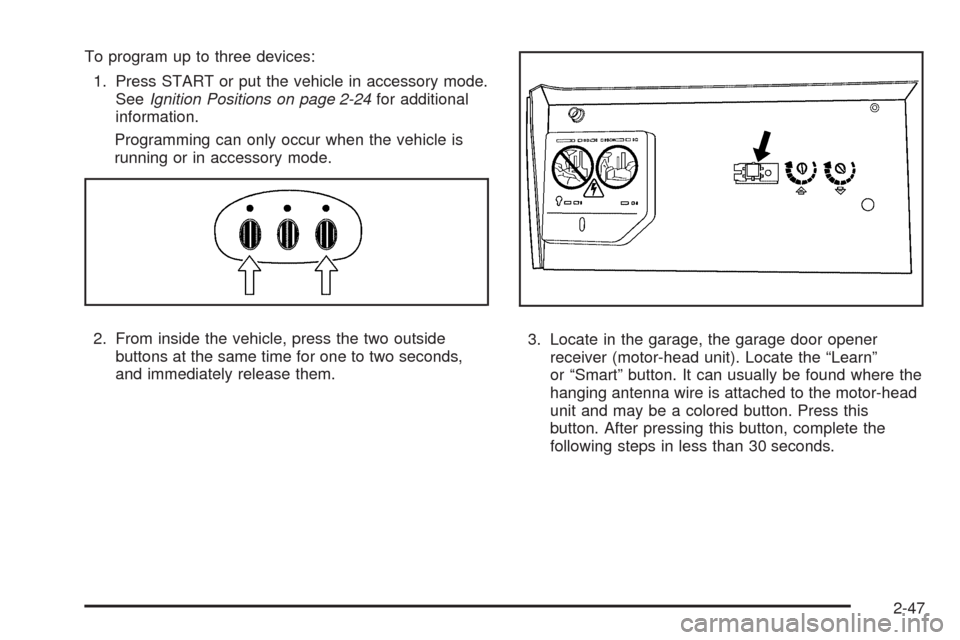
2. From inside the vehicle, press the two outside
buttons at the same time for one to two seconds,
and immediately release them.3. Locate in the garage, the garage door opener
receiver (motor-head unit). Locate the “Learn”
or “Smart” button. It can usually be found where the
hanging antenna wire is attached to the motor-head
unit and may be a colored button. Press this
button. After pressing this button, complete the
following steps in less than 30 seconds.
2-47
Page 106 of 462
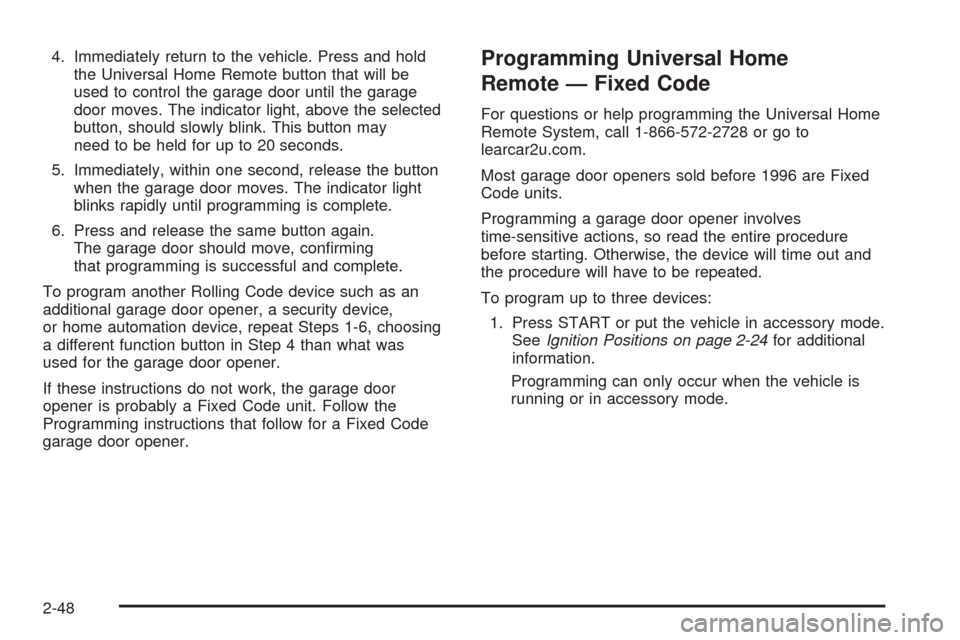
4. Immediately return to the vehicle. Press and hold
the Universal Home Remote button that will be
used to control the garage door until the garage
door moves. The indicator light, above the selected
button, should slowly blink. This button may
need to be held for up to 20 seconds.
5. Immediately, within one second, release the button
when the garage door moves. The indicator light
blinks rapidly until programming is complete.
6. Press and release the same button again.
The garage door should move, conrming
that programming is successful and complete.
To program another Rolling Code device such as an
additional garage door opener, a security device,
or home automation device, repeat Steps 1-6, choosing
a different function button in Step 4 than what was
used for the garage door opener.
If these instructions do not work, the garage door
opener is probably a Fixed Code unit. Follow the
Programming instructions that follow for a Fixed Code
garage door opener.Programming Universal Home
Remote — Fixed Code
For questions or help programming the Universal Home
Remote System, call 1-866-572-2728 or go to
learcar2u.com.
Most garage door openers sold before 1996 are Fixed
Code units.
Programming a garage door opener involves
time-sensitive actions, so read the entire procedure
before starting. Otherwise, the device will time out and
the procedure will have to be repeated.
To program up to three devices:
1. Press START or put the vehicle in accessory mode.
SeeIgnition Positions on page 2-24for additional
information.
Programming can only occur when the vehicle is
running or in accessory mode.
2-48
Page 127 of 462
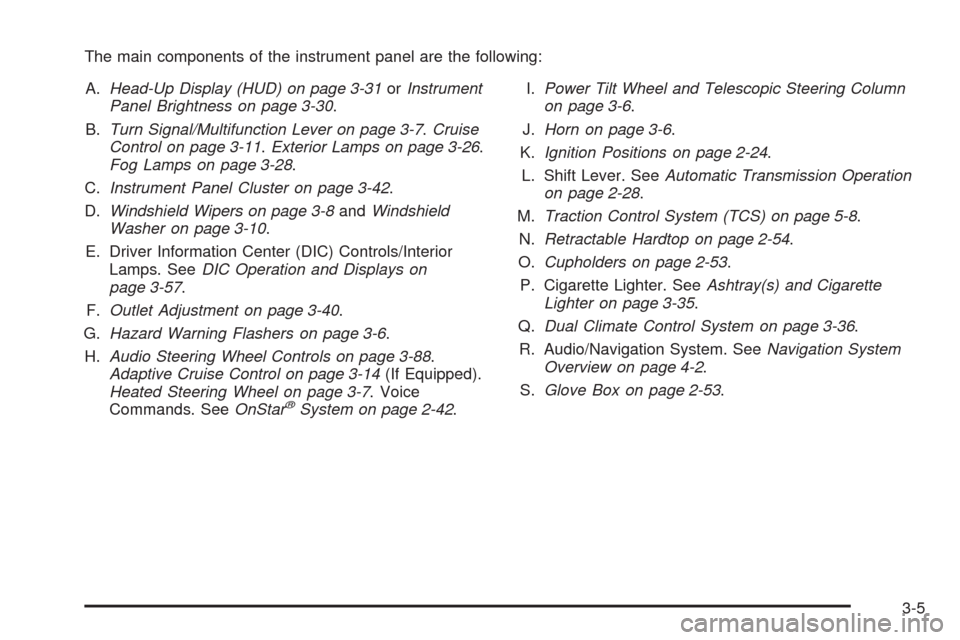
The main components of the instrument panel are the following:
A.Head-Up Display (HUD) on page 3-31orInstrument
Panel Brightness on page 3-30.
B.Turn Signal/Multifunction Lever on page 3-7.Cruise
Control on page 3-11.Exterior Lamps on page 3-26.
Fog Lamps on page 3-28.
C.Instrument Panel Cluster on page 3-42.
D.Windshield Wipers on page 3-8andWindshield
Washer on page 3-10.
E. Driver Information Center (DIC) Controls/Interior
Lamps. SeeDIC Operation and Displays on
page 3-57.
F.Outlet Adjustment on page 3-40.
G.Hazard Warning Flashers on page 3-6.
H.Audio Steering Wheel Controls on page 3-88.
Adaptive Cruise Control on page 3-14(If Equipped).
Heated Steering Wheel on page 3-7. Voice
Commands. SeeOnStar
®System on page 2-42.I.Power Tilt Wheel and Telescopic Steering Column
on page 3-6.
J.Horn on page 3-6.
K.Ignition Positions on page 2-24.
L. Shift Lever. SeeAutomatic Transmission Operation
on page 2-28.
M.Traction Control System (TCS) on page 5-8.
N.Retractable Hardtop on page 2-54.
O.Cupholders on page 2-53.
P. Cigarette Lighter. SeeAshtray(s) and Cigarette
Lighter on page 3-35.
Q.Dual Climate Control System on page 3-36.
R. Audio/Navigation System. SeeNavigation System
Overview on page 4-2.
S.Glove Box on page 2-53.
3-5
Page 128 of 462

Hazard Warning Flashers
The hazard warning ashers warns others that you have
a problem. The button is located near the center of
the instrument panel.
|:Press to make the front and rear turn signal lamps
ash on and off. Press again to turn the ashers off.
The hazard warning ashers work no matter what mode
the ignition is in, even if the ignition is turned off.
When the hazard warning ashers are on, the turn
signals will not work.
Horn
Press near or on the horn symbols on the steering
wheel pad to sound the horn.
Power Tilt Wheel and Telescopic
Steering Column
The power tilt and
telescope wheel control is
located on the outboard
side of the steering
column.
To operate the power tilt feature, push the control up
and the steering wheel tilts up. Push the control
down and the steering wheel goes down.
Push the control forward and the steering wheel moves
toward the front of the vehicle. Push the control rearward
and the steering wheel moves toward the rear of the
vehicle. To set the memory position, seeDIC Vehicle
Personalization on page 3-72andMemory Seat, Mirrors
and Steering Wheel on page 1-3.
3-6
Page 135 of 462
Increasing Speed While Using Cruise
Control
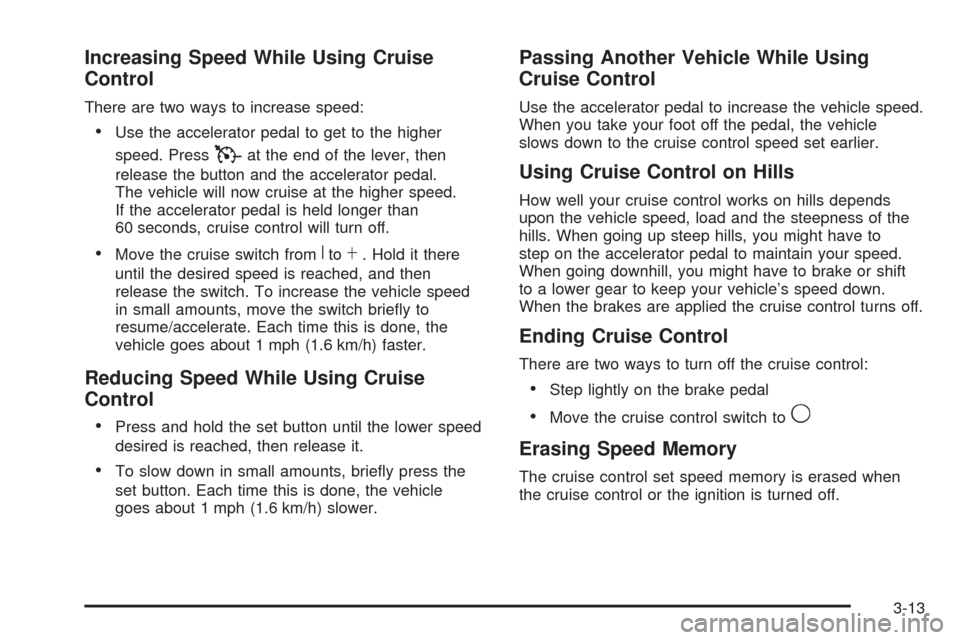
There are two ways to increase speed:
Use the accelerator pedal to get to the higher
speed. Press
Tat the end of the lever, then
release the button and the accelerator pedal.
The vehicle will now cruise at the higher speed.
If the accelerator pedal is held longer than
60 seconds, cruise control will turn off.
Move the cruise switch fromRtoS. Hold it there
until the desired speed is reached, and then
release the switch. To increase the vehicle speed
in small amounts, move the switch briey to
resume/accelerate. Each time this is done, the
vehicle goes about 1 mph (1.6 km/h) faster.
Reducing Speed While Using Cruise
Control
Press and hold the set button until the lower speed
desired is reached, then release it.
To slow down in small amounts, briey press the
set button. Each time this is done, the vehicle
goes about 1 mph (1.6 km/h) slower.
Passing Another Vehicle While Using
Cruise Control
Use the accelerator pedal to increase the vehicle speed.
When you take your foot off the pedal, the vehicle
slows down to the cruise control speed set earlier.
Using Cruise Control on Hills
How well your cruise control works on hills depends
upon the vehicle speed, load and the steepness of the
hills. When going up steep hills, you might have to
step on the accelerator pedal to maintain your speed.
When going downhill, you might have to brake or shift
to a lower gear to keep your vehicle’s speed down.
When the brakes are applied the cruise control turns off.
Ending Cruise Control
There are two ways to turn off the cruise control:
Step lightly on the brake pedal
Move the cruise control switch to9
Erasing Speed Memory
The cruise control set speed memory is erased when
the cruise control or the ignition is turned off.
3-13
Page 147 of 462

Erasing Set Speed Memory
The set speed memory is erased when the Adaptive
Cruise Control switch or the ignition is turned off.
Other Messages
There are three messages that may appear on the DIC.
They are SERVICE RADAR CRUISE, CRUISE NOT
READY and CLEAN RADAR CRUISE. These messages
will only appear to indicate a problem with the Adaptive
Cruise Control. SeeDIC Warnings and Messages
on page 3-60for more information.
You may also see CRUISE SPEED LIMITED displayed
in the HUD. SeeHead-Up Display (HUD) on page 3-31
for more information.
Cleaning the System
The radar can become blocked by snow, ice, or dirt.
If so, you may need to turn off the engine and clean the
lens, located on the driver side of the front fascia.Clean the surface with a 50/50 mixture of isopropyl
alcohol and water on a dampened cloth. After cleaning
the fascia lens, try to engage Adaptive Cruise Control.
If this does not x the problem, you may have to remove
the fascia lens and clean the inside of the fascia lens
and radar lens.
To clean the inside of the fascia lens and radar lens,
insert a tool into one of the small slots on the inboard
side of the lens and pop the lens out. Clean the surface
with a 50/50 mixture of isopropyl alcohol and water
on a dampened cloth. After cleaning the lens, set the
lens back in place and press until it snaps in place.
3-25
Page 148 of 462
Exterior Lamps
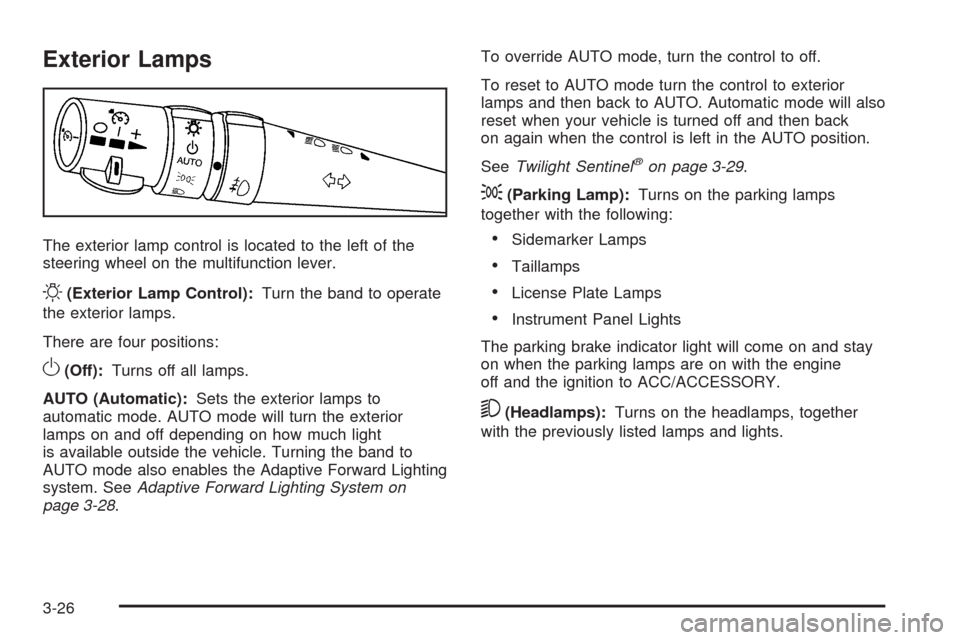
The exterior lamp control is located to the left of the
steering wheel on the multifunction lever.
O(Exterior Lamp Control):Turn the band to operate
the exterior lamps.
There are four positions:
O(Off):Turns off all lamps.
AUTO (Automatic):Sets the exterior lamps to
automatic mode. AUTO mode will turn the exterior
lamps on and off depending on how much light
is available outside the vehicle. Turning the band to
AUTO mode also enables the Adaptive Forward Lighting
system. SeeAdaptive Forward Lighting System on
page 3-28.To override AUTO mode, turn the control to off.
To reset to AUTO mode turn the control to exterior
lamps and then back to AUTO. Automatic mode will also
reset when your vehicle is turned off and then back
on again when the control is left in the AUTO position.
SeeTwilight Sentinel
®on page 3-29.
;(Parking Lamp):Turns on the parking lamps
together with the following:
Sidemarker Lamps
Taillamps
License Plate Lamps
Instrument Panel Lights
The parking brake indicator light will come on and stay
on when the parking lamps are on with the engine
off and the ignition to ACC/ACCESSORY.
5(Headlamps):Turns on the headlamps, together
with the previously listed lamps and lights.
3-26