warning light CADILLAC XLR 2009 1.G User Guide
[x] Cancel search | Manufacturer: CADILLAC, Model Year: 2009, Model line: XLR, Model: CADILLAC XLR 2009 1.GPages: 462, PDF Size: 3.72 MB
Page 164 of 462
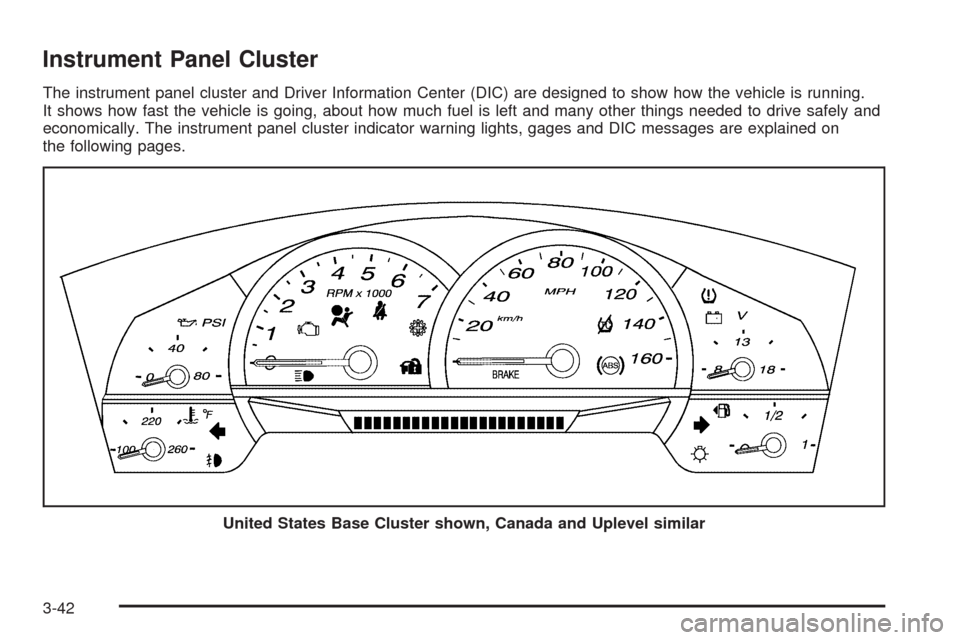
Instrument Panel Cluster
The instrument panel cluster and Driver Information Center (DIC) are designed to show how the vehicle is running.
It shows how fast the vehicle is going, about how much fuel is left and many other things needed to drive safely and
economically. The instrument panel cluster indicator warning lights, gages and DIC messages are explained on
the following pages.
United States Base Cluster shown, Canada and Uplevel similar
3-42
Page 166 of 462
Safety Belt Reminders
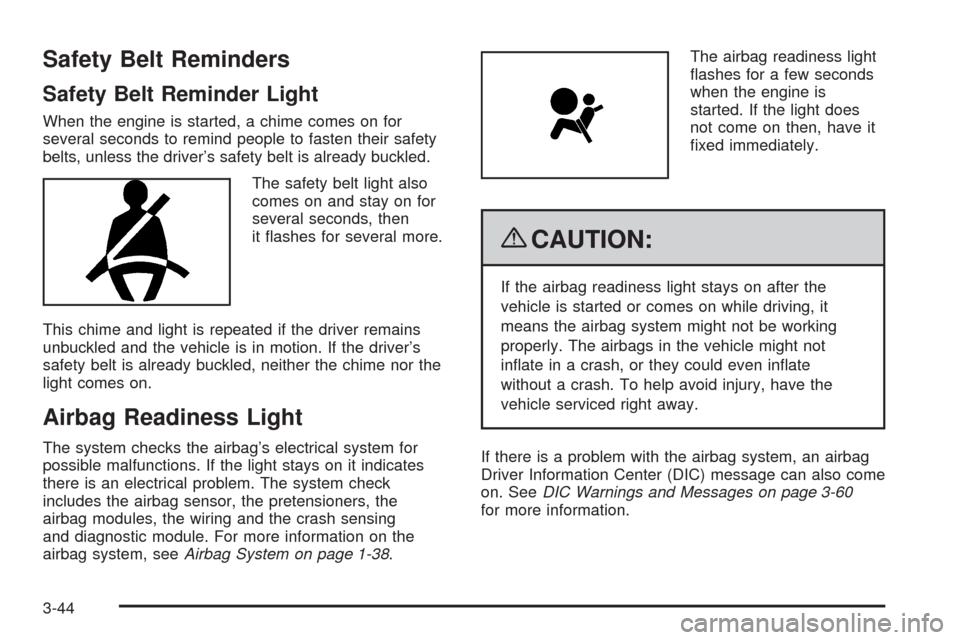
Safety Belt Reminder Light
When the engine is started, a chime comes on for
several seconds to remind people to fasten their safety
belts, unless the driver’s safety belt is already buckled.
The safety belt light also
comes on and stay on for
several seconds, then
it ashes for several more.
This chime and light is repeated if the driver remains
unbuckled and the vehicle is in motion. If the driver’s
safety belt is already buckled, neither the chime nor the
light comes on.
Airbag Readiness Light
The system checks the airbag’s electrical system for
possible malfunctions. If the light stays on it indicates
there is an electrical problem. The system check
includes the airbag sensor, the pretensioners, the
airbag modules, the wiring and the crash sensing
and diagnostic module. For more information on the
airbag system, seeAirbag System on page 1-38.The airbag readiness light
ashes for a few seconds
when the engine is
started. If the light does
not come on then, have it
xed immediately.
{CAUTION:
If the airbag readiness light stays on after the
vehicle is started or comes on while driving, it
means the airbag system might not be working
properly. The airbags in the vehicle might not
inate in a crash, or they could even inate
without a crash. To help avoid injury, have the
vehicle serviced right away.
If there is a problem with the airbag system, an airbag
Driver Information Center (DIC) message can also come
on. SeeDIC Warnings and Messages on page 3-60
for more information.
3-44
Page 168 of 462
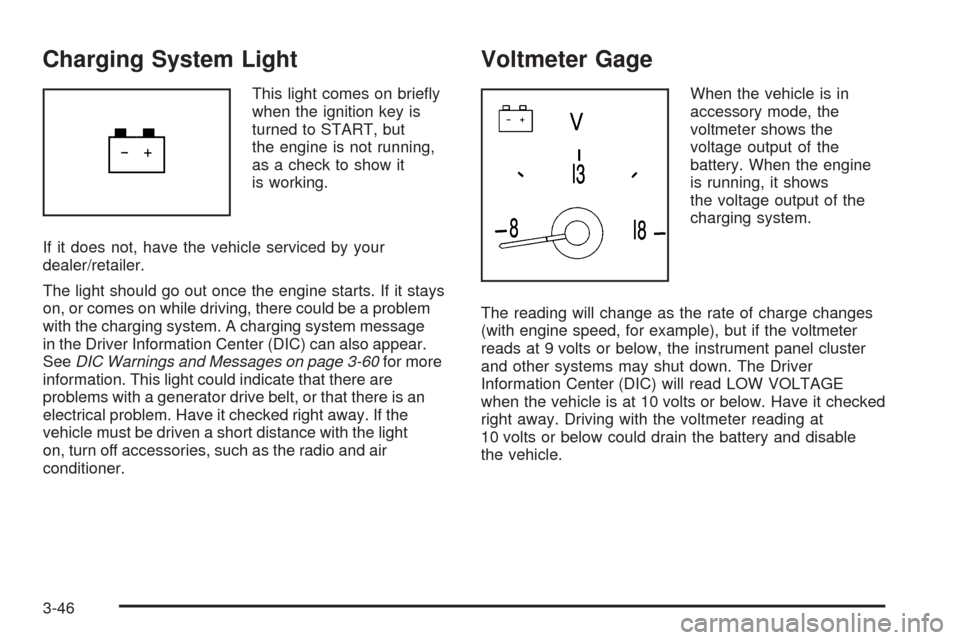
Charging System Light
This light comes on briey
when the ignition key is
turned to START, but
the engine is not running,
as a check to show it
is working.
If it does not, have the vehicle serviced by your
dealer/retailer.
The light should go out once the engine starts. If it stays
on, or comes on while driving, there could be a problem
with the charging system. A charging system message
in the Driver Information Center (DIC) can also appear.
SeeDIC Warnings and Messages on page 3-60for more
information. This light could indicate that there are
problems with a generator drive belt, or that there is an
electrical problem. Have it checked right away. If the
vehicle must be driven a short distance with the light
on, turn off accessories, such as the radio and air
conditioner.
Voltmeter Gage
When the vehicle is in
accessory mode, the
voltmeter shows the
voltage output of the
battery. When the engine
is running, it shows
the voltage output of the
charging system.
The reading will change as the rate of charge changes
(with engine speed, for example), but if the voltmeter
reads at 9 volts or below, the instrument panel cluster
and other systems may shut down. The Driver
Information Center (DIC) will read LOW VOLTAGE
when the vehicle is at 10 volts or below. Have it checked
right away. Driving with the voltmeter reading at
10 volts or below could drain the battery and disable
the vehicle.
3-46
Page 169 of 462
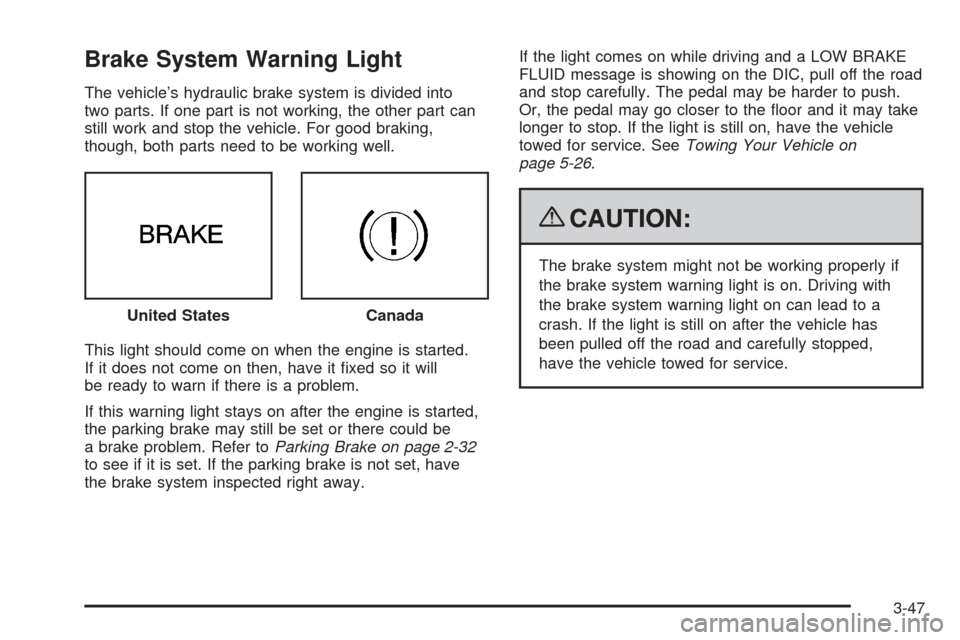
Brake System Warning Light
The vehicle’s hydraulic brake system is divided into
two parts. If one part is not working, the other part can
still work and stop the vehicle. For good braking,
though, both parts need to be working well.
This light should come on when the engine is started.
If it does not come on then, have it xed so it will
be ready to warn if there is a problem.
If this warning light stays on after the engine is started,
the parking brake may still be set or there could be
a brake problem. Refer toParking Brake on page 2-32
to see if it is set. If the parking brake is not set, have
the brake system inspected right away.If the light comes on while driving and a LOW BRAKE
FLUID message is showing on the DIC, pull off the road
and stop carefully. The pedal may be harder to push.
Or, the pedal may go closer to the oor and it may take
longer to stop. If the light is still on, have the vehicle
towed for service. SeeTowing Your Vehicle on
page 5-26.
{CAUTION:
The brake system might not be working properly if
the brake system warning light is on. Driving with
the brake system warning light on can lead to a
crash. If the light is still on after the vehicle has
been pulled off the road and carefully stopped,
have the vehicle towed for service. United States
Canada
3-47
Page 170 of 462
Antilock Brake System (ABS)
Warning Light
For vehicles with the
Antilock Brake System
(ABS), this light comes on
briey when the engine
is started.
If it does not, have the vehicle serviced by your
dealer/retailer. If the system is working normally the
indicator light then goes off.
If the ABS light stays on, turn the ignition off. If the light
comes on while driving, stop as soon as it is safely
possible and turn the ignition off. Then start the engine
again to reset the system. If the ABS light stays on,
or comes on again while driving, the vehicle needs
service. If the regular brake system warning light is not
on, the vehicle still has brakes, but not antilock brakes.
If the regular brake system warning light is also on,
the vehicle does not have antilock brakes and there is a
problem with the regular brakes. SeeBrake System
Warning Light on page 3-47.
For vehicles with a Driver Information Center (DIC),
seeDIC Warnings and Messages on page 3-60for all
brake related DIC messages.
StabiliTrak®/Traction Control
System (TCS) Warning Light
The Traction Control
System (TCS)/StabiliTrak
system warning light
comes on briey as the
engine is started.
If it does not, have the vehicle serviced by your
dealer/retailer. If the system is working normally the
indicator lights go off.
If the light stays on, or comes on while driving and
the DIC shows a SERVICE TRACTION SYS or
a SERVICE STABILITRAK message, there is a
problem with the Traction Control System (TCS)
or the StabiliTrak
®system and the vehicle needs
service.
3-48
Page 171 of 462
When the Traction Control system and/or StabiliTrak®
system are turned off, the light comes on and a
chime sounds. The DIC displays either TRACTION
SYSTEM OFF or TRAC/STABILITRAK OFF message.
When this light is on, the TCS system does not limit
wheel spin and/or the StabiliTrak
®system does
not assist with vehicle control.
When the Traction Control System and/or StabiliTrak
®
system are turned on, the light turns off and a chime
sounds. The DIC displays either a TRACTION SYSTEM
ON or TRAC/STABILITRAK ON message.
SeeTraction Control System (TCS) on page 5-8,
StabiliTrak
®System on page 5-6andDIC Warnings
and Messages on page 3-60for more information.
Engine Coolant Temperature Gage
This gage shows the engine coolant temperature.
As the pointer nears 260°F (125°C), your engine coolant
temperature is high. A message may display on the
Driver Information Center (DIC) depending on how high
the temperature is. SeeDIC Warnings and Messages
on page 3-60for more information.
SeeEngine Overheating on page 6-27for more
information.United States
Canada
3-49
Page 172 of 462
Tire Pressure Light
For vehicles with the tire
pressure light, it comes on
briey when the engine
is started. If it does not,
have the vehicle serviced
by your dealer/retailer.
If the system is working
normally the indicator light
then goes off.
This light also comes on when one or more of the tires
is signicantly underinated.
A tire pressure message in the Driver Information
Center (DIC) can accompany the light. SeeDIC
Warnings and Messages on page 3-60for more
information.
Stop and check the tires as soon as it is safe to do so.
If underinated, inate the tire to the proper pressure.
SeeTires on page 6-46for more information.
If a problem is detected with the Tire Pressure Monitor
System, this light ashes for approximately 60 seconds
and then stays on for the remainder of the ignition
cycle. SeeTire Pressure Monitor System on page 6-55
for more information.
Malfunction Indicator Lamp
Check Engine Light
A computer system called OBD II (On-Board
Diagnostics-Second Generation) monitors operation of
the fuel, ignition, and emission control systems. It makes
sure that emissions are at acceptable levels for the
life of the vehicle, helping to produce a cleaner
environment.
This comes on briey
while starting the engine.
If it does not come on,
have the vehicle serviced
by your dealer/retailer.
If the check engine light comes on and stays on, while
the engine is running, this indicates that there is an
OBD II problem and service is required.
3-50
Page 182 of 462

DIC Warnings and Messages
These messages appear if there is a problem detected
in one of the vehicle’s systems. You must then press
RESET to clear the display screen for further use.
However, be sure to take any message that appears
on the display screen seriously and remember that
pressing the RESET button will only make the message
disappear, not the problem.
DIC messages can also be displayed in English,
French, German, Italian, Japanese, and Spanish.
ABS (Antilock Brake System) ACTIVE
This message displays when the Antilock Brake
System (ABS) is adjusting brake pressure to help avoid
a braking skid.
Slippery road conditions may exist if this message
displays, so adjust your driving accordingly. The
message may stay on for a few seconds after the
system stops adjusting brake pressure.
BUCKLE PASSENGER
This message reminds you to buckle the passenger
safety belt.
This message displays and a chime sounds when
the ignition is on, the driver safety belt is buckled,
the passenger safety belt is unbuckled with thepassenger airbag enabled, and the vehicle is in
motion. You should have the passenger buckle their
safety belt.
The reminder will be repeated if the ignition is on, the
vehicle is in motion, the driver is buckled and the
passenger is still unbuckled, and the passenger airbag
is enabled. If the passenger safety belt is already
buckled, this message and chime will not come on.
BUCKLE SEAT BELT
This message reminds you to buckle the driver
safety belt.
This message displays and a chime sounds when the
ignition is on, the driver safety belt is unbuckled, and the
vehicle is in motion. You should buckle the safety belt.
If the driver remains unbuckled when the ignition is
on and the vehicle is in motion, the reminder will
be repeated. If the driver safety belt is already buckled,
this message and chime will not come on.
This message is an additional reminder to the Safety
Belt Reminder Light in the instrument panel cluster.
SeeSafety Belt Reminders on page 3-44for more
information.
3-60
Page 189 of 462
SERVICE ABS (Antilock Brake System)
If this message displays when you are driving, stop
as soon as possible and turn the ignition off. Then start
the engine again to reset the system. If the message
stays on, or comes back on again while you are driving,
the vehicle is in need of service. See your dealer/retailer.
If the SERVICE ABS message is being displayed, the
Traction Control System (TCS) and StabiliTrak
®System
will also be disabled. The Driver Information Center
will scroll three messages: SERVICE ABS, SERVICE
TRACTION SYS, and SERVICE STABILITRAK, and the
antilock brake system and traction control warning
lights on the instrument panel cluster will be illuminated.
SeeAntilock Brake System (ABS) Warning Light on
page 3-48andStabiliTrak
®/Traction Control System
(TCS) Warning Light on page 3-48. The driver can
acknowledge these messages by pressing the RESET
button three times. When the service message is
displayed, the computer controlled systems will not
assist the driver and you should have the system
repaired by your dealer/retailer as soon as possible.
Adjust your driving accordingly.
SERVICE AFS (Adaptive Forward
Lighting System) LAMPS
This message displays when the Adaptive Forward
Lighting System (AFS) is disabled and needs service.
See your dealer/retailer. SeeAdaptive Forward Lighting
System on page 3-28for more information.
SERVICE ELECT (Electrical) SYSTEM
This message displays if an electrical problem has
occurred within the Powertrain Control Module (PCM).
Have the vehicle serviced by your dealer/retailer.
SERVICE FUEL SYSTEM
This message displays when the Powertrain Control
Module (PCM) has detected a problem within the fuel
system. Have the vehicle serviced by your dealer/retailer.
This message will also be displayed when the cluster is
not getting fuel information from the PCM.
SERVICE RADAR CRUISE
If the vehicle has this feature, this message displays
when the Adaptive Cruise Control (ACC) system
is disabled and needs service. See your dealer/retailer.
3-67
Page 191 of 462

STABILITRAK READY
If this message displays and a chime sounds, the
system has completed the functional check of the
StabiliTrak
®System.
SVC (Service) TIRE MONITOR
This message displays if a part on the Tire Pressure
Monitor System (TPMS) is not working properly. The tire
pressure light also ashes and then remains on during
the same ignition cycle. SeeTire Pressure Light on
page 3-50. Several conditions may cause this message
to appear. SeeTire Pressure Monitor Operation on
page 6-57for more information. If the warning comes on
and stays on, there may be a problem with the TPMS.
See your dealer/retailer.
TOO COLD TO MOVE TOP
This message displays when the retractable hardtop
button is pressed and the hardtop pump motor
temperature is below−4°F (−20°C). Wait for the hardtop
pump motor to warm up before using the retractable
hardtop.
TOP INOP (Inoperative) – VALET ON
This message displays when the retractable hardtop
button is pressed and the valet switch is on. Turn off the
valet switch before using the retractable hardtop.
TOP INOP (Inoperative) OUT OF PARK
This message displays if the retractable hardtop
button is pressed while the vehicle is not in P (Park).
TOP MOTOR OVER TEMP (Temperature)
This message displays when the retractable hardtop
button is pressed and the hardtop pump motor
temperature is over 221°F (105°C). Wait for the hardtop
pump motor to cool down before using the retractable
hardtop.
TOP NOT SECURE
This message displays when the retractable hardtop
button is released before the top open or close operation
is complete. Press and hold the retractable hardtop
button to fully open or close the top.
TRAC (Traction) SYSTEM ACTIVE
This message displays when the Traction Control
System (TCS) is limiting wheel spin. Slippery road
conditions may exist if this message is displayed,
so adjust your driving accordingly. This message stays
on for a few seconds after the TCS stops limited
wheel spin.
3-69