wheel CADILLAC XLR 2009 1.G Owner's Manual
[x] Cancel search | Manufacturer: CADILLAC, Model Year: 2009, Model line: XLR, Model: CADILLAC XLR 2009 1.GPages: 462, PDF Size: 3.72 MB
Page 129 of 462
Heated Steering Wheel
For vehicles with a heated steering wheel, the button for
this feature is located on the steering wheel.
(:Press to turn the heated steering wheel on or off.
A light on the button displays when the feature is
turned on.
The steering wheel takes about three minutes to start
heating.
Turn Signal/Multifunction Lever
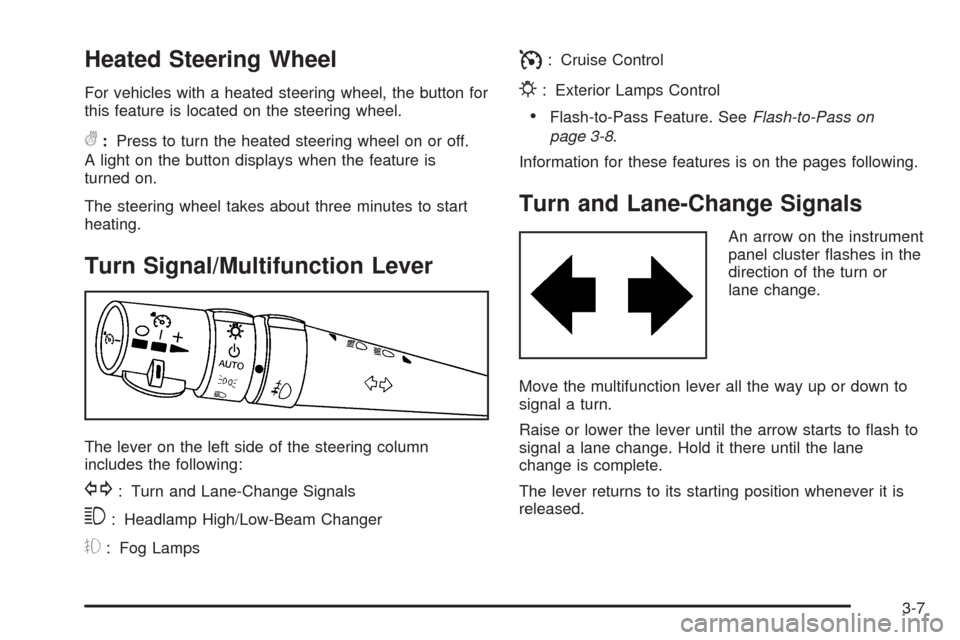
The lever on the left side of the steering column
includes the following:
G: Turn and Lane-Change Signals
3: Headlamp High/Low-Beam Changer
#: Fog Lamps
I: Cruise Control
P: Exterior Lamps Control
Flash-to-Pass Feature. SeeFlash-to-Pass on
page 3-8.
Information for these features is on the pages following.
Turn and Lane-Change Signals
An arrow on the instrument
panel cluster ashes in the
direction of the turn or
lane change.
Move the multifunction lever all the way up or down to
signal a turn.
Raise or lower the lever until the arrow starts to ash to
signal a lane change. Hold it there until the lane
change is complete.
The lever returns to its starting position whenever it is
released.
3-7
Page 133 of 462
Headlamp Washer
The headlamps washer only functions every fourth time
the washer button is pressed and if the headlamps
are on.
Cruise Control
With cruise control, a speed of about 25 mph (40 km/h)
or more can be maintained without keeping your foot
on the accelerator. Cruise control does not work
at speeds below about 25 mph (40 km/h).
Cruise control will not work if the parking brake is set, or
if the master cylinder brake uid level is low.
{CAUTION:
Cruise control can be dangerous where you cannot
drive safely at a steady speed. So, do not use the
cruise control on winding roads or in heavy traffic.
Cruise control can be dangerous on slippery roads.
On such roads, fast changes in tire traction can
cause excessive wheel slip, and you could lose
control. Do not use cruise control on slippery roads.If the vehicle has the traction control system and it
begins to limit wheel spin while cruise control is on,
the cruise control will automatically disengage.
SeeTraction Control System (TCS) on page 5-8.
When road conditions allow cruise control to be safely
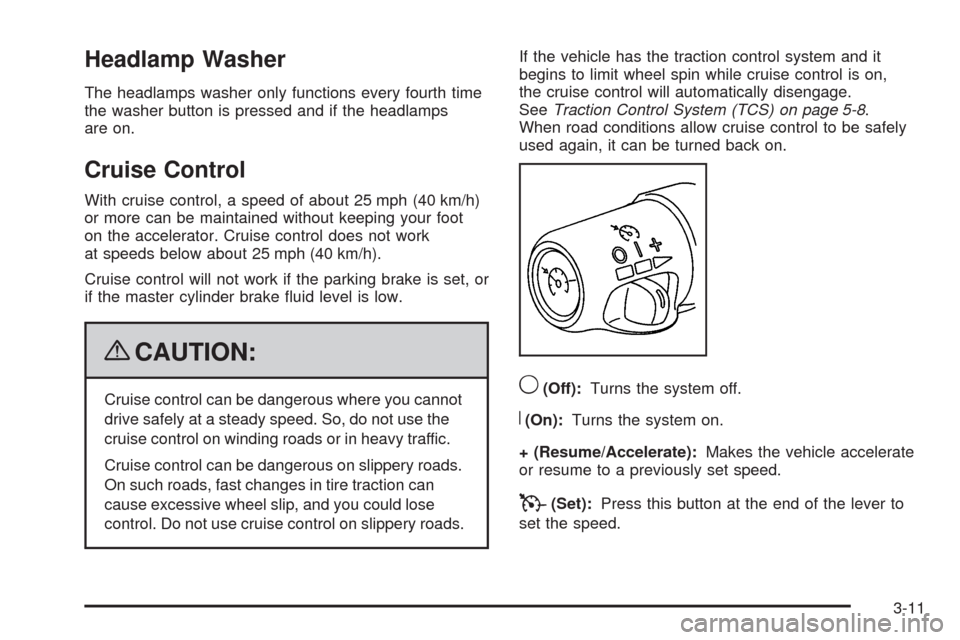
used again, it can be turned back on.9(Off):Turns the system off.
R(On):Turns the system on.
+ (Resume/Accelerate):Makes the vehicle accelerate
or resume to a previously set speed.
T(Set):Press this button at the end of the lever to
set the speed.
3-11
Page 137 of 462
{CAUTION:
Adaptive Cruise Control will not apply hard braking
or bring the vehicle to a complete stop. It will not
respond to stopped vehicles, pedestrians or
animals. When you are approaching a vehicle or
object, Adaptive Cruise Control may not have time
to slow your vehicle enough to avoid a collision.
Your complete attention is always required while
driving and you should be ready to take action
and apply the brakes. For more information,
seeDefensive Driving on page 5-2.
{CAUTION:
On winding roads, Adaptive Cruise Control
may not detect a vehicle ahead. You could
crash into a vehicle ahead of you. Do not use
Adaptive Cruise Control on winding roads.
CAUTION: (Continued)
CAUTION: (Continued)
Adaptive Cruise Control may not have time to
slow your vehicle enough to avoid a crash
when you are driving in conditions where
vehicles may suddenly slow or stop ahead of
you, enter your lane, or cross your vehicle’s
path. If you are driving in these conditions, do
not use Adaptive Cruise Control. The warning
beep and alert symbol may indicate that
you are driving in conditions where Adaptive
Cruise Control should not be used.
See “Alerting the Driver” in this section.
On slippery roads, fast changes in tire traction
can cause needless wheel spinning, and you
could lose control. Do not use cruise control
on slippery roads.
When weather limits visibility, such as when in
fog, rain, or snow conditions, Adaptive Cruise
Control performance is limited. There may not
be enough distance to adapt to the changing
traffic conditions. Do not use cruise control
when visibility is low.
3-15
Page 138 of 462
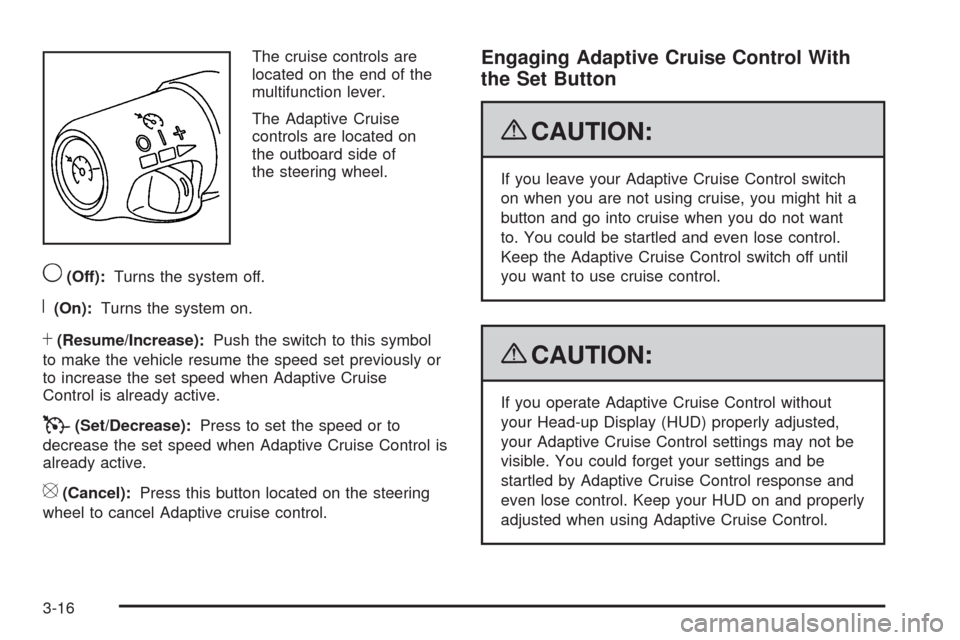
The cruise controls are
located on the end of the
multifunction lever.
The Adaptive Cruise
controls are located on
the outboard side of
the steering wheel.
9(Off):Turns the system off.
R(On):Turns the system on.
S(Resume/Increase):Push the switch to this symbol
to make the vehicle resume the speed set previously or
to increase the set speed when Adaptive Cruise
Control is already active.
T(Set/Decrease):Press to set the speed or to
decrease the set speed when Adaptive Cruise Control is
already active.
[(Cancel):Press this button located on the steering
wheel to cancel Adaptive cruise control.
Engaging Adaptive Cruise Control With
the Set Button
{CAUTION:
If you leave your Adaptive Cruise Control switch
on when you are not using cruise, you might hit a
button and go into cruise when you do not want
to. You could be startled and even lose control.
Keep the Adaptive Cruise Control switch off until
you want to use cruise control.
{CAUTION:
If you operate Adaptive Cruise Control without
your Head-up Display (HUD) properly adjusted,
your Adaptive Cruise Control settings may not be
visible. You could forget your settings and be
startled by Adaptive Cruise Control response and
even lose control. Keep your HUD on and properly
adjusted when using Adaptive Cruise Control.
3-16
Page 139 of 462
The set speed is selected by the driver. This is the
speed you will travel if there is no vehicle detected in
your path.
To set Adaptive Cruise Control, do the following:
1. Make sure the Head-Up Display (HUD) is on and
properly adjusted. You cannot engage Adaptive
Cruise Control unless the HUD is on. SeeHead-Up
Display (HUD) on page 3-31for more information.
2. Move the switch to the on position.
3. Get up to the desired speed.
4. Press
Tat the end of the lever and release
the button.
5. Take your foot off the accelerator pedal.
Once Adaptive Cruise Control is set, it might
immediately apply the brakes if it detects a vehicle
ahead that is too close or moving slower than your
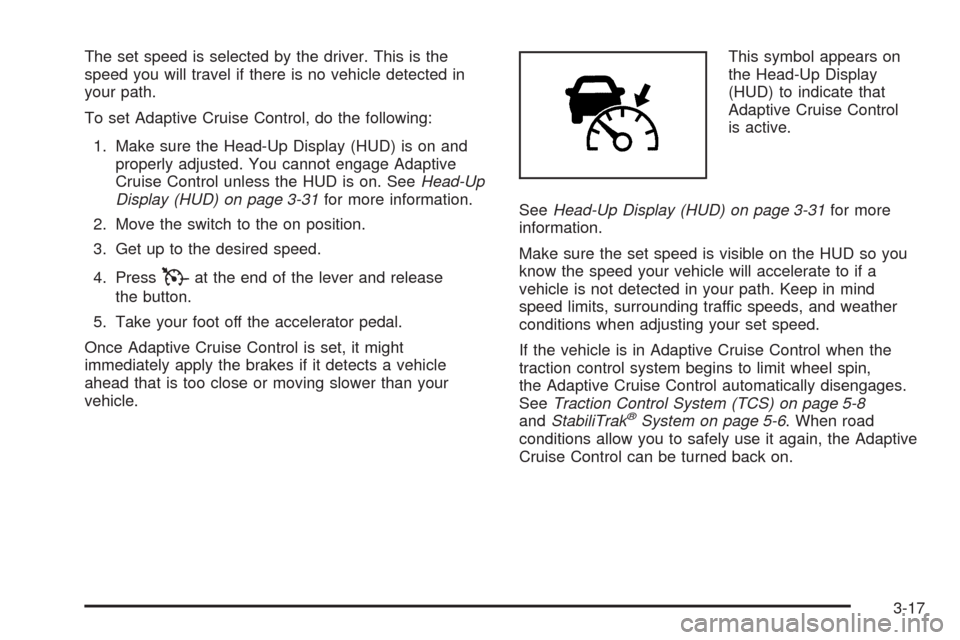
vehicle.This symbol appears on
the Head-Up Display
(HUD) to indicate that
Adaptive Cruise Control
is active.
SeeHead-Up Display (HUD) on page 3-31for more
information.
Make sure the set speed is visible on the HUD so you
know the speed your vehicle will accelerate to if a
vehicle is not detected in your path. Keep in mind
speed limits, surrounding traffic speeds, and weather
conditions when adjusting your set speed.
If the vehicle is in Adaptive Cruise Control when the
traction control system begins to limit wheel spin,
the Adaptive Cruise Control automatically disengages.
SeeTraction Control System (TCS) on page 5-8
andStabiliTrak
®System on page 5-6. When road
conditions allow you to safely use it again, the Adaptive
Cruise Control can be turned back on.
3-17
Page 141 of 462
Selecting the Follow Distance (GAP)
When the system detects a slower moving vehicle, it will
adjust your vehicle’s speed and maintain the following
distance (gap) selected.
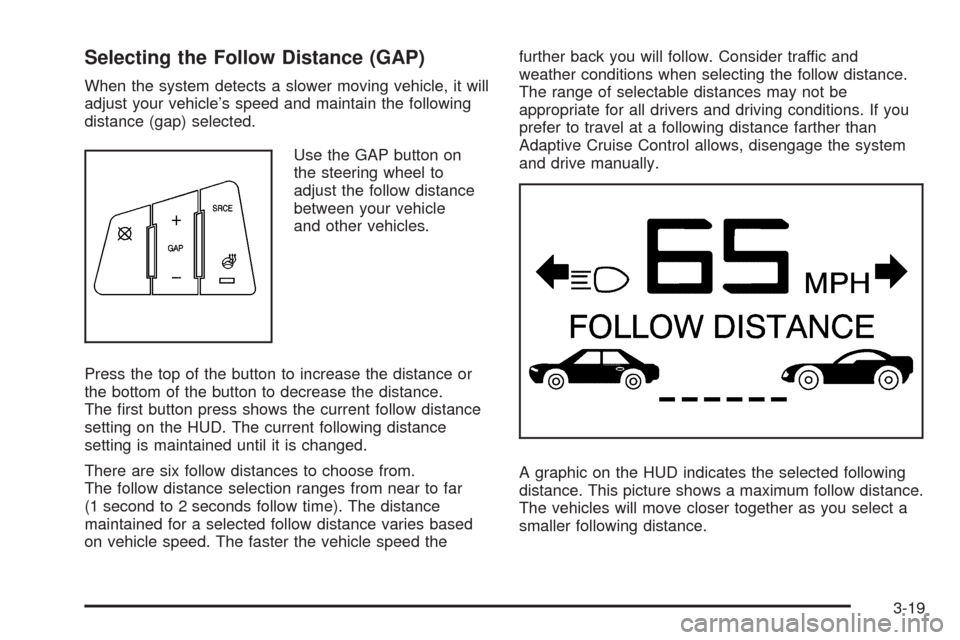
Use the GAP button on
the steering wheel to
adjust the follow distance
between your vehicle
and other vehicles.
Press the top of the button to increase the distance or
the bottom of the button to decrease the distance.
The rst button press shows the current follow distance
setting on the HUD. The current following distance
setting is maintained until it is changed.
There are six follow distances to choose from.
The follow distance selection ranges from near to far
(1 second to 2 seconds follow time). The distance
maintained for a selected follow distance varies based
on vehicle speed. The faster the vehicle speed thefurther back you will follow. Consider traffic and
weather conditions when selecting the follow distance.
The range of selectable distances may not be
appropriate for all drivers and driving conditions. If you
prefer to travel at a following distance farther than
Adaptive Cruise Control allows, disengage the system
and drive manually.
A graphic on the HUD indicates the selected following
distance. This picture shows a maximum follow distance.
The vehicles will move closer together as you select a
smaller following distance.
3-19
Page 148 of 462
Exterior Lamps
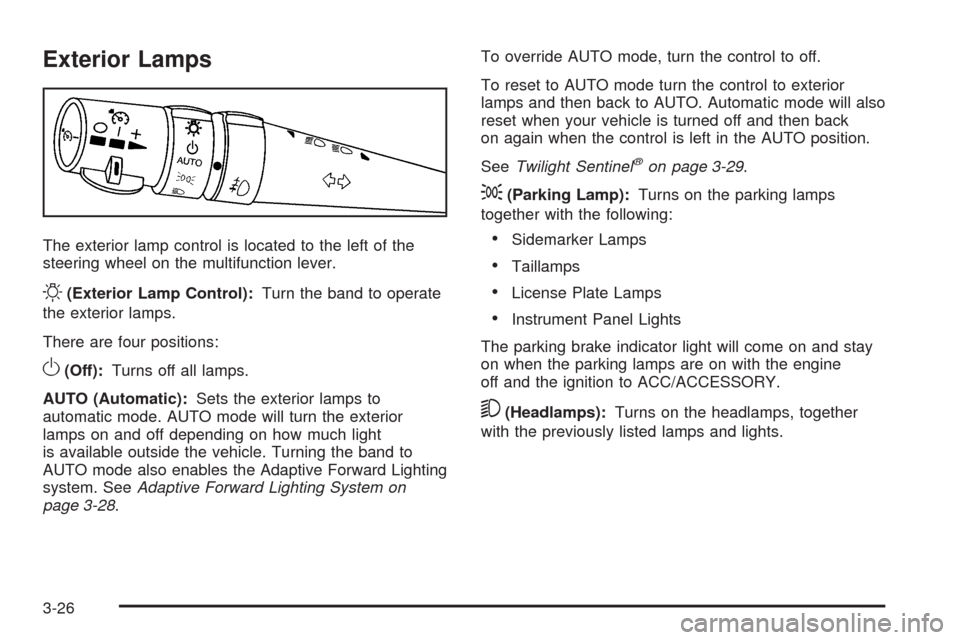
The exterior lamp control is located to the left of the
steering wheel on the multifunction lever.
O(Exterior Lamp Control):Turn the band to operate
the exterior lamps.
There are four positions:
O(Off):Turns off all lamps.
AUTO (Automatic):Sets the exterior lamps to
automatic mode. AUTO mode will turn the exterior
lamps on and off depending on how much light
is available outside the vehicle. Turning the band to
AUTO mode also enables the Adaptive Forward Lighting
system. SeeAdaptive Forward Lighting System on
page 3-28.To override AUTO mode, turn the control to off.
To reset to AUTO mode turn the control to exterior
lamps and then back to AUTO. Automatic mode will also
reset when your vehicle is turned off and then back
on again when the control is left in the AUTO position.
SeeTwilight Sentinel
®on page 3-29.
;(Parking Lamp):Turns on the parking lamps
together with the following:
Sidemarker Lamps
Taillamps
License Plate Lamps
Instrument Panel Lights
The parking brake indicator light will come on and stay
on when the parking lamps are on with the engine
off and the ignition to ACC/ACCESSORY.
5(Headlamps):Turns on the headlamps, together
with the previously listed lamps and lights.
3-26
Page 154 of 462

Continue to scan the displays, controls and driving
environment just as you would in a vehicle without HUD.
Check the instrument panel cluster, to be sure you do
not miss something important, such as a warning
light. Under important warning conditions, the CHECK
GAGES message will display in the HUD. View the
Driver Information Center (DIC) for more information.The HUD controls are
located to the left of the
steering wheel.
+
!- (Brightness):Use to adjust the brightness of the
HUD and the instrument panel cluster.
DIMMER:Use to select the HUD or the instrument
panel cluster to adjust the brightness.
HUD:Use to adjust the vertical position of the HUD
display.
3-32
Page 162 of 462
There is also a sensor located behind the front bumper.
This sensor reads the outside air temperature and
helps maintain the temperature inside the vehicle.
The outside temperature will be displayed in the
navigation system only when the engine is running.
Any cover on the front of the vehicle could give a false
reading of the temperature.
If the outside temperature goes up, the display
temperature will not change until:
The vehicle’s speed is above 15 mph (24 km/h)
for ve minutes.
The vehicle’s speed is above 32 mph (51 km/h)
for two and one-half minutes.
These delays prevent false readings. If the temperature
goes down, the outside temperature will be shown
when the vehicle is started. If it has been turned off for
less than three hours, the temperature will be recalled
from the previous vehicle operation.
There is also an inside temperature sensor located to
the left of the ignition button. The automatic climate
control system uses this sensor to receive information,
so if it is blocked or covered, the system will not
function properly.
Outlet Adjustment
Use the thumbwheel to open or close the outlets.
Operation Tips
Clear away any ice, snow or leaves from the air
inlets at the base of the windshield that may
block the ow of air into the vehicle.
Use of non-GM approved hood deectors may
adversely affect the performance of the system.
Keep the area around the base of the instrument
panel console and air path under the seats clear
of objects to help circulate the air inside of the
vehicle more effectively.
3-40
Page 171 of 462
When the Traction Control system and/or StabiliTrak®
system are turned off, the light comes on and a
chime sounds. The DIC displays either TRACTION
SYSTEM OFF or TRAC/STABILITRAK OFF message.
When this light is on, the TCS system does not limit
wheel spin and/or the StabiliTrak
®system does
not assist with vehicle control.
When the Traction Control System and/or StabiliTrak
®
system are turned on, the light turns off and a chime
sounds. The DIC displays either a TRACTION SYSTEM
ON or TRAC/STABILITRAK ON message.
SeeTraction Control System (TCS) on page 5-8,
StabiliTrak
®System on page 5-6andDIC Warnings
and Messages on page 3-60for more information.
Engine Coolant Temperature Gage
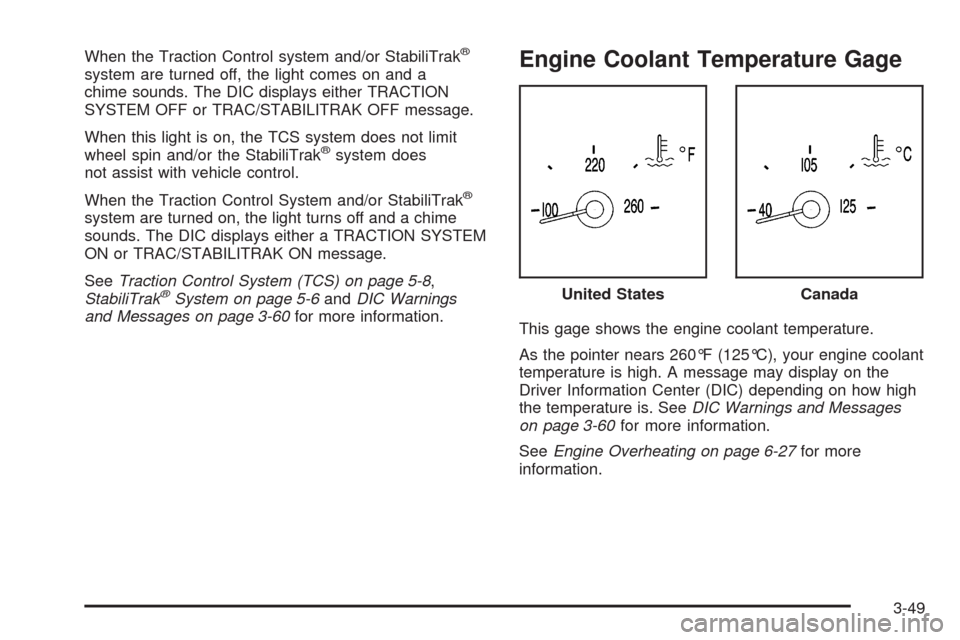
This gage shows the engine coolant temperature.
As the pointer nears 260°F (125°C), your engine coolant
temperature is high. A message may display on the
Driver Information Center (DIC) depending on how high
the temperature is. SeeDIC Warnings and Messages
on page 3-60for more information.
SeeEngine Overheating on page 6-27for more
information.United States
Canada
3-49