brake light CADILLAC XT4 2019 User Guide
[x] Cancel search | Manufacturer: CADILLAC, Model Year: 2019, Model line: XT4, Model: CADILLAC XT4 2019Pages: 381, PDF Size: 6.4 MB
Page 164 of 381

Cadillac XT4 Owner Manual (GMNA-Localizing-U.S./Canada/Mexico-
12017481) - 2019 - CRC - 11/5/18
160 LIGHTING
Exterior Lamps Off
Reminder
A warning chime sounds if the driver
door is opened while the ignition is off
and the exterior lamps are on.
Headlamp High/Low-Beam
Changer
3
:Push the turn signal lever away
from you and release, to turn the high
beams on. To return to low beams,
push the lever again or pull it toward
you and release.
This indicator light turns on in the
instrument cluster when the
high-beam headlamps are on.
Flash-to-Pass
To flash the high beams, pull the turn
signal lever toward you, and release.
Daytime Running
Lamps (DRL)
DRL can make it easier for others to
see the front of your vehicle during
the day. Fully functional DRL are
required on all vehicles first sold in
Canada.
The dedicated DRL will come on when
all of the following conditions are met:
. The ignition is on.
. The exterior lamp control is
in AUTO.
. The light sensor determines it is
daytime.
. The parking brake is released or
the vehicle is not in P (Park).
When the DRL are on, the taillamps,
sidemarker lamps, and other lamps
will not be on.
The DRL turn off when the headlamps
are turned to
Oor the ignition is off.
For vehicles first sold in Canada, the
DRL can only be turned off when the
vehicle is parked.
Automatic Headlamp
System
When the exterior lamp control is set
to AUTO and it is dark enough
outside, the headlamps come on
automatically.
There is a light sensor on top of the
instrument panel. Do not cover the
sensor.
The system may also turn on the
headlamps when driving through a
parking garage or tunnel.
Page 181 of 381
Cadillac XT4 Owner Manual (GMNA-Localizing-U.S./Canada/Mexico-
12017481) - 2019 - CRC - 11/5/18
DRIVING AND OPERATING 177
.Slow down and adjust your driving
according to weather conditions.
Stopping distance can be longer
and vehicle control can be affected
when traction is reduced by water,
snow, ice, gravel, or other material
on the road. Learn to recognize
warning clues —such as enough
water, ice, or packed snow on the
road to make a mirrored surface
— and slow down when you have
any doubt.
. Try to avoid sudden steering,
acceleration, or braking, including
reducing vehicle speed by shifting
to a lower gear. Any sudden
changes could cause the tires to
slide.
Remember: Antilock brakes help avoid
only the braking skid.
Driving on Wet Roads
Rain and wet roads can reduce vehicle
traction and affect your ability to stop
and accelerate. Always drive slower in
these types of driving conditions and
avoid driving through large puddles
and deep-standing or flowing water.
{Warning
Wet brakes can cause crashes. They
might not work as well in a quick
stop and could cause pulling to one
side. You could lose control of the
vehicle.
After driving through a large puddle
of water or a car/vehicle wash,
lightly apply the brake pedal until
the brakes work normally.
Flowing or rushing water creates
strong forces. Driving through
flowing water could cause the
vehicle to be carried away. If this
happens, you and other vehicle
occupants could drown. Do not
ignore police warnings and be very
cautious about trying to drive
through flowing water.
Hydroplaning
Hydroplaning is dangerous. Water can
build up under the vehicle's tires so
they actually ride on the water. This
can happen if the road is wet enough and you are going fast enough. When
the vehicle is hydroplaning, it has
little or no contact with the road.
There is no hard and fast rule about
hydroplaning. The best advice is to
slow down when the road is wet.
Other Rainy Weather Tips
Besides slowing down, other wet
weather driving tips include:
.
Allow extra following distance.
. Pass with caution.
. Keep windshield wiping equipment
in good shape.
. Keep the windshield washer fluid
reservoir filled.
. Have good tires with proper tread
depth. See Tires0281.
. Turn off cruise control.
. Activate All-Wheel Drive (AWD)
mode. See Driver Mode Control
0 205.
Page 189 of 381
Cadillac XT4 Owner Manual (GMNA-Localizing-U.S./Canada/Mexico-
12017481) - 2019 - CRC - 11/5/18
DRIVING AND OPERATING 185
If the pushbutton start is not working,
the vehicle may be near a strong radio
antenna signal causing interference to
the Remote Keyless Entry (RKE)
system. SeeRemote Keyless Entry
(RKE) System Operation 029.
To shift out of P (Park), the vehicle
must be turned on and the brake
pedal must be applied.
Stopping the Engine/OFF (No
Indicator Light) : When the vehicle is
stopped, press ENGINE START/STOP
once to turn the engine off.
If the vehicle is in P (Park), the
ignition will turn off, and Retained
Accessory Power (RAP) will remain
active. See Retained Accessory Power
(RAP) 0189.
If the vehicle is in R (Reverse), D
(Drive) or M (Manual Mode), the
vehicle will shift to P (Park), the
ignition will turn off, and RAP will
remain active.
If the vehicle is in N (Neutral), the
ignition will return to ACC/
ACCESSORY and display the message
SHIFT TO PARK in the Driver
Information Center (DIC). When the vehicle is shifted into
P (Park), the ignition will turn off.
{Warning
Turning off the vehicle while
moving may cause loss of power
assist in the brake and steering
systems and disable the airbags.
While driving, only shut the vehicle
off in an emergency.
If the vehicle must be shut off in an
emergency: 1. Brake using a firm and steady pressure. Do not pump the
brakes repeatedly. This may
deplete power assist, requiring
increased brake pedal force.
2. Shift the vehicle to N (Neutral). This can be done while the
vehicle is moving. After shifting
to N (Neutral), firmly apply the
brakes and steer the vehicle to a
safe location.
3. Come to a complete stop and shift to P (Park). 4. Set the parking brake. See
Electric Parking Brake 0201.
Press ENGINE START/STOP to
turn the vehicle off.
If the vehicle cannot be pulled over
and must be shut off while driving,
press and hold ENGINE START/STOP
for longer than two seconds, or press
twice in five seconds.
ACC/ACCESSORY (Amber Indicator
Light) : This mode allows you to use
some electrical accessories when the
engine is off.
With the ignition off, pressing
ENGINE START/STOP once without
the brake pedal applied will place the
ignition system in ACC/ACCESSORY.
The ignition will switch from ACC/
ACCESSORY to OFF after 10 minutes
to prevent battery rundown.
ON/RUN/START (Green Indicator
Light) : This mode is for driving and
starting. With the ignition off and the
brake pedal applied, pressing ENGINE
START/STOP once will place the
ignition system in ON/RUN/START.
Once engine cranking begins, release
the button. Engine cranking will
Page 204 of 381

Cadillac XT4 Owner Manual (GMNA-Localizing-U.S./Canada/Mexico-
12017481) - 2019 - CRC - 11/5/18
200 DRIVING AND OPERATING
The transmission will only allow
shifting into gears appropriate for the
vehicle speed and engine revolutions
per minute (rpm). If shifting is
prevented for any reason, a SHIFT
DENIED message will be displayed in
the instrument cluster. The
transmission will not automatically
shift to the next higher gear if the
engine rpm is too high. It will only
automatically shift to the next lower
gear if the engine rpm is much
too low.Drive Systems
All-Wheel Drive
Vehicles with this feature can operate
in All-Wheel Drive (AWD) Mode. See
Driver Mode Control0205.
Brakes
Antilock Brake
System (ABS)
This vehicle has an Antilock Brake
System (ABS), an advanced electronic
braking system that helps prevent a
braking skid.
If there is a problem with ABS, this
warning light stays on. See Antilock
Brake System (ABS) Warning Light
0 136.
If driving safely on a wet road and it
becomes necessary to slam on the
brakes and continue braking to avoid
a sudden obstacle, a computer senses
the wheels are slowing down. If one of
the wheels is about to stop rolling, the
computer will separately work the
brakes at each wheel.
Page 205 of 381

Cadillac XT4 Owner Manual (GMNA-Localizing-U.S./Canada/Mexico-
12017481) - 2019 - CRC - 11/5/18
DRIVING AND OPERATING 201
ABS can change the brake pressure to
each wheel, as required, faster than
any driver could. This can help you
steer around the obstacle while
braking hard.
As the brakes are applied, the
computer keeps receiving updates on
wheel speed and controls braking
pressure accordingly.
Remember: ABS does not change the
time needed to get a foot up to the
brake pedal or always decrease
stopping distance. If you get too close
to the vehicle in front of you, there
will not be enough time to apply the
brakes if that vehicle suddenly slows
or stops. Always leave enough room
up ahead to stop, even with ABS.
Using ABS
Do not pump the brakes. Just hold the
brake pedal down firmly and let ABS
work. You may hear noise or feel
vibration while the ABS is operating.
This is normal. The TCS/StabiliTrak/
ESC indicator light will flash to notify
the driver ABS is active and the ABS
ACTIVE message will display. ABS
activating may be an indication of aslippery road surface. Caution and
braking sooner may be required for
driving conditions.
Braking in Emergencies
ABS allows you to steer and brake at
the same time. In many emergencies,
steering can help more than even the
very best braking.
Electric Parking Brake
The vehicle has an Electric Parking
Brake (EPB). The EPB can always be
activated, even if the ignition is off. To
prevent draining the battery, avoid
repeated cycles of the EPB system
when the engine is not running.
The system has a
Yor PARK
Electric Parking Brake light, and
a
8Service Parking Brake light.
See Electric Parking Brake Light 0136
and Service Electric Parking Brake Light
0 136.
Before leaving the vehicle, check for
the
Yor PARK light to ensure that
the parking brake is applied.
EPB Apply
To apply the EPB:
1. Be sure the vehicle is at a complete stop.
2. Press the EPB switch momentarily.
The
Yor PARK light will flash and
then stay on once the EPB is fully
applied. If the
Yor PARK light
flashes continuously, then the EPB is
only partially applied or there is a
problem with the EPB. A DIC message
will display. Release the EPB and try
Page 206 of 381
Cadillac XT4 Owner Manual (GMNA-Localizing-U.S./Canada/Mexico-
12017481) - 2019 - CRC - 11/5/18
202 DRIVING AND OPERATING
to apply it again. If the light does not
come on, or keeps flashing, have the
vehicle serviced. Do not drive the
vehicle if the
Yor PARK light is
flashing. See your dealer. See Electric
Parking Brake Light 0136.
If the
8light is on, press the EPB
switch and hold it. Continue to hold
the switch until the
Yor PARK light
remains on. If the
8light remains on,
see your dealer.
If the EPB is applied while the vehicle
is moving, the vehicle will decelerate
as long as the switch is pressed. If the
switch is pressed until the vehicle
comes to a stop, the EPB will remain
applied.
The vehicle may automatically apply
the EPB in some situations when the
vehicle is not moving. This is normal,
and is done to periodically check the
correct operation of the EPB system.
If the EPB fails to apply, block the rear
wheels to prevent vehicle movement.
EPB Release
To release the EPB:
1. Turn the ignition on or to ACC/ ACCESSORY.
2. Apply and hold the brake pedal.
3. Press the EPB switch momentarily.
The EPB is released when the
Yor
PARK light is off.
If the
8light is on, release the EPB by
pressing and holding the EPB switch.
Continue to hold the switch until
the
Yor PARK light is off. If either
light stays on after release is
attempted, see your dealer.
Caution
Driving with the parking brake on
can overheat the brake system and
cause premature wear or damage to
brake system parts. Make sure that
the parking brake is fully released
and the brake warning light is off
before driving.
Automatic EPB Release
The EPB will automatically release if
the vehicle is running, placed into
gear, and an attempt is made to drive
away. Avoid rapid acceleration when
the EPB is applied, to preserve parking
brake lining life.
If parking on a hill, or if the vehicle is
pulling a trailer, see Driving
Characteristics and Towing Tips 0240.
Brake Assist
The Brake Assist feature is designed to
assist the driver in stopping or
decreasing vehicle speed in emergency
driving conditions. This feature uses
the Electronic Brake Control Module
(EBCM), which controls the hydraulic
brake circuits to detect when the
driver has quickly and forcefully
applied the brake pedal in an attempt
to quickly stop or slow down the
vehicle and to provide additional
braking beyond a normal brake pedal
apply. The EBCM increases brake
pressure at each corner of the vehicle
until the ABS activates. Minor ABS
noise during this time is normal and
Page 208 of 381

Cadillac XT4 Owner Manual (GMNA-Localizing-U.S./Canada/Mexico-
12017481) - 2019 - CRC - 11/5/18
204 DRIVING AND OPERATING
StabiliTrak/ESC selectively applies
braking pressure at any one of the
vehicle's brakes to help steer the
vehicle in the direction which you are
steering.
If cruise control is being used and
traction control or StabiliTrak/ESC
begins to limit wheel spin, cruise
control will disengage. Cruise control
may be turned back on when road
conditions allow. TCS and StabiliTrak/
ESC will automatically turn on when
cruise control is set.
Both systems come on automatically
when the vehicle is started and begins
to move. The systems may be heard or
felt while they are operating or while
performing diagnostic checks. This is
normal and does not mean there is a
problem with the vehicle.
It is recommended to leave both
systems on for normal driving
conditions, but it may be necessary to
turn TCS off if the vehicle gets stuck
in sand, mud, ice, or snow. SeeIf the
Vehicle Is Stuck 0179 and “Turning
the Systems Off and On ”later in this
section.
The indicator light for both systems is
in the instrument cluster. This
light will:
. Flash when TCS is limiting
wheel spin.
. Flash when StabiliTrak/ESC is
activated.
. Turn on and stay on when either
system is not working.
If either system fails to turn on or to
activate, a message may display in the
Driver Information Center (DIC), and
dcomes on and stays on to indicate
that the system is inactive and is not
assisting the driver in maintaining
control. The vehicle is safe to drive,
but driving should be adjusted
accordingly. If
dcomes on and stays on:
1. Stop the vehicle.
2. Turn the engine off and wait 15 seconds.
3. Start the engine.
Drive the vehicle. If
dcomes on and
stays on, the vehicle may need more
time to diagnose the problem. If the
condition persists, see your dealer.
Turning the Systems Off and On
Page 209 of 381
Cadillac XT4 Owner Manual (GMNA-Localizing-U.S./Canada/Mexico-
12017481) - 2019 - CRC - 11/5/18
DRIVING AND OPERATING 205
Caution
Do not repeatedly brake or
accelerate heavily when TCS is off.
The vehicle driveline could be
damaged.
To turn off only TCS, press and
release
g. The Traction Off lighti
displays in the instrument cluster and
a DIC message may display.
To turn TCS on again, press and
release
g. The Traction Off lighti
displayed in the instrument cluster
will turn off and a DIC message may
display.
If TCS is limiting wheel spin when
g
is pressed, the system will not turn off
until the wheels stop spinning.
To turn off both TCS and StabiliTrak/
ESC, press and hold
guntil the
Traction Off light
iand StabiliTrak/
ESC Off light
gcome on and stay on
in the instrument cluster. A DIC
message may display. To turn TCS and StabiliTrak/ESC on
again, press and release
g. The
Traction Off light
iand StabiliTrak/
ESC Off light
gin the instrument
cluster turn off and a DIC message
may display.
Adding accessories can affect vehicle
performance. See Accessories and
Modifications 0254.
Driver Mode Control
If equipped, the Driver Mode Control
has the following modes: Tour, Sport,
All-Wheel Drive (AWD), and Snow/Ice
(Front-Wheel Drive vehicles only).
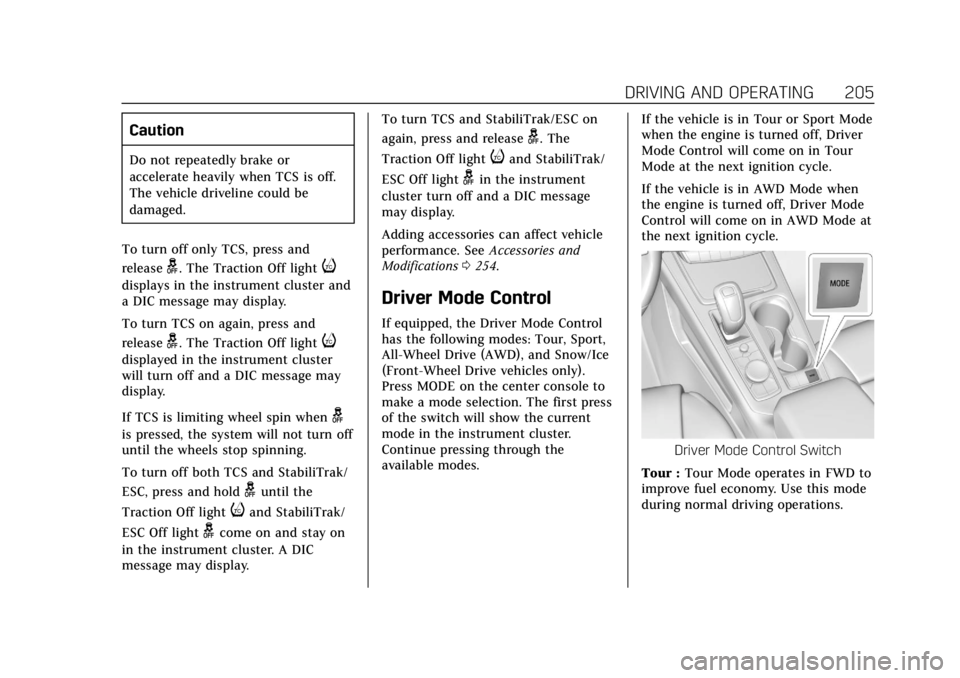
Press MODE on the center console to
make a mode selection. The first press
of the switch will show the current
mode in the instrument cluster.
Continue pressing through the
available modes. If the vehicle is in Tour or Sport Mode
when the engine is turned off, Driver
Mode Control will come on in Tour
Mode at the next ignition cycle.
If the vehicle is in AWD Mode when
the engine is turned off, Driver Mode
Control will come on in AWD Mode at
the next ignition cycle.
Driver Mode Control Switch
Tour : Tour Mode operates in FWD to
improve fuel economy. Use this mode
during normal driving operations.
Page 210 of 381
Cadillac XT4 Owner Manual (GMNA-Localizing-U.S./Canada/Mexico-
12017481) - 2019 - CRC - 11/5/18
206 DRIVING AND OPERATING
Sport :Sport Mode improves vehicle
handling and acceleration on dry
pavement. When active, Sport Mode
modifies steering efforts, transmission
shifting, AWD torque, and suspension
tuning, if equipped. When in Sport
Mode, the AWD Mode indicator light
will be on.
AWD : AWD Mode provides drive
torque to all four wheels. Select AWD
to improve traction and control on
slippery road surfaces, such as gravel,
sand, wet pavement, snow, and ice.
When in AWD Mode, the AWD Mode
indicator light will be on.
Snow/Ice (FWD Vehicles Only) :
Snow/Ice Mode improves vehicle
acceleration on snow and ice covered
roads.Cruise Control
{Warning
Cruise control can be dangerous
where you cannot drive safely at a
steady speed. Do not use cruise
control on winding roads or in
heavy traffic.
Cruise control can be dangerous on
slippery roads. On such roads, fast
changes in tire traction can cause
excessive wheel slip, and you could
lose control. Do not use cruise
control on slippery roads.
With cruise control, a speed of about
40 km/h (25 mph) or more can be
maintained without keeping your foot
on the accelerator. Cruise control does
not work at speeds below about
40 km/h (25 mph). If the Traction Control System (TCS)
or StabiliTrak/Electronic Stability
Control (ESC) begins to limit wheel
spin while using cruise control, the
cruise control automatically
disengages. See
Traction Control/
Electronic Stability Control 0203. If a
collision alert occurs when cruise
control is activated, cruise control is
disengaged. See Forward Collision Alert
(FCA) System 0226. When road
conditions allow cruise control to be
safely used, it can be turned back on.
Cruise control will disengage if either
TCS or StabiliTrak/ESC is turned off.
If the brakes are applied, cruise
control disengages.
Page 212 of 381
Cadillac XT4 Owner Manual (GMNA-Localizing-U.S./Canada/Mexico-
12017481) - 2019 - CRC - 11/5/18
208 DRIVING AND OPERATING
.To increase vehicle speed in small
increments, move the thumbwheel
up toward RES+ briefly. For each
press, the vehicle goes about
1 km/h (1 mph) faster.
. To increase vehicle speed in larger
increments, move the thumbwheel
up toward RES+ to the second
detent. For each press, the vehicle
speed increases to the next 5 km/h
(5 mph) mark on the speedometer.
The speedometer reading can be
displayed in either English or metric
units. See Instrument Cluster 0126.
The increment value used depends on
the units displayed.
Reducing Speed While Using Cruise
Control
If the cruise control system is already
activated:
. Move the thumbwheel down
toward SET− until the desired
lower speed is reached, then
release it. .
To decrease the vehicle speed in
small increments, move the
thumbwheel down toward SET−
briefly. For each press, the vehicle
goes about 1 km/h (1 mph) slower.
. To decrease the vehicle speed in
larger increments, move the
thumbwheel down toward SET− to
the second detent. For each press,
the vehicle speed decreases to the
next 5 km/h (5 mph) mark on the
speedometer.
The cruise control system may
automatically brake to slow the
vehicle down.
The speedometer reading can be
displayed in either English or metric
units. See Instrument Cluster 0126.
The increment value used depends on
the units displayed.
Passing Another Vehicle While
Using Cruise Control
Use the accelerator pedal to increase
the vehicle speed. When you take your
foot off the pedal, the vehicle will slow
down to the previous set cruise speed. While pressing the accelerator pedal
or shortly following the release to
override cruise, briefly moving the
thumbwheel down toward SET−
will
result in cruise set to the current
vehicle speed.
Using Cruise Control on Hills
How well the cruise control will work
on hills depends upon the vehicle
speed, load, and the steepness of the
hills. When going up steep hills, you
might have to step on the accelerator
pedal to maintain your speed. When
going downhill, the cruise control
system may automatically brake to
slow the vehicle down. Also, you may
have to brake or shift to a lower gear
to keep your speed down. If the brake
pedal is applied, cruise control
disengages.
Ending Cruise Control
There are four ways to end cruise
control:
. Step lightly on the brake pedal.
. Press
*.