brakes CADILLAC XT4 2019 User Guide
[x] Cancel search | Manufacturer: CADILLAC, Model Year: 2019, Model line: XT4, Model: CADILLAC XT4 2019Pages: 381, PDF Size: 6.4 MB
Page 191 of 381
Cadillac XT4 Owner Manual (GMNA-Localizing-U.S./Canada/Mexico-
12017481) - 2019 - CRC - 11/5/18
DRIVING AND OPERATING 187
the accelerator pedal all the way
to the floor and hold it there,
then press ENGINE START/STOP
for up to a maximum of
15 seconds. Wait at least
15 seconds between each try, to
allow the cranking motor to cool
down. When the engine starts,
let go of the button and the
accelerator. If the vehicle starts
briefly but then stops again, do
the same thing. This clears the
extra gasoline from the engine.
Do not race the engine
immediately after starting it.
Operate the engine and
transmission gently until the oil
warms up and lubricates all
moving parts.
Stop/Start System
The Stop/Start system will shut off
the engine to help conserve fuel.
It has components designed for the
increased number of starts.
{Warning
The automatic engine Stop/Start
feature causes the engine to shut
off while the vehicle is still on. Do
not exit the vehicle before shifting
to P (Park). The vehicle may restart
and move unexpectedly. Always
shift to P (Park), and then turn the
ignition off before exiting the
vehicle.
Auto Engine Stop/Start
When the brakes are applied and the
vehicle is at a complete stop, the
engine may turn off. When stopped,
the tachometer displays AUTO STOP.
See Tachometer 0129. When the brake
pedal is released or the accelerator
pedal is pressed, the engine will
restart.
To maintain vehicle performance,
other conditions may cause the engine
to automatically restart before the
brake pedal is released. Auto Stops may not occur and/or Auto
Starts may occur because:
.
The climate control settings
require the engine to be running
to cool or heat the vehicle interior.
. The vehicle battery charge is low.
. The vehicle battery has recently
been disconnected.
. Minimum vehicle speed has not
been reached since the last
Auto Stop.
. The accelerator pedal is pressed.
. The engine or transmission is not
at the required operating
temperature.
. The outside temperature is not in
the required operating range.
. The vehicle is in any gear other
than D (Drive).
. Driver modes have been selected.
. The vehicle is on a steep hill or
grade.
. The driver door has been opened
or the driver seat belt has been
unbuckled.
Page 202 of 381
Cadillac XT4 Owner Manual (GMNA-Localizing-U.S./Canada/Mexico-
12017481) - 2019 - CRC - 11/5/18
198 DRIVING AND OPERATING
5. The indicator should continue toshow N. If it does not, repeat
Steps 2–4.
6. Exit the vehicle and close the door. The vehicle is now ready
for the car wash.
7. The vehicle may automatically shift to P (Park) when the door is
opened.
Caution
A transmission hot message may
display if the automatic
transmission fluid is too hot.
Driving under this condition can
damage the vehicle. Stop and idle
the engine to cool the automatic
transmission fluid. This message
clears when the transmission fluid
has cooled sufficiently.
D : This position is for normal driving.
If more power is needed for passing,
press the accelerator pedal down. To shift into D (Drive):
1. Bring the vehicle to a complete stop.
2. From the center position, move the shift lever back.
.If the vehicle is in P (Park),
press the shift lock release
button while pulling the shift
lever back.
. D will illuminate in red.
. After releasing the shift lever,
it will return to the center
position.
To shift out of D (Drive): 1. Bring the vehicle to a complete stop.
2. Shift to the desired gear.
3. After releasing the shift lever, it will return to the center position.
Downshifting the transmission in
slippery road conditions could result
in skidding. See “Skidding”underLoss
of Control 0176.
Caution
Spinning the tires or holding the
vehicle in one place on a hill using
only the accelerator pedal may
damage the transmission. The
repair will not be covered by the
vehicle warranty. If the vehicle is
stuck, do not spin the tires. When
stopping on a hill, use the brakes to
hold the vehicle in place.
If equipped with the 2.0L L4 engine,
engine speeds may be increased while
driving at highway speeds while the
engine is still warming up.
Manual Mode
Tap Shift Caution
Driving with the engine at a high
rpm without upshifting while using
Tap Shift, could damage the vehicle.
Always upshift when necessary
while using Tap Shift.
Page 204 of 381

Cadillac XT4 Owner Manual (GMNA-Localizing-U.S./Canada/Mexico-
12017481) - 2019 - CRC - 11/5/18
200 DRIVING AND OPERATING
The transmission will only allow
shifting into gears appropriate for the
vehicle speed and engine revolutions
per minute (rpm). If shifting is
prevented for any reason, a SHIFT
DENIED message will be displayed in
the instrument cluster. The
transmission will not automatically
shift to the next higher gear if the
engine rpm is too high. It will only
automatically shift to the next lower
gear if the engine rpm is much
too low.Drive Systems
All-Wheel Drive
Vehicles with this feature can operate
in All-Wheel Drive (AWD) Mode. See
Driver Mode Control0205.
Brakes
Antilock Brake
System (ABS)
This vehicle has an Antilock Brake
System (ABS), an advanced electronic
braking system that helps prevent a
braking skid.
If there is a problem with ABS, this
warning light stays on. See Antilock
Brake System (ABS) Warning Light
0 136.
If driving safely on a wet road and it
becomes necessary to slam on the
brakes and continue braking to avoid
a sudden obstacle, a computer senses
the wheels are slowing down. If one of
the wheels is about to stop rolling, the
computer will separately work the
brakes at each wheel.
Page 205 of 381

Cadillac XT4 Owner Manual (GMNA-Localizing-U.S./Canada/Mexico-
12017481) - 2019 - CRC - 11/5/18
DRIVING AND OPERATING 201
ABS can change the brake pressure to
each wheel, as required, faster than
any driver could. This can help you
steer around the obstacle while
braking hard.
As the brakes are applied, the
computer keeps receiving updates on
wheel speed and controls braking
pressure accordingly.
Remember: ABS does not change the
time needed to get a foot up to the
brake pedal or always decrease
stopping distance. If you get too close
to the vehicle in front of you, there
will not be enough time to apply the
brakes if that vehicle suddenly slows
or stops. Always leave enough room
up ahead to stop, even with ABS.
Using ABS
Do not pump the brakes. Just hold the
brake pedal down firmly and let ABS
work. You may hear noise or feel
vibration while the ABS is operating.
This is normal. The TCS/StabiliTrak/
ESC indicator light will flash to notify
the driver ABS is active and the ABS
ACTIVE message will display. ABS
activating may be an indication of aslippery road surface. Caution and
braking sooner may be required for
driving conditions.
Braking in Emergencies
ABS allows you to steer and brake at
the same time. In many emergencies,
steering can help more than even the
very best braking.
Electric Parking Brake
The vehicle has an Electric Parking
Brake (EPB). The EPB can always be
activated, even if the ignition is off. To
prevent draining the battery, avoid
repeated cycles of the EPB system
when the engine is not running.
The system has a
Yor PARK
Electric Parking Brake light, and
a
8Service Parking Brake light.
See Electric Parking Brake Light 0136
and Service Electric Parking Brake Light
0 136.
Before leaving the vehicle, check for
the
Yor PARK light to ensure that
the parking brake is applied.
EPB Apply
To apply the EPB:
1. Be sure the vehicle is at a complete stop.
2. Press the EPB switch momentarily.
The
Yor PARK light will flash and
then stay on once the EPB is fully
applied. If the
Yor PARK light
flashes continuously, then the EPB is
only partially applied or there is a
problem with the EPB. A DIC message
will display. Release the EPB and try
Page 207 of 381
Cadillac XT4 Owner Manual (GMNA-Localizing-U.S./Canada/Mexico-
12017481) - 2019 - CRC - 11/5/18
DRIVING AND OPERATING 203
the driver should continue to apply
the brake pedal as the driving
situation dictates. The Brake Assist
feature will automatically disengage
when the brake pedal is released or
brake pedal pressure is quickly
decreased.
Hill Start Assist (HSA)
{Warning
Do not rely on the HSA feature.
HSA does not replace the need to
pay attention and drive safely. You
may not hear or feel alerts or
warnings provided by this system.
Failure to use proper care when
driving may result in injury, death,
or vehicle damage. SeeDefensive
Driving 0174. Hill Start Assist (HSA) will activate
when the vehicle is stopped on a
moderate to steep grade to help
prevent it from rolling in an
unintended direction. After the brake
pedal has been released and before
the accelerator pedal has been
pressed, HSA uses braking pressure to
hold the vehicle stationary. HSA will
not activate in a forward drive gear
when facing downhill, or in
R (Reverse) when facing uphill.
Ride Control Systems
Traction Control/Electronic
Stability Control
System Operation
The vehicle has a Traction Control
System (TCS) and StabiliTrak/
Electronic Stability Control (ESC).
These systems help limit wheel spin
and assist the driver in maintaining
control, especially on slippery road
conditions.
TCS activates if it senses that any of
the drive wheels are spinning or
beginning to lose traction. On an
All-Wheel Drive (AWD) vehicle in
AWD or Sport Mode, the system will
operate if it senses that any of the
wheels are spinning or beginning to
lose traction. When this happens, TCS
applies the brakes to the spinning
wheels and reduces engine power to
limit wheel spin.
StabiliTrak/ESC activates when the
system senses a discrepancy between
the intended path and the direction
the vehicle is actually traveling.
Page 208 of 381

Cadillac XT4 Owner Manual (GMNA-Localizing-U.S./Canada/Mexico-
12017481) - 2019 - CRC - 11/5/18
204 DRIVING AND OPERATING
StabiliTrak/ESC selectively applies
braking pressure at any one of the
vehicle's brakes to help steer the
vehicle in the direction which you are
steering.
If cruise control is being used and
traction control or StabiliTrak/ESC
begins to limit wheel spin, cruise
control will disengage. Cruise control
may be turned back on when road
conditions allow. TCS and StabiliTrak/
ESC will automatically turn on when
cruise control is set.
Both systems come on automatically
when the vehicle is started and begins
to move. The systems may be heard or
felt while they are operating or while
performing diagnostic checks. This is
normal and does not mean there is a
problem with the vehicle.
It is recommended to leave both
systems on for normal driving
conditions, but it may be necessary to
turn TCS off if the vehicle gets stuck
in sand, mud, ice, or snow. SeeIf the
Vehicle Is Stuck 0179 and “Turning
the Systems Off and On ”later in this
section.
The indicator light for both systems is
in the instrument cluster. This
light will:
. Flash when TCS is limiting
wheel spin.
. Flash when StabiliTrak/ESC is
activated.
. Turn on and stay on when either
system is not working.
If either system fails to turn on or to
activate, a message may display in the
Driver Information Center (DIC), and
dcomes on and stays on to indicate
that the system is inactive and is not
assisting the driver in maintaining
control. The vehicle is safe to drive,
but driving should be adjusted
accordingly. If
dcomes on and stays on:
1. Stop the vehicle.
2. Turn the engine off and wait 15 seconds.
3. Start the engine.
Drive the vehicle. If
dcomes on and
stays on, the vehicle may need more
time to diagnose the problem. If the
condition persists, see your dealer.
Turning the Systems Off and On
Page 210 of 381
Cadillac XT4 Owner Manual (GMNA-Localizing-U.S./Canada/Mexico-
12017481) - 2019 - CRC - 11/5/18
206 DRIVING AND OPERATING
Sport :Sport Mode improves vehicle
handling and acceleration on dry
pavement. When active, Sport Mode
modifies steering efforts, transmission
shifting, AWD torque, and suspension
tuning, if equipped. When in Sport
Mode, the AWD Mode indicator light
will be on.
AWD : AWD Mode provides drive
torque to all four wheels. Select AWD
to improve traction and control on
slippery road surfaces, such as gravel,
sand, wet pavement, snow, and ice.
When in AWD Mode, the AWD Mode
indicator light will be on.
Snow/Ice (FWD Vehicles Only) :
Snow/Ice Mode improves vehicle
acceleration on snow and ice covered
roads.Cruise Control
{Warning
Cruise control can be dangerous
where you cannot drive safely at a
steady speed. Do not use cruise
control on winding roads or in
heavy traffic.
Cruise control can be dangerous on
slippery roads. On such roads, fast
changes in tire traction can cause
excessive wheel slip, and you could
lose control. Do not use cruise
control on slippery roads.
With cruise control, a speed of about
40 km/h (25 mph) or more can be
maintained without keeping your foot
on the accelerator. Cruise control does
not work at speeds below about
40 km/h (25 mph). If the Traction Control System (TCS)
or StabiliTrak/Electronic Stability
Control (ESC) begins to limit wheel
spin while using cruise control, the
cruise control automatically
disengages. See
Traction Control/
Electronic Stability Control 0203. If a
collision alert occurs when cruise
control is activated, cruise control is
disengaged. See Forward Collision Alert
(FCA) System 0226. When road
conditions allow cruise control to be
safely used, it can be turned back on.
Cruise control will disengage if either
TCS or StabiliTrak/ESC is turned off.
If the brakes are applied, cruise
control disengages.
Page 211 of 381
Cadillac XT4 Owner Manual (GMNA-Localizing-U.S./Canada/Mexico-
12017481) - 2019 - CRC - 11/5/18
DRIVING AND OPERATING 207
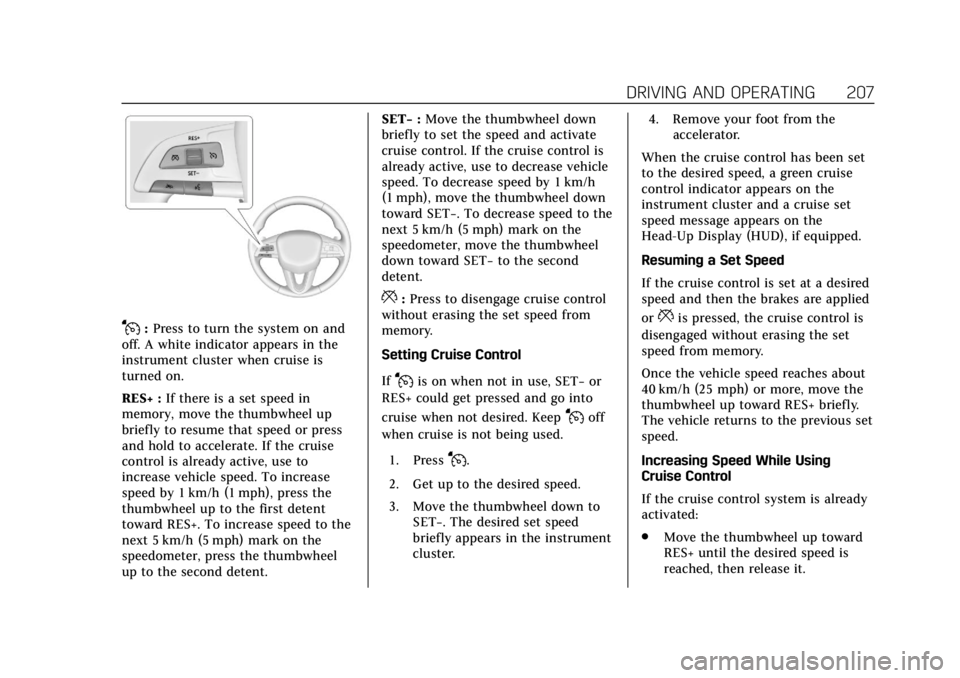
J:Press to turn the system on and
off. A white indicator appears in the
instrument cluster when cruise is
turned on.
RES+ : If there is a set speed in
memory, move the thumbwheel up
briefly to resume that speed or press
and hold to accelerate. If the cruise
control is already active, use to
increase vehicle speed. To increase
speed by 1 km/h (1 mph), press the
thumbwheel up to the first detent
toward RES+. To increase speed to the
next 5 km/h (5 mph) mark on the
speedometer, press the thumbwheel
up to the second detent. SET−
:Move the thumbwheel down
briefly to set the speed and activate
cruise control. If the cruise control is
already active, use to decrease vehicle
speed. To decrease speed by 1 km/h
(1 mph), move the thumbwheel down
toward SET−. To decrease speed to the
next 5 km/h (5 mph) mark on the
speedometer, move the thumbwheel
down toward SET− to the second
detent.
*: Press to disengage cruise control
without erasing the set speed from
memory.
Setting Cruise Control
If
Jis on when not in use, SET− or
RES+ could get pressed and go into
cruise when not desired. Keep
Joff
when cruise is not being used.
1. Press
J.
2. Get up to the desired speed.
3. Move the thumbwheel down to SET−. The desired set speed
briefly appears in the instrument
cluster. 4. Remove your foot from the
accelerator.
When the cruise control has been set
to the desired speed, a green cruise
control indicator appears on the
instrument cluster and a cruise set
speed message appears on the
Head-Up Display (HUD), if equipped.
Resuming a Set Speed
If the cruise control is set at a desired
speed and then the brakes are applied
or
*is pressed, the cruise control is
disengaged without erasing the set
speed from memory.
Once the vehicle speed reaches about
40 km/h (25 mph) or more, move the
thumbwheel up toward RES+ briefly.
The vehicle returns to the previous set
speed.
Increasing Speed While Using
Cruise Control
If the cruise control system is already
activated:
. Move the thumbwheel up toward
RES+ until the desired speed is
reached, then release it.
Page 213 of 381
Cadillac XT4 Owner Manual (GMNA-Localizing-U.S./Canada/Mexico-
12017481) - 2019 - CRC - 11/5/18
DRIVING AND OPERATING 209
.Shift the transmission to
N (Neutral).
. Press
J.
Erasing Speed Memory
The cruise control set speed is erased
from memory if
Jis pressed or if
the ignition is turned off.
Adaptive Cruise Control
If equipped with Adaptive Cruise
Control (ACC), it allows the driver to
select the cruise control set speed and
following gap. Read this entire section
before using this system. The
following gap is the following time
between your vehicle and a vehicle
detected directly ahead in your path,
moving in the same direction. If no
vehicle is detected in your path, ACC
works like regular cruise control. ACC
uses camera and radar sensors. See
Radio Frequency Statement 0350.
If a vehicle is detected in your path,
ACC can apply acceleration or limited,
moderate braking to maintain the
selected following gap. To disengage
ACC, apply the brake. If ACC is controlling your vehicle speed when
the Traction Control System (TCS) or
StabiliTrak/Electronic Stability Control
(ESC) system activates, the ACC may
automatically disengage. See
Traction
Control/Electronic Stability Control
0 203. When road conditions allow
ACC to be safely used, the ACC can be
turned back on.
ACC will not engage if the TCS or
StabiliTrak/ESC system is disabled.
{Warning
ACC has limited braking ability and
may not have time to slow the
vehicle down enough to avoid a
collision with another vehicle you
are following. This can occur when
vehicles suddenly slow or stop
ahead, or enter your lane. Also see
“Alerting the Driver” in this section.
Complete attention is always
required while driving and you
should be ready to take action and
apply the brakes. See Defensive
Driving 0174.
{Warning
ACC will not detect or brake for
children, pedestrians, animals,
or other objects.
Do not use ACC when:
. On winding and hilly roads or
when the sensors are blocked
by snow, ice, or dirt. The
system may not detect a
vehicle ahead. Keep the entire
front of the vehicle clean.
. Visibility is low, such as in
fog, rain, or snow conditions.
ACC performance is limited
under these conditions.
. On slippery roads where fast
changes in tire traction can
cause excessive wheel slip.
Page 215 of 381
Cadillac XT4 Owner Manual (GMNA-Localizing-U.S./Canada/Mexico-
12017481) - 2019 - CRC - 11/5/18
DRIVING AND OPERATING 211
Warning (Continued)
control is in before using the
feature. If ACC is not active, the
vehicle will not automatically brake
for other vehicles, which could
cause a crash if the brakes are not
applied manually. You and others
could be seriously injured or killed.
Setting Adaptive Cruise Control
If
Jis on when not in use, it could
get pressed and go into cruise when
not desired. Keep
Joff when cruise
is not being used.
Select the set speed desired for cruise.
This is the vehicle speed when no
vehicle is detected in its path.
ACC will not set at a speed less than
25 km/h (16 mph), although it can be
resumed when driving at lower
speeds.
To set ACC while moving:
1. Press
J.
2. Get up to the desired speed. 3. Move the thumbwheel down
toward SET–.
4. Remove your foot from the accelerator.
After ACC is set, it may immediately
apply the brakes if a vehicle ahead is
detected closer than the selected
following gap.
ACC can also be set while the vehicle
is stopped if ACC is on and the brake
pedal is applied.
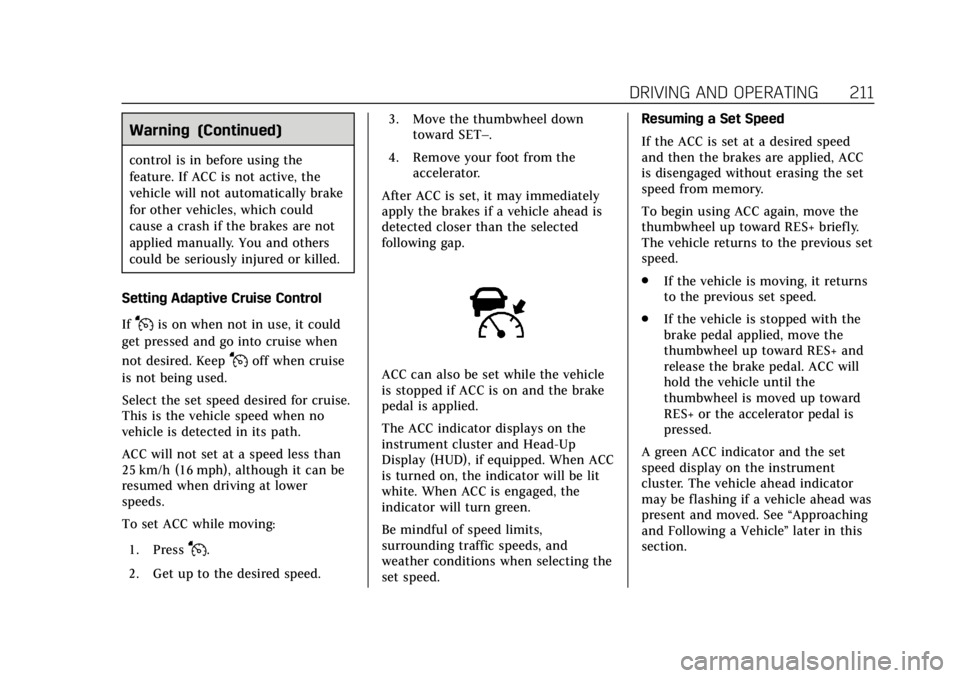
The ACC indicator displays on the
instrument cluster and Head-Up
Display (HUD), if equipped. When ACC
is turned on, the indicator will be lit
white. When ACC is engaged, the
indicator will turn green.
Be mindful of speed limits,
surrounding traffic speeds, and
weather conditions when selecting the
set speed. Resuming a Set Speed
If the ACC is set at a desired speed
and then the brakes are applied, ACC
is disengaged without erasing the set
speed from memory.
To begin using ACC again, move the
thumbwheel up toward RES+ briefly.
The vehicle returns to the previous set
speed.
.
If the vehicle is moving, it returns
to the previous set speed.
. If the vehicle is stopped with the
brake pedal applied, move the
thumbwheel up toward RES+ and
release the brake pedal. ACC will
hold the vehicle until the
thumbwheel is moved up toward
RES+ or the accelerator pedal is
pressed.
A green ACC indicator and the set
speed display on the instrument
cluster. The vehicle ahead indicator
may be flashing if a vehicle ahead was
present and moved. See “Approaching
and Following a Vehicle ”later in this
section.