instrument cluster CADILLAC XT4 2019 User Guide
[x] Cancel search | Manufacturer: CADILLAC, Model Year: 2019, Model line: XT4, Model: CADILLAC XT4 2019Pages: 381, PDF Size: 6.4 MB
Page 131 of 381
Cadillac XT4 Owner Manual (GMNA-Localizing-U.S./Canada/Mexico-
12017481) - 2019 - CRC - 11/5/18
INSTRUMENTS AND CONTROLS 127
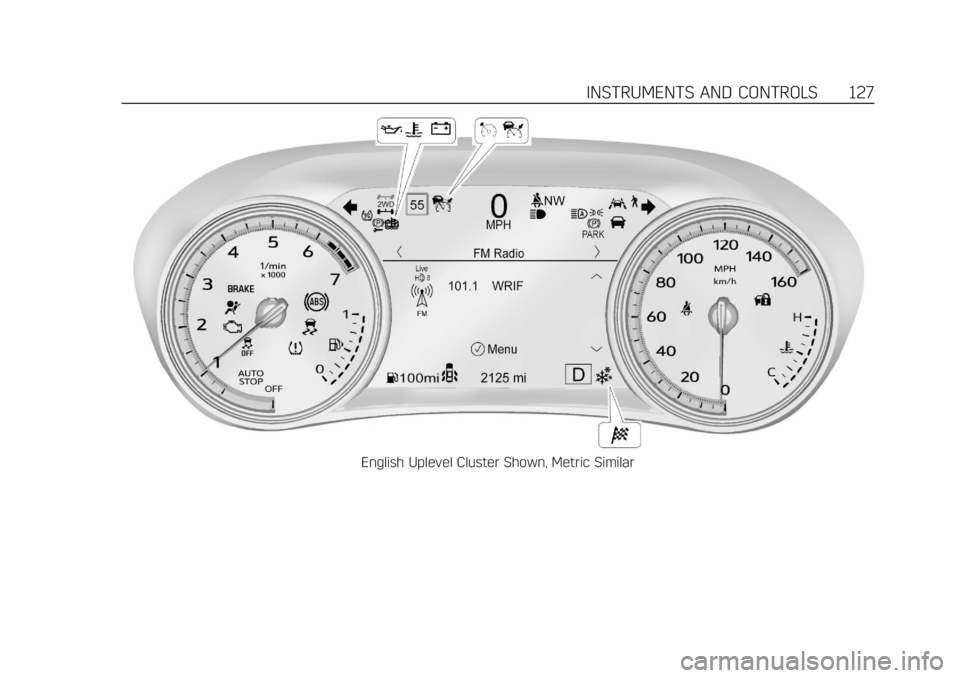
English Uplevel Cluster Shown, Metric Similar
Page 132 of 381
Cadillac XT4 Owner Manual (GMNA-Localizing-U.S./Canada/Mexico-
12017481) - 2019 - CRC - 11/5/18
128 INSTRUMENTS AND CONTROLS
Cluster Menu
There is an interactive display area in
the center of the instrument cluster.
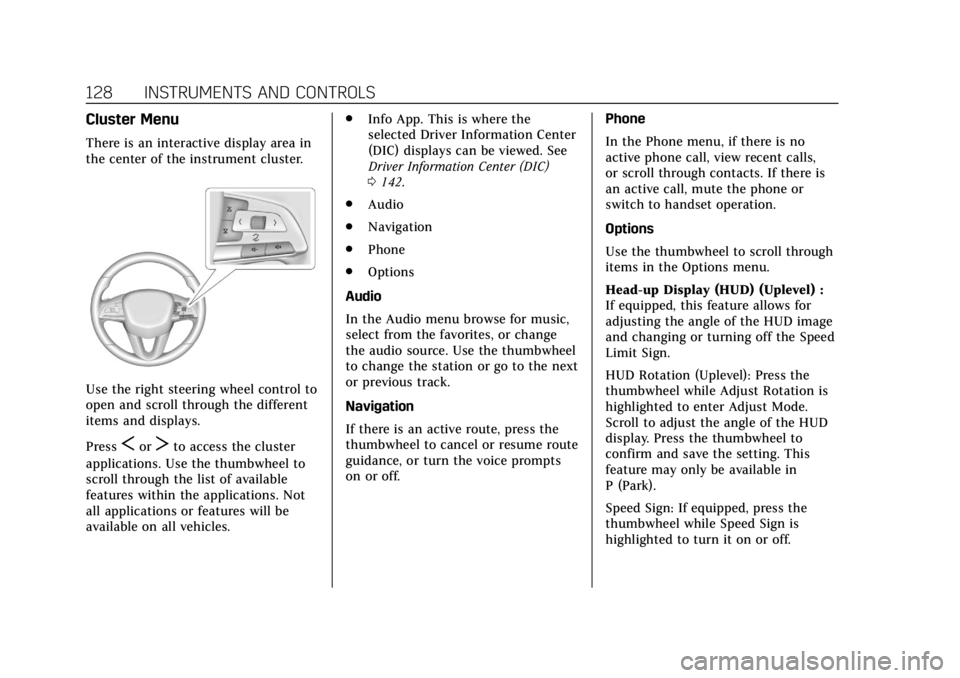
Use the right steering wheel control to
open and scroll through the different
items and displays.
Press
SorTto access the cluster
applications. Use the thumbwheel to
scroll through the list of available
features within the applications. Not
all applications or features will be
available on all vehicles. .
Info App. This is where the
selected Driver Information Center
(DIC) displays can be viewed. See
Driver Information Center (DIC)
0142.
. Audio
. Navigation
. Phone
. Options
Audio
In the Audio menu browse for music,
select from the favorites, or change
the audio source. Use the thumbwheel
to change the station or go to the next
or previous track.
Navigation
If there is an active route, press the
thumbwheel to cancel or resume route
guidance, or turn the voice prompts
on or off. Phone
In the Phone menu, if there is no
active phone call, view recent calls,
or scroll through contacts. If there is
an active call, mute the phone or
switch to handset operation.
Options
Use the thumbwheel to scroll through
items in the Options menu.
Head-up Display (HUD) (Uplevel) :
If equipped, this feature allows for
adjusting the angle of the HUD image
and changing or turning off the Speed
Limit Sign.
HUD Rotation (Uplevel): Press the
thumbwheel while Adjust Rotation is
highlighted to enter Adjust Mode.
Scroll to adjust the angle of the HUD
display. Press the thumbwheel to
confirm and save the setting. This
feature may only be available in
P (Park).
Speed Sign: If equipped, press the
thumbwheel while Speed Sign is
highlighted to turn it on or off.
Page 135 of 381

Cadillac XT4 Owner Manual (GMNA-Localizing-U.S./Canada/Mexico-
12017481) - 2019 - CRC - 11/5/18
INSTRUMENTS AND CONTROLS 131
Seat Belt Reminders
Driver Seat Belt Reminder Light
There is a driver seat belt reminder
light on the instrument cluster.
When the vehicle is started, this light
flashes and a chime may come on to
remind the driver to fasten their seat
belt. Then the light stays on solid
until the belt is buckled. This cycle
may continue several times if the
driver remains or becomes unbuckled
while the vehicle is moving.
If the driver seat belt is buckled,
neither the light nor the chime
comes on.
Passenger Seat Belt Reminder
Light
There is a passenger seat belt
reminder light near the passenger
airbag status indicator. SeePassenger
Sensing System 087.
When the vehicle is started, this light
flashes and a chime may come on to
remind passengers to fasten their seat
belt. Then the light stays on solid
until the belt is buckled. This cycle
continues several times if the
passenger remains or becomes
unbuckled while the vehicle is moving.
If the passenger seat belt is buckled,
neither the chime nor the light
comes on.
The front passenger seat belt reminder
light and chime may turn on if an
object is put on the seat such as a
briefcase, handbag, grocery bag, laptop, or other electronic device. To
turn off the reminder light and/or
chime, remove the object from the
seat or buckle the seat belt.
Airbag Readiness Light
This light shows if there is an
electrical problem with the airbag
system. The system check includes
the airbag sensor(s), the passenger
sensing system, the pretensioners, the
airbag modules, the wiring, and the
crash sensing and diagnostic module.
For more information on the airbag
system, see
Airbag System 081.
The airbag readiness light comes on
for several seconds when the vehicle is
started. If the light does not come on
then, have it fixed immediately.
Page 140 of 381
Cadillac XT4 Owner Manual (GMNA-Localizing-U.S./Canada/Mexico-
12017481) - 2019 - CRC - 11/5/18
136 INSTRUMENTS AND CONTROLS
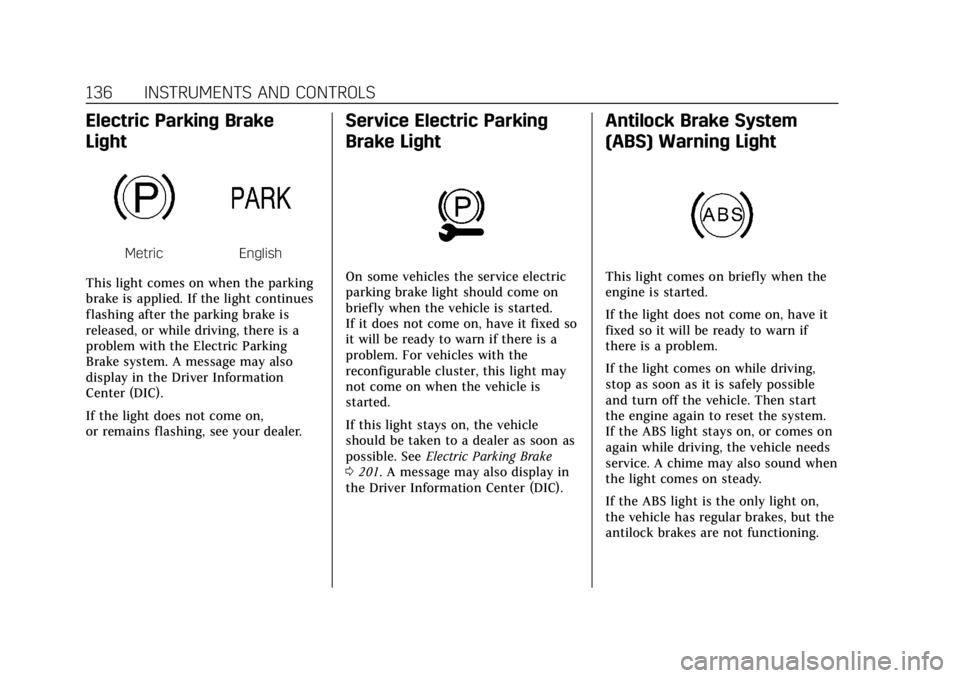
Electric Parking Brake
Light
MetricEnglish
This light comes on when the parking
brake is applied. If the light continues
flashing after the parking brake is
released, or while driving, there is a
problem with the Electric Parking
Brake system. A message may also
display in the Driver Information
Center (DIC).
If the light does not come on,
or remains flashing, see your dealer.
Service Electric Parking
Brake Light
On some vehicles the service electric
parking brake light should come on
briefly when the vehicle is started.
If it does not come on, have it fixed so
it will be ready to warn if there is a
problem. For vehicles with the
reconfigurable cluster, this light may
not come on when the vehicle is
started.
If this light stays on, the vehicle
should be taken to a dealer as soon as
possible. See Electric Parking Brake
0 201. A message may also display in
the Driver Information Center (DIC).
Antilock Brake System
(ABS) Warning Light
This light comes on briefly when the
engine is started.
If the light does not come on, have it
fixed so it will be ready to warn if
there is a problem.
If the light comes on while driving,
stop as soon as it is safely possible
and turn off the vehicle. Then start
the engine again to reset the system.
If the ABS light stays on, or comes on
again while driving, the vehicle needs
service. A chime may also sound when
the light comes on steady.
If the ABS light is the only light on,
the vehicle has regular brakes, but the
antilock brakes are not functioning.
Page 146 of 381
Cadillac XT4 Owner Manual (GMNA-Localizing-U.S./Canada/Mexico-
12017481) - 2019 - CRC - 11/5/18
142 INSTRUMENTS AND CONTROLS
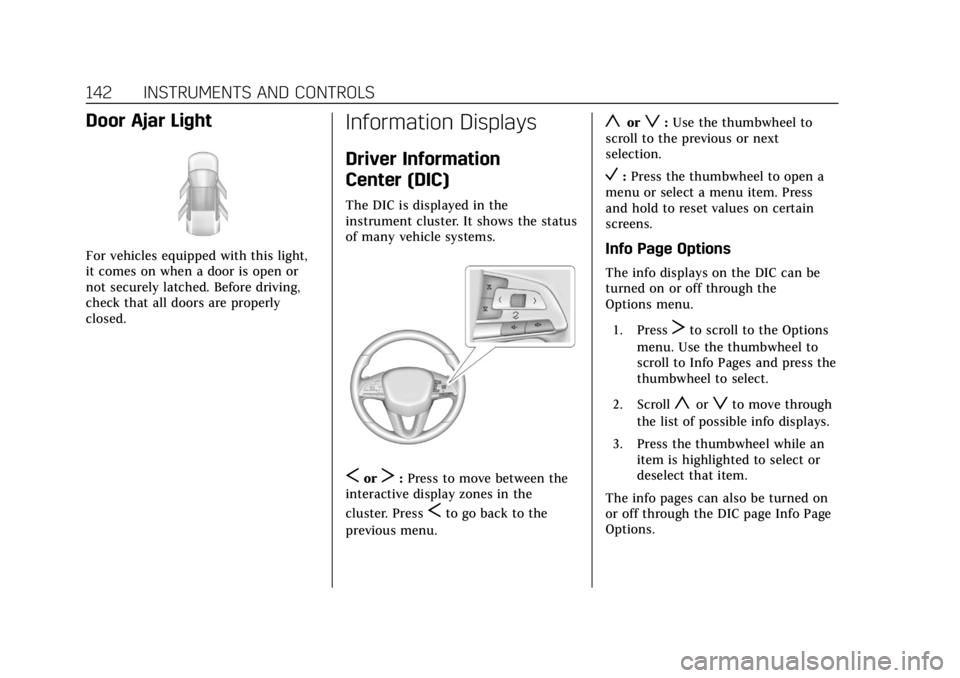
Door Ajar Light
For vehicles equipped with this light,
it comes on when a door is open or
not securely latched. Before driving,
check that all doors are properly
closed.
Information Displays
Driver Information
Center (DIC)
The DIC is displayed in the
instrument cluster. It shows the status
of many vehicle systems.
SorT:Press to move between the
interactive display zones in the
cluster. Press
Sto go back to the
previous menu.
yorz: Use the thumbwheel to
scroll to the previous or next
selection.
V: Press the thumbwheel to open a
menu or select a menu item. Press
and hold to reset values on certain
screens.
Info Page Options
The info displays on the DIC can be
turned on or off through the
Options menu.
1. Press
Tto scroll to the Options
menu. Use the thumbwheel to
scroll to Info Pages and press the
thumbwheel to select.
2. Scroll
yorzto move through
the list of possible info displays.
3. Press the thumbwheel while an item is highlighted to select or
deselect that item.
The info pages can also be turned on
or off through the DIC page Info Page
Options.
Page 148 of 381
Cadillac XT4 Owner Manual (GMNA-Localizing-U.S./Canada/Mexico-
12017481) - 2019 - CRC - 11/5/18
144 INSTRUMENTS AND CONTROLS
Air Filter Life :Shows an estimate of
the engine air filter’s remaining useful
life and the state of the system.
Engine Air Filter Life 95% means 95%
of the current air filter life remains.
Messages will display based on the
engine air filter life and the state of
the system. When the REPLACE AT
NEXT OIL CHANGE message displays,
the engine air filter should be replaced
at the time of the next oil change.
When the REPLACE NOW message
displays, the engine air filter should
be replaced as soon as possible.
The Air Filter Life display must be
reset after the engine air filter
replacement. To reset, see Engine Air
Filter Life System 0260.
Fuel Economy : Displays average fuel
economy, the best fuel economy over
the selected distance, and a bar graph
showing instantaneous fuel economy.
Average Speed : Displays the average
vehicle speed of the vehicle in
kilometers per hour (km/h) or miles
per hour (mph). This average is based
on the various vehicle speeds recorded
since the last reset. Reset the average
speed by pressing the thumbwheel while this display is active to show a
confirmation window to select yes
or no.
Timer :
This display can be used as a
timer. To start the timer, press the
thumbwheel while this display is
active. The display will show the
amount of time that has passed since
the timer was last reset. To stop the
timer, press the thumbwheel briefly
while this display is active and the
timer is running.
Press the thumbwheel while this
display is active to reset the timer.
Follow Distance/Gap Setting : When
Adaptive Cruise Control (ACC) is not
engaged, the current follow time to
the vehicle ahead is displayed as a
time value on this page. When ACC
has been engaged, the display
switches to the gap setting page. This
page shows the current gap setting
along with the vehicle ahead telltale.
Driver Assistance : If equipped,
shows information for Lane Keep
Assist (LKA) and Forward Collision
Alert (FCA). Battery Voltage :
Shows the current
battery voltage.
Coolant Temperature : Shows the
engine coolant temperature in either
degrees Celsius (°C) or degrees
Fahrenheit (°F).
Oil Temperature : Shows the engine
oil temperature in either degrees
Celsius (°C) or degrees Fahrenheit (°F).
Engine Boost : Displays engine
manifold pressure relative to ambient
air pressure. It will display boost
pressure generated by the
turbocharging system.
Transmission Fluid Temperature :
Shows the temperature of the
automatic transmission fluid in either
degrees Celsius (°C) or degrees
Fahrenheit (°F).
Info Page Options : Scroll to choose
which info pages appear on the DIC.
Press the thumbwheel to select or
deselect.
Blank Page : Allows for no
information to be displayed in the
cluster info display areas.
Page 149 of 381
Cadillac XT4 Owner Manual (GMNA-Localizing-U.S./Canada/Mexico-
12017481) - 2019 - CRC - 11/5/18
INSTRUMENTS AND CONTROLS 145
Head-Up Display (HUD)
{Warning
If the HUD image is too bright or
too high in your field of view, it
may take you more time to see
things you need to see when it is
dark outside. Be sure to keep the
HUD image dim and placed low in
your field of view.
If equipped with HUD, some
information concerning the operation
of the vehicle is projected onto the
windshield. The image is projected
through the HUD lens on top of the
instrument panel. The information
appears as an image focused out
toward the front of the vehicle.
Caution
If you try to use the HUD image as
a parking aid, you may misjudge
the distance and damage your
vehicle. Do not use the HUD image
as a parking aid. The HUD information can be
displayed in various languages. The
speedometer reading and other
numerical values can be displayed in
either English or metric units.
The language selection is changed
through the radio and the units of
measurement is changed through the
instrument cluster. See
“Settings”in
the Infotainment Manual and
“Options” underInstrument Cluster
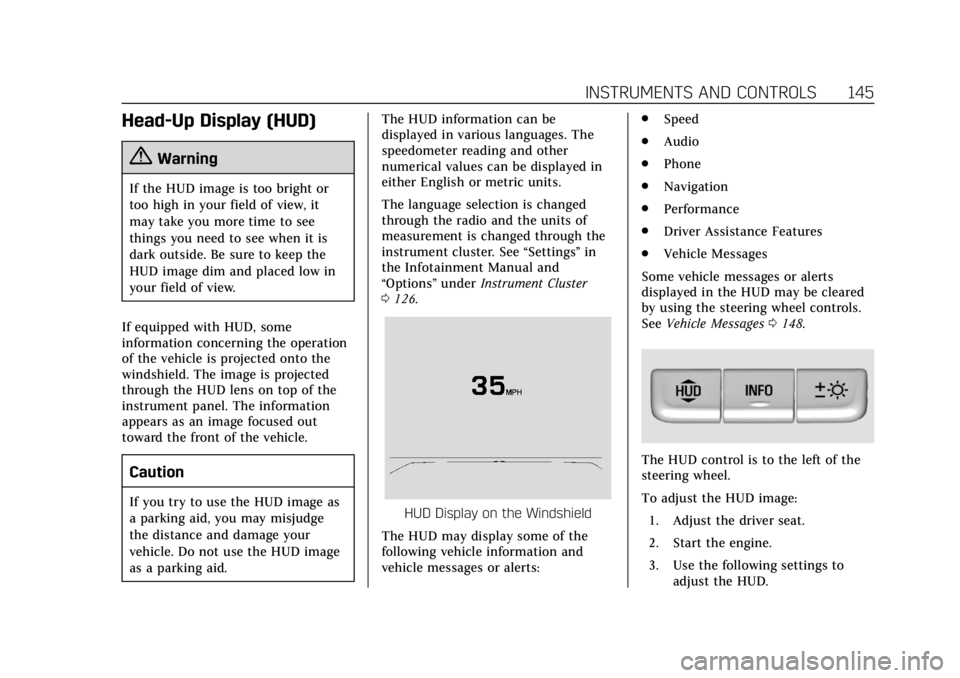
0 126.HUD Display on the Windshield
The HUD may display some of the
following vehicle information and
vehicle messages or alerts: .
Speed
. Audio
. Phone
. Navigation
. Performance
. Driver Assistance Features
. Vehicle Messages
Some vehicle messages or alerts
displayed in the HUD may be cleared
by using the steering wheel controls.
See Vehicle Messages 0148.
The HUD control is to the left of the
steering wheel.
To adjust the HUD image:
1. Adjust the driver seat.
2. Start the engine.
3. Use the following settings to adjust the HUD.
Page 150 of 381
Cadillac XT4 Owner Manual (GMNA-Localizing-U.S./Canada/Mexico-
12017481) - 2019 - CRC - 11/5/18
146 INSTRUMENTS AND CONTROLS
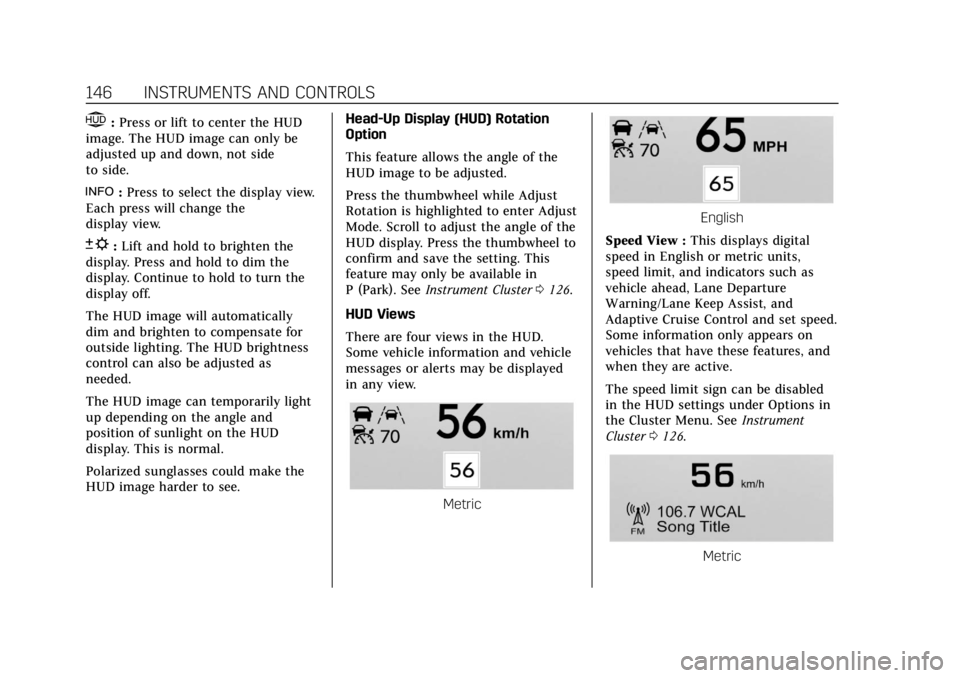
$:Press or lift to center the HUD
image. The HUD image can only be
adjusted up and down, not side
to side.
!: Press to select the display view.
Each press will change the
display view.
D: Lift and hold to brighten the
display. Press and hold to dim the
display. Continue to hold to turn the
display off.
The HUD image will automatically
dim and brighten to compensate for
outside lighting. The HUD brightness
control can also be adjusted as
needed.
The HUD image can temporarily light
up depending on the angle and
position of sunlight on the HUD
display. This is normal.
Polarized sunglasses could make the
HUD image harder to see. Head-Up Display (HUD) Rotation
Option
This feature allows the angle of the
HUD image to be adjusted.
Press the thumbwheel while Adjust
Rotation is highlighted to enter Adjust
Mode. Scroll to adjust the angle of the
HUD display. Press the thumbwheel to
confirm and save the setting. This
feature may only be available in
P (Park). See
Instrument Cluster 0126.
HUD Views
There are four views in the HUD.
Some vehicle information and vehicle
messages or alerts may be displayed
in any view.
Metric
English
Speed View : This displays digital
speed in English or metric units,
speed limit, and indicators such as
vehicle ahead, Lane Departure
Warning/Lane Keep Assist, and
Adaptive Cruise Control and set speed.
Some information only appears on
vehicles that have these features, and
when they are active.
The speed limit sign can be disabled
in the HUD settings under Options in
the Cluster Menu. See Instrument
Cluster 0126.
Metric
Page 151 of 381
Cadillac XT4 Owner Manual (GMNA-Localizing-U.S./Canada/Mexico-
12017481) - 2019 - CRC - 11/5/18
INSTRUMENTS AND CONTROLS 147
English
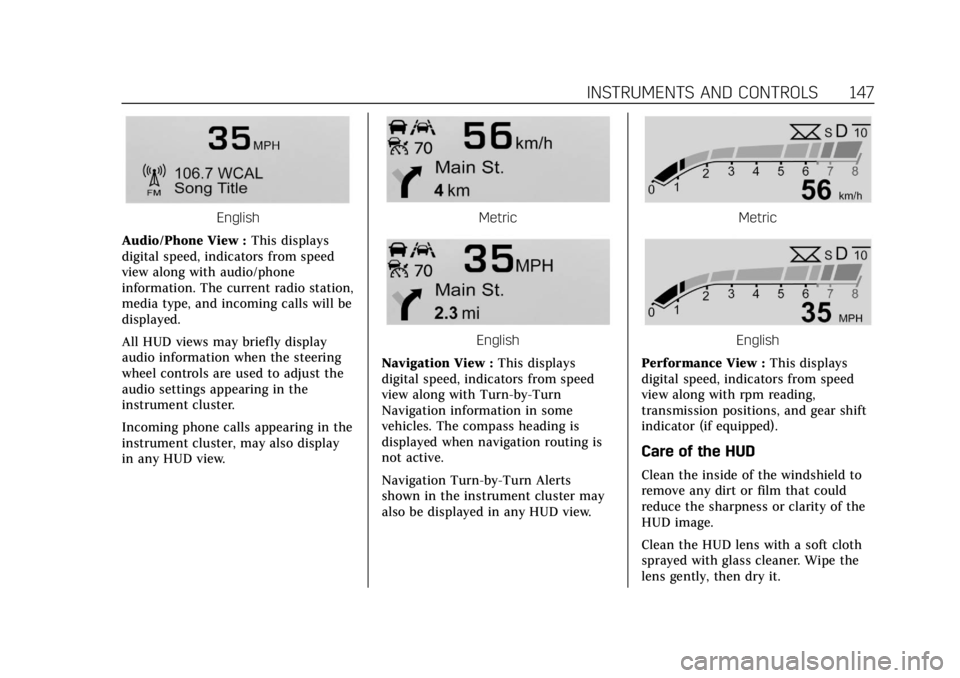
Audio/Phone View : This displays
digital speed, indicators from speed
view along with audio/phone
information. The current radio station,
media type, and incoming calls will be
displayed.
All HUD views may briefly display
audio information when the steering
wheel controls are used to adjust the
audio settings appearing in the
instrument cluster.
Incoming phone calls appearing in the
instrument cluster, may also display
in any HUD view.Metric
English
Navigation View : This displays
digital speed, indicators from speed
view along with Turn-by-Turn
Navigation information in some
vehicles. The compass heading is
displayed when navigation routing is
not active.
Navigation Turn-by-Turn Alerts
shown in the instrument cluster may
also be displayed in any HUD view.
Metric
English
Performance View : This displays
digital speed, indicators from speed
view along with rpm reading,
transmission positions, and gear shift
indicator (if equipped).
Care of the HUD
Clean the inside of the windshield to
remove any dirt or film that could
reduce the sharpness or clarity of the
HUD image.
Clean the HUD lens with a soft cloth
sprayed with glass cleaner. Wipe the
lens gently, then dry it.
Page 162 of 381
Cadillac XT4 Owner Manual (GMNA-Localizing-U.S./Canada/Mexico-
12017481) - 2019 - CRC - 11/5/18
158 LIGHTING
Lighting
Exterior Lighting
Exterior Lamp Controls . . . . . . . . . . 158
Exterior Lamps Off Reminder . . . 160
Headlamp High/Low-BeamChanger . . . . . . . . . . . . . . . . . . . . . . . . . . 160
Flash-to-Pass . . . . . . . . . . . . . . . . . . . . . 160
Daytime Running Lamps (DRL) . . . . . . . . . . . . . . . . . . . . 160
Automatic Headlamp System . . . 160
Hazard Warning Flashers . . . . . . . . 161
Turn and Lane-Change Signals . . . . . . . . . . . . . . . . . . . . . . . . . . . 161
Cornering Lamps . . . . . . . . . . . . . . . . . 162
Interior Lighting
Instrument Panel Illumination Control . . . . . . . . . . . . . . . . . . . . . . . . . . 162
Courtesy Lamps . . . . . . . . . . . . . . . . . . 162
Dome Lamps . . . . . . . . . . . . . . . . . . . . . 162
Reading Lamps . . . . . . . . . . . . . . . . . . . 163
Lighting Features
Entry Lighting . . . . . . . . . . . . . . . . . . . . 163
Exit Lighting . . . . . . . . . . . . . . . . . . . . . . 164
Battery Power Protection . . . . . . . . 164
Exterior Lighting Battery Saver . . . . . . . . . . . . . . . . . . . . . . . . . . . . . 164
Exterior Lighting
Exterior Lamp Controls
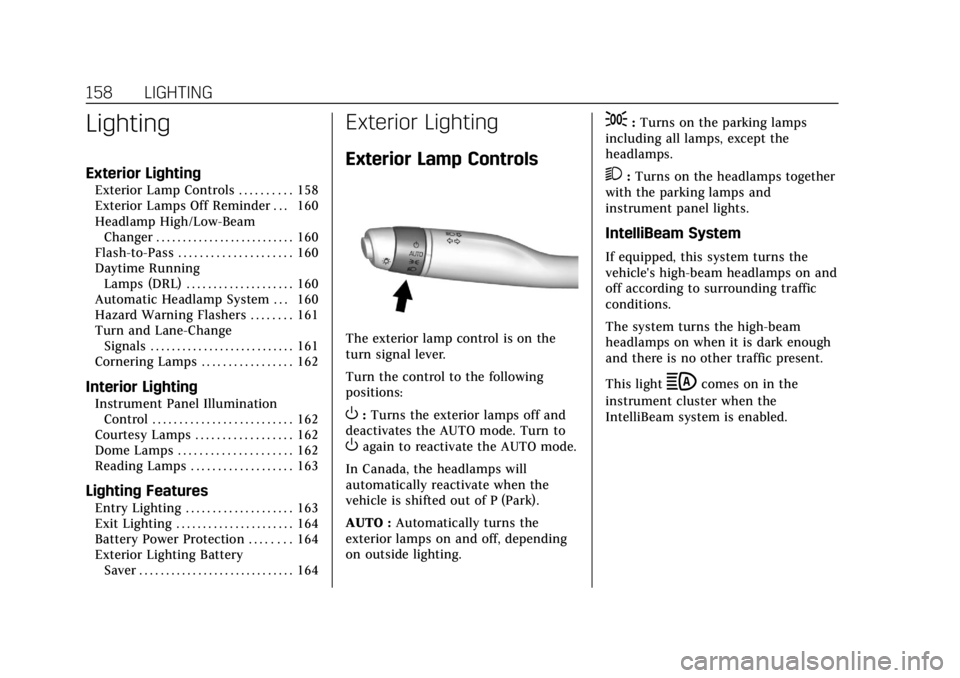
The exterior lamp control is on the
turn signal lever.
Turn the control to the following
positions:
O:Turns the exterior lamps off and
deactivates the AUTO mode. Turn to
Oagain to reactivate the AUTO mode.
In Canada, the headlamps will
automatically reactivate when the
vehicle is shifted out of P (Park).
AUTO : Automatically turns the
exterior lamps on and off, depending
on outside lighting.
;: Turns on the parking lamps
including all lamps, except the
headlamps.
2: Turns on the headlamps together
with the parking lamps and
instrument panel lights.
IntelliBeam System
If equipped, this system turns the
vehicle's high-beam headlamps on and
off according to surrounding traffic
conditions.
The system turns the high-beam
headlamps on when it is dark enough
and there is no other traffic present.
This light
bcomes on in the
instrument cluster when the
IntelliBeam system is enabled.