warning CADILLAC XT4 2019 Workshop Manual
[x] Cancel search | Manufacturer: CADILLAC, Model Year: 2019, Model line: XT4, Model: CADILLAC XT4 2019Pages: 381, PDF Size: 6.4 MB
Page 118 of 381
Cadillac XT4 Owner Manual (GMNA-Localizing-U.S./Canada/Mexico-
12017481) - 2019 - CRC - 11/5/18
114 STORAGE
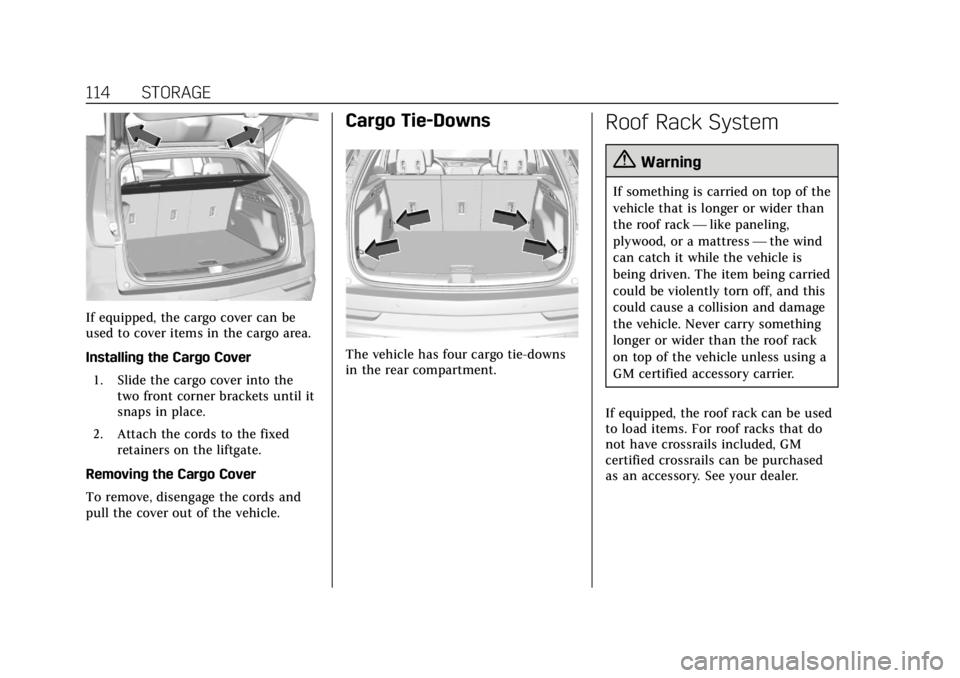
If equipped, the cargo cover can be
used to cover items in the cargo area.
Installing the Cargo Cover1. Slide the cargo cover into the two front corner brackets until it
snaps in place.
2. Attach the cords to the fixed retainers on the liftgate.
Removing the Cargo Cover
To remove, disengage the cords and
pull the cover out of the vehicle.
Cargo Tie-Downs
The vehicle has four cargo tie-downs
in the rear compartment.
Roof Rack System
{Warning
If something is carried on top of the
vehicle that is longer or wider than
the roof rack —like paneling,
plywood, or a mattress —the wind
can catch it while the vehicle is
being driven. The item being carried
could be violently torn off, and this
could cause a collision and damage
the vehicle. Never carry something
longer or wider than the roof rack
on top of the vehicle unless using a
GM certified accessory carrier.
If equipped, the roof rack can be used
to load items. For roof racks that do
not have crossrails included, GM
certified crossrails can be purchased
as an accessory. See your dealer.
Page 120 of 381
Cadillac XT4 Owner Manual (GMNA-Localizing-U.S./Canada/Mexico-
12017481) - 2019 - CRC - 11/5/18
116 INSTRUMENTS AND CONTROLS
Instruments and
Controls
Controls
Steering Wheel Adjustment . . . . . 117
Steering Wheel Controls . . . . . . . . . 117
Heated Steering Wheel . . . . . . . . . . 117
Horn . . . . . . . . . . . . . . . . . . . . . . . . . . . . . . . 118
Windshield Wiper/Washer . . . . . . . 118
Rear Window Wiper/Washer . . . . 120
Compass . . . . . . . . . . . . . . . . . . . . . . . . . . 121
Clock . . . . . . . . . . . . . . . . . . . . . . . . . . . . . . 121
Power Outlets . . . . . . . . . . . . . . . . . . . . . 121
Wireless Charging . . . . . . . . . . . . . . . . 122
Cigarette Lighter . . . . . . . . . . . . . . . . . . 124
Ashtrays . . . . . . . . . . . . . . . . . . . . . . . . . . 125
Warning Lights, Gauges, and
Indicators
Warning Lights, Gauges, andIndicators . . . . . . . . . . . . . . . . . . . . . . . 125
Instrument Cluster . . . . . . . . . . . . . . . 126
Speedometer . . . . . . . . . . . . . . . . . . . . . . 129
Odometer . . . . . . . . . . . . . . . . . . . . . . . . . 129
Trip Odometer . . . . . . . . . . . . . . . . . . . . 129
Tachometer . . . . . . . . . . . . . . . . . . . . . . . 129
Fuel Gauge . . . . . . . . . . . . . . . . . . . . . . . . 129 Engine Coolant Temperature
Gauge . . . . . . . . . . . . . . . . . . . . . . . . . . . . 130
Seat Belt Reminders . . . . . . . . . . . . . . 131
Airbag Readiness Light . . . . . . . . . . 131
Passenger Airbag Status Indicator . . . . . . . . . . . . . . . . . . . . . . . . . 132
Charging System Light . . . . . . . . . . . 133
Malfunction Indicator Lamp (Check Engine Light) . . . . . . . . . . . 133
Brake System Warning Light . . . . 135
Electric Parking Brake Light . . . . . 136
Service Electric Parking Brake Light . . . . . . . . . . . . . . . . . . . . . . . . . . . . . 136
Antilock Brake System (ABS) Warning Light . . . . . . . . . . . . . . . . . . 136
All-Wheel-Drive Light . . . . . . . . . . . . 137
Lane Keep Assist (LKA) Light . . . 137
Vehicle Ahead Indicator . . . . . . . . . 137
Pedestrian Ahead Indicator . . . . . . 137
Traction Off Light . . . . . . . . . . . . . . . . 138
StabiliTrak OFF Light . . . . . . . . . . . . 138
Traction Control System (TCS)/ StabiliTrak Light . . . . . . . . . . . . . . . . 138
Engine Coolant Temperature Warning Light . . . . . . . . . . . . . . . . . . 139
Driver Mode Control Light . . . . . . . 139
Tire Pressure Light . . . . . . . . . . . . . . . 139
Engine Oil Pressure Light . . . . . . . . 140
Low Fuel Warning Light . . . . . . . . . 140
Security Light . . . . . . . . . . . . . . . . . . . . . 140 High-Beam On Light . . . . . . . . . . . . . 141
Lamps On Reminder . . . . . . . . . . . . . 141
Cruise Control Light . . . . . . . . . . . . . . 141
Door Ajar Light . . . . . . . . . . . . . . . . . . . 142
Information Displays
Driver Information
Center (DIC) . . . . . . . . . . . . . . . . . . . . . 142
Head-Up Display (HUD) . . . . . . . . . 145
Vehicle Messages
Vehicle Messages . . . . . . . . . . . . . . . . . 148
Engine Power Messages . . . . . . . . . . 148
Vehicle Speed Messages . . . . . . . . . 149
Vehicle Personalization
Vehicle Personalization . . . . . . . . . . 149
Universal Remote System
Universal Remote System . . . . . . . . 154
Universal Remote System Programming . . . . . . . . . . . . . . . . . . . 154
Universal Remote System Operation . . . . . . . . . . . . . . . . . . . . . . . . 156
Page 124 of 381

Cadillac XT4 Owner Manual (GMNA-Localizing-U.S./Canada/Mexico-
12017481) - 2019 - CRC - 11/5/18
120 INSTRUMENTS AND CONTROLS
Wiper Arm Assembly Protection
When using an automatic car wash,
move the windshield wiper lever to
OFF. This disables the automatic
Rainsense windshield wipers.
With Rainsense, if the transmission is
in N (Neutral) and the vehicle speed is
very slow, the wipers will
automatically stop at the base of the
windshield.
The wiper operations return to normal
when the transmission is no longer in
N (Neutral) or the vehicle speed has
increased.
{Warning
In freezing weather, do not use the
washer until the windshield is
warmed. Otherwise the washer fluid
can form ice on the windshield,
blocking your vision.
Rear Window Wiper/
Washer
The rear window wiper/washer
controls are on the end of the
windshield wiper lever.
Turn the controls to adjust the
setting.
OFF :Turns the wiper off.
INT : Turns on the rear wiper with a
delay between wipes.
ON : Turns on the rear wiper.
1:Push the windshield wiper
lever forward to spray washer fluid on
the rear window and the rear camera
lens, if equipped. See Rear Camera
Mirror 055. The wipers will clear the rear window and either stop or return
to your preset speed. For more washer
cycles, push and hold the lever.
The rear window wiper/washer will
not operate if the liftgate is open or
ajar. If the liftgate is opened while the
rear wiper is on, the wiper returns to
the parked position and stops.
Rear Wiper Arm Assembly
Protection
When using an automatic car wash,
move the rear wiper control to OFF to
disable the rear wiper. In some
vehicles, if the transmission is in
N (Neutral) and the vehicle speed is
very slow, the rear wiper will
automatically park under the rear
spoiler.
The wiper operations return to normal
when the transmission is no longer in
N (Neutral) or the vehicle speed has
increased.
Auto Wipe in Reverse Gear
If the rear wiper control is off, the rear
wiper will automatically operate
continuously when the transmission is
in R (Reverse), and the front
Page 126 of 381
Cadillac XT4 Owner Manual (GMNA-Localizing-U.S./Canada/Mexico-
12017481) - 2019 - CRC - 11/5/18
122 INSTRUMENTS AND CONTROLS
Certain accessory power plugs may
not be compatible with the accessory
power outlet and could overload
vehicle or adapter fuses. If a problem
is experienced, see your dealer.
When adding electrical equipment, be
sure to follow the proper installation
instructions included with the
equipment. SeeAdd-On Electrical
Equipment 0250.
Caution
Hanging heavy equipment from the
power outlet can cause damage not
covered by the vehicle warranty.
The power outlets are designed for
accessory power plugs only, such as
cell phone charge cords.
Always unplug electrical equipment
when not in use and do not plug in
equipment that exceeds the maximum
15 amps rating.
Wireless Charging
The vehicle may have wireless
charging in the storage bin under the
armrest. The system operates at
145 kHz and wirelessly charges one Qi
compatible smartphone. The power
output of the system is capable of
charging at a rate up to 3 amp (15W),
as requested by the smartphone. See
Radio Frequency Statement 0350.
{Warning
Wireless charging can affect the
operation of an implanted
pacemaker or other medical devices.
If you have one, it is recommended
to consult with your doctor before
using the wireless charging system.
The vehicle must be on, in ACC/
ACCESSORY, or Retained Accessory
Power (RAP) must be active. The
wireless charging feature may not
correctly indicate charging when the
vehicle is in RAP. See Retained
Accessory Power (RAP) 0189. The operating temperature is
−20 °C
(−4 °F) to 60 °C (140 °F) for the
charging system and 0 °C (32 °F) to
35 °C (95 °F) for the smartphone.
{Warning
Remove all objects from the
charging pad before charging your
compatible smartphone. Objects,
such as coins, keys, rings, paper
clips, or cards, between the
smartphone and charging pad will
become very hot. On the rare
occasion that the charging system
does not detect an object, and the
object gets wedged between the
smartphone and charger, remove
the smartphone and allow the
object to cool before removing it
from the charging pad, to prevent
burns.
Page 129 of 381
Cadillac XT4 Owner Manual (GMNA-Localizing-U.S./Canada/Mexico-
12017481) - 2019 - CRC - 11/5/18
INSTRUMENTS AND CONTROLS 125
Ashtrays
If equipped, the ashtray is in the
center console cupholder.
Caution
If papers, pins, or other flammable
items are put in the ashtray, hot
cigarettes or other smoking
materials could ignite them and
possibly damage the vehicle. Never
put flammable items in the ashtray.
To remove the ashtray, pull it from
the cupholder. Push it back down to
be sure it is secure.
Warning Lights, Gauges,
and Indicators
Warning lights and gauges can signal
that something is wrong before it
becomes serious enough to cause an
expensive repair or replacement.
Paying attention to the warning lights
and gauges could prevent injury. Some warning lights come on briefly
when the engine is started to indicate
they are working. When one of the
warning lights comes on and stays on
while driving, or when one of the
gauges shows there may be a problem,
check the section that explains what
to do. Waiting to do repairs can be
costly and even dangerous.
Page 133 of 381

Cadillac XT4 Owner Manual (GMNA-Localizing-U.S./Canada/Mexico-
12017481) - 2019 - CRC - 11/5/18
INSTRUMENTS AND CONTROLS 129
Units :Choose English or metric units
by pressing the thumbwheel while the
desired item is highlighted.
Info Page Options : Press the
thumbwheel to select the items to be
displayed in the Info app. See Driver
Information Center (DIC) 0142.
Display : Press the thumbwheel to
enter the Display menu. Select to turn
on or off the speedometer, time, fuel
range, or, if equipped, compass or
speed sign.
Speed Warning : The Speed Warning
display allows the driver to set a
warning at a speed that they do not
want to exceed. To set the Speed
Warning press the thumbwheel when
Speed Warning is displayed. Use the
thumbwheel to adjust the value and
press to set the speed.
Once the speed is set, this feature can
be turned off by pressing the
thumbwheel while viewing this page.
If the selected speed limit is exceeded,
a pop-up warning is displayed with a
chime.
Software Information : Displays open
source software information.Speedometer
The speedometer shows the vehicle's
speed in either kilometers per hour
(km/h) or miles per hour (mph).
Odometer
The odometer shows how far the
vehicle has been driven, in either
kilometers or miles.
Trip Odometer
The trip odometer shows how far the
vehicle has been driven since the trip
odometer was last reset.
The trip odometer is accessed and
reset through the Driver Information
Center (DIC). See Driver Information
Center (DIC) 0142.
Tachometer
The tachometer displays the engine
speed in revolutions per minute (rpm).
For vehicles with the Stop/Start
system, when the ignition is on, the
tachometer indicates the vehicle
status. When pointing to AUTO STOP, the engine is off but the vehicle is on
and can move. The engine could auto
start at any time. When the indicator
points to OFF, the vehicle is off.
When the engine is on, the
tachometer will indicate the engine’s
revolutions per minute (rpm). The
tachometer may vary by several
hundred rpm’s, during Auto Stop
mode, when the engine is shutting off
and restarting.
Fuel Gauge
When the ignition is on, the fuel
gauge indicates about how much fuel
is left in the tank.
Page 136 of 381
Cadillac XT4 Owner Manual (GMNA-Localizing-U.S./Canada/Mexico-
12017481) - 2019 - CRC - 11/5/18
132 INSTRUMENTS AND CONTROLS
{Warning
If the airbag readiness light stays
on after the vehicle is started or
comes on while driving, it means
the airbag system might not be
working properly. The airbags in the
vehicle might not inflate in a crash,
or they could even inflate without a
crash. To help avoid injury, have
the vehicle serviced right away.
If there is a problem with the airbag
system, a Driver Information Center
(DIC) message may also come on.
Passenger Airbag Status
Indicator
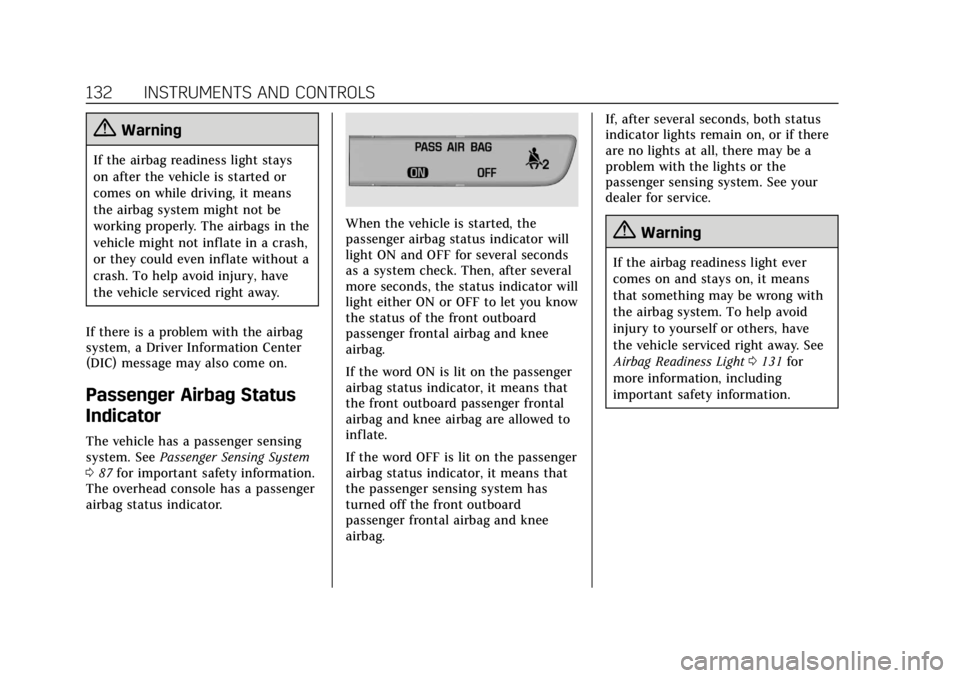
The vehicle has a passenger sensing
system. See Passenger Sensing System
0 87 for important safety information.
The overhead console has a passenger
airbag status indicator.
When the vehicle is started, the
passenger airbag status indicator will
light ON and OFF for several seconds
as a system check. Then, after several
more seconds, the status indicator will
light either ON or OFF to let you know
the status of the front outboard
passenger frontal airbag and knee
airbag.
If the word ON is lit on the passenger
airbag status indicator, it means that
the front outboard passenger frontal
airbag and knee airbag are allowed to
inflate.
If the word OFF is lit on the passenger
airbag status indicator, it means that
the passenger sensing system has
turned off the front outboard
passenger frontal airbag and knee
airbag. If, after several seconds, both status
indicator lights remain on, or if there
are no lights at all, there may be a
problem with the lights or the
passenger sensing system. See your
dealer for service.{Warning
If the airbag readiness light ever
comes on and stays on, it means
that something may be wrong with
the airbag system. To help avoid
injury to yourself or others, have
the vehicle serviced right away. See
Airbag Readiness Light
0131 for
more information, including
important safety information.
Page 139 of 381
Cadillac XT4 Owner Manual (GMNA-Localizing-U.S./Canada/Mexico-
12017481) - 2019 - CRC - 11/5/18
INSTRUMENTS AND CONTROLS 135
12-volt battery has recently been
replaced or run down, or if the
vehicle has been recently serviced.
See your dealer if the vehicle will not
pass or cannot be made ready for
the test.
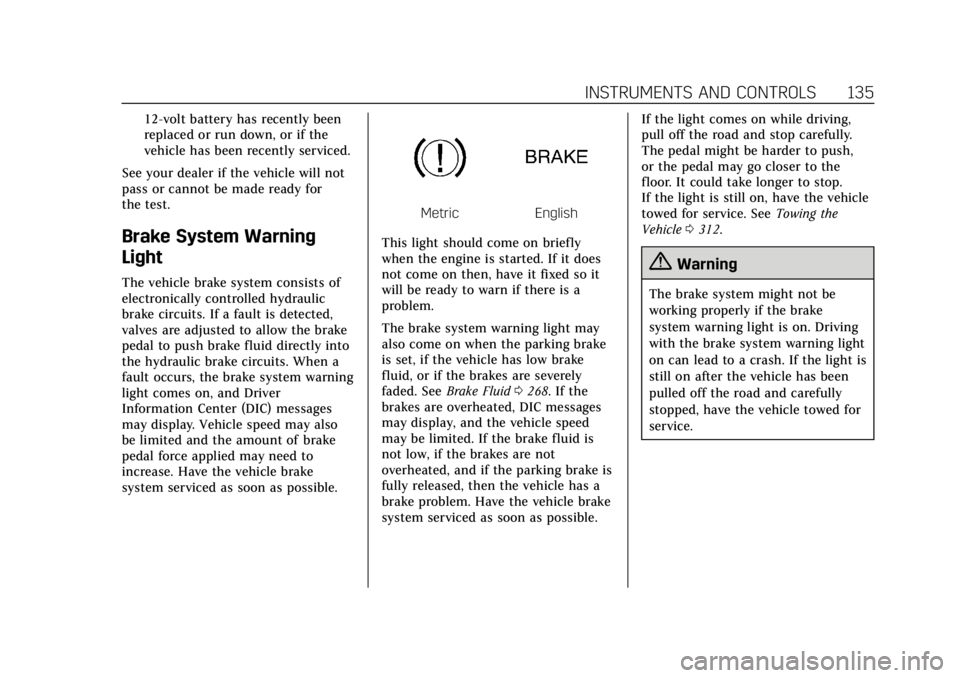
Brake System Warning
Light
The vehicle brake system consists of
electronically controlled hydraulic
brake circuits. If a fault is detected,
valves are adjusted to allow the brake
pedal to push brake fluid directly into
the hydraulic brake circuits. When a
fault occurs, the brake system warning
light comes on, and Driver
Information Center (DIC) messages
may display. Vehicle speed may also
be limited and the amount of brake
pedal force applied may need to
increase. Have the vehicle brake
system serviced as soon as possible.
MetricEnglish
This light should come on briefly
when the engine is started. If it does
not come on then, have it fixed so it
will be ready to warn if there is a
problem.
The brake system warning light may
also come on when the parking brake
is set, if the vehicle has low brake
fluid, or if the brakes are severely
faded. See Brake Fluid 0268. If the
brakes are overheated, DIC messages
may display, and the vehicle speed
may be limited. If the brake fluid is
not low, if the brakes are not
overheated, and if the parking brake is
fully released, then the vehicle has a
brake problem. Have the vehicle brake
system serviced as soon as possible. If the light comes on while driving,
pull off the road and stop carefully.
The pedal might be harder to push,
or the pedal may go closer to the
floor. It could take longer to stop.
If the light is still on, have the vehicle
towed for service. See
Towing the
Vehicle 0312.
{Warning
The brake system might not be
working properly if the brake
system warning light is on. Driving
with the brake system warning light
on can lead to a crash. If the light is
still on after the vehicle has been
pulled off the road and carefully
stopped, have the vehicle towed for
service.
Page 140 of 381
Cadillac XT4 Owner Manual (GMNA-Localizing-U.S./Canada/Mexico-
12017481) - 2019 - CRC - 11/5/18
136 INSTRUMENTS AND CONTROLS
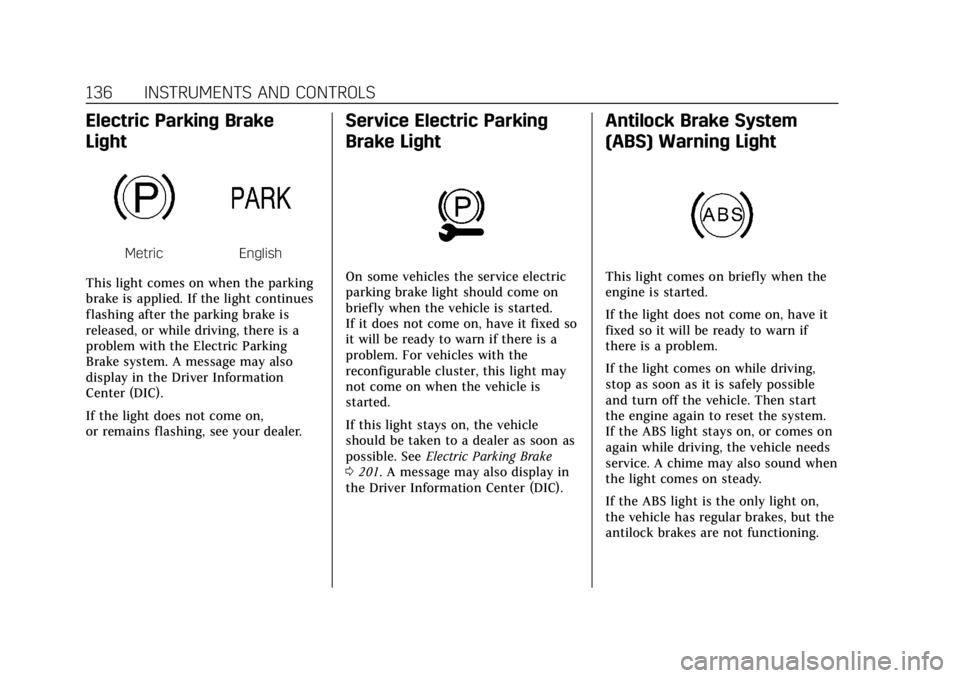
Electric Parking Brake
Light
MetricEnglish
This light comes on when the parking
brake is applied. If the light continues
flashing after the parking brake is
released, or while driving, there is a
problem with the Electric Parking
Brake system. A message may also
display in the Driver Information
Center (DIC).
If the light does not come on,
or remains flashing, see your dealer.
Service Electric Parking
Brake Light
On some vehicles the service electric
parking brake light should come on
briefly when the vehicle is started.
If it does not come on, have it fixed so
it will be ready to warn if there is a
problem. For vehicles with the
reconfigurable cluster, this light may
not come on when the vehicle is
started.
If this light stays on, the vehicle
should be taken to a dealer as soon as
possible. See Electric Parking Brake
0 201. A message may also display in
the Driver Information Center (DIC).
Antilock Brake System
(ABS) Warning Light
This light comes on briefly when the
engine is started.
If the light does not come on, have it
fixed so it will be ready to warn if
there is a problem.
If the light comes on while driving,
stop as soon as it is safely possible
and turn off the vehicle. Then start
the engine again to reset the system.
If the ABS light stays on, or comes on
again while driving, the vehicle needs
service. A chime may also sound when
the light comes on steady.
If the ABS light is the only light on,
the vehicle has regular brakes, but the
antilock brakes are not functioning.
Page 141 of 381
Cadillac XT4 Owner Manual (GMNA-Localizing-U.S./Canada/Mexico-
12017481) - 2019 - CRC - 11/5/18
INSTRUMENTS AND CONTROLS 137
If both the ABS and the brake system
warning light are on, the vehicle's
antilock brakes are not functioning
and there is a problem with the
regular brakes. See your dealer for
service.
SeeBrake System Warning Light 0135.
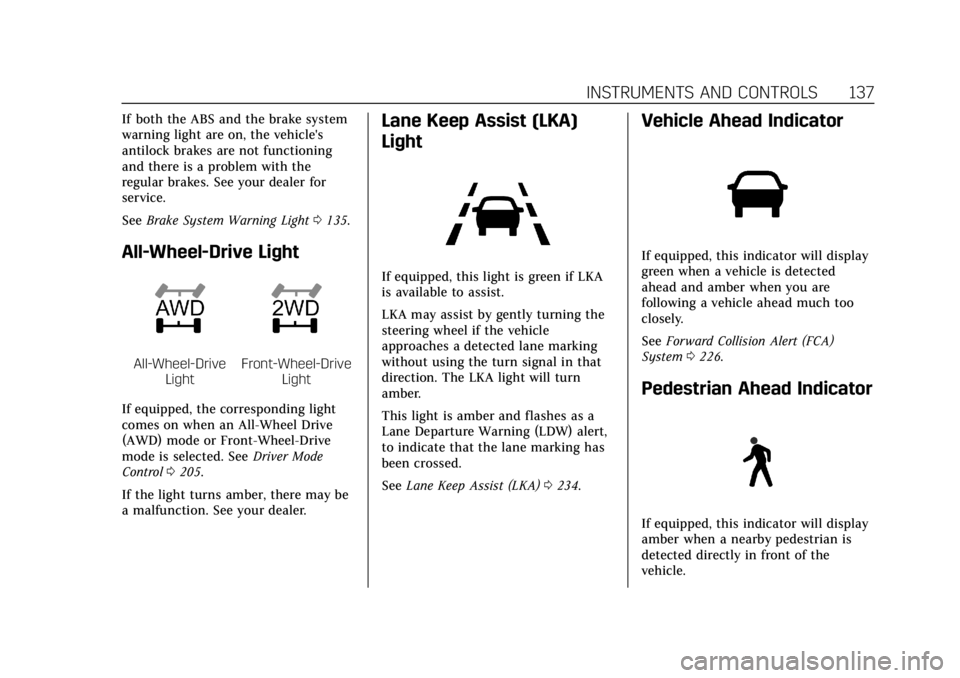
All-Wheel-Drive Light
All-Wheel-Drive
LightFront-Wheel-Drive Light
If equipped, the corresponding light
comes on when an All-Wheel Drive
(AWD) mode or Front-Wheel-Drive
mode is selected. See Driver Mode
Control 0205.
If the light turns amber, there may be
a malfunction. See your dealer.
Lane Keep Assist (LKA)
Light
If equipped, this light is green if LKA
is available to assist.
LKA may assist by gently turning the
steering wheel if the vehicle
approaches a detected lane marking
without using the turn signal in that
direction. The LKA light will turn
amber.
This light is amber and flashes as a
Lane Departure Warning (LDW) alert,
to indicate that the lane marking has
been crossed.
See Lane Keep Assist (LKA) 0234.
Vehicle Ahead Indicator
If equipped, this indicator will display
green when a vehicle is detected
ahead and amber when you are
following a vehicle ahead much too
closely.
See Forward Collision Alert (FCA)
System 0226.
Pedestrian Ahead Indicator
If equipped, this indicator will display
amber when a nearby pedestrian is
detected directly in front of the
vehicle.