warning CADILLAC XT4 2019 Repair Manual
[x] Cancel search | Manufacturer: CADILLAC, Model Year: 2019, Model line: XT4, Model: CADILLAC XT4 2019Pages: 381, PDF Size: 6.4 MB
Page 142 of 381

Cadillac XT4 Owner Manual (GMNA-Localizing-U.S./Canada/Mexico-
12017481) - 2019 - CRC - 11/5/18
138 INSTRUMENTS AND CONTROLS
SeeFront Pedestrian Braking (FPB)
System 0230.
Traction Off Light
This light comes on briefly while
starting the engine. If it does not,
have the vehicle serviced by your
dealer. If the system is working
normally, the indicator light then
turns off.
The traction off light comes on when
the Traction Control System (TCS) has
been turned off by pressing and
releasing the TCS/StabiliTrak/
Electronic Stability Control (ESC)
button.
This light and the StabiliTrak OFF
light come on when StabiliTrak/ESC is
turned off. If the TCS is off, wheel speed will be
limited when necessary to protect the
driveline from damage. Adjust driving
accordingly.
See
Traction Control/Electronic Stability
Control 0203.
StabiliTrak OFF Light
This light comes on briefly while
starting the engine. If it does not,
have the vehicle serviced by your
dealer.
This light comes on when the
StabiliTrak/Electronic Stability Control
(ESC) system is turned off.
If StabiliTrak/ESC is off, the Traction
Control System (TCS) is also off. If StabiliTrak/ESC and TCS are off, the
system does not assist in controlling
the vehicle. Turn on the TCS and the
StabiliTrak/ESC systems, and the
warning light turns off.
See
Traction Control/Electronic Stability
Control 0203.
Traction Control System
(TCS)/StabiliTrak Light
This light comes on briefly when the
engine is started.
If the light does not come on, have
the vehicle serviced by your dealer.
If the system is working normally, the
indicator light turns off.
If the light is on and not flashing, the
TCS and potentially the StabiliTrak/
ESC system have been disabled.
A Driver Information Center (DIC)
message may display. Check the DIC
Page 143 of 381
Cadillac XT4 Owner Manual (GMNA-Localizing-U.S./Canada/Mexico-
12017481) - 2019 - CRC - 11/5/18
INSTRUMENTS AND CONTROLS 139
messages to determine which
feature(s) is no longer functioning and
whether the vehicle requires service.
If the light is on and flashing, the TCS
and/or the StabiliTrak/ESC system is
actively working.
SeeTraction Control/Electronic Stability
Control 0203.
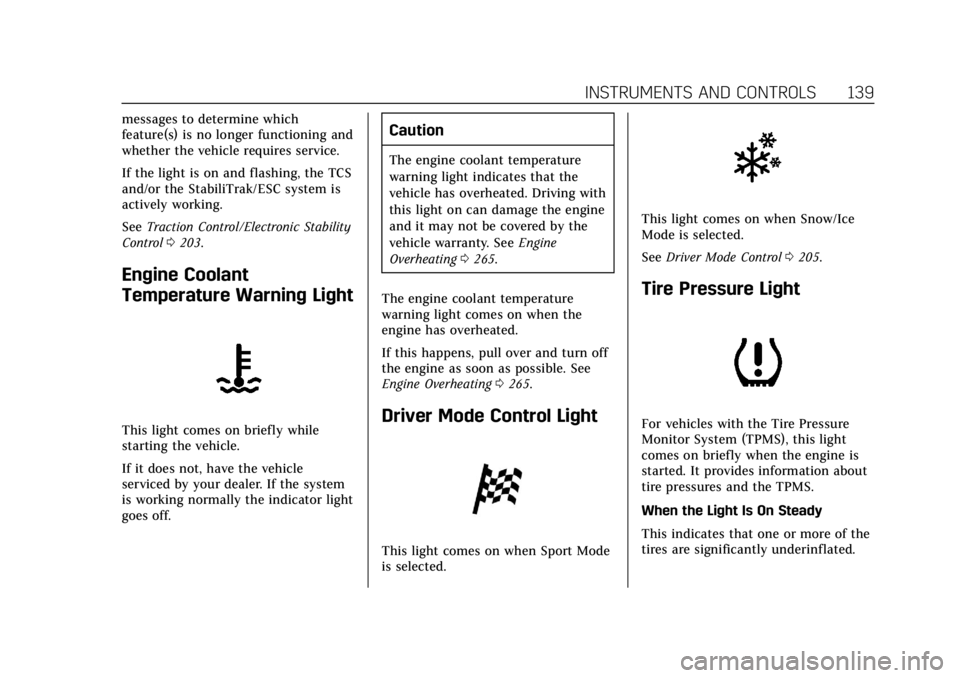
Engine Coolant
Temperature Warning Light
This light comes on briefly while
starting the vehicle.
If it does not, have the vehicle
serviced by your dealer. If the system
is working normally the indicator light
goes off.
Caution
The engine coolant temperature
warning light indicates that the
vehicle has overheated. Driving with
this light on can damage the engine
and it may not be covered by the
vehicle warranty. See Engine
Overheating 0265.
The engine coolant temperature
warning light comes on when the
engine has overheated.
If this happens, pull over and turn off
the engine as soon as possible. See
Engine Overheating 0265.
Driver Mode Control Light
This light comes on when Sport Mode
is selected.
This light comes on when Snow/Ice
Mode is selected.
See Driver Mode Control 0205.
Tire Pressure Light
For vehicles with the Tire Pressure
Monitor System (TPMS), this light
comes on briefly when the engine is
started. It provides information about
tire pressures and the TPMS.
When the Light Is On Steady
This indicates that one or more of the
tires are significantly underinflated.
Page 144 of 381
Cadillac XT4 Owner Manual (GMNA-Localizing-U.S./Canada/Mexico-
12017481) - 2019 - CRC - 11/5/18
140 INSTRUMENTS AND CONTROLS
A Driver Information Center (DIC) tire
pressure message may also display.
Stop as soon as possible, and inflate
the tires to the pressure value shown
on the Tire and Loading Information
label. SeeTire Pressure 0288.
When the Light Flashes First and
Then Is On Steady
If the light flashes for about a minute
and then stays on, there may be a
problem with the TPMS. If the
problem is not corrected, the light will
come on at every ignition cycle. See
Tire Pressure Monitor Operation 0291.
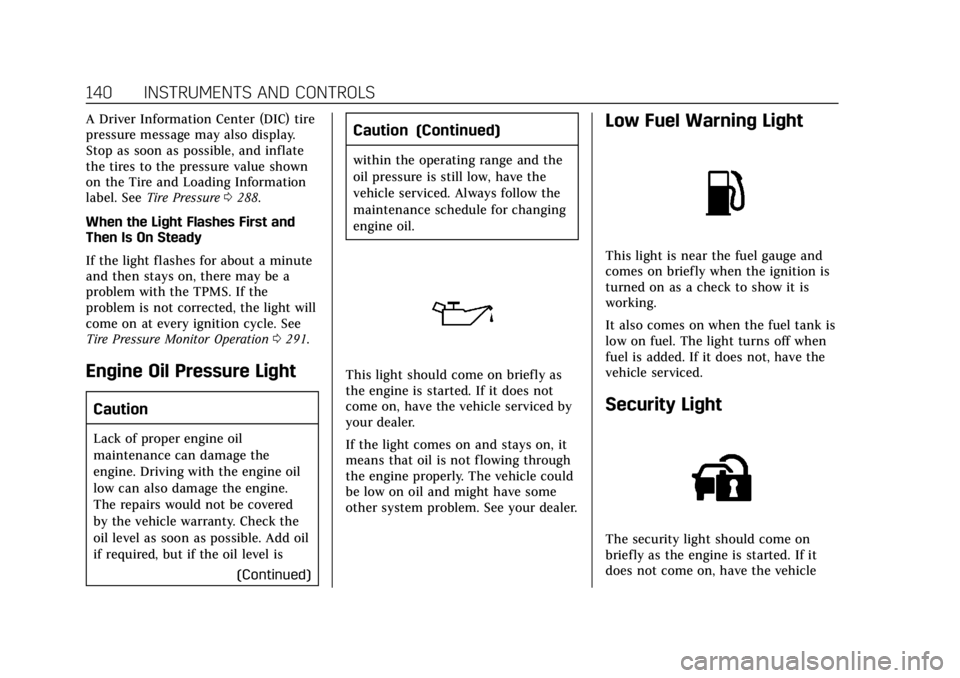
Engine Oil Pressure Light
Caution
Lack of proper engine oil
maintenance can damage the
engine. Driving with the engine oil
low can also damage the engine.
The repairs would not be covered
by the vehicle warranty. Check the
oil level as soon as possible. Add oil
if required, but if the oil level is
(Continued)
Caution (Continued)
within the operating range and the
oil pressure is still low, have the
vehicle serviced. Always follow the
maintenance schedule for changing
engine oil.
This light should come on briefly as
the engine is started. If it does not
come on, have the vehicle serviced by
your dealer.
If the light comes on and stays on, it
means that oil is not flowing through
the engine properly. The vehicle could
be low on oil and might have some
other system problem. See your dealer.
Low Fuel Warning Light
This light is near the fuel gauge and
comes on briefly when the ignition is
turned on as a check to show it is
working.
It also comes on when the fuel tank is
low on fuel. The light turns off when
fuel is added. If it does not, have the
vehicle serviced.
Security Light
The security light should come on
briefly as the engine is started. If it
does not come on, have the vehicle
Page 149 of 381
Cadillac XT4 Owner Manual (GMNA-Localizing-U.S./Canada/Mexico-
12017481) - 2019 - CRC - 11/5/18
INSTRUMENTS AND CONTROLS 145
Head-Up Display (HUD)
{Warning
If the HUD image is too bright or
too high in your field of view, it
may take you more time to see
things you need to see when it is
dark outside. Be sure to keep the
HUD image dim and placed low in
your field of view.
If equipped with HUD, some
information concerning the operation
of the vehicle is projected onto the
windshield. The image is projected
through the HUD lens on top of the
instrument panel. The information
appears as an image focused out
toward the front of the vehicle.
Caution
If you try to use the HUD image as
a parking aid, you may misjudge
the distance and damage your
vehicle. Do not use the HUD image
as a parking aid. The HUD information can be
displayed in various languages. The
speedometer reading and other
numerical values can be displayed in
either English or metric units.
The language selection is changed
through the radio and the units of
measurement is changed through the
instrument cluster. See
“Settings”in
the Infotainment Manual and
“Options” underInstrument Cluster
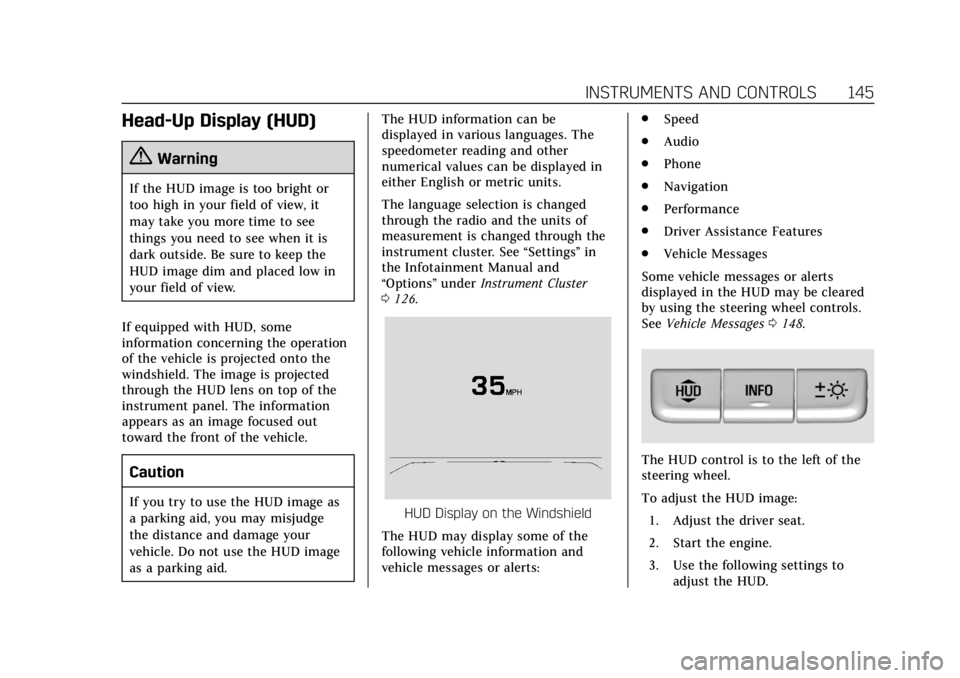
0 126.HUD Display on the Windshield
The HUD may display some of the
following vehicle information and
vehicle messages or alerts: .
Speed
. Audio
. Phone
. Navigation
. Performance
. Driver Assistance Features
. Vehicle Messages
Some vehicle messages or alerts
displayed in the HUD may be cleared
by using the steering wheel controls.
See Vehicle Messages 0148.
The HUD control is to the left of the
steering wheel.
To adjust the HUD image:
1. Adjust the driver seat.
2. Start the engine.
3. Use the following settings to adjust the HUD.
Page 150 of 381
Cadillac XT4 Owner Manual (GMNA-Localizing-U.S./Canada/Mexico-
12017481) - 2019 - CRC - 11/5/18
146 INSTRUMENTS AND CONTROLS
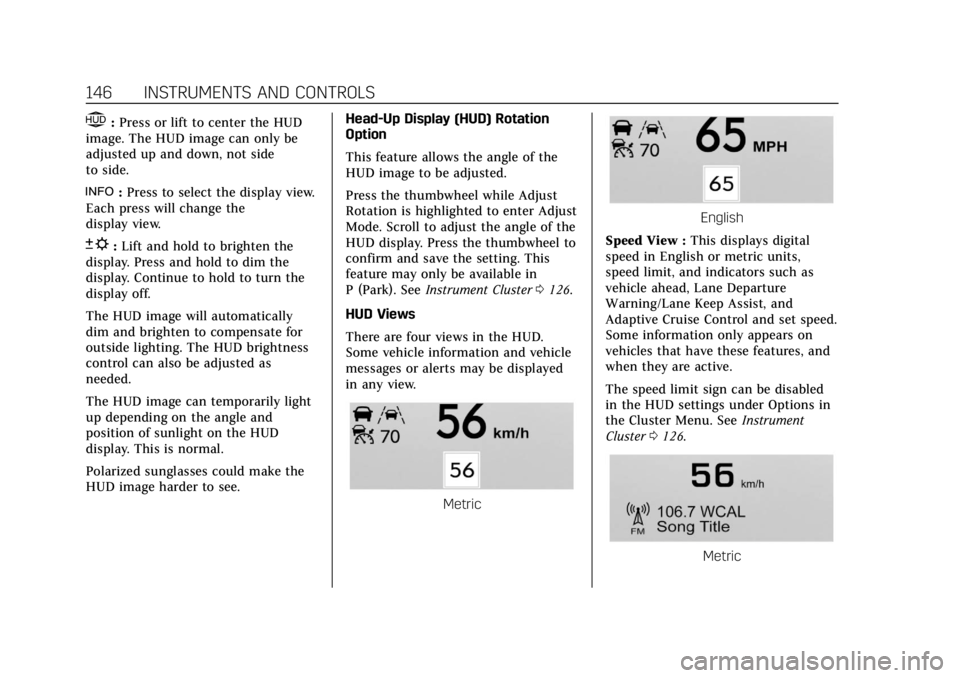
$:Press or lift to center the HUD
image. The HUD image can only be
adjusted up and down, not side
to side.
!: Press to select the display view.
Each press will change the
display view.
D: Lift and hold to brighten the
display. Press and hold to dim the
display. Continue to hold to turn the
display off.
The HUD image will automatically
dim and brighten to compensate for
outside lighting. The HUD brightness
control can also be adjusted as
needed.
The HUD image can temporarily light
up depending on the angle and
position of sunlight on the HUD
display. This is normal.
Polarized sunglasses could make the
HUD image harder to see. Head-Up Display (HUD) Rotation
Option
This feature allows the angle of the
HUD image to be adjusted.
Press the thumbwheel while Adjust
Rotation is highlighted to enter Adjust
Mode. Scroll to adjust the angle of the
HUD display. Press the thumbwheel to
confirm and save the setting. This
feature may only be available in
P (Park). See
Instrument Cluster 0126.
HUD Views
There are four views in the HUD.
Some vehicle information and vehicle
messages or alerts may be displayed
in any view.
Metric
English
Speed View : This displays digital
speed in English or metric units,
speed limit, and indicators such as
vehicle ahead, Lane Departure
Warning/Lane Keep Assist, and
Adaptive Cruise Control and set speed.
Some information only appears on
vehicles that have these features, and
when they are active.
The speed limit sign can be disabled
in the HUD settings under Options in
the Cluster Menu. See Instrument
Cluster 0126.
Metric
Page 162 of 381
Cadillac XT4 Owner Manual (GMNA-Localizing-U.S./Canada/Mexico-
12017481) - 2019 - CRC - 11/5/18
158 LIGHTING
Lighting
Exterior Lighting
Exterior Lamp Controls . . . . . . . . . . 158
Exterior Lamps Off Reminder . . . 160
Headlamp High/Low-BeamChanger . . . . . . . . . . . . . . . . . . . . . . . . . . 160
Flash-to-Pass . . . . . . . . . . . . . . . . . . . . . 160
Daytime Running Lamps (DRL) . . . . . . . . . . . . . . . . . . . . 160
Automatic Headlamp System . . . 160
Hazard Warning Flashers . . . . . . . . 161
Turn and Lane-Change Signals . . . . . . . . . . . . . . . . . . . . . . . . . . . 161
Cornering Lamps . . . . . . . . . . . . . . . . . 162
Interior Lighting
Instrument Panel Illumination Control . . . . . . . . . . . . . . . . . . . . . . . . . . 162
Courtesy Lamps . . . . . . . . . . . . . . . . . . 162
Dome Lamps . . . . . . . . . . . . . . . . . . . . . 162
Reading Lamps . . . . . . . . . . . . . . . . . . . 163
Lighting Features
Entry Lighting . . . . . . . . . . . . . . . . . . . . 163
Exit Lighting . . . . . . . . . . . . . . . . . . . . . . 164
Battery Power Protection . . . . . . . . 164
Exterior Lighting Battery Saver . . . . . . . . . . . . . . . . . . . . . . . . . . . . . 164
Exterior Lighting
Exterior Lamp Controls
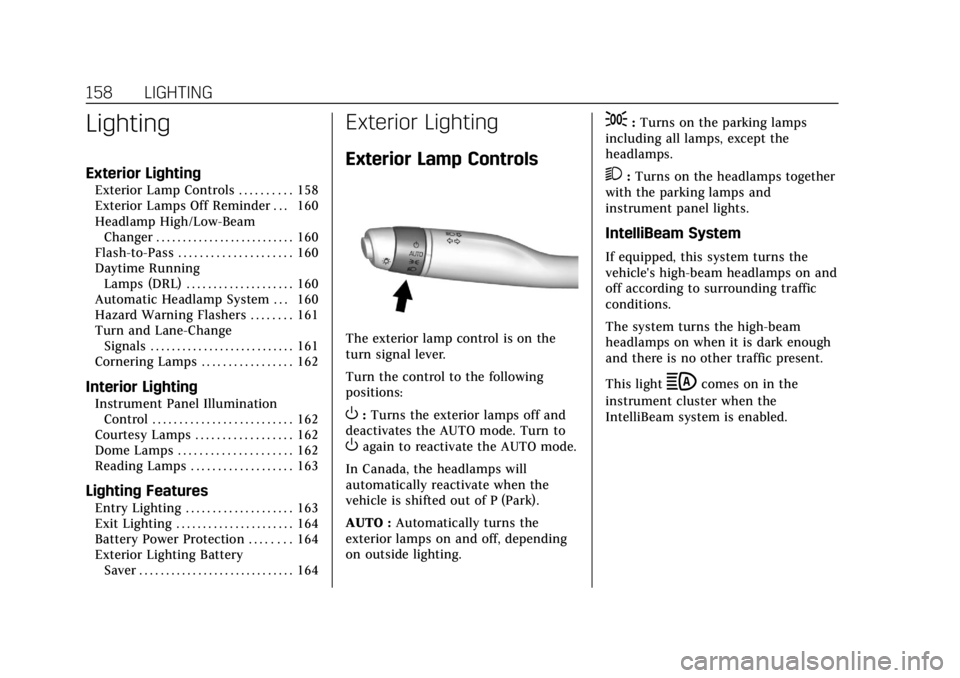
The exterior lamp control is on the
turn signal lever.
Turn the control to the following
positions:
O:Turns the exterior lamps off and
deactivates the AUTO mode. Turn to
Oagain to reactivate the AUTO mode.
In Canada, the headlamps will
automatically reactivate when the
vehicle is shifted out of P (Park).
AUTO : Automatically turns the
exterior lamps on and off, depending
on outside lighting.
;: Turns on the parking lamps
including all lamps, except the
headlamps.
2: Turns on the headlamps together
with the parking lamps and
instrument panel lights.
IntelliBeam System
If equipped, this system turns the
vehicle's high-beam headlamps on and
off according to surrounding traffic
conditions.
The system turns the high-beam
headlamps on when it is dark enough
and there is no other traffic present.
This light
bcomes on in the
instrument cluster when the
IntelliBeam system is enabled.
Page 164 of 381

Cadillac XT4 Owner Manual (GMNA-Localizing-U.S./Canada/Mexico-
12017481) - 2019 - CRC - 11/5/18
160 LIGHTING
Exterior Lamps Off
Reminder
A warning chime sounds if the driver
door is opened while the ignition is off
and the exterior lamps are on.
Headlamp High/Low-Beam
Changer
3
:Push the turn signal lever away
from you and release, to turn the high
beams on. To return to low beams,
push the lever again or pull it toward
you and release.
This indicator light turns on in the
instrument cluster when the
high-beam headlamps are on.
Flash-to-Pass
To flash the high beams, pull the turn
signal lever toward you, and release.
Daytime Running
Lamps (DRL)
DRL can make it easier for others to
see the front of your vehicle during
the day. Fully functional DRL are
required on all vehicles first sold in
Canada.
The dedicated DRL will come on when
all of the following conditions are met:
. The ignition is on.
. The exterior lamp control is
in AUTO.
. The light sensor determines it is
daytime.
. The parking brake is released or
the vehicle is not in P (Park).
When the DRL are on, the taillamps,
sidemarker lamps, and other lamps
will not be on.
The DRL turn off when the headlamps
are turned to
Oor the ignition is off.
For vehicles first sold in Canada, the
DRL can only be turned off when the
vehicle is parked.
Automatic Headlamp
System
When the exterior lamp control is set
to AUTO and it is dark enough
outside, the headlamps come on
automatically.
There is a light sensor on top of the
instrument panel. Do not cover the
sensor.
The system may also turn on the
headlamps when driving through a
parking garage or tunnel.
Page 165 of 381

Cadillac XT4 Owner Manual (GMNA-Localizing-U.S./Canada/Mexico-
12017481) - 2019 - CRC - 11/5/18
LIGHTING 161
If the vehicle is started in a dark
garage, the automatic headlamp
system comes on immediately. If it is
light outside when the vehicle leaves
the garage, there is a slight delay
before the automatic headlamp
system changes to the Daytime
Running Lamps (DRL). During that
delay, the instrument cluster may not
be as bright as usual. Make sure the
instrument panel brightness control is
in the full bright position. See
Instrument Panel Illumination Control
0162.
When it is bright enough outside, the
headlamps will turn off or may change
to DRL.
The automatic headlamp system turns
off when the exterior lamp control is
turned to
Oor the ignition is off.
For vehicles sold in Canada, this
control only works when the
transmission is in P (Park).
Lights On with Wipers
If the windshield wipers are activated
in daylight with the engine on, and
the exterior lamp control is in AUTO, the headlamps, parking lamps, and
other exterior lamps come on. The
transition time for the lamps coming
on varies based on wiper speed. When
the wipers are not operating, these
lamps turn off. Move the exterior
lamp control to
Oor;to disable
this feature.
Hazard Warning Flashers
|: Press|to make the front and
rear turn signal lamps flash on and
off. Press again to turn the
flashers off. The hazard warning flashers turn on
automatically if the airbags deploy.
Turn and Lane-Change
Signals
Move the lever all the way up or down
to signal a turn.
An arrow on the instrument cluster
flashes in the direction of the turn or
lane change.
Raise or lower the lever until the
arrow starts to flash to signal a lane
change. Hold it there until the lane
change is completed. If the lever is
briefly pressed and released, the turn
signal flashes three times.
Page 176 of 381
Cadillac XT4 Owner Manual (GMNA-Localizing-U.S./Canada/Mexico-
12017481) - 2019 - CRC - 11/5/18
172 DRIVING AND OPERATING
Driving and
Operating
Driving Information
Driver Behavior . . . . . . . . . . . . . . . . . . . 173
Driving Environment . . . . . . . . . . . . . 173
Vehicle Design . . . . . . . . . . . . . . . . . . . . 173
Distracted Driving . . . . . . . . . . . . . . . . 174
Defensive Driving . . . . . . . . . . . . . . . . 174
Drunk Driving . . . . . . . . . . . . . . . . . . . . 174
Control of a Vehicle . . . . . . . . . . . . . . 175
Braking . . . . . . . . . . . . . . . . . . . . . . . . . . . . 175
Steering . . . . . . . . . . . . . . . . . . . . . . . . . . . 175
Off-Road Recovery . . . . . . . . . . . . . . . . 176
Loss of Control . . . . . . . . . . . . . . . . . . . 176
Driving on Wet Roads . . . . . . . . . . . 177
Hill and Mountain Roads . . . . . . . . 178
Winter Driving . . . . . . . . . . . . . . . . . . . . 178
If the Vehicle Is Stuck . . . . . . . . . . . 179
Vehicle Load Limits . . . . . . . . . . . . . . 180
Starting and Operating
New Vehicle Break-In . . . . . . . . . . . . 184
Ignition Positions . . . . . . . . . . . . . . . . 184
Starting the Engine . . . . . . . . . . . . . . 186
Stop/Start System . . . . . . . . . . . . . . . . 187
Engine Heater . . . . . . . . . . . . . . . . . . . . 188Retained Accessory
Power (RAP) . . . . . . . . . . . . . . . . . . . . 189
Shifting Into Park . . . . . . . . . . . . . . . . 190
Shifting out of Park . . . . . . . . . . . . . . 190
Parking over Things That Burn . . . . . . . . . . . . . . . . . . . . . . . 192
Active Fuel Management . . . . . . . . 192
Extended Parking . . . . . . . . . . . . . . . . . 192
Engine Exhaust
Engine Exhaust . . . . . . . . . . . . . . . . . . . 193
Running the Vehicle While Parked . . . . . . . . . . . . . . . . . . . . . . . . . . . 194
Automatic Transmission
Automatic Transmission . . . . . . . . . 194
Manual Mode . . . . . . . . . . . . . . . . . . . . . 198
Drive Systems
All-Wheel Drive . . . . . . . . . . . . . . . . . . 200
Brakes
Antilock Brake System (ABS) . . . . 200
Electric Parking Brake . . . . . . . . . . . . 201
Brake Assist . . . . . . . . . . . . . . . . . . . . . . . 202
Hill Start Assist (HSA) . . . . . . . . . . . 203
Ride Control Systems
Traction Control/ElectronicStability Control . . . . . . . . . . . . . . . . 203
Driver Mode Control . . . . . . . . . . . . . 205
Cruise Control
Cruise Control . . . . . . . . . . . . . . . . . . . . 206
Adaptive Cruise Control . . . . . . . . . 209
Driver Assistance Systems
Driver Assistance Systems . . . . . . . 217
Assistance Systems for Parking or Backing . . . . . . . . . . . . . . . . . . . . . . . 219
Assistance Systems for Driving . . . . . . . . . . . . . . . . . . . . . . . . . . 226
Forward Collision Alert (FCA) System . . . . . . . . . . . . . . . . . . . . . . . . . . 226
Forward Automatic Braking (FAB) . . . . . . . . . . . . . . . . . . . 228
Front Pedestrian Braking (FPB) System . . . . . . . . . . . . . . . . . . . . . . . . . . 230
Side Blind Zone Alert (SBZA) . . . . 232
Lane Change Alert (LCA) . . . . . . . . 232
Lane Departure Warning (LDW) . . . . . . . . . . . . . . . . . 234
Lane Keep Assist (LKA) . . . . . . . . . . 234
Fuel
Top Tier Fuel . . . . . . . . . . . . . . . . . . . . . 236
Recommended Fuel . . . . . . . . . . . . . . 237
Prohibited Fuels . . . . . . . . . . . . . . . . . . 237
Fuels in Foreign Countries . . . . . . . 237
Fuel Additives . . . . . . . . . . . . . . . . . . . . 237
Filling the Tank . . . . . . . . . . . . . . . . . . 238
Filling a Portable Fuel Container . . . . . . . . . . . . . . . . . . . . . . . . 239
Page 178 of 381
Cadillac XT4 Owner Manual (GMNA-Localizing-U.S./Canada/Mexico-
12017481) - 2019 - CRC - 11/5/18
174 DRIVING AND OPERATING
Safe driver behavior and
understanding of the environment can
help avoid a rollover crash in any type
of vehicle, including utility vehicles.
Distracted Driving
Distraction comes in many forms and
can take your focus from the task of
driving. Exercise good judgment and
do not let other activities divert your
attention away from the road. Many
local governments have enacted laws
regarding driver distraction. Become
familiar with the local laws in
your area.
To avoid distracted driving, keep your
eyes on the road, keep your hands on
the steering wheel, and focus your
attention on driving.
.Do not use a phone in demanding
driving situations. Use a
hands-free method to place or
receive necessary phone calls.
. Watch the road. Do not read, take
notes, or look up information on
phones or other electronic devices.
. Designate a front seat passenger
to handle potential distractions. .
Become familiar with vehicle
features before driving, such as
programming favorite radio
stations and adjusting climate
control and seat settings. Program
all trip information into any
navigation device prior to driving.
. Wait until the vehicle is parked to
retrieve items that have fallen to
the floor.
. Stop or park the vehicle to tend to
children.
. Keep pets in an appropriate carrier
or restraint.
. Avoid stressful conversations
while driving, whether with a
passenger or on a cell phone.
{Warning
Taking your eyes off the road too
long or too often could cause a
crash resulting in injury or death.
Focus your attention on driving. Refer to the infotainment section for
more information on using that
system and the navigation system,
if equipped, including pairing and
using a cell phone.
Defensive Driving
Defensive driving means
“always
expect the unexpected.” The first step
in driving defensively is to wear the
seat belt. See Seat Belts073.
. Assume that other road users
(pedestrians, bicyclists, and other
drivers) are going to be careless
and make mistakes. Anticipate
what they might do and be ready.
. Allow enough following distance
between you and the driver in
front of you.
. Focus on the task of driving.
Drunk Driving
Death and injury associated with
drinking and driving is a global
tragedy.