Driver Mode Control CADILLAC XT5 2018 Owner's Guide
[x] Cancel search | Manufacturer: CADILLAC, Model Year: 2018, Model line: XT5, Model: CADILLAC XT5 2018Pages: 380, PDF Size: 6.21 MB
Page 208 of 380
Cadillac XT5 Owner Manual (GMNA-Localizing-U.S./Canada/Mexico-
11349110) - 2018 - CRC - 9/28/17
DRIVING AND OPERATING 207
and StabiliTrak Off lightgin the
instrument cluster turn off and a DIC
message may display.
Adding accessories can affect vehicle
performance. See Accessories and
Modifications 0251.
Driver Mode Control
If equipped, the Driver Mode Control
has the following modes: Tour, Sport,
All-Wheel Drive (AWD), and Snow/Ice
(Front-Wheel Drive vehicles only).
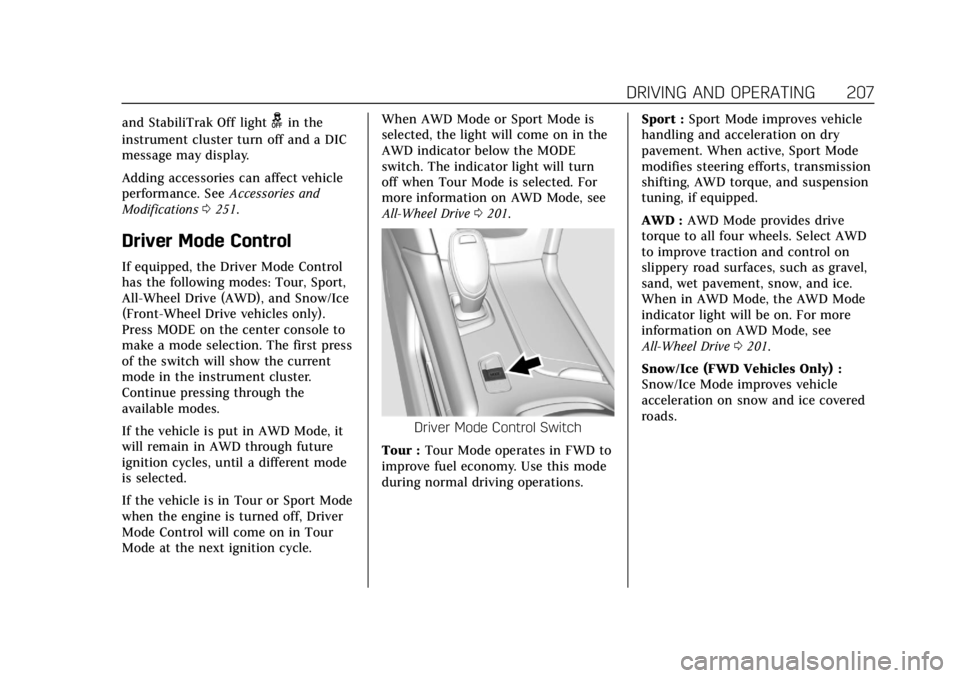
Press MODE on the center console to
make a mode selection. The first press
of the switch will show the current
mode in the instrument cluster.
Continue pressing through the
available modes.
If the vehicle is put in AWD Mode, it
will remain in AWD through future
ignition cycles, until a different mode
is selected.
If the vehicle is in Tour or Sport Mode
when the engine is turned off, Driver
Mode Control will come on in Tour
Mode at the next ignition cycle. When AWD Mode or Sport Mode is
selected, the light will come on in the
AWD indicator below the MODE
switch. The indicator light will turn
off when Tour Mode is selected. For
more information on AWD Mode, see
All-Wheel Drive
0201.
Driver Mode Control Switch
Tour : Tour Mode operates in FWD to
improve fuel economy. Use this mode
during normal driving operations. Sport :
Sport Mode improves vehicle
handling and acceleration on dry
pavement. When active, Sport Mode
modifies steering efforts, transmission
shifting, AWD torque, and suspension
tuning, if equipped.
AWD : AWD Mode provides drive
torque to all four wheels. Select AWD
to improve traction and control on
slippery road surfaces, such as gravel,
sand, wet pavement, snow, and ice.
When in AWD Mode, the AWD Mode
indicator light will be on. For more
information on AWD Mode, see
All-Wheel Drive 0201.
Snow/Ice (FWD Vehicles Only) :
Snow/Ice Mode improves vehicle
acceleration on snow and ice covered
roads.
Page 211 of 380
Cadillac XT5 Owner Manual (GMNA-Localizing-U.S./Canada/Mexico-
11349110) - 2018 - CRC - 9/28/17
210 DRIVING AND OPERATING
The cruise control system may
automatically brake to slow the
vehicle down.
The speedometer reading can be
displayed in either English or metric
units. SeeInstrument Cluster (Uplevel
Cluster) 0125 orInstrument Cluster
(Base Level Cluster) 0123. The
increment value used depends on the
units displayed.
Passing Another Vehicle While
Using Cruise Control
Use the accelerator pedal to increase
the vehicle speed. When you take your
foot off the pedal, the vehicle will slow
down to the previous set cruise speed.
While pressing the accelerator pedal
or shortly following the release to
override cruise, briefly applying SET−
will result in cruise set to the current
vehicle speed.
Using Cruise Control on Hills
How well the cruise control will work
on hills depends upon the vehicle
speed, load, and the steepness of the
hills. When going up steep hills, you
might have to step on the accelerator pedal to maintain your speed. When
going downhill, the cruise control
system may automatically brake to
slow the vehicle down. Also, you may
have to brake or shift to a lower gear
to keep your speed down. If the brake
pedal is applied, cruise control
disengages.
Ending Cruise Control
There are four ways to end cruise
control:
.
Step lightly on the brake pedal.
. Press
*.
. Shift the transmission to
N (Neutral).
. Press
J.
Erasing Speed Memory
The cruise control set speed is erased
from memory if
Jis pressed or if
the ignition is turned off.
Adaptive Cruise Control
If equipped with Adaptive Cruise
Control (ACC), it allows the driver to
select the cruise control set speed and following gap. Read this entire section
before using this system. The
following gap is the following time
between your vehicle and a vehicle
detected directly ahead in your path,
moving in the same direction. If no
vehicle is detected in your path, ACC
works like regular cruise control. ACC
uses camera and radar sensors. See
Radio Frequency Statement
0353.
If a vehicle is detected in your path,
ACC can apply acceleration or limited,
moderate braking to maintain the
selected following gap. To disengage
ACC, apply the brake. If ACC is
controlling your vehicle speed when
the traction control system (TCS) or
electronic stability control system
activates, the ACC may automatically
disengage. See Traction Control/
Electronic Stability Control 0205. When
road conditions allow ACC to be safely
used, the ACC can be turned back on.
ACC will not engage if the TCS or
StabiliTrak electronic stability control
system is disabled.
Page 213 of 380
Cadillac XT5 Owner Manual (GMNA-Localizing-U.S./Canada/Mexico-
11349110) - 2018 - CRC - 9/28/17
212 DRIVING AND OPERATING
1 km/h (1 mph), press SET−to the first
detent. To decrease speed to the next
5 km/h (5 mph) mark on the
speedometer, press SET− to the
second detent.
*: Press to disengage ACC without
erasing the selected set speed.
[: Press to select a following gap
time (or distance) setting for ACC of
Far, Medium, or Near.
Switching Between ACC and
Regular Cruise Control
To switch between ACC and regular
cruise control, press and hold
*.
A Driver Information Display (DIC)
message displays. See Vehicle Messages
0 147.
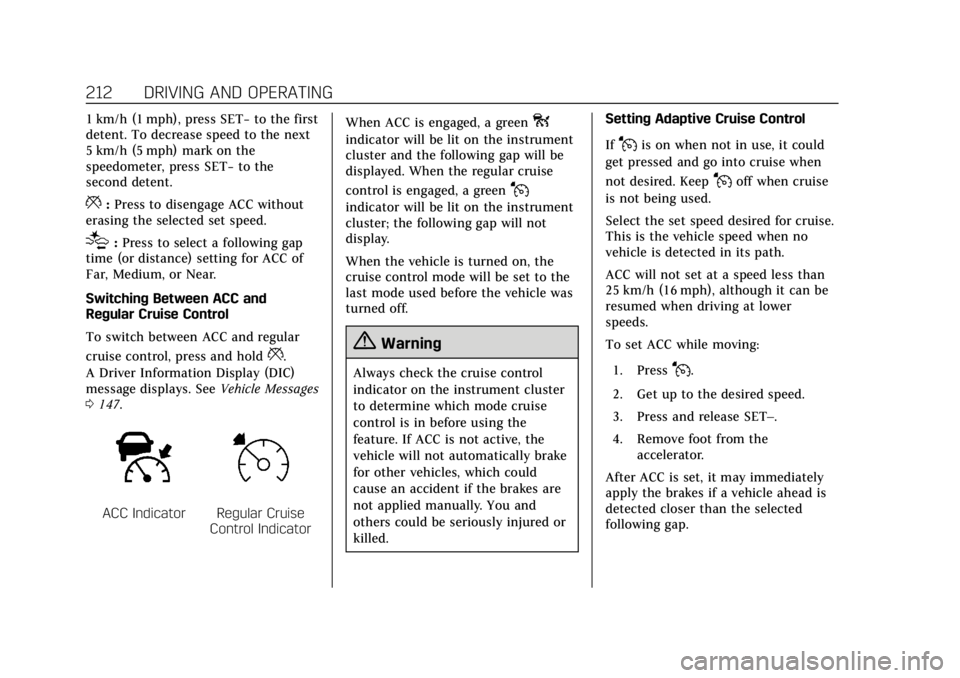
ACC IndicatorRegular Cruise
Control Indicator When ACC is engaged, a green
o
indicator will be lit on the instrument
cluster and the following gap will be
displayed. When the regular cruise
control is engaged, a green
J
indicator will be lit on the instrument
cluster; the following gap will not
display.
When the vehicle is turned on, the
cruise control mode will be set to the
last mode used before the vehicle was
turned off.
{Warning
Always check the cruise control
indicator on the instrument cluster
to determine which mode cruise
control is in before using the
feature. If ACC is not active, the
vehicle will not automatically brake
for other vehicles, which could
cause an accident if the brakes are
not applied manually. You and
others could be seriously injured or
killed. Setting Adaptive Cruise Control
If
Jis on when not in use, it could
get pressed and go into cruise when
not desired. Keep
Joff when cruise
is not being used.
Select the set speed desired for cruise.
This is the vehicle speed when no
vehicle is detected in its path.
ACC will not set at a speed less than
25 km/h (16 mph), although it can be
resumed when driving at lower
speeds.
To set ACC while moving:
1. Press
J.
2. Get up to the desired speed.
3. Press and release SET–.
4. Remove foot from the accelerator.
After ACC is set, it may immediately
apply the brakes if a vehicle ahead is
detected closer than the selected
following gap.
Page 225 of 380
Cadillac XT5 Owner Manual (GMNA-Localizing-U.S./Canada/Mexico-
11349110) - 2018 - CRC - 9/28/17
224 DRIVING AND OPERATING
Parking Brake (EPB) may be set. When
it is safe, press the accelerator pedal
firmly at any time to override RAB.
{Warning
There may be instances where
unexpected or undesired automatic
braking occurs. If this happens,
either press the brake pedal or
firmly press the accelerator pedal to
release the brakes from the RAB
system. Before releasing the brakes,
check the RVC and check the area
around the vehicle to make sure it
is safe to proceed.
Rear Cross Traffic Alert (RCTA)
If equipped, RCTA displays a red
warning triangle with a left or right
pointing arrow on the infotainment
display to warn of traffic coming from
the left or right. This system detects
objects coming from up to 20 m (65 ft)
from the left or right side of the
vehicle. When an object is detected,
either three beeps sound from the left
or right or three Safety Alert Seat pulses occur on the left or right side,
depending on the direction of the
detected vehicle.
Use caution while backing up when
towing a trailer, as the RCTA
detection zones that extend out from
the back of the vehicle do not move
further back when a trailer is towed.
See
Radio Frequency Statement 0353.
Turning the Features On or Off
TouchXon the center stack to turn
on or off the Front and Rear Parking
Assist, Reverse Automatic Braking
(RAB), Rear Cross Traffic Alert
(RCTA), and the Backing Warning
System at the same time. The
indicator light next to the button
comes on when the features are on
and turns off when the features have
been disabled.
Turn off parking assist, RCTA, and
RAB when towing a trailer.
To turn the RPA symbols or guidance
lines (on some models) on or off, see
“Rear Camera ”under Vehicle
Personalization 0148. RCTA can also be turned on or off
through vehicle personalization. See
“Collision/Detection Systems”
under
Vehicle Personalization 0148.
Automatic Parking Assist (APA)
If equipped, APA searches for and
steers the vehicle into parallel and
perpendicular parking spots. When
using APA, you must still shift gears,
and control the brakes and
accelerator. The Driver information
Center (DIC) and audible beeps help
to guide parking maneuvers.
Do not use APA when towing a trailer.
{Warning
APA does not apply the brakes. APA
may not detect objects in the
parking space, objects that are soft
or narrow, objects high off the
ground such as flatbed trucks,
or objects below ground level such
as large potholes. Always verify that
the parking space is appropriate for
parking a vehicle. APA does not
(Continued)
Page 232 of 380

Cadillac XT5 Owner Manual (GMNA-Localizing-U.S./Canada/Mexico-
11349110) - 2018 - CRC - 9/28/17
DRIVING AND OPERATING 231
{Warning
FPB does not provide an alert or
automatically brake the vehicle,
unless it detects a pedestrian. FPB
may not detect pedestrians,
including children:. When the pedestrian is not
directly ahead, fully visible,
or standing upright, or when
part of a group.
. Due to poor visibility,
including nighttime
conditions, fog, rain, or snow.
. If the FPB sensor is blocked
by dirt, snow, or ice.
. If the headlamps or
windshield are not cleaned or
in proper condition.
Be ready to take action and apply
the brakes. For more information,
see Defensive Driving 0179. Keep
the windshield, headlamps, and FPB
sensor clean and in good repair. FPB can be set to Off, Alert, or Alert
and Brake through vehicle
personalization. See
“Collision/
Detection Systems” underVehicle
Personalization 0148.
Detecting the Pedestrian Ahead
FPB alerts and automatic braking will
not occur unless the FPB system
detects a pedestrian. When a nearby
pedestrian is detected directly in front
of the vehicle, the pedestrian ahead
indicator will display amber.
Front Pedestrian Alert
With Head-Up Display
Without Head-Up Display
When the vehicle approaches a
pedestrian ahead too rapidly, the red
FPB alert display will flash on the
windshield. Eight rapid high-pitched
beeps will sound from the front,
or both sides of the Safety Alert Seat
will pulse five times. When this
Pedestrian Alert occurs, the brake
system may prepare for driver braking
to occur more rapidly which can cause
a brief, mild deceleration. Continue to
apply the brake pedal as needed.
Cruise control may be disengaged
when the Front Pedestrian Alert
occurs.
Automatic Braking
If FPB detects it is about to crash into
a pedestrian directly ahead, and the
brakes have not been applied, FPB
may automatically brake moderately
or brake hard. This can help to avoid
Page 293 of 380
Cadillac XT5 Owner Manual (GMNA-Localizing-U.S./Canada/Mexico-
11349110) - 2018 - CRC - 9/28/17
292 VEHICLE CARE
.The air pressure from the inflation
device is not sufficient to inflate
the tire.
. There is a malfunction in
the TPMS.
. There is a malfunction in the horn
or turn signal lamps.
. The identification code of the
TPMS sensor is not registered to
the system.
. The battery of the TPMS sensor
is low.
If the tire fill alert does not operate
due to TPMS interference, move the
vehicle about 1 m (3 ft) back or
forward and try again. If the tire fill
alert feature is not working, use a tire
pressure gauge.
TPMS Sensor Matching Process
Each TPMS sensor has a unique
identification code. The identification
code needs to be matched to a new
tire/wheel position after rotating the
vehicle’s tires or replacing one or more
of the TPMS sensors. The TPMS
sensor matching process should also
be performed after replacing a spare tire with a road tire containing the
TPMS sensor. The malfunction light
and the DIC message should go off at
the next ignition cycle. The sensors
are matched to the tire/wheel
positions, using a TPMS relearn tool,
in the following order: driver side
front tire, passenger side front tire,
passenger side rear tire, and driver
side rear. See your dealer for
service or to purchase a relearn tool.
A TPMS relearn tool can also be
purchased. See Tire Pressure Monitor
Sensor Activation Tool at
www.gmtoolsandequipment.com or
call 1-800-GM TOOLS
(1-800-468-6657).
There are two minutes to match the
first tire/wheel position, and
five minutes overall to match all four
tire/wheel positions. If it takes longer,
the matching process stops and must
be restarted.
The TPMS sensor matching process is:
1. Set the parking brake.
2. Place the vehicle in Service Mode. See Ignition Positions
0 188. 3. Make sure the Tire Pressure info
display option is turned on. The
info displays on the DIC can be
turned on and off through the
Options menu. See Driver
Information Center (DIC) 0141.
4. Use the five-way DIC control on the right side of the steering
wheel to scroll to the Tire
Pressure screen under the DIC
info page. See Driver Information
Center (DIC) 0141.
5. Press and hold SEL in the center of the five-way DIC control.
The horn sounds twice to signal
the receiver is in relearn mode
and the TIRE LEARNING ACTIVE
message displays on the DIC
screen.
6. Start with the driver side front tire.
7. Place the relearn tool against the tire sidewall, near the valve stem.
Then press the button to activate
the TPMS sensor. A horn chirp
confirms that the sensor
Page 371 of 380

Cadillac XT5 Owner Manual (GMNA-Localizing-U.S./Canada/Mexico-
11349110) - 2018 - CRC - 9/28/17
370 INDEX
Clock . . . . . . . . . . . . . . . . . . . . . . . . . . . . . . . . . 118
Cluster, Instrument . . . . . . . . . . . .123, 125
Collision Damage Repair . . . . . . . . . . . 350
Compact Spare Tire . . . . . . . . . . . . . . . . . 313
CompartmentsStorage . . . . . . . . . . . . . . . . . . . . . . . . . . . . 107
Compass . . . . . . . . . . . . . . . . . . . . . . . . . . . . . 117
Compressor Kit, Tire Sealant . . . . . . . 301
Connections
OnStar . . . . . . . . . . . . . . . . . . . . . . . . . . . . . 360
Control
Traction and ElectronicStability . . . . . . . . . . . . . . . . . . . . . . . . . . 205
Control of a Vehicle . . . . . . . . . . . . . . . . 179
Convenience Net . . . . . . . . . . . . . . . . . . . . 111
Convex Mirrors . . . . . . . . . . . . . . . . . . . . . . 49
Coolant Engine Temperature Gauge . . . . . . 129
Engine Temperature WarningLight . . . . . . . . . . . . . . . . . . . . . . . . . . . . . 138
Cooling . . . . . . . . . . . . . . . . . . . . . . . . .168, 173
Cooling System . . . . . . . . . . . . . . . . . . . . . 258
Cornering Lamps . . . . . . . . . . . . . . . . . . . 164
Courtesy Lamps . . . . . . . . . . . . . . . . . . . . . 164
Courtesy Transportation
Program . . . . . . . . . . . . . . . . . . . . . . . . . . . . 349
Cover Cargo . . . . . . . . . . . . . . . . . . . . . . . . . . . . . . 109 Cruise Control . . . . . . . . . . . . . . . . . . . . . . . 208
Light . . . . . . . . . . . . . . . . . . . . . . . . . . . . . . . 141
Cruise Control, Adaptive . . . . . . . . . . . 210
Cupholders . . . . . . . . . . . . . . . . . . . . . . . . . . 107
Customer Assistance . . . . . . . . . . . . . . . 345 Offices . . . . . . . . . . . . . . . . . . . . . . . . . . . . . 345
Text Telephone (TTY) Users . . . . . 345
Customer Information Service Publications OrderingInformation . . . . . . . . . . . . . . . . . . . . . . 352
Customer Satisfaction
Procedure . . . . . . . . . . . . . . . . . . . . . . . . . . 343
D
Damage Repair, Collision . . . . . . . . . . . 350
Danger, Warning, and Caution . . . . . . . . 3
Data CollectionInfotainment System . . . . . . . . . . . . . 356
OnStar . . . . . . . . . . . . . . . . . . . . . . . . . . . . . 356
Data Recorders, Event . . . . . . . . . . . . . . 355
Daytime Running Lamps (DRL) . . . 162
Defensive Driving . . . . . . . . . . . . . . . . . . . 179
Delayed Locking . . . . . . . . . . . . . . . . . . . . . 39
Diagnostics OnStar . . . . . . . . . . . . . . . . . . . . . . . . . . . . . 362
Distracted Driving . . . . . . . . . . . . . . . . . . 178
Dome Lamps . . . . . . . . . . . . . . . . . . . . . . . . 164 Door
Ajar Light . . . . . . . . . . . . . . . . . . . . . . . . . 141
Delayed Locking . . . . . . . . . . . . . . . . . . . . 39
Locks . . . . . . . . . . . . . . . . . . . . . . . . . . . . . . . . 36
Power Locks . . . . . . . . . . . . . . . . . . . . . . . . . 39
Drive Belt Routing, Engine . . . . . . . . . 342
Drive Systems All-Wheel Drive . . . . . . . . . . . . . . 201, 266
Driver Assistance Systems . . . . . . . . . 219
Driver Information Center (DIC) . . . . . . . . . . . . . . . . . . . . . . . 141
Driver Mode Control . . . . . . . . . . . . . . . . 207
Driving Assistance Systems . . . . . . . . . . . . . . . 226
Characteristics andTowing Tips . . . . . . . . . . . . . . . . . . . . . 240
Defensive . . . . . . . . . . . . . . . . . . . . . . . . . . 179
Drunk . . . . . . . . . . . . . . . . . . . . . . . . . . . . . . 179
For Better Fuel Economy . . . . . . . . . . . 25
Hill and Mountain Roads . . . . . . . . 182
If the Vehicle is Stuck . . . . . . . . . . . . 184
Loss of Control . . . . . . . . . . . . . . . . . . . . 181
Off-Road Recovery . . . . . . . . . . . . . . . . 180
Vehicle Load Limits . . . . . . . . . . . . . . 184
Wet Roads . . . . . . . . . . . . . . . . . . . . . . . . . 181
Winter . . . . . . . . . . . . . . . . . . . . . . . . . . . . . 182
Dual Automatic Climate Control System . . . . . . . . . . . . . . . . . . . . 168
Page 375 of 380

Cadillac XT5 Owner Manual (GMNA-Localizing-U.S./Canada/Mexico-
11349110) - 2018 - CRC - 9/28/17
374 INDEX
Manual Mode . . . . . . . . . . . . . . . . . . . . . . . 200
Memory Features . . . . . . . . . . . . . . . . . . . . 11
Memory Seats . . . . . . . . . . . . . . . . . . . . . . . . 62
MessagesEngine Power . . . . . . . . . . . . . . . . . . . . . 147
Vehicle . . . . . . . . . . . . . . . . . . . . . . . . . . . . . 147
Vehicle Speed . . . . . . . . . . . . . . . . . . . . . 148
Mirror Rear Camera . . . . . . . . . . . . . . . . . . . . . . . . 51
Mirrors Automatic Dimming . . . . . . . . . . . . . . . . 50
Automatic Dimming Rearview . . . . . 51
Convex . . . . . . . . . . . . . . . . . . . . . . . . . . . . . . . 49
Folding . . . . . . . . . . . . . . . . . . . . . . . . . . . . . . 49
Heated . . . . . . . . . . . . . . . . . . . . . . . . . . . . . . . 50
Manual Rearview . . . . . . . . . . . . . . . . . . . 51
Power . . . . . . . . . . . . . . . . . . . . . . . . . . . . . . . . 49
Tilt in Reverse . . . . . . . . . . . . . . . . . . . . . . 50
Mirrors, Interior Rearview . . . . . . . . . . . 51
Mode . . . . . . . . . . . . . . . . . . . . . . . . . . . . . . . . 207 Driver Control . . . . . . . . . . . . . . . . . . . . . 207
Monitor System, Tire Pressure . . . . . 288
N
Navigation OnStar . . . . . . . . . . . . . . . . . . . . . . . . . . . . . 359
Net, Convenience . . . . . . . . . . . . . . . . . . . 111
New Vehicle Break-In . . . . . . . . . . . . . . . 188
O
Odometer . . . . . . . . . . . . . . . . . . . . . . . . . . . . 127 Trip . . . . . . . . . . . . . . . . . . . . . . . . . . . . . . . . 127
Off-Road Recovery . . . . . . . . . . . . . . . . . . . . . . . . . . . 180
Oil Engine . . . . . . . . . . . . . . . . . . . . . . . . . . . . . 254
Engine Oil Life System . . . . . . . . . . . 256
Engine Oil Pressure Gauge . . . . . . . 128
Pressure Light . . . . . . . . . . . . . . . . . . . . . 139
Older Children, Restraints . . . . . . . . . . . 89
Online Owner Center . . . . . . . . . . . . . . . 346
OnStar . . . . . . . . . . . . . . . . . . . . . . . . . . . . . . . 356
OnStar Additional Information . . . . 363
OnStar Connections . . . . . . . . . . . . . . . . 360
OnStar Diagnostics . . . . . . . . . . . . . . . . . 362
OnStar Emergency . . . . . . . . . . . . . . . . . . 358
OnStar Navigation . . . . . . . . . . . . . . . . . . 359
OnStar Overview . . . . . . . . . . . . . . . . . . . . 357
OnStar Security . . . . . . . . . . . . . . . . . . . . . 359
Ordering Service Publications . . . . . . . . . . . . . . 352
Outlets Power . . . . . . . . . . . . . . . . . . . . . . . . . . . . . . 119
Overheating, Engine . . . . . . . . . . . . . . . . 261
P
Park Shifting Into . . . . . . . . . . . . . . . . . . . . . . 193
Shifting Out of . . . . . . . . . . . . . . . . . . . . 194
Parking
Brake and P (Park)Mechanism Check . . . . . . . . . . . . . . . 266
Extended . . . . . . . . . . . . . . . . . . . . . . . . . . 195
Over Things That Burn . . . . . . . . . . . 194
Parking Assist . . . . . . . . . . . . . . . . . . . . . . . 220
Parking or Backing
Assistance Systems . . . . . . . . . . . . . . . 220
Passenger Airbag Status Indicator . . . . . . . . . . . . . . . . . . . . . . . . . . . 132
Passenger Compartment Air Filter . . . . . . . . . . . . . . . . . . . . . . . . . . . . . . . 176
Passenger Sensing System . . . . . . . . . . 83
Pedestrian Ahead Indicator . . . . . . . . 137
Perchlorate Materials Requirements, California . . . . . . . . . 251
Personalization Vehicle . . . . . . . . . . . . . . . . . . . . . . . . . . . . . 148
Power Door Locks . . . . . . . . . . . . . . . . . . . . . . . . . . 39
Mirrors . . . . . . . . . . . . . . . . . . . . . . . . . . . . . . 49
Outlets . . . . . . . . . . . . . . . . . . . . . . . . . . . . . 119
Protection, Battery . . . . . . . . . . . . . . . . 166
Retained Accessory (RAP) . . . . . . . . 193