warning CADILLAC XT5 2019 Workshop Manual
[x] Cancel search | Manufacturer: CADILLAC, Model Year: 2019, Model line: XT5, Model: CADILLAC XT5 2019Pages: 388, PDF Size: 6.29 MB
Page 112 of 388
Cadillac XT5 Owner Manual (GMNA-Localizing-U.S./Canada/Mexico-
12146119) - 2019 - crc - 7/27/18
STORAGE 111
Roof Rack System
{Warning
If something is carried on top of the
vehicle that is longer or wider than
the roof rack—like paneling,
plywood, or a mattress —the wind
can catch it while the vehicle is
being driven. The item being carried
could be violently torn off, and this
could cause a collision and damage
the vehicle. Never carry something
longer or wider than the roof rack
on top of the vehicle unless using a
GM certified accessory carrier.
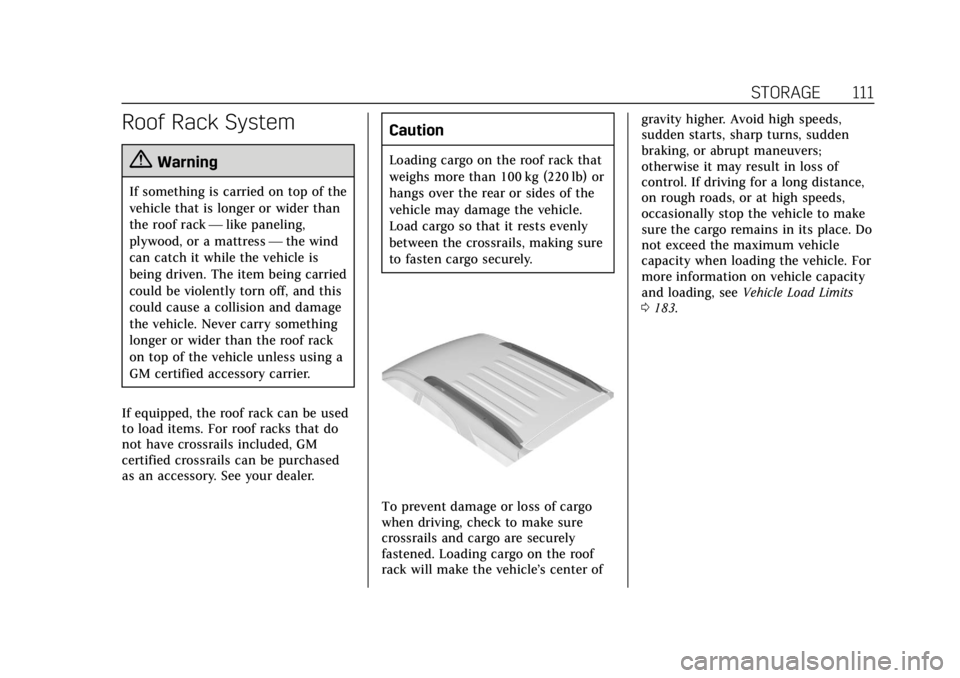
If equipped, the roof rack can be used
to load items. For roof racks that do
not have crossrails included, GM
certified crossrails can be purchased
as an accessory. See your dealer.
Caution
Loading cargo on the roof rack that
weighs more than 100 kg (220 lb) or
hangs over the rear or sides of the
vehicle may damage the vehicle.
Load cargo so that it rests evenly
between the crossrails, making sure
to fasten cargo securely.
To prevent damage or loss of cargo
when driving, check to make sure
crossrails and cargo are securely
fastened. Loading cargo on the roof
rack will make the vehicle’s center of gravity higher. Avoid high speeds,
sudden starts, sharp turns, sudden
braking, or abrupt maneuvers;
otherwise it may result in loss of
control. If driving for a long distance,
on rough roads, or at high speeds,
occasionally stop the vehicle to make
sure the cargo remains in its place. Do
not exceed the maximum vehicle
capacity when loading the vehicle. For
more information on vehicle capacity
and loading, see
Vehicle Load Limits
0 183.
Page 113 of 388
Cadillac XT5 Owner Manual (GMNA-Localizing-U.S./Canada/Mexico-
12146119) - 2019 - crc - 7/27/18
112 INSTRUMENTS AND CONTROLS
Instruments and
Controls
Controls
Steering Wheel Adjustment . . . . . 113
Steering Wheel Controls . . . . . . . . . 113
Heated Steering Wheel . . . . . . . . . . 113
Horn . . . . . . . . . . . . . . . . . . . . . . . . . . . . . . . 113
Windshield Wiper/Washer . . . . . . . 113
Rear Window Wiper/Washer . . . . 116
Compass . . . . . . . . . . . . . . . . . . . . . . . . . . 116
Clock . . . . . . . . . . . . . . . . . . . . . . . . . . . . . . 117
Power Outlets . . . . . . . . . . . . . . . . . . . . . 118
Wireless Charging . . . . . . . . . . . . . . . . 118
Cigarette Lighter . . . . . . . . . . . . . . . . . . 120
Ashtrays . . . . . . . . . . . . . . . . . . . . . . . . . . 121
Warning Lights, Gauges, and
Indicators
Warning Lights, Gauges, andIndicators . . . . . . . . . . . . . . . . . . . . . . . 121
Instrument Cluster (Base Level Cluster) . . . . . . . . . . . . . . . . . . . . . . . . . . 122
Instrument Cluster (Uplevel Cluster) . . . . . . . . . . . . . . . . . . . . . . . . . . 124
Speedometer . . . . . . . . . . . . . . . . . . . . . . 126
Odometer . . . . . . . . . . . . . . . . . . . . . . . . . 126
Trip Odometer . . . . . . . . . . . . . . . . . . . . 126 Tachometer . . . . . . . . . . . . . . . . . . . . . . . 126
Fuel Gauge . . . . . . . . . . . . . . . . . . . . . . . . 126
Engine Oil Pressure Gauge
(Uplevel Cluster) . . . . . . . . . . . . . . . . 127
Engine Coolant Temperature
Gauge . . . . . . . . . . . . . . . . . . . . . . . . . . . . 128
Voltmeter Gauge (Uplevel Cluster) . . . . . . . . . . . . . . . . . . . . . . . . . . 129
Seat Belt Reminders . . . . . . . . . . . . . . 130
Airbag Readiness Light . . . . . . . . . . 131
Passenger Airbag Status Indicator . . . . . . . . . . . . . . . . . . . . . . . . . 131
Charging System Light . . . . . . . . . . . 132
Malfunction Indicator Lamp (Check Engine Light) . . . . . . . . . . . 132
Brake System Warning Light . . . . 134
Electric Parking Brake Light . . . . . 135
Service Electric Parking Brake Light . . . . . . . . . . . . . . . . . . . . . . . . . . . . . 135
Antilock Brake System (ABS) Warning Light . . . . . . . . . . . . . . . . . . 135
Lane Keep Assist (LKA) Light . . . 136
Vehicle Ahead Indicator . . . . . . . . . 136
Pedestrian Ahead Indicator . . . . . . 136
Traction Off Light . . . . . . . . . . . . . . . . 136
StabiliTrak OFF Light . . . . . . . . . . . . 137
Traction Control System (TCS)/ StabiliTrak Light . . . . . . . . . . . . . . . . 137
Engine Coolant Temperature Warning Light . . . . . . . . . . . . . . . . . . 137 Tire Pressure Light . . . . . . . . . . . . . . . 138
Engine Oil Pressure Light . . . . . . . . 138
Low Fuel Warning Light . . . . . . . . . 139
Security Light . . . . . . . . . . . . . . . . . . . . . 139
High-Beam On Light . . . . . . . . . . . . . 139
Lamps On Reminder . . . . . . . . . . . . . 139
Cruise Control Light . . . . . . . . . . . . . . 140
Door Ajar Light . . . . . . . . . . . . . . . . . . . 140
Information Displays
Driver Information
Center (DIC) . . . . . . . . . . . . . . . . . . . . . 140
Head-Up Display (HUD) . . . . . . . . . 143
Vehicle Messages
Vehicle Messages . . . . . . . . . . . . . . . . . 146
Engine Power Messages . . . . . . . . . . 147
Vehicle Speed Messages . . . . . . . . . 147
Vehicle Personalization
Vehicle Personalization . . . . . . . . . . 147
Universal Remote System
Universal Remote System . . . . . . . . 156
Universal Remote System Programming . . . . . . . . . . . . . . . . . . . 156
Universal Remote System Operation . . . . . . . . . . . . . . . . . . . . . . . . 158
Page 116 of 388
Cadillac XT5 Owner Manual (GMNA-Localizing-U.S./Canada/Mexico-
12146119) - 2019 - crc - 7/27/18
INSTRUMENTS AND CONTROLS 115
Wiper Parking
If the ignition is turned off while the
wipers are on LO, HI, or AUTO with
Rainsense turned off, they will
immediately stop.
If the windshield wiper lever is then
moved to OFF before the driver door is
opened or within 10 minutes, the
wipers will restart and move to the
base of the windshield.
If the ignition is turned off while the
wipers are performing wipes due to
windshield washing or Rainsense, the
wipers continue to run until they
reach the base of the windshield.
Rainsense
If equipped with Rainsense and the
feature is turned on, a sensor near the
top center of the windshield detects
the amount of water on the
windshield and controls the frequency
of the windshield wiper based on the
current sensitivity setting.
Keep this area of the windshield clear
of debris to allow for best system
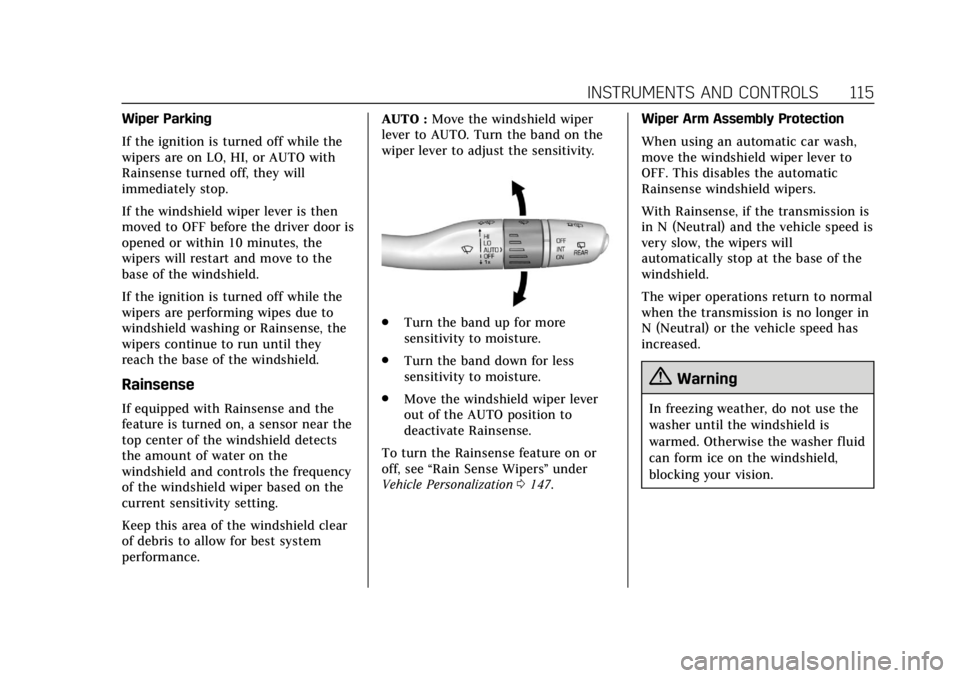
performance.AUTO :
Move the windshield wiper
lever to AUTO. Turn the band on the
wiper lever to adjust the sensitivity.
. Turn the band up for more
sensitivity to moisture.
. Turn the band down for less
sensitivity to moisture.
. Move the windshield wiper lever
out of the AUTO position to
deactivate Rainsense.
To turn the Rainsense feature on or
off, see “Rain Sense Wipers ”under
Vehicle Personalization 0147. Wiper Arm Assembly Protection
When using an automatic car wash,
move the windshield wiper lever to
OFF. This disables the automatic
Rainsense windshield wipers.
With Rainsense, if the transmission is
in N (Neutral) and the vehicle speed is
very slow, the wipers will
automatically stop at the base of the
windshield.
The wiper operations return to normal
when the transmission is no longer in
N (Neutral) or the vehicle speed has
increased.
{Warning
In freezing weather, do not use the
washer until the windshield is
warmed. Otherwise the washer fluid
can form ice on the windshield,
blocking your vision.
Page 119 of 388
Cadillac XT5 Owner Manual (GMNA-Localizing-U.S./Canada/Mexico-
12146119) - 2019 - crc - 7/27/18
118 INSTRUMENTS AND CONTROLS
3. Touch[Back to go back to the
previous menu.
Power Outlets
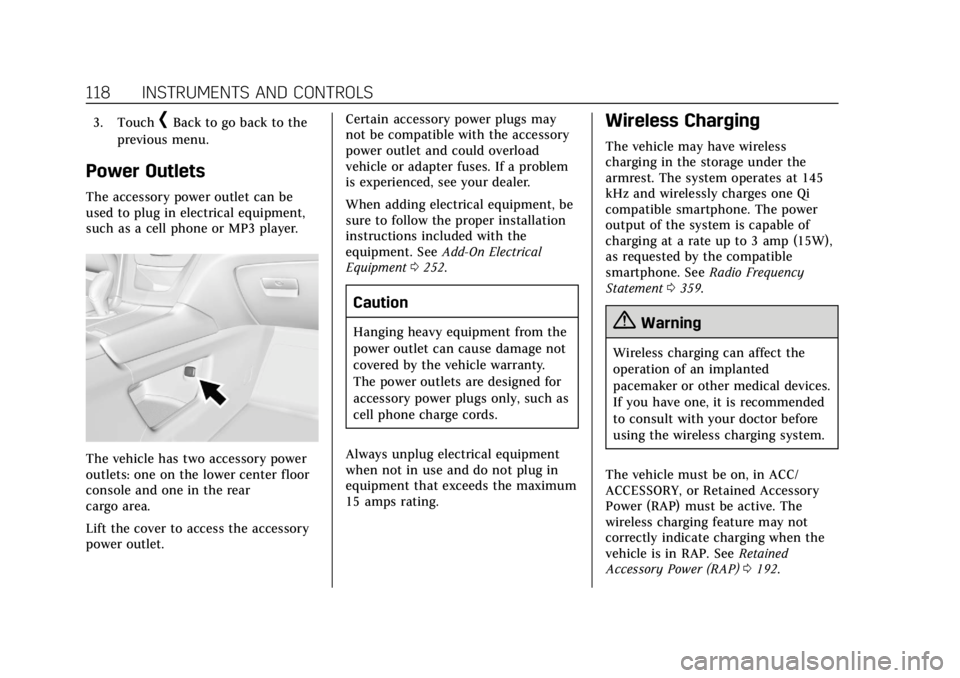
The accessory power outlet can be
used to plug in electrical equipment,
such as a cell phone or MP3 player.
The vehicle has two accessory power
outlets: one on the lower center floor
console and one in the rear
cargo area.
Lift the cover to access the accessory
power outlet. Certain accessory power plugs may
not be compatible with the accessory
power outlet and could overload
vehicle or adapter fuses. If a problem
is experienced, see your dealer.
When adding electrical equipment, be
sure to follow the proper installation
instructions included with the
equipment. See
Add-On Electrical
Equipment 0252.
Caution
Hanging heavy equipment from the
power outlet can cause damage not
covered by the vehicle warranty.
The power outlets are designed for
accessory power plugs only, such as
cell phone charge cords.
Always unplug electrical equipment
when not in use and do not plug in
equipment that exceeds the maximum
15 amps rating.
Wireless Charging
The vehicle may have wireless
charging in the storage under the
armrest. The system operates at 145
kHz and wirelessly charges one Qi
compatible smartphone. The power
output of the system is capable of
charging at a rate up to 3 amp (15W),
as requested by the compatible
smartphone. See Radio Frequency
Statement 0359.
{Warning
Wireless charging can affect the
operation of an implanted
pacemaker or other medical devices.
If you have one, it is recommended
to consult with your doctor before
using the wireless charging system.
The vehicle must be on, in ACC/
ACCESSORY, or Retained Accessory
Power (RAP) must be active. The
wireless charging feature may not
correctly indicate charging when the
vehicle is in RAP. See Retained
Accessory Power (RAP) 0192.
Page 120 of 388
Cadillac XT5 Owner Manual (GMNA-Localizing-U.S./Canada/Mexico-
12146119) - 2019 - crc - 7/27/18
INSTRUMENTS AND CONTROLS 119
The operating temperature is−20 °C
(−4 °F) to 60 °C (140 °F) for the
charging system and 0 °C (32 °F) to
35 °C (95 °F) for the smartphone.
{Warning
Remove all objects from the
charging pocket before charging
your compatible smartphone.
Objects, such as coins, keys, rings,
paper clips, or cards, between the
smartphone and the charger will
become very hot. On the rare
occasion that the charging system
does not detect an object, and the
object gets wedged between the
smartphone and the charger,
remove the smartphone and allow
the object to cool before removing
it from the charging pocket, to
prevent burns.
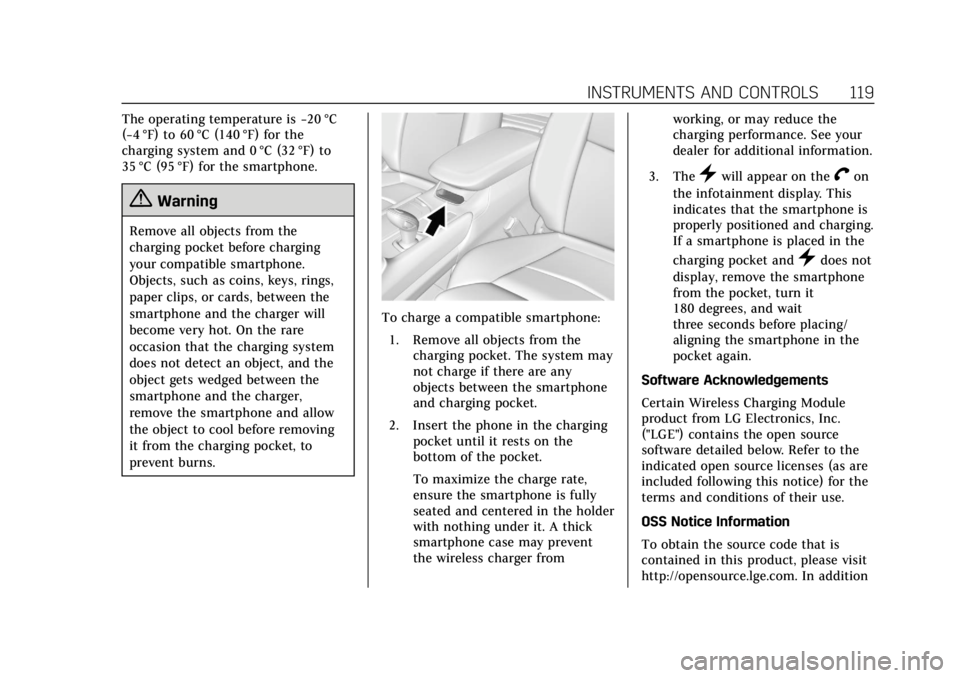
To charge a compatible smartphone:
1. Remove all objects from the charging pocket. The system may
not charge if there are any
objects between the smartphone
and charging pocket.
2. Insert the phone in the charging pocket until it rests on the
bottom of the pocket.
To maximize the charge rate,
ensure the smartphone is fully
seated and centered in the holder
with nothing under it. A thick
smartphone case may prevent
the wireless charger from working, or may reduce the
charging performance. See your
dealer for additional information.
3. The
}will appear on theVon
the infotainment display. This
indicates that the smartphone is
properly positioned and charging.
If a smartphone is placed in the
charging pocket and
}does not
display, remove the smartphone
from the pocket, turn it
180 degrees, and wait
three seconds before placing/
aligning the smartphone in the
pocket again.
Software Acknowledgements
Certain Wireless Charging Module
product from LG Electronics, Inc.
("LGE") contains the open source
software detailed below. Refer to the
indicated open source licenses (as are
included following this notice) for the
terms and conditions of their use.
OSS Notice Information
To obtain the source code that is
contained in this product, please visit
http://opensource.lge.com. In addition
Page 122 of 388
Cadillac XT5 Owner Manual (GMNA-Localizing-U.S./Canada/Mexico-
12146119) - 2019 - crc - 7/27/18
INSTRUMENTS AND CONTROLS 121
Ashtrays
If equipped, the ashtray is in the
center console cupholder.
Caution
If papers, pins, or other flammable
items are put in the ashtray, hot
cigarettes or other smoking
materials could ignite them and
possibly damage the vehicle. Never
put flammable items in the ashtray.
To remove the ashtray, pull it from
the cupholder. Push it back down to
be sure it is secure.
Warning Lights, Gauges,
and Indicators
Warning lights and gauges can signal
that something is wrong before it
becomes serious enough to cause an
expensive repair or replacement.
Paying attention to the warning lights
and gauges could prevent injury.
Some warning lights come on briefly
when the engine is started to indicate
they are working. When one of the
warning lights comes on and stays on
while driving, or when one of the
gauges shows there may be a problem,
check the section that explains what
to do. Waiting to do repairs can be
costly and even dangerous.
Page 129 of 388
Cadillac XT5 Owner Manual (GMNA-Localizing-U.S./Canada/Mexico-
12146119) - 2019 - crc - 7/27/18
128 INSTRUMENTS AND CONTROLS
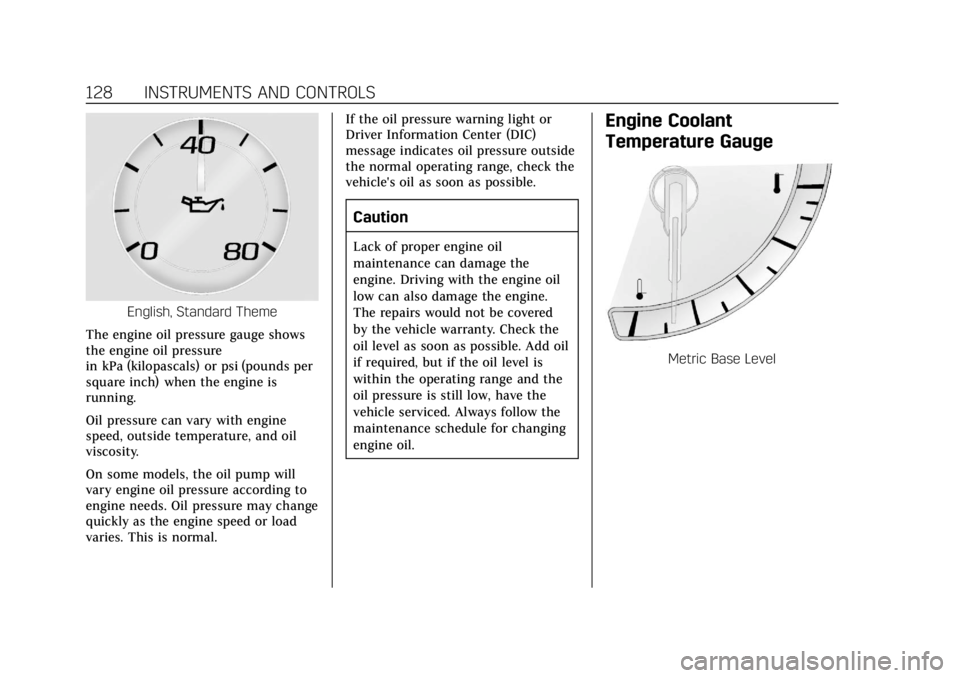
English, Standard Theme
The engine oil pressure gauge shows
the engine oil pressure
in kPa (kilopascals) or psi (pounds per
square inch) when the engine is
running.
Oil pressure can vary with engine
speed, outside temperature, and oil
viscosity.
On some models, the oil pump will
vary engine oil pressure according to
engine needs. Oil pressure may change
quickly as the engine speed or load
varies. This is normal. If the oil pressure warning light or
Driver Information Center (DIC)
message indicates oil pressure outside
the normal operating range, check the
vehicle's oil as soon as possible.
Caution
Lack of proper engine oil
maintenance can damage the
engine. Driving with the engine oil
low can also damage the engine.
The repairs would not be covered
by the vehicle warranty. Check the
oil level as soon as possible. Add oil
if required, but if the oil level is
within the operating range and the
oil pressure is still low, have the
vehicle serviced. Always follow the
maintenance schedule for changing
engine oil.
Engine Coolant
Temperature Gauge
Metric Base Level
Page 132 of 388
Cadillac XT5 Owner Manual (GMNA-Localizing-U.S./Canada/Mexico-
12146119) - 2019 - crc - 7/27/18
INSTRUMENTS AND CONTROLS 131
laptop, or other electronic device. To
turn off the reminder light and/or
chime, remove the object from the
seat or buckle the seat belt.
Airbag Readiness Light
This light shows if there is an
electrical problem with the airbag
system. The system check includes
the airbag sensor(s), the passenger
sensing system, the pretensioners, the
airbag modules, the wiring, and the
crash sensing and diagnostic module.
For more information on the airbag
system, seeAirbag System 076.
The airbag readiness light comes on
for several seconds when the vehicle is
started. If the light does not come on
then, have it fixed immediately.
{Warning
If the airbag readiness light stays
on after the vehicle is started or
comes on while driving, it means
the airbag system might not be
working properly. The airbags in the
vehicle might not inflate in a crash,
or they could even inflate without a
crash. To help avoid injury, have
the vehicle serviced right away.
If there is a problem with the airbag
system, a Driver Information Center
(DIC) message may also come on.
Passenger Airbag Status
Indicator
The vehicle has a passenger sensing
system. See Passenger Sensing System
0 82 for important safety information.
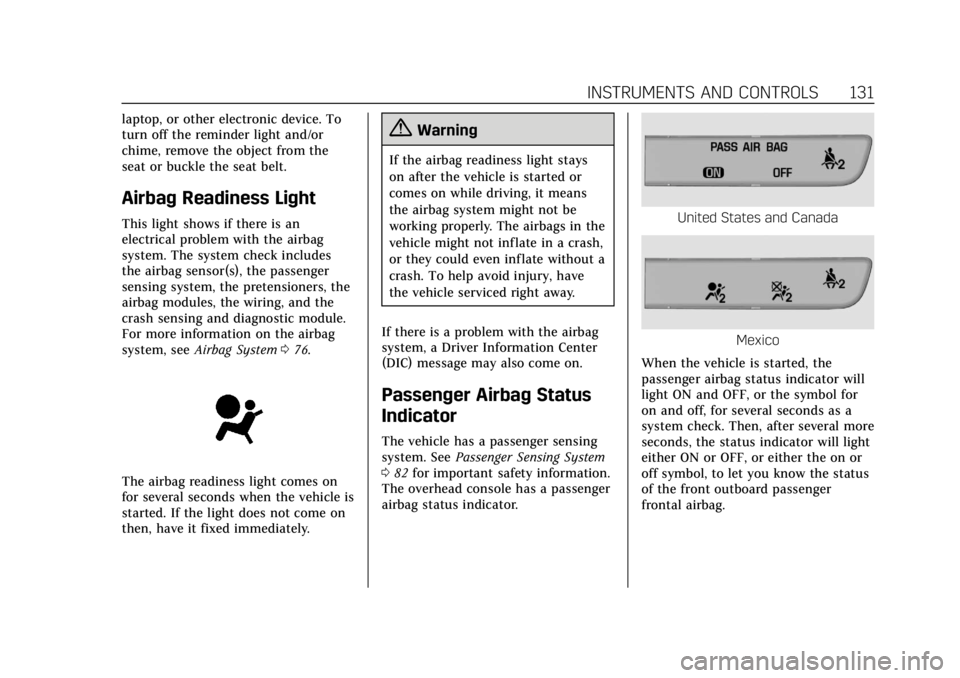
The overhead console has a passenger
airbag status indicator.
United States and Canada
Mexico
When the vehicle is started, the
passenger airbag status indicator will
light ON and OFF, or the symbol for
on and off, for several seconds as a
system check. Then, after several more
seconds, the status indicator will light
either ON or OFF, or either the on or
off symbol, to let you know the status
of the front outboard passenger
frontal airbag.
Page 133 of 388
Cadillac XT5 Owner Manual (GMNA-Localizing-U.S./Canada/Mexico-
12146119) - 2019 - crc - 7/27/18
132 INSTRUMENTS AND CONTROLS
If the word ON or the on symbol is lit
on the passenger airbag status
indicator, it means that the front
outboard passenger frontal airbag is
allowed to inflate.
If the word OFF or the off symbol is lit
on the passenger airbag status
indicator, it means that the passenger
sensing system has turned off the
front outboard passenger frontal
airbag.
If, after several seconds, both status
indicator lights remain on, or if there
are no lights at all, there may be a
problem with the lights or the
passenger sensing system. See your
dealer for service.
{Warning
If the airbag readiness light ever
comes on and stays on, it means
that something may be wrong with
the airbag system. To help avoid
injury to yourself or others, have
the vehicle serviced right away. See(Continued)
Warning (Continued)
Airbag Readiness Light0131 for
more information, including
important safety information.
Charging System Light
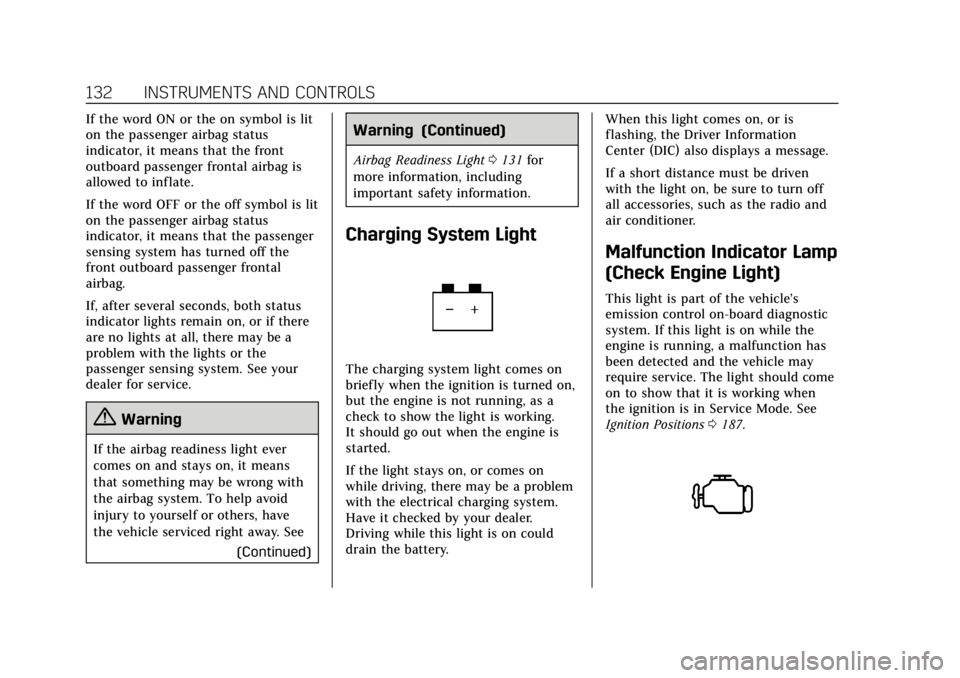
The charging system light comes on
briefly when the ignition is turned on,
but the engine is not running, as a
check to show the light is working.
It should go out when the engine is
started.
If the light stays on, or comes on
while driving, there may be a problem
with the electrical charging system.
Have it checked by your dealer.
Driving while this light is on could
drain the battery. When this light comes on, or is
flashing, the Driver Information
Center (DIC) also displays a message.
If a short distance must be driven
with the light on, be sure to turn off
all accessories, such as the radio and
air conditioner.
Malfunction Indicator Lamp
(Check Engine Light)
This light is part of the vehicle’s
emission control on-board diagnostic
system. If this light is on while the
engine is running, a malfunction has
been detected and the vehicle may
require service. The light should come
on to show that it is working when
the ignition is in Service Mode. See
Ignition Positions
0187.
Page 135 of 388
Cadillac XT5 Owner Manual (GMNA-Localizing-U.S./Canada/Mexico-
12146119) - 2019 - crc - 7/27/18
134 INSTRUMENTS AND CONTROLS
If the light remains on, see your
dealer.
Emissions Inspection and
Maintenance Programs
If the vehicle requires an Emissions
Inspection/Maintenance test, the test
equipment will likely connect to the
vehicle's Data Link Connector (DLC).
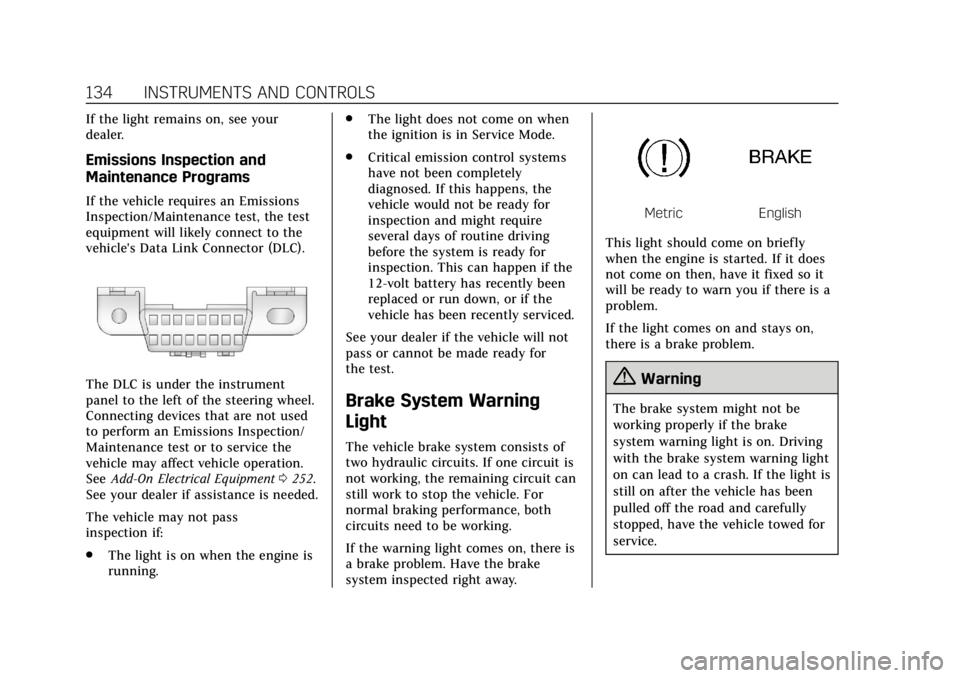
The DLC is under the instrument
panel to the left of the steering wheel.
Connecting devices that are not used
to perform an Emissions Inspection/
Maintenance test or to service the
vehicle may affect vehicle operation.
SeeAdd-On Electrical Equipment 0252.
See your dealer if assistance is needed.
The vehicle may not pass
inspection if:
. The light is on when the engine is
running. .
The light does not come on when
the ignition is in Service Mode.
. Critical emission control systems
have not been completely
diagnosed. If this happens, the
vehicle would not be ready for
inspection and might require
several days of routine driving
before the system is ready for
inspection. This can happen if the
12-volt battery has recently been
replaced or run down, or if the
vehicle has been recently serviced.
See your dealer if the vehicle will not
pass or cannot be made ready for
the test.
Brake System Warning
Light
The vehicle brake system consists of
two hydraulic circuits. If one circuit is
not working, the remaining circuit can
still work to stop the vehicle. For
normal braking performance, both
circuits need to be working.
If the warning light comes on, there is
a brake problem. Have the brake
system inspected right away.
MetricEnglish
This light should come on briefly
when the engine is started. If it does
not come on then, have it fixed so it
will be ready to warn you if there is a
problem.
If the light comes on and stays on,
there is a brake problem.
{Warning
The brake system might not be
working properly if the brake
system warning light is on. Driving
with the brake system warning light
on can lead to a crash. If the light is
still on after the vehicle has been
pulled off the road and carefully
stopped, have the vehicle towed for
service.