lane assist CADILLAC XT5 2020 User Guide
[x] Cancel search | Manufacturer: CADILLAC, Model Year: 2020, Model line: XT5, Model: CADILLAC XT5 2020Pages: 384, PDF Size: 6.52 MB
Page 169 of 384
168 DRIVING AND OPERATING
and you are going fast enough. When
the vehicle is hydroplaning, it has
little or no contact with the road.
There is no hard and fast rule about
hydroplaning. The best advice is to
slow down when the road is wet.
Other Rainy Weather Tips
Besides slowing down, other wet
weather driving tips include:
.Allow extra following distance.
. Pass with caution.
. Keep windshield wiping equipment
in good shape.
. Keep the windshield washer fluid
reservoir filled.
. Have good tires with proper tread
depth. See Tires0282.
. Turn off cruise control.
Hill and Mountain Roads
Driving on steep hills or through
mountains is different than driving on
flat or rolling terrain. Tips include:
.
Keep the vehicle serviced and in
good shape. .
Check all fluid levels, brakes, tires,
cooling system, and transmission.
. Shift to a lower gear when going
down steep or long hills.
{Warning
Using the brakes to slow the vehicle
on a long downhill slope can cause
brake overheating, can reduce brake
performance, and could result in a
loss of braking. Shift the
transmission to a lower gear to let
the engine assist the brakes on a
steep downhill slope.
{Warning
Coasting downhill in N (Neutral) or
with the ignition off is dangerous.
This can cause overheating of the
brakes and loss of steering assist.
Always have the engine running
and the vehicle in gear. .
Drive at speeds that keep the
vehicle in its own lane. Do not
swing wide or cross the
center line.
. Be alert on top of hills; something
could be in your lane (e.g., stalled
car, crash).
. Pay attention to special road signs
(e.g., falling rocks area, winding
roads, long grades, passing or
no-passing zones) and take
appropriate action.
Winter Driving
Driving on Snow or Ice
Snow or ice between the tires and the
road creates less traction or grip, so
drive carefully. Wet ice can occur at
about 0 °C (32 °F) when freezing rain
begins to fall. Avoid driving on wet ice
or in freezing rain until roads can be
treated.
For Slippery Road Driving:
.
Accelerate gently. Accelerating too
quickly causes the wheels to spin
and makes the surface under the
tires slick.
Page 213 of 384
212 DRIVING AND OPERATING
Warning (Continued)
(8 mph), to briefly check the status
of your trailer. Do not use for any
other purpose, such as making lane
change decisions. Before making a
lane change, always check the
mirrors and glance over your
shoulder. Improper use could result
in serious injury to you or others.
Park Assist
With Front and Rear Park Assist, as
the vehicle moves at speeds of less
than 8 km/h (5 mph) the sensors on
the bumpers may detect objects up to
1.2 m (4 ft) in front and 2.5 m (8 ft)
behind the vehicle within a zone
25 cm (10 in) high off the ground and
below bumper level. These detection
distances may be shorter during
warmer or humid weather. Blocked
sensors will not detect objects and
can also cause false detections. Keep
the sensors clean of mud, dirt, snow,
ice, and slush; and clean sensors after
a car wash in freezing temperatures.
{Warning
The Park Assist system does not
detect children, pedestrians,
bicyclists, animals, or objects
located below the bumper or that
are too close or too far from the
vehicle. It is not available at speeds
greater than 8 km/h (5 mph). To
prevent injury, death, or vehicle
damage, even with Park Assist,
always check the area around the
vehicle and check all mirrors before
moving forward or backing.
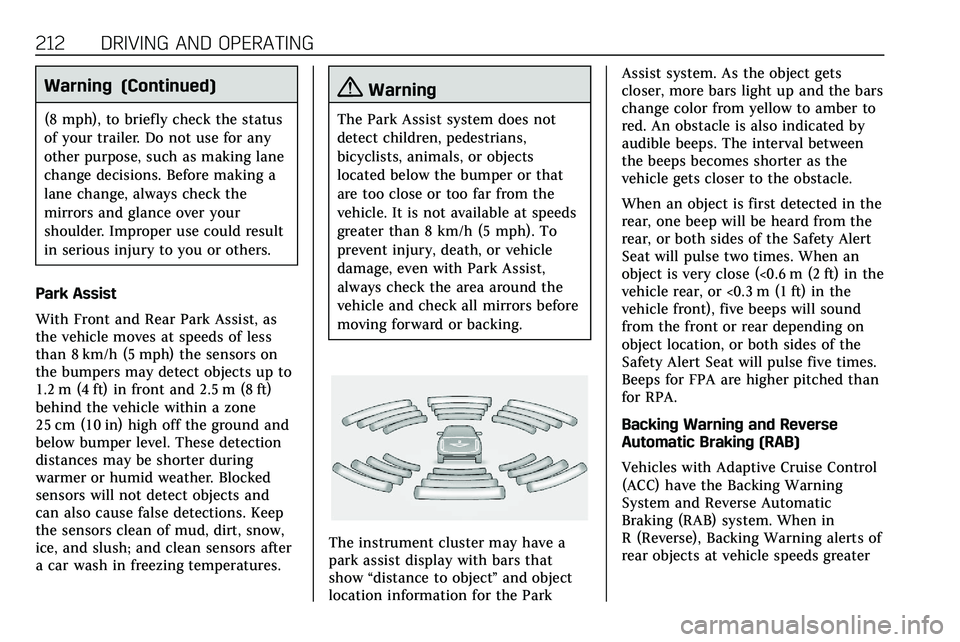
The instrument cluster may have a
park assist display with bars that
show “distance to object ”and object
location information for the Park Assist system. As the object gets
closer, more bars light up and the bars
change color from yellow to amber to
red. An obstacle is also indicated by
audible beeps. The interval between
the beeps becomes shorter as the
vehicle gets closer to the obstacle.
When an object is first detected in the
rear, one beep will be heard from the
rear, or both sides of the Safety Alert
Seat will pulse two times. When an
object is very close (<0.6 m (2 ft) in the
vehicle rear, or <0.3 m (1 ft) in the
vehicle front), five beeps will sound
from the front or rear depending on
object location, or both sides of the
Safety Alert Seat will pulse five times.
Beeps for FPA are higher pitched than
for RPA.
Backing Warning and Reverse
Automatic Braking (RAB)
Vehicles with Adaptive Cruise Control
(ACC) have the Backing Warning
System and Reverse Automatic
Braking (RAB) system. When in
R (Reverse), Backing Warning alerts of
rear objects at vehicle speeds greater
Page 218 of 384
DRIVING AND OPERATING 217
Warning (Continued)
.The pedestrian is not directly
behind the vehicle, fully
visible to the Rear Vision
Camera (RVC), or standing
upright.
. The pedestrian is part of a
group.
. The pedestrian is a child.
. Visibility is poor, including
nighttime conditions, fog,
rain, or snow.
. The RVC is blocked by dirt,
snow, or ice.
. The RVC, taillamps,
or back-up lamps are not
cleaned or in proper working
condition.
. The vehicle is not in
R (Reverse).
To help avoid death or injury,
always check for pedestrians
around the vehicle before backing
up. Be ready to take action and (Continued)
Warning (Continued)
apply the brakes. SeeDefensive
Driving 0160. Keep the RVC,
taillamps, and back-up lamps clean
and in good repair.
Rear Pedestrian Alert can be set to Off
or Alert. See “Rear Pedestrian
Detection ”in “Collision/Detection
Systems” underVehicle Personalization
0 131. If equipped, alerts can be set to
beeps or seat pulses. See “Alert Type”
in “Collision/Detection Systems” under
Vehicle Personalization 0131.
Assistance Systems for
Driving
If equipped, when driving the vehicle
in a forward gear, Forward Collision
Alert (FCA), Lane Departure Warning
(LDW), Lane Keep Assist (LKA), Side
Blind Zone Alert (SBZA), Lane Change
Alert (LCA), Automatic Emergency
Braking (AEB), and/or the Front
Pedestrian Braking (FPB) System can
help to avoid a crash or reduce crash
damage.
Forward Collision Alert
(FCA) System
If equipped, the FCA system may help
to avoid or reduce the harm caused by
front-end crashes. When approaching
a vehicle ahead too quickly, FCA
provides a red flashing alert on the
windshield and rapidly beeps or pulses
the driver seat. FCA also lights an
amber visual alert if following another
vehicle too closely.
FCA detects vehicles within a distance
of approximately 60 m (197 ft) and
operates at speeds above 8 km/h
(5 mph). If the vehicle has Adaptive
Cruise Control (ACC), it can detect
vehicles to distances of approximately
110 m (360 ft) and operates at all
speeds. See Adaptive Cruise Control
0 198.
{Warning
FCA is a warning system and does
not apply the brakes. When
approaching a slower-moving or
stopped vehicle ahead too rapidly,
(Continued)
Page 227 of 384
226 DRIVING AND OPERATING
still looks blurry, use a soft wet cloth
to gently clean the sensor camera lens
and dry thoroughly. The sensor is
behind the lower front grille below the
driver side headlamp.
The camera must also be aligned to
work correctly. If the camera needs
adjustment, see your dealer. Do not
attempt to adjust the camera yourself.
Side Blind Zone
Alert (SBZA)
If equipped, the SBZA system is a
lane-changing aid that assists drivers
with avoiding crashes that occur with
moving vehicles in the side blind zone
(or spot) areas. When the vehicle is in
a forward gear, the left or right side
mirror display will light up if a moving
vehicle is detected in that blind zone.
If the turn signal is activated and a
vehicle is also detected on the same
side, the display will flash as an extra
warning not to change lanes. Since
this system is part of the Lane Change
Alert (LCA) system, read the entire
LCA section before using this feature.
Lane Change Alert (LCA)
If equipped, the LCA system is a
lane-changing aid that assists drivers
with avoiding lane change crashes
that occur with moving vehicles in the
side blind zone (or spot) areas or with
vehicles rapidly approaching these
areas from behind. The LCA warning
display will light up in the
corresponding outside side mirror and
will flash if the turn signal is on.
{Warning
LCA does not alert the driver to
vehicles outside of the system
detection zones, pedestrians,
bicyclists, or animals. It may not
provide alerts when changing lanes
under all driving conditions. Failure
to use proper care when changing
lanes may result in injury, death,
or vehicle damage. Before making a
lane change, always check mirrors,
glance over your shoulder, and use
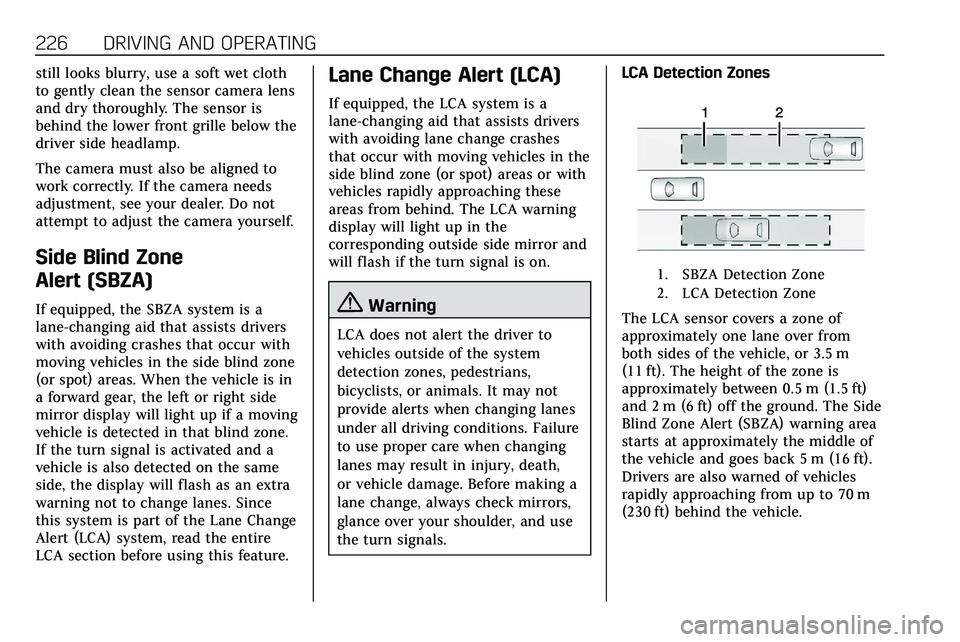
the turn signals.LCA Detection Zones
1. SBZA Detection Zone
2. LCA Detection Zone
The LCA sensor covers a zone of
approximately one lane over from
both sides of the vehicle, or 3.5 m
(11 ft). The height of the zone is
approximately between 0.5 m (1.5 ft)
and 2 m (6 ft) off the ground. The Side
Blind Zone Alert (SBZA) warning area
starts at approximately the middle of
the vehicle and goes back 5 m (16 ft).
Drivers are also warned of vehicles
rapidly approaching from up to 70 m
(230 ft) behind the vehicle.
Page 229 of 384

228 DRIVING AND OPERATING
If the LCA displays do not light up
when moving vehicles are in the side
blind zone or are rapidly approaching
this zone and the system is clean, the
system may need service. Take the
vehicle to your dealer.
Radio Frequency Information
SeeRadio Frequency Statement 0358.
Lane Keep Assist (LKA)
If equipped, LKA may help avoid
crashes due to unintentional lane
departures. This system uses a camera
to detect lane markings between
60 km/h (37 mph) and 180 km/h
(112 mph). It may assist by gently
turning the steering wheel if the
vehicle approaches a detected lane
marking. It may also provide a Lane
Departure Warning (LDW) alert if the
vehicle crosses a detected lane
marking. LKA can be overridden by
turning the steering wheel. This
system is not intended to keep the
vehicle centered in the lane. LKA will
not assist and alert if the turn signal
is active in the direction of lane departure, or if it detects that you are
accelerating, braking, or actively
steering.
{Warning
The LKA system does not
continuously steer the vehicle.
It may not keep the vehicle in the
lane or give a Lane Departure
Warning (LDW) alert, even if a lane
marking is detected.
The LKA and LDW systems
may not:
. Provide an alert or enough
steering assist to avoid a lane
departure or crash.
. Detect lane markings under
poor weather or visibility
conditions. This can occur if
the windshield or headlamps
are blocked by dirt, snow,
or ice; if they are not in
proper condition; or if the sun
shines directly into the
camera.
(Continued)
Warning (Continued)
.Detect road edges.
. Detect lanes on winding or
hilly roads.
If LKA only detects lane markings
on one side of the road, it will only
assist or provide an LDW alert
when approaching the lane on the
side where it has detected a lane
marking. Even with LKA and LDW,
you must steer the vehicle. Always
keep your attention on the road and
maintain proper vehicle position
within the lane, or vehicle damage,
injury, or death could occur. Always
keep the windshield, headlamps,
and camera sensors clean and in
good repair. Do not use LKA in bad
weather conditions or on roads with
unclear lane markings, such as
construction zones.
Page 230 of 384

DRIVING AND OPERATING 229
{Warning
Using LKA while towing a trailer or
on slippery roads could cause loss
of control of the vehicle and a
crash. Turn the system off.
How the System Works
LKA uses a camera sensor installed on
the windshield ahead of the rearview
mirror to detect lane markings. It may
provide brief steering assist if it
detects an unintended lane departure.
It may further provide an audible alert
or the driver seat may pulse indicating
that a lane marking has been crossed.
To turn LKA on and off, press
Aon
the steering wheel. If equipped, the
indicator light on the button comes
on when LKA is on and turns off
when LKA is disabled.
When on,
Ais white, if equipped,
indicating that the system is not ready
to assist.
Ais green if LKA is ready
to assist. LKA may assist by gently
turning the steering wheel if the
vehicle approaches a detected lane marking.
Ais amber when
assisting. It may also provide a Lane
Departure Warning (LDW) alert by
flashing
Aamber if the vehicle
crosses a detected lane marking.
Additionally, there may be three
beeps, or the driver seat may pulse
three times, on the right or left,
depending on the lane departure
direction.
Take Steering
The LKA system does not
continuously steer the vehicle. If LKA
does not detect active driver steering,
an alert and chime may be provided.
Steer the vehicle to dismiss. LKA may
become temporarily unavailable after
repeated take steering alerts.
When the System Does Not
Seem to Work Properly
The system performance may be
affected by:
. Close vehicles ahead.
. Sudden lighting changes, such as
when driving through tunnels.
. Banked roads. .
Roads with poor lane markings,
such as two-lane roads.
A camera blocked message may
display if the camera is blocked. Some
driver assistance systems may have
reduced performance or not work at
all. An LKA or LDW unavailable
message may display if the systems
are temporarily unavailable. This
message could be due to a blocked
camera. The LKA system does not
need service. Clean the outside of the
windshield behind the rearview mirror.
LKA assistance and/or LDW alerts
may occur due to tar marks, shadows,
cracks in the road, temporary or
construction lane markings, or other
road imperfections. This is normal
system operation; the vehicle does not
need service. Turn LKA off if these
conditions continue.
Page 236 of 384

DRIVING AND OPERATING 235
If equipped, the following driver
assistance features should be turned
off when towing a trailer:
.Adaptive Cruise Control (ACC)
. Super Cruise Control
. Lane Keep Assist (LKA)
. Park Assist
. Automatic Parking Assist (APA)
. Reverse Automatic Braking (RAB)
If equipped, the following driver
assistance features should be turned
to alert or off when towing a trailer:
. Automatic Emergency
Braking (AEB)
. Intelligent Brake Assist (IBA)
. Front Pedestrian Braking (FPB)
If equipped with Lane Change Alert
(LCA), the LCA detection zones that
extend back from the side of the
vehicle do not move further back
when a trailer is towed. Use caution
while changing lanes when towing a
trailer. If equipped with Rear Cross Traffic
Alert (RCTA), use caution while
backing up when towing a trailer, as
the RCTA detection zones that extend
out from the back of the vehicle do
not move further back when a trailer
is towed.
{Warning
To prevent serious injury or death
from carbon monoxide (CO), when
towing a trailer:
. Do not drive with the liftgate,
trunk/hatch, or rear-most
window open.
. Fully open the air outlets on
or under the instrument
panel.
. Adjust the climate control
system to a setting that
brings in only outside air. See
“Climate Control Systems” in
the Index.
For more information about carbon
monoxide, see Engine Exhaust
0 183. Towing a trailer requires experience.
The combination of the vehicle and
trailer is longer and not as responsive
as the vehicle itself. Get used to the
handling and braking of the
combination by driving on a level road
surface before driving on public roads.
The trailer structure, the tires, and the
brakes must be all be rated to carry
the intended cargo. Inadequate trailer
equipment can cause the combination
to operate in an unexpected or unsafe
manner. Before driving, inspect all
trailer hitch parts and attachments,
safety chains, electrical connectors,
lamps, tires, and mirrors. See
Towing
Equipment 0241. If the trailer has
electric brakes, start the combination
moving and then manually apply the
trailer brake controller to check the
trailer brakes work. During the trip,
occasionally check that the cargo and
trailer are secure and that the lamps
and any trailer brakes are working.
Towing with a Stability Control
System
When towing, the stability control
system might be heard. The system
reacts to vehicle movement caused by
Page 373 of 384
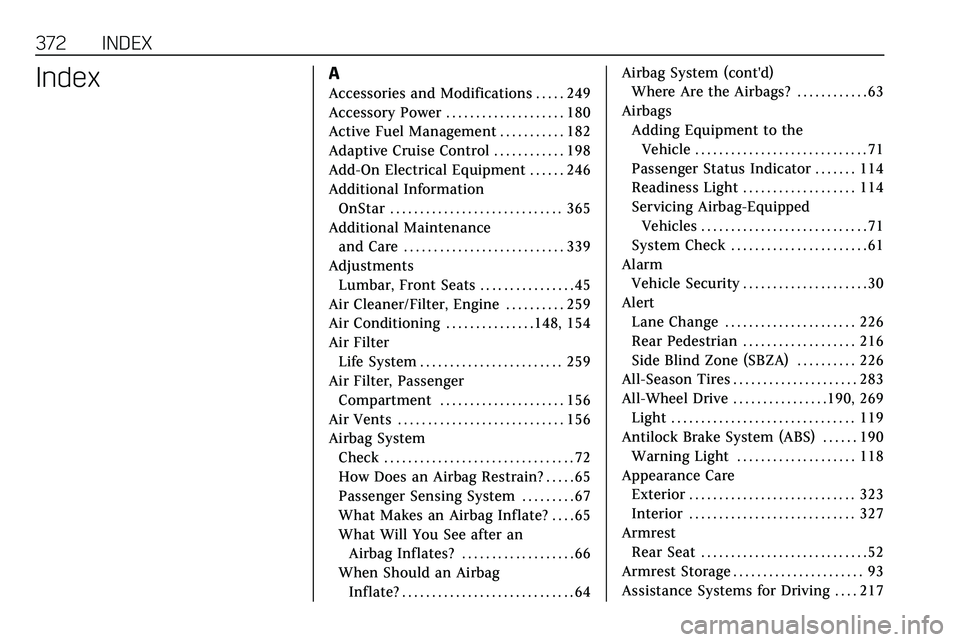
372 INDEX
IndexA
Accessories and Modifications . . . . . 249
Accessory Power . . . . . . . . . . . . . . . . . . . . 180
Active Fuel Management . . . . . . . . . . . 182
Adaptive Cruise Control . . . . . . . . . . . . 198
Add-On Electrical Equipment . . . . . . 246
Additional InformationOnStar . . . . . . . . . . . . . . . . . . . . . . . . . . . . . 365
Additional Maintenance and Care . . . . . . . . . . . . . . . . . . . . . . . . . . . 339
Adjustments Lumbar, Front Seats . . . . . . . . . . . . . . . . 45
Air Cleaner/Filter, Engine . . . . . . . . . . 259
Air Conditioning . . . . . . . . . . . . . . .148, 154
Air Filter Life System . . . . . . . . . . . . . . . . . . . . . . . . 259
Air Filter, Passenger Compartment . . . . . . . . . . . . . . . . . . . . . 156
Air Vents . . . . . . . . . . . . . . . . . . . . . . . . . . . . 156
Airbag System
Check . . . . . . . . . . . . . . . . . . . . . . . . . . . . . . . . 72
How Does an Airbag Restrain? . . . . . 65
Passenger Sensing System . . . . . . . . . 67
What Makes an Airbag Inflate? . . . . 65
What Will You See after anAirbag Inflates? . . . . . . . . . . . . . . . . . . . 66
When Should an Airbag Inflate? . . . . . . . . . . . . . . . . . . . . . . . . . . . . . 64 Airbag System (cont'd)
Where Are the Airbags? . . . . . . . . . . . . 63
Airbags Adding Equipment to theVehicle . . . . . . . . . . . . . . . . . . . . . . . . . . . . . 71
Passenger Status Indicator . . . . . . . 114
Readiness Light . . . . . . . . . . . . . . . . . . . 114
Servicing Airbag-Equipped Vehicles . . . . . . . . . . . . . . . . . . . . . . . . . . . . 71
System Check . . . . . . . . . . . . . . . . . . . . . . . 61
Alarm Vehicle Security . . . . . . . . . . . . . . . . . . . . . 30
Alert Lane Change . . . . . . . . . . . . . . . . . . . . . . 226
Rear Pedestrian . . . . . . . . . . . . . . . . . . . 216
Side Blind Zone (SBZA) . . . . . . . . . . 226
All-Season Tires . . . . . . . . . . . . . . . . . . . . . 283
All-Wheel Drive . . . . . . . . . . . . . . . .190, 269 Light . . . . . . . . . . . . . . . . . . . . . . . . . . . . . . . 119
Antilock Brake System (ABS) . . . . . . 190 Warning Light . . . . . . . . . . . . . . . . . . . . 118
Appearance Care Exterior . . . . . . . . . . . . . . . . . . . . . . . . . . . . 323
Interior . . . . . . . . . . . . . . . . . . . . . . . . . . . . 327
Armrest Rear Seat . . . . . . . . . . . . . . . . . . . . . . . . . . . . 52
Armrest Storage . . . . . . . . . . . . . . . . . . . . . . 93
Assistance Systems for Driving . . . . 217
Page 378 of 384
INDEX 377
Infotainment . . . . . . . . . . . . . . . . . . . . . . . . 147
Infotainment System . . . . . . . . . . . . . . . 362
Instrument Cluster . . . . . . . . . . . . . . . . . 108
Instrument Panel Overview . . . . . . . . . . . 5
Interior Rearview Mirrors . . . . . . . . . . . 35
Introduction . . . . . . . . . . . . . . . . . . . . . . . . . . . . 2
J
Jump Starting - North America . . . . 316
K
Keyless EntryRemote (RKE) System . . . . . . . . . . . . . . 10
Keys . . . . . . . . . . . . . . . . . . . . . . . . . . . . . . . . . . . . 9
L
Labeling, Tire Sidewall . . . . . . . . . . . . . 284
Lamps Cornering . . . . . . . . . . . . . . . . . . . . . . . . . . 144
Courtesy . . . . . . . . . . . . . . . . . . . . . . . . . . . 144
Daytime Running (DRL) . . . . . . . . . . 142
Dome . . . . . . . . . . . . . . . . . . . . . . . . . . . . . . 144
Exterior Controls . . . . . . . . . . . . . . . . . . 140
Exterior Lamps Off Reminder . . . . 142
Exterior Lighting BatterySaver . . . . . . . . . . . . . . . . . . . . . . . . . . . . . 146
Malfunction Indicator (Check Engine) . . . . . . . . . . . . . . . . . . . . . . . . . . 115
On Reminder . . . . . . . . . . . . . . . . . . . . . . 123 Lamps (cont'd)
Reading . . . . . . . . . . . . . . . . . . . . . . . . . . . . 145
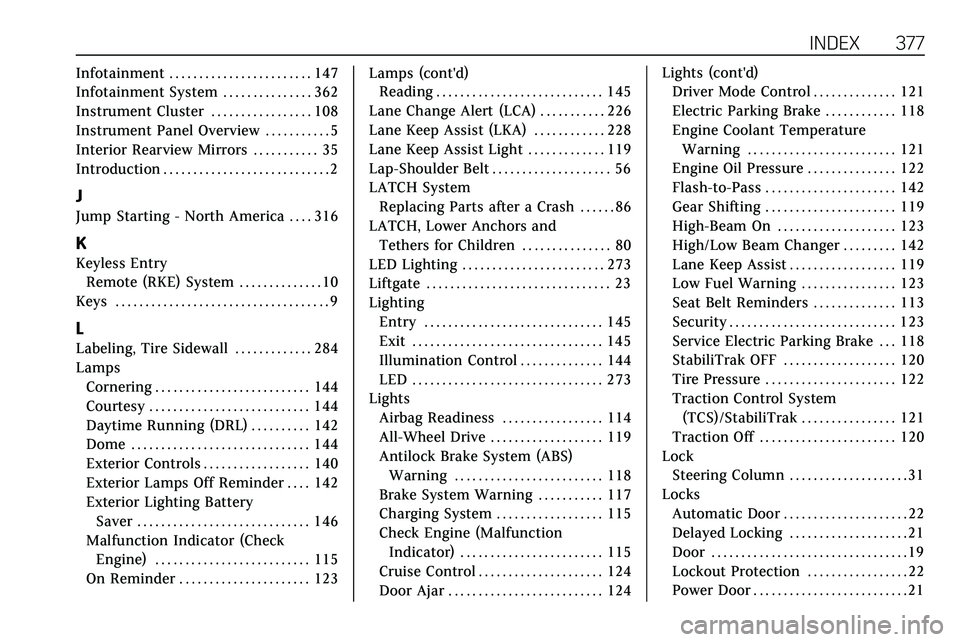
Lane Change Alert (LCA) . . . . . . . . . . . 226
Lane Keep Assist (LKA) . . . . . . . . . . . . 228
Lane Keep Assist Light . . . . . . . . . . . . . 119
Lap-Shoulder Belt . . . . . . . . . . . . . . . . . . . . 56
LATCH System Replacing Parts after a Crash . . . . . . 86
LATCH, Lower Anchors and Tethers for Children . . . . . . . . . . . . . . . 80
LED Lighting . . . . . . . . . . . . . . . . . . . . . . . . 273
Liftgate . . . . . . . . . . . . . . . . . . . . . . . . . . . . . . . 23
Lighting Entry . . . . . . . . . . . . . . . . . . . . . . . . . . . . . . 145
Exit . . . . . . . . . . . . . . . . . . . . . . . . . . . . . . . . 145
Illumination Control . . . . . . . . . . . . . . 144
LED . . . . . . . . . . . . . . . . . . . . . . . . . . . . . . . . 273
Lights Airbag Readiness . . . . . . . . . . . . . . . . . 114
All-Wheel Drive . . . . . . . . . . . . . . . . . . . 119
Antilock Brake System (ABS)Warning . . . . . . . . . . . . . . . . . . . . . . . . . 118
Brake System Warning . . . . . . . . . . . 117
Charging System . . . . . . . . . . . . . . . . . . 115
Check Engine (Malfunction Indicator) . . . . . . . . . . . . . . . . . . . . . . . . 115
Cruise Control . . . . . . . . . . . . . . . . . . . . . 124
Door Ajar . . . . . . . . . . . . . . . . . . . . . . . . . . 124 Lights (cont'd)
Driver Mode Control . . . . . . . . . . . . . . 121
Electric Parking Brake . . . . . . . . . . . . 118
Engine Coolant Temperature
Warning . . . . . . . . . . . . . . . . . . . . . . . . . 121
Engine Oil Pressure . . . . . . . . . . . . . . . 122
Flash-to-Pass . . . . . . . . . . . . . . . . . . . . . . 142
Gear Shifting . . . . . . . . . . . . . . . . . . . . . . 119
High-Beam On . . . . . . . . . . . . . . . . . . . . 123
High/Low Beam Changer . . . . . . . . . 142
Lane Keep Assist . . . . . . . . . . . . . . . . . . 119
Low Fuel Warning . . . . . . . . . . . . . . . . 123
Seat Belt Reminders . . . . . . . . . . . . . . 113
Security . . . . . . . . . . . . . . . . . . . . . . . . . . . . 123
Service Electric Parking Brake . . . 118
StabiliTrak OFF . . . . . . . . . . . . . . . . . . . 120
Tire Pressure . . . . . . . . . . . . . . . . . . . . . . 122
Traction Control System (TCS)/StabiliTrak . . . . . . . . . . . . . . . . 121
Traction Off . . . . . . . . . . . . . . . . . . . . . . . 120
Lock
Steering Column . . . . . . . . . . . . . . . . . . . . 31
Locks Automatic Door . . . . . . . . . . . . . . . . . . . . . 22
Delayed Locking . . . . . . . . . . . . . . . . . . . . 21
Door . . . . . . . . . . . . . . . . . . . . . . . . . . . . . . . . . 19
Lockout Protection . . . . . . . . . . . . . . . . . 22
Power Door . . . . . . . . . . . . . . . . . . . . . . . . . . 21
Page 381 of 384
380 INDEX
S
Safety Defects ReportingCanadian Government . . . . . . . . . . . . 359
General Motors . . . . . . . . . . . . . . . . . . . 360
U.S. Government . . . . . . . . . . . . . . . . . . 359
Safety Locks . . . . . . . . . . . . . . . . . . . . . . . . . . 22
Safety System Check . . . . . . . . . . . . . . . . 60
Scheduling Appointments . . . . . . . . . . 354
Sealant Kit, Tire . . . . . . . . . . . . . . . . . . . . . 304
Seat Belts . . . . . . . . . . . . . . . . . . . . . . . . . . . . . 53 Care . . . . . . . . . . . . . . . . . . . . . . . . . . . . . . . . . . 60
Extender . . . . . . . . . . . . . . . . . . . . . . . . . . . . . 60
How to Wear Seat BeltsProperly . . . . . . . . . . . . . . . . . . . . . . . . . . . . 54
Lap-Shoulder Belt . . . . . . . . . . . . . . . . . . . 56
Reminders . . . . . . . . . . . . . . . . . . . . . . . . . 113
Replacing after a Crash . . . . . . . . . . . . . 61
Use During Pregnancy . . . . . . . . . . . . . . 59
Seats
Adjustment, Front . . . . . . . . . . . . . . . . . . 44
Head Restraints . . . . . . . . . . . . . . . . . . . . . 43
Heated and Ventilated Front . . . . . . . 49
Heated, Rear . . . . . . . . . . . . . . . . . . . . . . . . 53
Lumbar Adjustment, Front . . . . . . . . . 45
Memory . . . . . . . . . . . . . . . . . . . . . . . . . . . . . 46
Rear . . . . . . . . . . . . . . . . . . . . . . . . . . . . . . . . . . 50
Reclining Seatbacks . . . . . . . . . . . . . . . . 45
Securing Child Restraints . . . . . . . 86, 88 Security
Light . . . . . . . . . . . . . . . . . . . . . . . . . . . . . . . 123
OnStar . . . . . . . . . . . . . . . . . . . . . . . . . . . . . 364
Vehicle . . . . . . . . . . . . . . . . . . . . . . . . . . . . . . . 30
Vehicle Alarm . . . . . . . . . . . . . . . . . . . . . . . 30
Service . . . . . . . . . . . . . . . . . . . . . . . . . . . . . . . 156 Accessories and
Modifications . . . . . . . . . . . . . . . . . . . . 249
Doing Your Own Work . . . . . . . . . . . 249
Maintenance Records . . . . . . . . . . . . 344
Maintenance, General Information . . . . . . . . . . . . . . . . . . . . . . 331
Parts Identification . . . . . . . . . . . . . . . 345
Scheduling Appointments . . . . . . . . 354
Service Electric Parking Brake Light . . . . . . . . . . . . . . . . . . . . . . . . . . . . . . . 118
Services Special Application . . . . . . . . . . . . . . . 338
Servicing the Airbag . . . . . . . . . . . . . . . . . 71
Shifting Into Park . . . . . . . . . . . . . . . . . . . . . . . . . . 180
Out of Park . . . . . . . . . . . . . . . . . . . . . . . . 180
Side Blind Zone Alert (SBZA) . . . . . . 226
Signals, Turn and Lane-Change . . . . 143
Spare Tire Compact . . . . . . . . . . . . . . . . . . . . . . . . . . . 315
Special Application Services . . . . . . . 338
Specifications and Capacities . . . . . . 346 Speedometer . . . . . . . . . . . . . . . . . . . . . . . . 111
StabiliTrak
OFF Light . . . . . . . . . . . . . . . . . . . . . . . . . . 120
Start Assist, Hill . . . . . . . . . . . . . . . . . . . . 193
Start Vehicle, Remote . . . . . . . . . . . . . . . 17
Starter Switch Check . . . . . . . . . . . . . . . 269
Starting the Engine . . . . . . . . . . . . . . . . . 176
Steering . . . . . . . . . . . . . . . . . . . . . . . . . . . . . . 161 Heated Wheel . . . . . . . . . . . . . . . . . . . . . 100
Wheel Adjustment . . . . . . . . . . . . . . . . 100
Wheel Controls . . . . . . . . . . . . . . . . . . . 100
Steering Column Lock . . . . . . . . . . . . . . . 31
Stop/Start System . . . . . . . . . . . . . . . . . . 177
Storage Rear . . . . . . . . . . . . . . . . . . . . . . . . . . . . . . . . . . 93
Storage Areas
Armrest . . . . . . . . . . . . . . . . . . . . . . . . . . . . . . 93
Cargo Cover . . . . . . . . . . . . . . . . . . . . . . . . . 95
Cargo Management System . . . . . . . . 96
Center Console . . . . . . . . . . . . . . . . . . . . . . 94
Convenience Net . . . . . . . . . . . . . . . . . . . . 97
Glove Box . . . . . . . . . . . . . . . . . . . . . . . . . . . 92
Roof Rack System . . . . . . . . . . . . . . . . . . 98
Sunglasses . . . . . . . . . . . . . . . . . . . . . . . . . . . 93
Storage Compartments . . . . . . . . . . . . . . 92
Storing the Tire Sealant and
Compressor Kit . . . . . . . . . . . . . . . . . . . . 310