air condition CADILLAC XT6 2023 Owners Manual
[x] Cancel search | Manufacturer: CADILLAC, Model Year: 2023, Model line: XT6, Model: CADILLAC XT6 2023Pages: 507, PDF Size: 6.49 MB
Page 4 of 507
Cadillac XT6 Owner Manual (GMNA-Localizing-U.S./Canada-16405819) -
2023 - CRC - 3/22/22
Introduction 3
{Warning
Warning indicates a hazard
that could result in injury or
death.
Caution
Caution indicates a hazard
that could result in property
or vehicle damage.
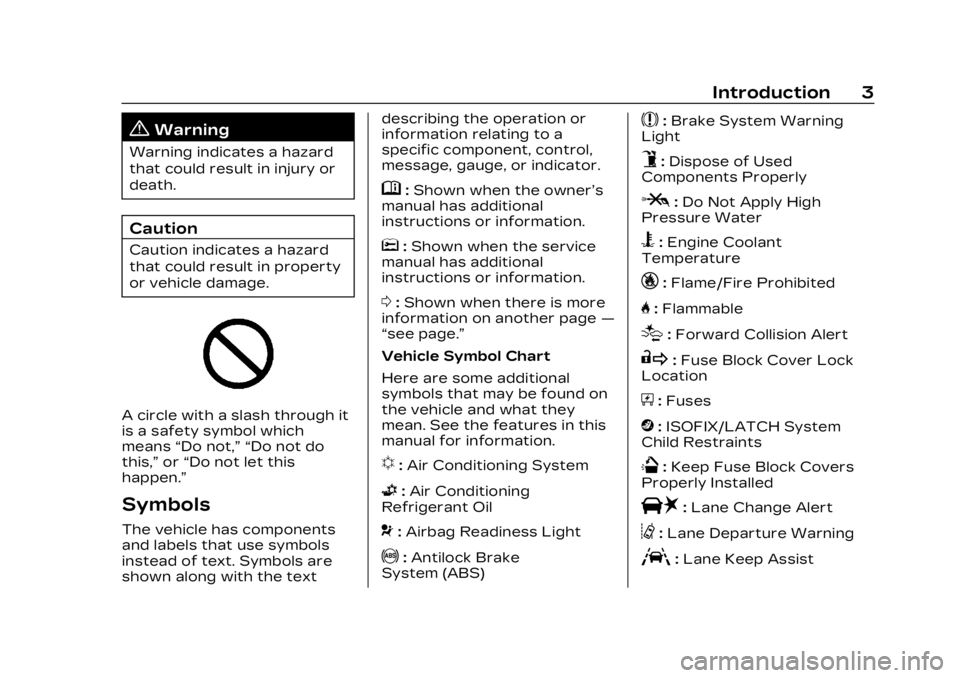
A circle with a slash through it
is a safety symbol which
means“Do not,” “Do not do
this,” or“Do not let this
happen.”
Symbols
The vehicle has components
and labels that use symbols
instead of text. Symbols are
shown along with the text describing the operation or
information relating to a
specific component, control,
message, gauge, or indicator.
M:
Shown when the owner’s
manual has additional
instructions or information.
*: Shown when the service
manual has additional
instructions or information.
0: Shown when there is more
information on another page —
“see page.”
Vehicle Symbol Chart
Here are some additional
symbols that may be found on
the vehicle and what they
mean. See the features in this
manual for information.
u: Air Conditioning System
G:Air Conditioning
Refrigerant Oil
9: Airbag Readiness Light
!:Antilock Brake
System (ABS)
$: Brake System Warning
Light
9: Dispose of Used
Components Properly
P: Do Not Apply High
Pressure Water
B: Engine Coolant
Temperature
_: Flame/Fire Prohibited
H: Flammable
[:Forward Collision Alert
R:Fuse Block Cover Lock
Location
+: Fuses
j:ISOFIX/LATCH System
Child Restraints
Q: Keep Fuse Block Covers
Properly Installed
|: Lane Change Alert
@:Lane Departure Warning
A:Lane Keep Assist
Page 56 of 507

Cadillac XT6 Owner Manual (GMNA-Localizing-U.S./Canada-16405819) -
2023 - CRC - 3/22/22
Seats and Restraints 55
heated or ventilated seats at
the level required by the
vehicle’s interior temperature.
The active high, medium, low,
or off heated or ventilated
seat level will be indicated by
the manual heated or
ventilated seat buttons on the
center stack. Use the manual
heated or ventilated seat
buttons on the center stack to
turn auto heated or ventilated
seats off. If the passenger
seat is unoccupied, the auto
heated or ventilated seats
feature will not activate that
seat. To enable or disable auto
heated or ventilated seats,
select Settings > Vehicle >
Climate and Air Quality > Auto
Cooled or Auto Heated Seats
> ON or OFF.
Remote Start Heated and
Ventilated Seats
During a remote start, the
heated or ventilated seats,
if equipped, can be turned on
automatically. When it is cold
outside, the heated seats turnon, and when it is hot outside
the ventilated seats turn on.
If the auto heated or
ventilated seats feature,
if equipped, is not turned on,
the heated or ventilated seats
will be canceled when the
ignition is turned on. Press the
heated or ventilated seat
button to use the heated or
ventilated seats after the
vehicle is started.
The heated or ventilated seat
indicator lights do not turn on
during a remote start.
The temperature performance
of an unoccupied seat may be
reduced. This is normal.
To enable or disable remote
start heated or ventilated
seats, select Settings >
Vehicle > Remote Lock,
Unlock, and Start > Remote
Start Auto Heat Seats or
Remote Start Auto Cool Seats
> ON or OFF. See Remote
Vehicle Start
019.Rear Seats
Rear Seat Reminder
If equipped, the message
REAR SEAT REMINDER LOOK
IN REAR SEAT displays under
certain conditions indicating
there may be an item or
passenger in the rear seat.
Check before exiting the
vehicle.
This feature will activate when
a second row door is opened
while the vehicle is on or up to
10 minutes before the vehicle
is turned on. There will be an
alert when the vehicle is
turned off. The alert does not
directly detect objects in the
rear seat; instead, under
certain conditions, it detects
when a rear door is opened
and closed, indicating that
there may be something in the
rear seat.
The feature is active only once
each time the vehicle is turned
on and off, and will require
reactivation by opening and
Page 79 of 507
Cadillac XT6 Owner Manual (GMNA-Localizing-U.S./Canada-16405819) -
2023 - CRC - 3/22/22
78 Seats and Restraints
windshield breakage may also
occur from the front outboard
passenger airbag.
.Airbags are designed to
inflate only once. After an
airbag inflates, you will need
some new parts for the
airbag system. If you do not
get them, the airbag system
will not be there to help
protect you in another crash.
A new system will include
airbag modules and possibly
other parts. The service
manual for the vehicle
covers the need to replace
other parts.
.The vehicle has a crash
sensing and diagnostic
module which records
information after a crash.
See Vehicle Data Recording
and Privacy0479 and
Event Data Recorders 0480.
.Let only qualified technicians
work on the airbag system.
Improper service can mean
that an airbag system will
not work properly. See your
dealer for service.
Passenger Sensing
System
The vehicle has a passenger
sensing system for the front
outboard passenger position.
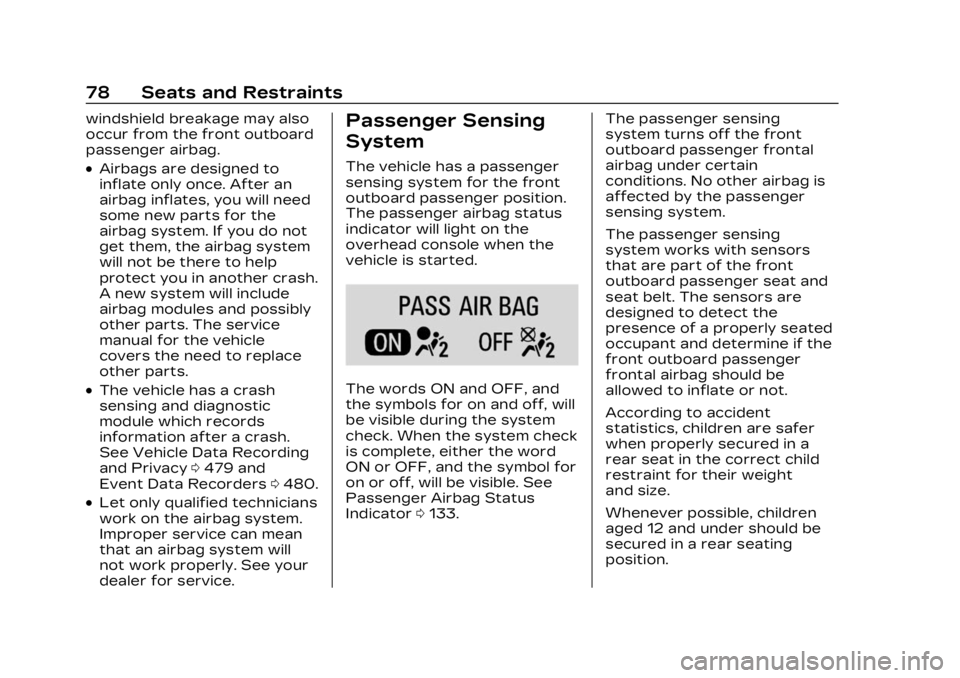
The passenger airbag status
indicator will light on the
overhead console when the
vehicle is started.
The words ON and OFF, and
the symbols for on and off, will
be visible during the system
check. When the system check
is complete, either the word
ON or OFF, and the symbol for
on or off, will be visible. See
Passenger Airbag Status
Indicator 0133. The passenger sensing
system turns off the front
outboard passenger frontal
airbag under certain
conditions. No other airbag is
affected by the passenger
sensing system.
The passenger sensing
system works with sensors
that are part of the front
outboard passenger seat and
seat belt. The sensors are
designed to detect the
presence of a properly seated
occupant and determine if the
front outboard passenger
frontal airbag should be
allowed to inflate or not.
According to accident
statistics, children are safer
when properly secured in a
rear seat in the correct child
restraint for their weight
and size.
Whenever possible, children
aged 12 and under should be
secured in a rear seating
position.
Page 105 of 507
Cadillac XT6 Owner Manual (GMNA-Localizing-U.S./Canada-16405819) -
2023 - CRC - 3/22/22
104 Seats and Restraints
If the retractor is not
locked, repeat
Steps 4 and 5.
6. If the child restraint has a top tether, follow the child
restraint manufacturer's
instructions regarding the
use of the top tether. See
Lower Anchors and
Tethers for Children
(LATCH System) 092.
7. Before placing a child in the child restraint, make
sure it is securely held in
place. To check, grasp the
child restraint at the seat
belt path and attempt to
move it side to side and
back and forth. When the
child restraint is properly
installed, there should be
no more than 2.5 cm (1 in)
of movement.
To remove the child restraint,
unbuckle the vehicle seat belt
and let it return to the stowed
position. If the top tether is
attached to a top tether
anchor, disconnect it.Securing Child
Restraints (With the
Seat Belt in the
Front Seat)
This vehicle has airbags.
A rear seat is a safer place to
secure a forward-facing child
restraint. See Where to Put
the Restraint 091.
In addition, the vehicle has a
passenger sensing system
which is designed to turn off
the front outboard passenger
frontal airbag under certain
conditions. See Passenger
Sensing System 078 and
Passenger Airbag Status
Indicator 0133 for more
information, including
important safety information.
Never put a rear-facing child
seat in the front. This is
because the risk to the
rear-facing child is so great,
if the airbag deploys.
{Warning
A child in a rear-facing child
restraint can be seriously
injured or killed if the front
outboard passenger frontal
airbag inflates. This is
because the back of the
rear-facing child restraint
would be very close to the
inflating airbag. A child in a
forward-facing child
restraint can be seriously
injured or killed if the front
outboard passenger frontal
airbag inflates and the
passenger seat is in a
forward position.
Even if the passenger
sensing system has turned
off the front outboard
passenger frontal airbag, no
system is fail-safe. No one
can guarantee that an
airbag will not deploy under
some unusual circumstance,
even though it is turned off.
(Continued)
Page 135 of 507
Cadillac XT6 Owner Manual (GMNA-Localizing-U.S./Canada-16405819) -
2023 - CRC - 3/22/22
134 Instruments and Controls
Warning (Continued)
to yourself or others, have
the vehicle serviced right
away. See Airbag Readiness
Light0132 for more
information, including
important safety
information.
Charging System
Light
The charging system light
comes on briefly when the
ignition is turned on, but the
engine is not running, as a
check to show the light is
working. It should go out when
the engine is started.
If the light stays on, or comes
on while driving, there may be
a problem with the electrical charging system. Have it
checked by your dealer.
Driving while this light is on
could drain the battery.
When this light comes on, or is
flashing, the Driver Information
Center (DIC) also displays a
message.
If a short distance must be
driven with the light on, be
sure to turn off all
accessories, such as the radio
and air conditioner. Find a safe
place to stop the vehicle.
Malfunction Indicator
Lamp (Check Engine
Light)
This light is part of the
vehicle’s emission control
on-board diagnostic system.
If this light is on while the
engine is running, a
malfunction has been
detected and the vehicle may
require service. The light
should come on to show that it
is working when the ignition is
in Service Mode. See Ignition
Positions
0257.
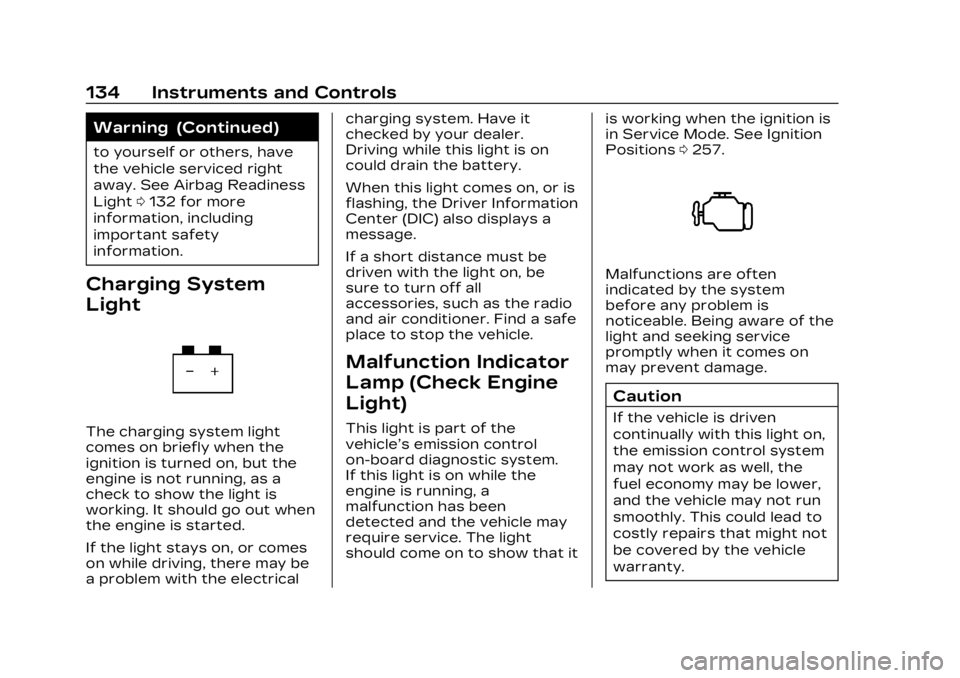
Malfunctions are often
indicated by the system
before any problem is
noticeable. Being aware of the
light and seeking service
promptly when it comes on
may prevent damage.
Caution
If the vehicle is driven
continually with this light on,
the emission control system
may not work as well, the
fuel economy may be lower,
and the vehicle may not run
smoothly. This could lead to
costly repairs that might not
be covered by the vehicle
warranty.
Page 143 of 507
Cadillac XT6 Owner Manual (GMNA-Localizing-U.S./Canada-16405819) -
2023 - CRC - 3/22/22
142 Instruments and Controls
vehicle is started. See Tire
Pressure Monitor Operation
0412.
Engine Oil Pressure
Light
Caution
Driving the vehicle with low
engine oil pressure can
damage the engine and the
repairs would not be
covered by the vehicle
warranty.
If the engine oil pressure
light comes on while driving:
1. Stop in a safe location and turn off the engine.
2. Check the oil level. See Engine Oil 0370.
3. Add oil if the oil level is below the normal
operating range.
4. Restart the vehicle. If the engine oil pressure light
stays on for more than
(Continued)
Caution (Continued)
10 seconds, turn the
vehicle back off. Do not
restart the vehicle. See
your dealer for service.
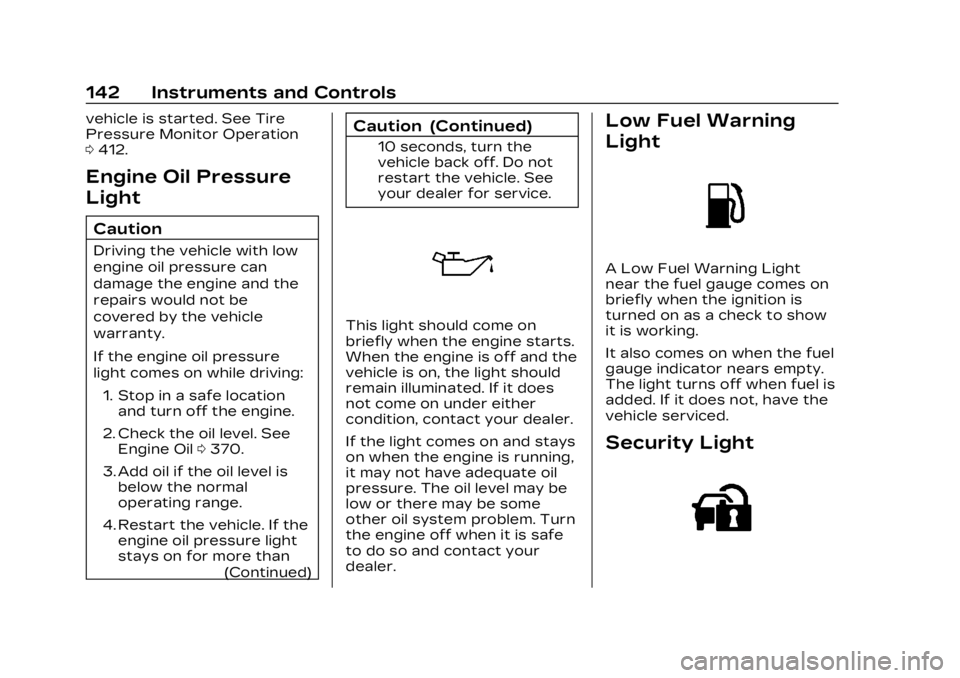
This light should come on
briefly when the engine starts.
When the engine is off and the
vehicle is on, the light should
remain illuminated. If it does
not come on under either
condition, contact your dealer.
If the light comes on and stays
on when the engine is running,
it may not have adequate oil
pressure. The oil level may be
low or there may be some
other oil system problem. Turn
the engine off when it is safe
to do so and contact your
dealer.
Low Fuel Warning
Light
A Low Fuel Warning Light
near the fuel gauge comes on
briefly when the ignition is
turned on as a check to show
it is working.
It also comes on when the fuel
gauge indicator nears empty.
The light turns off when fuel is
added. If it does not, have the
vehicle serviced.
Security Light
Page 152 of 507
Cadillac XT6 Owner Manual (GMNA-Localizing-U.S./Canada-16405819) -
2023 - CRC - 3/22/22
Instruments and Controls 151
HUD Troubleshooting
If you cannot see the HUD
image when the ignition is on,
check that:
.Nothing is covering the
HUD lens.
.The HUD brightness setting
is not too dim or too bright.
.The HUD is adjusted to the
proper height.
.Polarized sunglasses are
not worn.
.The windshield and HUD lens
are clean.
If the HUD image is not
correct, contact your dealer.
The windshield is part of the
HUD system. See Windshield
Replacement 0388.
Vehicle Messages
Messages displayed on the
DIC indicate the status of the
vehicle or some action that
may be needed to correct a
condition. Multiple messages
may appear one after another. The messages that do not
require immediate action can
be acknowledged and cleared
by pressing
V. The messages
that require immediate action
cannot be cleared until that
action is performed.
All messages should be taken
seriously; clearing the
message does not correct the
problem.
If a SERVICE message
appears, see your dealer.
Follow the instructions given
in the messages. The system
displays messages regarding
the following topics:
.Service Messages
.Fluid Levels
.Vehicle Security
.Brakes
.Steering
.Ride Control Systems
.Driver Assistance Systems
.Cruise Control
.Lighting and Bulb
Replacement
.Wiper/Washer Systems
.Doors and Windows
.Seat Belts
.Airbag Systems
.Engine and Transmission
.Tire Pressure
.Battery
Engine Power
Messages
ENGINE POWER IS
REDUCED
This message displays when
the vehicle's propulsion power
is reduced. A reduction in
propulsion power can affect
the vehicle's ability to
accelerate. If this message is
on, but there is no observed
reduction in performance,
proceed to your destination.
Under certain conditions the
performance may be reduced
the next time the vehicle is
driven. The vehicle may be
driven while this message is
on, but maximum acceleration
and speed may be reduced.
Page 159 of 507
Cadillac XT6 Owner Manual (GMNA-Localizing-U.S./Canada-16405819) -
2023 - CRC - 3/22/22
158 Lighting
happens, press the end of
the turn signal lever when
the exterior lamp control is
in the AUTO or
2position to
reactivate the IntelliBeam
system. The instrument
cluster light will come on to
indicate the IntelliBeam
system is reactivated.
The high beams may not turn
off automatically if the system
cannot detect another
vehicle's lamps because of any
of the following:
.The other vehicle's lamps
are missing, damaged,
obstructed from view,
or otherwise undetected.
.The other vehicle's lamps
are covered with dirt, snow,
and/or road spray.
.The other vehicle's lamps
cannot be detected due to
dense exhaust, smoke, fog,
snow, road spray, mist,
or other airborne
obstructions.
.The vehicle's windshield is
dirty, cracked, or obstructed
by something that blocks the
view of the light sensor.
.The vehicle is loaded such
that the front end points
upward, causing the light
sensor to aim high and not
detect headlamps and
taillamps.
.The vehicle is being driven
on winding or hilly roads.
The automatic high-beam
headlamps may need to be
disabled if any of the above
conditions exist.
Exterior Lamps Off
Reminder
A warning chime sounds if the
driver door is opened while
the ignition is off and the
exterior lamps are on.
Headlamp High/
Low-Beam Changer
3: Push the turn signal lever
away from you and release, to
turn the high beams on. To
return to low beams, push the
lever again or pull it toward
you and release.
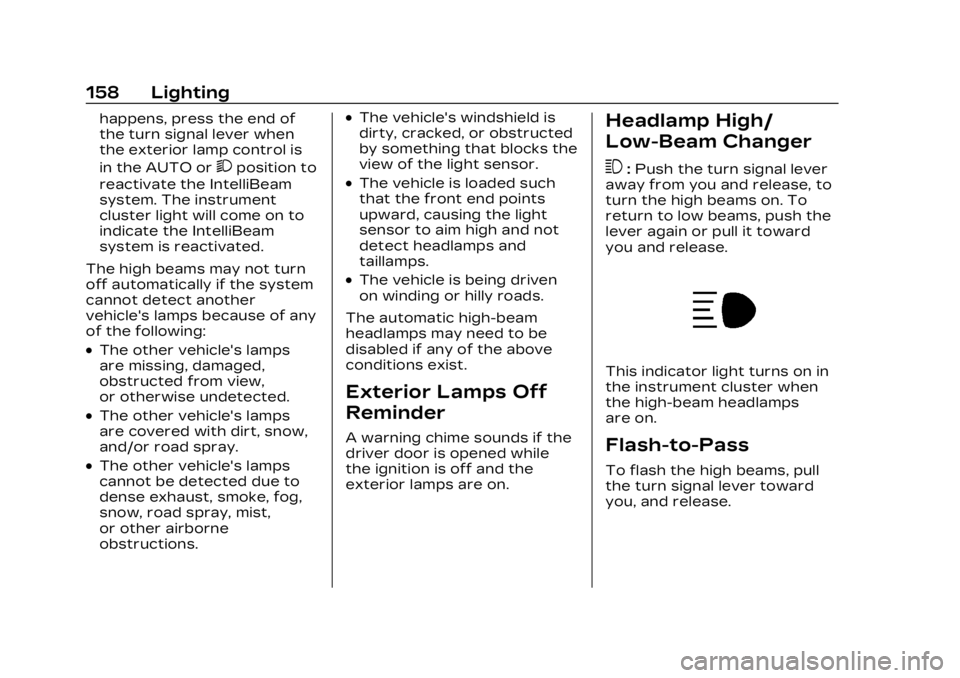
This indicator light turns on in
the instrument cluster when
the high-beam headlamps
are on.
Flash-to-Pass
To flash the high beams, pull
the turn signal lever toward
you, and release.
Page 185 of 507

Cadillac XT6 Owner Manual (GMNA-Localizing-U.S./Canada-16405819) -
2023 - CRC - 3/22/22
184 Infotainment System
.Telenav Terms and
Conditions
.Telenav Privacy Statement
.Navigation Version
Maps
The Navigation application
requires a map database to
run. It is stored on an SD card
that is connected to the
infotainment system. If the
map database is not available,
a missing SD card error
message will be displayed.
SD Card Error Messages
The SD card only works for
one unique vehicle. The SD
card must pass authentication
verification to be used for that
specific vehicle. If the SD card
has a switch that can be set to
read-only mode, ensure that it
is in the upward position and
not in read-only.
Potential error scenarios and
messages include:
.The SD card has initialized
for the first time:“Once
initialized, this SD card can
only be used for navigation
in this vehicle.”
.The SD card is not working
properly: “SD card is not
functioning properly.
(Error Code).”
See your dealer if this
message appears.
.The SD card is not paired
with the existing system:
“This SD card is not valid in
this vehicle for navigation.
See Owner’s Manual for
more detail or visit your
dealer. (Error Code).”
.The SD card has been
removed from the slot: “SD
card has been removed.
(Error Code).”
Make sure the SD card is in
the slot. If it was removed
and inserted and you still
receive an error code, see
your dealer. Touch Confirm to resume
after the initialization error
message. For the other
messages, touch OK to return
to the Home Page.
Navigation Symbols
Following are the most
common symbols that may
appear in the Nav application.
This indicates the vehicle’s
current location and direction
on the map.
This is the vehicle’s current
location icon during inactive
guidance mode. Once a user
Page 194 of 507

Cadillac XT6 Owner Manual (GMNA-Localizing-U.S./Canada-16405819) -
2023 - CRC - 3/22/22
Infotainment System 193
.Satellites are being repaired
or improved.
For more information if the
GPS is not functioning
properly, see Problems with
Route Guidance 0193 and
If the System Needs Service
0 194.
Vehicle Positioning
At times, the position of the
vehicle on the map could be
inaccurate due to one or more
of the following reasons:
.The road system has
changed.
.The vehicle is driving on
slippery road surfaces such
as sand, gravel, or snow.
.The vehicle is traveling on
winding roads or long,
straight roads.
.The vehicle is approaching a
tall building or a large
vehicle.
.The surface streets run
parallel to a freeway.
.The vehicle has been
transferred by a vehicle
carrier or a ferry.
.The current position
calibration is set incorrectly.
.The vehicle is traveling at
high speed.
.The vehicle changes
directions more than once,
or the vehicle is turning on a
turn table in a parking lot.
.The vehicle is entering and/
or exiting a parking lot,
garage, or a lot with a roof.
.The GPS signal is not
received.
.A roof carrier is installed on
the vehicle.
.Tire chains are installed on
the vehicle.
.The tires are replaced
or worn.
.The tire pressure for the
tires is incorrect.
.This is the first navigation
use after the map data is
updated.
.The 12-volt battery has been
disconnected for
several days.
.The vehicle is driving in
heavy traffic where driving is
at low speeds, and the
vehicle is stopped and
started repeatedly.
Problems with Route
Guidance
Inappropriate route guidance
can occur under one or more
of the following conditions:
.The turn was not made on
the road indicated.
.Route guidance might not be
available when using
automatic rerouting for the
next right or left turn.
.The route might not be
changed when using
automatic rerouting.
.There is no route guidance
when turning at an
intersection.
.Plural names of places might
be announced occasionally.