tow CADILLAC XTS 2017 1.G User Guide
[x] Cancel search | Manufacturer: CADILLAC, Model Year: 2017, Model line: XTS, Model: CADILLAC XTS 2017 1.GPages: 314, PDF Size: 3.71 MB
Page 96 of 314
Cadillac XTS Owner Manual (GMNA-Localizing-MidEast-10292881) - 2017 -
crc - 7/1/16
SEATS AND RESTRAINTS 95
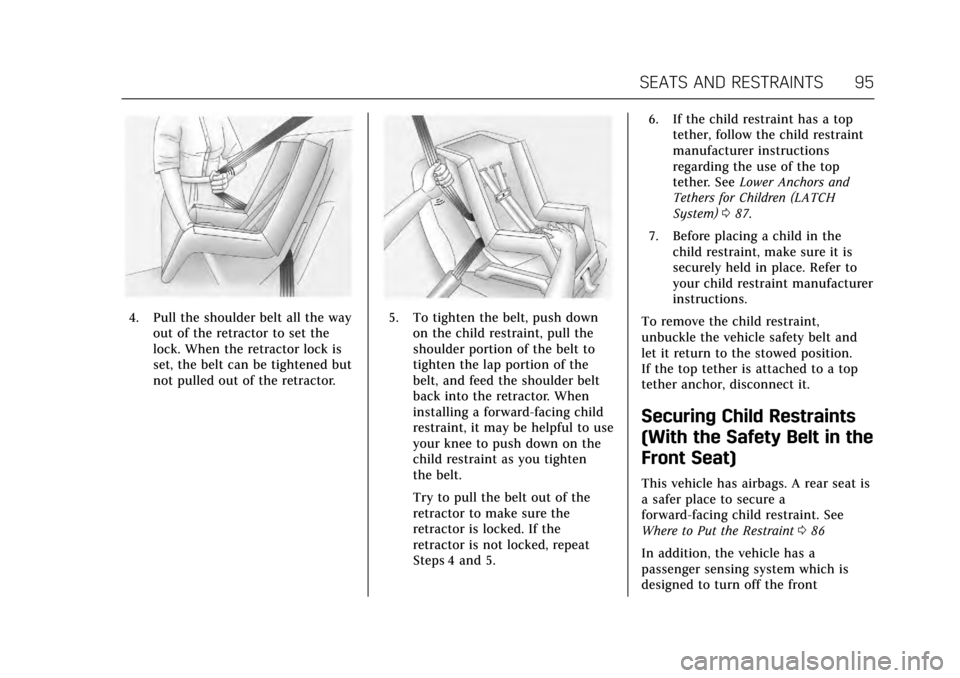
4. Pull the shoulder belt all the wayout of the retractor to set the
lock. When the retractor lock is
set, the belt can be tightened but
not pulled out of the retractor.5. To tighten the belt, push downon the child restraint, pull the
shoulder portion of the belt to
tighten the lap portion of the
belt, and feed the shoulder belt
back into the retractor. When
installing a forward-facing child
restraint, it may be helpful to use
your knee to push down on the
child restraint as you tighten
the belt.
Try to pull the belt out of the
retractor to make sure the
retractor is locked. If the
retractor is not locked, repeat
Steps 4 and 5. 6. If the child restraint has a top
tether, follow the child restraint
manufacturer instructions
regarding the use of the top
tether. See Lower Anchors and
Tethers for Children (LATCH
System) 087.
7. Before placing a child in the child restraint, make sure it is
securely held in place. Refer to
your child restraint manufacturer
instructions.
To remove the child restraint,
unbuckle the vehicle safety belt and
let it return to the stowed position.
If the top tether is attached to a top
tether anchor, disconnect it.
Securing Child Restraints
(With the Safety Belt in the
Front Seat)
This vehicle has airbags. A rear seat is
a safer place to secure a
forward-facing child restraint. See
Where to Put the Restraint 086
In addition, the vehicle has a
passenger sensing system which is
designed to turn off the front
Page 99 of 314
Cadillac XTS Owner Manual (GMNA-Localizing-MidEast-10292881) - 2017 -
crc - 7/1/16
98 SEATS AND RESTRAINTS
7. Before placing a child in thechild restraint, make sure it is
securely held in place. Push and
pull the child restraint in
different directions to be sure it
is secure.
If the airbags are off, the off indicator
in the passenger airbag status
indicator will come on and stay on
when the vehicle is started.
If a child restraint has been installed
and the on indicator is lit, see “If the
On Indicator is Lit for a Child
Restraint ”under Passenger Sensing
System 075 for more information.
To remove the child restraint,
unbuckle the vehicle safety belt and
let it return to the stowed position.
Page 107 of 314
Cadillac XTS Owner Manual (GMNA-Localizing-MidEast-10292881) - 2017 -
crc - 7/1/16
106 INSTRUMENTS AND CONTROLS
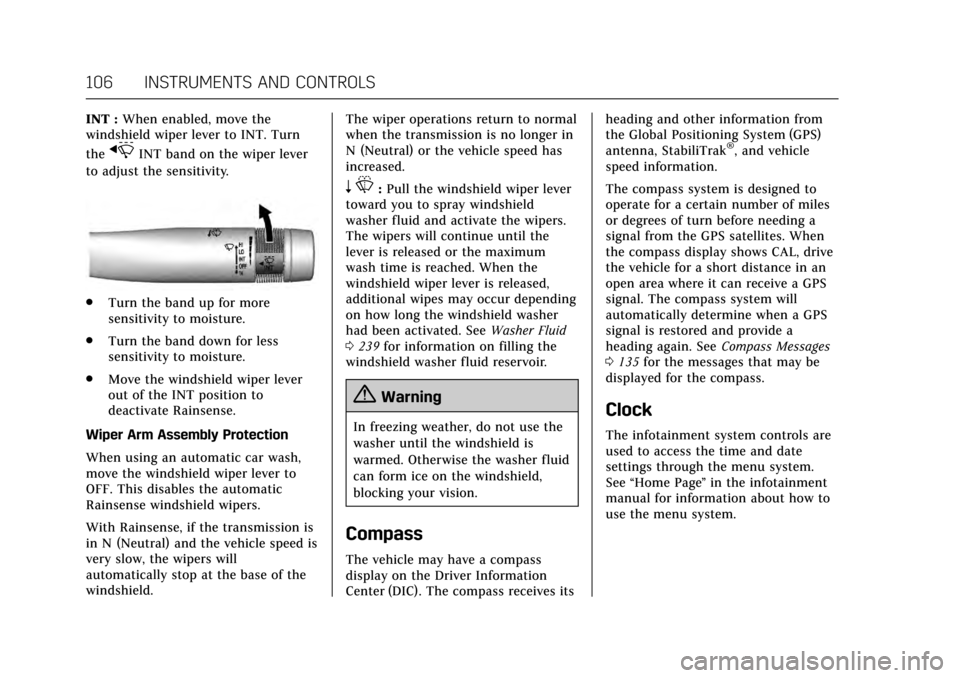
INT :When enabled, move the
windshield wiper lever to INT. Turn
the
xINT band on the wiper lever
to adjust the sensitivity.
. Turn the band up for more
sensitivity to moisture.
. Turn the band down for less
sensitivity to moisture.
. Move the windshield wiper lever
out of the INT position to
deactivate Rainsense.
Wiper Arm Assembly Protection
When using an automatic car wash,
move the windshield wiper lever to
OFF. This disables the automatic
Rainsense windshield wipers.
With Rainsense, if the transmission is
in N (Neutral) and the vehicle speed is
very slow, the wipers will
automatically stop at the base of the
windshield. The wiper operations return to normal
when the transmission is no longer in
N (Neutral) or the vehicle speed has
increased.
n
L: Pull the windshield wiper lever
toward you to spray windshield
washer fluid and activate the wipers.
The wipers will continue until the
lever is released or the maximum
wash time is reached. When the
windshield wiper lever is released,
additional wipes may occur depending
on how long the windshield washer
had been activated. See Washer Fluid
0 239 for information on filling the
windshield washer fluid reservoir.
{Warning
In freezing weather, do not use the
washer until the windshield is
warmed. Otherwise the washer fluid
can form ice on the windshield,
blocking your vision.
Compass
The vehicle may have a compass
display on the Driver Information
Center (DIC). The compass receives its heading and other information from
the Global Positioning System (GPS)
antenna, StabiliTrak
®, and vehicle
speed information.
The compass system is designed to
operate for a certain number of miles
or degrees of turn before needing a
signal from the GPS satellites. When
the compass display shows CAL, drive
the vehicle for a short distance in an
open area where it can receive a GPS
signal. The compass system will
automatically determine when a GPS
signal is restored and provide a
heading again. See Compass Messages
0 135 for the messages that may be
displayed for the compass.
Clock
The infotainment system controls are
used to access the time and date
settings through the menu system.
See “Home Page ”in the infotainment
manual for information about how to
use the menu system.
Page 119 of 314
Cadillac XTS Owner Manual (GMNA-Localizing-MidEast-10292881) - 2017 -
crc - 7/1/16
118 INSTRUMENTS AND CONTROLS
.High speed operation in warm
weather.
. Uphill driving.
. Trailer towing or hauling a
heavy load.
It is normal for the reading to
fluctuate.
If the gauge pointer reaches the
warning area or the shaded
thermostat symbol at the far end of
the gauge and remains there for more
than 30 seconds, the engine coolant
has overheated.
If the engine coolant has overheated,
pull over and stop the vehicle as soon
as it is safe to do so. Then, turn the
engine off immediately.
See Engine Overheating 0237 for more
information.
Safety Belt Reminders
Driver Safety Belt Reminder
Light
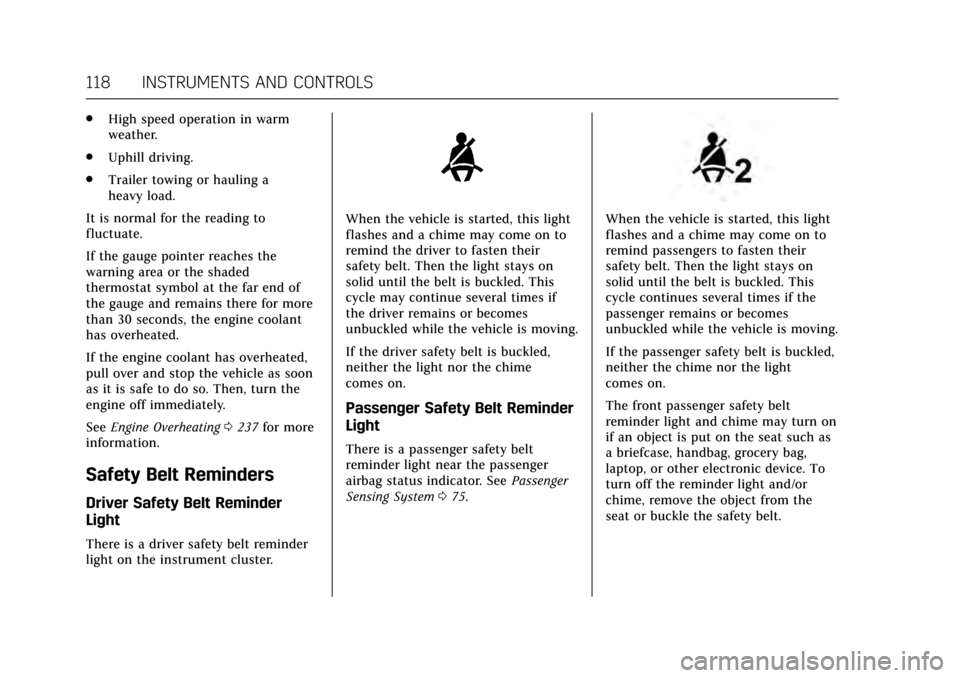
There is a driver safety belt reminder
light on the instrument cluster.
When the vehicle is started, this light
flashes and a chime may come on to
remind the driver to fasten their
safety belt. Then the light stays on
solid until the belt is buckled. This
cycle may continue several times if
the driver remains or becomes
unbuckled while the vehicle is moving.
If the driver safety belt is buckled,
neither the light nor the chime
comes on.
Passenger Safety Belt Reminder
Light
There is a passenger safety belt
reminder light near the passenger
airbag status indicator. See Passenger
Sensing System 075.
When the vehicle is started, this light
flashes and a chime may come on to
remind passengers to fasten their
safety belt. Then the light stays on
solid until the belt is buckled. This
cycle continues several times if the
passenger remains or becomes
unbuckled while the vehicle is moving.
If the passenger safety belt is buckled,
neither the chime nor the light
comes on.
The front passenger safety belt
reminder light and chime may turn on
if an object is put on the seat such as
a briefcase, handbag, grocery bag,
laptop, or other electronic device. To
turn off the reminder light and/or
chime, remove the object from the
seat or buckle the safety belt.
Page 122 of 314
Cadillac XTS Owner Manual (GMNA-Localizing-MidEast-10292881) - 2017 -
crc - 7/1/16
INSTRUMENTS AND CONTROLS 121
Caution
Modifications to the engine,
transmission, exhaust, intake,
or fuel system, or the use of
replacement tires that do not meet
the original tire specifications, can
cause this light to come on. This
could lead to costly repairs not
covered by the vehicle warranty.
This could also affect the vehicle’s
ability to pass an Emissions
Inspection/Maintenance test. See
Accessories and Modifications0222.
If the light is f lashing : A
malfunction has been detected that
could damage the emission control
system and increase vehicle
emissions. Diagnosis and service may
be required.
To help prevent damage, reduce
vehicle speed and avoid hard
accelerations and uphill grades.
If towing a trailer, reduce the amount
of cargo being hauled as soon as
possible. If the light continues to flash, find a
safe place to park. Turn the vehicle off
and wait at least 10 seconds before
restarting the engine. If the light is
still flashing, follow the previous
guidelines and see your dealer for
service as soon as possible.
If the light is on steady :
A
malfunction has been detected.
Diagnosis and service may be
required.
Check the following:
. If fuel has been added to the
vehicle using the capless funnel
adapter, make sure that it has
been removed. See “Filling the
Tank with a Portable Gas Can ”
under Filling the Tank 0213. The
diagnostic system can detect if the
adapter has been left installed in
the vehicle, allowing fuel to
evaporate into the atmosphere.
A few driving trips with the
adapter removed may turn off the
light.
. Poor fuel quality can cause
inefficient engine operation and
poor driveability, which may go
away once the engine is warmed up. If this occurs, change the fuel
brand. It may require at least one
full tank of the proper fuel to turn
the light off. See
Fuel0212.
If the light remains on, see your
dealer.
Emissions Inspection and
Maintenance Programs
If the vehicle requires an Emissions
Inspection/Maintenance test, the test
equipment will likely connect to the
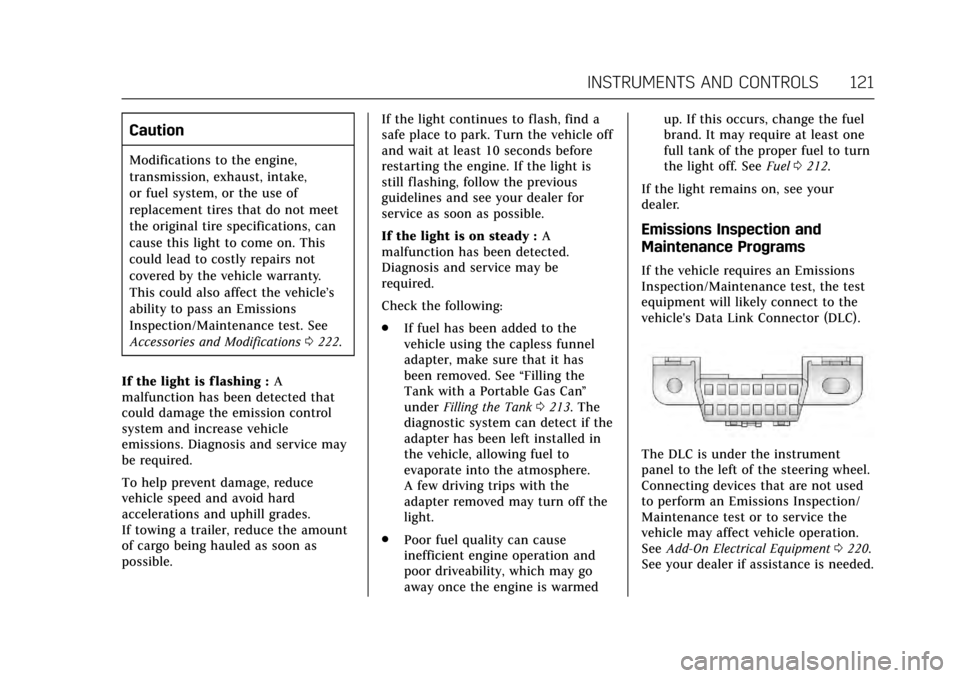
vehicle's Data Link Connector (DLC).
The DLC is under the instrument
panel to the left of the steering wheel.
Connecting devices that are not used
to perform an Emissions Inspection/
Maintenance test or to service the
vehicle may affect vehicle operation.
See Add-On Electrical Equipment 0220.
See your dealer if assistance is needed.
Page 123 of 314
Cadillac XTS Owner Manual (GMNA-Localizing-MidEast-10292881) - 2017 -
crc - 7/1/16
122 INSTRUMENTS AND CONTROLS
The vehicle may not pass
inspection if:
.The light is on when the engine is
running.
. The light does not come on when
the ignition is in Service
Only Mode.
. Critical emission control systems
have not been completely
diagnosed. If this happens, the
vehicle would not be ready for
inspection and might require
several days of routine driving
before the system is ready for
inspection. This can happen if the
12-volt battery has recently been
replaced or run down, or if the
vehicle has been recently serviced.
See your dealer if the vehicle will not
pass or cannot be made ready for
the test.
Brake System Warning
Light
The vehicle brake system consists of
two hydraulic circuits. If one circuit is
not working, the remaining circuit can still work to stop the vehicle. For
normal braking performance, both
circuits need to be working.
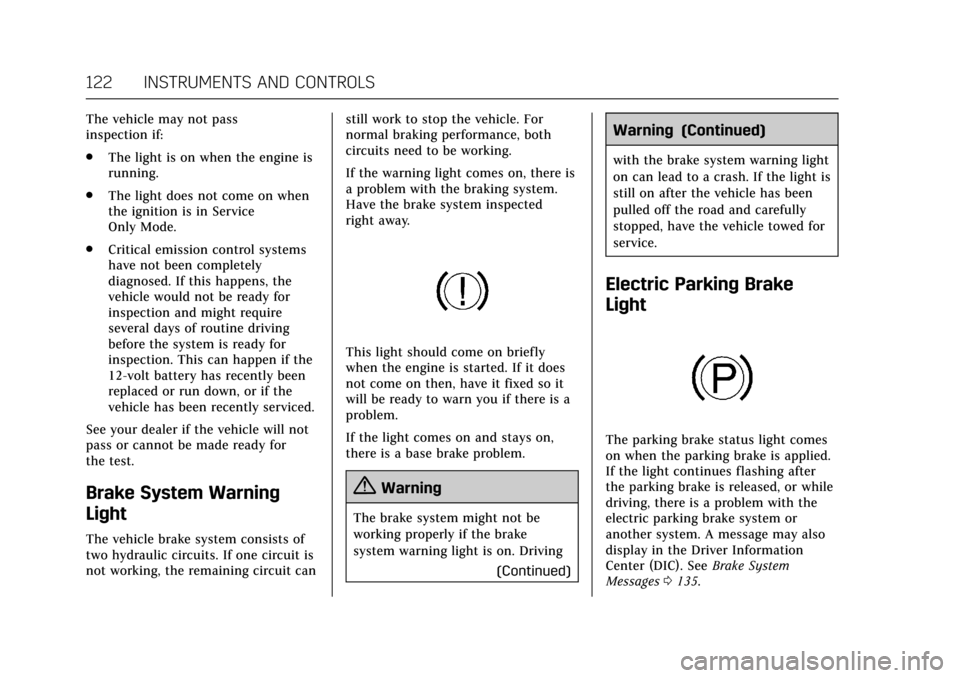
If the warning light comes on, there is
a problem with the braking system.
Have the brake system inspected
right away.
This light should come on briefly
when the engine is started. If it does
not come on then, have it fixed so it
will be ready to warn you if there is a
problem.
If the light comes on and stays on,
there is a base brake problem.
{Warning
The brake system might not be
working properly if the brake
system warning light is on. Driving
(Continued)
Warning (Continued)
with the brake system warning light
on can lead to a crash. If the light is
still on after the vehicle has been
pulled off the road and carefully
stopped, have the vehicle towed for
service.
Electric Parking Brake
Light
The parking brake status light comes
on when the parking brake is applied.
If the light continues flashing after
the parking brake is released, or while
driving, there is a problem with the
electric parking brake system or
another system. A message may also
display in the Driver Information
Center (DIC). SeeBrake System
Messages 0135.
Page 132 of 314
Cadillac XTS Owner Manual (GMNA-Localizing-MidEast-10292881) - 2017 -
crc - 7/1/16
INSTRUMENTS AND CONTROLS 131
Oil Life :Shows an estimate of the
oil's remaining useful life.
If REMAINING OIL LIFE 99% is
displayed, that means 99% of the
current oil life remains.
When the remaining oil life is low, the
CHANGE ENGINE OIL SOON message
will appear on the display. See Engine
Oil Messages 0137. The oil should be
changed as soon as possible. See
Engine Oil 0228. In addition to the
engine oil life system monitoring the
oil life, additional maintenance is
recommended. See Maintenance
Schedule 0288.
The Oil Life display must be reset
after each oil change. It will not reset
itself. Do not reset the Oil Life display
accidentally at any time other than
when the oil has just been changed.
It cannot be reset accurately until the
next oil change. To reset the engine
oil life system, press and hold SEL for
several seconds while the Oil Life
display is active. See Engine Oil Life
System 0230.
Tire Pressure : Shows the
approximate pressures of all four tires.
Tire pressure is displayed in either kilopascal (kPa) or in pounds per
square inch (psi). If the pressure is
low, the value for that tire is shown in
amber. See
Tire Pressure Monitor
System 0258 and Tire Pressure
Monitor Operation 0259.
Vehicle Odometer (Base Cluster) :
Shows the odometer.
Blank Page : Allows for no
information to be displayed in the
cluster info display areas.
Head-Up Display (HUD)
{Warning
If the HUD image is too bright or
too high in your field of view, it
may take you more time to see
things you need to see when it is
dark outside. Be sure to keep the
HUD image dim and placed low in
your field of view.
If equipped with HUD, some
information concerning the operation
of the vehicle is projected onto the
windshield. The image is projected
through the HUD lens on top of the instrument panel. The information
appears as an image focused out
toward the front of the vehicle.
Caution
If you try to use the HUD image as
a parking aid, you may misjudge
the distance and damage your
vehicle. Do not use the HUD image
as a parking aid.
The HUD information can be
displayed in various languages. The
speedometer reading and other
numerical values can be displayed in
either English or metric units.
The language selection is changed
through the radio and the units of
measurement is changed through the
instrument cluster. See Vehicle
Personalization 0144 and “Cluster
Settings Menu ”under Instrument
Cluster 0112.
Page 153 of 314
Cadillac XTS Owner Manual (GMNA-Localizing-MidEast-10292881) - 2017 -
crc - 7/1/16
152 LIGHTING
AUTO. The blue high-beam on light
appears on the instrument cluster
when the high beams are on.
Driving with IntelliBeam
The system only activates the high
beams when driving over 40 km/h
(25 mph).
There is a sensor near the top center
of the windshield that automatically
controls the system. Keep this area of
the windshield clear of debris to allow
for best system performance.
The high-beam headlamps remain on,
under the automatic control, until one
of the following situations occurs:
.The system detects an
approaching vehicle's headlamps.
. The system detects a preceding
vehicle's taillamps.
. The outside light is bright enough
that high-beam headlamps are not
required.
. The vehicle's speed drops below
20 km/h (12 mph).
. The IntelliBeam system can be
disabled by the High/Low-Beam
Changer or the Flash-to-Pass feature. If this happens, the High/
Low-Beam Changer must be
activated two times within
two seconds to reactivate the
IntelliBeam system. The
instrument cluster light will come
on to indicate the IntelliBeam is
reactivated. See
Headlamp High/
Low-Beam Changer 0152 and
Flash-to-Pass 0153.
The high beams may not turn off
automatically if the system cannot
detect another vehicle's lamps because
of any of the following:
. The other vehicle's lamps are
missing, damaged, obstructed from
view, or otherwise undetected.
. The other vehicle's lamps are
covered with dirt, snow, and/or
road spray.
. The other vehicle's lamps cannot
be detected due to dense exhaust,
smoke, fog, snow, road spray, mist,
or other airborne obstructions.
. The vehicle's windshield is dirty,
cracked, or obstructed by
something that blocks the view of
the light sensor. .
The vehicle is loaded such that the
front end points upward, causing
the light sensor to aim high and
not detect headlamps and
taillamps.
. Driving on winding or hilly roads.
The automatic high-beam headlamps
may need to be disabled if any of the
above conditions exist.
Exterior Lamps Off
Reminder
A warning chime sounds if the driver
door is opened while the ignition is off
and the exterior lamps are on.
Headlamp High/Low-Beam
Changer
2 3
: Push the turn signal lever
away from you and release, to turn the
high beams on. To return to low
beams, push the lever again or pull it
toward you and release.
Page 154 of 314
Cadillac XTS Owner Manual (GMNA-Localizing-MidEast-10292881) - 2017 -
crc - 7/1/16
LIGHTING 153
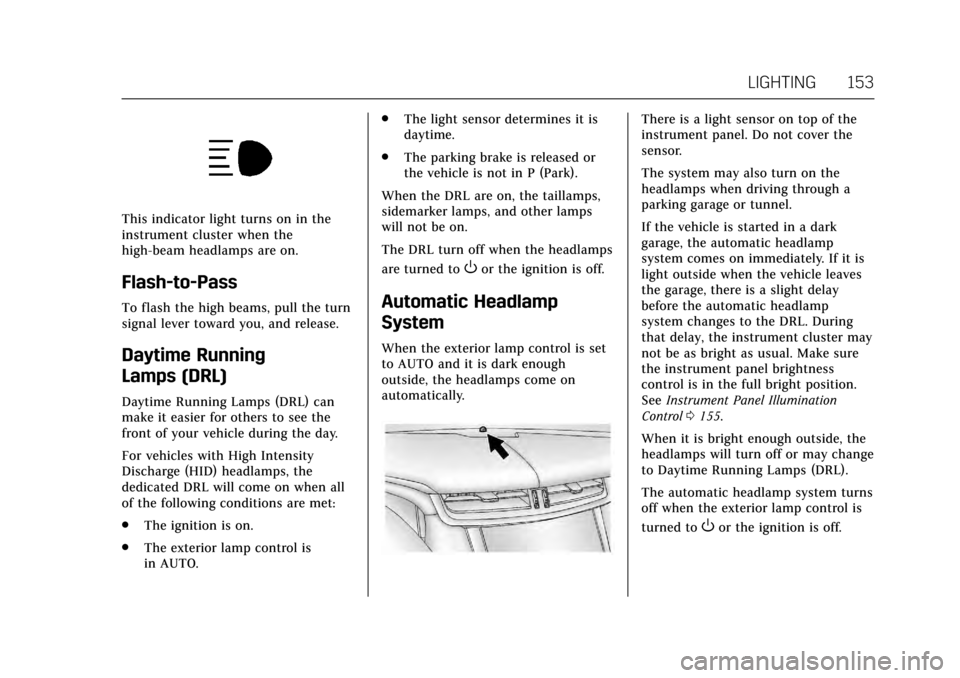
This indicator light turns on in the
instrument cluster when the
high-beam headlamps are on.
Flash-to-Pass
To flash the high beams, pull the turn
signal lever toward you, and release.
Daytime Running
Lamps (DRL)
Daytime Running Lamps (DRL) can
make it easier for others to see the
front of your vehicle during the day.
For vehicles with High Intensity
Discharge (HID) headlamps, the
dedicated DRL will come on when all
of the following conditions are met:
.The ignition is on.
. The exterior lamp control is
in AUTO. .
The light sensor determines it is
daytime.
. The parking brake is released or
the vehicle is not in P (Park).
When the DRL are on, the taillamps,
sidemarker lamps, and other lamps
will not be on.
The DRL turn off when the headlamps
are turned to
Oor the ignition is off.
Automatic Headlamp
System
When the exterior lamp control is set
to AUTO and it is dark enough
outside, the headlamps come on
automatically.
There is a light sensor on top of the
instrument panel. Do not cover the
sensor.
The system may also turn on the
headlamps when driving through a
parking garage or tunnel.
If the vehicle is started in a dark
garage, the automatic headlamp
system comes on immediately. If it is
light outside when the vehicle leaves
the garage, there is a slight delay
before the automatic headlamp
system changes to the DRL. During
that delay, the instrument cluster may
not be as bright as usual. Make sure
the instrument panel brightness
control is in the full bright position.
See Instrument Panel Illumination
Control 0155.
When it is bright enough outside, the
headlamps will turn off or may change
to Daytime Running Lamps (DRL).
The automatic headlamp system turns
off when the exterior lamp control is
turned to
Oor the ignition is off.
Page 168 of 314
Cadillac XTS Owner Manual (GMNA-Localizing-MidEast-10292881) - 2017 -
crc - 7/1/16
DRIVING AND OPERATING 167
Driving and
Operating
Driving Information
Distracted Driving . . . . . . . . . . . . . . . . 168
Defensive Driving . . . . . . . . . . . . . . . . 168
Control of a Vehicle . . . . . . . . . . . . . . 168
Braking . . . . . . . . . . . . . . . . . . . . . . . . . . . . 168
Steering . . . . . . . . . . . . . . . . . . . . . . . . . . . 169
Off-Road Recovery . . . . . . . . . . . . . . . . 170
Loss of Control . . . . . . . . . . . . . . . . . . . 170
Driving on Wet Roads . . . . . . . . . . . 171
Hill and Mountain Roads . . . . . . . . 171
Winter Driving . . . . . . . . . . . . . . . . . . . . 172
If the Vehicle Is Stuck . . . . . . . . . . . 173
Vehicle Load Limits . . . . . . . . . . . . . . 173
Starting and Operating
New Vehicle Break-In . . . . . . . . . . . . 177
Ignition Positions . . . . . . . . . . . . . . . . 177
Starting the Engine . . . . . . . . . . . . . . 179
Retained AccessoryPower (RAP) . . . . . . . . . . . . . . . . . . . . 180
Shifting Into Park . . . . . . . . . . . . . . . . 180
Shifting out of Park . . . . . . . . . . . . . . 181
Parking over Things That Burn . . . . . . . . . . . . . . . . . . . . . . . 181
Engine Exhaust
Engine Exhaust . . . . . . . . . . . . . . . . . . . 182
Running the Vehicle WhileParked . . . . . . . . . . . . . . . . . . . . . . . . . . . 182
Automatic Transmission
Automatic Transmission . . . . . . . . . 183
Manual Mode . . . . . . . . . . . . . . . . . . . . . 184
Drive Systems
All-Wheel Drive . . . . . . . . . . . . . . . . . . 185
Brakes
Antilock Brake System (ABS) . . . . 185
Electric Parking Brake . . . . . . . . . . . . 186
Brake Assist . . . . . . . . . . . . . . . . . . . . . . . 187
Hill Start Assist (HSA) . . . . . . . . . . . 188
Ride Control Systems
Traction Control/ElectronicStability Control . . . . . . . . . . . . . . . . 188
Magnetic Ride Control . . . . . . . . . . . 190
Limited-Slip Rear Axle . . . . . . . . . . . 190
Automatic Level Control . . . . . . . . . 191
Cruise Control
Cruise Control . . . . . . . . . . . . . . . . . . . . 191
Adaptive Cruise Control . . . . . . . . . 194
Driver Assistance Systems
Driver Assistance Systems . . . . . . . 201
Assistance Systems for Parking or Backing . . . . . . . . . . . . . . . . . . . . . . . 202 Assistance Systems for
Driving . . . . . . . . . . . . . . . . . . . . . . . . . . 206
Forward Collision Alert (FCA) System . . . . . . . . . . . . . . . . . . . . . . . . . . 206
Forward Automatic
Braking (FAB) . . . . . . . . . . . . . . . . . . . 208
Side Blind Zone Alert (SBZA) . . . . 210
Lane Departure Warning (LDW) . . . . . . . . . . . . . . . . . 211
Fuel
Fuel . . . . . . . . . . . . . . . . . . . . . . . . . . . . . . . 212
Fuel Additives . . . . . . . . . . . . . . . . . . . . 213
Filling the Tank . . . . . . . . . . . . . . . . . . 213
Filling a Portable FuelContainer . . . . . . . . . . . . . . . . . . . . . . . . 215
Trailer Towing
General Towing Information . . . . 215
Driving Characteristics andTowing Tips . . . . . . . . . . . . . . . . . . . . . 215
Trailer Towing . . . . . . . . . . . . . . . . . . . . 218
Towing Equipment . . . . . . . . . . . . . . . 219
Conversions and Add-Ons
Add-On Electrical Equipment . . . 220