brake light CADILLAC XTS 2017 1.G Owner's Manual
[x] Cancel search | Manufacturer: CADILLAC, Model Year: 2017, Model line: XTS, Model: CADILLAC XTS 2017 1.GPages: 314, PDF Size: 3.71 MB
Page 195 of 314
Cadillac XTS Owner Manual (GMNA-Localizing-MidEast-10292881) - 2017 -
crc - 7/1/16
194 DRIVING AND OPERATING
Ending Cruise Control
There are four ways to end cruise
control:
.Step lightly on the brake pedal.
. Press
*.
. Shift the transmission to
N (Neutral).
. Press
J.
Erasing Speed Memory
The cruise control set speed is erased
from memory if
Jis pressed or if
the ignition is turned off.
Adaptive Cruise Control
If equipped with Adaptive Cruise
Control (ACC), it allows for selecting
the cruise control set speed and
following gap. Read this entire section
before using this system. ACC uses a
camera and radar sensors to detect
other vehicles. The following gap is
the following time (or distance)
between your vehicle and a vehicle
detected directly ahead in your path, moving in the same direction. If no
vehicle is detected in your path, ACC
works like regular cruise control.
If a vehicle is detected in your path,
ACC can speed up the vehicle or apply
limited, moderate braking to maintain
the selected following gap. To
disengage ACC, apply the brake. If the
Traction Control System (TCS) or
StabiliTrak
®electronic stability
control system activates while ACC is
engaged, ACC may automatically
disengage. See Traction Control/
Electronic Stability Control 0188. When
road conditions allow ACC to be safely
used, ACC can be turned back on. ACC
will not engage if the TCS or
StabiliTrak electronic stability control
system is disabled.
{Warning
ACC has limited braking ability and
may not have time to slow the
vehicle down enough to avoid a
collision with another vehicle you
are following. This can occur when
vehicles suddenly slow or stop
(Continued)
Warning (Continued)
ahead, or enter your lane. Also see
“Alerting the Driver”in this section.
Complete attention is always
required while driving and you
should be ready to take action and
apply the brakes. See Defensive
Driving 0168.
{Warning
ACC will not detect or brake for
children, pedestrians, animals,
or other objects.
Do not use ACC when:
. On winding and hilly roads or
when the sensors are blocked
by snow, ice, or dirt. The
system may not detect a
vehicle ahead. Keep the entire
front of the vehicle clean.
(Continued)
Page 198 of 314
Cadillac XTS Owner Manual (GMNA-Localizing-MidEast-10292881) - 2017 -
crc - 7/1/16
DRIVING AND OPERATING 197
Selecting the Follow Distance
When a slower moving vehicle is
detected ahead within the selected
following gap, ACC will adjust the
vehicle's speed and attempt to
maintain the follow distance gap
selected.
Press
[on the steering wheel to
adjust the following gap. Each press
cycles the gap button through three
settings: Far, Medium, or Near.
When pressed, the current gap setting
displays briefly on the instrument
cluster and HUD. The gap setting will
be maintained until it is changed.
Since each gap setting corresponds to
a following time (Far, Medium,
or Near), the following distance will
vary based on vehicle speed. The
faster the vehicle speed, the further
back your vehicle will follow a vehicle
detected ahead. Consider traffic and
weather conditions when selecting the
following gap. The range of selectable
gaps may not be appropriate for all
drivers and driving conditions. Changing the gap setting
automatically changes the alert timing
sensitivity (Far, Medium, or Near) for
the Forward Collision Alert (FCA)
feature. See
Forward Collision Alert
(FCA) System 0206.
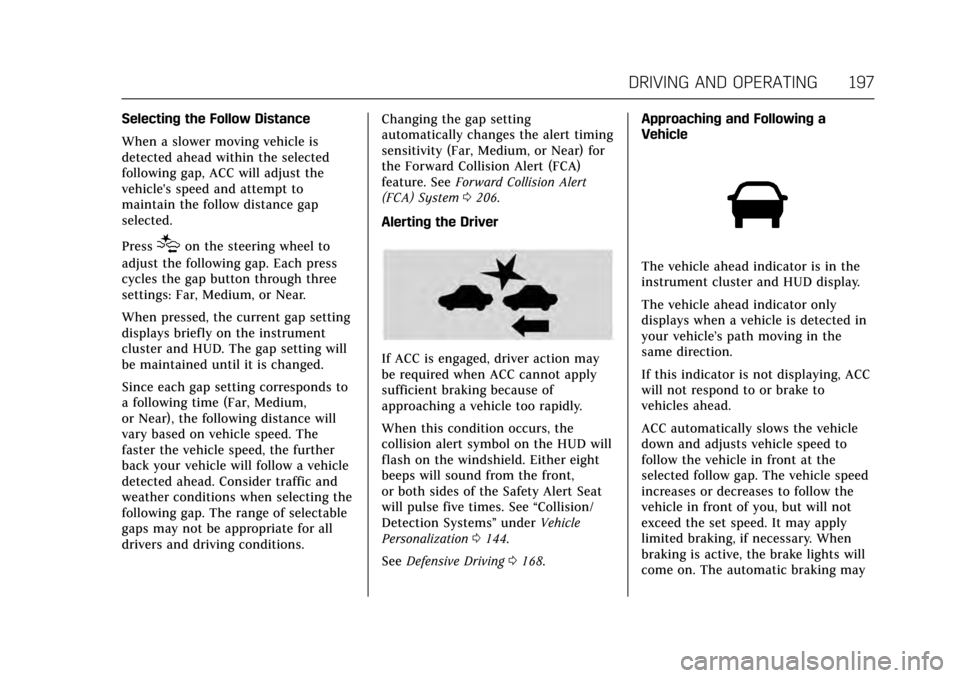
Alerting the Driver
If ACC is engaged, driver action may
be required when ACC cannot apply
sufficient braking because of
approaching a vehicle too rapidly.
When this condition occurs, the
collision alert symbol on the HUD will
flash on the windshield. Either eight
beeps will sound from the front,
or both sides of the Safety Alert Seat
will pulse five times. See “Collision/
Detection Systems” underVehicle
Personalization 0144.
See Defensive Driving 0168. Approaching and Following a
Vehicle
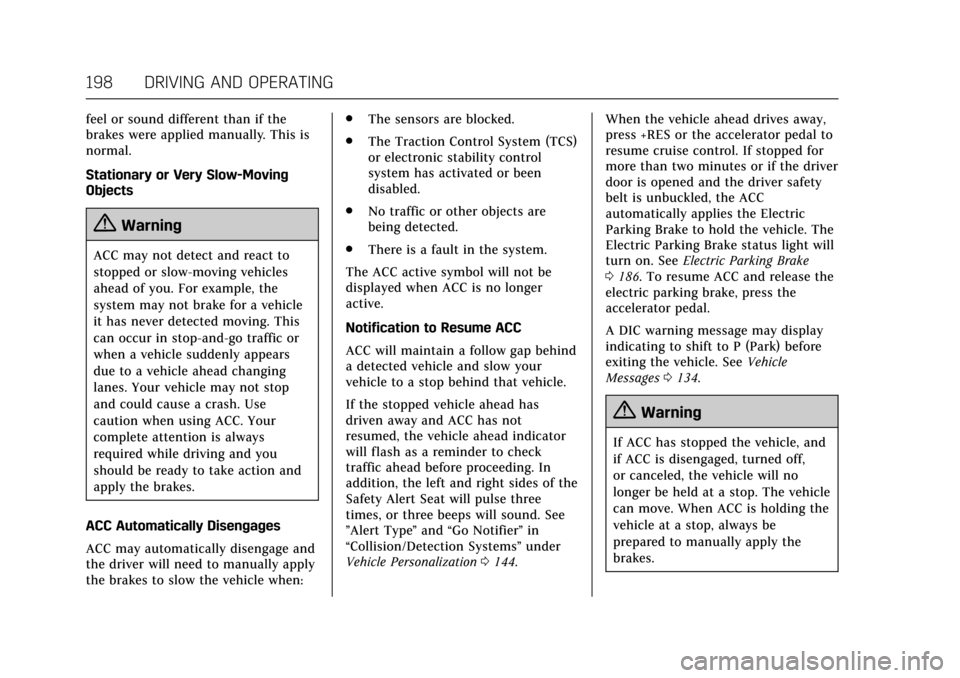
The vehicle ahead indicator is in the
instrument cluster and HUD display.
The vehicle ahead indicator only
displays when a vehicle is detected in
your vehicle’s path moving in the
same direction.
If this indicator is not displaying, ACC
will not respond to or brake to
vehicles ahead.
ACC automatically slows the vehicle
down and adjusts vehicle speed to
follow the vehicle in front at the
selected follow gap. The vehicle speed
increases or decreases to follow the
vehicle in front of you, but will not
exceed the set speed. It may apply
limited braking, if necessary. When
braking is active, the brake lights will
come on. The automatic braking may
Page 199 of 314
Cadillac XTS Owner Manual (GMNA-Localizing-MidEast-10292881) - 2017 -
crc - 7/1/16
198 DRIVING AND OPERATING
feel or sound different than if the
brakes were applied manually. This is
normal.
Stationary or Very Slow-Moving
Objects
{Warning
ACC may not detect and react to
stopped or slow-moving vehicles
ahead of you. For example, the
system may not brake for a vehicle
it has never detected moving. This
can occur in stop-and-go traffic or
when a vehicle suddenly appears
due to a vehicle ahead changing
lanes. Your vehicle may not stop
and could cause a crash. Use
caution when using ACC. Your
complete attention is always
required while driving and you
should be ready to take action and
apply the brakes.
ACC Automatically Disengages
ACC may automatically disengage and
the driver will need to manually apply
the brakes to slow the vehicle when: .
The sensors are blocked.
. The Traction Control System (TCS)
or electronic stability control
system has activated or been
disabled.
. No traffic or other objects are
being detected.
. There is a fault in the system.
The ACC active symbol will not be
displayed when ACC is no longer
active.
Notification to Resume ACC
ACC will maintain a follow gap behind
a detected vehicle and slow your
vehicle to a stop behind that vehicle.
If the stopped vehicle ahead has
driven away and ACC has not
resumed, the vehicle ahead indicator
will flash as a reminder to check
traffic ahead before proceeding. In
addition, the left and right sides of the
Safety Alert Seat will pulse three
times, or three beeps will sound. See
”Alert Type ”and “Go Notifier” in
“Collision/Detection Systems” under
Vehicle Personalization 0144. When the vehicle ahead drives away,
press +RES or the accelerator pedal to
resume cruise control. If stopped for
more than two minutes or if the driver
door is opened and the driver safety
belt is unbuckled, the ACC
automatically applies the Electric
Parking Brake to hold the vehicle. The
Electric Parking Brake status light will
turn on. See
Electric Parking Brake
0 186. To resume ACC and release the
electric parking brake, press the
accelerator pedal.
A DIC warning message may display
indicating to shift to P (Park) before
exiting the vehicle. See Vehicle
Messages 0134.
{Warning
If ACC has stopped the vehicle, and
if ACC is disengaged, turned off,
or canceled, the vehicle will no
longer be held at a stop. The vehicle
can move. When ACC is holding the
vehicle at a stop, always be
prepared to manually apply the
brakes.
Page 201 of 314
Cadillac XTS Owner Manual (GMNA-Localizing-MidEast-10292881) - 2017 -
crc - 7/1/16
200 DRIVING AND OPERATING
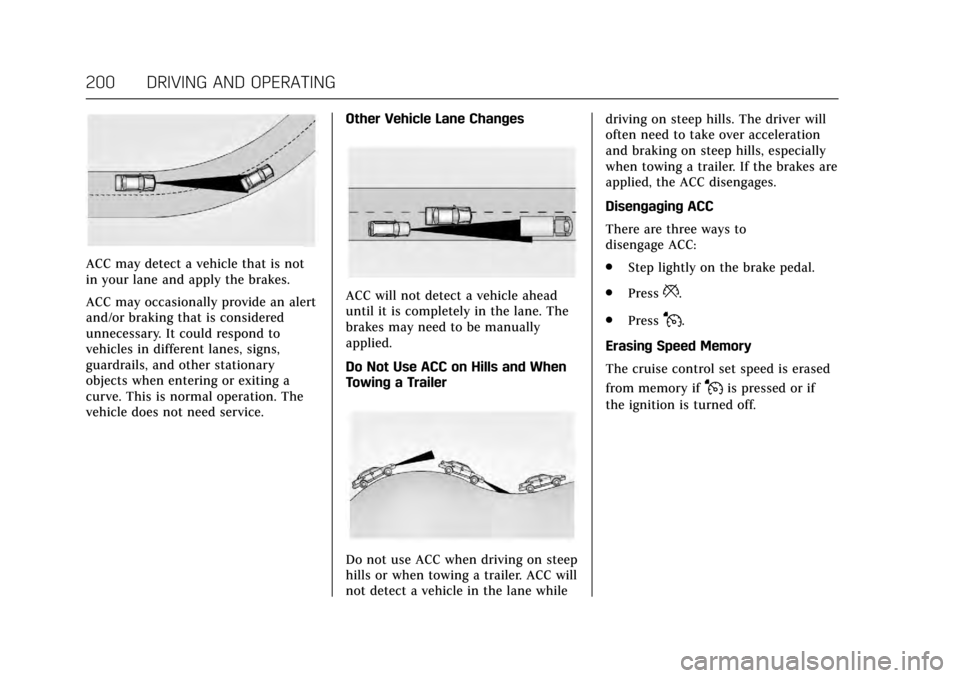
ACC may detect a vehicle that is not
in your lane and apply the brakes.
ACC may occasionally provide an alert
and/or braking that is considered
unnecessary. It could respond to
vehicles in different lanes, signs,
guardrails, and other stationary
objects when entering or exiting a
curve. This is normal operation. The
vehicle does not need service.Other Vehicle Lane Changes
ACC will not detect a vehicle ahead
until it is completely in the lane. The
brakes may need to be manually
applied.
Do Not Use ACC on Hills and When
Towing a Trailer
Do not use ACC when driving on steep
hills or when towing a trailer. ACC will
not detect a vehicle in the lane whiledriving on steep hills. The driver will
often need to take over acceleration
and braking on steep hills, especially
when towing a trailer. If the brakes are
applied, the ACC disengages.
Disengaging ACC
There are three ways to
disengage ACC:
.
Step lightly on the brake pedal.
. Press
*.
. Press
J.
Erasing Speed Memory
The cruise control set speed is erased
from memory if
Jis pressed or if
the ignition is turned off.
Page 205 of 314

Cadillac XTS Owner Manual (GMNA-Localizing-MidEast-10292881) - 2017 -
crc - 7/1/16
204 DRIVING AND OPERATING
Parking Assist
With RPA, and if equipped with FPA,
as the vehicle moves at speeds of less
than 8 km/h (5 mph) the sensors on
the bumpers may detect objects up to
2.5 m (8 ft) behind and 1.2 m (4 ft) in
front of the vehicle within a zone
25 cm (10 in) high off the ground and
below bumper level. These detection
distances may be shorter during
warmer or humid weather. Blocked
sensors will not detect objects and
can also cause false detections. Keep
the sensors clean of mud, dirt, snow,
ice, and slush; and clean sensors after
a car wash in freezing temperatures.
{Warning
The Parking Assist system does not
detect children, pedestrians,
bicyclists, animals, or objects
located below the bumper or that
are too close or too far from the
vehicle. It is not available at speeds
greater than 8 km/h (5 mph). To
prevent injury, death, or vehicle
damage, even with Parking Assist,(Continued)
Warning (Continued)
always check the area around the
vehicle and check all mirrors before
moving forward or backing.
The instrument cluster may have a
parking assist display with bars that
show“distance to object ”and object
location information for the Parking
Assist system. As the object gets
closer, more bars light up and the bars
change color from yellow to amber
to red.
When an object is first detected in the
rear, one beep will be heard from the
rear, or both sides of the Safety Alert
Seat will pulse two times. When an
object is very close (<0.6 m (2 ft) in the vehicle rear, or <0.3 m (1 ft) in the
vehicle front), five beeps will sound
from the front or rear depending on
object location, or both sides of the
Safety Alert Seat will pulse five times.
Beeps for FPA are higher pitched than
for RPA.
Backing Warning and Reverse
Automatic Braking (RAB)
Vehicles with Adaptive Cruise Control
(ACC) have the Backing Warning
System and RAB. The Backing
Warning part of this system can warn
of rear objects when backing up at
speeds greater than 8 km/h (5 mph).
The Backing Warning System will
beep once from the rear when an
object is first detected, or pulse twice
on both sides of the Safety Alert Seat.
When the system detects a potential
crash, beeps will be heard from the
rear, or five pulses will be felt on both
sides of the Safety Alert Seat. There
may also be a brief, sharp application
of the brakes.
Page 207 of 314
Cadillac XTS Owner Manual (GMNA-Localizing-MidEast-10292881) - 2017 -
crc - 7/1/16
206 DRIVING AND OPERATING
Use caution while backing up when
towing a trailer, as the RCTA
detection zones that extend out from
the back of the vehicle do not move
further back when a trailer is towed.
Turning the Features On or Off
PressXon the center stack to turn
on or off the Front and Rear Parking
Assist, Reverse Automatic Braking
(RAB), Rear Cross Traffic Alert
(RCTA), and the Backing Warning
System at the same time. The
indicator light next to the button
comes on when the features are on
and turns off when the features have
been disabled.
Turn off parking assist, RCTA, and
RAB when towing a trailer.
To turn the RPA symbols or guidance
lines (on some models) on or off, see
“Rear Camera ”under Vehicle
Personalization 0144.
RCTA can also be turned on or off
through vehicle personalization. See
“Collision/Detection Systems” under
Vehicle Personalization 0144.
Assistance Systems for
Driving
If equipped, when driving the vehicle
in a forward gear, Forward Collision
Alert (FCA), Lane Departure Warning
(LDW), Side Blind Zone Alert (SBZA),
and/or the Forward Automatic Braking
(FAB) System can help to avoid a
crash or reduce crash damage.
Forward Collision Alert
(FCA) System
If equipped, the FCA system may help
to avoid or reduce the harm caused by
front-end crashes. When approaching
a vehicle ahead too quickly, FCA
provides a red flashing alert on the
windshield and rapidly beeps or pulses
the driver seat. FCA also lights an
amber visual alert if following another
vehicle much too closely.
FCA detects vehicles within a distance
of approximately 60 m (197 ft) and
operates at speeds above 40 km/h
(25 mph). If the vehicle has Adaptive
Cruise Control (ACC), it can detect
vehicles to distances of approximately 110 m (360 ft) and operates at all
speeds. See
Adaptive Cruise
Control 0194.
{Warning
FCA is a warning system and does
not apply the brakes. When
approaching a slower-moving or
stopped vehicle ahead too rapidly,
or when following a vehicle too
closely, FCA may not provide a
warning with enough time to help
avoid a crash. It also may not
provide any warning at all. FCA
does not warn of pedestrians,
animals, signs, guardrails, bridges,
construction barrels, or other
objects. Be ready to take action and
apply the brakes. See Defensive
Driving 0168.
FCA can be disabled with the FCA
steering wheel control, or if your
vehicle is equipped with Adaptive
Cruise Control (ACC), through vehicle
personalization. See the “Auto
Page 221 of 314
Cadillac XTS Owner Manual (GMNA-Localizing-MidEast-10292881) - 2017 -
crc - 7/1/16
220 DRIVING AND OPERATING
carbon monoxide (CO) from the
exhaust can get into the vehicle.
SeeEngine Exhaust 0182.
Safety Chains
Always attach chains between the
vehicle and the trailer. Cross the safety
chains under the tongue of the trailer
to help prevent the tongue from
contacting the road if it becomes
separated from the hitch. Leave
enough slack so the rig can turn.
Never allow safety chains to drag on
the ground.
Trailer Brakes
Does the trailer have its own brakes?
Be sure to read and follow the
instructions for the trailer brakes so
they are installed, adjusted, and
maintained properly.
Because the vehicle has antilock
brakes, do not tap into the vehicle's
brake system. If this is done, both
brake systems will not work well or
at all.
Conversions and
Add-Ons
Add-On Electrical
Equipment
{Warning
The Data Link Connector (DLC) is
used for vehicle service and
Emission Inspection/Maintenance
testing. See Malfunction Indicator
Lamp (Check Engine Light) 0120.
A device connected to the DLC —
such as an aftermarket fleet or
driver-behavior tracking device —
may interfere with vehicle systems.
This could affect vehicle operation
and cause a crash. Such devices
may also access information stored
in the vehicle’s systems.
Caution
Some electrical equipment can
damage the vehicle or cause
components to not work and would
not be covered by the vehicle
warranty. Always check with your
dealer before adding electrical
equipment.
Add-on equipment can drain the
vehicle's 12-volt battery, even if the
vehicle is not operating.
The vehicle has an airbag system.
Before attempting to add anything
electrical to the vehicle, see Servicing
the Airbag-Equipped Vehicle 079
and Adding Equipment to the
Airbag-Equipped Vehicle 079.
Page 222 of 314
Cadillac XTS Owner Manual (GMNA-Localizing-MidEast-10292881) - 2017 -
crc - 7/1/16
VEHICLE CARE 221
Vehicle Care
General Information
General Information . . . . . . . . . . . . . 222
Accessories andModifications . . . . . . . . . . . . . . . . . . . 222
Vehicle Checks
Doing Your OwnService Work . . . . . . . . . . . . . . . . . . . . 223
Hood . . . . . . . . . . . . . . . . . . . . . . . . . . . . . . 223
Engine Compartment Overview . . . . . . . . . . . . . . . . . . . . . . . . . 224
Engine Cover . . . . . . . . . . . . . . . . . . . . . . 227
Engine Oil . . . . . . . . . . . . . . . . . . . . . . . . . 228
Engine Oil Life System . . . . . . . . . . . 230
Automatic Transmission Fluid . . . . . . . . . . . . . . . . . . . . . . . . . . . . . 231
Engine Air Cleaner/Filter . . . . . . . . . 231
Cooling System . . . . . . . . . . . . . . . . . . . 233
Engine Coolant . . . . . . . . . . . . . . . . . . . 234
Engine Overheating . . . . . . . . . . . . . . 237
Overheated Engine Protection Operating Mode . . . . . . . . . . . . . . . . . 238
Power Steering Fluid . . . . . . . . . . . . . 238
Washer Fluid . . . . . . . . . . . . . . . . . . . . . 239
Brakes . . . . . . . . . . . . . . . . . . . . . . . . . . . . . 240
Brake Fluid . . . . . . . . . . . . . . . . . . . . . . . 241
Battery . . . . . . . . . . . . . . . . . . . . . . . . . . . . 242
All-Wheel Drive . . . . . . . . . . . . . . . . . . 242 Starter Switch Check . . . . . . . . . . . . . 243
Automatic Transmission Shift
Lock Control Function
Check . . . . . . . . . . . . . . . . . . . . . . . . . . . . 243
Park Brake and P (Park)
Mechanism Check . . . . . . . . . . . . . . 243
Wiper Blade Replacement . . . . . . . 244
Windshield Replacement . . . . . . . . 244Headlamp Aiming
Headlamp Aiming . . . . . . . . . . . . . . . . 245
Bulb Replacement
Bulb Replacement . . . . . . . . . . . . . . . . 245
High Intensity Discharge (HID) Lighting . . . . . . . . . . . . . . . . . . . . . . . . . 245
LED Lighting . . . . . . . . . . . . . . . . . . . . . 245
Back-Up Lamps . . . . . . . . . . . . . . . . . . . 245
License Plate Lamp . . . . . . . . . . . . . . 246
Replacement Bulbs . . . . . . . . . . . . . . . 247
Electrical System
Electrical System Overload . . . . . . 247
Fuses and Circuit Breakers . . . . . . 248
Engine Compartment Fuse Block . . . . . . . . . . . . . . . . . . . . . . . . . . . . 248
Instrument Panel Fuse Block . . . . 251
Rear Compartment Fuse Block . . . . . . . . . . . . . . . . . . . . . . . . . . . . 252
Wheels and Tires
Tires . . . . . . . . . . . . . . . . . . . . . . . . . . . . . . . 254 All-Season Tires . . . . . . . . . . . . . . . . . . 255
Winter Tires . . . . . . . . . . . . . . . . . . . . . . 255
Low-Profile Tires . . . . . . . . . . . . . . . . . 256
Summer Tires . . . . . . . . . . . . . . . . . . . . 256
Tire Pressure . . . . . . . . . . . . . . . . . . . . . . 256
Tire Pressure for High-Speed
Operation . . . . . . . . . . . . . . . . . . . . . . . . 257
Tire Pressure Monitor System . . . 258
Tire Pressure Monitor Operation . . . . . . . . . . . . . . . . . . . . . . . . 259
Tire Inspection . . . . . . . . . . . . . . . . . . . 262
Tire Rotation . . . . . . . . . . . . . . . . . . . . . 262
When It Is Time for New Tires . . . . . . . . . . . . . . . . . . . . . . . . . . . . . 263
Buying New Tires . . . . . . . . . . . . . . . . 264
Different Size Tires and Wheels . . . . . . . . . . . . . . . . . . . . . . . . . . 265
Wheel Alignment and Tire Balance . . . . . . . . . . . . . . . . . . . . . . . . . . 265
Wheel Replacement . . . . . . . . . . . . . . 266
Tire Chains . . . . . . . . . . . . . . . . . . . . . . . 266
If a Tire Goes Flat . . . . . . . . . . . . . . . . 267
Tire Changing . . . . . . . . . . . . . . . . . . . . . 268
Compact Spare Tire . . . . . . . . . . . . . . 272
Jump Starting
Jump Starting . . . . . . . . . . . . . . . . . . . . . 273
Towing the Vehicle
Towing the Vehicle . . . . . . . . . . . . . . . 276
Recreational Vehicle Towing . . . . 276
Page 241 of 314
Cadillac XTS Owner Manual (GMNA-Localizing-MidEast-10292881) - 2017 -
crc - 7/1/16
240 VEHICLE CARE
Caution (Continued)
to freeze and damage the
washer fluid tank and other
parts of the washer system.
. When using concentrated
washer fluid, follow the
manufacturer instructions for
adding water.
. Fill the washer fluid tank only
three-quarters full when it is
very cold. This allows for
fluid expansion if freezing
occurs, which could damage
the tank if it is
completely full.
Brakes
Disc brake pads have built-in wear
indicators that make a high-pitched
warning sound when the brake pads
are worn and new pads are needed.
The sound can come and go or can be
heard all the time when the vehicle is
moving, except when applying the
brake pedal firmly.
{Warning
The brake wear warning sound
means that soon the brakes will not
work well. That could lead to a
crash. When the brake wear
warning sound is heard, have the
vehicle serviced.
Caution
Continuing to drive with worn-out
brake pads could result in costly
brake repair.
Some driving conditions or climates
can cause a brake squeal when the
brakes are first applied or lightly
applied. This does not mean
something is wrong with the brakes.
Properly torqued wheel nuts are
necessary to help prevent brake
pulsation. When tires are rotated,
inspect brake pads for wear and
evenly tighten wheel nuts in the proper sequence to torque
specifications. See
Capacities and
Specifications 0299.
Brake pads should be replaced as
complete sets.
Brake Pedal Travel
See your dealer if the brake pedal does
not return to normal height, or if
there is a rapid increase in pedal
travel. This could be a sign that brake
service may be required.
Replacing Brake System Parts
Always replace brake system parts
with new, approved replacement parts.
If this is not done, the brakes may not
work properly. The braking
performance expected can change in
many other ways if the wrong
replacement brake parts are installed
or if parts are improperly installed.
Page 242 of 314
Cadillac XTS Owner Manual (GMNA-Localizing-MidEast-10292881) - 2017 -
crc - 7/1/16
VEHICLE CARE 241
Brake Fluid
The brake master cylinder reservoir is
filled with GM approved DOT 3 brake
fluid as indicated on the reservoir cap.
SeeEngine Compartment Overview
0 224 for the location of the reservoir.
Checking Brake Fluid
With the vehicle in P (Park) on a level
surface, the brake fluid level should be
between the minimum and maximum
marks on the brake fluid reservoir.
There are only two reasons why the
brake fluid level in the reservoir may
go down:
. Normal brake lining wear. When
new linings are installed, the fluid
level goes back up.
. A fluid leak in the brake hydraulic
system. Have the brake hydraulic
system fixed. With a leak, the
brakes will not work well. Always clean the brake fluid reservoir
cap and the area around the cap
before removing it.
Do not top off the brake fluid. Adding
fluid does not correct a leak. If fluid is
added when the linings are worn,
there will be too much fluid when
new brake linings are installed. Add or
remove fluid, as necessary, only when
work is done on the brake hydraulic
system.
{Warning
If too much brake fluid is added, it
can spill on the engine and burn,
if the engine is hot enough. You or
others could be burned, and the
vehicle could be damaged. Add
brake fluid only when work is done
on the brake hydraulic system.
When the brake fluid falls to a low
level, the brake warning light comes
on. See Brake System Warning
Light 0122.
Brake fluid absorbs water over time
which degrades the effectiveness of
the brake fluid. Replace brake fluid at the specified intervals to prevent
increased stopping distance. See
Maintenance Schedule
0288.
What to Add
Use only GM approved DOT 3 brake
fluid from a clean, sealed container.
See Recommended Fluids and
Lubricants 0295.
{Warning
The wrong or contaminated brake
fluid could result in damage to the
brake system. This could result in
the loss of braking leading to a
possible injury. Always use the
proper GM approved brake fluid.
Caution
If brake fluid is spilled on the
vehicle's painted surfaces, the paint
finish can be damaged. Immediately
wash off any painted surface.