light CADILLAC XTS 2017 1.G Workshop Manual
[x] Cancel search | Manufacturer: CADILLAC, Model Year: 2017, Model line: XTS, Model: CADILLAC XTS 2017 1.GPages: 314, PDF Size: 3.71 MB
Page 130 of 314
Cadillac XTS Owner Manual (GMNA-Localizing-MidEast-10292881) - 2017 -
crc - 7/1/16
INSTRUMENTS AND CONTROLS 129
SEL :Press to open a menu or select a
menu item. Press and hold to reset
values on certain screens.
DIC Information Display Options
The info displays on the DIC can be
turned on or off through the
Options menu.
1. Press SEL while viewing the Options page in one of the
interactive display zones on the
cluster.
2. Scroll to Info Pages and press SEL.
3. Press
yorzto move through
the list of possible info displays.
4. Press SEL while an item is highlighted to select or deselect
that item. When an item is
selected, a checkmark will appear
next to it.
DIC Information Displays
The following is the list of all possible
DIC information displays. Some of the
information displays may not be
available for your particular vehicle. Speed (Base Cluster) :
Shows the
vehicle speed in either kilometers per
hour (km/h) or miles per hour (mph).
Trip 1 or Trip 2 (Base Cluster) / Trip
1 or Trip 2 and Average Fuel
Economy (Uplevel Cluster) : The Trip
display shows the current distance
traveled, in either kilometers (km) or
miles (mi), since the trip odometer
was last reset. The trip odometer can
be reset by pressing and holding SEL
while this display is active.
The Average Fuel Economy display
shows the approximate average liters
per 100 kilometers (L/100 km) or
miles per gallon (mpg). This number
is calculated based on the number of
L/100 km (mpg) recorded since the
last time this menu item was reset.
This number reflects only the
approximate average fuel economy
that the vehicle has right now, and
will change as driving conditions
change. The Average Fuel Economy
can be reset along with the trip
odometer by pressing and holding SEL
while this display is active. Fuel Range :
Shows the approximate
distance the vehicle can be driven
without refueling. LOW will be
displayed when the vehicle is low on
fuel. The fuel range estimate is based
on an average of the vehicle's fuel
economy over recent driving history
and the amount of fuel remaining in
the fuel tank.
Average Fuel Economy (Base
Cluster) : Shows the approximate
average liters per 100 kilometers (L/
100 km) or miles per gallon (mpg).
This number is calculated based on
the number of L/100 km (mpg)
recorded since the last time this menu
item was reset. This number reflects
only the approximate average fuel
economy that the vehicle has right
now, and will change as driving
conditions change. The Average Fuel
Economy can be reset by pressing and
holding SEL while this display is
active.
Instantaneous Fuel Economy : Shows
the current fuel economy in either
liters per 100 kilometers (L/100 km) or
miles per gallon (mpg). This number
reflects only the approximate fuel
Page 133 of 314
Cadillac XTS Owner Manual (GMNA-Localizing-MidEast-10292881) - 2017 -
crc - 7/1/16
132 INSTRUMENTS AND CONTROLS
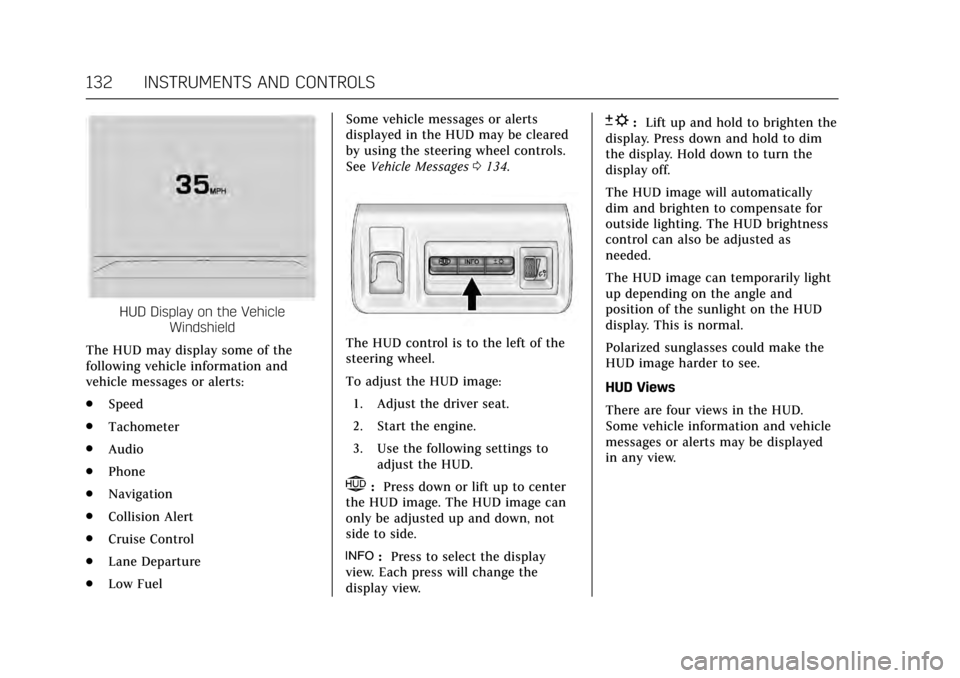
HUD Display on the VehicleWindshield
The HUD may display some of the
following vehicle information and
vehicle messages or alerts:
. Speed
. Tachometer
. Audio
. Phone
. Navigation
. Collision Alert
. Cruise Control
. Lane Departure
. Low Fuel Some vehicle messages or alerts
displayed in the HUD may be cleared
by using the steering wheel controls.
See
Vehicle Messages 0134.
The HUD control is to the left of the
steering wheel.
To adjust the HUD image:
1. Adjust the driver seat.
2. Start the engine.
3. Use the following settings to adjust the HUD.
$:Press down or lift up to center
the HUD image. The HUD image can
only be adjusted up and down, not
side to side.
!: Press to select the display
view. Each press will change the
display view.
D: Lift up and hold to brighten the
display. Press down and hold to dim
the display. Hold down to turn the
display off.
The HUD image will automatically
dim and brighten to compensate for
outside lighting. The HUD brightness
control can also be adjusted as
needed.
The HUD image can temporarily light
up depending on the angle and
position of the sunlight on the HUD
display. This is normal.
Polarized sunglasses could make the
HUD image harder to see.
HUD Views
There are four views in the HUD.
Some vehicle information and vehicle
messages or alerts may be displayed
in any view.
Page 139 of 314
Cadillac XTS Owner Manual (GMNA-Localizing-MidEast-10292881) - 2017 -
crc - 7/1/16
138 INSTRUMENTS AND CONTROLS
NO REMOTE DETECTED
This message displays when the
transmitter battery may be weak. See
“Starting the Vehicle with a Low
Transmitter Battery”underRemote
Keyless Entry (RKE) System
Operation 027.
NO REMOTE DETECTED PRESS
BRAKE TO RESTART
This message displays when
attempting to turn off the vehicle and
the RKE transmitter is no longer
detected. Restarting is allowed
without the RKE transmitter for
five minutes. Press the brake pedal
and ENGINE START/STOP to restart
the vehicle.
NUMBER OF KEYS PROGRAMMED
This message displays when
programming new keys to the vehicle.
REMOTE LEFT IN VEHICLE
This message displays when leaving
the vehicle with the RKE transmitter
still inside.
REPLACE BATTERY IN
REMOTE KEY
This message displays when the
battery in the RKE transmitter needs
to be replaced.
Lamp Messages
AFL (ADAPTIVE FORWARD
LIGHTING) LAMPS NEED SERVICE
This message displays when the AFL
system is disabled and needs service.
See your dealer. See Adaptive Forward
Lighting (AFL) 0154.
AUTOMATIC LIGHT CONTROL
ON/OFF
This message is displayed when the
exterior lamp control is in AUTO and
the lights have turned on or off. See
Automatic Headlamp System 0153.
XXX TURN INDICATOR FAILURE
When one of the turn signals is out,
this message displays to show which
bulb needs to be replaced. See Bulb
Replacement 0245 and Replacement
Bulbs 0247.
TURN SIGNAL ON
This message is displayed if the turn
signal has been left on. Turn off the
turn signal.
Object Detection System
Messages
24 GHz RADARS OFF
This message displays when driving in
certain areas where there may be
radar interference. Adaptive Cruise
Control (ACC), Forward Collision Alert
(FCA), and the Forward Automatic
Braking (FAB) may not work or may
not work as well. The vehicle does not
need service.
FORWARD COLLISION
SYSTEM OFF
This message displays when the
Forward Automatic Braking (FAB) has
been turned off. See Forward
Automatic Braking (FAB) 0208.
Page 143 of 314
Cadillac XTS Owner Manual (GMNA-Localizing-MidEast-10292881) - 2017 -
crc - 7/1/16
142 INSTRUMENTS AND CONTROLS
Service Vehicle Messages
SERVICE POWER STEERING
This message displays and a chime
may sound when there may be a
problem with the power steering
system. If this message displays and a
reduction in steering performance or
loss of power steering assistance is
noticed, see your dealer.
SERVICE VEHICLE SOON
This message is displayed if there is a
problem with the vehicle. Take the
vehicle to your dealer for service.
Starting the Vehicle
Messages
PRESS BRAKE TO START
This message is displayed when
attempting to start the vehicle
without first pressing the brake pedal.
SERVICE KEYLESS START
SYSTEM
This message is displayed if there is a
problem with the pushbutton start
system. Take the vehicle to your
dealer for service.
Tire Messages
SERVICE TIRE MONITOR SYSTEM
This message displays if there is a
problem with the Tire Pressure
Monitor System (TPMS). SeeTire
Pressure Monitor Operation 0259.
TIRE LEARNING ACTIVE
This message displays when the
system is learning new tires. See Tire
Pressure Monitor Operation 0259.
TIRE PRESSURE LOW ADD AIR
TO TIRE
This message displays when the
pressure in one or more of the tires
is low.
This message also displays LEFT
FRONT, RIGHT FRONT, LEFT REAR,
or RIGHT REAR to indicate the
location of the low tire. The low tire pressure warning light
will also come on. See
Tire Pressure
Light 0125.
If a tire pressure message appears on
the DIC, stop as soon as possible.
Inflate the tires by adding air until the
tire pressure is equal to the values
shown on the Tire and Loading
Information label. See Tires0254,
Vehicle Load Limits 0173, and Tire
Pressure 0256.
More than one tire pressure message
can appear at a time. The DIC also
shows the tire pressure values. See
Driver Information Center (DIC) 0128.
Transmission Messages
SERVICE TRANSMISSION
This message displays if there is a
problem with the transmission. See
your dealer.
SHIFT DENIED
This message displays when using the
Driver Shift Control (DSC) and
attempting to shift to a gear not
Page 146 of 314
Cadillac XTS Owner Manual (GMNA-Localizing-MidEast-10292881) - 2017 -
crc - 7/1/16
INSTRUMENTS AND CONTROLS 145
Manage Favorites
This allows favorites to be edited. See
“Manage Favorites”in “Settings” under
“Radio ”in the infotainment manual.
Number of Favorites Shown
Press to set the number of favorites to
display.
Select the desired number or select
Auto and the infotainment system will
automatically adjust the number of
favorites shown.
Audible Touch Feedback
This allows Audible Touch Feedback
to be turned on or off.
Select Off or On.
Bose Audio Pilot
This feature adjusts the volume based
on the noise in the vehicle. See “Bose
AudioPilot Noise Compensation
Technology” under“Infotainment
System Settings” in the infotainment
manual.
Select Off or On. Maximum Start Up Volume
This feature sets the maximum
startup volume. If the vehicle is
started and the volume is greater than
this level, the volume is adjusted to
this level.
To set the maximum startup volume,
press + or
−to increase or decrease.
Vehicle
Select and the following may display:
.
Climate and Air Quality
. Collision/Detection Systems
. Comfort and Convenience
. Lighting
. Power Door Locks
. Remote Lock, Unlock, Start
Climate and Air Quality
Select and the following may display:
. Auto Fan Max Speed
. Air Quality Sensor
. Auto Cooled Seats
. Auto Heated Seats
. Auto Defog .
Auto Rear Defog
Auto Fan Max Speed
This feature will set the maximum
auto fan speed.
Select Low, Medium, or High.
Air Quality Sensor
This allows for selection of air quality
sensor operation at high or low
sensitivity.
Select Off, Low Sensitivity, or High
Sensitivity.
Auto Cooled Seats
When enabled, this feature will
automatically activate ventilated seats
at the level required by the interior
temperature. The auto ventilated seats
can be turned off by using the
ventilated seat buttons on the center
stack. See Heated and Ventilated Front
Seats 058.
Select Off or On.
Auto Heated Seats
When enabled, this feature will
automatically activate the heated
seats at the level required by the
Page 148 of 314
Cadillac XTS Owner Manual (GMNA-Localizing-MidEast-10292881) - 2017 -
crc - 7/1/16
INSTRUMENTS AND CONTROLS 147
.Rain Sense Wipers
Auto Memory Recall
This feature automatically recalls the
current driver’s previously stored 1 or
2 button positions when entering the
vehicle. See Memory Seats 057.
Select Off, On - Driver Door Open,
or On - At ignition On.
Easy Exit Options
This feature automatically recalls the
current driver’s previously stored Exit
button position when exiting the
vehicle. See Memory Seats 057.
Select Off or On.
Chime Volume
This allows the selection of the chime
volume level.
Press + or −to adjust the volume.
Reverse Tilt Mirror
When on, both the driver and
passenger outside mirrors will tilt
downward when the vehicle is shifted
to R (Reverse) to improve visibility of
the ground near the rear wheels. They
will return to their previous driving position when the vehicle is shifted
out of R (Reverse) or the engine is
turned off.
Select Off, On, On - Driver and
Passenger, On - Driver, or On -
Passenger.
Auto Mirror Folding
When on, the outside rearview mirrors
will automatically fold or unfold when
the Remote Keyless Entry (RKE)
transmitter
QorKbutton is pressed
and held.
Select Off or On.
Rain Sense Wipers
This allows the Rain Sense Wipers
feature to be disabled or enabled.
Select Disabled or Enabled.
Lighting
Select and the following may display:
. Vehicle Locator Lights
. Exit Lighting Vehicle Locator Lights
This feature will flash the exterior
lamps and allows some of the exterior
lamps and most of the interior lamps
to turn on briefly at night when
Kon
the Remote Keyless Entry (RKE)
transmitter is pressed to locate the
vehicle.
Select Off or On.
Exit Lighting
This allows the selection of how long
the exterior lamps stay on when
leaving the vehicle when it is dark
outside.
Select Off, 30 Seconds, 60 Seconds,
or 120 Seconds.
Power Door Locks
Select and the following may display:
. Unlocked Door Anti-Lockout
. Auto Door Lock
. Auto Door Unlock
. Delayed Door Lock
Page 149 of 314

Cadillac XTS Owner Manual (GMNA-Localizing-MidEast-10292881) - 2017 -
crc - 7/1/16
148 INSTRUMENTS AND CONTROLS
Unlocked Door Anti-Lockout
When on, this feature will keep the
driver door from locking when the
door is open. If Off is selected, the
Delayed Door Lock menu will be
available.
Select Off or On.
Auto Door Lock
When this feature is turned on, all
doors will automatically lock when the
vehicle is shifted out of P (Park). The
doors will automatically unlock when
the vehicle is shifted into P (Park).
Select Off or On.
Auto Door Unlock
This allows selection of which of the
doors will automatically unlock when
the vehicle is shifted into P (Park).
Select Off, All Doors, or Driver Door.
Delayed Door Lock
When on, this feature will delay the
locking of the doors. To override the
delay, press the power door lock
switch on the door.
Select Off or On.Remote Lock, Unlock, Start
Select and the following may display:
.Remote Unlock Light Feedback
. Remote Lock Feedback
. Remote Door Unlock
. Remote Start Auto Cool Seats
. Remote Start Auto Heat Seats
. Remote Window Operation
. Passive Door Unlock
. Passive Door Lock
. Remote Left in Vehicle Alert
Remote Unlock Light Feedback
When on, the exterior lamps will flash
when unlocking the vehicle with the
RKE transmitter.
Select Off or Flash Lights.
Remote Lock Feedback
This allows selection of what type of
feedback is given when locking the
vehicle with the RKE transmitter.
Select Off, Lights and Horn, Lights
Only, or Horn Only. Remote Door Unlock
This allows selection of which doors
will unlock when pressing
Kon the
RKE transmitter.
Select All Doors or Driver Door.
Remote Start Auto Cool Seats
If equipped and turned on, this
feature will turn the ventilated seats
on when using remote start on
warm days.
Select Off or On.
Remote Start Auto Heat Seats
If equipped and turned on, this
feature will turn the heated seats on
when using remote start on cold days.
Select Off or On.
Remote Window Operation
This allows the window to be opened
when pressing
Kon the RKE
transmitter. See Remote Keyless Entry
(RKE) System Operation 027.
Select Off or On.
Page 152 of 314
Cadillac XTS Owner Manual (GMNA-Localizing-MidEast-10292881) - 2017 -
crc - 7/1/16
LIGHTING 151
Lighting
Exterior Lighting
Exterior Lamp Controls . . . . . . . . . . 151
Exterior Lamps Off Reminder . . . 152
Headlamp High/Low-BeamChanger . . . . . . . . . . . . . . . . . . . . . . . . . . 152
Flash-to-Pass . . . . . . . . . . . . . . . . . . . . . 153
Daytime Running Lamps (DRL) . . . . . . . . . . . . . . . . . . . . 153
Automatic Headlamp System . . . 153
Adaptive Forward Lighting (AFL) . . . . . . . . . . . . . . . . . . 154
Hazard Warning Flashers . . . . . . . . 154
Turn and Lane-Change Signals . . . . . . . . . . . . . . . . . . . . . . . . . . . 154
Interior Lighting
Instrument Panel IlluminationControl . . . . . . . . . . . . . . . . . . . . . . . . . . 155
Courtesy Lamps . . . . . . . . . . . . . . . . . . 155
Dome Lamps . . . . . . . . . . . . . . . . . . . . . 155
Reading Lamps . . . . . . . . . . . . . . . . . . . 156
Lighting Features
Entry Lighting . . . . . . . . . . . . . . . . . . . . 156
Exit Lighting . . . . . . . . . . . . . . . . . . . . . . 157
Battery Power Protection . . . . . . . . 157
Exterior Lighting Battery Saver . . . . . . . . . . . . . . . . . . . . . . . . . . . . . 157
Exterior Lighting
Exterior Lamp Controls
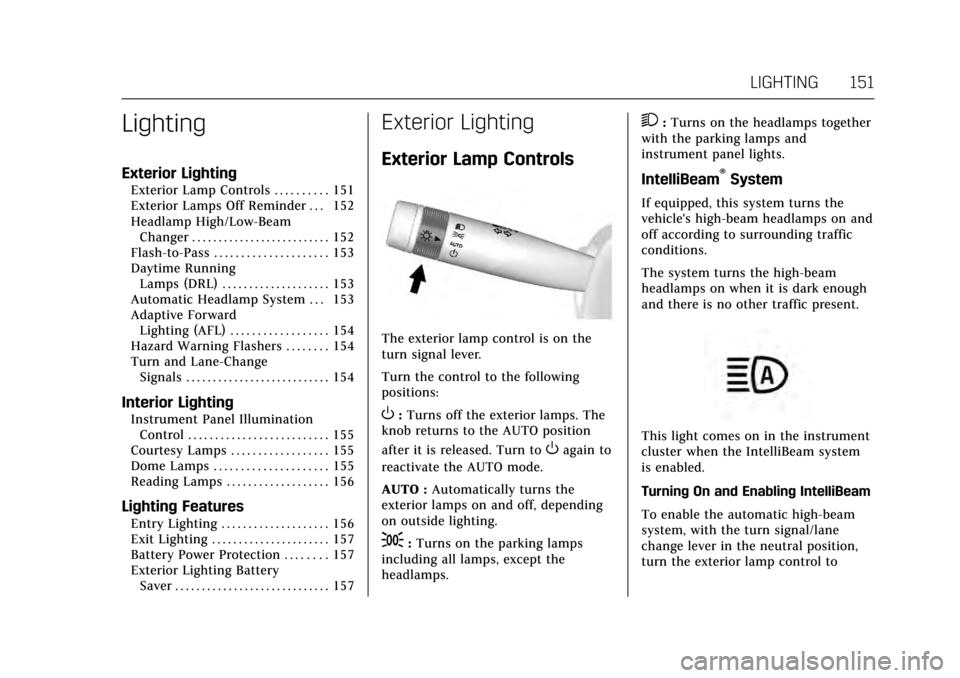
The exterior lamp control is on the
turn signal lever.
Turn the control to the following
positions:
O:Turns off the exterior lamps. The
knob returns to the AUTO position
after it is released. Turn to
Oagain to
reactivate the AUTO mode.
AUTO : Automatically turns the
exterior lamps on and off, depending
on outside lighting.
;: Turns on the parking lamps
including all lamps, except the
headlamps.
2: Turns on the headlamps together
with the parking lamps and
instrument panel lights.
IntelliBeam®System
If equipped, this system turns the
vehicle's high-beam headlamps on and
off according to surrounding traffic
conditions.
The system turns the high-beam
headlamps on when it is dark enough
and there is no other traffic present.
This light comes on in the instrument
cluster when the IntelliBeam system
is enabled.
Turning On and Enabling IntelliBeam
To enable the automatic high-beam
system, with the turn signal/lane
change lever in the neutral position,
turn the exterior lamp control to
Page 153 of 314
Cadillac XTS Owner Manual (GMNA-Localizing-MidEast-10292881) - 2017 -
crc - 7/1/16
152 LIGHTING
AUTO. The blue high-beam on light
appears on the instrument cluster
when the high beams are on.
Driving with IntelliBeam
The system only activates the high
beams when driving over 40 km/h
(25 mph).
There is a sensor near the top center
of the windshield that automatically
controls the system. Keep this area of
the windshield clear of debris to allow
for best system performance.
The high-beam headlamps remain on,
under the automatic control, until one
of the following situations occurs:
.The system detects an
approaching vehicle's headlamps.
. The system detects a preceding
vehicle's taillamps.
. The outside light is bright enough
that high-beam headlamps are not
required.
. The vehicle's speed drops below
20 km/h (12 mph).
. The IntelliBeam system can be
disabled by the High/Low-Beam
Changer or the Flash-to-Pass feature. If this happens, the High/
Low-Beam Changer must be
activated two times within
two seconds to reactivate the
IntelliBeam system. The
instrument cluster light will come
on to indicate the IntelliBeam is
reactivated. See
Headlamp High/
Low-Beam Changer 0152 and
Flash-to-Pass 0153.
The high beams may not turn off
automatically if the system cannot
detect another vehicle's lamps because
of any of the following:
. The other vehicle's lamps are
missing, damaged, obstructed from
view, or otherwise undetected.
. The other vehicle's lamps are
covered with dirt, snow, and/or
road spray.
. The other vehicle's lamps cannot
be detected due to dense exhaust,
smoke, fog, snow, road spray, mist,
or other airborne obstructions.
. The vehicle's windshield is dirty,
cracked, or obstructed by
something that blocks the view of
the light sensor. .
The vehicle is loaded such that the
front end points upward, causing
the light sensor to aim high and
not detect headlamps and
taillamps.
. Driving on winding or hilly roads.
The automatic high-beam headlamps
may need to be disabled if any of the
above conditions exist.
Exterior Lamps Off
Reminder
A warning chime sounds if the driver
door is opened while the ignition is off
and the exterior lamps are on.
Headlamp High/Low-Beam
Changer
2 3
: Push the turn signal lever
away from you and release, to turn the
high beams on. To return to low
beams, push the lever again or pull it
toward you and release.
Page 154 of 314
Cadillac XTS Owner Manual (GMNA-Localizing-MidEast-10292881) - 2017 -
crc - 7/1/16
LIGHTING 153
This indicator light turns on in the
instrument cluster when the
high-beam headlamps are on.
Flash-to-Pass
To flash the high beams, pull the turn
signal lever toward you, and release.
Daytime Running
Lamps (DRL)
Daytime Running Lamps (DRL) can
make it easier for others to see the
front of your vehicle during the day.
For vehicles with High Intensity
Discharge (HID) headlamps, the
dedicated DRL will come on when all
of the following conditions are met:
.The ignition is on.
. The exterior lamp control is
in AUTO. .
The light sensor determines it is
daytime.
. The parking brake is released or
the vehicle is not in P (Park).
When the DRL are on, the taillamps,
sidemarker lamps, and other lamps
will not be on.
The DRL turn off when the headlamps
are turned to
Oor the ignition is off.
Automatic Headlamp
System
When the exterior lamp control is set
to AUTO and it is dark enough
outside, the headlamps come on
automatically.
There is a light sensor on top of the
instrument panel. Do not cover the
sensor.
The system may also turn on the
headlamps when driving through a
parking garage or tunnel.
If the vehicle is started in a dark
garage, the automatic headlamp
system comes on immediately. If it is
light outside when the vehicle leaves
the garage, there is a slight delay
before the automatic headlamp
system changes to the DRL. During
that delay, the instrument cluster may
not be as bright as usual. Make sure
the instrument panel brightness
control is in the full bright position.
See Instrument Panel Illumination
Control 0155.
When it is bright enough outside, the
headlamps will turn off or may change
to Daytime Running Lamps (DRL).
The automatic headlamp system turns
off when the exterior lamp control is
turned to
Oor the ignition is off.