Dic CADILLAC XTS 2019 Owner's Guide
[x] Cancel search | Manufacturer: CADILLAC, Model Year: 2019, Model line: XTS, Model: CADILLAC XTS 2019Pages: 376, PDF Size: 6.71 MB
Page 40 of 376
Cadillac XTS Owner Manual (GMNA-Localizing-U.S./Canada-12032610) -
2019 - crc - 8/22/18
KEYS, DOORS, AND WINDOWS 39
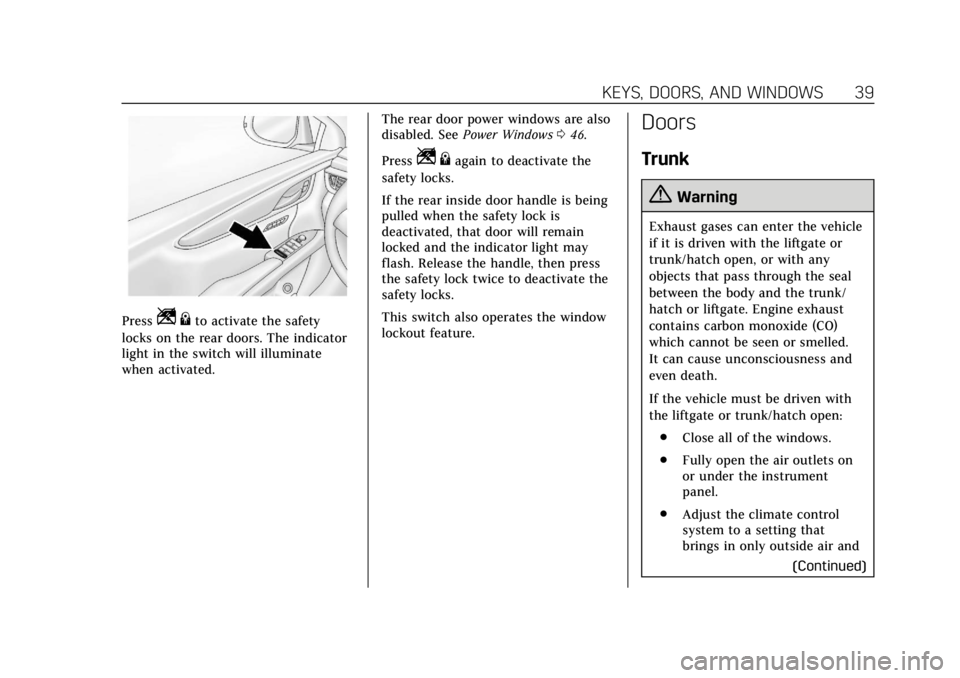
PressZ{to activate the safety
locks on the rear doors. The indicator
light in the switch will illuminate
when activated. The rear door power windows are also
disabled. See
Power Windows 046.
Press
Z {again to deactivate the
safety locks.
If the rear inside door handle is being
pulled when the safety lock is
deactivated, that door will remain
locked and the indicator light may
flash. Release the handle, then press
the safety lock twice to deactivate the
safety locks.
This switch also operates the window
lockout feature.
Doors
Trunk
{Warning
Exhaust gases can enter the vehicle
if it is driven with the liftgate or
trunk/hatch open, or with any
objects that pass through the seal
between the body and the trunk/
hatch or liftgate. Engine exhaust
contains carbon monoxide (CO)
which cannot be seen or smelled.
It can cause unconsciousness and
even death.
If the vehicle must be driven with
the liftgate or trunk/hatch open:
. Close all of the windows.
. Fully open the air outlets on
or under the instrument
panel.
. Adjust the climate control
system to a setting that
brings in only outside air and
(Continued)
Page 42 of 376
Cadillac XTS Owner Manual (GMNA-Localizing-U.S./Canada-12032610) -
2019 - crc - 8/22/18
KEYS, DOORS, AND WINDOWS 41
Emergency Trunk Release
Handle
Caution
Do not use the emergency trunk(Continued)
Caution (Continued)
release handle as a tie-down or
anchor point when securing items
in the trunk as it could damage the
handle.
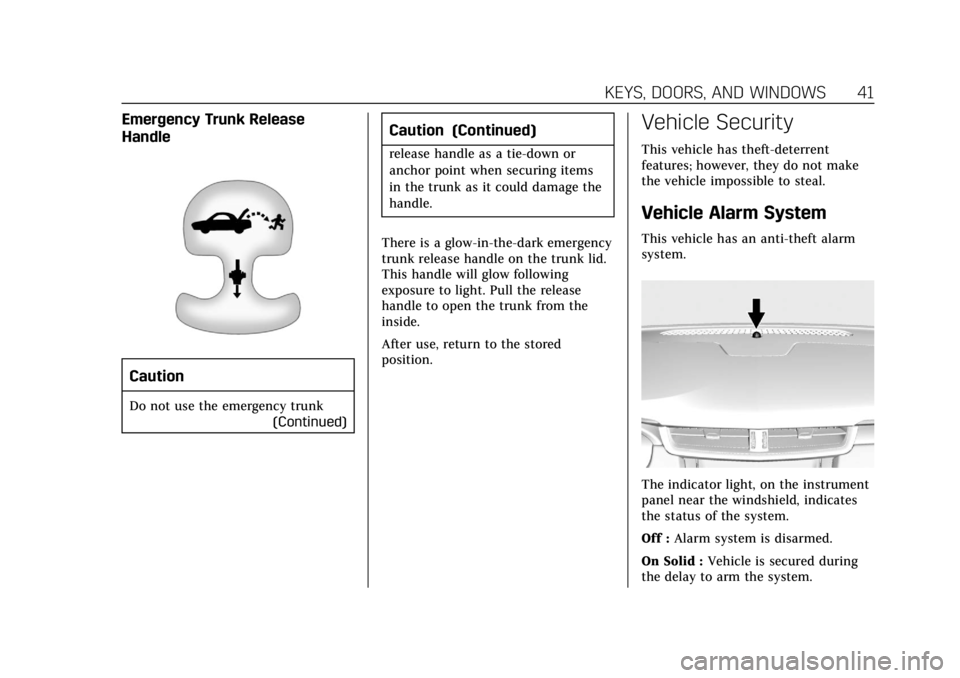
There is a glow-in-the-dark emergency
trunk release handle on the trunk lid.
This handle will glow following
exposure to light. Pull the release
handle to open the trunk from the
inside.
After use, return to the stored
position.
Vehicle Security
This vehicle has theft-deterrent
features; however, they do not make
the vehicle impossible to steal.
Vehicle Alarm System
This vehicle has an anti-theft alarm
system.
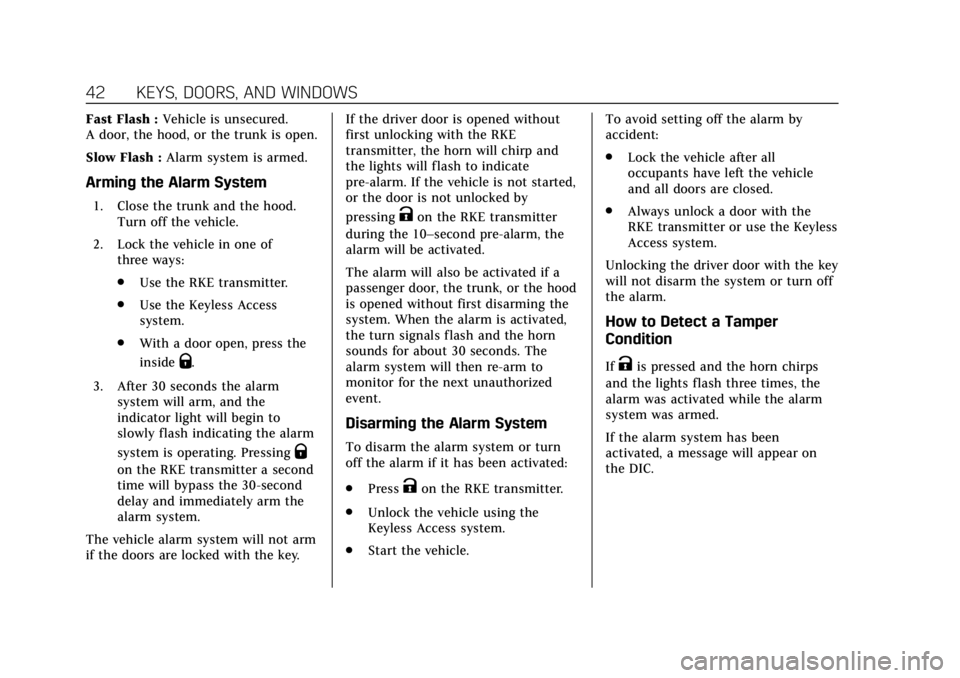
The indicator light, on the instrument
panel near the windshield, indicates
the status of the system.
Off : Alarm system is disarmed.
On Solid : Vehicle is secured during
the delay to arm the system.
Page 43 of 376
Cadillac XTS Owner Manual (GMNA-Localizing-U.S./Canada-12032610) -
2019 - crc - 8/22/18
42 KEYS, DOORS, AND WINDOWS
Fast Flash :Vehicle is unsecured.
A door, the hood, or the trunk is open.
Slow Flash : Alarm system is armed.
Arming the Alarm System
1. Close the trunk and the hood.
Turn off the vehicle.
2. Lock the vehicle in one of three ways:
.Use the RKE transmitter.
. Use the Keyless Access
system.
. With a door open, press the
inside
Q.
3. After 30 seconds the alarm system will arm, and the
indicator light will begin to
slowly flash indicating the alarm
system is operating. Pressing
Q
on the RKE transmitter a second
time will bypass the 30-second
delay and immediately arm the
alarm system.
The vehicle alarm system will not arm
if the doors are locked with the key. If the driver door is opened without
first unlocking with the RKE
transmitter, the horn will chirp and
the lights will flash to indicate
pre-alarm. If the vehicle is not started,
or the door is not unlocked by
pressing
Kon the RKE transmitter
during the 10–second pre-alarm, the
alarm will be activated.
The alarm will also be activated if a
passenger door, the trunk, or the hood
is opened without first disarming the
system. When the alarm is activated,
the turn signals flash and the horn
sounds for about 30 seconds. The
alarm system will then re-arm to
monitor for the next unauthorized
event.
Disarming the Alarm System
To disarm the alarm system or turn
off the alarm if it has been activated:
. Press
Kon the RKE transmitter.
. Unlock the vehicle using the
Keyless Access system.
. Start the vehicle. To avoid setting off the alarm by
accident:
.
Lock the vehicle after all
occupants have left the vehicle
and all doors are closed.
. Always unlock a door with the
RKE transmitter or use the Keyless
Access system.
Unlocking the driver door with the key
will not disarm the system or turn off
the alarm.
How to Detect a Tamper
Condition
IfKis pressed and the horn chirps
and the lights flash three times, the
alarm was activated while the alarm
system was armed.
If the alarm system has been
activated, a message will appear on
the DIC.
Page 45 of 376
Cadillac XTS Owner Manual (GMNA-Localizing-U.S./Canada-12032610) -
2019 - crc - 8/22/18
44 KEYS, DOORS, AND WINDOWS
Exterior Mirrors
Convex Mirrors
{Warning
A convex mirror can make things,
like other vehicles, look farther
away than they really are. If you cut
too sharply into the right lane, you
could hit a vehicle on the right.
Check the inside mirror or glance
over your shoulder before changing
lanes.
The passenger side mirror is convex
shaped. A convex mirror's surface is
curved so more can be seen from the
driver seat.
Power Mirrors
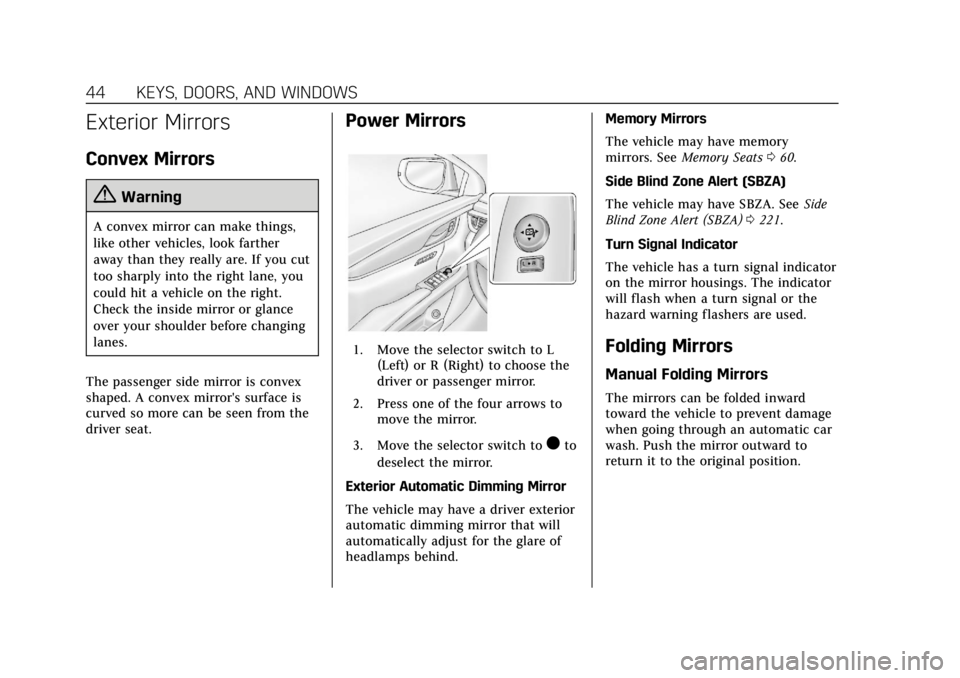
1. Move the selector switch to L (Left) or R (Right) to choose the
driver or passenger mirror.
2. Press one of the four arrows to move the mirror.
3. Move the selector switch to
)to
deselect the mirror.
Exterior Automatic Dimming Mirror
The vehicle may have a driver exterior
automatic dimming mirror that will
automatically adjust for the glare of
headlamps behind. Memory Mirrors
The vehicle may have memory
mirrors. See
Memory Seats 060.
Side Blind Zone Alert (SBZA)
The vehicle may have SBZA. See Side
Blind Zone Alert (SBZA) 0221.
Turn Signal Indicator
The vehicle has a turn signal indicator
on the mirror housings. The indicator
will flash when a turn signal or the
hazard warning flashers are used.
Folding Mirrors
Manual Folding Mirrors
The mirrors can be folded inward
toward the vehicle to prevent damage
when going through an automatic car
wash. Push the mirror outward to
return it to the original position.
Page 48 of 376
Cadillac XTS Owner Manual (GMNA-Localizing-U.S./Canada-12032610) -
2019 - crc - 8/22/18
KEYS, DOORS, AND WINDOWS 47
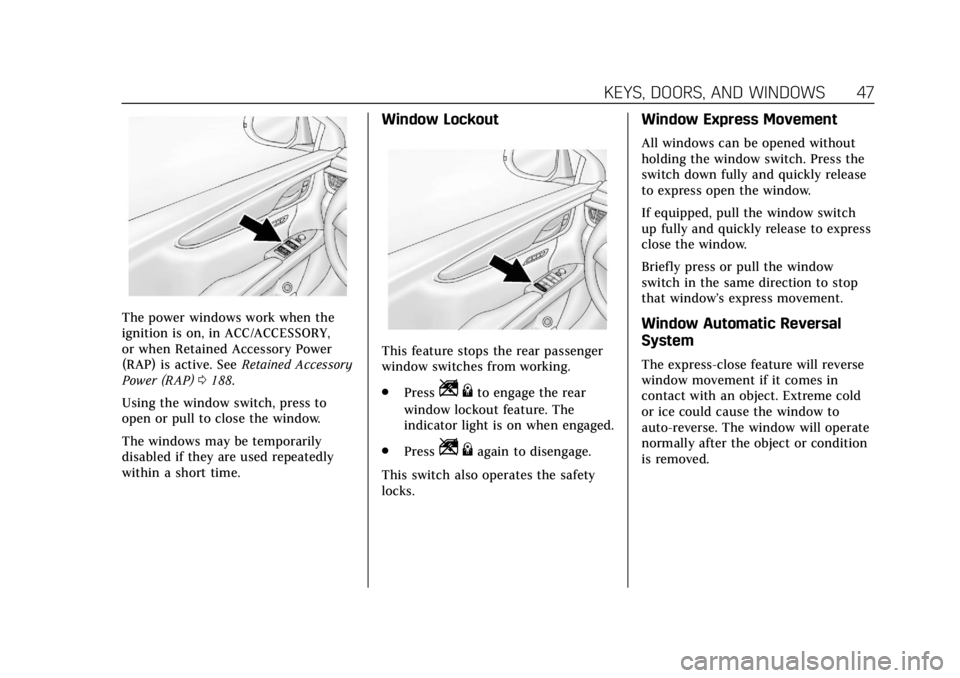
The power windows work when the
ignition is on, in ACC/ACCESSORY,
or when Retained Accessory Power
(RAP) is active. SeeRetained Accessory
Power (RAP) 0188.
Using the window switch, press to
open or pull to close the window.
The windows may be temporarily
disabled if they are used repeatedly
within a short time.
Window Lockout
This feature stops the rear passenger
window switches from working.
. Press
Z{to engage the rear
window lockout feature. The
indicator light is on when engaged.
. Press
Z{again to disengage.
This switch also operates the safety
locks.
Window Express Movement
All windows can be opened without
holding the window switch. Press the
switch down fully and quickly release
to express open the window.
If equipped, pull the window switch
up fully and quickly release to express
close the window.
Briefly press or pull the window
switch in the same direction to stop
that window’s express movement.
Window Automatic Reversal
System
The express-close feature will reverse
window movement if it comes in
contact with an object. Extreme cold
or ice could cause the window to
auto-reverse. The window will operate
normally after the object or condition
is removed.
Page 52 of 376
Cadillac XTS Owner Manual (GMNA-Localizing-U.S./Canada-12032610) -
2019 - crc - 8/22/18
KEYS, DOORS, AND WINDOWS 51
If frost or other conditions prevent
closing, override the feature by closing
the sunroof in manual mode. To stop
movement, release the switch.
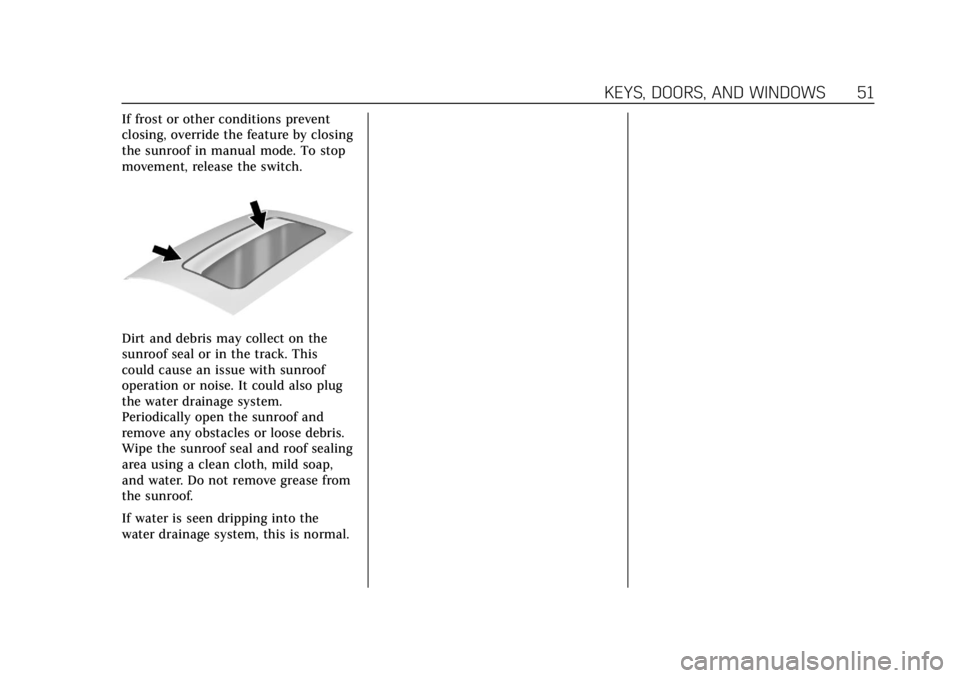
Dirt and debris may collect on the
sunroof seal or in the track. This
could cause an issue with sunroof
operation or noise. It could also plug
the water drainage system.
Periodically open the sunroof and
remove any obstacles or loose debris.
Wipe the sunroof seal and roof sealing
area using a clean cloth, mild soap,
and water. Do not remove grease from
the sunroof.
If water is seen dripping into the
water drainage system, this is normal.
Page 61 of 376
Cadillac XTS Owner Manual (GMNA-Localizing-U.S./Canada-12032610) -
2019 - crc - 8/22/18
60 SEATS AND RESTRAINTS
Do not have a seatback reclined if the
vehicle is moving.
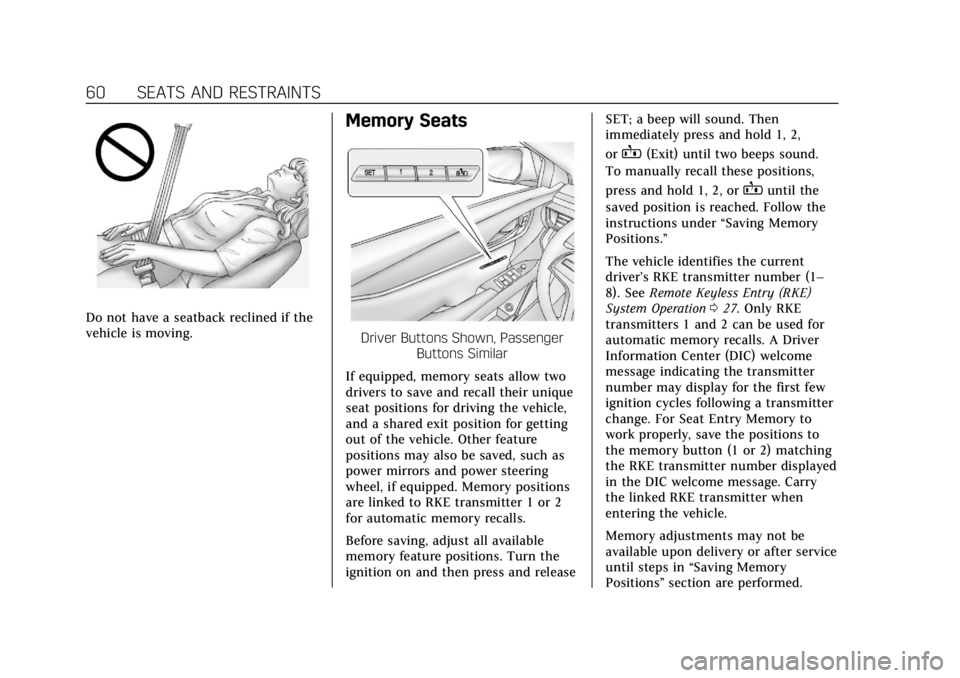
Memory Seats
Driver Buttons Shown, PassengerButtons Similar
If equipped, memory seats allow two
drivers to save and recall their unique
seat positions for driving the vehicle,
and a shared exit position for getting
out of the vehicle. Other feature
positions may also be saved, such as
power mirrors and power steering
wheel, if equipped. Memory positions
are linked to RKE transmitter 1 or 2
for automatic memory recalls.
Before saving, adjust all available
memory feature positions. Turn the
ignition on and then press and release SET; a beep will sound. Then
immediately press and hold 1, 2,
or
B(Exit) until two beeps sound.
To manually recall these positions,
press and hold 1, 2, or
Buntil the
saved position is reached. Follow the
instructions under “Saving Memory
Positions.”
The vehicle identifies the current
driver’s RKE transmitter number (1–
8). See Remote Keyless Entry (RKE)
System Operation 027. Only RKE
transmitters 1 and 2 can be used for
automatic memory recalls. A Driver
Information Center (DIC) welcome
message indicating the transmitter
number may display for the first few
ignition cycles following a transmitter
change. For Seat Entry Memory to
work properly, save the positions to
the memory button (1 or 2) matching
the RKE transmitter number displayed
in the DIC welcome message. Carry
the linked RKE transmitter when
entering the vehicle.
Memory adjustments may not be
available upon delivery or after service
until steps in “Saving Memory
Positions” section are performed.
Page 62 of 376
Cadillac XTS Owner Manual (GMNA-Localizing-U.S./Canada-12032610) -
2019 - crc - 8/22/18
SEATS AND RESTRAINTS 61
Vehicle Personalization Settings
.To have the Seat Entry Memory
movement begin when the vehicle
is started, select the Settings
menu, then Vehicle, then Seating
Position, and then Seat Entry
Memory. Select On or Off. See
“Seat Entry Memory” later in this
section.
. To begin Seat Exit Memory
movement when the ignition is
turned off and the driver door is
opened, or when the ignition is
turned off with the driver door
already opened, select the Settings
menu, then Vehicle, then Seating
Position, and then Seat Exit
Memory. Select On or Off. See
“Seat Exit Memory” later in this
section.
. See Vehicle Personalization 0147
for additional setting information.
Identifying Driver Number
To identify the driver number: 1. Start the vehicle with a different key or RKE transmitter. The DIC
should display the driver number; 1 or 2. Turn the ignition
off and remove the key or RKE
transmitter from the vehicle.
2. Start the vehicle with the initial key or RKE transmitter. The DIC
should display the other driver
number not shown in Step 1.
Saving Memory Positions
Read these instructions completely
before saving memory positions.
To save preferred driving positions
1 and 2: 1. Turn the ignition on or to ACC/ ACCESSORY.
A DIC welcome message may
indicate driver number 1 or 2.
2. Adjust all available memory features to the desired driving
position.
3. Press and release SET; a beep will sound.
4. Immediately press and hold the 1 or 2 memory button matching
the above DIC welcome message
until two beeps sound. If too much time passes between
releasing SET and pressing 1, the
memory position will not be
saved and two beeps will not
sound. Repeat Steps 3 and 4.
1 or 2 corresponds to the driver
number. See
“Identifying Driver
Number” previously in this
section.
5. Repeat Steps 1–4 for a second driver using 1 or 2.
To save the position for
Band Seat
Exit Memory, repeat Steps 1–4 using
B. This saves the position for getting
out of the vehicle.
Save preferred memory feature
positions to both 1 and 2 if you are
the only driver.
Manually Recalling Memory
Positions
Press and hold 1, 2, or
Bto recall
the previously saved memory
positions.
Page 64 of 376
Cadillac XTS Owner Manual (GMNA-Localizing-U.S./Canada-12032610) -
2019 - crc - 8/22/18
SEATS AND RESTRAINTS 63
.Power mirror, with the driver or
passenger side mirror selected
. Power steering wheel, if equipped
Obstructions
If something has blocked the driver
seat and/or power steering wheel
while recalling a memory position, the
recall may stop. Remove the
obstruction and try the recall again.
If the memory position still does not
recall, see your dealer for service.
Heated and Ventilated
Front Seats
{Warning
If temperature change or pain to
the skin cannot be felt, the seat
heater may cause burns. To reduce
the risk of burns, use care when
using the seat heater, especially for
long periods of time. Do not place
anything on the seat that insulates
against heat, such as a blanket,
cushion, cover, or similar item. This (Continued)
Warning (Continued)
may cause the seat heater to
overheat. An overheated seat heater
may cause a burn or may damage
the seat.
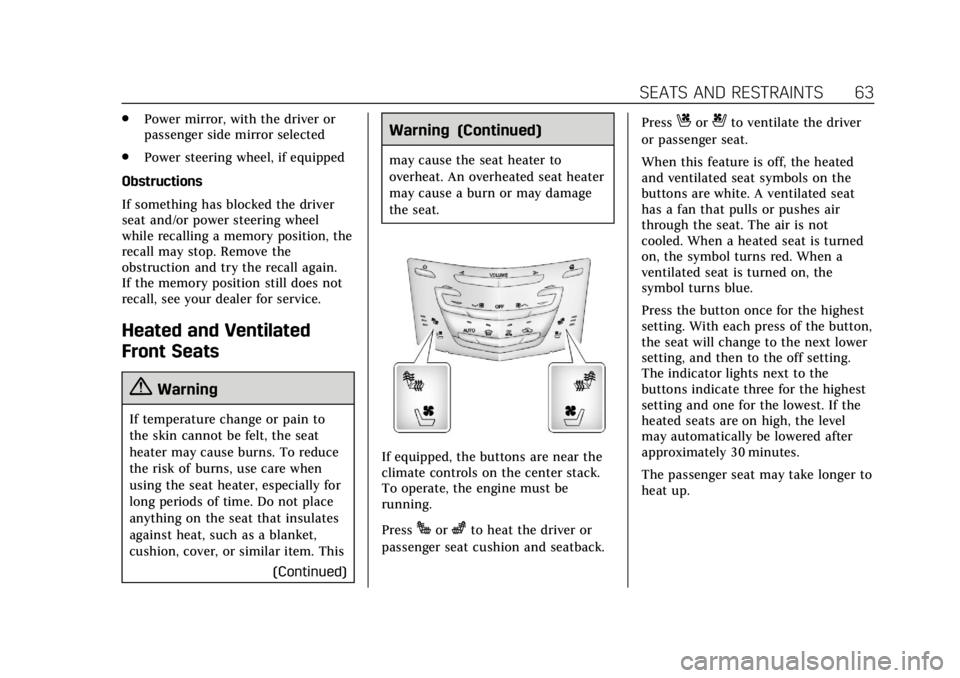
If equipped, the buttons are near the
climate controls on the center stack.
To operate, the engine must be
running.
Press
Jorzto heat the driver or
passenger seat cushion and seatback. Press
Cor{to ventilate the driver
or passenger seat.
When this feature is off, the heated
and ventilated seat symbols on the
buttons are white. A ventilated seat
has a fan that pulls or pushes air
through the seat. The air is not
cooled. When a heated seat is turned
on, the symbol turns red. When a
ventilated seat is turned on, the
symbol turns blue.
Press the button once for the highest
setting. With each press of the button,
the seat will change to the next lower
setting, and then to the off setting.
The indicator lights next to the
buttons indicate three for the highest
setting and one for the lowest. If the
heated seats are on high, the level
may automatically be lowered after
approximately 30 minutes.
The passenger seat may take longer to
heat up.
Page 65 of 376
Cadillac XTS Owner Manual (GMNA-Localizing-U.S./Canada-12032610) -
2019 - crc - 8/22/18
64 SEATS AND RESTRAINTS
Auto Heated and Ventilated Seats
When the vehicle is on, this feature
will automatically activate the heated
or ventilated seats at the level
required by the vehicle’s interior
temperature.
The active high, medium, low, or off
heated or ventilated seat level will be
indicated by the manual heated or
ventilated seat buttons on the center
stack. Use the manual heated or
ventilated seat buttons on the center
stack to turn auto heated or ventilated
seats off. If the passenger seat is
unoccupied, the auto heated or
ventilated seats feature will not
activate that seat. The auto heated or
ventilated seats feature can be
programmed to always be enabled
when the vehicle is on. If equipped
with a heated steering wheel, the auto
heated steering wheel activation will
follow the heated seat auto activation
and the heated wheel indicator will
follow the state of the steering
wheel heat.
SeeVehicle Personalization 0147. Remote Start Heated and Ventilated
Seats
If equipped, the heated seats will turn
on automatically during a remote
start if it is cold outside and the
ventilated seats will turn on
automatically if it is hot outside.
If equipped, the heated steering wheel
will turn on automatically during a
remote start if it is cold outside. The
heated and ventilated seat indicators
and heated steering wheel indicator
may not come on during this
operation.
The heated and ventilated seats and
heated steering wheel may cancel
when the vehicle is started. These
features can be manually selected
after the ignition is turned on.
The temperature performance of an
unoccupied seat may be reduced. This
is normal.
The heated or ventilated seats may be
enabled or disabled in the vehicle
personalization menu.
See
Remote Vehicle Start 034 and
Vehicle Personalization 0147.Massage
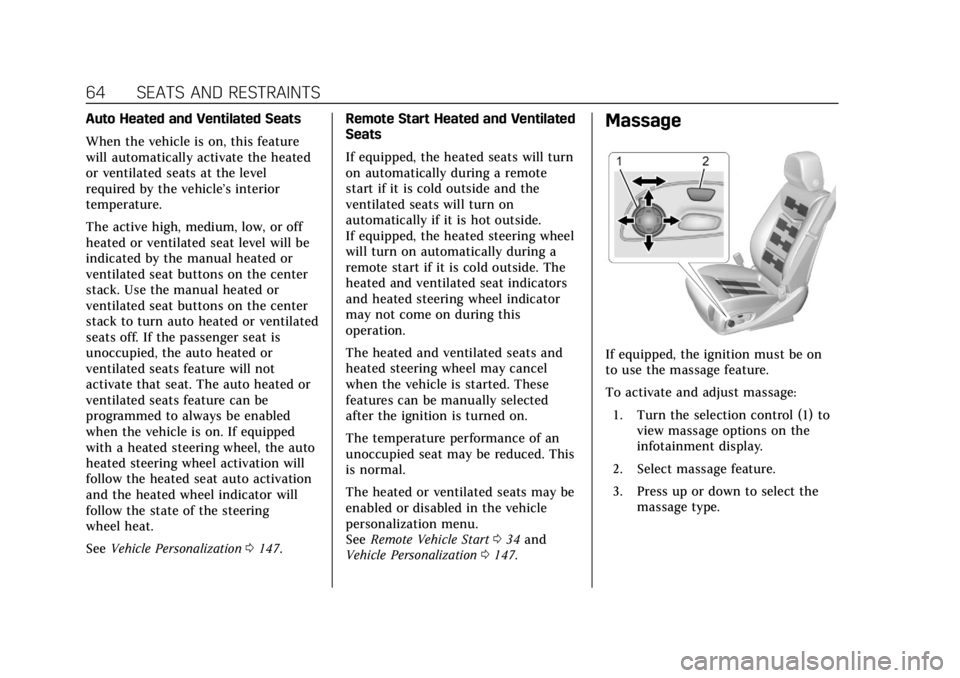
If equipped, the ignition must be on
to use the massage feature.
To activate and adjust massage:
1. Turn the selection control (1) to view massage options on the
infotainment display.
2. Select massage feature.
3. Press up or down to select the massage type.