Dic CADILLAC XTS 2019 Owner's Manual
[x] Cancel search | Manufacturer: CADILLAC, Model Year: 2019, Model line: XTS, Model: CADILLAC XTS 2019Pages: 376, PDF Size: 6.71 MB
Page 3 of 376
Cadillac XTS Owner Manual (GMNA-Localizing-U.S./Canada-12032610) -
2019 - crc - 8/22/18
2 INTRODUCTION
Introduction
The names, logos, emblems, slogans,
vehicle model names, and vehicle
body designs appearing in this manual
including, but not limited to, GM, the
GM logo, CADILLAC, the CADILLAC
Emblem, and XTS are trademarks and/
or service marks of General Motors
LLC, its subsidiaries, affiliates,
or licensors.
For vehicles first sold in Canada,
substitute the name“General Motors
of Canada Company ”for Cadillac
Motor Car Division wherever it
appears in this manual. This manual describes features that
may or may not be on the vehicle
because of optional equipment that
was not purchased on the vehicle,
model variants, country specifications,
features/applications that may not be
available in your region, or changes
subsequent to the printing of this
owner’s manual.
Refer to the purchase documentation
relating to your specific vehicle to
confirm the features.
Keep this manual in the vehicle for
quick reference.
Canadian Vehicle Owners
A French language manual can be
obtained from your dealer, at
www.helminc.com, or from:
Propriétaires Canadiens
On peut obtenir un exemplaire de ce
guide en français auprès du
concessionnaire ou à l'adresse
suivante:Helm, Incorporated
Attention: Customer Service
47911 Halyard Drive
Plymouth, MI 48170
USA
Using this Manual
To quickly locate information about
the vehicle, use the Index in the back
of the manual. It is an alphabetical
list of what is in the manual and the
page number where it can be found.
Danger, Warning, and
Caution
Warning messages found on vehicle
labels and in this manual describe
hazards and what to do to avoid or
reduce them.
{Danger
Danger indicates a hazard with a
high level of risk which will result
in serious injury or death.
Litho in U.S.A.
Part No. 84137650 B Second Printing©2018 General Motors LLC. All Rights Reserved.
Page 4 of 376
Cadillac XTS Owner Manual (GMNA-Localizing-U.S./Canada-12032610) -
2019 - crc - 8/22/18
INTRODUCTION 3
{Warning
Warning indicates a hazard that
could result in injury or death.
Caution
Caution indicates a hazard that
could result in property or vehicle
damage.
A circle with a slash through it is a
safety symbol which means“Do Not,”
“Do not do this,” or“Do not let this
happen.”
Symbols
The vehicle has components and
labels that use symbols instead of
text. Symbols are shown along with the text describing the operation or
information relating to a specific
component, control, message, gauge,
or indicator.
M:
Shown when the owner’s manual
has additional instructions or
information.
*: Shown when the service manual
has additional instructions or
information.
0: Shown when there is more
information on another page —
“see page.”
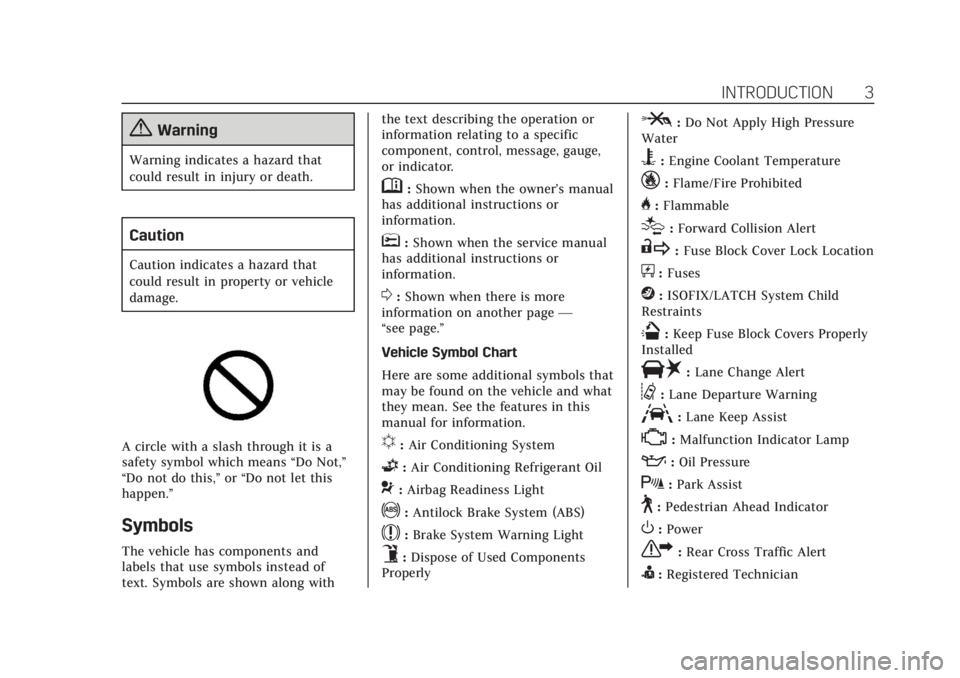
Vehicle Symbol Chart
Here are some additional symbols that
may be found on the vehicle and what
they mean. See the features in this
manual for information.
u: Air Conditioning System
G:Air Conditioning Refrigerant Oil
9:Airbag Readiness Light
!:Antilock Brake System (ABS)
$:Brake System Warning Light
9:Dispose of Used Components
Properly
P: Do Not Apply High Pressure
Water
B: Engine Coolant Temperature
_:Flame/Fire Prohibited
H: Flammable
[:Forward Collision Alert
R: Fuse Block Cover Lock Location
+:Fuses
j:ISOFIX/LATCH System Child
Restraints
Q: Keep Fuse Block Covers Properly
Installed
|: Lane Change Alert
@:Lane Departure Warning
A:Lane Keep Assist
*:Malfunction Indicator Lamp
::Oil Pressure
X:Park Assist
~:Pedestrian Ahead Indicator
O:Power
7: Rear Cross Traffic Alert
I:Registered Technician
Page 5 of 376
Cadillac XTS Owner Manual (GMNA-Localizing-U.S./Canada-12032610) -
2019 - crc - 8/22/18
4 INTRODUCTION
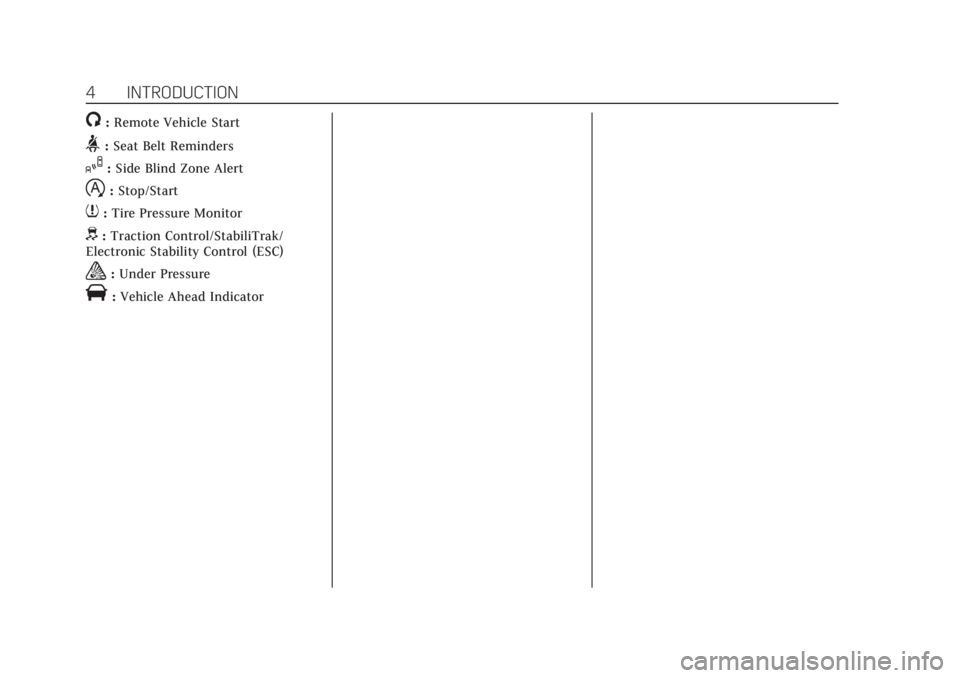
/:Remote Vehicle Start
>:Seat Belt Reminders
I: Side Blind Zone Alert
h:Stop/Start
7: Tire Pressure Monitor
d:Traction Control/StabiliTrak/
Electronic Stability Control (ESC)
a: Under Pressure
V:Vehicle Ahead Indicator
Page 6 of 376
Cadillac XTS Owner Manual (GMNA-Localizing-U.S./Canada-12032610) -
2019 - crc - 8/22/18
IN BRIEF 5
In Brief
Instrument Panel
Instrument Panel Overview . . . . . . . . . 6
Initial Drive Information
Initial Drive Information . . . . . . . . . . . 8
Remote Keyless Entry (RKE)System . . . . . . . . . . . . . . . . . . . . . . . . . . . . . 8
Remote Vehicle Start . . . . . . . . . . . . . . . 8
Door Locks . . . . . . . . . . . . . . . . . . . . . . . . . . 9
Trunk . . . . . . . . . . . . . . . . . . . . . . . . . . . . . . . . 9
Windows . . . . . . . . . . . . . . . . . . . . . . . . . . . . . 9
Seat Adjustment . . . . . . . . . . . . . . . . . . . 10
Memory Features . . . . . . . . . . . . . . . . . . 11
Second Row Seats . . . . . . . . . . . . . . . . . 11
Heated and Ventilated Seats . . . . . . 12
Head Restraint Adjustment . . . . . . . 12
Seat Belts . . . . . . . . . . . . . . . . . . . . . . . . . . . 12
Passenger Sensing System . . . . . . . . 13
Mirror Adjustment . . . . . . . . . . . . . . . . 13
Steering Wheel Adjustment . . . . . . . 14
Interior Lighting . . . . . . . . . . . . . . . . . . . 14
Exterior Lighting . . . . . . . . . . . . . . . . . . . 15
Windshield Wiper/Washer . . . . . . . . 15
Climate Controls . . . . . . . . . . . . . . . . . . . 16
Transmission . . . . . . . . . . . . . . . . . . . . . . . 17
Vehicle Features
Infotainment System . . . . . . . . . . . . . . 18
Steering Wheel Controls . . . . . . . . . . 18
Cruise Control . . . . . . . . . . . . . . . . . . . . . 18
Driver Information Center (DIC) . . . . . . . . . . . . . . . . . . . . . . 18
Forward Collision Alert (FCA) System . . . . . . . . . . . . . . . . . . . . . . . . . . . . 19
Forward Automatic Braking (FAB) . . . . . . . . . . . . . . . . . . . . 19
Lane Departure Warning (LDW) . . . . . . . . . . . . . . . . . . 19
Lane Keep Assist (LKA) . . . . . . . . . . . 19
Side Blind Zone Alert (SBZA) . . . . . 20
Lane Change Alert (LCA) . . . . . . . . . . 20
Surround Vision . . . . . . . . . . . . . . . . . . . 20
Rear Vision Camera (RVC) . . . . . . . . 20
Rear Cross Traffic Alert (RCTA) System . . . . . . . . . . . . . . . . . . . . . . . . . . . . 20
Park Assist . . . . . . . . . . . . . . . . . . . . . . . . . 21
Automatic Parking Assist (APA) . . . . . . . . . . . . . . . . . . . . . . 21
Reverse Automatic Braking (RAB) . . . . . . . . . . . . . . . . . . . . 21
Power Outlets . . . . . . . . . . . . . . . . . . . . . . 21
Sunroof . . . . . . . . . . . . . . . . . . . . . . . . . . . . . 21
Performance and Maintenance
Traction Control/Electronic Stability Control . . . . . . . . . . . . . . . . . . 23 Tire Pressure Monitor . . . . . . . . . . . . . 23
Fuel (LFX 3.6L V6 Engine) . . . . . . . . 23
Fuel (LF3 3.6L Twin Turbo
V6 Engine) . . . . . . . . . . . . . . . . . . . . . . . . 24
E85 or FlexFuel . . . . . . . . . . . . . . . . . . . . 24
Engine Oil Life System . . . . . . . . . . . . 24
Driving for Better Fuel
Economy . . . . . . . . . . . . . . . . . . . . . . . . . . 25
Roadside Service . . . . . . . . . . . . . . . . . . . 25
Page 8 of 376

Cadillac XTS Owner Manual (GMNA-Localizing-U.S./Canada-12032610) -
2019 - crc - 8/22/18
IN BRIEF 7
1.Air Vents 0169.
2. Electric Parking Brake 0194.
Instrument Panel Illumination
Control 0159.
Head-Up Display (HUD) 0142 (If
Equipped).
3. Exterior Lamp Controls 0155.
Turn Signal Lever. See Turn and
Lane-Change Signals 0158.
4. Instrument Cluster 0121.
Driver Information Center (DIC)
Display. See Driver Information
Center (DIC) 0139.
5. Windshield Wiper/Washer 0113.
6. Hazard Warning Flashers 0158.
Lane Departure Warning (LDW)
0 223.
Lane Keep Assist (LKA) 0224.
Traction Control/Electronic
Stability Control 0196.
7. Infotainment 0162.
8. Glove Box Button. See Glove Box
0 109. Park Assist Button. See
Assistance Systems for Parking or
Backing
0211.
Automatic Parking Assist (APA)
Button. See Assistance Systems
for Parking or Backing 0211.
9. Dual Automatic Climate Control
System 0163.
Heated and Ventilated Front Seats
0 63 (If Equipped).
10. Instrument Panel Storage 0108 (If
Equipped).
Wireless Charging Pad (If
Equipped) (Out of View). See
Wireless Charging 0117.
11. Shift Lever. See Automatic
Transmission 0191.
12. ENGINE START/STOP Button. SeeIgnition Positions 0184.
13. Steering Wheel Controls 0113.
14. Horn 0113.
15. Steering Wheel Adjustment 0113. 16.
Cruise Control 0199.
Adaptive Cruise Control 0202 (If
Equipped).
Forward Collision Alert (FCA)
System 0217 (If Equipped).
Phone Button. See “Steering
Wheel Controls ”in the
infotainment manual.
Heated Steering Wheel 0113 (If
Equipped).
17. Data Link Connector (DLC) (Out of View). See Malfunction
Indicator Lamp (Check Engine
Light) 0131.
18. Hood Release. See Hood0239.
19. Instrument Panel Storage 0108.
Page 13 of 376
Cadillac XTS Owner Manual (GMNA-Localizing-U.S./Canada-12032610) -
2019 - crc - 8/22/18
12 IN BRIEF
SeeRear Seats 065.
Heated and Ventilated
Seats
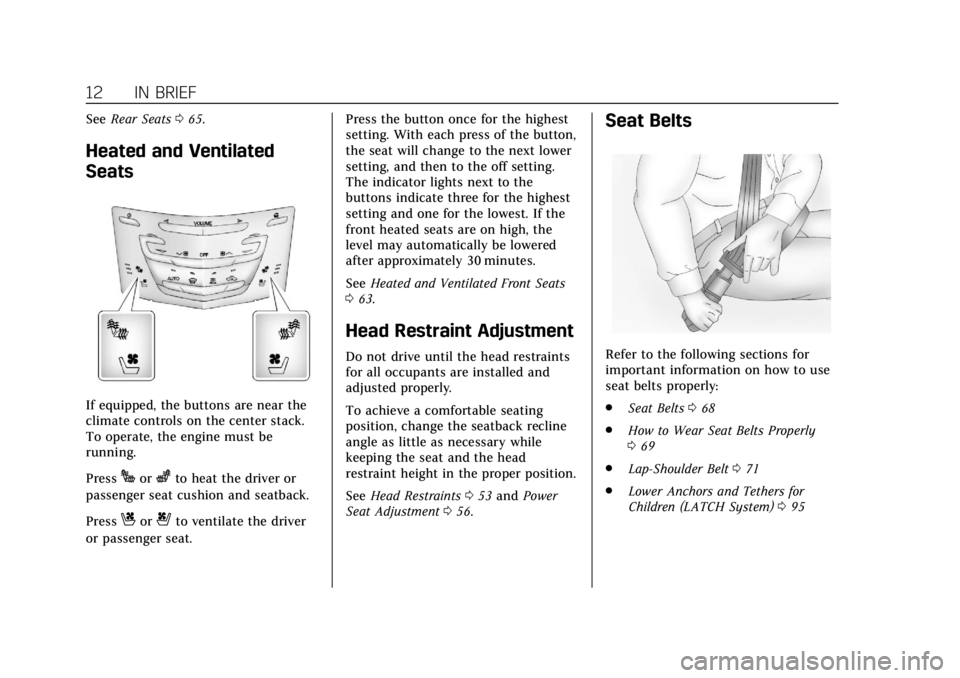
If equipped, the buttons are near the
climate controls on the center stack.
To operate, the engine must be
running.
Press
Jorzto heat the driver or
passenger seat cushion and seatback.
Press
Cor{to ventilate the driver
or passenger seat. Press the button once for the highest
setting. With each press of the button,
the seat will change to the next lower
setting, and then to the off setting.
The indicator lights next to the
buttons indicate three for the highest
setting and one for the lowest. If the
front heated seats are on high, the
level may automatically be lowered
after approximately 30 minutes.
See
Heated and Ventilated Front Seats
0 63.
Head Restraint Adjustment
Do not drive until the head restraints
for all occupants are installed and
adjusted properly.
To achieve a comfortable seating
position, change the seatback recline
angle as little as necessary while
keeping the seat and the head
restraint height in the proper position.
See Head Restraints 053 and Power
Seat Adjustment 056.
Seat Belts
Refer to the following sections for
important information on how to use
seat belts properly:
.
Seat Belts 068
. How to Wear Seat Belts Properly
069
. Lap-Shoulder Belt 071
. Lower Anchors and Tethers for
Children (LATCH System) 095
Page 14 of 376
Cadillac XTS Owner Manual (GMNA-Localizing-U.S./Canada-12032610) -
2019 - crc - 8/22/18
IN BRIEF 13
Passenger Sensing System
United States
Canada
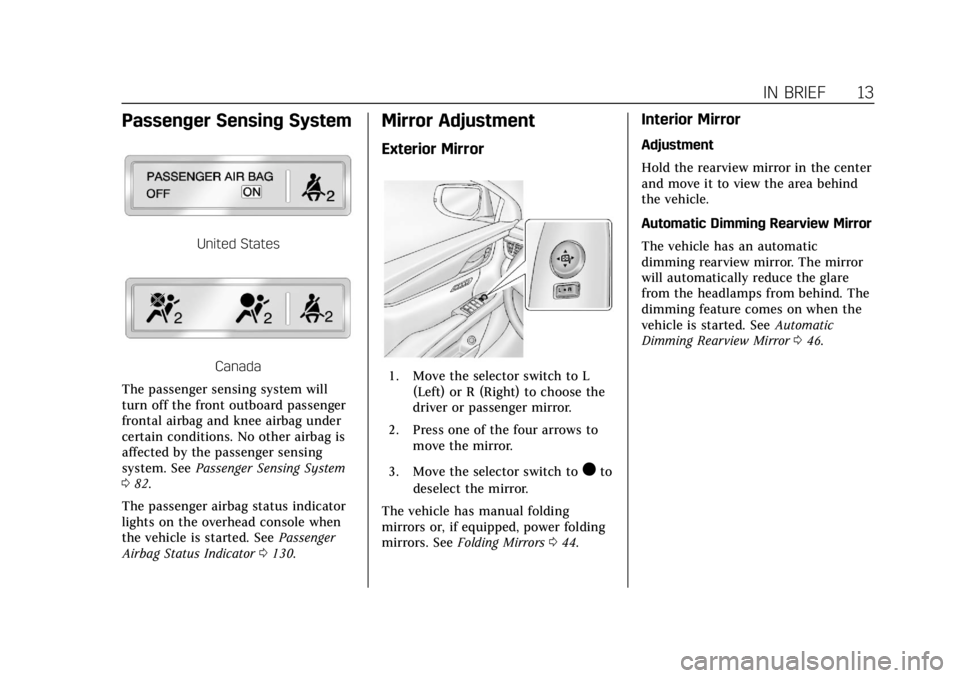
The passenger sensing system will
turn off the front outboard passenger
frontal airbag and knee airbag under
certain conditions. No other airbag is
affected by the passenger sensing
system. See Passenger Sensing System
0 82.
The passenger airbag status indicator
lights on the overhead console when
the vehicle is started. See Passenger
Airbag Status Indicator 0130.
Mirror Adjustment
Exterior Mirror
1. Move the selector switch to L
(Left) or R (Right) to choose the
driver or passenger mirror.
2. Press one of the four arrows to move the mirror.
3. Move the selector switch to
)to
deselect the mirror.
The vehicle has manual folding
mirrors or, if equipped, power folding
mirrors. See Folding Mirrors 044.
Interior Mirror
Adjustment
Hold the rearview mirror in the center
and move it to view the area behind
the vehicle.
Automatic Dimming Rearview Mirror
The vehicle has an automatic
dimming rearview mirror. The mirror
will automatically reduce the glare
from the headlamps from behind. The
dimming feature comes on when the
vehicle is started. See Automatic
Dimming Rearview Mirror 046.
Page 18 of 376
Cadillac XTS Owner Manual (GMNA-Localizing-U.S./Canada-12032610) -
2019 - crc - 8/22/18
IN BRIEF 17
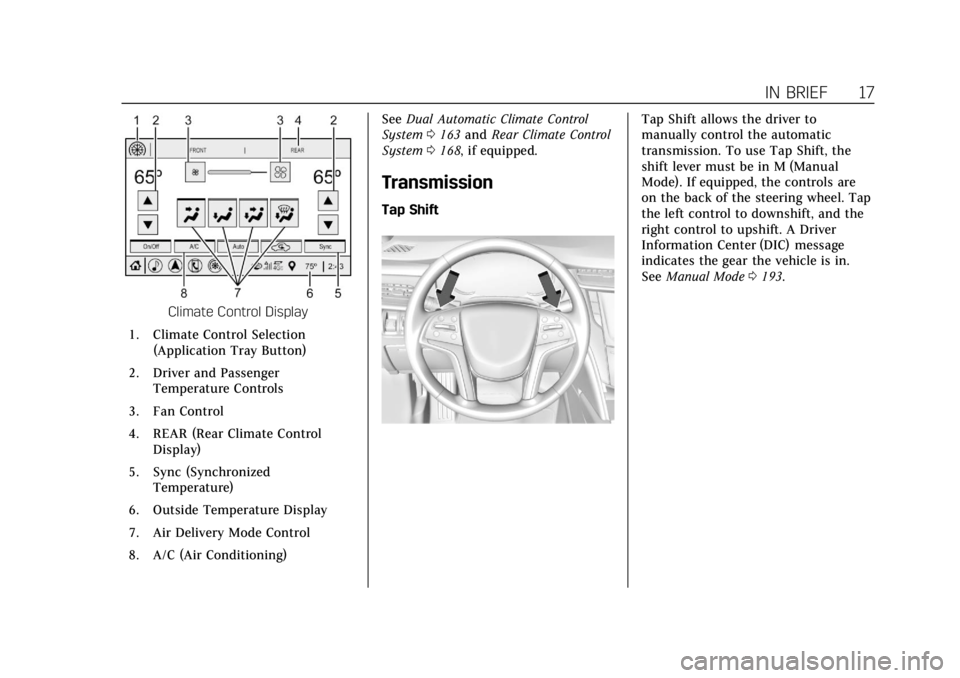
Climate Control Display
1. Climate Control Selection (Application Tray Button)
2. Driver and Passenger Temperature Controls
3. Fan Control
4. REAR (Rear Climate Control Display)
5. Sync (Synchronized Temperature)
6. Outside Temperature Display
7. Air Delivery Mode Control
8. A/C (Air Conditioning) See
Dual Automatic Climate Control
System 0163 and Rear Climate Control
System 0168, if equipped.
Transmission
Tap Shift
Tap Shift allows the driver to
manually control the automatic
transmission. To use Tap Shift, the
shift lever must be in M (Manual
Mode). If equipped, the controls are
on the back of the steering wheel. Tap
the left control to downshift, and the
right control to upshift. A Driver
Information Center (DIC) message
indicates the gear the vehicle is in.
See Manual Mode 0193.
Page 19 of 376
Cadillac XTS Owner Manual (GMNA-Localizing-U.S./Canada-12032610) -
2019 - crc - 8/22/18
18 IN BRIEF
Vehicle Features
Infotainment System
See the infotainment manual for
information on the radio, audio
players, phone, navigation system, and
voice or speech recognition. It also
includes information on settings.
Steering Wheel Controls
The infotainment system can be
operated by using the steering wheel
controls. See“Steering Wheel
Controls ”in the infotainment manual.
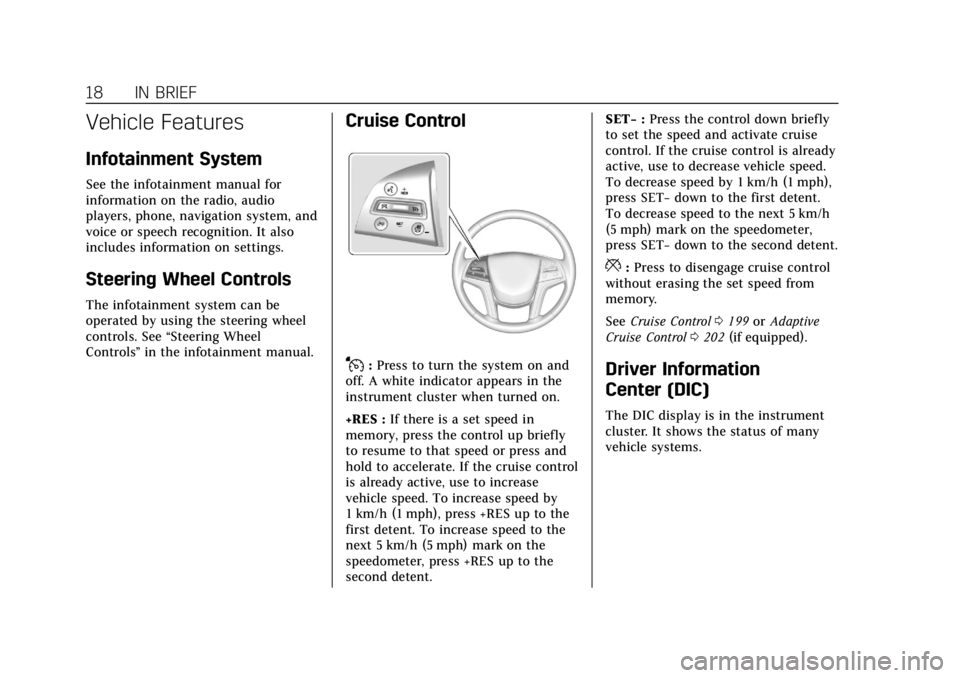
Cruise Control
J:Press to turn the system on and
off. A white indicator appears in the
instrument cluster when turned on.
+RES : If there is a set speed in
memory, press the control up briefly
to resume to that speed or press and
hold to accelerate. If the cruise control
is already active, use to increase
vehicle speed. To increase speed by
1 km/h (1 mph), press +RES up to the
first detent. To increase speed to the
next 5 km/h (5 mph) mark on the
speedometer, press +RES up to the
second detent. SET−
:Press the control down briefly
to set the speed and activate cruise
control. If the cruise control is already
active, use to decrease vehicle speed.
To decrease speed by 1 km/h (1 mph),
press SET− down to the first detent.
To decrease speed to the next 5 km/h
(5 mph) mark on the speedometer,
press SET− down to the second detent.
*:Press to disengage cruise control
without erasing the set speed from
memory.
See Cruise Control 0199 orAdaptive
Cruise Control 0202 (if equipped).
Driver Information
Center (DIC)
The DIC display is in the instrument
cluster. It shows the status of many
vehicle systems.
Page 20 of 376
Cadillac XTS Owner Manual (GMNA-Localizing-U.S./Canada-12032610) -
2019 - crc - 8/22/18
IN BRIEF 19
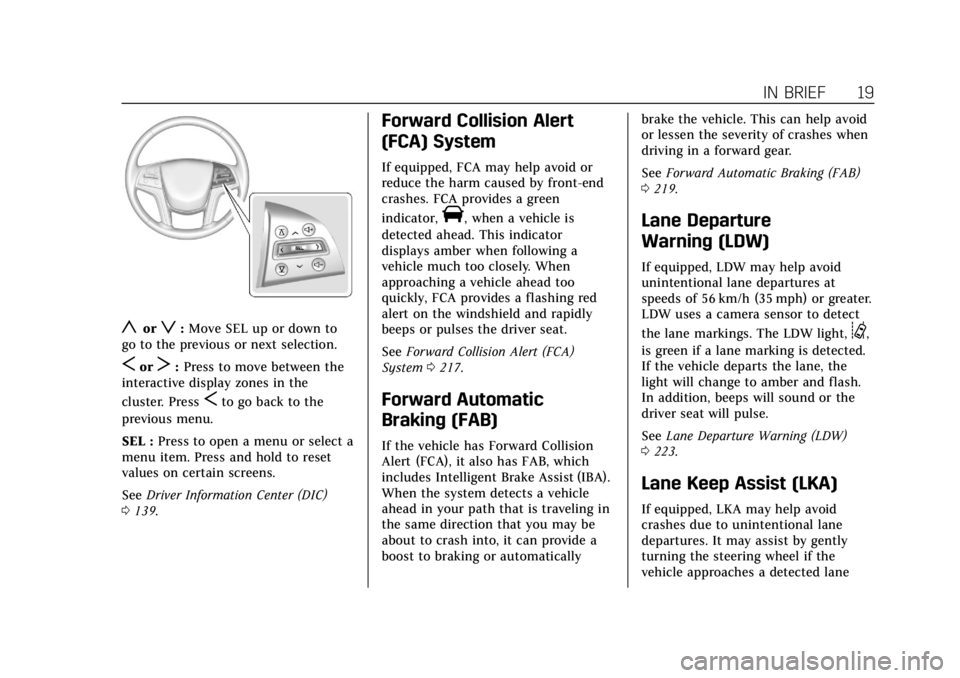
yorz:Move SEL up or down to
go to the previous or next selection.
SorT: Press to move between the
interactive display zones in the
cluster. Press
Sto go back to the
previous menu.
SEL : Press to open a menu or select a
menu item. Press and hold to reset
values on certain screens.
See Driver Information Center (DIC)
0 139.
Forward Collision Alert
(FCA) System
If equipped, FCA may help avoid or
reduce the harm caused by front-end
crashes. FCA provides a green
indicator,
V, when a vehicle is
detected ahead. This indicator
displays amber when following a
vehicle much too closely. When
approaching a vehicle ahead too
quickly, FCA provides a flashing red
alert on the windshield and rapidly
beeps or pulses the driver seat.
See Forward Collision Alert (FCA)
System 0217.
Forward Automatic
Braking (FAB)
If the vehicle has Forward Collision
Alert (FCA), it also has FAB, which
includes Intelligent Brake Assist (IBA).
When the system detects a vehicle
ahead in your path that is traveling in
the same direction that you may be
about to crash into, it can provide a
boost to braking or automatically brake the vehicle. This can help avoid
or lessen the severity of crashes when
driving in a forward gear.
See
Forward Automatic Braking (FAB)
0 219.
Lane Departure
Warning (LDW)
If equipped, LDW may help avoid
unintentional lane departures at
speeds of 56 km/h (35 mph) or greater.
LDW uses a camera sensor to detect
the lane markings. The LDW light,
@,
is green if a lane marking is detected.
If the vehicle departs the lane, the
light will change to amber and flash.
In addition, beeps will sound or the
driver seat will pulse.
See Lane Departure Warning (LDW)
0 223.
Lane Keep Assist (LKA)
If equipped, LKA may help avoid
crashes due to unintentional lane
departures. It may assist by gently
turning the steering wheel if the
vehicle approaches a detected lane