display CHEVROLET ASTRO PASSENGER 1993 1.G User Guide
[x] Cancel search | Manufacturer: CHEVROLET, Model Year: 1993, Model line: ASTRO PASSENGER, Model: CHEVROLET ASTRO PASSENGER 1993 1.GPages: 345, PDF Size: 19 MB
Page 144 of 345
Downloaded from www.Manualslib.com manuals search engine Comfort Controls & Audio Systems
You can preset 3 more stations on each band by pushing a pair of buttons
next to each other at the same time. Just:
1. Tune in the station.
2. Push SET. (SET will be displayed.)
3. Within 5 seconds, push two buttons next to each other at the same
time. Whenever you push that pair
of buttons, the preset station will
return.
Repeat these steps
for each pair of buttons.
Scan Button
When you push this, the radio will go to the next station an\
d stay there a
few seconds. Then it will go to the next station and pause, and keep doing
that. Press
SCAN again to stop scanning.
Seek Button
This chooses stations also, but it doesn’t keep moving as SCAN does. When
you push
SEEK, the radio goes to the next station
Clock
To set the clock, just:
1. Push SET. (SET will be displayed.)
2. Within 5 seconds, push and hold SCAN until 1 :t-
ahd stays there.
le correct hour appears.
3. Press and hold SEEK until the correct minute appears.
To display the clock with the ignition
off, push the upper knob. The time will
be displayed for a few seconds.
3-20
Page 147 of 345
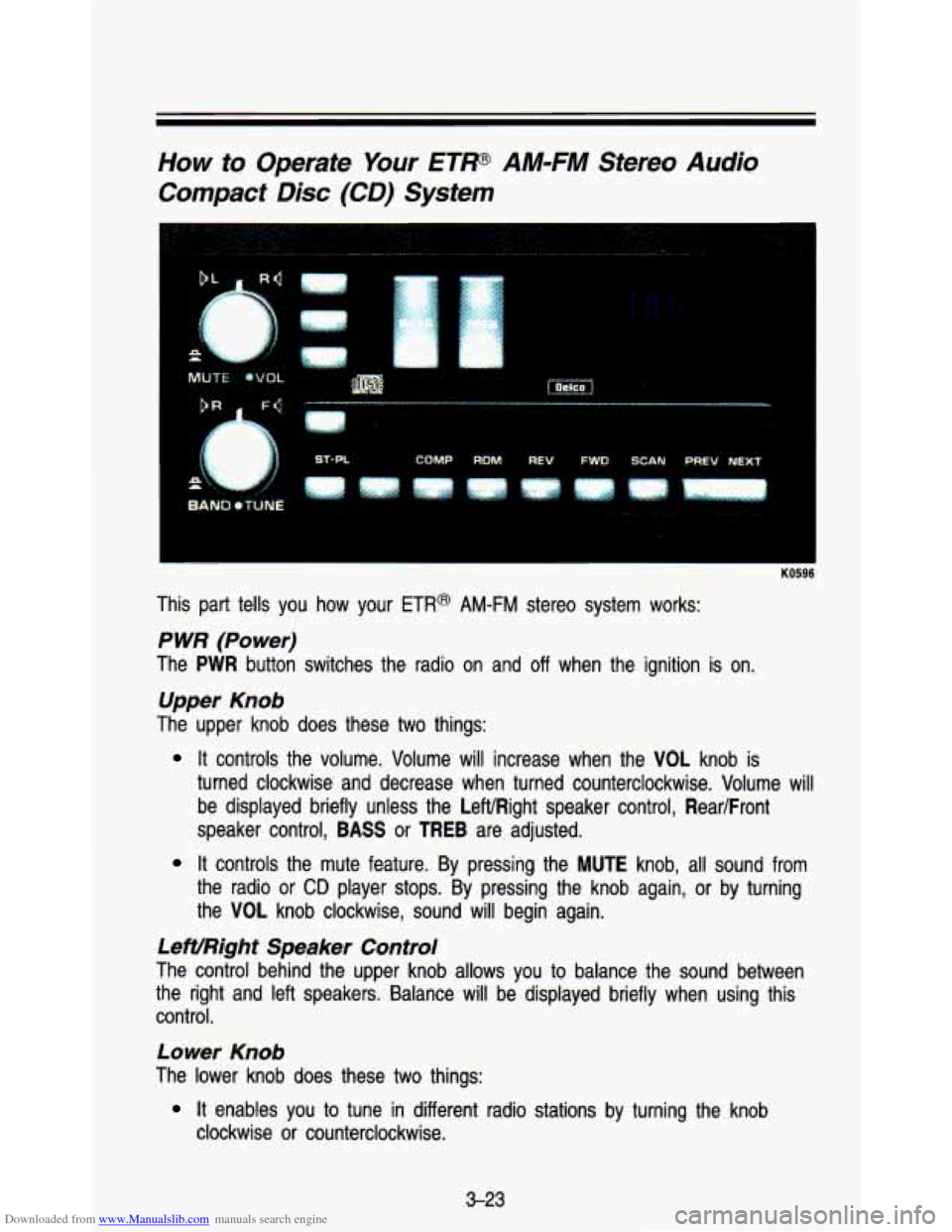
Downloaded from www.Manualslib.com manuals search engine How to Operate Your ETP AM-FM Stereo Audio
Compact
Disc (CD) System
1
This part tells you how your ETR@ AM-FM stereo system works:
P WR (Power)
The PWR button switches the radio on and off when the ignition is on.
Upper Knob
The upper knob does these two things:
It controls the volume. Volume will increase when the VOL knob is
turned clockwise and decrease when turned counterclockwise. Volum\
e will be displayed briefly unless the LeftlRight speaker control, Rear/Front
speaker control,
BASS or TREB are adjusted.
It controls the mute feature. By pressing the MUTE knob, all sound from
the radio or
CD player stops. By pressing the knob again, or by turning
the VOL knob clockwise, sound will begin again.
LeWRight Speaker Control
The control behind the upper knob allows you to balance the sound between
the right and left speakers. Balance will be displayed briefly \
when using this control.
Lower Knob
The lower knob does these two things:
clockwise or counterclockwise.
It enables you to tune in different radio stations by turning the\
knob
3-23
Page 148 of 345
Downloaded from www.Manualslib.com manuals search engine It enables you to alternate between AM and FM stations by pressing the
BAND knob. Your selection will be briefly displayed.
RighVFront Speaker Control
The control behind the lower knob fades the sound between your\
front and
rear speakers. Fade levels will be briefly displayed.
SEEK
Pressing the SEEK b button will cause the receiver to seek the next higher
station and stop.
Pressing the
4 SEEK button will cause the receiver to seek the next lower
station and stop.
SCAN
When you press SCAN, the radio will go to the next station and pause, and
will keep scanning until you press
SCAN again. SC will be displayed when
using this control.
Pushbuttons
The five pushbuttons let you return to favorite stations. They are also used
when you play
a disc. (See “To Play A Compact Disc”.)
To set the pushbuttons for up to ten favorite stations
(5 AM and 5 FM):
Tune in the desired station.
Push the SET button. (SET is displayed briefly.)
Within 5 seconds, push one of the five pushbuttons to store the station.
Whenever you press that button, the preset station will return.\
Clock
To set the clock, just:
Press the SET pushbutton. The radio may be on or off.
Within 5 seconds, press and hold either SEEK b increase the minutes
or
4 SEEK to decrease the minutes until the correct minute appears on
the display.
Press and hold SCAN until the correct hour appears pn the display.
RCL
Press the RCL button to alternate between time and radio station on the
display.
RCL may be pressed when the ignition is off to see the time.
3-24
Page 149 of 345
Downloaded from www.Manualslib.com manuals search engine BASS
Press the BASS A to increase bass tones and V BASS to decrease bass
tones. Press the center of the control for a preset
BASS position. The bass
level will be displayed briefly when using this control.
TREBLE
Press the TREB A to increase the treble tones and V TREB to decrease
the treble tones. Press the center of the control for a preset
TREB position.
The treble level will be displayed briefly when using this con\
trol.
To Play A Compact Disc (CD):
NOTICE
Before you begin, please note: DO NOT use mini-discs that are called
singles. They won’t eject.
USE FULL-SIZE COMPACT DISCS
If the disc player is very hot, or if you’re driving on a very rough roakp:d
disc may come out or just not play.
If you see the word HOT on the $i$
display, the disc player is too hot to play the disc. Press RCL to ma&iL,,G
word
HOT go off the display. When things get back to normal, the disc
should play again. Press
PWR to turn the system on.
Insert a disc part way into the slot, label side up. The player will pull it in.
Wait a few seconds and the disc should play.
If the disc comes back out, check whether:
The disc is upside down.
It is dirty, scratched, or wet.
Too much moisture is in the air. (If there is, wait about one hour and try
again.)
RCL
Press RCL to see what track is playing. Press it again within 5 seconds to
see how long
it has been playing. The track number also appears when you
change the volume or when a new track starts to play.
COMP
Press the COMP button to make soft and loud passages more nearly equal
in volume.
COMP appears in the display while using this command.
RDM
The RDM button means random and when it is pressed, it causes the CD
mechanism to play the tracks in a random order rather than in the sequential
1, 2, 3 order.
3-25
Page 150 of 345
Downloaded from www.Manualslib.com manuals search engine Comfort Contmls & Audio Systems
REV
Press and hold the REV button to quickly return to a favorite passage. The
counter reading will be displayed when using this control.
FWD
Press and hold the FWD button to advance quickly within a track. Release it
to resume playing. Watch the display to stop at a specific pa\
ssage.
SCAN
Press SCAN to sample each track for approximately 10 seconds. Scanning
will continue until the
RDM, SCAN or any other motion button is pressed
again.
PREV
If you hold the PREV (4 SEEK) button, or press it more than once, the disc
will return to previous tracks.
NEXT
Press NEXT (SEEK b) to hear the next track now instead of waiting until the
present track is finished.
If you hold this button or press it more than once,
the disc
will advance further.
ST-Pf
Press ST-PL (Stop-Play) to make the disc stop and the radio play. Press
ST-PL again to restart the disc at the point where it stopped.
Press
PWR or turn the ignition key off to stop the disc player. The disc stays
in the player and will resume playing at the point where it \
stopped.
Press
EJECT to eject the disc and make the radio play. The disc will sta\
rt at
tract
1 when you reinsert it.
Anti-Theft Feature
Delco LOC Il@ is an Anti-Theft feature for the compact disc player. It can be
used or ignored. If ignored, the system plays normally.
If it is used, your
player won’t be usable if it is ever stolen, because it wo\
n’t turn
on.
The instructions below tell you how to enter a secret code in\
to the system. If
your car loses battery power for any reason, you must unlock \
the system with
the secret code before the radio will turn on.
To Lock The System:
1. Write down any 6 digit number and keep it in a safe place.
2. Turn the ignition to the “Accessory” or “Run” position.
3. Press the PWR button to turn the radio off.
3-26
Page 151 of 345
Downloaded from www.Manualslib.com manuals search engine 4. Press the 1 and 4 buttons together. Hold them down until “- - -” shows
on the display.
You are now ready
to enter your secret code. Don’t wait more than 15
seconds between steps.
5. Press SET and 000 will appear on the display.
6. Press the SEEK b button to make the first number appear.
7. Rotate the TUNE knob right or left to make the last two numbers agree
with your code.
8. Press BAND and 000 will appear again. Now you are ready to enter the
last three digits of your code.
9. Repeat steps 6 and 7 for the last three digits of your code.
10. Press BAND and rEP will appear for 5 seconds and then 000 will
11. Repeat steps 6 through IO. This time SEC will appear-indicating that
appear.
the radio is secure.
To Unlock The System After A Power Loss
When battery power is reapplied to a secured radio, the radio won’t turn on
and
LOC will appear on the display.
Enter your secret code
as follows: pause no more than 15 seconds between
steps.
1. Turn the ignition on. (Radio off.)
2. Depress the SET button. The display will show 000.
3. Enter the six digits of the code following steps 6-9 above. The display
4. Depress the BAND knob and the time appears-indicating that the
will show the numbers as entered.
disabling sequence
was successful.
If the display indicates SEC, the
numbers did not match and the unit is still secured.
Disabling The Theft System
1. Depress presets 1 and 4 for 5 seconds with ignition on and radio power
off. The display will show SEC, indicating the unit is in the secure mode.
2. Depress the SET button. The display will show 000.
3. Enter the first three digits of the code following steps 6 and 7 of the
preceding paragraphs. The display will show the numbers as entered.
3-27
Page 152 of 345
Downloaded from www.Manualslib.com manuals search engine Comfort Contmls & Audio Systems
~~ ~ ~ ~~~
4. Depress the BAND knob. The radio will display 000.
5. Enter the second three digits of the code. The display will show the
6. Depress the BAND knob. If the display shows “1 1 1’’ I the disabling
numbers
as entered.
sequence was successful. The numbers matched the user-selected c\
ode
or the factory back-up code and the unit is in the UNSECURED mode. If
the display shows SEC, the disabling sequence was unsuccessful and
the numbers did not match either
of the codes and the unit will remain
in the
SECURED mode.
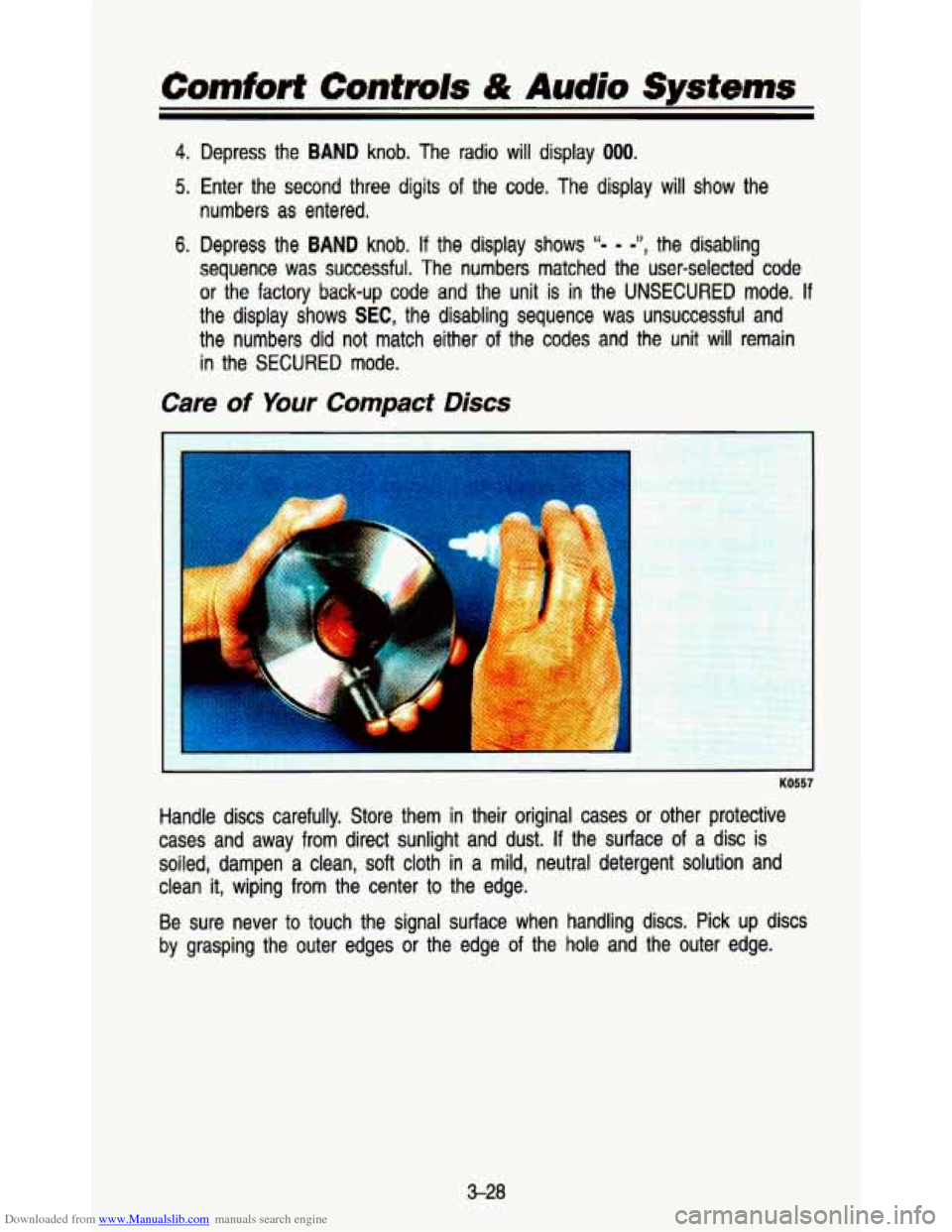
Care of Your Compact Discs
KO557
Handle discs carefully. Store them in their original cases or other protective
cases and away
from direct sunlight and dust. If the surface of a disc is
soiled, dampen a clean,
soft cloth in a mild, neutral detergent solution and
clean
it, wiping from the center to the edge.
Be sure never to touch the signal surface when handling discs. Pick up discs
by grasping the outer edges
or the edge of the hole and the outer edge.
3-28
Page 250 of 345
Downloaded from www.Manualslib.com manuals search engine Service & Appearance Care
e
e
e
e
e
e
Energy Conserving II
Oils with these words on the container will help you save fuel.
The doughnut-shaped logo (symbol) is used on most oil contain\
ers to
help you select the correct oil.
You should look for this on the oil container, and use
only those oils
that display the logo.
GM Goodwrench@ oil (in Canada, GM Engine Oil) meets all the \
requirements for your vehicle.
Engine Oil Additives: Don’t add anything to your oil. Your General
Motors dealer is ready to advise
if you think something should be added.
When to Change Engine Oil: See if any one of these is true for you:
Most trips are less than
4 miles (6 km).
It’s below freezing outside and most trips are less than 10 miles
(16 km).
The engine is at
low speed most of the time (as in door-to-door delivery,
or in stop-and-go traffic).
You
tow a trailer often.
Most trips are through dusty places.
If any one of these is true for your vehicle, then you need to change
your
oil and filter every 3,000 miles (5000 km) or 3 months-whichever
comes first.
If none of them is true, change the oil every 7,500 miles (12 500 km) or
12 months-whichever comes first. Change the filter at the first oil
change and at every other oil change after that.
Engine Block Heater: An engine block heater can be a big help if you have
to park outside in very cold weather,
0°F (-18°C) or colder. If your vehicle
has this option, see “Engine Block Heater” in the Index.
6-14