brake light CHEVROLET AVALANCHE 2012 2.G Owners Manual
[x] Cancel search | Manufacturer: CHEVROLET, Model Year: 2012, Model line: AVALANCHE, Model: CHEVROLET AVALANCHE 2012 2.GPages: 508, PDF Size: 7.78 MB
Page 1 of 508

Black plate (1,1)Chevrolet Avalanche Owner Manual - 2012
2012 Chevrolet Avalanche Owner ManualM
In Brief. . . . . . . . . . . . . . . . . . . . . . . . 1-1
Instrument Panel . . . . . . . . . . . . . . 1-2
Initial Drive Information . . . . . . . . 1-4
Vehicle Features . . . . . . . . . . . . . 1-19
Performance and Maintenance . . . . . . . . . . . . . . . . 1-25
Keys, Doors, and Windows . . . . . . . . . . . . . . . . . . . . 2-1
Keys and Locks . . . . . . . . . . . . . . . 2-2
Doors . . . . . . . . . . . . . . . . . . . . . . . . . . 2-9
Vehicle Security . . . . . . . . . . . . . . 2-17
Exterior Mirrors . . . . . . . . . . . . . . . 2-20
Interior Mirrors . . . . . . . . . . . . . . . . 2-22
Windows . . . . . . . . . . . . . . . . . . . . . 2-23
Roof . . . . . . . . . . . . . . . . . . . . . . . . . . 2-25
Seats and Restraints . . . . . . . . . 3-1
Head Restraints . . . . . . . . . . . . . . . 3-2
Front Seats . . . . . . . . . . . . . . . . . . . . 3-3
Rear Seats . . . . . . . . . . . . . . . . . . . 3-10
Safety Belts . . . . . . . . . . . . . . . . . . 3-12
Airbag System . . . . . . . . . . . . . . . . 3-22
Child Restraints . . . . . . . . . . . . . . 3-36 Storage
. . . . . . . . . . . . . . . . . . . . . . . 4-1
Storage Compartments . . . . . . . . 4-1
Luggage/Load Locations . . . . . . . 4-2
Additional Storage Features . . . 4-6
Roof Rack System . . . . . . . . . . . 4-13
Instruments and Controls . . . . 5-1
Controls . . . . . . . . . . . . . . . . . . . . . . . 5-2
Warning Lights, Gauges, and Indicators . . . . . . . . . . . . . . . . . . . 5-10
Information Displays . . . . . . . . . . 5-26
Vehicle Messages . . . . . . . . . . . . 5-35
Vehicle Personalization . . . . . . . 5-45
Universal Remote System . . . . 5-53
Lighting . . . . . . . . . . . . . . . . . . . . . . . 6-1
Exterior Lighting . . . . . . . . . . . . . . . 6-1
Interior Lighting . . . . . . . . . . . . . . . . 6-7
Lighting Features . . . . . . . . . . . . . . 6-8
Infotainment System . . . . . . . . . 7-1
Introduction . . . . . . . . . . . . . . . . . . . . 7-1
Radio . . . . . . . . . . . . . . . . . . . . . . . . . . 7-8
Audio Players . . . . . . . . . . . . . . . . 7-14 Rear Seat Infotainment . . . . . . . 7-35
Phone . . . . . . . . . . . . . . . . . . . . . . . . 7-47
Trademarks and License
Agreements . . . . . . . . . . . . . . . . . 7-54
Climate Controls . . . . . . . . . . . . . 8-1
Climate Control Systems . . . . . . 8-1
Air Vents . . . . . . . . . . . . . . . . . . . . . 8-10
Driving and Operating . . . . . . . . 9-1
Driving Information . . . . . . . . . . . . . 9-2
Starting and Operating . . . . . . . 9-22
Engine Exhaust . . . . . . . . . . . . . . 9-31
Automatic Transmission . . . . . . 9-32
Drive Systems . . . . . . . . . . . . . . . . 9-37
Brakes . . . . . . . . . . . . . . . . . . . . . . . 9-44
Ride Control Systems . . . . . . . . 9-46
Cruise Control . . . . . . . . . . . . . . . . 9-51
Object Detection Systems . . . . 9-54
Fuel . . . . . . . . . . . . . . . . . . . . . . . . . . 9-60
Towing . . . . . . . . . . . . . . . . . . . . . . . 9-66
Conversions and Add-Ons . . . 9-84
Page 5 of 508

Black plate (5,1)Chevrolet Avalanche Owner Manual - 2012
Introduction v
Vehicle Symbol Chart
Here are some additional symbols
that may be found on the vehicle
and what they mean. For more
information on the symbol, refer to
the Index.
0:Adjustable Pedals
9:Airbag Readiness Light
#:Air Conditioning
!:Antilock Brake System (ABS)
%:Audio Steering Wheel Controls
or OnStar®
$: Brake System Warning Light
":Charging System
I:Cruise Control
B: Engine Coolant Temperature
O:Exterior Lamps
#:Fog Lamps
.: Fuel Gauge
+:Fuses
3: Headlamp High/Low-Beam
Changer
(: Heated Steering Wheel
j:LATCH System Child
Restraints
*: Malfunction Indicator Lamp
::Oil Pressure
g:Outside Power Foldaway
Mirrors
}: Power
/:Remote Vehicle Start
>:Safety Belt Reminders
7:Tire Pressure Monitor
_: Tow/Haul Mode
d:Traction Control/StabiliTrak®
M:Windshield Washer Fluid
Page 7 of 508
Black plate (1,1)Chevrolet Avalanche Owner Manual - 2012
In Brief 1-1
In Brief
Instrument Panel
Instrument Panel . . . . . . . . . . . . . . 1-2
Initial Drive Information
Initial Drive Information . . . . . . . . 1-4
Remote Keyless Entry (RKE)System . . . . . . . . . . . . . . . . . . . . . . 1-4
Remote Vehicle Start . . . . . . . . . 1-5
Door Locks . . . . . . . . . . . . . . . . . . . 1-5
Midgate
®. . . . . . . . . . . . . . . . . . . . . . 1-6
Tailgate . . . . . . . . . . . . . . . . . . . . . . . 1-6
Windows . . . . . . . . . . . . . . . . . . . . . . 1-6
Seat Adjustment . . . . . . . . . . . . . . 1-7
Memory Features . . . . . . . . . . . . . 1-9
Second Row Seats . . . . . . . . . . 1-10
Heated and Ventilated Seats . . . . . . . . . . . . . . . . . . . . . . . 1-11
Head Restraint Adjustment . . . . . . . . . . . . . . . . . 1-11 Safety Belts . . . . . . . . . . . . . . . . . . 1-11
Passenger Sensing
System . . . . . . . . . . . . . . . . . . . . . 1-12
Mirror Adjustment . . . . . . . . . . . . 1-12
Steering Wheel Adjustment . . . . . . . . . . . . . . . . . 1-13
Throttle and Brake Pedal Adjustment . . . . . . . . . . . . . . . . . 1-13
Interior Lighting . . . . . . . . . . . . . . 1-14
Exterior Lighting . . . . . . . . . . . . . 1-14
Windshield Wiper/Washer . . . . 1-15
Climate Controls . . . . . . . . . . . . . 1-16
Transmission . . . . . . . . . . . . . . . . 1-17
Four-Wheel Drive . . . . . . . . . . . . 1-18
Vehicle Features
Radio(s) . . . . . . . . . . . . . . . . . . . . . 1-19
Satellite Radio . . . . . . . . . . . . . . . 1-20
Portable Audio Devices . . . . . . 1-21
Bluetooth
®. . . . . . . . . . . . . . . . . . . 1-21
Steering Wheel Controls . . . . . 1-21
Cruise Control . . . . . . . . . . . . . . . 1-22 Navigation System . . . . . . . . . . . 1-22
Driver Information
Center (DIC) . . . . . . . . . . . . . . . 1-23
Rear Vision Camera (RVC) . . . . . . . . . . . . . 1-24
Ultrasonic Parking Assist . . . . 1-24
Power Outlets . . . . . . . . . . . . . . . 1-24
Universal Remote System . . . 1-24
Performance and Maintenance
StabiliTrak®System . . . . . . . . . 1-25
Tire Pressure Monitor . . . . . . . . 1-25
Engine Oil Life System . . . . . . 1-25
Fuel E85 (85% Ethanol) . . . . . 1-26
Driving for Better Fuel Economy . . . . . . . . . . . . . . . . . . . 1-26
Roadside Assistance
Program . . . . . . . . . . . . . . . . . . . . 1-27
OnStar
®. . . . . . . . . . . . . . . . . . . . . 1-27
Page 19 of 508
Black plate (13,1)Chevrolet Avalanche Owner Manual - 2012
In Brief 1-13
Power Foldaway Mirrors
To fold the mirrors:
1. Press (C) to fold the mirrors outto the driving position.
2. Press (D) to fold the mirrors in to the folded position.
Manual Foldaway Mirrors
Manually fold the mirrors inward
to prevent damage when going
through an automatic car wash.
To fold, pull the mirror toward the
vehicle. Push the mirror outward,
to return to its original position.
See Folding Mirrors on page 2‑21.
Interior Mirror
Vehicles with a manual rearview
mirror can be adjusted to see clearly
behind the vehicle. Hold the mirror
in the center to move it up or
down and side to side. To reduce
headlamp glare during nighttime
use, push the tab forward for
daytime use and pull it for
nighttime use. Vehicles with the automatic dimming
feature will automatically reduce the
glare of headlamps from behind the
vehicle. The dimming feature comes
on and the indicator light illuminates
each time the vehicle is started.
See
Automatic Dimming Rearview
Mirror on page 2‑22 for more
information.
Steering Wheel
Adjustment
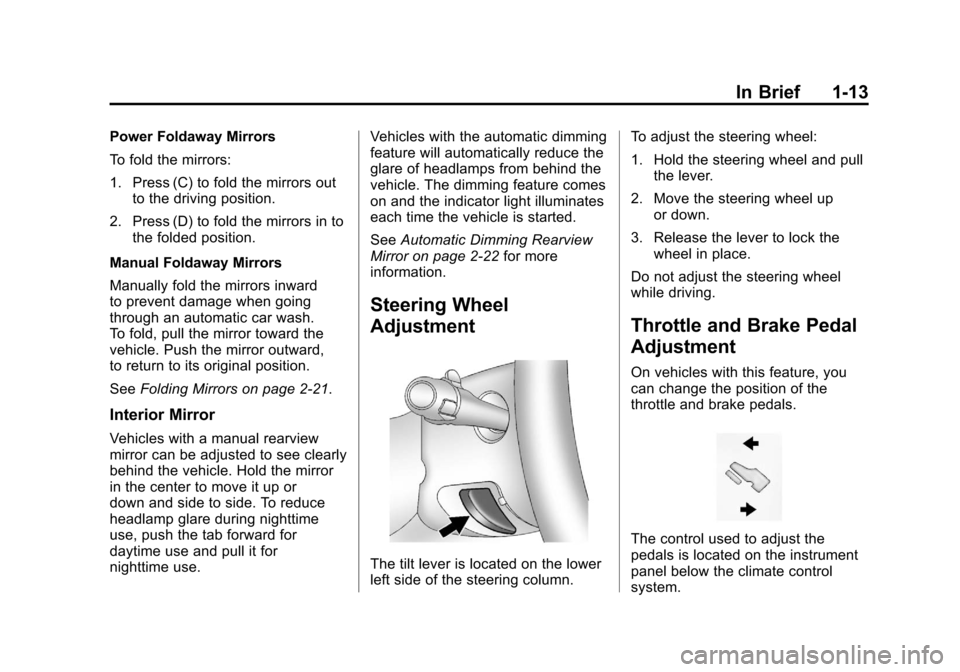
The tilt lever is located on the lower
left side of the steering column. To adjust the steering wheel:
1. Hold the steering wheel and pull
the lever.
2. Move the steering wheel up or down.
3. Release the lever to lock the wheel in place.
Do not adjust the steering wheel
while driving.
Throttle and Brake Pedal
Adjustment
On vehicles with this feature, you
can change the position of the
throttle and brake pedals.
The control used to adjust the
pedals is located on the instrument
panel below the climate control
system.
Page 20 of 508
Black plate (14,1)Chevrolet Avalanche Owner Manual - 2012
1-14 In Brief
Press the bottom of the control to
move the pedals closer to your
body. Press the top of the control to
move the pedals away.
SeeAdjustable Throttle and Brake
Pedal on page 9‑22.
Interior Lighting
Dome Lamps
The dome lamps are located in the
overhead console.
They come on when any door is
opened and turn off after all the
doors are closed.
Turn the instrument panel
brightness knob located below
the dome lamp override button,
clockwise to the farthest position to
manually turn on the dome lamps.
The dome lamps remain on until the
knob is turned counterclockwise.
Dome Lamp Override
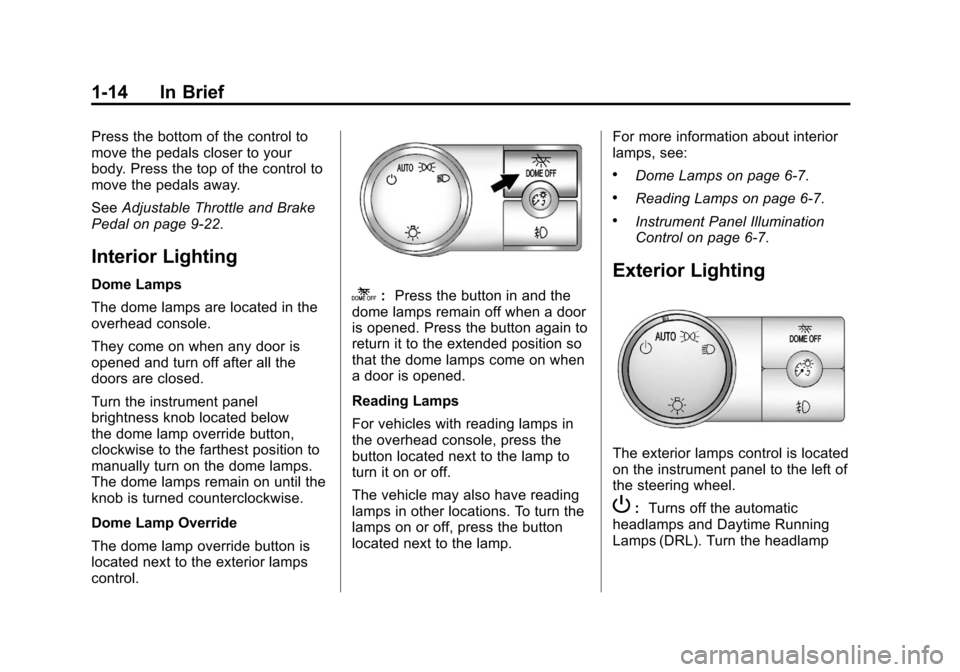
The dome lamp override button is
located next to the exterior lamps
control.k: Press the button in and the
dome lamps remain off when a door
is opened. Press the button again to
return it to the extended position so
that the dome lamps come on when
a door is opened.
Reading Lamps
For vehicles with reading lamps in
the overhead console, press the
button located next to the lamp to
turn it on or off.
The vehicle may also have reading
lamps in other locations. To turn the
lamps on or off, press the button
located next to the lamp. For more information about interior
lamps, see:
.Dome Lamps on page 6‑7.
.Reading Lamps on page 6‑7.
.Instrument Panel Illumination
Control on page 6‑7.
Exterior Lighting
The exterior lamps control is located
on the instrument panel to the left of
the steering wheel.
P:
Turns off the automatic
headlamps and Daytime Running
Lamps (DRL). Turn the headlamp
Page 29 of 508
Black plate (23,1)Chevrolet Avalanche Owner Manual - 2012
In Brief 1-23
Driver Information
Center (DIC)
The DIC display is located at the
bottom of the instrument panel
cluster. It shows the status of
many vehicle systems and enables
access to the personalization menu.
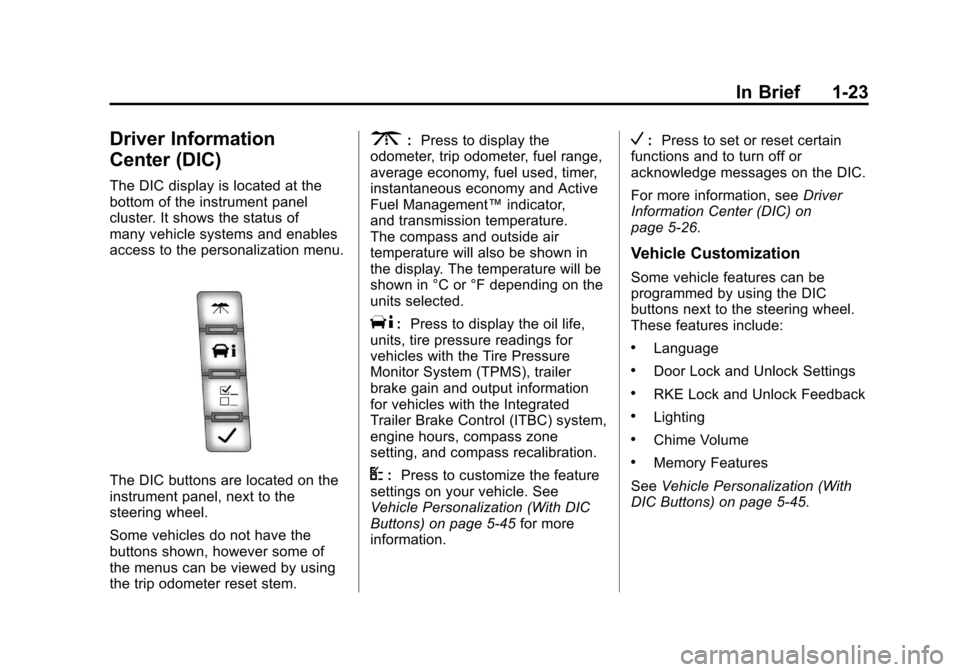
The DIC buttons are located on the
instrument panel, next to the
steering wheel.
Some vehicles do not have the
buttons shown, however some of
the menus can be viewed by using
the trip odometer reset stem.
3:Press to display the
odometer, trip odometer, fuel range,
average economy, fuel used, timer,
instantaneous economy and Active
Fuel Management™ indicator,
and transmission temperature.
The compass and outside air
temperature will also be shown in
the display. The temperature will be
shown in °C or °F depending on the
units selected.
T: Press to display the oil life,
units, tire pressure readings for
vehicles with the Tire Pressure
Monitor System (TPMS), trailer
brake gain and output information
for vehicles with the Integrated
Trailer Brake Control (ITBC) system,
engine hours, compass zone
setting, and compass recalibration.
U: Press to customize the feature
settings on your vehicle. See
Vehicle Personalization (With DIC
Buttons) on page 5‑45 for more
information.
V: Press to set or reset certain
functions and to turn off or
acknowledge messages on the DIC.
For more information, see Driver
Information Center (DIC) on
page 5‑26.
Vehicle Customization
Some vehicle features can be
programmed by using the DIC
buttons next to the steering wheel.
These features include:
.Language
.Door Lock and Unlock Settings
.RKE Lock and Unlock Feedback
.Lighting
.Chime Volume
.Memory Features
See Vehicle Personalization (With
DIC Buttons) on page 5‑45.
Page 131 of 508
Black plate (1,1)Chevrolet Avalanche Owner Manual - 2012
Instruments and Controls 5-1
Instruments and
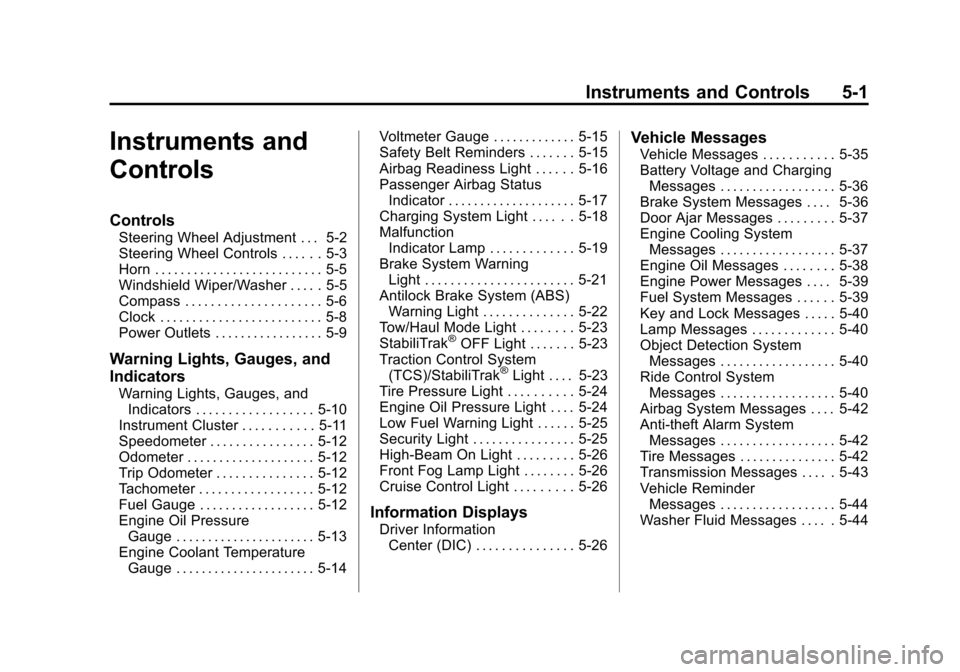
Controls
Controls
Steering Wheel Adjustment . . . 5-2
Steering Wheel Controls . . . . . . 5-3
Horn . . . . . . . . . . . . . . . . . . . . . . . . . . 5-5
Windshield Wiper/Washer . . . . . 5-5
Compass . . . . . . . . . . . . . . . . . . . . . 5-6
Clock . . . . . . . . . . . . . . . . . . . . . . . . . 5-8
Power Outlets . . . . . . . . . . . . . . . . . 5-9
Warning Lights, Gauges, and
Indicators
Warning Lights, Gauges, andIndicators . . . . . . . . . . . . . . . . . . 5-10
Instrument Cluster . . . . . . . . . . . 5-11
Speedometer . . . . . . . . . . . . . . . . 5-12
Odometer . . . . . . . . . . . . . . . . . . . . 5-12
Trip Odometer . . . . . . . . . . . . . . . 5-12
Tachometer . . . . . . . . . . . . . . . . . . 5-12
Fuel Gauge . . . . . . . . . . . . . . . . . . 5-12
Engine Oil Pressure Gauge . . . . . . . . . . . . . . . . . . . . . . 5-13
Engine Coolant Temperature Gauge . . . . . . . . . . . . . . . . . . . . . . 5-14 Voltmeter Gauge . . . . . . . . . . . . . 5-15
Safety Belt Reminders . . . . . . . 5-15
Airbag Readiness Light . . . . . . 5-16
Passenger Airbag Status
Indicator . . . . . . . . . . . . . . . . . . . . 5-17
Charging System Light . . . . . . 5-18
Malfunction Indicator Lamp . . . . . . . . . . . . . 5-19
Brake System Warning Light . . . . . . . . . . . . . . . . . . . . . . . 5-21
Antilock Brake System (ABS) Warning Light . . . . . . . . . . . . . . 5-22
Tow/Haul Mode Light . . . . . . . . 5-23
StabiliTrak
®OFF Light . . . . . . . 5-23
Traction Control System (TCS)/StabiliTrak
®Light . . . . 5-23
Tire Pressure Light . . . . . . . . . . 5-24
Engine Oil Pressure Light . . . . 5-24
Low Fuel Warning Light . . . . . . 5-25
Security Light . . . . . . . . . . . . . . . . 5-25
High-Beam On Light . . . . . . . . . 5-26
Front Fog Lamp Light . . . . . . . . 5-26
Cruise Control Light . . . . . . . . . 5-26
Information Displays
Driver Information Center (DIC) . . . . . . . . . . . . . . . 5-26
Vehicle Messages
Vehicle Messages . . . . . . . . . . . 5-35
Battery Voltage and ChargingMessages . . . . . . . . . . . . . . . . . . 5-36
Brake System Messages . . . . 5-36
Door Ajar Messages . . . . . . . . . 5-37
Engine Cooling System Messages . . . . . . . . . . . . . . . . . . 5-37
Engine Oil Messages . . . . . . . . 5-38
Engine Power Messages . . . . 5-39
Fuel System Messages . . . . . . 5-39
Key and Lock Messages . . . . . 5-40
Lamp Messages . . . . . . . . . . . . . 5-40
Object Detection System Messages . . . . . . . . . . . . . . . . . . 5-40
Ride Control System Messages . . . . . . . . . . . . . . . . . . 5-40
Airbag System Messages . . . . 5-42
Anti-theft Alarm System Messages . . . . . . . . . . . . . . . . . . 5-42
Tire Messages . . . . . . . . . . . . . . . 5-42
Transmission Messages . . . . . 5-43
Vehicle Reminder Messages . . . . . . . . . . . . . . . . . . 5-44
Washer Fluid Messages . . . . . 5-44
Page 151 of 508
Black plate (21,1)Chevrolet Avalanche Owner Manual - 2012
Instruments and Controls 5-21
Emissions Inspection and
Maintenance Programs
Some local governments may have
programs to inspect the on-vehicle
emission control equipment. For the
inspection, the emission system test
equipment is connected to the
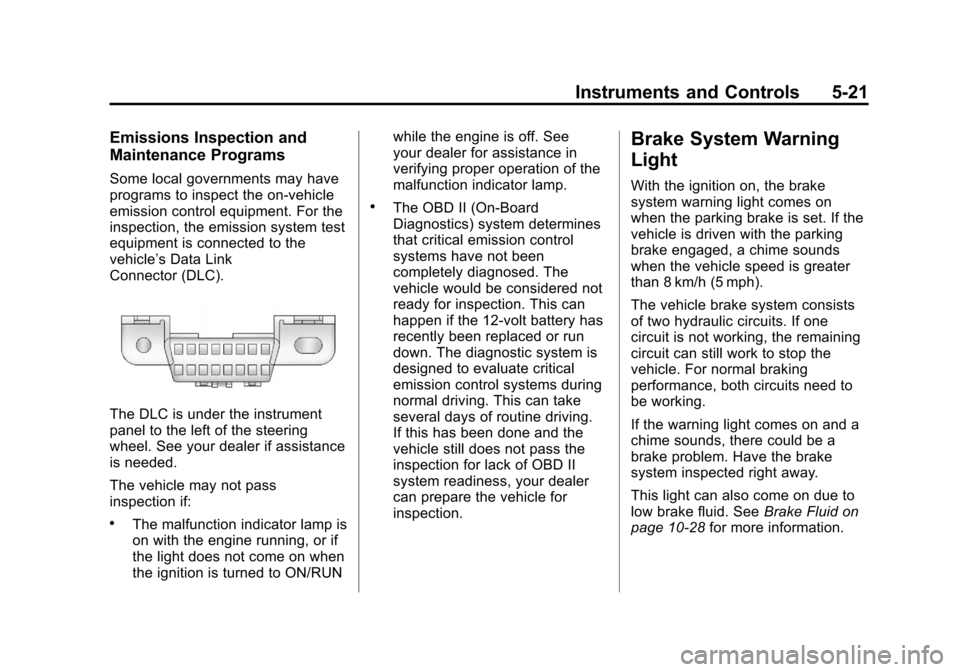
vehicle’s Data Link
Connector (DLC).
The DLC is under the instrument
panel to the left of the steering
wheel. See your dealer if assistance
is needed.
The vehicle may not pass
inspection if:
.The malfunction indicator lamp is
on with the engine running, or if
the light does not come on when
the ignition is turned to ON/RUNwhile the engine is off. See
your dealer for assistance in
verifying proper operation of the
malfunction indicator lamp.
.The OBD II (On-Board
Diagnostics) system determines
that critical emission control
systems have not been
completely diagnosed. The
vehicle would be considered not
ready for inspection. This can
happen if the 12-volt battery has
recently been replaced or run
down. The diagnostic system is
designed to evaluate critical
emission control systems during
normal driving. This can take
several days of routine driving.
If this has been done and the
vehicle still does not pass the
inspection for lack of OBD II
system readiness, your dealer
can prepare the vehicle for
inspection.
Brake System Warning
Light
With the ignition on, the brake
system warning light comes on
when the parking brake is set. If the
vehicle is driven with the parking
brake engaged, a chime sounds
when the vehicle speed is greater
than 8 km/h (5 mph).
The vehicle brake system consists
of two hydraulic circuits. If one
circuit is not working, the remaining
circuit can still work to stop the
vehicle. For normal braking
performance, both circuits need to
be working.
If the warning light comes on and a
chime sounds, there could be a
brake problem. Have the brake
system inspected right away.
This light can also come on due to
low brake fluid. See
Brake Fluid on
page 10‑28 for more information.
Page 152 of 508
Black plate (22,1)Chevrolet Avalanche Owner Manual - 2012
5-22 Instruments and Controls
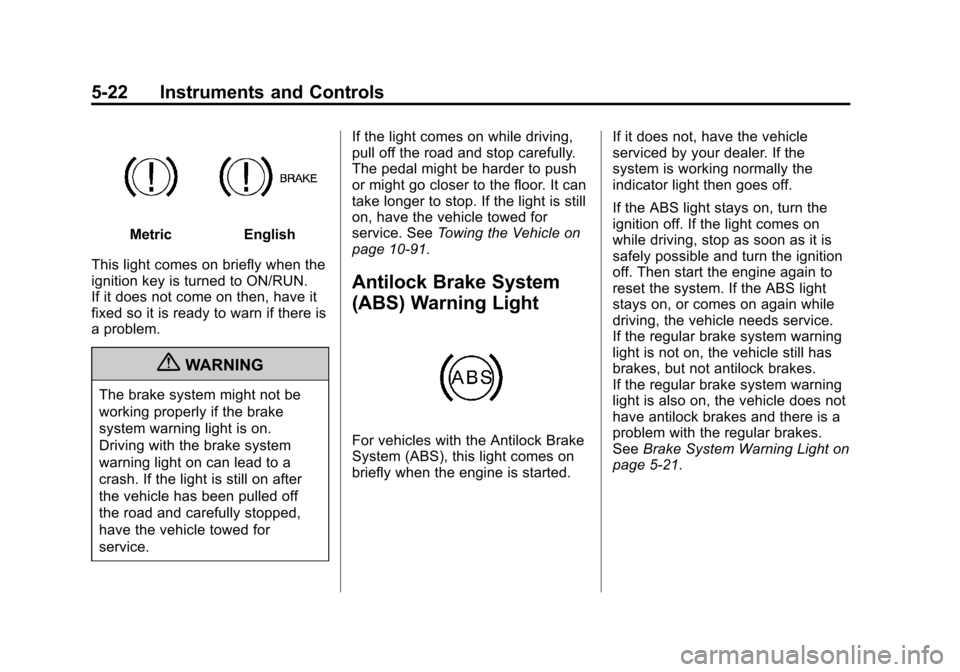
MetricEnglish
This light comes on briefly when the
ignition key is turned to ON/RUN.
If it does not come on then, have it
fixed so it is ready to warn if there is
a problem.
{WARNING
The brake system might not be
working properly if the brake
system warning light is on.
Driving with the brake system
warning light on can lead to a
crash. If the light is still on after
the vehicle has been pulled off
the road and carefully stopped,
have the vehicle towed for
service. If the light comes on while driving,
pull off the road and stop carefully.
The pedal might be harder to push
or might go closer to the floor. It can
take longer to stop. If the light is still
on, have the vehicle towed for
service. See
Towing the Vehicle on
page 10‑91.
Antilock Brake System
(ABS) Warning Light
For vehicles with the Antilock Brake
System (ABS), this light comes on
briefly when the engine is started. If it does not, have the vehicle
serviced by your dealer. If the
system is working normally the
indicator light then goes off.
If the ABS light stays on, turn the
ignition off. If the light comes on
while driving, stop as soon as it is
safely possible and turn the ignition
off. Then start the engine again to
reset the system. If the ABS light
stays on, or comes on again while
driving, the vehicle needs service.
If the regular brake system warning
light is not on, the vehicle still has
brakes, but not antilock brakes.
If the regular brake system warning
light is also on, the vehicle does not
have antilock brakes and there is a
problem with the regular brakes.
See
Brake System Warning Light on
page 5‑21.
Page 166 of 508
Black plate (36,1)Chevrolet Avalanche Owner Manual - 2012
5-36 Instruments and Controls
Battery Voltage and
Charging Messages
BATTERY LOW START
VEHICLE
When the vehicle’s battery is
severely discharged, this message
will display and four chimes
will sound. Start the vehicle
immediately. If the vehicle is not
started and the battery continues to
discharge, the climate controls,
heated seats, and audio systems
will shut off and the vehicle may
require a jump start. These systems
will function again after the vehicle
is started.
SERVICE BATTERY
CHARGING SYSTEM
On some vehicles, this message
displays if there is a problem with
the battery charging system. Under
certain conditions, the charging
system light may also turn on in
the instrument panel cluster. See
Charging System Light on
page 5‑18. Driving with this problem
could drain the battery. Turn off all
unnecessary accessories. Have the
electrical system checked as soon
as possible. See your dealer.
Brake System Messages
SERVICE BRAKE SYSTEM
This message displays along with
the brake system warning light if
there is a problem with the brake
system. See Brake System Warning
Light on page 5‑21. If this message
appears, stop as soon as possible
and turn off the vehicle. Restart the
vehicle and check for the message
on the DIC display. If the message
is still displayed or appears again
when you begin driving, the brake
system needs service as soon as
possible. See your dealer.
SERVICE BRAKES SOON
This message displays if there is a
problem with the brake system.
If this message appears, stop as
soon as possible and turn off the
vehicle. Restart the vehicle and
check for the message on the DIC
display. If the message is still
displayed or appears again when
you begin driving, the brake system
needs service. See your dealer.
SERVICE TRAILER BRAKE
SYSTEM
On vehicles with the Integrated
Trailer Brake Control (ITBC) system,
this message displays and a chime
sounds when there is a problem
with the ITBC system.
When this message displays, power
is no longer available to the trailer
brakes.