light CHEVROLET AVEO 2002 Service Repair Manual
[x] Cancel search | Manufacturer: CHEVROLET, Model Year: 2002, Model line: AVEO, Model: CHEVROLET AVEO 2002Pages: 5127, PDF Size: 41.82 MB
Page 1902 of 5127
Setting Cruise Control
{CAUTION:
If you leave your cruise control on when you
are not using cruise, you might hit a button
and go into cruise when you do not want to.
You could be startled and even lose control.
Keep the cruise control switch off until you
want to use cruise control.The cruise control pad is located on the right side of the
steering wheel.
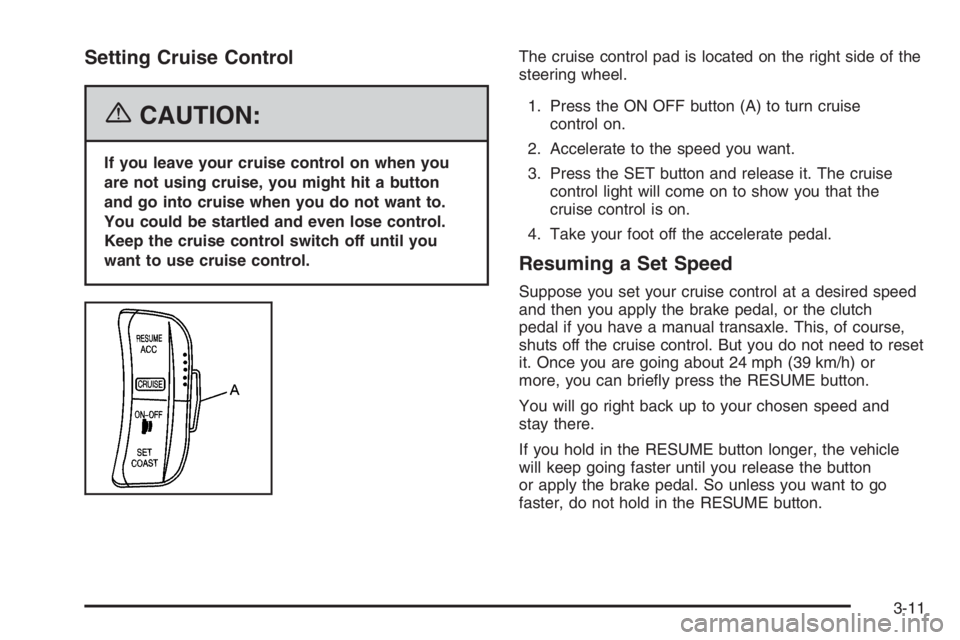
1. Press the ON OFF button (A) to turn cruise
control on.
2. Accelerate to the speed you want.
3. Press the SET button and release it. The cruise
control light will come on to show you that the
cruise control is on.
4. Take your foot off the accelerate pedal.
Resuming a Set Speed
Suppose you set your cruise control at a desired speed
and then you apply the brake pedal, or the clutch
pedal if you have a manual transaxle. This, of course,
shuts off the cruise control. But you do not need to reset
it. Once you are going about 24 mph (39 km/h) or
more, you can briefly press the RESUME button.
You will go right back up to your chosen speed and
stay there.
If you hold in the RESUME button longer, the vehicle
will keep going faster until you release the button
or apply the brake pedal. So unless you want to go
faster, do not hold in the RESUME button.
3-11
Page 1903 of 5127
Increasing Speed While Using Cruise
Control
There are two ways to go to a higher speed.
•Use the accelerator pedal to get to a higher speed.
Press the SET button, then release the button and
the accelerator pedal. You will now cruise at the
higher speed.
•Press the RESUME button. Hold it there until you
get up to the speed you want, and then release
the button. To increase your speed in very
small amounts, briefly press the RESUME button
and then release it. Each time you do this, your
vehicle will go about 1 mph (1.6 km/h) faster.
The accelerate feature will only work after you turn on
the cruise control by pressing the SET button.
Reducing Speed While Using Cruise
Control
There are two ways to reduce your speed while using
cruise control:
•Press the SET button until you reach the lower
speed you want, then release it.
•To slow down in very small amounts, briefly press
the SET button. Each time you do this, you will go
about 1 mph (1.6 km/h) slower.
Passing Another Vehicle While Using
Cruise Control
Use the accelerator pedal to increase your speed.
When you take your foot off the pedal, your vehicle will
slow down to the cruise control speed you set earlier.
Using Cruise Control on Hills
How well your cruise control will work on hills depends
upon your speed, load and the steepness of the
hills. When going up steep hills, you may have to step
on the accelerator pedal to maintain your speed.
When going downhill, you may have to brake or shift to
a lower gear to keep your speed down. Of course,
applying the brake pedal takes you out of cruise control.
Many drivers find this to be too much trouble and do
not use cruise control on steep hills.
Ending Cruise Control
There are two ways to turn off the cruise control:
•Step lightly on the brake pedal, or press the clutch
pedal, if you have a manual transaxle.
•Press the ON OFF button on the cruise control pad.
Erasing Speed Memory
When you turn off the cruise control or the ignition, your
cruise control set speed memory is erased.
3-12
Page 1904 of 5127
Exterior Lamps
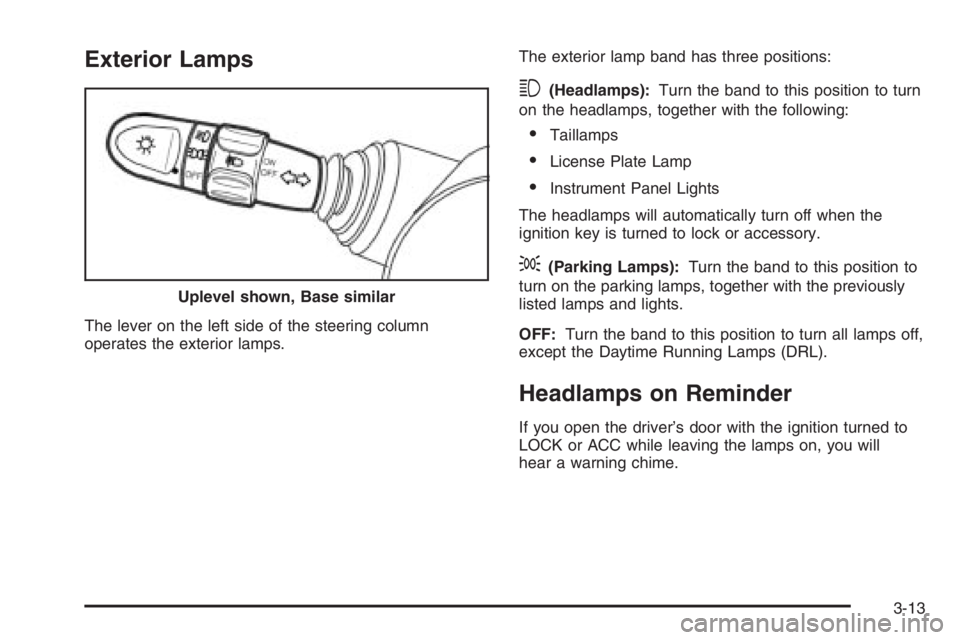
The lever on the left side of the steering column
operates the exterior lamps.The exterior lamp band has three positions:
3(Headlamps):Turn the band to this position to turn
on the headlamps, together with the following:
•Taillamps
•License Plate Lamp
•Instrument Panel Lights
The headlamps will automatically turn off when the
ignition key is turned to lock or accessory.
;(Parking Lamps):Turn the band to this position to
turn on the parking lamps, together with the previously
listed lamps and lights.
OFF:Turn the band to this position to turn all lamps off,
except the Daytime Running Lamps (DRL).
Headlamps on Reminder
If you open the driver’s door with the ignition turned to
LOCK or ACC while leaving the lamps on, you will
hear a warning chime. Uplevel shown, Base similar
3-13
Page 1905 of 5127
Daytime Running Lamps (DRL)
Daytime Running Lamps (DRL) can make it easier for
others to see the front of your vehicle during the
day. DRL can be helpful in many different driving
conditions, but they can be especially helpful in the short
periods after dawn and before sunset. Fully functional
daytime running lamps are required on all vehicles
first sold in Canada.
The DRL system will make your low-beam headlamps
come on when the following conditions are met:
•The ignition is on.
•The exterior lamp band is in OFF or in the parking
lamp position.
•The parking brake is released.
An indicator light on instrument panel cluster will come
on when the DRL system is on.When the DRL system is on, the taillamps, sidemarker
lamps, parking lamps and instrument panel lights
will not be illuminated unless you have turned the
exterior lamps control to the parking lamp or headlamp
position.
The DRL system will turn off when one of the following
conditions are met:
•The ignition is off.
•The parking brake is on.
•The high-beam headlamps are on.
•The low-beam headlamps are on.
•The flash-to-pass feature is used.
As with any vehicle, you should turn on the regular
headlamp system when you need it.
3-14
Page 1906 of 5127
Fog Lamps
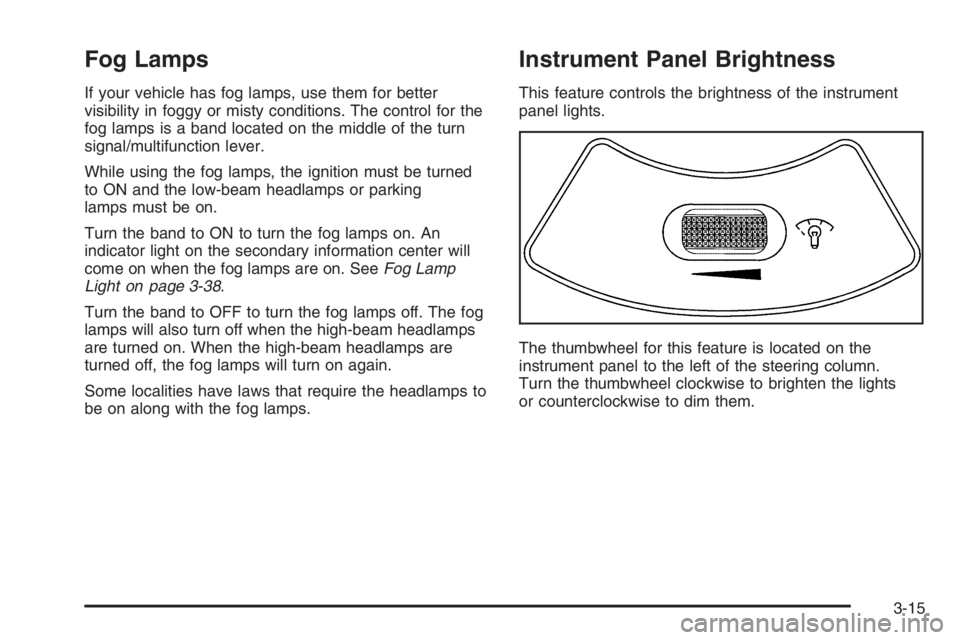
If your vehicle has fog lamps, use them for better
visibility in foggy or misty conditions. The control for the
fog lamps is a band located on the middle of the turn
signal/multifunction lever.
While using the fog lamps, the ignition must be turned
to ON and the low-beam headlamps or parking
lamps must be on.
Turn the band to ON to turn the fog lamps on. An
indicator light on the secondary information center will
come on when the fog lamps are on. SeeFog Lamp
Light on page 3-38.
Turn the band to OFF to turn the fog lamps off. The fog
lamps will also turn off when the high-beam headlamps
are turned on. When the high-beam headlamps are
turned off, the fog lamps will turn on again.
Some localities have laws that require the headlamps to
be on along with the fog lamps.
Instrument Panel Brightness
This feature controls the brightness of the instrument
panel lights.
The thumbwheel for this feature is located on the
instrument panel to the left of the steering column.
Turn the thumbwheel clockwise to brighten the lights
or counterclockwise to dim them.
3-15
Page 1907 of 5127
Dome Lamp
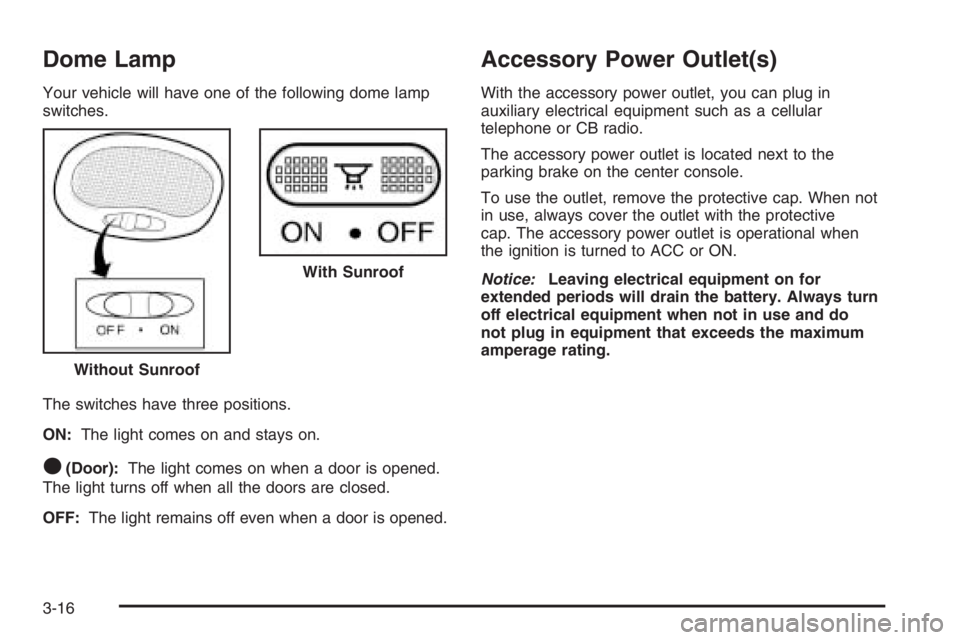
Your vehicle will have one of the following dome lamp
switches.
The switches have three positions.
ON:The light comes on and stays on.
O(Door):The light comes on when a door is opened.
The light turns off when all the doors are closed.
OFF:The light remains off even when a door is opened.
Accessory Power Outlet(s)
With the accessory power outlet, you can plug in
auxiliary electrical equipment such as a cellular
telephone or CB radio.
The accessory power outlet is located next to the
parking brake on the center console.
To use the outlet, remove the protective cap. When not
in use, always cover the outlet with the protective
cap. The accessory power outlet is operational when
the ignition is turned to ACC or ON.
Notice:Leaving electrical equipment on for
extended periods will drain the battery. Always turn
off electrical equipment when not in use and do
not plug in equipment that exceeds the maximum
amperage rating.
Without Sunroof
With Sunroof
3-16
Page 1908 of 5127
Certain electrical accessories may not be compatible
with the accessory power outlet and could result
in blown vehicle or adapter fuses. If you experience a
problem, see your dealer for additional information
on accessory power outlets.
Notice:Adding any electrical equipment to your
vehicle may damage it or keep other components
from working as they should. The repairs would not
be covered by your warranty. Do not use equipment
exceeding maximum amperage rating of 20 amperes.
Check with your retailer before adding electrical
equipment.
When adding electrical equipment, be sure to follow the
proper installation instructions included with the
equipment.
Notice:Improper use of the power outlet can cause
damage not covered by your warranty. Do not
hang any type of accessory or accessory bracket
from the plug because the power outlets are
designed for accessory power plugs only.Ashtray(s) and Cigarette Lighter
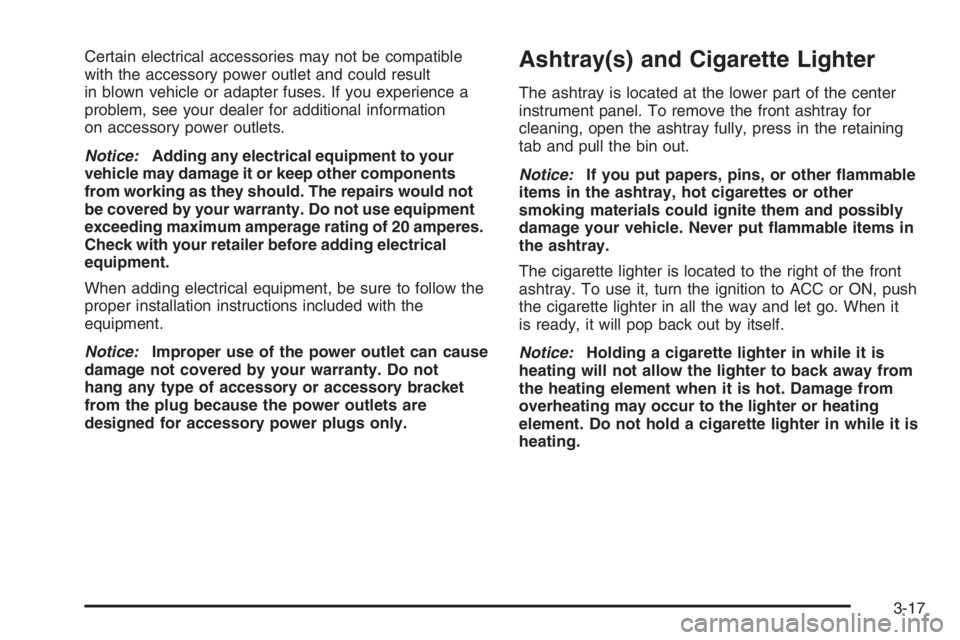
The ashtray is located at the lower part of the center
instrument panel. To remove the front ashtray for
cleaning, open the ashtray fully, press in the retaining
tab and pull the bin out.
Notice:If you put papers, pins, or other ammable
items in the ashtray, hot cigarettes or other
smoking materials could ignite them and possibly
damage your vehicle. Never put ammable items in
the ashtray.
The cigarette lighter is located to the right of the front
ashtray. To use it, turn the ignition to ACC or ON, push
the cigarette lighter in all the way and let go. When it
is ready, it will pop back out by itself.
Notice:Holding a cigarette lighter in while it is
heating will not allow the lighter to back away from
the heating element when it is hot. Damage from
overheating may occur to the lighter or heating
element. Do not hold a cigarette lighter in while it is
heating.
3-17
Page 1909 of 5127
Climate Controls
Climate Control System
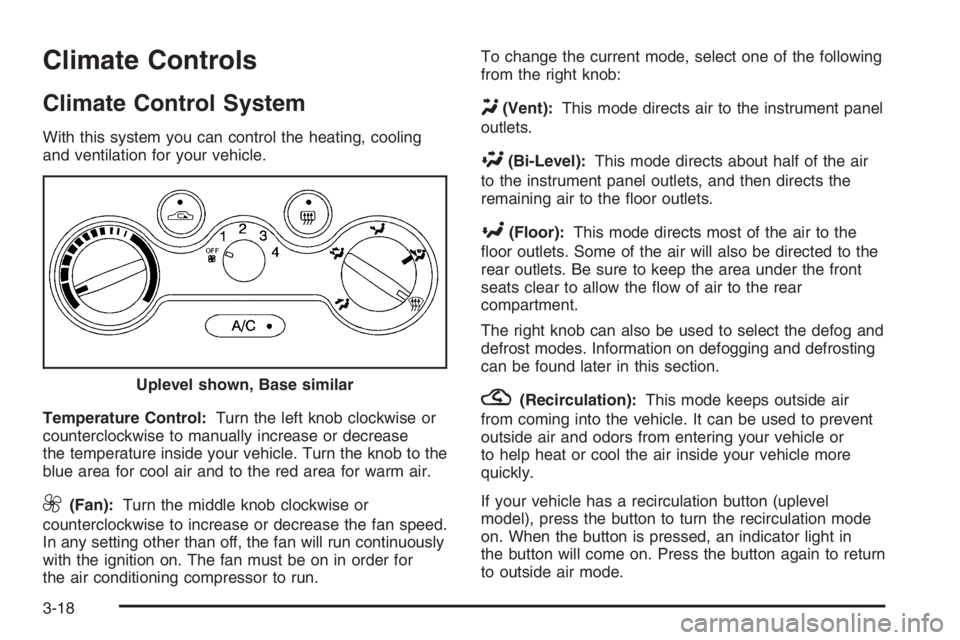
With this system you can control the heating, cooling
and ventilation for your vehicle.
Temperature Control:Turn the left knob clockwise or
counterclockwise to manually increase or decrease
the temperature inside your vehicle. Turn the knob to the
blue area for cool air and to the red area for warm air.
9(Fan):Turn the middle knob clockwise or
counterclockwise to increase or decrease the fan speed.
In any setting other than off, the fan will run continuously
with the ignition on. The fan must be on in order for
the air conditioning compressor to run.To change the current mode, select one of the following
from the right knob:
Y(Vent):This mode directs air to the instrument panel
outlets.
\(Bi-Level):This mode directs about half of the air
to the instrument panel outlets, and then directs the
remaining air to the floor outlets.
[(Floor):This mode directs most of the air to the
floor outlets. Some of the air will also be directed to the
rear outlets. Be sure to keep the area under the front
seats clear to allow the flow of air to the rear
compartment.
The right knob can also be used to select the defog and
defrost modes. Information on defogging and defrosting
can be found later in this section.
?(Recirculation):This mode keeps outside air
from coming into the vehicle. It can be used to prevent
outside air and odors from entering your vehicle or
to help heat or cool the air inside your vehicle more
quickly.
If your vehicle has a recirculation button (uplevel
model), press the button to turn the recirculation mode
on. When the button is pressed, an indicator light in
the button will come on. Press the button again to return
to outside air mode. Uplevel shown, Base similar
3-18
Page 1910 of 5127
If your vehicle has a lever (base model), move the lever
to choose the recirculation mode.
Using the recirculation mode for extended periods may
cause your windows to fog. If this happens, select
the defrost mode.
:(Outside Air):This mode brings outside air into
the vehicle.
If your vehicle has a recirculation button (uplevel
model), press the button until the recirculation mode is
turned off. Your vehicle will then return to outside
air mode.
If your vehicle has a lever (base model), move the lever
to choose the outside air mode.
A/C (Air Conditioning):If your vehicle has air
conditioning, follow these steps to use the system. Start
the engine and set the fan control knob to the desired
speed. The air conditioning compressor does not
operate when the fan control knob is in the off position.
Press the A/C button to turn the air conditioning
compressor on and off. When the A/C button is pressed,
an indicator light in the button will come on to let you
know that air conditioning is activated.On hot days, open the windows to let hot inside air
escape; then close them. This helps to reduce the time
it takes for your vehicle to cool down. It also helps
the system to operate more efficiently.
For quick cool down on hot days, do the following:
1. Select the vent mode.
2. Select the highest fan speed.
3. Press the A/C button.
4. Select the recirculation mode.
5. Select the coolest temperature.
Using these settings together for long periods of time
may cause the air inside of your vehicle to become too
dry. To prevent this from happening, after the air in
your vehicle has cooled, turn the recirculation mode off.
The air conditioning system removes moisture from
the air, so you may sometimes notice a small amount of
water dripping underneath your vehicle while idling or
after turning off the engine. This is normal.
3-19
Page 1911 of 5127
Defogging and Defrosting
Fog on the inside of windows is a result of high humidity
or moisture condensing on the cool window glass. This
can be minimized if the climate control system is used
properly. There are two modes to clear fog or frost from
your windshield. Use the defog mode to clear the
windows of fog or moisture and warm the passengers.
Use the defrost mode to remove fog or frost from the
windshield more quickly.
For best results, clear all snow and ice from the
windshield before defrosting.
Select one of these available modes from the
right knob.
0(Defog):This mode directs most of the air to the
windshield and the floor outlets. A small amount of air
is also directed to the outboard outlets for the side
windows and to the instrument panel side outlets.
When you select this mode, the system runs the
air-conditioning compressor. To defog the windows
faster, turn the temperature control knob clockwise to
the warmest setting.
1(Defrost):This mode directs the air to the
windshield and the outboard outlets for the side
windows. A small amount of air is also directed to the
instrument panel side outlets. When you select this
mode, the system runs the air-conditioning compressor.
To defrost the windows faster, turn the temperature
control knob clockwise to the warmest setting.
Do not drive the vehicle until all windows are clear.
Rear Window and Outside Mirror
Defogger
Your vehicle may have a rear window and outside
mirror defogger. This feature will only work when the
ignition is turned to ON.
The rear window defogger uses a warming grid to
remove fog or frost from the rear window. Before using
this feature, clear as much snow from the rear
window as possible.
<(Rear Window Defogger):Press this button to
turn the rear window and outside mirror defogger on or
off. An indicator light in the button will come on to let
you know that the feature is activated.
If your vehicle does not have air conditioning, the rear
window defogger will remain on until the button is
pressed again.
3-20