steering CHEVROLET AVEO 2002 Service Manual Online
[x] Cancel search | Manufacturer: CHEVROLET, Model Year: 2002, Model line: AVEO, Model: CHEVROLET AVEO 2002Pages: 5127, PDF Size: 41.82 MB
Page 4355 of 5127
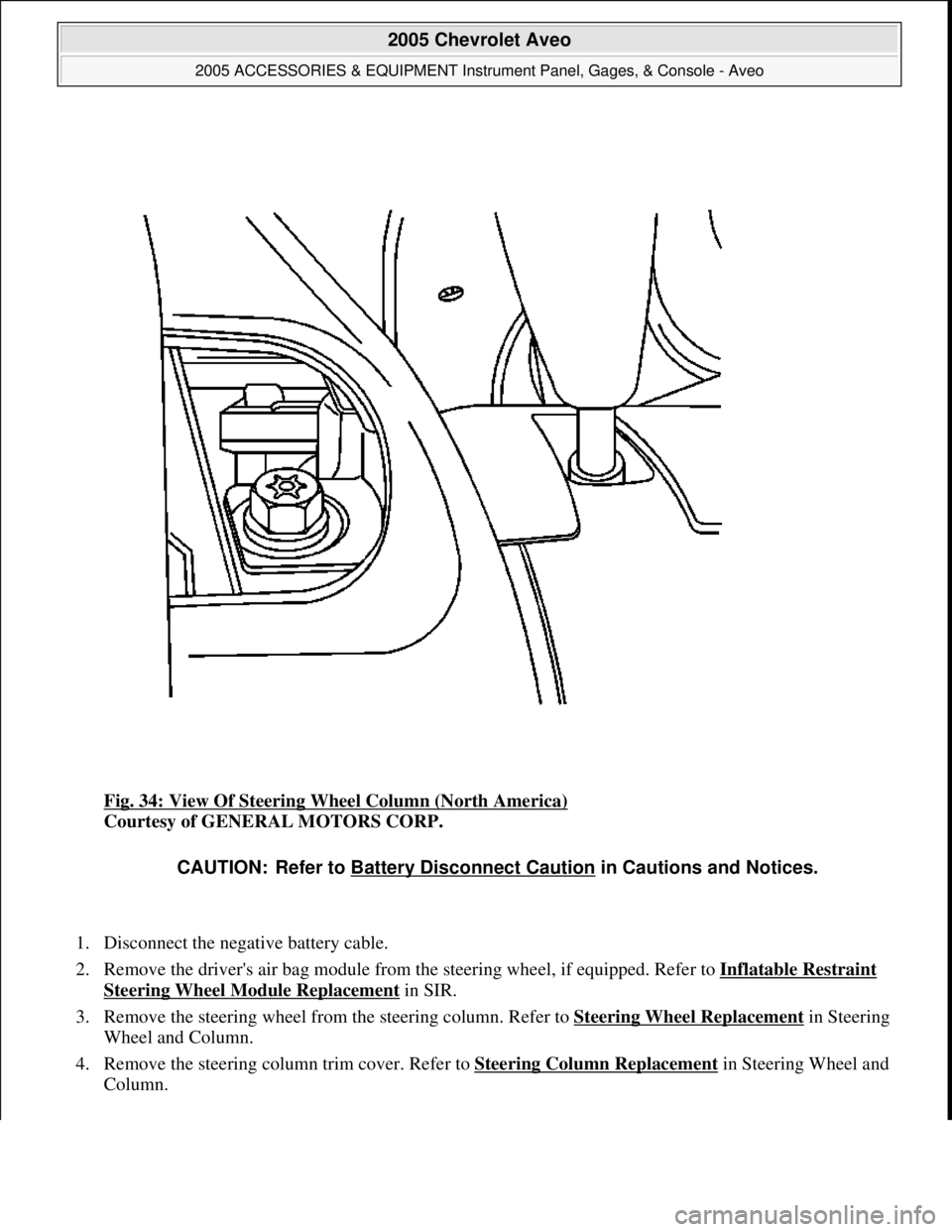
Fig. 34: View Of Steering Wheel Column (North America)
Courtesy of GENERAL MOTORS CORP.
1. Disconnect the negative battery cable.
2. Remove the driver's air bag module from the steering wheel, if equipped. Refer to Inflatable Restraint
Steering Wheel Module Replacement in SIR.
3. Remove the steering wheel from the steering column. Refer to Steering Wheel Replacement
in Steering
Wheel and Column.
4. Remove the steering column trim cover. Refer to Steering Column Replacement
in Steering Wheel and
Column.
CAUTION: Refer to Battery Disconnect Caution in Cautions and Notices.
2005 Chevrolet Aveo
2005 ACCESSORIES & EQUIPMENT Instrument Panel, Gages, & Console - Aveo
Microsoft
Friday, July 31, 2009 1:07:03 PMPage 62 © 2005 Mitchell Repair Information Company, LLC.
Page 4356 of 5127
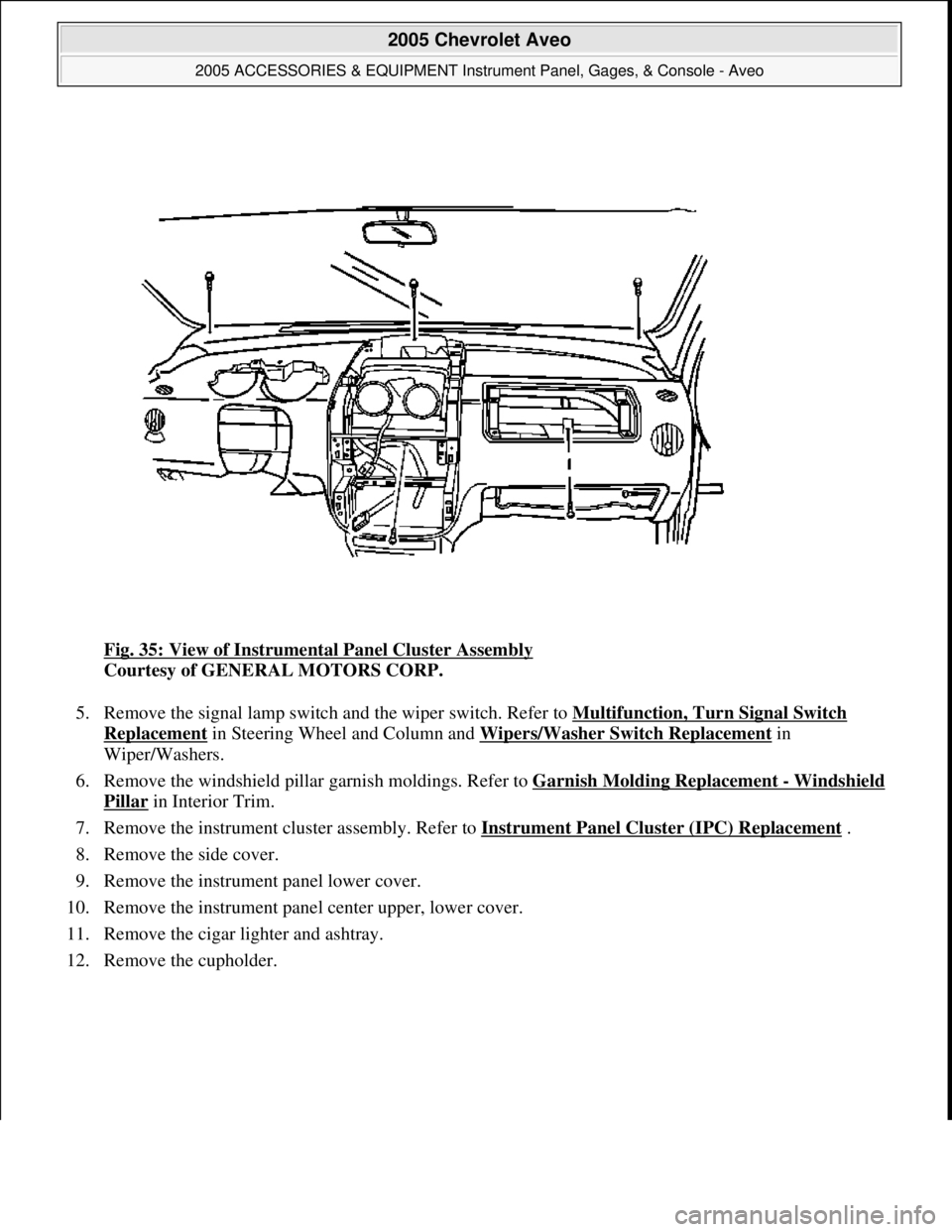
Fig. 35: View of Instrumental Panel Cluster Assembly
Courtesy of GENERAL MOTORS CORP.
5. Remove the signal lamp switch and the wiper switch. Refer to Multifunction, Turn Signal Switch
Replacement in Steering Wheel and Column and Wipers/Washer Switch Replacement in
Wiper/Washers.
6. Remove the windshield pillar garnish moldings. Refer to Garnish Molding Replacement
- Windshield
Pillar in Interior Trim.
7. Remove the instrument cluster assembly. Refer to Instrument Panel Cluster (IPC) Replacement
.
8. Remove the side cover.
9. Remove the instrument panel lower cover.
10. Remove the instrument panel center upper, lower cover.
11. Remove the cigar lighter and ashtray.
12. Remove the cupholder.
2005 Chevrolet Aveo
2005 ACCESSORIES & EQUIPMENT Instrument Panel, Gages, & Console - Aveo
Microsoft
Friday, July 31, 2009 1:07:03 PMPage 63 © 2005 Mitchell Repair Information Company, LLC.
Page 4358 of 5127
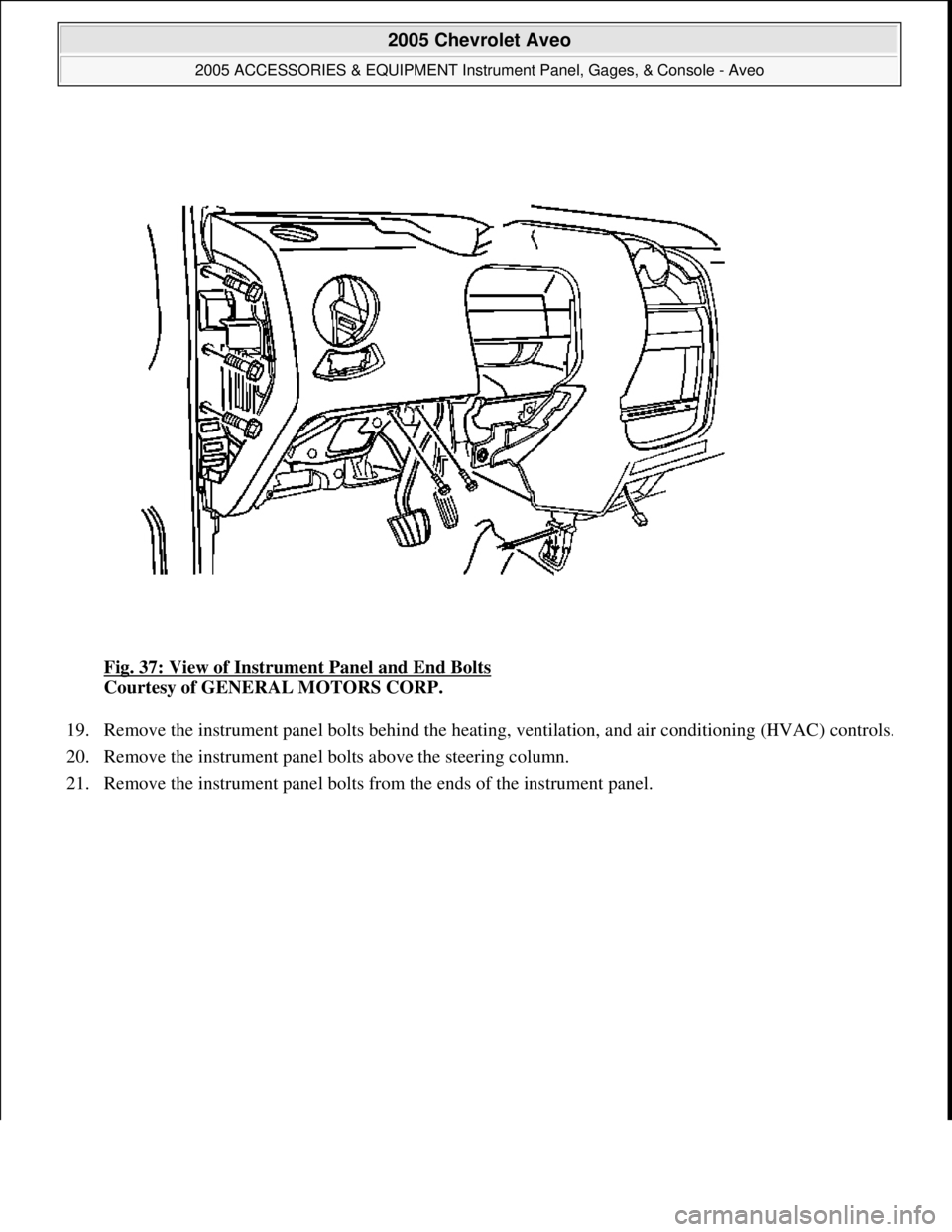
Fig. 37: View of Instrument Panel and End Bolts
Courtesy of GENERAL MOTORS CORP.
19. Remove the instrument panel bolts behind the heating, ventilation, and air conditioning (HVAC) controls.
20. Remove the instrument panel bolts above the steering column.
21. Remove the instrument panel bolts from the ends of the instrument panel.
2005 Chevrolet Aveo
2005 ACCESSORIES & EQUIPMENT Instrument Panel, Gages, & Console - Aveo
Microsoft
Friday, July 31, 2009 1:07:03 PMPage 65 © 2005 Mitchell Repair Information Company, LLC.
Page 4362 of 5127
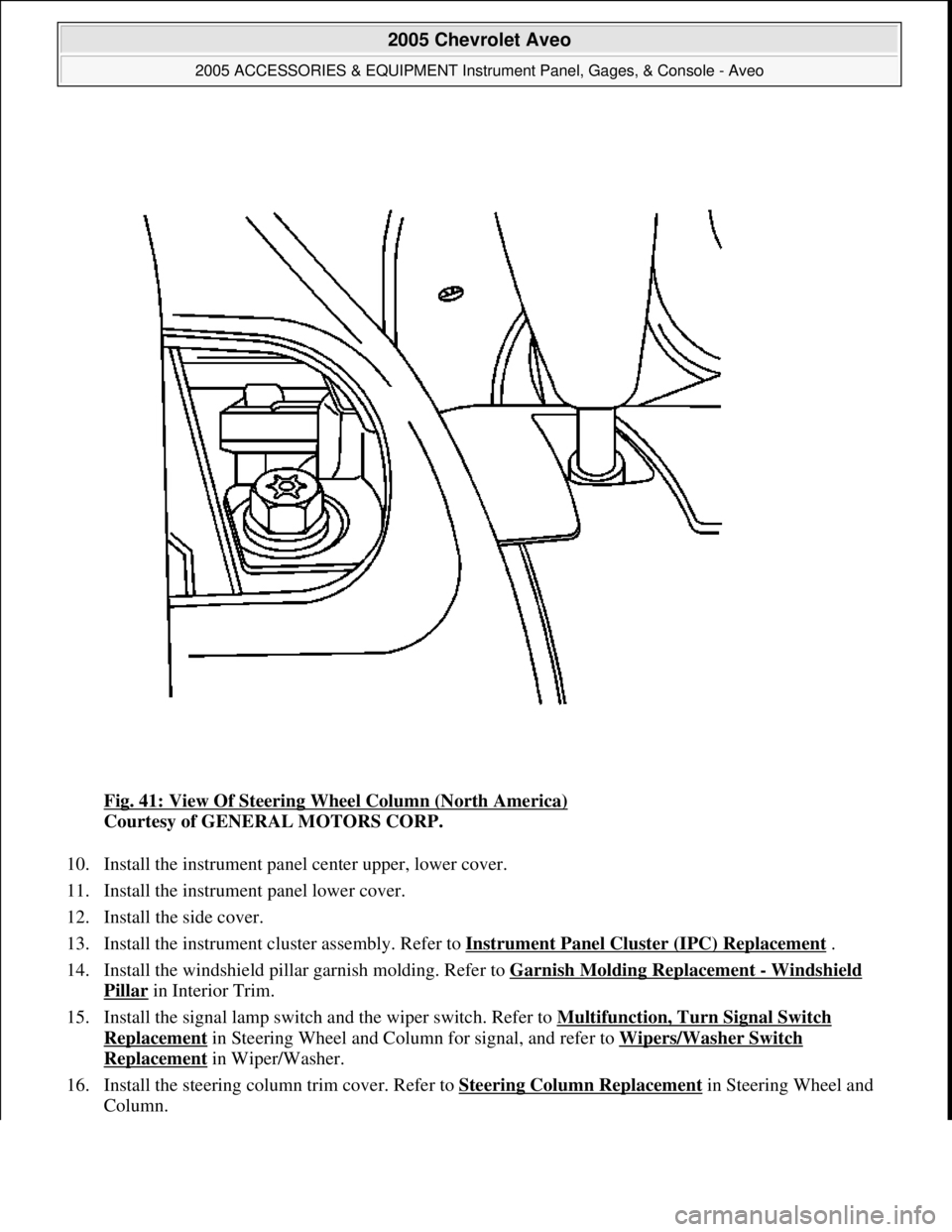
Fig. 41: View Of Steering Wheel Column (North America)
Courtesy of GENERAL MOTORS CORP.
10. Install the instrument panel center upper, lower cover.
11. Install the instrument panel lower cover.
12. Install the side cover.
13. Install the instrument cluster assembly. Refer to Instrument Panel Cluster (IPC) Replacement
.
14. Install the windshield pillar garnish molding. Refer to Garnish Molding Replacement
- Windshield
Pillar in Interior Trim.
15. Install the signal lamp switch and the wiper switch. Refer to Multifunction, Turn Signal Switch
Replacement in Steering Wheel and Column for signal, and refer to Wipers/Washer Switch
Replacement in Wiper/Washer.
16. Install the steering column trim cover. Refer to Steering Column Replacement
in Steering Wheel and
Column.
2005 Chevrolet Aveo
2005 ACCESSORIES & EQUIPMENT Instrument Panel, Gages, & Console - Aveo
Microsoft
Friday, July 31, 2009 1:07:03 PMPage 69 © 2005 Mitchell Repair Information Company, LLC.
Page 4363 of 5127
17. Install the steering wheel to the steering column. Refer to Steering Wheel Replacement in Steering
Wheel and Column.
18. Install the driver's air bag module from the steering wheel, if equipped. Refer to Inflatable Restraint
Steering Wheel Module Replacement in SIR.
19. Connect the negative battery cable.
INSTRUMENT PANEL (I/P) ASSEMBLY REPLACEMENT (EUROPEAN AND NON-EUROPEAN)
Removal Procedure
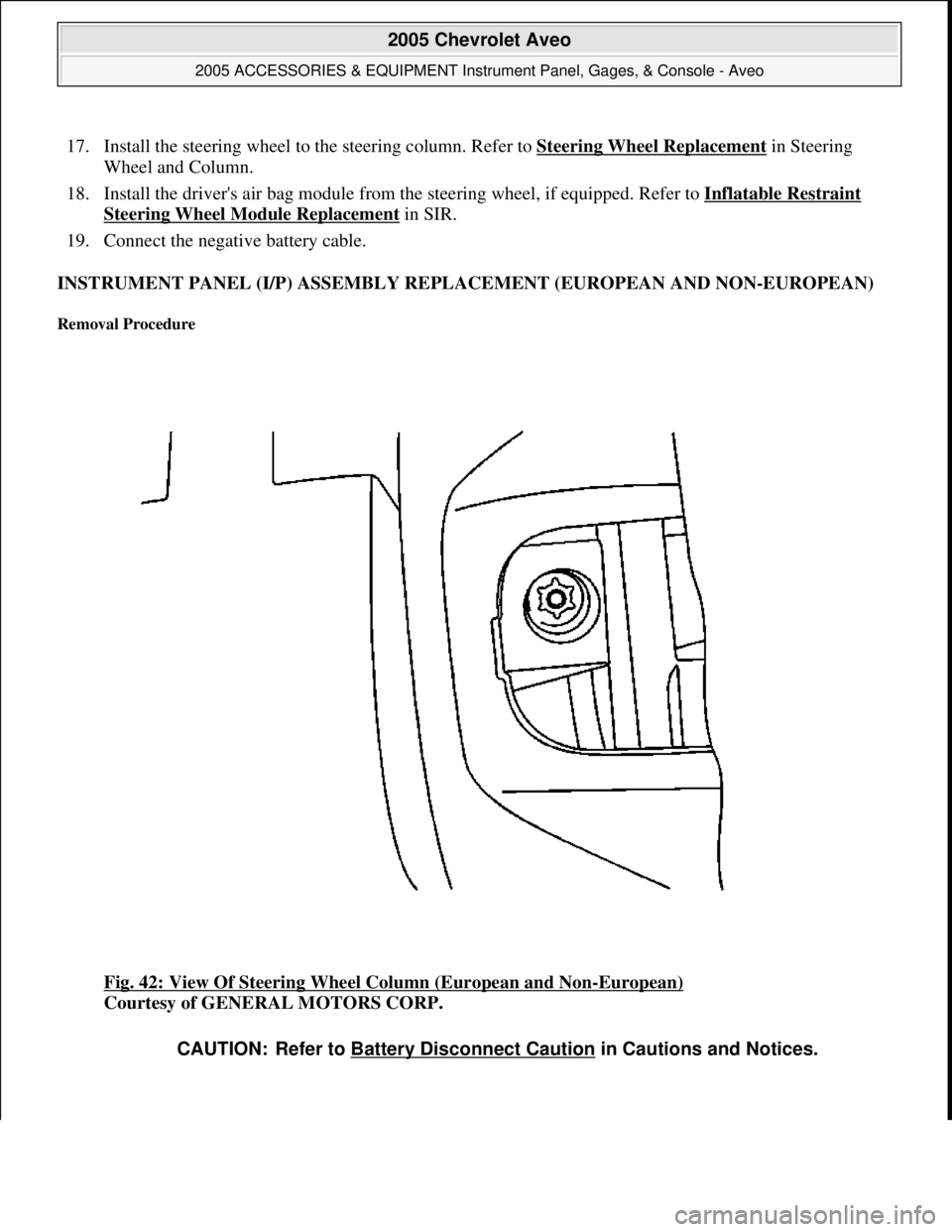
Fig. 42: View Of Steering Wheel Column (European and Non-European)
Courtesy of GENERAL MOTORS CORP.
CAUTION: Refer to Battery Disconnect Caution in Cautions and Notices.
2005 Chevrolet Aveo
2005 ACCESSORIES & EQUIPMENT Instrument Panel, Gages, & Console - Aveo
Microsoft
Friday, July 31, 2009 1:07:03 PMPage 70 © 2005 Mitchell Repair Information Company, LLC.
Page 4364 of 5127
1. Disconnect the negative battery cable.
2. Remove the driver's air bag module from the steering wheel, if equipped. Refer to Inflatable Restraint
Steering Wheel Module Replacement in SIR.
3. Remove the steering wheel from the steering column. Refer to Steering Wheel Replacement
in Steering
Wheel and Column.
4. Remove the steering column trim cover. Refer to Steering Column Replacement
in Steering Wheel and
Column.
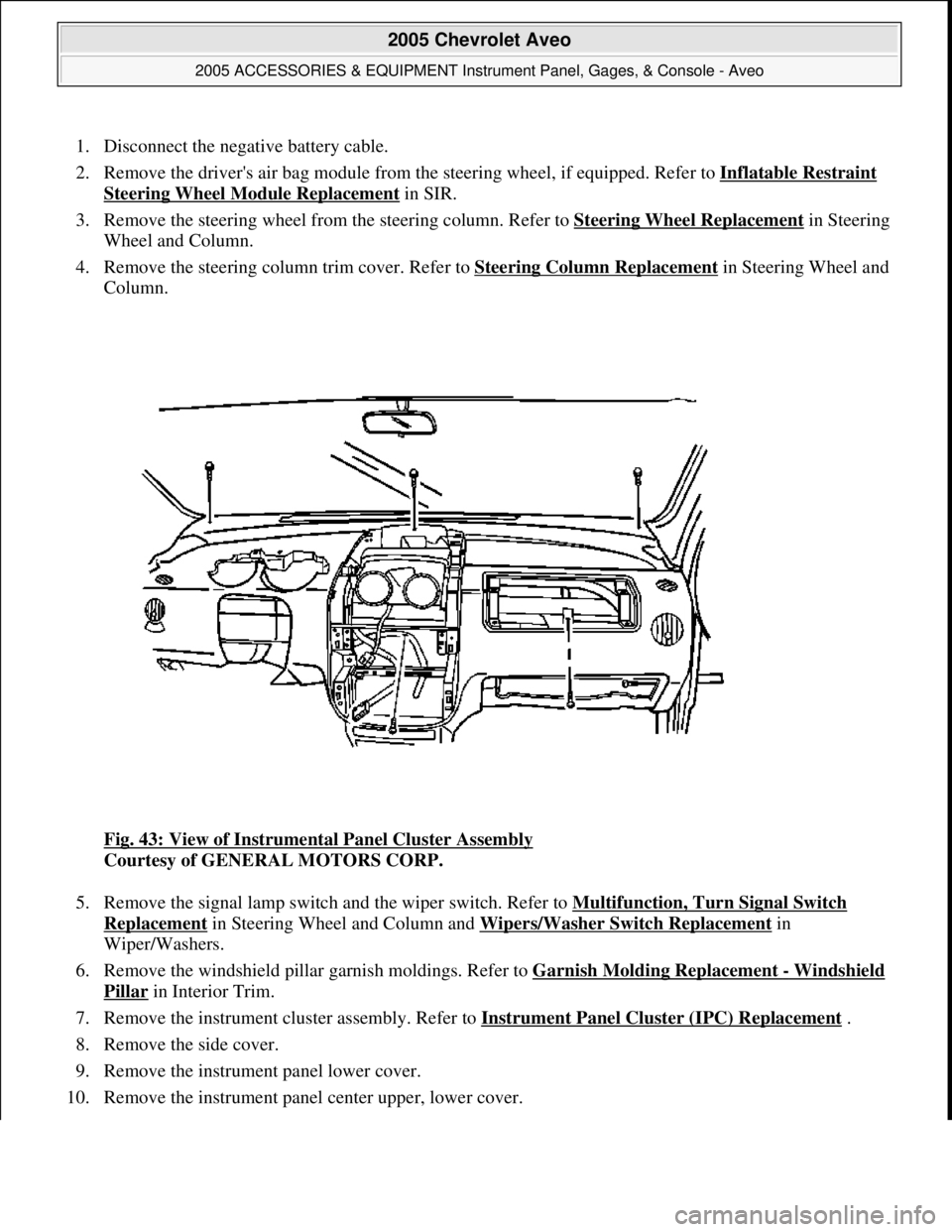
Fig. 43: View of Instrumental Panel Cluster Assembly
Courtesy of GENERAL MOTORS CORP.
5. Remove the signal lamp switch and the wiper switch. Refer to Multifunction, Turn Signal Switch
Replacement in Steering Wheel and Column and Wipers/Washer Switch Replacement in
Wiper/Washers.
6. Remove the windshield pillar garnish moldings. Refer to Garnish Molding Replacement
- Windshield
Pillar in Interior Trim.
7. Remove the instrument cluster assembly. Refer to Instrument Panel Cluster (IPC) Replacement
.
8. Remove the side cover.
9. Remove the instrument panel lower cover.
10. Remove the instrument panel center upper, lower cover.
2005 Chevrolet Aveo
2005 ACCESSORIES & EQUIPMENT Instrument Panel, Gages, & Console - Aveo
Microsoft
Friday, July 31, 2009 1:07:03 PMPage 71 © 2005 Mitchell Repair Information Company, LLC.
Page 4366 of 5127
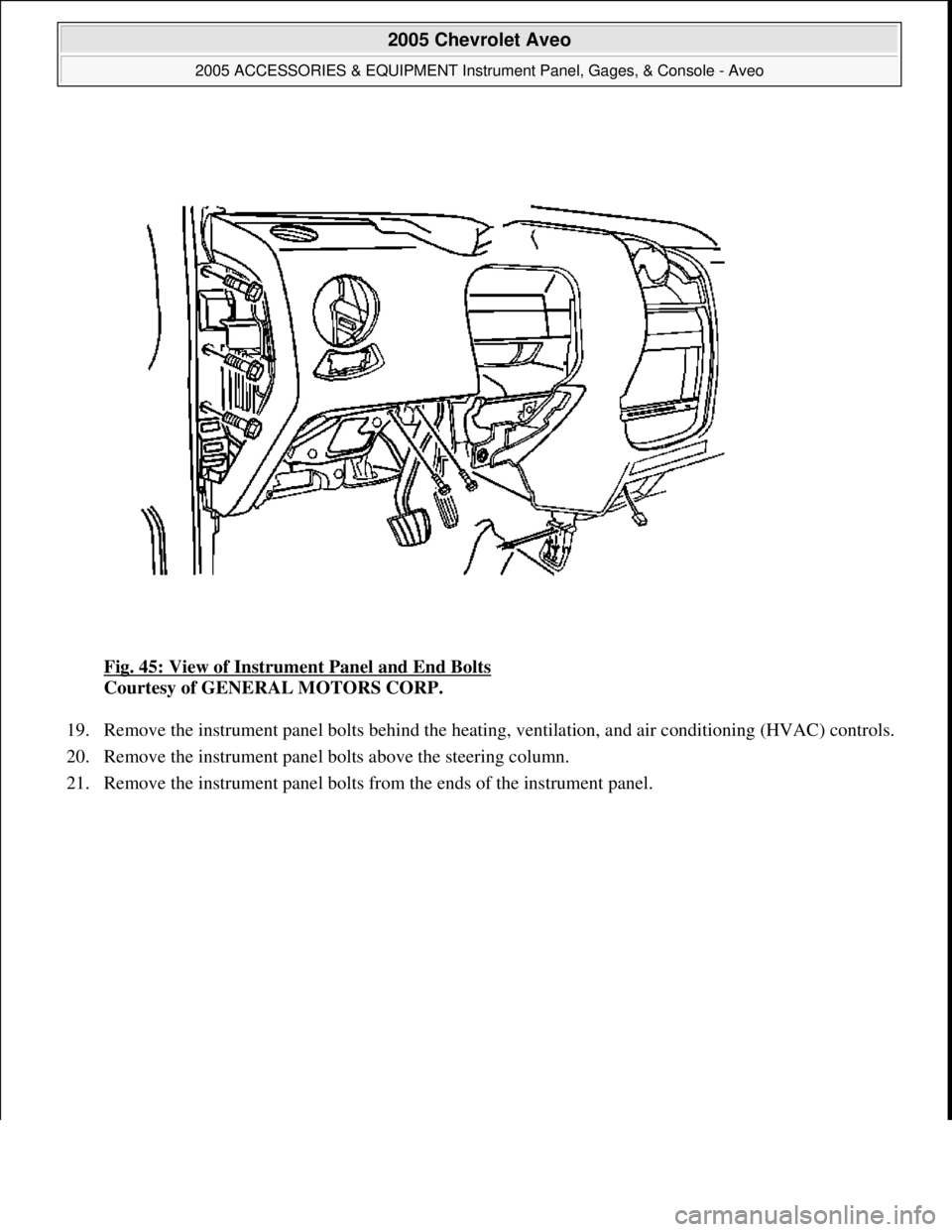
Fig. 45: View of Instrument Panel and End Bolts
Courtesy of GENERAL MOTORS CORP.
19. Remove the instrument panel bolts behind the heating, ventilation, and air conditioning (HVAC) controls.
20. Remove the instrument panel bolts above the steering column.
21. Remove the instrument panel bolts from the ends of the instrument panel.
2005 Chevrolet Aveo
2005 ACCESSORIES & EQUIPMENT Instrument Panel, Gages, & Console - Aveo
Microsoft
Friday, July 31, 2009 1:07:03 PMPage 73 © 2005 Mitchell Repair Information Company, LLC.
Page 4370 of 5127
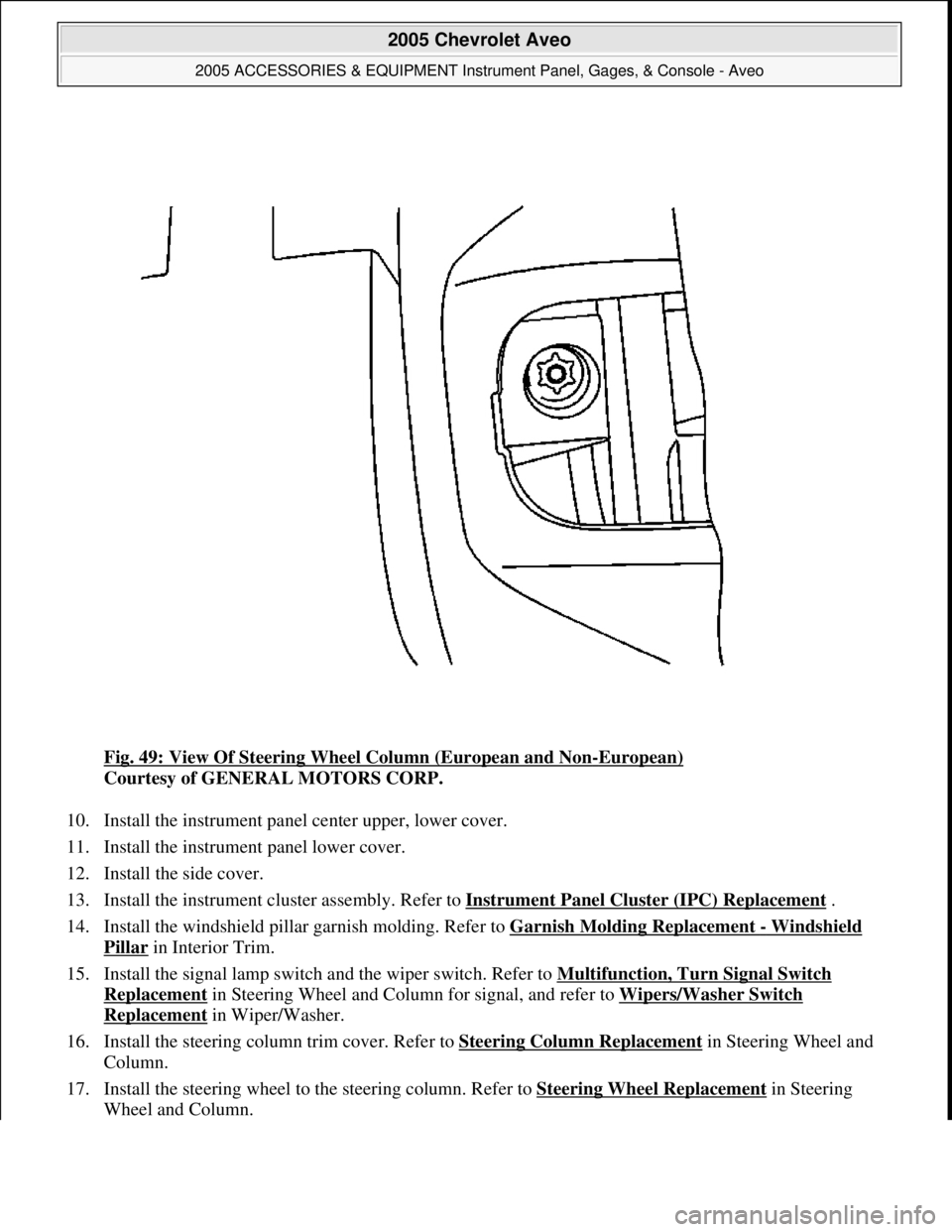
Fig. 49: View Of Steering Wheel Column (European and Non-European)
Courtesy of GENERAL MOTORS CORP.
10. Install the instrument panel center upper, lower cover.
11. Install the instrument panel lower cover.
12. Install the side cover.
13. Install the instrument cluster assembly. Refer to Instrument Panel Cluster (IPC) Replacement
.
14. Install the windshield pillar garnish molding. Refer to Garnish Molding Replacement
- Windshield
Pillar in Interior Trim.
15. Install the signal lamp switch and the wiper switch. Refer to Multifunction, Turn Signal Switch
Replacement in Steering Wheel and Column for signal, and refer to Wipers/Washer Switch
Replacement in Wiper/Washer.
16. Install the steering column trim cover. Refer to Steering Column Replacement
in Steering Wheel and
Column.
17. Install the steering wheel to the steering column. Refer to Steering Wheel Replacement
in Steering
Wheel and Column.
2005 Chevrolet Aveo
2005 ACCESSORIES & EQUIPMENT Instrument Panel, Gages, & Console - Aveo
Microsoft
Friday, July 31, 2009 1:07:03 PMPage 77 © 2005 Mitchell Repair Information Company, LLC.
Page 4371 of 5127
18. Install the driver's air bag module from the steering wheel, if equipped. Refer to Inflatable Restraint
Steering Wheel Module Replacement in SIR.
19. Connect the negative battery cable.
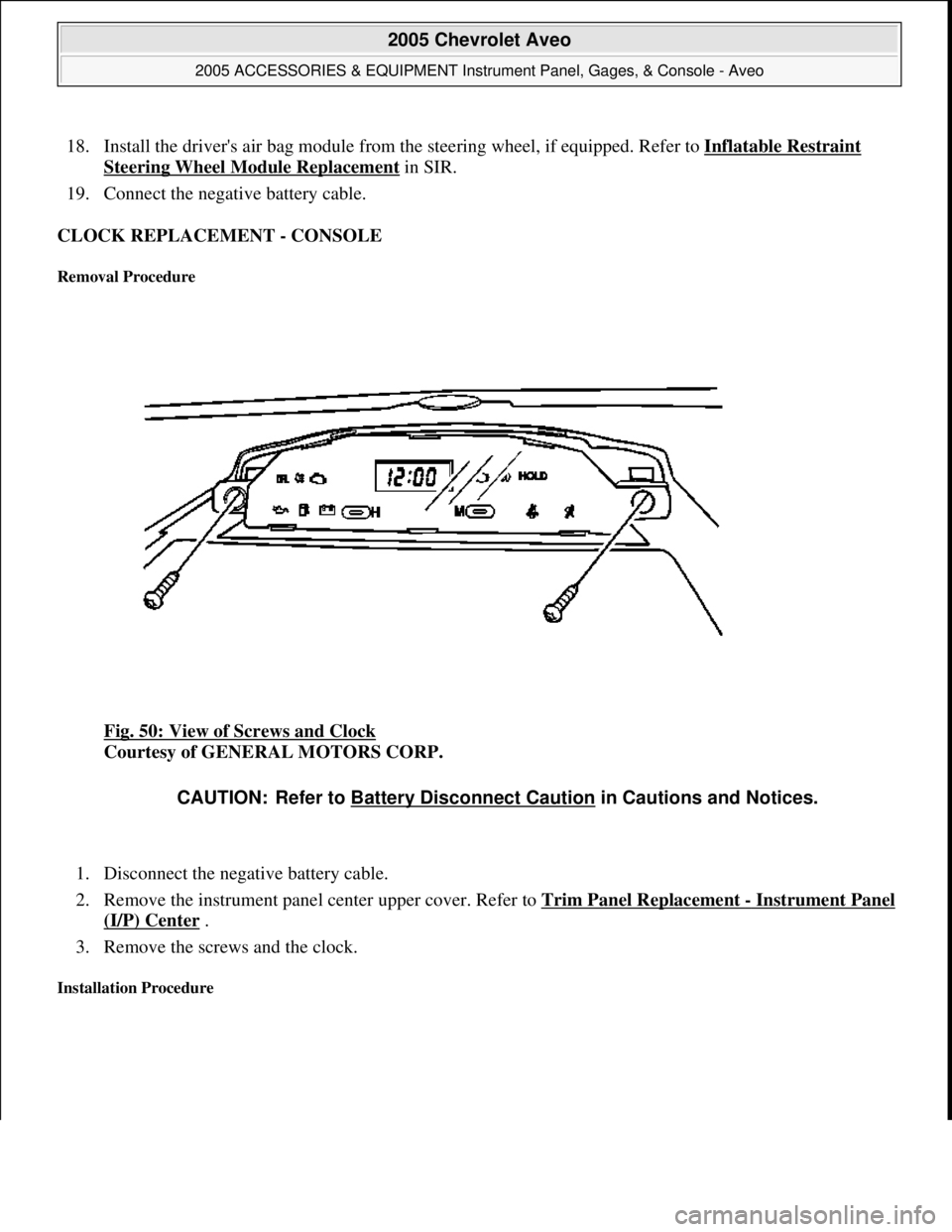
CLOCK REPLACEMENT - CONSOLE
Removal Procedure
Fig. 50: View of Screws and Clock
Courtesy of GENERAL MOTORS CORP.
1. Disconnect the negative battery cable.
2. Remove the instrument panel center upper cover. Refer to Trim Panel Replacement
- Instrument Panel
(I/P) Center .
3. Remove the screws and the clock.
Installation Procedure
CAUTION: Refer to Battery Disconnect Caution in Cautions and Notices.
2005 Chevrolet Aveo
2005 ACCESSORIES & EQUIPMENT Instrument Panel, Gages, & Console - Aveo
Microsoft
Friday, July 31, 2009 1:07:03 PMPage 78 © 2005 Mitchell Repair Information Company, LLC.
Page 4376 of 5127
DESCRIPTION AND OPERATION
INSTRUMENT PANEL DESCRIPTION
Cigar Lighter
The cigar lighter is located in the front portion of the floor console. To use the lighter, push it in completely.
When the lighter is hot, it will release itself from contact with the heating element. The lighter and the heating
element can be damaged if the lighter is not allowed to release itself fully from the heating element.
Ashtray
The ashtray is located below the audio system. To access the ashtray, pull it out from the center console. The
ashtray lamp will go ON when the parking lamps or the headlamps are turned ON.
Instrument Panel Vents
The center and the side vents in the instrument panel can be adjusted up and down and from side to side. The
side vents can also be aimed toward the side windows in order to defog them.
Glove Box
The glove box can be opened by pulling up on the latch handle. The glove box must be removed in order to gain
access to the passenger's side air bag module.
Digital Clock
The digital clock is located in the instrument panel, above the audio system. The clock is capable of a 12-hour
or a 24-hour display.
Instrument Cluster
The instrument cluster is located above the steering column and in the instrument cluster trim panel. The
instrument cluster contains the instruments that provide the driver with vehicle performance information. The
instrument cluster contains a speedometer, an odometer, a trip odometer, a temperature gage, a fuel gage, and
several indicator lamps. For replacement of the indicator lamp bulbs contained in the instrument cluster, refer to
Bulb Usage Specifications
and Instrument Cluster Lamp Replacement .
Speedometer/Odometer/Trip Odometer
The speedometer measures the speed of the vehicle in km/h (mph). It consists of an instrument cluster gage
connected to the vehicle speed sensor (VSS) on the transaxle output shaft.
The odometer measures in kilometers (miles) the total distance the vehicle has traveled since it was
manufactured. It consists of an instrument cluster gage connected to the VSS on the transaxle output shaft.
The trip odometer measures the distance the vehicle has traveled since the odometer was last reset. It consists of
2005 Chevrolet Aveo
2005 ACCESSORIES & EQUIPMENT Instrument Panel, Gages, & Console - Aveo
Microsoft
Friday, July 31, 2009 1:07:03 PMPage 83 © 2005 Mitchell Repair Information Company, LLC.