ignition CHEVROLET BLAZER 1995 2.G Owner's Manual
[x] Cancel search | Manufacturer: CHEVROLET, Model Year: 1995, Model line: BLAZER, Model: CHEVROLET BLAZER 1995 2.GPages: 380, PDF Size: 20.04 MB
Page 130 of 380
Downloaded from www.Manualslib.com manuals search engine NOTICE:
Damage to your engine from neglected oil problems can be
costly and is not covered by your warranty.
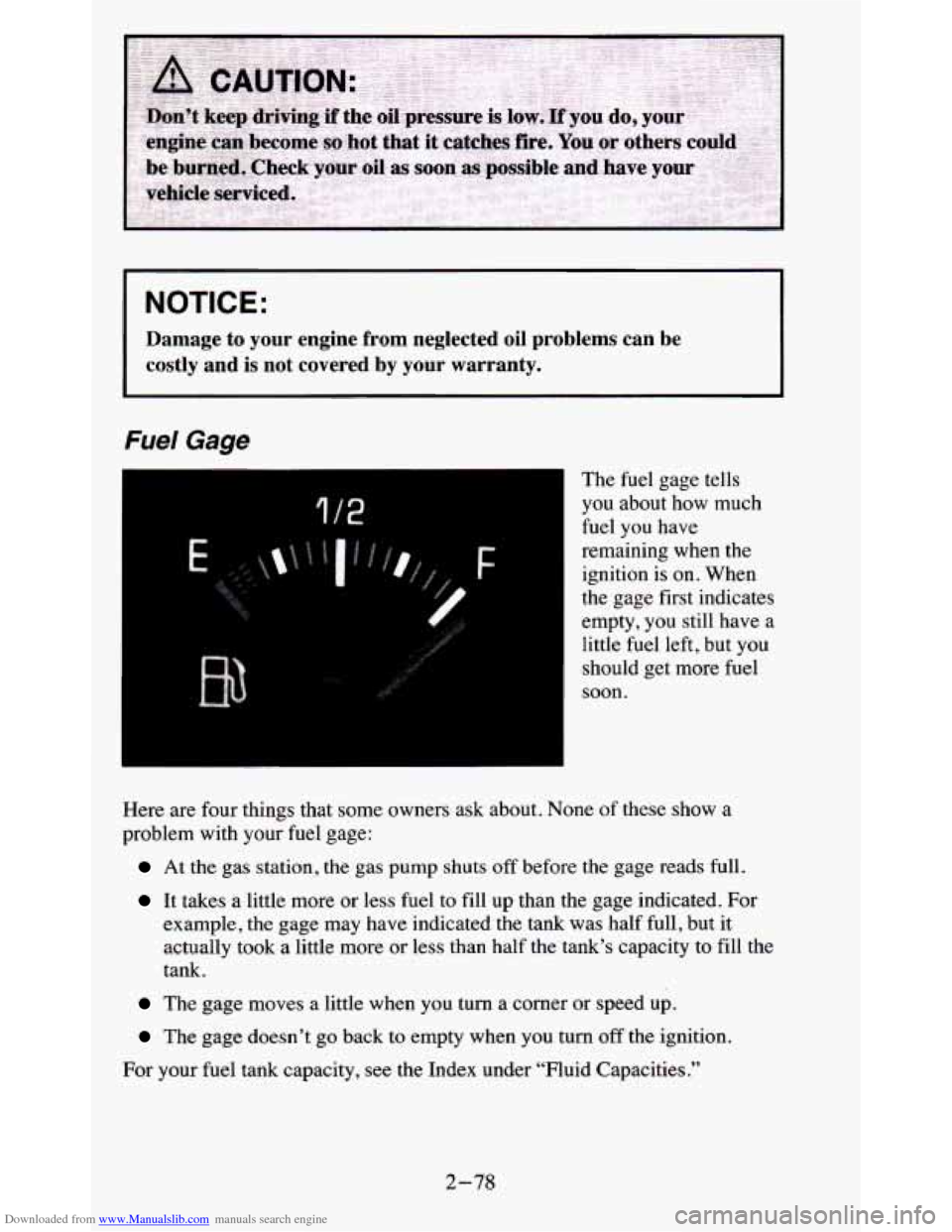
Fuel Gage
I
1 /2
The fuel gage tells
you about how much
fuel you have
remaining when the
ignition
is on. When
the gage first indicates
empty, you still have a
little fuel left, but you
should get more fuel
soon.
3
Here are four things that some owners ask about. None of these show a
problem with
your fuel gage:
At the gas station, the gas pump shuts off before the gage reads full.
It takes a little more or less fuel to fill up than the gage indicated. For
example, the gage may have indicated the tank was half full, but it
actually took a little more
or less than half the tank’s capacity to fill the
tank.
The gage moves a little when you turn a corner or speed up.
The gage doesn’t go back to empty when you turn off the ignition.
For your fuel tank capacity, see the Index under “Fluid Capacities.”
2-78
Page 131 of 380
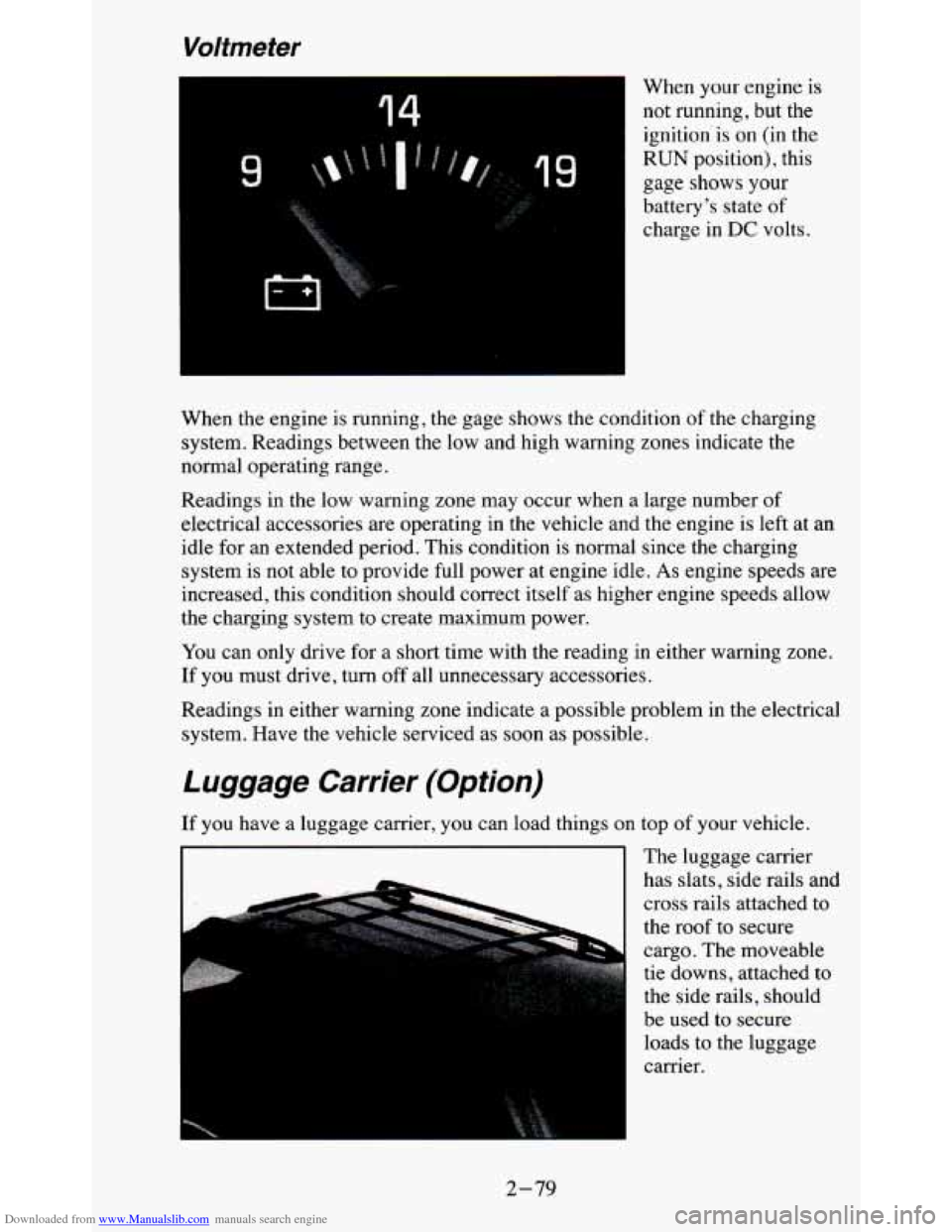
Downloaded from www.Manualslib.com manuals search engine Voltmeter
14
49
When your engine is
not running, but the ignition'is on (in the
RUN position), this
gage shows
your
battery's state of
charge in DC volts.
When the engine is running, the gage shows the condition of the charging
system. Readings between the low and high warning zones indicate the
normal operating range.
Readings in the low warning zone may occur when a large number of
electrical accessories are operating in the vehicle and the engine is left at an
idle for an extended period. This condition is normal since
the charging
system is not able to provide full power at engine idle.
As engine speeds are
increased, this condition should correct itself as higher engine speeds allow
the charging system to create maximum power.
You can only drive for
a short time with the reading in either warning zone.
If you must drive, turn
off all unnecessary accessories.
Readings in either warning zone indicate a possible problem in the electrical
system. Have the vehicle serviced as soon as possible.
Luggage Carrier (Option)
If you have a luggage carrier, you can load things on top of your vehicle.
The luggage carrier
has slats, side rails and
cross rails attached to
the roof to secure
cargo. The moveable
tie downs, attached to
the side rails, should
be used to secure loads to the luggage
carrier.
I I
2-79
Page 137 of 380
Downloaded from www.Manualslib.com manuals search engine Rear Window Defogger (Option)
If your vehicle has this option, the rear window will have lines running
across the glass. These lines heat your window.
For best results, clear the window of as much snow or ice as possible before
using the rear window defogger.
REAR DEFOG
-
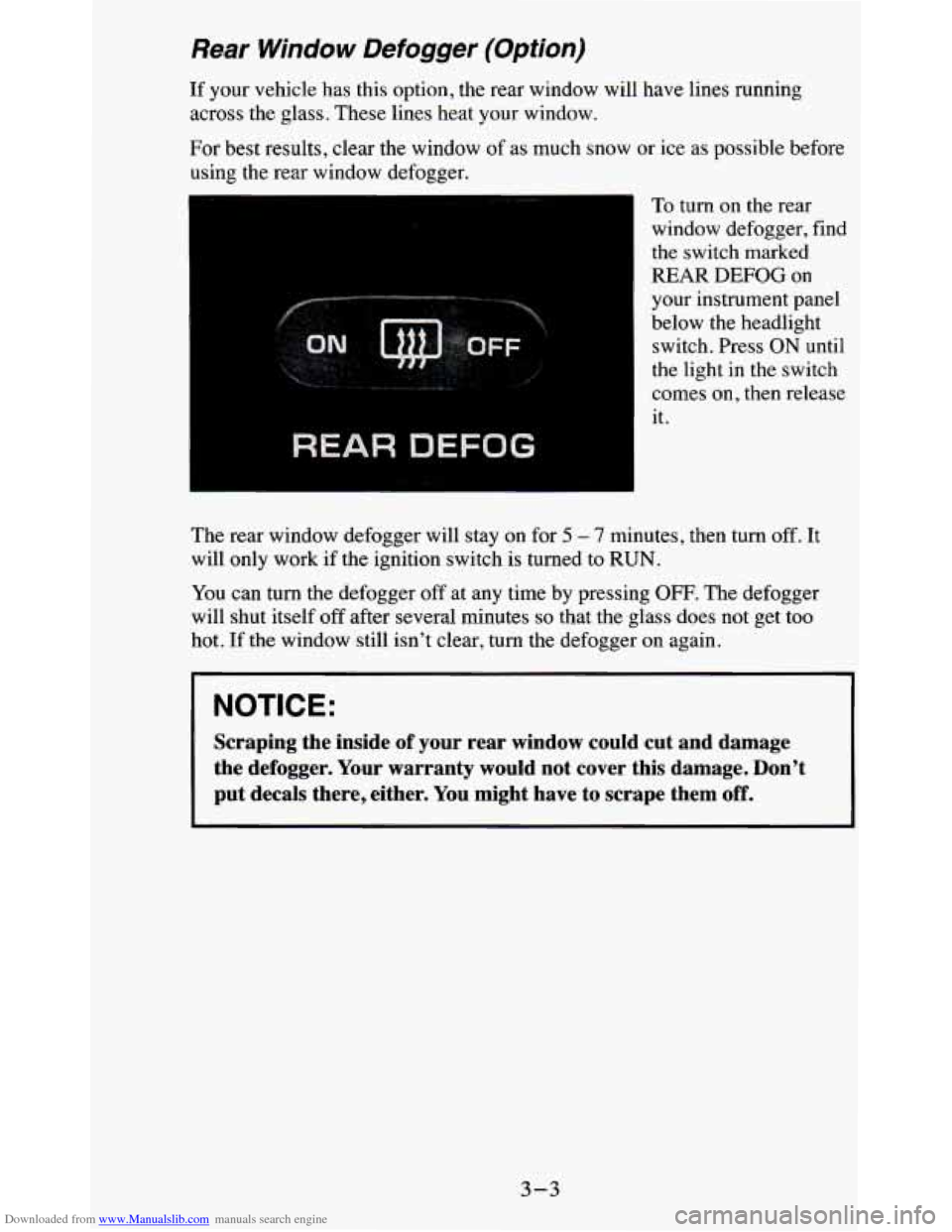
To turn on the rear
window defogger, find
the switch marked
REAR
DEFOG on
your instrument panel
below the headlight switch. Press ON until
the light in the switch
comes on, then release
it.
The rear window defogger will stay on for
5 - 7 minutes, then turn off. It
will only work if the ignition switch is turned to RUN.
You can
turn the defogger off at any time by pressing OFF. The defogger
will shut itself off after several minutes
so that the glass does not get too
hot.
If the window still isn’t clear, turn the defogger on again.
NOTICE:
Scraping the inside of your rear window could cut and damage
the defogger. Your warranty would not cover this damage. Don’\
t
put decals there, either. You might have to scrape them
off.
3-3
Page 139 of 380
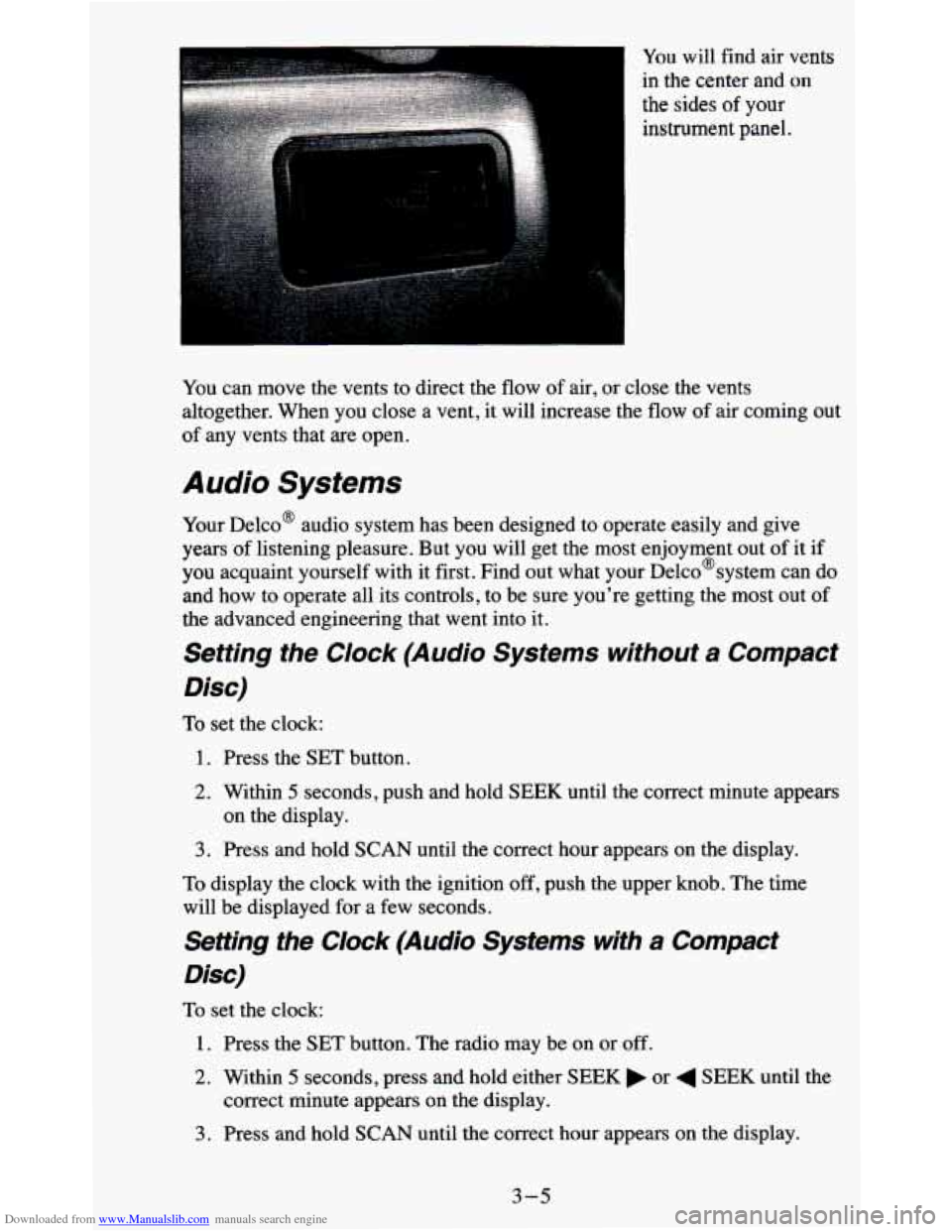
Downloaded from www.Manualslib.com manuals search engine You will find air vents
in the center and
on
the sides of your
instrument panel.
You can move the vents to direct the
flow of air, or close the vents
altogether. When you close a vent, it will increase the flow of air coming out
of any vents that are open.
Audio Systems
Your Delco@ audio system has been designed to operate easily and give
years of listening pleasure. But you will get the most enjoyment out of it if
you acquaint yourself with it first. Find out what your Delco@system can do
and how to operate all its controls, to be sure you're getting the most out of
the advanced engineering that went into it.
Setting the Clock (Audio Systems without a Compact
Disc)
To set the clock:
1. Press the SET button.
2. Within 5 seconds, push and hold SEEK until the correct minute appears
3. Press and hold SCAN until the correct hour appears on the display.
on the display.
To display the clock with the ignition off, push the upper knob. The time
will be displayed for a few seconds.
Setting the Clock (Audio Systems with a Compact
Disc)
To set the clock:
1. Press the SET button. The radio may be on or off.
2. Within 5 seconds, press and hold either SEEK or 4 SEEK until the
correct minute appears
on the display.
3. Press and hold SCAN until the correct hour appears on the display.
3-5
Page 140 of 380
Downloaded from www.Manualslib.com manuals search engine How to Operate Your ETP AM-FM Stereo Audio
System
I
.. ..
Q
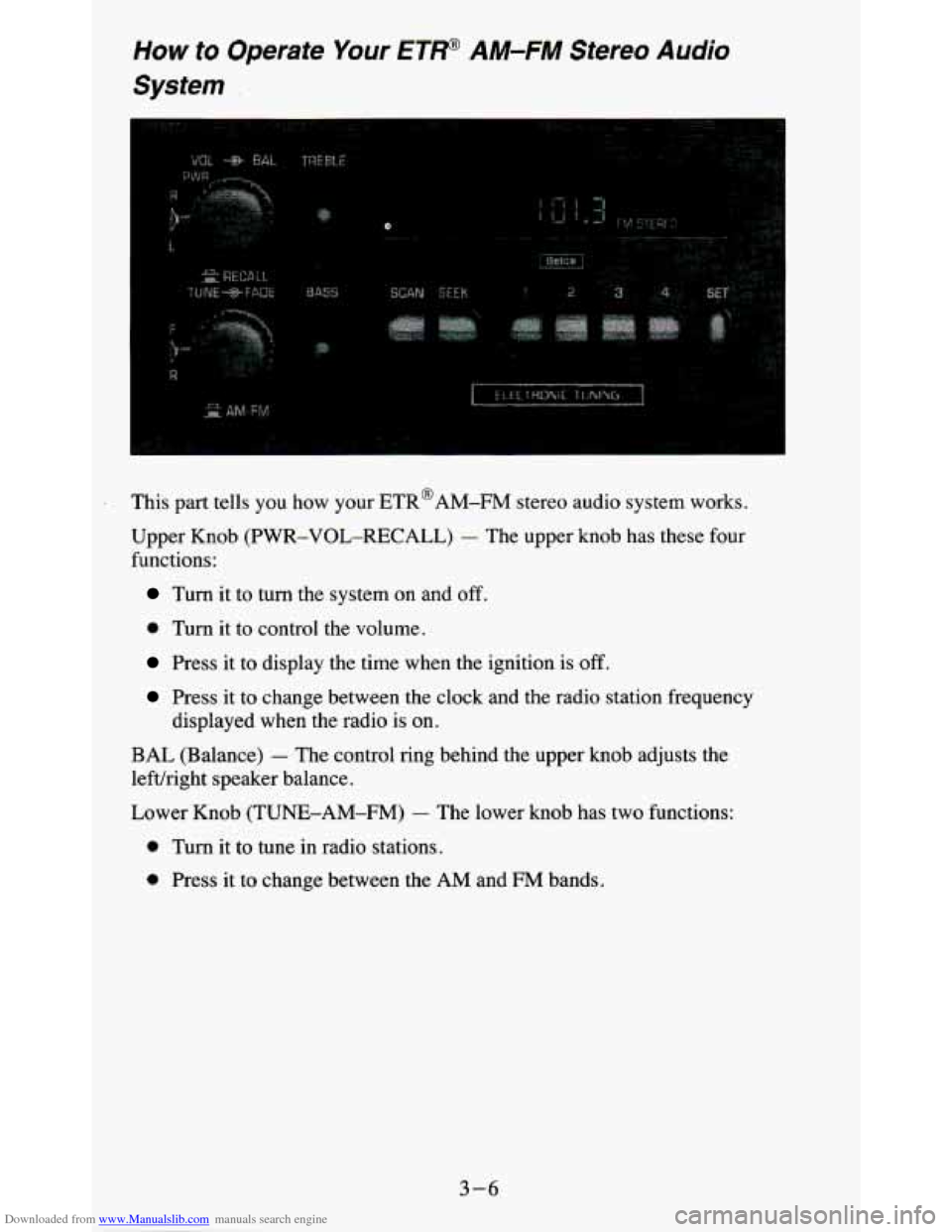
This part tells you how your ETR@AM-FM stereo audio system works.
Upper Knob (PWR-VOL-RECALL)
- The upper knob has these four
functions:
Turn it to turn the system on and off.
0 Turn it to control the volume.
Press it to display the time when the ignition is off.
Press it to change between the clock and the radio station frequency
displayed when the radio is on.
BAL (Balance) - The control ring behind the upper knob adjusts the
lefuright speaker balance.
Lower Knob (TUNE-AM-FM)
- The lower knob has two functions:
0 Turn it to tune in radio stations.
0 Press it to change between the AM and €34 bands.
3-6
Page 142 of 380
Downloaded from www.Manualslib.com manuals search engine How to Operate Your ETP AM-FM Stereo Audio
Cassette System
- __ - __
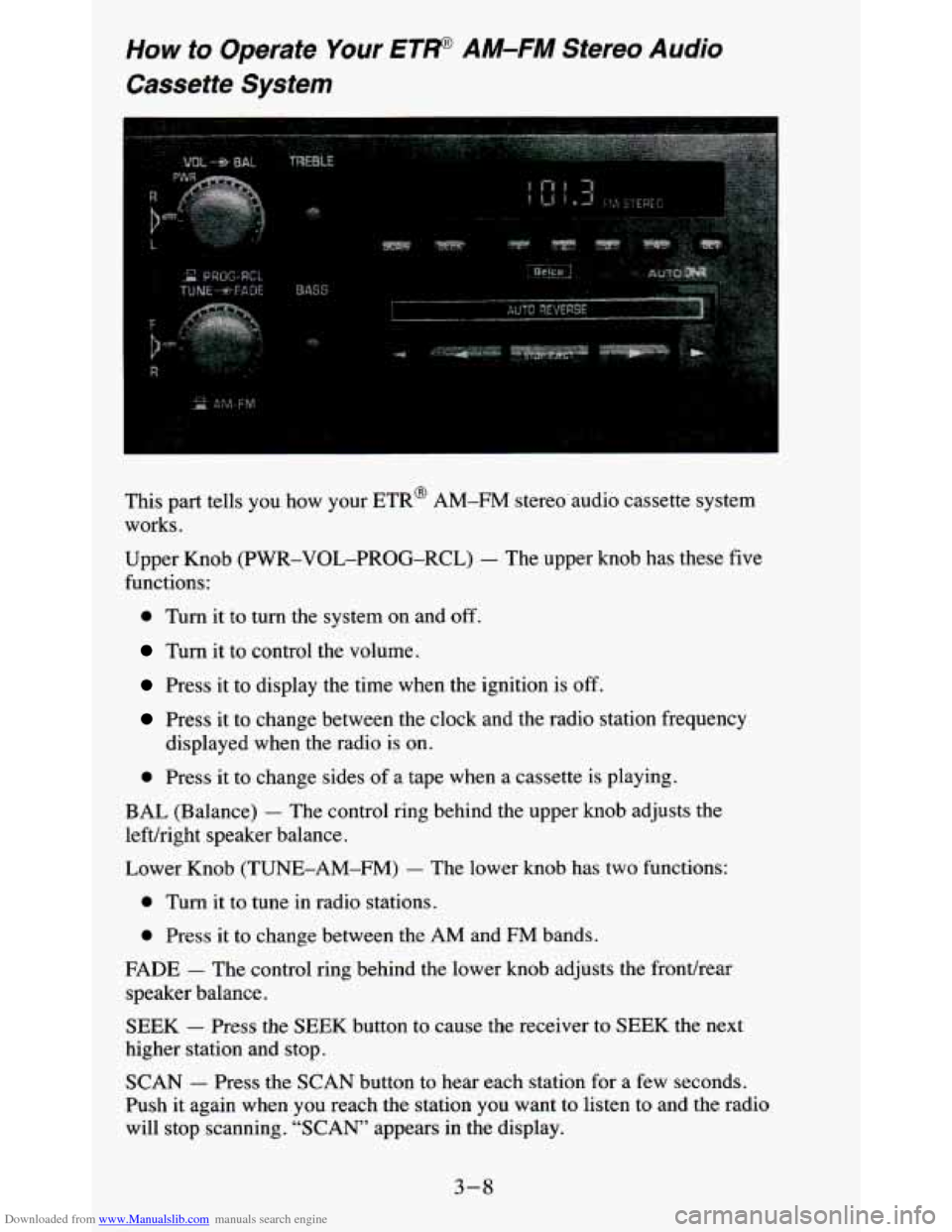
This part tells you how your ETR@ AM-FM stereo audio cassette system
works.
Upper Knob (PWR-VOL-PROG-RCL)
- The upper knob has these five
functions:
0 Turn it to turn the system on and off.
Turn it to control the volume.
Press it to display the time when the ignition is off.
Press it to change between the clock and the radio station fr\
equency
displayed when the radio is
on.
0 Press it to change sides of a tape when a cassette is playing.
BAL (Balance) - The control ring behind the upper knob adjusts the
lefthight speaker balance.
Lower Knob
(TUNE-AM-FM) - The lower knob has two functions:
0 Turn it to tune in radio stations.
0 Press it to change between the AM and FM bands.
FADE - The control ring behind the lower knob adjusts the fronthear
speaker balance.
SEEK - Press the SEEK button to cause the receiver to SEEK the next
higher station and stop.
SCAN - Press the SCAN button to hear each station for a few seconds.
Push it again when
you reach the station you want to listen to and the radio
will stop scanning.
“SCAN” appears in the display.
3-8
Page 144 of 380
Downloaded from www.Manualslib.com manuals search engine PROGRAM - To go from one side of the tape to the other, press the
PWR-VOL-PROCi-RCL knob.
STOP-EJECT
- To remove the tape or stop the tape and switch to radio,
press the STOP-EJECT button.
If “Cln” (Clean) appears on the display when you insert
your cassette tape,
your cassette player needs to be cleaned. It
will still play cassette tapes but it
should be cleaned to prevent damage to your cassette tapes and\
the cassette
tape player. See “Care
of Your Cassette Tape Player’’ later in this section.
After you have cleaned the cassette tape player, press and hol\
d EJECT for
5
seconds to reset the the “Cln” indicator. The radio will display “- - -” to
show the clean feature has been reset.
How to Operate Your ET* AM-FM Stereo Audio
Cassette System wifh Equalizer
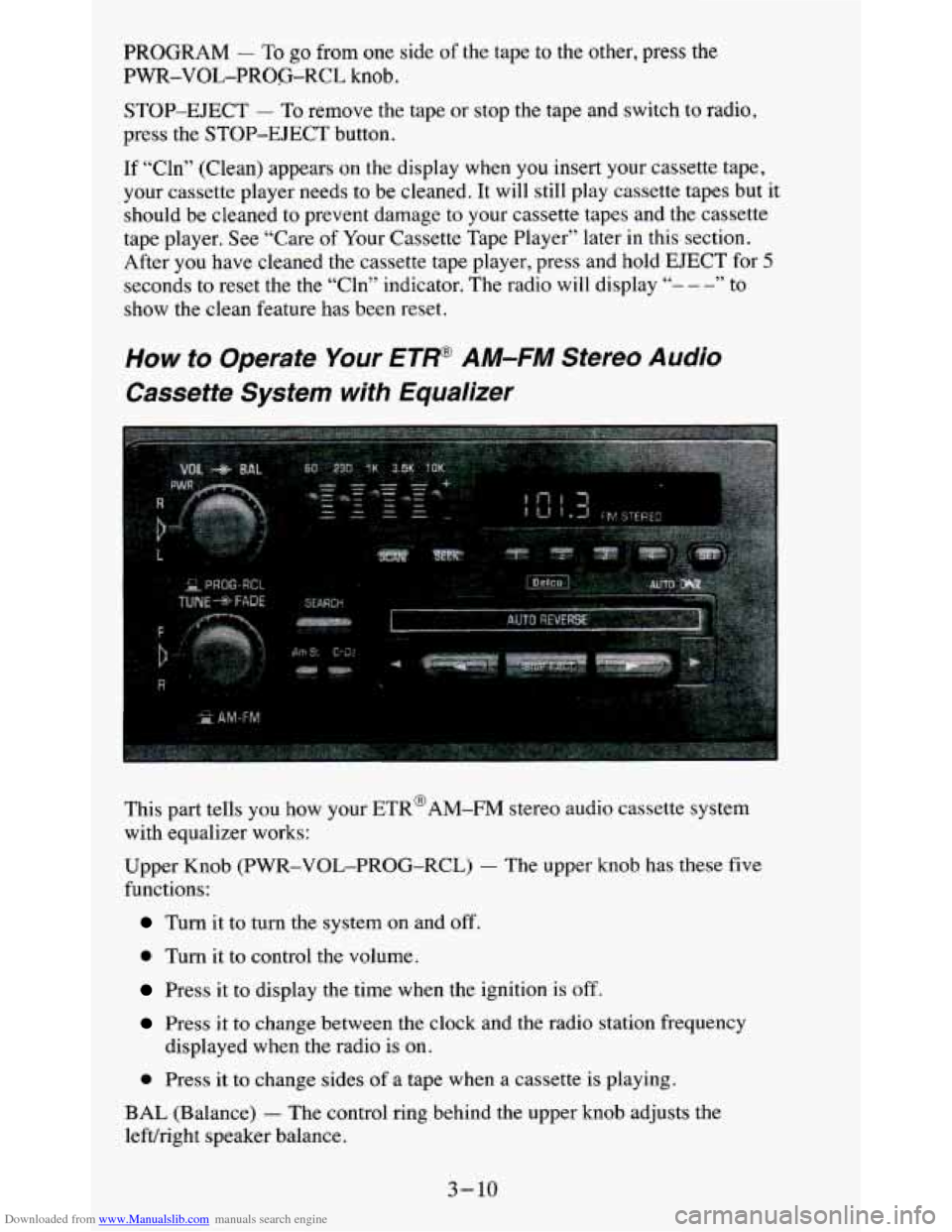
This part tells you how your ETR@AM-FM stereo audio cassette system
with equalizer works:
Upper Knob
(PWR-VOL-PROG-RCL) - The upper knob has these five
functions:
Turn it to turn the system on and off.
0 Turn it to control the volume.
Press it to display the time when the ignition is off.
Press it to change between the clock and the radio station frequency
0 Press it to change sides of a tape when a cassette is playing.
displayed when the radio
is on.
BAL (Balance)
- The control ring behind the upper knob adjusts the
lefvright speaker balance.
3-10
Page 147 of 380
Downloaded from www.Manualslib.com manuals search engine How to Operate Your ETP AM-FM Stereo Audio
Compact Disc (CD)
System
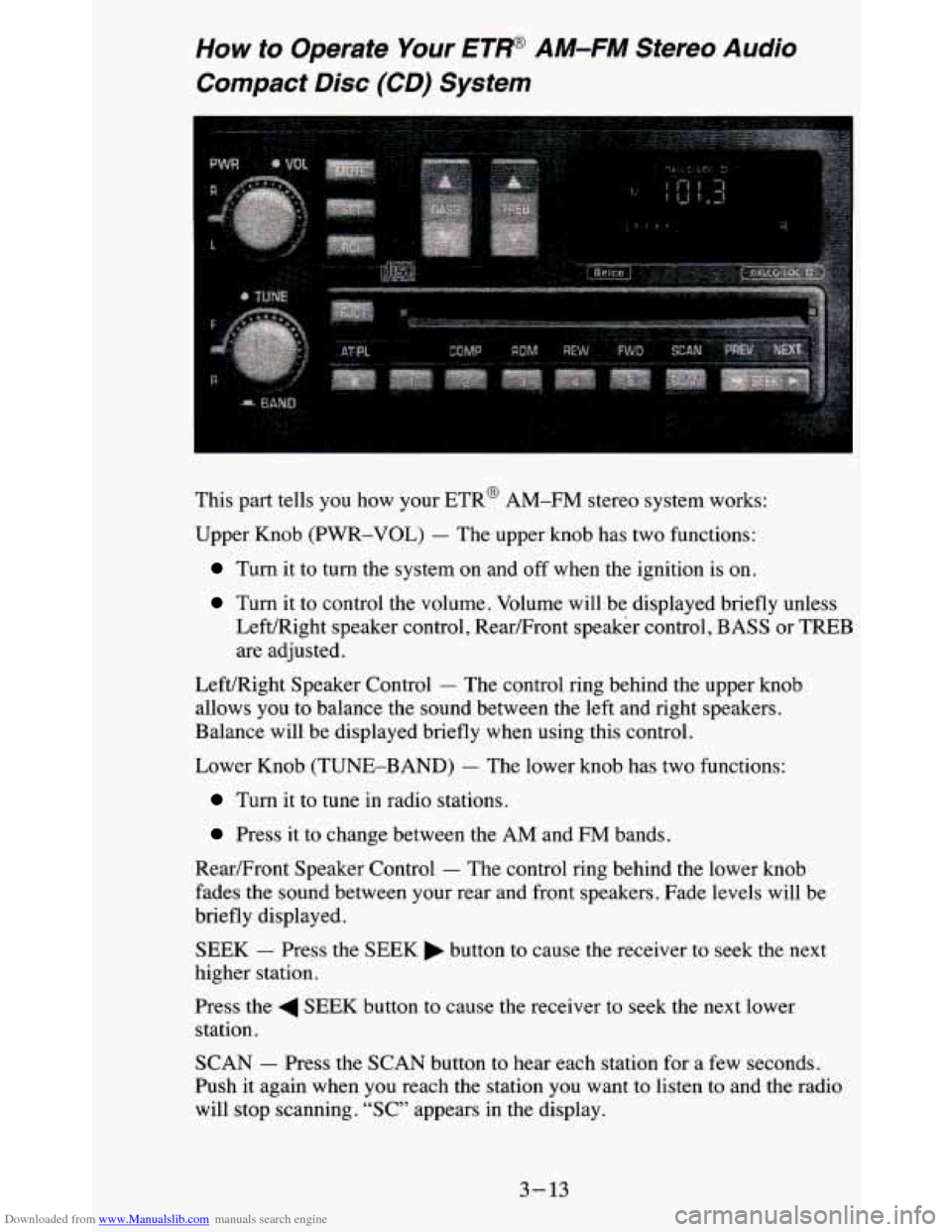
This part tells you how your ETR@ AM-FM stereo system works:
Upper Knob (PWR-VOL)
- The upper knob has two functions:
Turn it to turn the system on and off when the ignition is on.
Turn it to control the volume. Volume will be displayed briefly unless
Left/Right speaker control, Rear/Front speaker Control, BASS
01: TFREB
are adjusted.
Left/Right Speaker Control
- The control ring behind the upper knob
allows you to balance the sound between the left and right speakers.
Balance will be displayed briefly when using this control.
Lower Knob (TUNE-BAND)
- The lower knob has two functions:
Turn it to tune in radio stations.
Press it to change between the AM and FM bands.
RearFront Speaker Control
- The control ring behind the lower knob
fades the sound between your rear and front speakers. Fade lev\
els will be
briefly displayed.
SEEK - Press the SEEK button to cause the receiver to seek the next
higher station.
Press the
4 SEEK button to cause the receiver to seek the next lower
station.
SCAN
- Press the SCAN button to hear each station for a few seconds.
Push it again when
you reach the station you want to listen to and the radio
will stop scanning. “SC” appears in the display.
3-13
Page 148 of 380
Downloaded from www.Manualslib.com manuals search engine Pushbuttons - The five pushbuttons let you return to favorite stations.
They are also used
when you play a disc. (See “TO Play A Compact Disc”.)
To set the pushbuttons for
up to ten favorite stations (5 AM and 5 FM):
1. Tune in the desired station.
2. Push the SET button. “SET” is displayed briefly.
3. Within 5 seconds, push one of the five pushbuttons to store the station.
Whenever you press that button, the preset station will return. Repeat
the steps for each of the
5 AM and 5 FM stations.
MUTE
- Press the MUTE button and all sound from the radio or CD
player stops. By pressing the button again sound will begin again.
RCL
- Press the RCL button to change between the clock and the radi\
o
station frequency displayed when the radio is on. RCL may be pressed when
the ignition is
off to see the time.
BASS
- Press the BASS A to increase the bass tones and v BASS to
decrease bass tones. Press the center of the control for a preset BASS
position. The bass level will be displayed briefly when using this control.
TREBLE
- Press the TREB A to increase the treble tones and v TREB to
decrease the treble tones. Press the center of the control for a preset TREB
position. The treble level will be displayed briefly when using this control.
To Play A Compact Disc (CD)
NOTICE:
DO NOT use mini4iscs that are called singles. They won’t eject.
USE FULL-SIZE COMPACT DISCS. If the disc player is very
hot, or if you’re driving on a very rough road, a disc may com\
e
out or just not play.
If you see the word HOT on the display, the
disc player
is too hot to play the disc. Press RCL to make the
word HOT
go off the display. When things get back to normal,
the disc should play again. Press
PWR to turn the system on.
Insert a disc partway into the slot, label side up. The player will pull it in.
Wait a few seconds and the disc should play.
If the disc comes back out, check to see if any of the following are true:
The disc is upside down.
It is dirty, scratched, or wet.
Too much moisture is in the air. (If there is, wait about one hour and try
again.)
3- 14
Page 149 of 380
Downloaded from www.Manualslib.com manuals search engine RCL - Press RCL to see what track is playing. Press it again within 5
seconds to see how long it has been playing. The track number also appears
when you change the volume or when a new track starts to play.
COMP
- Press the COMP button to make soft and loud passages more
nearly equal in volume. “COMP” will appear in the display while using this
control.
RDM
- The RDM button means random and when it is pressed, it causes
the CD mechanism to play the tracks in a random order rather than in the
sequential
1,2,3 order. “RDM’ will appear in the display while using this
control. To return to normal sequence, press RDM again.
REV
- Press and hold the REV button to quickly return to a favorite
passage. Release
it to display the passage. The counter reading will be
displayed while using this control.
FWD - Press and hold the FWD button to advance quickly within a track.
Release it to resume playing. Watch the display to stop at a specific passage.
SCAN
- Press SCAN to sample each track for approximately 10 seconds.
Scanning will continue until the RDM, SCAN or any other motion button is
pressed again.
PREV
- Hold the PREV (4 SEEK) button, or press it more than once, and
the disc will return to previous tracks.
NEXT
- Press NEXT (SEEK ,) to hear the next track now instead of
waiting until the present track is finished. If you hold this button or press it
more than once, the disc will advance further.
ST-PL
- Press ST-PL (Stop-Play) to make the disc stop and the radio
play. Press ST-PL again to restart
the disc at the point where it stopped.
Press PWR or turn the ignition key
off to stop the disc player. The disc stays
in the player and will resume playing at the point where it stopped.
Press EJCT to eject the disc and make the radio play. The disc will start at
track
1 when you reinsert it.
3-15